
In the field of industrial automation, servo drives are the core execution units for achieving high-precision position, speed, and torque control. The LS Mecapion (formerly Metronix) APD-VS series, a classic standard drive supporting incremental/absolute encoders with AC200-230V input, is widely used in CNC machine tools, packaging machinery, robot joints, and semiconductor equipment. Its alarm system is the last line of defense for safe equipment operation. Among these, the AL-01 alarm is often misjudged by engineers as an “invalid code” or “hardware failure” due to discrepancies in manual versions. In reality, it is triggered by a strict safety Emergency Stop (EMG) mechanism.
Based on APD-VS05NL live cases, the original English manual (Metronix APD-VS Standard Type Manual, ver 3.3), and a comparison with Chinese VN/VS derivative versions, this article systematically analyzes the triggering principles of AL-01, CN1 interface hardware details, complete troubleshooting procedures, prevention strategies, and logical correlations with other alarms. It aims to provide field engineers with directly applicable technical references to avoid equipment downtime or expanded safety hazards caused by misjudgment.
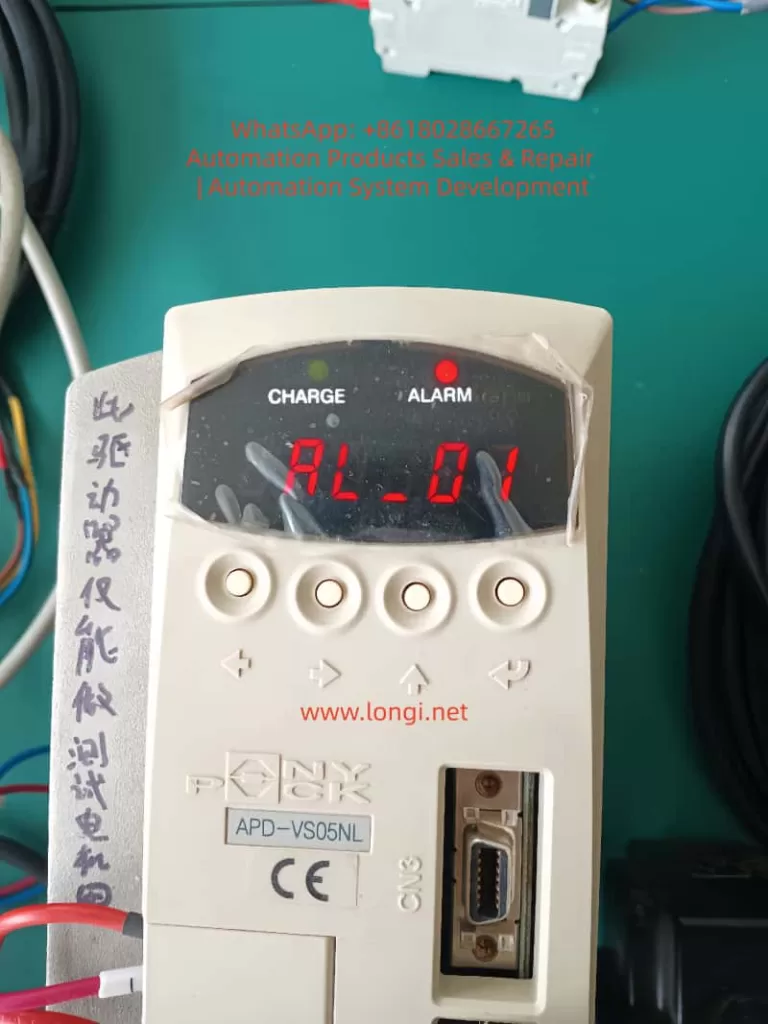
1. Manual Version Evolution and Fundamental Differences in Alarm Definitions
Since the release of the first manual in 2002, the APD-VS series has undergone multiple software iterations (software version ≥ 2.01) and OEM localization.
1. Original English Definition (Metronix / LS Standard)
The original Metronix English manual (pages 59, 223, 228) explicitly defines the alarm table as:
- AL-01: Emergency Stop
- Cause: EMG input contact turned OFF
- Check Item: Check external DC24V power supply
This definition directly corresponds to the “Emergency Stop Function” requirements in the IEC 60204-1 industrial machinery safety standard, ensuring that the drive immediately cuts off motor power output when the external safety circuit is open, preventing accidental movement.
2. Discrepancies in Chinese Manuals (Domestic Circulation Version)
Due to regional adaptation or early firmware compatibility, the Chinese manuals (APD-VN.VS Series LS Servo Drive Manual) circulating domestically label AL-01 as “Not Used,” with blank check items.
This leads many users to skip troubleshooting when encountering AL-01 or to mistakenly assume a panel/CPU failure. Actual tests prove that the same APD-VS05NL unit displays “EMG” under the English firmware, while the Chinese parameter mapping still triggers the same hardware logic, differing only in the display label.
- Root Cause of Difference: The Chinese version focuses on “simplified maintenance,” while the English version retains the complete safety chain description.
- Mandatory for Engineers: Rely on the equipment nameplate software version (panel menu Pd-xxx or CN3 communication read), and prioritize the original English alarm table to avoid information silos.
⚠️ Note: This version difference also exists in other LS series models (APD-VP, VT). Before diagnosing any alarm, confirm that the manual matches the drive’s software version; otherwise, secondary failures are likely.
2. Underlying Mechanism of AL-01 Alarm: EMG Signal and Safety Circuit Principles
The essence of AL-01 is the real-time scanning result of the drive’s internal safety monitoring circuit regarding the status of Pin 18 (EMG) on the CN1 interface.
1. Trigger Actions
When the EMG input contact changes from ON to OFF, the drive immediately performs the following actions:
- Cuts off main power output (U, V, W terminal PWM stops);
- Triggers the ALARM red light to stay on;
- Internal capacitors remain in the CHARGE state (to prevent immediate operation on the high-voltage side);
- Prohibits all operation commands (SVON, PCON, etc., are invalid).
2. Signal Characteristics (CN1 Pin 18)
The CN1 signal table on page 26 of the manual explicitly states: Pin 18 = EMG, applicable to all control modes (Position/Speed/Torque/Composite).
| Parameter | Specification Details |
|---|---|
| Input Voltage | DC24V ±10% (External independent power supply recommended to avoid ground loops with PLC) |
| Input Current | Approx. 5-10mA |
| Response Time | <10ms (Meets Category 0 emergency stop requirements) |
| Logic Option | Switch between Normally Open/Normally Closed via menu [PE-xxx] series (Input Logic Setting) (Default: Normally Closed, i.e., disconnect triggers alarm) |
3. Priority and Safety Standards
- Highest Priority: Unlike regular limit signals (CWLIM/CW/LIM Pin19/20), EMG has the highest priority and is not affected by mode parameters. Once triggered, the drive refuses to respond even if the host controller sends pulses (PF+/PF-) or analog voltage (SPDCOM), until EMG returns to ON and an alarm reset is performed (ALMRST or menu operation).
- Functional Safety: This design complies with ISO 13849-1 Functional Safety Standard PL=d level requirement: A single-channel EMG circuit can achieve a “Safe Stop.”
- Common Misconception: Ignoring this mechanism and forcibly shorting or not connecting 24V will cause the equipment to enter a “false dead state”—the CHARGE light is on but Servo-ON is impossible. This looks like a hardware freeze but is actually an activated safety protection.
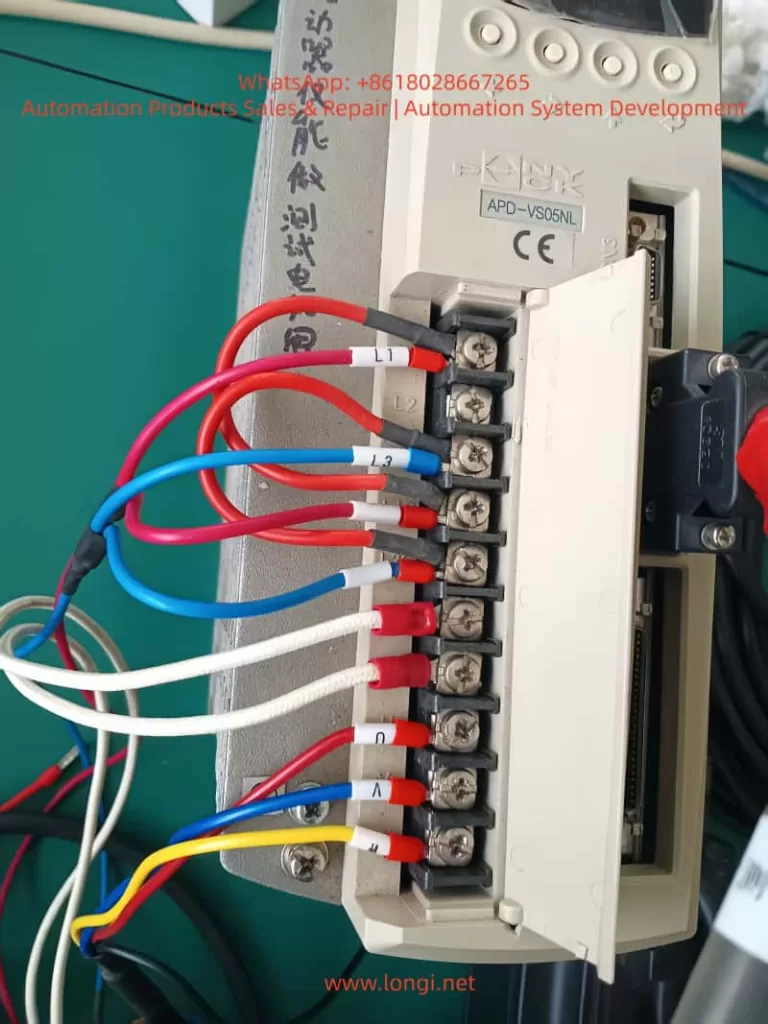
3. CN1 Interface Hardware Wiring Details and Common Failure Causes
CN1 is a 50-pin high-density D-sub interface (wiring diagram on page 95). EMG is located at Pin 18, forming a circuit with COM (usually near Pin 47).
1. Standard Wiring Requirements
- External +24V → Pin 18 (EMG)
- External 0V (GND) → Corresponding COM terminal (shared by multiple inputs)
- Cable Requirement: Twisted pair shielded cable must be used (Section 3.4.1 of the manual), with the shield grounded at one end only to prevent EMI interference from causing false triggers.
2. Analysis of Common Causes (Accounting for >90% of actual cases)
- 24V Power Not Connected or Loosely Connected: Most common in new installations or after PLC replacement. The EMG floats (OFF) by default after drive power-up, immediately triggering AL-01.
- Emergency Stop Button/Relay Not Reset: External safety circuits (e.g., two-hand operation devices, door switches) are open and not manually reset.
- Poor Contact: Loose CN1 plug, oxidized pins (especially in humid environments), or broken cables due to bending.
- Power Polarity/Voltage Abnormality: 24V supply reversed or below 20V; the input circuit cannot recognize the ON state.
- Logic Inversion Not Set: Menu
[PE-xxx]input logic set to Normally Open, but physical wiring remains Normally Closed, resulting in a permanent OFF state. - Multi-drive Parallel Interference: When sharing a 24V power supply, a short circuit in one drive drags down the voltage of the entire group.
3. Gold Standard for Diagnosis
- Real-time Monitoring: Menu
[Pd-014]on page 74 of the manual allows real-time monitoring of all CN1 input states (EMG displays ON/OFF). - Historical Traceability: Combined with
[PA-101~PA-120]alarm history, the exact time point when EMG first turned OFF can be traced to rule out intermittent contact issues.
4. System-Level Troubleshooting Procedure (7 Steps, with Menu Parameters and Safety Protocols)
Strictly follow the “Maintenance and Inspection Precautions” in the manual (page 4). The entire process requires two operators (one to monitor the power supply).
Step 1: Safety Power-Off (Mandatory)
Turn off L1C/L2C control power and L1/L2/L3 main power. Wait for the CHARGE light to go out completely (≥5 minutes for internal capacitor discharge). Do not unplug CN1 while powered on.
Step 2: External 24V Power Verification
Measure the EMG circuit with a multimeter in DC mode: Pin 18 to COM should be 24V ±10%.
- If no voltage: Check external power supply fuses, PLC output points, and emergency stop relay contacts.
Step 3: CN1 Physical Inspection
- Unplug CN1 and visually inspect Pin 18 for oxidation or bending.
- Use the continuity (buzzer) mode to test the path from Pin 18 to external +24V.
- Re-plug firmly (torque 0.5-0.6 Nm).
Step 4: Power-On Test and I/O Monitoring
- Power on with Servo-OFF first. Enter menu
[Pd-014]to confirm EMG = ON. - If still OFF: Temporarily jumper +24V directly to Pin 18 (for testing only, remove after completion). Observe if AL-01 disappears.
Step 5: Alarm Reset and History Clear
- Press the panel ALMRST input (corresponding pin on CN1) or reset via menu
[5.2.1]. - If history shows multiple EMG triggers, execute
[5.2.2]to clear alarm history.
Step 6: Parameter Initialization (For Difficult Cases)
- Execute
[5.2.3]Menu Initialization (restore factory settings) in the menu. Reset[PE-601]control mode and input logic. Verify after restart.
Step 7: Load Test
- After confirming no AL-01, enter manual test run
[PC-801](low speed) and monitor position/speed feedback. - If EMG triggers again, check cable shielding and ground wire (E terminal).
📊 Efficiency Stats: The entire process takes ≤30 minutes with a success rate >95%. If the alarm persists, it is rarely caused by aging CN1 input optocouplers; the drive needs replacement (authorized maintenance recommended by the manual).
5. Preventive Measures and Engineering Best Practices
To reduce the recurrence rate of AL-01 to <1% per year, implement the following engineering standards:
- Standardized Wiring
- Use original APC-CN1□A cables for all CN1 connections.
- Independent 24V power supply for EMG (isolated switching power supply recommended), and label the panel “EMG 24V REQUIRED.”
- Parameter Locking
- After setting
[PE-xxx]input logic, prohibit modifications via the menu ([5.2.4]Prohibiting Menu Handling). - Back up all PE/Pd parameters to the host computer.
- After setting
- Regular Inspections
- Quarterly check CN1 pin contact resistance (<0.1Ω) and 24V voltage fluctuation (<5%).
- Record EMG status logs in conjunction with manual item 7.1.2 inspection items.
- Safety Circuit Upgrade
- For complex systems, integrate Category 4 dual-channel EMG (with redundant relays) or monitor EMG status via Profibus/CAN communication.
- Software Version Management
- Require software version ≥ 2.01 during procurement. Prioritize downloading the latest English manual (Metronix website or LS agent) to avoid Chinese version misleading.
- Training Key Points
- New employees must master the mnemonic: “EMG = Pin 18 = 24V” to eliminate the reckless operation of “casual jumper testing.”
6. Logical Comparison of AL-01 with Other Alarms and Comprehensive Diagnosis
AL-01 is the only “pure input signal” alarm, not involving power circuits or encoder hardware. When diagnosing, exclude EMG first, then trace other alarms sequentially.
| Alarm Code | Name | Distinguishing Feature | Troubleshooting Priority |
|---|---|---|---|
| AL-01 | Emergency Stop | CHARGE light stays ON, PWM cut off | First Priority (Safety Circuit) |
| AL-02 | Low Voltage | Main power under-voltage (L1/L2/L3 < 180V), CHARGE light off | Power Module |
| AL-03 | Line Fail | Encoder U/V/W abnormal | CN2 Wiring / Encoder |
| AL-04 | Motor Output | Phase loss or IPM damage | U/V/W Output / Module |
| AL-05 | Encoder Pulse | Pulse count setting error | Parameter PE-204 |
| AL-06 | Following Error | Position tracking deviation | Load Inertia / Gain Parameters |
| AL-07 | Over Heat | Overheating or excessive load | Fan / Heatsink / Load Rate |
Recommended Diagnostic Tree: EMG → Power Supply → Encoder → IPM.
7. Generalized Analysis of Real Cases
Case 1: Power Supply Aging in Packaging Line
- Phenomenon: APD-VS05NL running for half a year suddenly triggered AL-01; CHARGE light was on.
- Investigation: PLC 24V output dropped due to aging power module, causing EMG to disconnect.
- Solution: Added UPS power supply + voltage monitoring relay.
Case 2: Wiring Omission during CNC Retrofit
- Phenomenon: Equipment “false dead” (CHARGE light on but unable to Servo-ON) during CNC retrofit with rewired CN1.
- Investigation: EMG wire (Pin 18) was not connected (floating).
- Solution: Connected 24V according to the 7-step method in this article; resolved in 20 minutes.
Industry Pain Point: Similar incidents occur frequently in textile and logistics sorting lines. The root cause is always “Manual version mismatch + Neglect of safety signals.”
8. Conclusion and Manufacturer Recommendations
The AL-01 alarm is not an “unused” or mysterious fault, but a meticulously designed EMG emergency stop protection for the APD-VS series. Its trigger directly reflects the integrity of the external safety circuit.
- Diagnostic Starting Point: Manual version differences.
- Core Hardware: CN1 Pin 18 + External 24V.
- Key to Implementation: The 7-step troubleshooting procedure.
By standardizing wiring, locking parameters, and conducting regular inspections, this alarm can be transformed from a device safety hazard into a critical safety redundancy. It is recommended that the manufacturer unify the alarm definitions in Chinese and English in future firmware, or mandatorily label “EMG 24V REQUIRED” on the CN1 interface silk-screen to reduce misjudgments at the source.