Posted on

Diagnostic Analysis of ZEISS Sigma 300 SEM Chamber Vacuum Failure and “Waiting Penning” Status

1. Overview of the Fault Phenomenon

In daily operation of a field-emission scanning electron microscope, the vacuum system is one of the most critical subsystems. It directly determines whether the microscope can image normally, whether the high voltage can be enabled safely, and whether the electron gun can be protected from contamination. For a field-emission SEM such as the ZEISS Sigma 300, the sample chamber, column chamber, electron gun chamber, backing pump, turbo molecular pump, vacuum gauges, pneumatic valves, and vacuum control electronics are all connected through a strict interlock logic. If any one of these conditions is not satisfied, the system will prevent EHT from being switched on and will keep the column chamber valve closed to protect the electron gun and electron optical column.

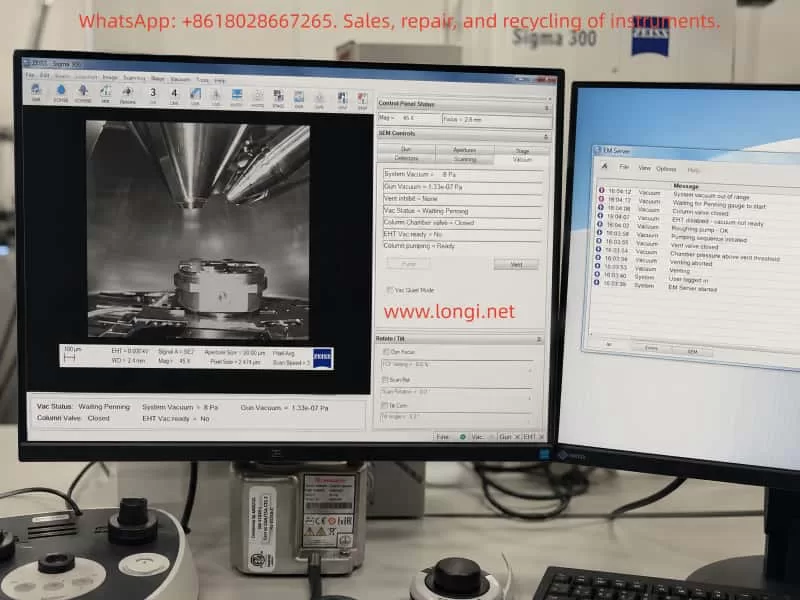
In this case, the ZEISS Sigma 300 was originally operating normally. The operator performed a standard venting procedure, opened the chamber, then closed the chamber and attempted to pump down again. After this operation, the chamber vacuum could not be restored normally. The software vacuum panel showed the status “Waiting Penning”, the EHT vacuum condition was not ready, the column chamber valve remained closed, and the microscope could not return to normal operating condition.

The field feedback also indicated that after power-on, the system automatically entered the pumping sequence. The chamber door could be pulled tight by negative pressure, and no obvious air leakage sound was heard. However, the chamber vacuum could not continue into the normal high-vacuum state. In some observations, the vacuum gauge reading was missing, invalid, or remained abnormal.

From a service diagnostic point of view, this type of fault should not be simplified as “the pump is bad” or “the vacuum gauge is bad.” The SEM vacuum system works in stages and has different vacuum zones. The fact that the chamber door can be sucked tight only proves that a rough vacuum is being formed. The software status Waiting Penning means that the system is waiting for valid confirmation from the Penning high-vacuum gauge or its related measurement circuit. If the system also shows Gun Vacuum = 1000 mbar, EHT Vac Ready = No, and Column Chamber Valve = Closed, it is necessary to distinguish whether the actual vacuum has not reached the required condition, or whether the vacuum measurement circuit, valve actuation, or control logic has failed to confirm the vacuum state.

ZEISS Sigma 300 SEM workstation showing the vacuum control interface with “Waiting Penning” status, rough vacuum reading around 8 Pa, closed column valve, and EM Server log during vacuum fault diagnosis.

2. Basic Structure of the ZEISS Sigma 300 Vacuum System

To understand this fault, it is necessary to understand the general structure of the SEM vacuum system. Different configurations of the ZEISS Sigma 300 may vary in detail, but the main vacuum architecture usually includes the following sections.

2.1 Sample Chamber Vacuum Area

The sample chamber is the vacuum area most frequently operated by users. During normal sample exchange, the system vents the chamber to atmospheric pressure through the vent valve. After the chamber door is closed, the system pumps the chamber down again through the pump sequence. The chamber door seal, door locking mechanism, sample stage height, sample holder, detector ports, EDS/EBSD/BSE accessory interfaces, and chamber flanges can all affect whether the sample chamber can establish vacuum normally.

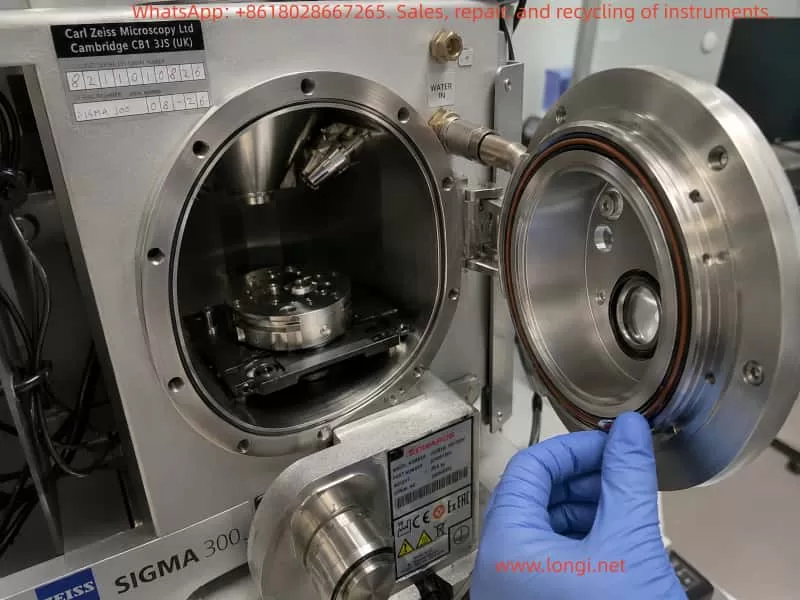
Typical sample chamber faults include slow pump-down, failure to pump down, pressure remaining at a high level, chamber door not being sucked tight, or repeated vacuum timeout. Conductive adhesive, sample powder, metal particles, fiber, glove fragments, or contamination on the O-ring and sealing surface can prevent the chamber from reaching the required vacuum level. A damaged, displaced, hardened, or locally deformed O-ring can also cause the same problem.

2.2 Backing Pump and Rough Pumping Path

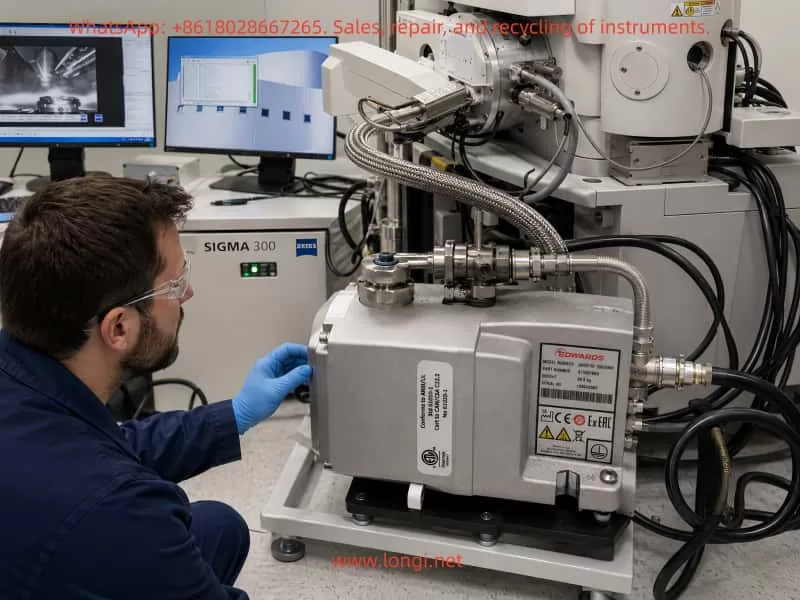
A ZEISS Sigma 300 may use an Edwards nXDS dry scroll pump as the backing pump. This pump is responsible for rough pumping the sample chamber and providing backing support for the turbo molecular pump. However, a running backing pump does not automatically mean that the entire vacuum system is healthy. It is only the first stage of the vacuum chain.

If the backing pump is completely non-operational, the chamber usually cannot form noticeable negative pressure. The chamber door will not be pulled tight, and the system vacuum will remain close to atmospheric pressure. If the backing pump runs but has poor pumping speed, the pressure may decrease slowly and fail to reach the condition required for high-vacuum transition. If the backing pump itself is normal but the pumping valve does not open, the vent valve does not close, or the pipeline has a leak, the chamber will still fail to enter the next vacuum stage.

Technician inspecting the open ZEISS Sigma 300 SEM sample chamber, chamber door seal, O-ring, and sample stage during vacuum leakage and pump-down troubleshooting.

2.3 Turbo Molecular Pump and High-Vacuum Stage

After rough pumping reaches a certain pressure, the system relies on the turbo molecular pump to continue pumping the chamber into the high-vacuum range. The turbo molecular pump must start, accelerate, reach operational speed, and enter a Ready or Normal state. The high-vacuum valve and related valves must also actuate correctly before the system can proceed to high-vacuum confirmation.

If the turbo pump does not start, if the controller reports an alarm, if the rotational speed is not reached, if the backing pressure is not acceptable, or if the high-vacuum valve does not open, the chamber may stay at several Pa or tens of Pa and the software may continue to display Waiting Penning, Vacuum not ready, or a similar interlock status.

2.4 Pirani Gauge and Penning Gauge

Different types of vacuum gauges are used to cover different pressure ranges. The rough vacuum range is commonly monitored by a Pirani gauge, while the high-vacuum range is commonly monitored by a Penning gauge or cold cathode gauge.

The Pirani gauge is used in the higher pressure range and is typically responsible for determining whether the sample chamber has moved from atmosphere into rough vacuum. The Penning cold cathode gauge is used in the high-vacuum range and usually works reliably only when the pressure is low enough. If the system displays Waiting Penning, it means the vacuum control sequence is waiting for the Penning gauge to provide a valid high-vacuum condition, or waiting for it to start, ignite, stabilize, and satisfy the interlock threshold.

A Penning gauge fault does not always generate an obvious error message. In some cases, the software only remains at Waiting Penning, while the server or message log does not show a red alarm. This can happen because the control system is simply waiting for a valid confirmation signal rather than classifying the condition as a hard error.

2.5 Vacuum Valves and Pneumatic System

Many SEM vacuum valves are pneumatically driven, including vent valves, pumping valves, high-vacuum valves, and column isolation valves. Insufficient compressed air pressure, detached air tubing, a defective solenoid valve, a stuck valve body, or missing valve feedback can all cause the vacuum sequence to stop at a certain stage.

For instruments that require the chiller and compressed air system to stabilize before power-on, the cooling water, water pressure, compressed air pressure, dry air supply, and external interlock conditions must all be confirmed. Otherwise, even if the pumps themselves are functional, the valves may not actuate correctly.

Engineer checking the Edwards nXDS dry scroll backing pump, vacuum hoses, fittings, and rough pumping system connected to a ZEISS Sigma 300 scanning electron microscope.

3. Initial Judgment Based on the Failure Sequence

The most important detail in this case is that the instrument was working before the chamber was vented and opened. The failure appeared when the chamber was closed again and the operator attempted to pump down. This background strongly suggests that the problem may be related to the open-chamber and re-pump sequence.

When a vacuum fault appears immediately after opening and closing the chamber, the first suspects are usually chamber door sealing, sample stage position, sample holder interference, O-ring contamination, vent valve return, or rough pumping path problems. These are the components most likely to change after user operation.

However, later observations showed that the sample chamber door was sucked tight immediately after pumping started, and there was no obvious air leakage sound. The software showed System Vacuum = approximately 8.4e-02 mbar to 8.6e-02 mbar, equivalent to about 8.4–8.6 Pa. This means the chamber was not at atmospheric pressure and rough pumping was not completely ineffective. The backing pump and rough pumping path were at least partly functional. A major leak at the chamber door became less likely.

At this point, the diagnostic focus should shift from “whether the chamber can form negative pressure” to “why the system cannot complete high-vacuum confirmation after rough pumping.” The software status Waiting Penning indicates that the system has reached the stage where it expects confirmation from the Penning high-vacuum gauge, but the Penning gauge or its related vacuum measurement circuit is not providing a valid state.

Therefore, the fault range should be narrowed to the following possibilities:

  1. Penning / cold cathode high-vacuum gauge failure;
  2. Penning gauge cable, connector, supply, or high-voltage excitation failure;
  3. Gauge interface board or vacuum control board unable to read the Penning signal;
  4. Turbo molecular pump not started, not accelerated, or not Ready;
  5. High-vacuum valve not open or valve feedback not confirmed;
  6. Pneumatic pressure insufficient, causing valve actuation failure;
  7. Vacuum measurement power supply, communication, or common measurement circuit fault;
  8. Abnormal Gun Vacuum reading suggesting a wider measurement-channel issue.
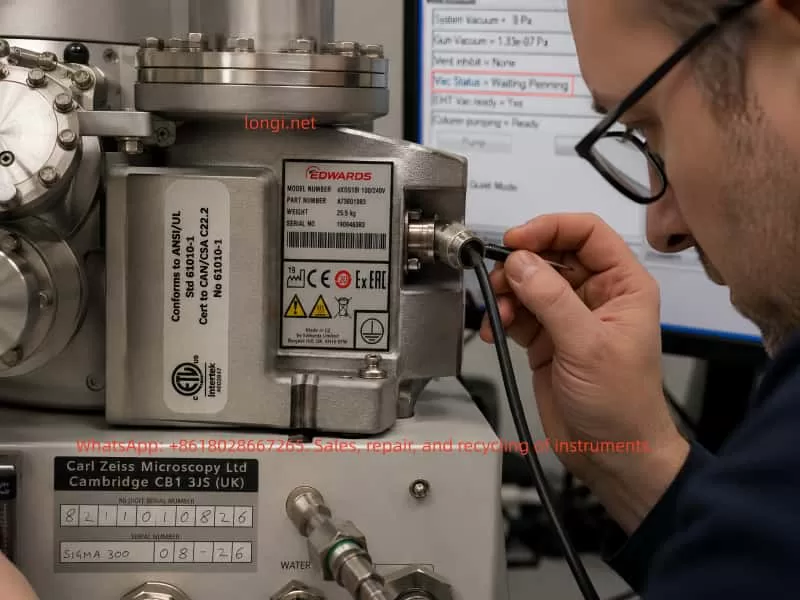
Close-up inspection of the Penning cold cathode vacuum gauge cable and connector on a ZEISS Sigma 300 SEM during “Waiting Penning” high-vacuum measurement fault diagnosis.

4. Meaning of System Vacuum Around 8 Pa

A System Vacuum reading of around 8 Pa is an important diagnostic dividing point. Atmospheric pressure is about 101325 Pa, so 8 Pa is already far below atmosphere. This value can exclude some simple failures, but it does not prove that the high-vacuum system is normal.

4.1 Complete Rough Pumping Failure Becomes Less Likely

If the backing pump were completely inactive, or if the chamber door were not sealing at all, the System Vacuum would usually not decrease to around 8 Pa. The chamber door would also not be sucked tight quickly. Therefore, with the chamber already around 8 Pa, it is not correct to simply describe the problem as “the pump is not pumping” or “the chamber is still at atmosphere.”

4.2 Minor Leakage Still Cannot Be Fully Excluded

Although the door is sucked tight, a minor leak cannot be completely excluded. A small leak may still allow the chamber to reach several Pa, but prevent the system from reaching the lower pressure range required for high vacuum. Common leak sources include a contaminated O-ring, detector flange, chamber accessory port, vent valve leakage, or contaminated valve seal. However, if the software clearly remains at Waiting Penning and the high-vacuum gauge has no valid reading, the measurement and high-vacuum confirmation chain becomes the higher-priority suspect.

4.3 The System Is Likely Stuck at Rough-to-High-Vacuum Transition

A pressure of around 8 Pa is still within the rough-vacuum region. At this stage, the system may be preparing to start or confirm the turbo pump, high-vacuum valve, and Penning gauge. If the pressure cannot decrease further, it is necessary to determine whether the turbo pump has really accelerated, whether the high-vacuum valve has opened, and whether the Penning gauge has entered a valid operating condition.

5. Technical Meaning of “Waiting Penning”

Waiting Penning is not the same as a direct conclusion that “the Penning gauge is bad.” It is a process status. It indicates that the system is waiting for the Penning high-vacuum gauge or cold cathode gauge to satisfy a required condition. This condition may include gauge enable, high-voltage excitation, ignition, valid pressure range, stable reading, control-board signal recognition, and software interlock confirmation.

5.1 Penning Gauge Body Failure

After long operation, a Penning gauge may suffer from contamination, internal deposition, ignition difficulty, unstable discharge, reading drift, or no reading at all. Common contamination sources in SEM chambers include conductive adhesive, volatile organic samples, powder, oil vapor, water vapor, and solvent residue. These contaminants can reduce the reliability of the gauge and prevent stable discharge, so no valid high-vacuum reading is produced.

5.2 Gauge Cable or Connector Failure

A loose gauge cable, oxidized connector, damaged shielding, pulled cable, or poor contact can cause the software to lose the Penning signal. Such faults may not always produce a clear alarm. They may only appear as Waiting Penning or no gauge reading.

5.3 High-Voltage Excitation or Gauge Supply Failure

A Penning cold cathode gauge requires high-voltage excitation to operate. If the high-voltage excitation module, gauge supply, or interface output is abnormal, the gauge body may be good but still unable to produce a valid measurement signal.

5.4 Vacuum Control Board or Measurement Channel Failure

If the vacuum control board input channel is damaged, or the gauge interface module is faulty, the software may not receive the actual reading. If multiple vacuum readings are abnormal at the same time, for example if Gun Vacuum = 1000 mbar, the diagnosis should expand to the common vacuum measurement power supply, communication chain, control board, or data acquisition channel, rather than focusing only on one gauge.

6. Risk Significance of Gun Vacuum Showing 1000 mbar

In one observation, Gun Vacuum = 1000.00 mbar was displayed. This value is close to atmospheric pressure and is highly abnormal for a field-emission gun. A field-emission electron gun must be maintained at extremely high vacuum, usually far lower than the sample chamber pressure. If the gun chamber were truly at atmospheric pressure, it would be a serious fault. The EHT must not be switched on, and emission or imaging must not be attempted.

However, because an earlier observation had shown a normal high-vacuum gun value, such as 1.33e-07 Pa, the later value of 1000 mbar may also be a software default value, an unloaded reading during startup, a communication failure, a lost gun vacuum gauge signal, or an abnormal vacuum measurement system display. Regardless of the cause, as long as Gun Vacuum remains at 1000 mbar, all high-voltage operation must be prohibited.

This symptom also indicates that diagnosis should not focus only on the chamber Penning gauge. The entire vacuum measurement system needs attention. If the chamber Penning gauge has no valid reading and the gun vacuum reading is also abnormal, there may be a fault in common power supply, vacuum control electronics, communication, or multiple gauge signal channels.

7. Diagnostic Procedure and On-Site Inspection Method

7.1 Do Not Enable EHT or Force the Column Chamber Valve

When EHT Vac Ready = No, Column Chamber Valve = Closed, and the vacuum status is abnormal, the EHT must not be switched on. The column chamber valve must not be forced open through service mode. The closed column valve protects the electron gun and high-vacuum column. Forcing it open may contaminate the electron optical system.

7.2 Observe the Complete Vacuum Page

The complete software Vacuum page should be observed, not only a cropped screenshot. The following parameters should be recorded:

  • System Vacuum;
  • Gun Vacuum;
  • Vac Status;
  • Column Chamber Valve;
  • EHT Vac Ready;
  • Column Pumping;
  • Pump / Vent button status;
  • Bottom status indicators such as Vac, Gun, and EHT;
  • Any warning or message.

It is especially important to distinguish whether the System Vacuum is completely blank, fixed at atmosphere, decreasing to a certain value and stopping, or still slowly decreasing. These patterns correspond to different fault directions.

7.3 Record the Full Pump-Down Sequence

After clicking Pump or after automatic pumping at startup, a continuous video of at least 10–20 minutes should be recorded. The change of System Vacuum should be observed. If the pressure drops quickly from atmosphere to around 8 Pa and then remains there, the rough pumping is effective but the high-vacuum stage is not continuing. If the pressure does not change at all, the chamber seal, vent valve, pumping valve, and rough vacuum gauge should be checked again.

7.4 Check the Chamber Door and O-Ring

Although a major chamber leak is now less likely, the fault occurred after chamber opening, so the door seal should still be checked. The inspection should include:

  • Whether the O-ring is displaced;
  • Whether the O-ring has dents, cracks, hardening, or deformation;
  • Whether the sealing surface has conductive adhesive, dust, metal particles, or fibers;
  • Whether the sample stage is too high;
  • Whether the sample holder interferes with the door;
  • Whether a sample has dropped inside the chamber;
  • Whether detector ports or accessory flanges are loose.

An empty-chamber pump-down test is recommended to rule out sample or holder interference.

7.5 Check the Edwards Backing Pump

The backing pump should be checked for operating sound, indicator lamps, alarm status, pumping-load change, pipe connection, and exhaust condition. A running pump does not necessarily mean it has sufficient pumping speed or that the valve path is open. If the pump sounds unloaded all the time, the chamber may not be connected to the pump path. If the pump sounds heavily loaded but the pressure does not fall, there may be a large leak or a vent valve not fully closed.

7.6 Check the Turbo Pump and Controller

When System Vacuum has reached around 8 Pa, the turbo pump status becomes especially important. The following should be checked:

  • Whether the turbo pump starts;
  • Whether acceleration sound can be heard;
  • Whether the controller displays Ready, Normal, Acceleration, or Alarm;
  • Whether Fail, Error, or Overtemperature is present;
  • Whether backing pressure satisfies the turbo start condition;
  • Whether turbo pump cables and control lines are normal;
  • Whether the software shows any Turbo / TMP status.

If the turbo pump is not accelerating, even a good Penning gauge may not enter a valid high-vacuum measurement range.

7.7 Check the Penning / Cold Cathode Gauge

The Penning gauge body should be located, and its model, installation position, cable, and connector condition should be recorded. The key inspection points are:

  • Whether the connector is loose;
  • Whether the cable has been pulled or damaged;
  • Whether the connector is oxidized;
  • Whether the gauge is contaminated;
  • Whether the gauge is connected to the correct vacuum region;
  • Whether a replacement gauge is available for cross-testing;
  • Whether gauge supply or high-voltage excitation is normal.

If conditions allow, replacing the gauge with the same model or cross-checking the channel can help determine whether the fault is in the gauge body, the cable, or the control electronics. This must be done carefully by personnel familiar with the system, because incorrect handling of gauge wiring or high-voltage connectors can cause additional damage.

7.8 Check Compressed Air and Valve Group

Many SEM vacuum valves are pneumatic, so compressed air must be checked. The inspection should include:

  • Air compressor output pressure;
  • Instrument air pressure gauge;
  • Whether the air supply is dry;
  • Whether any air tube is loose;
  • Whether valve manifold indicators are normal;
  • Whether valve actuation sound is heard during Pump / Vent;
  • Whether the vent valve fully closes;
  • Whether the high-vacuum valve actuates;
  • Whether valve feedback is received by the control system.

If the high-vacuum valve does not open, the chamber may remain in the rough-vacuum stage and the software may continue waiting for Penning confirmation.

7.9 Check Logs and Status Records

Even if the server shows no obvious error, the Message Log, Event Log, and Vacuum Log should be reviewed. The following keywords are especially important:

  • Penning;
  • Cold Cathode;
  • Gauge;
  • Pirani;
  • TMP;
  • Turbo;
  • Valve;
  • Vacuum timeout;
  • Gun vacuum;
  • EHT;
  • Interlock.

No error message does not mean no fault. Many interlock conditions are shown only as a waiting state and may not be classified as an error.

8. Fault Priority Analysis

Based on the observed symptoms, the likely fault priority can be ranked as follows.

8.1 Penning Gauge or Its Measurement Circuit

This is the most direct suspect. The software explicitly displays Waiting Penning, and the high-vacuum gauge remains without valid reading. If the turbo pump and high-vacuum valve are confirmed normal, then the Penning gauge body, cable, supply, interface board, or vacuum control board channel becomes the primary target.

8.2 Turbo Pump Not Ready

If the turbo pump has not reached operating condition, the chamber cannot enter the high-vacuum range, and the Penning gauge may not produce a valid reading. This must be confirmed by controller status and software status, not just by listening for pump noise.

8.3 High-Vacuum Valve or Pneumatic Valve Not Actuated

If the valve does not open or the feedback signal is missing, the system may wait for Penning in the control sequence while the actual high-vacuum path is not established. Insufficient compressed air, defective solenoid valves, stuck valve bodies, and failed valve feedback can all cause this condition.

8.4 Vacuum Measurement Control Module Fault

The abnormal Gun Vacuum = 1000 mbar is a signal that the fault may be wider than a single chamber gauge. If multiple readings are abnormal, the vacuum measurement module, control board, communication line, power supply, and interface electronics must be inspected. Replacing only the Penning gauge may not solve the problem.

8.5 Minor Leak or Contamination Preventing High Vacuum

Although the chamber can rough-pump to around 8 Pa, a small leak may still prevent high vacuum. If the turbo pump and Penning gauge are functional but the pressure cannot decrease further, the O-ring, flanges, detector interfaces, vent valve, and chamber leak paths should be inspected.

9. Repair Recommendations

9.1 Do Not Replace the Gauge Blindly

Although the Penning gauge is a highly suspicious component, it should not be replaced blindly before confirming the turbo pump, valve group, compressed air, and measurement circuit. Blind replacement may increase service cost and may not address the actual fault.

9.2 Perform On-Site Diagnosis First

A reasonable service process should begin with on-site diagnosis. The following items should be confirmed:

  • Sample chamber sealing;
  • Backing pump performance;
  • Rough vacuum reading;
  • Turbo pump status;
  • Compressed air pressure;
  • Valve actuation;
  • Penning gauge and cable;
  • Gun Vacuum reading;
  • Vacuum control board and log status.

If the fault is only a loose connector, light gauge contamination, valve state problem, sealing-surface contamination, or software state issue, cleaning, reconnecting, resetting, or state recovery may restore the system. If the gauge is damaged, the control board channel is defective, the turbo pump fails, or the valve group is damaged, a separate repair quotation and parts plan will be required.

9.3 Protect the Electron Gun During Service

The field-emission gun is highly sensitive to vacuum contamination. During diagnosis and repair, the following rules must be followed:

  • Do not switch on EHT;
  • Do not force the Column Chamber Valve open;
  • Do not repeatedly Pump and Vent unnecessarily;
  • Do not disassemble electron gun high-vacuum components;
  • Do not attempt emission while Gun Vacuum is abnormal;
  • Do not modify vacuum interlock parameters randomly in service mode;
  • Do not force the vacuum sequence when the chiller, water, or compressed air conditions are abnormal.

The software keeping the valve closed and EHT disabled is normally a protection mechanism. These protections should not be bypassed.

10. Typical Diagnostic Conclusion

For a ZEISS Sigma 300 with chamber vacuum abnormality, if the sample chamber door is sucked tight, the System Vacuum can fall to around 8 Pa, the software remains at Waiting Penning, the server shows no obvious error, and the high-vacuum gauge has no valid reading, the following stage conclusion can be made:

  1. A major chamber door leak is less likely;
  2. The backing rough-pumping system is not completely failed;
  3. The fault is mainly concentrated in the high-vacuum confirmation chain;
  4. The Penning / cold cathode gauge and its measurement circuit are the first suspects;
  5. Turbo pump Ready status, high-vacuum valve actuation, and compressed air pressure must be checked at the same time;
  6. If Gun Vacuum remains at 1000 mbar, the diagnosis must expand to the vacuum measurement control module, communication, or supply circuit;
  7. Before EHT Vac Ready becomes valid, EHT must not be enabled and the column valve must not be forced open.

11. Conclusion

Vacuum faults in a scanning electron microscope cannot be diagnosed from one pressure value alone. They also should not be solved by replacing one component simply because a process status mentions a gauge. The ZEISS Sigma 300 vacuum system is built from the backing pump, turbo pump, Pirani gauge, Penning gauge, valve group, compressed air system, control electronics, and software interlocks. The chamber door being sucked tight means rough vacuum exists, but it does not mean high vacuum has been achieved. Waiting Penning points to the high-vacuum confirmation chain, but it does not prove that the Penning gauge body itself is definitely defective. An abnormal Gun Vacuum value further suggests a possible deeper issue in the vacuum measurement system.

The correct diagnostic method is to follow the vacuum establishment sequence step by step. First confirm chamber sealing and rough pumping capability. Then confirm the turbo pump and valve actuation. Next inspect the Penning gauge, cable, supply, interface board, and vacuum control board. Finally, use the logs and interlock status to determine whether a common measurement-circuit problem exists.

Only by distinguishing between “the actual vacuum has not reached the required condition” and “the vacuum may be present but the system cannot read or confirm it” can misdiagnosis and unnecessary replacement of expensive components be avoided.

For this type of fault, the key service focus should be on the Penning high-vacuum gauge and its measurement circuit, turbo pump Ready status, high-vacuum valve actuation, and the vacuum control module. Until the fault is clearly identified, EHT should remain off, the column chamber valve should remain closed, and any operation that may contaminate the electron gun or expand the fault should be avoided.

Posted on

Analysis of Image Quality Degradation After Filament Replacement in the JEOL JEM-1400 Transmission Electron Microscope: Systematic Troubleshooting from Filament Emission and Vacuum Conditions to Electron Gun Alignment

1. Background: A TEM Filament Is Not an Ordinary “Light Bulb”

In the JEOL JEM-1400 transmission electron microscope (TEM), the so-called “bulb” is actually the electron gun filament, which serves as the electron emission source. In tungsten-filament TEM systems, the filament does not provide illumination in the traditional optical sense. Instead, under high vacuum and high-voltage conditions, it emits electrons through thermionic emission. The emitted electron beam passes through the Wehnelt electrode, anode, condenser lens system, objective lens system, specimen region, and imaging system before finally forming an image on the fluorescent screen or digital camera.

Because of this, filament replacement is not merely a simple consumable replacement procedure. It directly involves the electron gun structure, vacuum system, high-voltage stability, beam current stability, gun alignment, and imaging calibration. A filament that can emit electrons does not necessarily mean the microscope has returned to optimal imaging performance. Many JEM-1400 systems exhibit the condition commonly described as “the microscope still works, but the image quality is poor” after filament replacement.

Typical symptoms include:

  • Reduced image brightness
  • Gray or low-contrast images
  • Difficulty focusing
  • Off-center beam spot
  • Uneven illumination
  • Unstable beam current
  • Poor high-magnification resolution
  • Increased camera noise
  • Beam drift or fluctuation

These issues cannot simply be attributed to “a bad filament” or “the wrong filament model.” Proper diagnosis requires systematic analysis of:

  • Filament compatibility
  • Installation orientation
  • Electron gun contamination
  • Vacuum condition
  • HT (high tension) voltage stability
  • Beam current stability
  • Filament saturation
  • Gun alignment after replacement
  • Beam alignment
  • Specimen condition
  • Camera and imaging settings

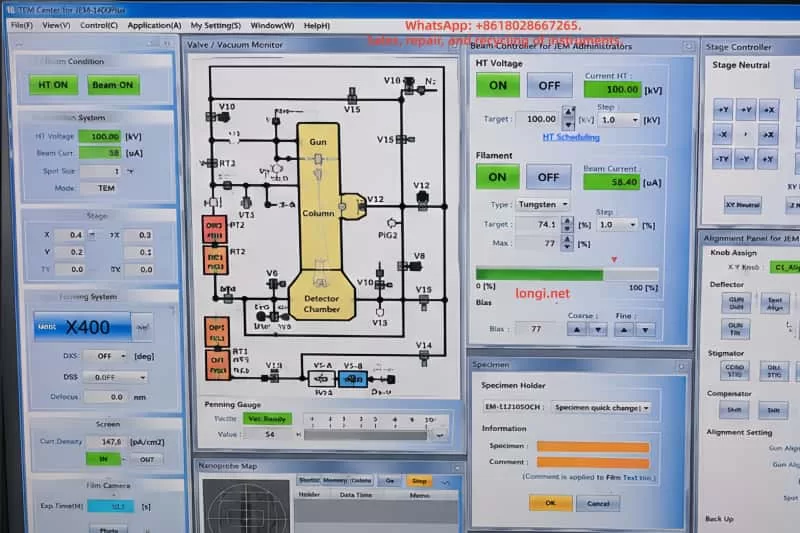
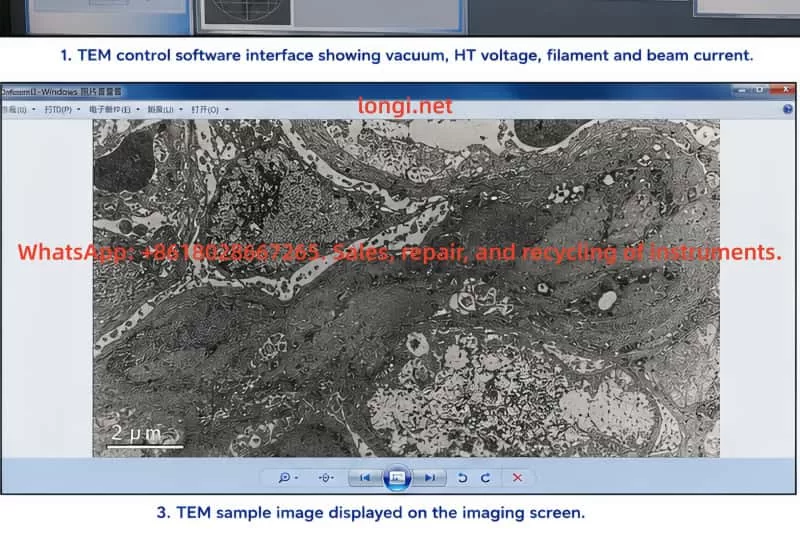
JEOL JEM-1400 transmission electron microscope control software interface showing HT voltage at 100 kV, filament ON status, beam current settings, vacuum monitor diagram, stage controller, and alignment control panel.

2. Basic Equipment and Filament Verification

For the JEOL JEM-1400, the instrument label typically identifies the system as JEM-1400 Electron Microscope along with its serial information. Systems equipped with HC (High Contrast) pole pieces are particularly sensitive to beam alignment, specimen height, beam stability, and sample thickness.

Replacement tungsten filaments are commonly labeled as:

FILAMENT / K-TYPE MA113008

Physically, these filaments generally consist of:

  • A circular metal mounting base
  • Ceramic insulation
  • Two electrical pins
  • A central tungsten emission wire

Installation is not simply a matter of inserting the filament assembly. The following factors significantly affect beam quality:

  • Filament center height
  • Pin contact quality
  • Tungsten wire position
  • Mounting orientation
  • Concentricity with the Wehnelt aperture

Even if the old filament was discarded and no reference photos exist, reliable diagnosis is still possible. Comparing the old and new filaments is only a secondary aid. The more important checks are:

  1. Whether the filament model matches the electron gun configuration
  2. Whether the replacement filament packaging corresponds to the proper JEM-1400 filament type
  3. Whether the new filament is physically intact
  4. Whether the tungsten wire is centered
  5. Whether the pins are straight and undamaged
  6. Whether stable beam current can be achieved after installation
  7. Whether a controllable beam spot appears on the fluorescent screen

If these conditions are verified step by step, troubleshooting can continue even without the original filament.


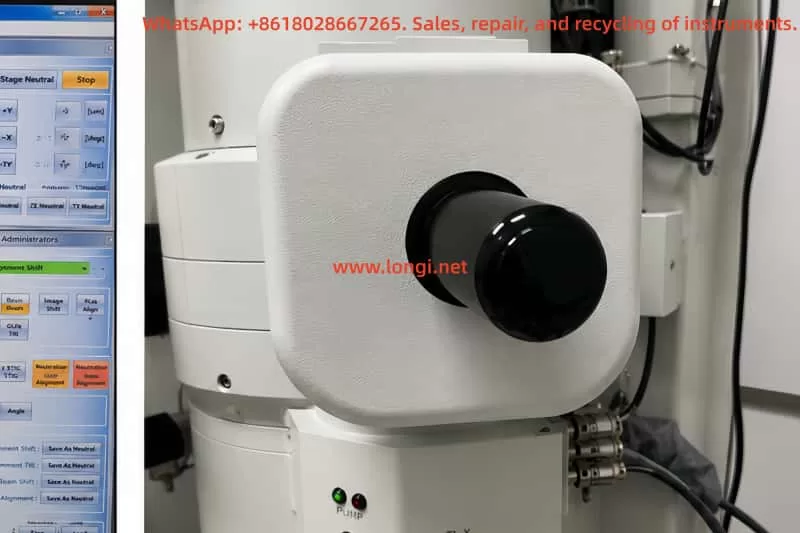
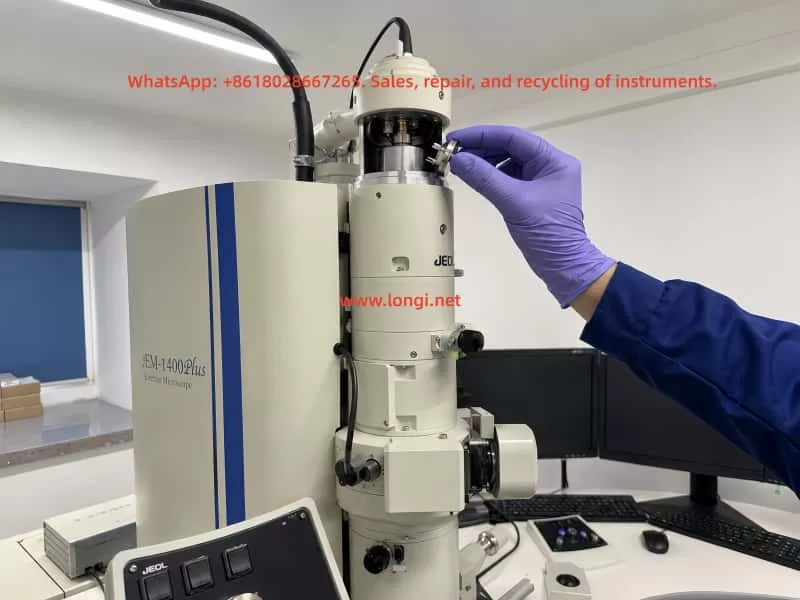
Close-up external view of the JEOL JEM-1400 electron gun filament housing and electron source assembly mounted on the TEM column in a laboratory environment.

3. Safety Conditions Before and After Filament Replacement

TEM filament replacement must follow strict high-voltage and vacuum safety procedures. The electron gun area of the JEM-1400 involves:

  • High voltage
  • High vacuum
  • Precision alignment structures
  • Clean internal surfaces

Improper handling may result in:

  • High-voltage discharge
  • Electron gun contamination
  • Reduced filament lifetime
  • Vacuum instability
  • Damage to the HT system

Before replacement, ensure:

  • HT is OFF
  • Filament power is OFF
  • The electron gun is fully cooled
  • The gun chamber has been vented properly
  • Only the filament assembly is accessed
  • No unrelated high-voltage covers are removed
  • Clean gloves and proper tools are used

Never touch:

  • Tungsten wire
  • Ceramic surfaces
  • Wehnelt aperture
  • Contact surfaces

Each disassembly step should be documented with photos, especially:

  • Mounting orientation
  • Insertion depth
  • Locking screw positions

After replacement, HT should not be enabled immediately. The gun chamber and associated vacuum regions must first recover to proper vacuum levels. Gun, Column, Specimen Chamber, and Detector Chamber should all reach READY status before HT and Filament are turned on.

Enabling HT under poor vacuum conditions may cause:

  • Gun discharge
  • Wehnelt contamination
  • Anode contamination
  • Instability of emission

Transmission electron microscope sample image displayed on a monitor, showing high-magnification grayscale cellular ultrastructure captured by a JEOL JEM-1400 TEM system.

4. Vacuum Status Is the First Requirement Before Judging Filament Performance

The JEM-1400 vacuum interface typically displays statuses for:

  • Gun
  • Column
  • Specimen Chamber
  • Detector Chamber
  • RT1
  • Penning Gauge

Before evaluating filament performance, vacuum conditions must first be confirmed.

Typical normal status indicators include:

  • Gun: Evac Ready
  • Column: Evac Ready
  • Specimen Chamber: Evac Ready
  • Detector Chamber: Evac Ready
  • RT1: Evac Ready
  • Penning Gauge: Vac Ready

If any section shows NOT READY, especially the Specimen Chamber, image quality evaluation becomes unreliable.

Common causes include:

  • Specimen holder not fully inserted
  • Chamber leakage
  • Vacuum valve issues
  • Incomplete evacuation
  • Damaged seals
  • Improper loading procedures

Under these conditions, HT may fail to activate properly, or image quality may degrade regardless of filament condition.

A common mistake is assuming:
“The image quality became poor after filament replacement, therefore the filament is defective.”

However, if the vacuum condition itself is unstable, filament evaluation becomes meaningless.


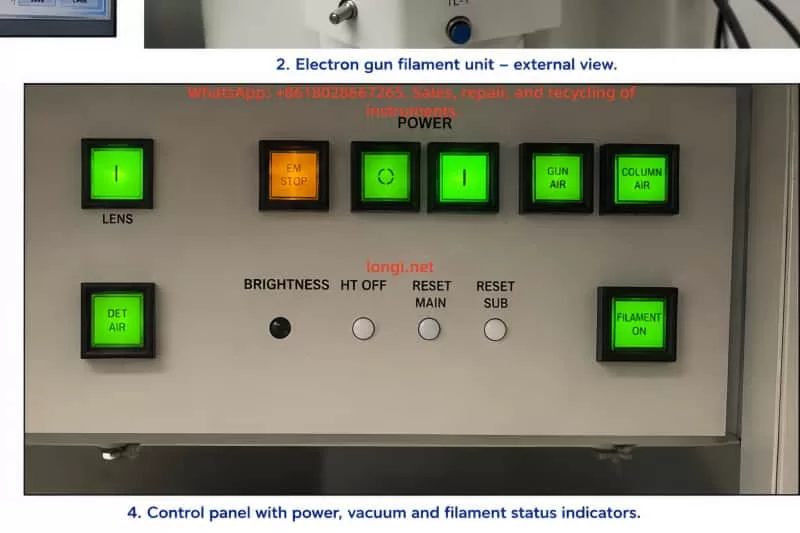
JEOL transmission electron microscope control panel with illuminated power, vacuum, filament, detector air, and column air status indicators during system operation.

5. Relationship Between HT, Filament, and Beam Current

The JEM-1400 requires HT voltage to generate the electron beam. Typical operating voltages include:

  • 80 kV
  • 100 kV
  • 120 kV

Typical software status indications include:

  • HT ON
  • Current HT: 100.00 kV
  • Filament ON
  • Beam ON
  • Beam Current: tens of microamps

If HT remains OFF or Current HT remains at 0 kV, proper electron imaging cannot occur even if the filament is heated.

If the system displays:

  • HT ON
  • Current HT: 100.00 kV
  • Filament ON
  • Beam Current around 57–58 μA
  • Visible fluorescent beam spot

then the filament is clearly emitting electrons.

This does not automatically mean imaging performance is optimal. Beam current alone only confirms electron emission. Additional evaluation is required for:

  • Beam stability
  • Beam centering
  • Brightness
  • Beam symmetry
  • Saturation condition
  • Gun alignment

If Beam Current is approximately 57 μA and the fluorescent spot responds smoothly to Brightness adjustment, the filament should not immediately be considered defective.

In such cases, poor beam alignment after replacement is a far more likely cause.


Engineer wearing protective gloves installing a tungsten filament assembly into the electron gun of a JEOL JEM-1400 transmission electron microscope during maintenance and alignment procedure.

6. How to Evaluate Beam Condition Without a Specimen

Although final imaging quality must ultimately be judged using a specimen, important preliminary evaluation can still be performed without any sample loaded.

After filament replacement, fluorescent screen observation is often more important than camera imaging.

The following checks can be performed without a specimen:

Low-Magnification Beam Spot Observation

Set magnification to:

  • X400
  • X800

Set Spot Size to:

  • 1
  • 2

Adjust Brightness and observe whether a green fluorescent beam spot appears.

Brightness Adjustment Test

Slowly adjust Brightness.

The beam spot should:

  • Expand smoothly
  • Contract smoothly
  • Change brightness continuously
  • Remain stable
  • Not flicker
  • Not disappear abruptly

Beam Centering

If the beam spot is significantly off-center, Beam Shift, Gun Alignment, or Beam Alignment is required.

This is extremely common after filament replacement.

Beam Shape and Uniformity

A proper beam should appear:

  • Circular
  • Uniform
  • Symmetrical
  • Adjustable

Uneven illumination or distorted shape may indicate:

  • Gun misalignment
  • Off-center filament installation
  • Wehnelt contamination
  • Condenser misalignment
  • Aperture issues

Beam Current Stability

After HT and Filament are enabled, Beam Current should remain relatively stable.

Large fluctuations or gradual decay may indicate:

  • Filament aging
  • Poor electrical contact
  • Gun contamination
  • High-voltage instability

Without a specimen, one cannot judge ultimate resolution performance, but it is entirely possible to evaluate:

  • Electron emission
  • Beam stability
  • Beam centering
  • Basic electron optical alignment

7. Importance of Filament Saturation

Tungsten filaments require proper filament saturation adjustment after replacement.

Simply enabling Filament power is insufficient.

Without proper saturation:

  • Brightness may be inadequate
  • Beam current may fluctuate
  • Filament lifetime may shorten significantly

As filament current increases:

  • Beam current should increase
  • Fluorescent brightness should increase

Eventually, the increase slows and reaches a relatively stable plateau. This plateau represents the appropriate saturation region.

If filament current approaches maximum while Beam Current remains low and brightness remains weak, possible causes include:

  • Filament aging
  • Poor-quality filament
  • Off-center installation
  • Contact issues
  • Gun contamination

If Beam Current fluctuates heavily during adjustment, possible causes include:

  • Poor contact
  • Wehnelt contamination
  • Imminent high-voltage discharge

If Beam Current is stable and brightness is adequate, immediate replacement is generally unnecessary.

Overheating tungsten filaments greatly reduces service life. Many “rapid failures” are actually caused by:

  • Improper saturation
  • Excessive operating temperature
  • Poor vacuum conditions
  • Gun contamination

8. Electron Gun Alignment Must Be Repeated After Filament Replacement

One of the most commonly overlooked procedures after filament replacement is electron gun realignment.

Even with the correct filament model, the following factors will differ slightly from the original filament:

  • Wire position
  • Pin depth
  • Ceramic height
  • Mechanical seating

Therefore, the electron optical axis changes after replacement.

The following adjustments are typically required:

  • Gun Alignment
  • Beam Alignment
  • Beam Shift
  • Condenser Alignment
  • Beam Tilt
  • Spot Size alignment
  • Brightness-related condenser adjustments
  • Astigmatism correction if necessary

Without realignment, typical symptoms include:

  • Off-center beam
  • Uneven illumination
  • Poor high-magnification imaging
  • Low contrast
  • Difficulty focusing
  • Increased camera noise

These problems are often mistaken for defective filaments when the actual cause is incomplete alignment.

Replacing a filament without re-aligning the gun is comparable to replacing a laser source without recalibrating the optical path.

The system may still function, but image quality will not be optimal.


9. Effects of Off-Center Installation and Wehnelt Contamination

If proper beam quality cannot be achieved even after adjustment, mechanical installation and contamination should be investigated.

Off-Center Filament Installation

If the filament assembly is:

  • Not fully seated
  • Incorrectly oriented
  • Unevenly tightened
  • Improperly positioned

the emission point may shift away from the electron optical axis.

This causes:

  • Off-center beam
  • Uneven illumination
  • Excessive alignment correction requirements

Tungsten Wire Deformation

If the filament wire is bent during handling or installation, beam quality may degrade significantly.

Wehnelt Aperture Contamination

Contamination around the Wehnelt aperture may cause:

  • Beam instability
  • Beam deflection
  • Gray images
  • Reduced brightness
  • High-voltage discharge

Fingerprint Contamination

Direct contact with ceramic or filament surfaces introduces oils that become severe contamination sources under vacuum and HT conditions.


10. When Should Another Filament Actually Be Replaced?

A common field situation occurs when one filament from a new box has already been installed, image quality is unsatisfactory, and several unused filaments remain available. The operator may immediately want to replace another filament.

This is not always the best decision.

Each electron gun disassembly increases the risk of:

  • Contamination
  • Misalignment
  • Vacuum leakage
  • Recovery downtime

Replacement should only be considered if several of the following are observed:

  • Beam Current cannot reach normal levels
  • Brightness remains weak even near maximum filament setting
  • Beam Current fluctuates heavily
  • Beam intermittently disappears
  • Saturation plateau cannot be reached
  • Alignment cannot restore centered stable illumination
  • Filament appears physically damaged

If the system already shows:

  • HT ON
  • 100 kV
  • Beam Current around 57–58 μA
  • Bright fluorescent beam spot

then the filament should not immediately be judged defective.

Beam alignment should be completed first.


11. Poor Images Are Not Always Caused by the Filament

TEM image quality depends on many factors beyond the filament itself.

Even with proper beam emission, poor specimen quality may cause unsatisfactory images.

Possible non-filament causes include:

  • Thick specimens
  • Damaged sections
  • Poor staining
  • Specimen drift
  • Objective aperture contamination
  • Incorrect aperture positioning
  • Poor focus
  • Astigmatism
  • Camera exposure settings
  • Camera aging
  • Mechanical vibration

Therefore, a single specimen image cannot definitively determine filament condition.


12. Recommended Troubleshooting Procedure

For JEM-1400 systems with degraded image quality after filament replacement, the recommended diagnostic sequence is:

Step 1: Verify Vacuum

Confirm all major vacuum sections are READY.

Step 2: Verify HT

Confirm HT ON and correct operating voltage.

Step 3: Verify Electron Emission

Enable Filament and Beam. Confirm stable Beam Current.

Step 4: Observe Fluorescent Beam Spot

Check beam visibility, centering, symmetry, and response to Brightness adjustment.

Step 5: Perform Filament Saturation

Confirm stable saturation plateau.

Step 6: Perform Gun Alignment and Beam Alignment

Center and optimize the beam.

Step 7: Evaluate Specimen Images

Use standard or disposable test specimens.

Step 8: Inspect Gun Components if Necessary

Inspect filament, Wehnelt, and contacts only if previous steps fail.

Step 9: Replace Another Filament Only if Necessary

Avoid unnecessary repeated gun disassembly.


13. Conclusion

Image quality degradation after filament replacement in the JEOL JEM-1400 is a comprehensive electron optical system issue rather than a simple “bad filament” problem.

If the microscope can achieve:

  • 100 kV HT
  • Stable Beam Current around 57 μA
  • Bright fluorescent beam spot
  • Smooth Brightness response

then the filament is at least functioning as a valid electron emitter.

Under these conditions, priority should be given to:

  • Beam centering
  • Filament saturation
  • Gun alignment
  • Beam alignment
  • Condenser alignment

before deciding to replace another filament.

A filament should only be replaced when there is clear evidence of failure such as:

  • Insufficient emission
  • Severe instability
  • Saturation failure
  • Physical filament damage
  • Persistent abnormal beam behavior after proper alignment

For TEM service engineers and technical support personnel, the correct troubleshooting sequence is:

Verify vacuum → verify HT → verify emission → optimize beam alignment → evaluate imaging → replace filament only if necessary.

Following this sequence minimizes unnecessary disassembly, reduces contamination risk, and restores stable imaging performance efficiently.

Posted on

Troubleshooting Vacuum System Faults on a JEOL JSM-IT700HR/LA Scanning Electron Microscope: From EVAC Failure to Successful Recovery

1. Background: When an SEM Cannot Work, the Electron Gun Is Not Always the Problem

A scanning electron microscope is a precision analytical instrument that depends heavily on a stable vacuum environment. For a field emission SEM such as the JEOL JSM-IT700HR/LA, the vacuum system is not just an auxiliary subsystem. It is one of the fundamental conditions that determines whether the instrument can enter observation mode.

When users report problems such as “the SEM cannot work,” “the software remains on the vacuum page,” “the system cannot enter observation,” or “there is no image,” the first suspicion is often directed toward the electron gun, high-voltage system, main computer, detector, or EDS analysis system. In many real service cases, however, the root cause is not located in the electron optical system. It is often related to the sample chamber, vacuum pump, vacuum valve, compressed air supply, vacuum sensor, or vacuum interlock logic.

This article discusses a real troubleshooting case involving a JEOL JSM-IT700HR/LA analytical field emission scanning electron microscope. The customer provided several photos of the instrument and a video of the fault condition. The instrument software was stopped on the Vacuum System page, and the customer repeatedly pointed to a rear-side module related to the vacuum system. Based on the visual evidence and operating condition, the initial diagnosis was that the SEM had failed to complete the normal EVAC sequence, preventing the system from entering Observation mode.

After the customer followed a low-risk troubleshooting procedure involving the sample chamber door, O-ring, air supply, EVAC/VENT status, pump operation, and valve action, the instrument resumed normal operation. This confirmed that the fault was not a serious failure of the electron gun, EDS, display, or computer system. It was a typical vacuum interlock or vacuum sequence issue.


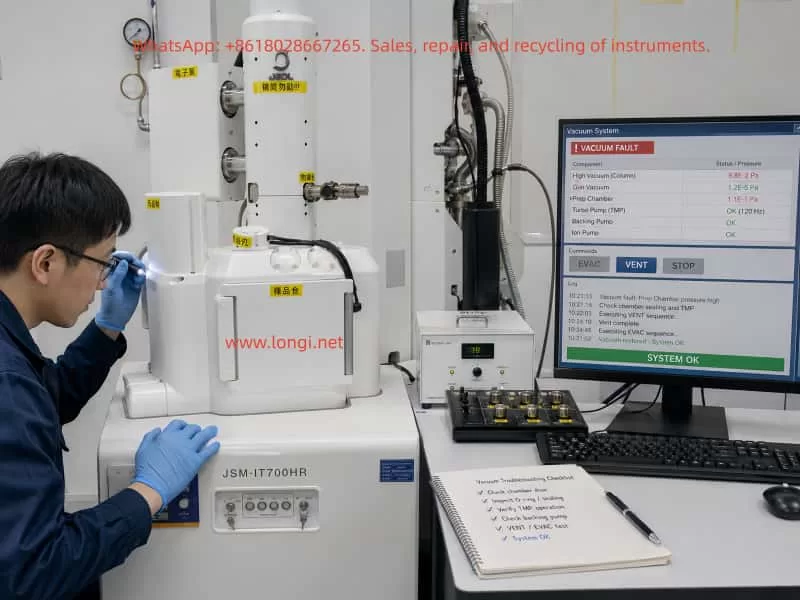
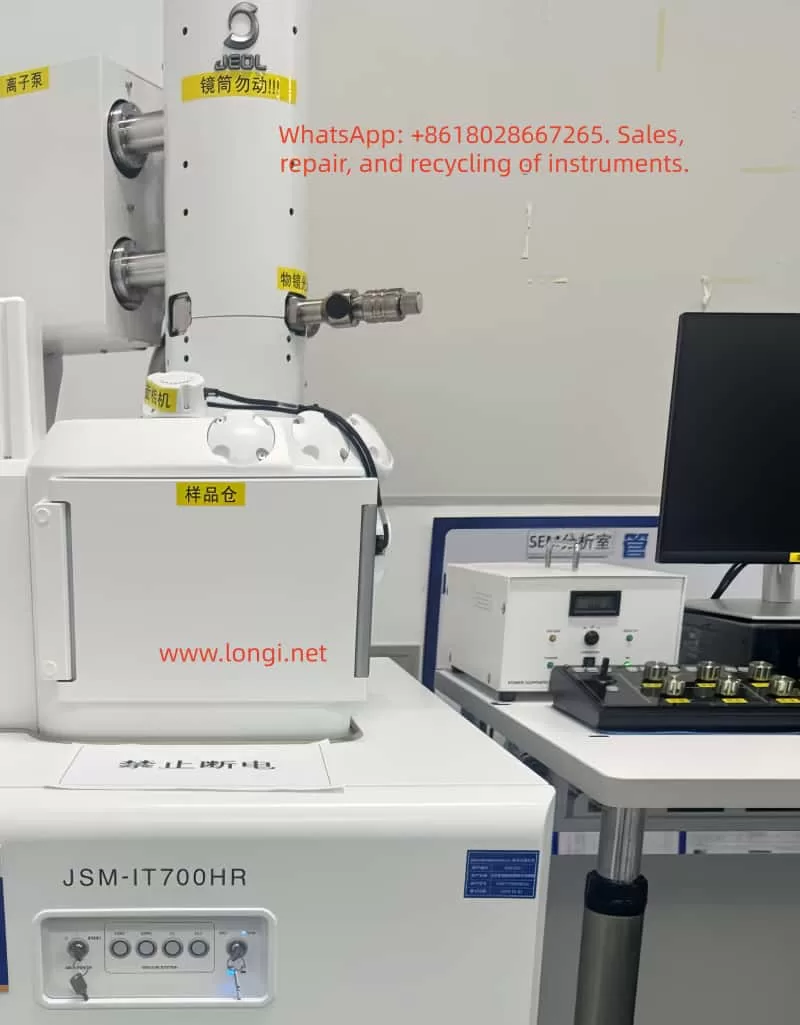
Technician troubleshooting a JEOL JSM-IT700HR scanning electron microscope in a laboratory, with the computer monitor showing a vacuum system fault and recovery status beside the SEM workstation.

2. Instrument Overview: Why the JSM-IT700HR/LA Depends So Much on Vacuum Conditions

The JEOL JSM-IT700HR/LA is a high-performance field emission SEM with analytical capability. Compared with a conventional tungsten-filament SEM, a field emission SEM is much more sensitive to vacuum quality, especially around the electron gun, column, and sample chamber isolation system.

A typical configuration includes:

  1. Electron gun system
    This generates the electron beam. A field emission gun is highly sensitive to contamination, moisture, and poor vacuum. It should never be forced to operate when the required vacuum has not been achieved.
  2. Electron optical column
    This includes condenser lenses, objective lens, scanning coils, stigmator system, and other beam control components.
  3. Sample chamber
    This is where the user loads samples. It is also the part of the instrument that is opened and closed most frequently, making it one of the most common sources of vacuum problems.
  4. Vacuum system
    This includes the roughing pump, turbo molecular pump, ion pump, vacuum valves, vent valve, gauges, pipelines, and pneumatic actuators.
  5. Control system and software interface
    The control software displays vacuum status, pump status, valve status, alarms, beam parameters, and imaging status.
  6. EDS and analytical accessories
    The “LA” configuration generally indicates an analytical version, often with an EDS system or related analytical hardware.

The key point is this: whether the SEM can enter Observation mode does not depend only on the computer or software. It depends on whether all vacuum, pump, valve, pressure, door, and high-voltage interlock conditions are satisfied.

Therefore, when the software stays on the Vacuum System screen, the first direction should be the vacuum system rather than the electron gun or main control board.


JEOL JSM-IT700HR/LA analytical scanning electron microscope front view with sample chamber, electron column, ion pump, camera, control monitor, and labeled SEM components in a laboratory.

3. Fault Symptoms: The System Stayed on the Vacuum System Page

In this case, the video showed the SEM control interface displaying the vacuum system status diagram. Several important signs were visible:

  • The software was stopped at the Vacuum System page.
  • Status indicators such as VENT, EVAC, LV, and LLC were visible.
  • The VENT/EVAC status did not appear to be in a normal completed state.
  • Several valves, pumps, or vacuum paths appeared in abnormal colors.
  • The customer focused attention on a rear-side module with a fan and nearby control board.
  • The system could not smoothly enter normal observation mode.

These signs indicate that the fault was not simply “no image.” The SEM had not completed its vacuum preparation sequence. Before a scanning electron microscope can generate an image, the sample chamber must be evacuated from atmospheric pressure to the required vacuum level. Only after the required pressure and valve conditions are satisfied will the instrument allow the system to open the necessary valves, enable the electron beam, and enter observation mode.

Therefore, the correct diagnostic question is not:

“Why is there no SEM image?”

The correct question is:

“Why did the sample chamber or column vacuum sequence fail to complete?”

This distinction is critical. Once the fault direction is correctly limited to the vacuum system, unnecessary work on the computer, monitor, EDS system, electron gun, or detector can be avoided.


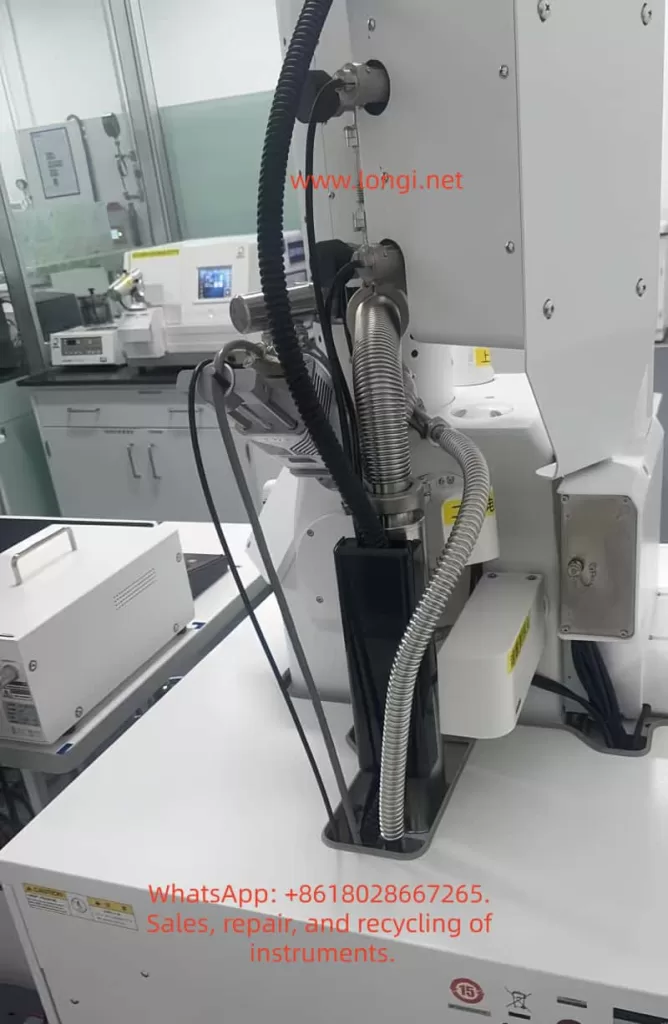
Rear-side view of a JEOL JSM-IT700HR/LA scanning electron microscope showing vacuum hoses, metal bellows, cables, pump connections, and rear vacuum system components.

4. Basic SEM Vacuum Sequence

To understand this type of fault, it is necessary to understand the normal vacuum sequence of an SEM.

A simplified operating sequence is as follows:

  1. The user presses VENT to bring the sample chamber to atmospheric pressure.
  2. The chamber reaches atmospheric pressure and the chamber door can be opened.
  3. The sample is loaded.
  4. The chamber door is closed.
  5. The user presses EVAC.
  6. The roughing pump starts to evacuate the sample chamber.
  7. The sample chamber pressure decreases.
  8. Vacuum valves switch in a defined sequence.
  9. The turbo molecular pump or high-vacuum system becomes effective.
  10. The pressure reaches the required range.
  11. The system allows Observation mode.
  12. The electron beam is enabled and imaging begins.

Every step is controlled by interlocks. The system may check:

  • Whether the sample chamber door is closed.
  • Whether the chamber is leaking.
  • Whether the O-ring is sealing correctly.
  • Whether the vent valve is fully closed.
  • Whether the EVAC valve is open.
  • Whether the roughing pump has started.
  • Whether the backing pressure is suitable for the turbo pump.
  • Whether the turbo pump has reached its required speed.
  • Whether the vacuum gauges are giving reasonable feedback.
  • Whether compressed air pressure is sufficient.
  • Whether valve position feedback is correct.
  • Whether the gun vacuum is safe for beam operation.

If any one of these conditions fails, the SEM may remain on the vacuum page and refuse to enter observation mode.

That is why an SEM vacuum fault often appears as a complete machine failure, even though the actual cause may be a small interlock condition.


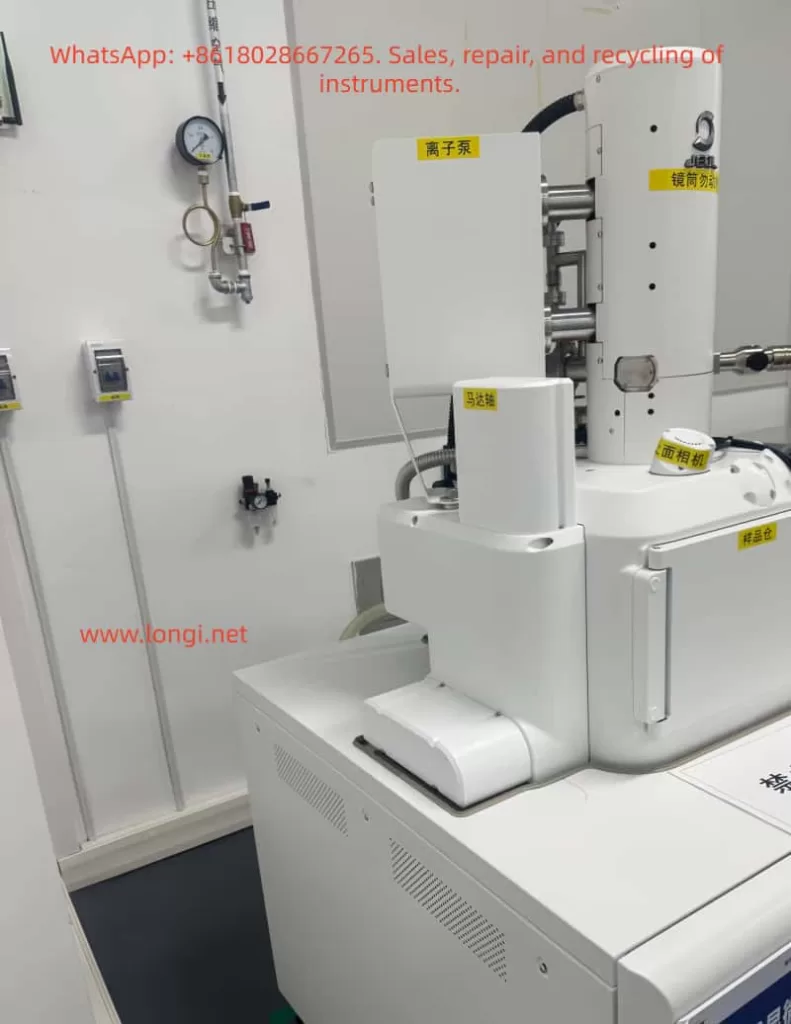
JEOL JSM-IT700HR/LA field emission scanning electron microscope side view showing the electron column, ion pump, sample chamber, camera module, and laboratory gas pressure gauge.

5. Most Probable Causes in This Case

Based on the photos, the video, and the later successful recovery, the likely causes are concentrated in the following areas.

5.1 Sample Chamber Door Not Properly Sealed

The sample chamber door is one of the most common vacuum leak points in an SEM. It is opened and closed frequently, so its sealing surface and O-ring are exposed to dust, sample debris, carbon tape fragments, conductive adhesive, and mechanical wear.

Common problems include:

  • The chamber door is not fully closed.
  • The sample stage is too high and physically interferes with the chamber door.
  • A sample holder, screw, or specimen edge touches the chamber wall.
  • Dust or particles are present on the O-ring.
  • Carbon tape, powder, metal particles, or adhesive remain on the sealing surface.
  • The O-ring has cracks, compression marks, hardening, or deformation.
  • The chamber door hinge or locking mechanism is slightly misaligned.

If the sample chamber door is not pulled inward by vacuum after pressing EVAC, or if evacuation takes much longer than usual, the first component to inspect should be the chamber door seal. In many cases, cleaning the O-ring and sealing surface is enough to restore normal evacuation.

5.2 VENT Valve Not Fully Closed

The VENT valve is used to admit air or nitrogen into the chamber so that the door can be opened. If the VENT valve does not fully close, the roughing pump will continuously pull against an air leak. The chamber pressure will not decrease properly.

A VENT valve problem may show the following symptoms:

  • A slight air inlet sound after pressing EVAC.
  • Very slow pressure decrease.
  • Abnormal VENT status on the vacuum page.
  • The system recovers after repeated VENT and EVAC operations.
  • Intermittent valve sticking or poor sealing.

If the instrument recovers after repeated EVAC/VENT operation, the VENT valve or related pneumatic valve may have been sticking or not fully seated.

5.3 EVAC Valve or Pneumatic Valve Action Abnormal

The EVAC valve opens the evacuation path between the sample chamber and the pumping line. If the EVAC valve does not open, the pump may run but the chamber will not be evacuated.

Many SEM vacuum valves are not directly driven by small solenoids alone. They may use compressed air through pneumatic actuators. The control board sends an electrical signal, the solenoid valve switches, and compressed air moves the vacuum valve. If compressed air pressure is insufficient, the software may command the valve to move, but the valve may not actually reach its correct position.

Therefore, the technician should check:

  • Whether the compressed air supply is on.
  • Whether the air pressure is within the required range.
  • Whether the regulator is set correctly.
  • Whether air tubing is loose or kinked.
  • Whether the filter/regulator contains water.
  • Whether a clear valve actuation sound can be heard when pressing EVAC or VENT.
  • Whether the valve body is sticking.
  • Whether valve position feedback is correct.

Low compressed air pressure can cause slow valve motion, incomplete valve travel, inconsistent feedback, or a vacuum sequence stop.

5.4 Roughing Pump or Dry Pump Not Starting Correctly

The roughing pump is essential for bringing the sample chamber down from atmospheric pressure to a low-vacuum level. If it does not start, or if its pumping capacity is severely reduced, the chamber cannot reach the conditions required for the next stage.

Typical symptoms include:

  • No pump sound after pressing EVAC.
  • Cooling fan runs but the pump does not actually pump.
  • Pump body overheats.
  • Pump control board has no output.
  • A fuse is blown.
  • Power cable or control cable is loose.
  • The pump is worn and has reduced pumping speed.
  • The roughing line is blocked or leaking.

In the video, the customer pointed to a rear module with a fan and nearby control board. This suggests that the on-site operator already suspected a module related to the pump, power supply, valve control, or vacuum I/O. It is important to confirm whether the pump is truly operating after EVAC, not merely whether a fan is spinning.

5.5 Turbo Molecular Pump or High-Vacuum System Not Reaching Required Conditions

For a field emission SEM, the high-vacuum section can only work normally after the roughing stage reaches an acceptable pressure. If the backing pressure is too high, the turbo molecular pump may not start correctly or may fail to reach rated speed.

A turbo pump-related issue may show:

  • The roughing pump operates, but the pressure remains too high.
  • TMP speed does not reach the required value.
  • A TMP error or controller alarm appears.
  • The vacuum sequence stops halfway.
  • The system cannot enter high-vacuum mode or Observation.

However, in this case, because the instrument recovered after basic external checks, a serious turbo pump failure is less likely. A damaged turbo pump usually does not fully recover simply by cleaning the chamber seal or repeating the EVAC sequence.

5.6 Vacuum Sensor Feedback Abnormal

The vacuum control system depends on sensor feedback. If a vacuum gauge gives incorrect information, the SEM may refuse to proceed even if the actual pressure is acceptable.

Possible causes include:

  • Contaminated vacuum gauge.
  • Aging gauge.
  • Loose sensor cable.
  • Oxidized connector.
  • Control board input fault.
  • Abnormal sensor power supply.
  • Software reading error.

For this kind of issue, it is not enough to look at the color of the vacuum diagram. The actual pressure values must be recorded, including:

  • Chamber pressure.
  • Column pressure.
  • Gun pressure.
  • Turbo pump speed.
  • Ion pump current.
  • Error log.
  • Valve status.

If a pressure value does not change at all during evacuation, the sensor or its signal path should be suspected.


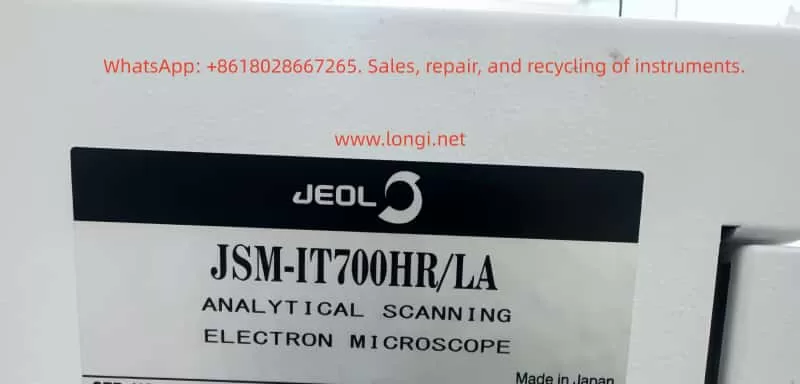
Close-up of the JEOL JSM-IT700HR/LA nameplate showing the model number and analytical scanning electron microscope identification label made in Japan.

6. Why the Electron Gun or Main Board Should Not Be Disassembled First

High-end field emission SEM troubleshooting must follow a safe order: from external to internal, from low risk to high risk, from interlock conditions to core hardware.

The electron gun and column should not be opened without strong evidence.

There are several reasons:

  1. The field emission gun is extremely sensitive to contamination
    Air exposure, moisture, particles, and oil vapor can cause unstable emission, low beam current, or permanent gun damage.
  2. Column disassembly requires clean conditions and calibration
    Random disassembly may introduce dust, mechanical misalignment, and vacuum contamination.
  3. Forcing beam operation under poor vacuum is risky
    Poor vacuum can cause high-voltage interlock, discharge, contamination, or emission instability.
  4. When the system is stopped at the Vacuum System page, the electron optical system may not even be active yet
    No image at this stage does not prove detector failure or electron gun failure. It may only mean that the system has not allowed beam operation.
  5. Control board potentiometers must not be adjusted randomly
    A visible trimmer or adjustable component on a control board may be used for threshold, feedback, drive calibration, or sensor adjustment. Without the service manual and original setting, it should not be turned.

Therefore, for this type of case, the correct approach is not to start with the most expensive component. The correct approach is to verify whether the most basic vacuum conditions are satisfied.


7. Recommended On-Site Troubleshooting Procedure

The following procedure can be used for SEM vacuum-related faults.

Step 1: Identify the Stage Where the Fault Occurs

The technician should first determine whether the problem occurs during:

  • VENT;
  • EVAC;
  • transition to high vacuum;
  • Observation entry;
  • beam enable;
  • imaging after the beam is already on.

Different stages correspond to different fault areas.

If the system is stuck on the Vacuum System page and cannot enter Observation, the vacuum system should be checked first.

Step 2: Observe Mechanical Response After Pressing EVAC

After pressing EVAC, observe:

  • Does the roughing pump start?
  • Is there a pump sound?
  • Is the chamber door pulled tight by vacuum?
  • Is there a valve actuation sound?
  • Does the compressed air system move any valves?
  • Does the chamber pressure decrease?
  • Does the system produce an error message?
  • Does it automatically return to VENT?

If there is no sound at all, check power, interlocks, pump control, and control signals.
If the pump runs but the door is not pulled inward, check for a large leak or EVAC valve failure.
If the door seals but the pressure decreases slowly, check for a small leak, weak pump, or leaking VENT valve.

Step 3: Inspect the Sample Chamber Seal

The recommended procedure is:

  1. Vent the chamber.
  2. Open the sample chamber.
  3. Remove the sample.
  4. Check whether the sample stage is too high.
  5. Inspect the sample holder, screws, and specimen edges.
  6. Inspect the chamber O-ring.
  7. Inspect the sealing surface.
  8. Clean the O-ring and sealing face carefully with suitable lint-free material.
  9. Close the chamber door again.
  10. Press EVAC and observe the result.

Do not use ordinary paper tissue that sheds fibers. Do not use aggressive solvent on the O-ring.

Step 4: Check the Compressed Air Supply

If the instrument uses pneumatic valves, compressed air must be checked.

Inspect:

  • Air pressure.
  • Air supply valve.
  • Regulator setting.
  • Loose air tubes.
  • Kinked tubes.
  • Water in the filter/regulator.
  • Valve actuation sound during EVAC and VENT.

Insufficient air pressure is a hidden but common cause of SEM vacuum sequence failure. It may not always appear as a direct air pressure alarm, but it can stop valves from reaching their correct position.

Step 5: Check the Roughing Pump

Inspect:

  • Whether the pump starts.
  • Whether the pump sound is normal.
  • Whether there is abnormal vibration.
  • Whether the pump is overheating.
  • Whether exhaust flow is present.
  • Whether power input is normal.
  • Whether the control cable is loose.
  • Whether the fuse is blown.
  • Whether the pipe connection is leaking.
  • Whether the pump is overdue for maintenance.

If it is an oil pump, check oil level and oil condition. If it is a dry pump, check sound, temperature, and alarm indicators.

Step 6: Record Actual Vacuum Values and Error Logs

The technician should not rely only on colors in the vacuum diagram. Actual data should be recorded:

  • Sample chamber pressure.
  • Column pressure.
  • Gun pressure.
  • Roughing pressure.
  • Turbo pump speed.
  • Ion pump current.
  • Valve status.
  • Error log.
  • Time required for evacuation.

These values help distinguish between leakage, weak pump performance, valve failure, and sensor feedback errors.

Step 7: Verify Repeatability

After recovery, the test should not stop immediately. Perform repeated cycles:

  1. VENT.
  2. Open and close the chamber.
  3. EVAC.
  4. Enter Observation.
  5. VENT again.
  6. EVAC again.
  7. Repeat at least two or three times.

If the sequence succeeds every time, the system is likely stable.
If the problem appears intermittently, there may still be valve sticking, air pressure fluctuation, poor sealing, or unstable sensor feedback.


8. Checks Required After the Instrument Recovers

In this case, the customer recovered the instrument after following the basic troubleshooting procedure. However, further verification is still necessary.

8.1 Check Evacuation Time

Record the time from pressing EVAC to reaching Observation-ready status. If this time becomes longer in future use, it may indicate a small leak or declining pump performance.

8.2 Save a Normal Vacuum System Screenshot

A screenshot of the normal Vacuum System page should be saved, including valve states, pump states, and pressure readings. This is an important reference for future troubleshooting.

8.3 Confirm Actual SEM Imaging

Vacuum recovery is only the first step. The user should also confirm:

  • Observation mode can be entered.
  • The electron beam is stable.
  • An image can be obtained.
  • Magnification change is normal.
  • Focus works correctly.
  • Stigmation adjustment is effective.
  • Detector signal is normal.
  • EDS or analytical functions work normally.

8.4 Watch for Recurrence

If EVAC failure returns soon after recovery, the likely suspects are:

  • Aging O-ring.
  • Leaking VENT valve.
  • Sticking pneumatic valve.
  • Fluctuating compressed air pressure.
  • Reduced roughing pump performance.
  • Unstable vacuum gauge.
  • Loose connector on a vacuum control board.

9. Practical Value of This Case

This case demonstrates an important principle in high-end instrument repair:

Do not be intimidated by the complexity of the instrument. Understand the system logic first, then check the basic conditions.

Although the JSM-IT700HR/LA is a high-end field emission SEM, its vacuum control still follows basic physical logic. When the system cannot enter Observation mode, the first questions should be:

  • Is the chamber door closed correctly?
  • Is the O-ring clean?
  • Has EVAC been executed properly?
  • Is the VENT valve closed?
  • Has the roughing pump started?
  • Is compressed air pressure sufficient?
  • Are the valves moving?
  • Is the chamber pressure decreasing?
  • Are the sensor readings reasonable?

These questions seem simple, but they solve many real SEM field failures. By contrast, immediately suspecting the electron gun, high-voltage power supply, main control board, or software may lead to misdiagnosis, unnecessary disassembly, and high repair risk.

In this case, the fact that the customer solved the fault through basic checks indicates that the actual problem was probably one of the following:

  • Incomplete sample chamber sealing.
  • VENT/EVAC sequence stuck.
  • Pneumatic valve not fully actuated.
  • Roughing pump or valve interlock temporarily abnormal.
  • Vacuum system status restored after re-operation.

This is a vacuum sequence fault, not a core electron optical failure.


10. Preventive Maintenance Recommendations

To reduce recurrence of similar problems, laboratories should establish routine maintenance practices.

10.1 Check Sample Height Before Every Evacuation

A sample that is too high can interfere with the chamber, holder, or objective area. Large, irregular, or screw-mounted samples should be checked carefully.

10.2 Keep the Sample Chamber Clean

Sample powder, conductive adhesive, carbon tape fragments, and metal particles can affect sealing and contaminate the vacuum system. The chamber should be cleaned regularly.

10.3 Inspect the O-Ring Regularly

The O-ring is a consumable part. If it becomes cracked, flattened, hardened, or contaminated, it should be cleaned or replaced.

10.4 Avoid Unnecessary VENT/EVAC Cycling

Frequent venting and evacuation increase the workload on pumps, valves, and seals. Samples should be arranged in batches when possible.

10.5 Maintain Stable Compressed Air

Low or unstable air pressure can cause valve movement problems. Filters should be drained regularly, and the regulator setting should remain stable.

10.6 Record Normal Vacuum Parameters

A maintenance log should include:

  • Evacuation time.
  • Sample chamber pressure.
  • Column pressure.
  • Gun pressure.
  • TMP status.
  • Ion pump status.
  • Alarm history.

When a fault occurs, these records help compare normal and abnormal conditions.

10.7 Do Not Adjust Internal Boards Without Evidence

Potentiometers, jumpers, and internal control settings should not be changed randomly. Any adjustment should be supported by service documentation and original position records.

10.8 Do Not Force Beam Operation Under Poor Vacuum

Operating the electron beam under poor vacuum conditions can cause contamination, discharge, emission instability, and possible gun damage. Vacuum conditions must be restored first.


11. Common Symptoms and Diagnostic Directions

SymptomPossible CausePriority Check
No sound after pressing EVACPump not starting, power fault, control signal faultPump power, fuse, interlock, control board
Pump runs but chamber door is not pulled tightLarge leak, door not closed, EVAC valve not openChamber door, O-ring, valve, air supply
Chamber seals but evacuation is slowSmall leak, weak pump, leaking VENT valveO-ring, pipeline, pump performance, VENT valve
System returns to VENT after evacuation attemptVacuum not achieved, valve feedback error, protectionError log, valve state, sensor readings
Turbo pump does not reach speedBacking pressure too high, TMP controller faultRoughing pump, TMP controller, pressure values
Vacuum value does not changeGauge or signal problemSensor, cable, connector, control board input
Intermittent success and failureSticking valve, air pressure fluctuation, bad connectionAir supply, valve body, connectors, sealing
Vacuum normal but no imageBeam, detector, or parameter issueHV, beam current, working distance, detector

12. Conclusion

When a JEOL JSM-IT700HR/LA scanning electron microscope cannot operate normally and the software remains on the Vacuum System page, especially with abnormal VENT, EVAC, LV, LLC, valve, or pump status, the first diagnostic direction should be the vacuum system. It is not correct to immediately assume that the electron gun, EDS system, main computer, or display system is damaged.

In this case, the instrument recovered after basic checks, which strongly indicates that the root cause was related to chamber sealing, VENT/EVAC valve status, compressed air, roughing pump operation, or vacuum interlock conditions.

The correct troubleshooting sequence is:

Check the sample chamber seal first, then the compressed air supply, then the pump, then the valves, then the actual pressure values and error logs. Only after these checks should deeper hardware faults such as sensors, control boards, or high-vacuum components be considered.

For a field emission SEM, vacuum is the foundation of operation. If the vacuum sequence is not completed, the system will not allow normal observation. Many faults that look like serious whole-machine failures are actually caused by a dirty O-ring, an incompletely closed vent valve, insufficient air pressure, a slow valve, or a failed EVAC sequence.

The safest and most effective repair strategy is not blind disassembly, but understanding the interlock logic of the instrument. By checking the vacuum process step by step, many SEM field failures can be restored without opening the electron gun, disturbing the column, or replacing expensive components.

Posted on

TESCAN VEGA3 Scanning Electron Microscope Manual Usage Guide

Introduction

The TESCAN VEGA3 Scanning Electron Microscope (SEM) is a high-performance, multifunctional microscopic analysis tool widely used in materials science, geology, biology, and other fields. Its high-resolution imaging capabilities, diverse detector options, and flexible operating modes make VEGA3 an essential piece of equipment for scientific research and industrial testing. This guide aims to provide users with a comprehensive usage guide for the VEGA3 by synthesizing information from official manuals and operational guidelines, helping users quickly master VEGA3’s operational techniques and improve experimental efficiency and imaging quality.

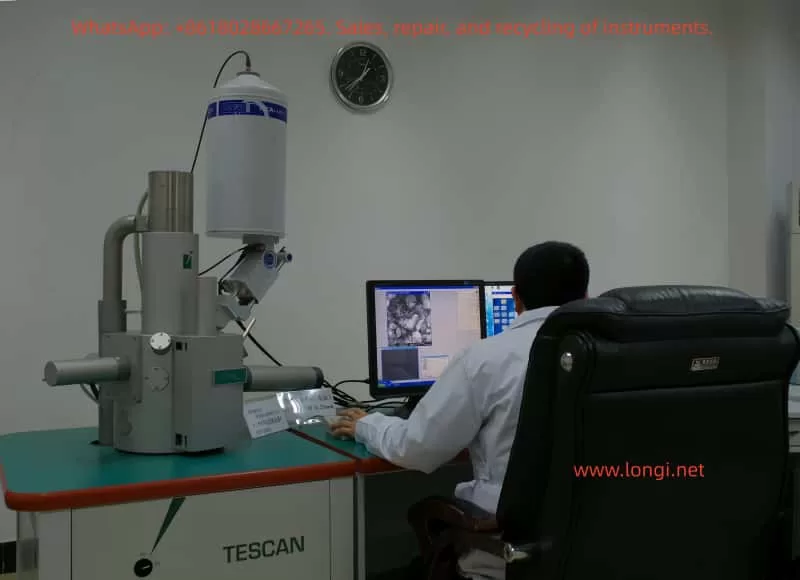
During the usage of TESCAN VEGA3 scanning electron microscope.

I. Equipment Overview and Safety Operations

1.1 Equipment Overview

The TESCAN VEGA3 SEM integrates an advanced electron optical system, vacuum system, detector array, and a user-friendly software interface, supporting multiple operating modes including high vacuum, low vacuum, and environmental SEM (ESEM). Its core components include an electron gun, condenser lenses, objective lenses, scanning coils, a sample chamber, detector arrays (such as SE, BSE, CL, EDS, etc.), and a vacuum system.

1.2 Safety Operation Guidelines

Before using the VEGA3, it is crucial to strictly adhere to safety operation guidelines to ensure the safety of personnel and equipment.

  • Personal Protection: Wear lab coats, gloves, and safety glasses when operating to avoid direct contact with the electron beam and samples.
  • Electrical Safety: Ensure the equipment is properly grounded and avoid operating in damp or flammable environments.
  • Vacuum System: Follow the proper procedures for evacuating and venting the chamber to prevent damage to samples and detectors.
  • Sample Handling: Secure samples on the sample holder using conductive adhesive or carbon tape, ensuring the sample surface is clean and free of contaminants.
  • Emergency Shutdown: Familiarize yourself with the location and use of the emergency shutdown button to quickly cut off power in case of emergencies.

II. Startup and Initialization

2.1 Startup Procedures

  1. Power Check: Confirm that the equipment’s power supply is connected and the voltage is stable at 220V.
  2. Computer Startup: Turn on the computer connected to the SEM and wait for the system to boot up.
  3. SEM Main Power: Turn the SEM main switch to the “ON” position and wait for the system to complete its self-check.
  4. Software Launch: Double-click the VEGA3 software icon on the computer to launch the control software.
  5. User Login: Enter the username and password as prompted to log in to the system.

2.2 System Initialization

  • Hardware Self-Check: The system will automatically perform a hardware self-check upon startup, including the electron gun, detectors, and vacuum system.
  • Software Configuration: Configure detector types, accelerating voltage, beam current, and other parameters in the software interface according to experimental requirements.
  • Vacuum Evacuation: Click the “PUMP” button to begin evacuating the chamber, waiting for the vacuum level to reach the required level (typically less than 10^-5 Torr).
  • Filament Heating: In the “Electron Beam” panel, click the “Heat” button to heat the filament and prepare for electron beam emission.

III. Sample Preparation and Loading

3.1 Sample Preparation

  • Sample Selection: Choose appropriate samples based on experimental objectives, ensuring the sample surface is flat and clean.
  • Conductive Treatment: For non-conductive samples, perform gold or carbon coating to improve conductivity.
  • Sample Fixation: Secure the sample onto the sample holder using conductive adhesive or carbon tape, ensuring the sample remains stable during operation.

3.2 Sample Loading

  1. Venting: Click the “VENT” button to vent the chamber and open the sample chamber door.
  2. Sample Installation: Place the sample holder with the sample into the sample chamber, ensuring good contact between the holder and the chamber bottom.
  3. Evacuation: Close the sample chamber door and click the “PUMP” button to re-evacuate the chamber.
  4. Sample Positioning: Use the sample stage control panel in the software interface to adjust the sample position, centering it within the electron beam scan area.

IV. Imaging Modes and Parameter Settings

4.1 Imaging Mode Selection

The VEGA3 supports multiple imaging modes, including secondary electron imaging (SEI), backscattered electron imaging (BSEI), and cathodoluminescence imaging (CLI). Select the appropriate imaging mode based on experimental requirements.

  • SEI Mode: Suitable for observing sample surface morphology with high resolution.
  • BSEI Mode: Suitable for observing sample composition distribution, with contrast related to atomic number.
  • CLI Mode: Suitable for observing sample luminescence characteristics, requiring a cathodoluminescence detector.

4.2 Parameter Settings

  • Accelerating Voltage: Set the appropriate accelerating voltage (typically 5-30kV) based on sample type and imaging requirements.
  • Beam Current: Adjust the beam current to control signal intensity and resolution; higher beam currents yield stronger signals but may reduce resolution.
  • Working Distance: Adjust the working distance based on sample height and imaging requirements, affecting depth of field and resolution.
  • Scan Speed: Adjust the scan speed based on signal intensity and imaging quality; slower scan speeds yield better image quality but longer acquisition times.
  • Detector Selection: Select the appropriate detector based on the imaging mode, such as SE detector or BSE detector.

V. Image Acquisition and Optimization

5.1 Image Acquisition

  1. Focusing: Use the “WD” knob to adjust the working distance and achieve a clear image.
  2. Stigmation Correction: Click the “Stig” button to perform stigmation correction and eliminate astigmatism in the image.
  3. Contrast and Brightness Adjustment: Adjust contrast and brightness in the software interface to enhance image detail.
  4. Image Acquisition: Click the “Photo” button to acquire the image and save it in the specified format (e.g., TIFF, JPEG).

5.2 Image Optimization

  • Noise Reduction: Use image processing software to reduce noise in the acquired images and improve image quality.
  • Contrast Enhancement: Enhance image details by adjusting contrast and brightness.
  • Filtering: Apply filtering algorithms such as Gaussian filtering or median filtering to reduce noise and artifacts in the image.
  • Pseudocolor Processing: Apply pseudocolor processing to grayscale images to enhance visualization.
Real-object image of TESCAN VEGA3 scanning electron microscope

VI. Advanced Functions and Applications

6.1 Energy Dispersive Spectroscopy (EDS)

The VEGA3 SEM can be equipped with an energy dispersive spectrometer (EDS) for elemental analysis and quantitative determination of samples.

  • Parameter Settings: Set acquisition time, beam current, and other parameters in the EDS software interface.
  • Data Acquisition: Click the “Start” button to begin acquiring EDS data.
  • Data Analysis: Use EDS analysis software to process and analyze the acquired EDS data, obtaining elemental composition and content information of the sample.

6.2 Electron Backscatter Diffraction (EBSD)

For VEGA3 SEMs equipped with an EBSD detector, electron backscatter diffraction analysis can be performed to study the crystal structure and orientation of samples.

  • Sample Preparation: Ensure the sample surface is flat, stress-free, and properly polished.
  • Parameter Settings: Set accelerating voltage, working distance, and other parameters in the EBSD software interface.
  • Data Acquisition: Click the “Start” button to begin acquiring EBSD data.
  • Data Analysis: Use EBSD analysis software to process and analyze the acquired data, obtaining crystal structure, orientation, and phase distribution information of the sample.

6.3 3D Reconstruction and Stereoscopic Imaging

The VEGA3 SEM supports 3D reconstruction and stereoscopic imaging functions, enabling 3D reconstruction of sample surface morphology.

  • Series Image Acquisition: Acquire a series of images from different perspectives by adjusting the sample stage angle or position.
  • Image Registration: Use image processing software to register the acquired images, ensuring precise alignment between images.
  • 3D Reconstruction: Apply 3D reconstruction algorithms to process the registered images and generate a 3D model of the sample.
  • Stereoscopic Display: Display the 3D model using stereoscopic display techniques (e.g., anaglyph, polarized stereoscopic) to enhance spatial perception.

VII. Maintenance and Troubleshooting

7.1 Routine Maintenance

  • Chamber Cleaning: Regularly clean the interior of the sample chamber to remove dust and contaminants.
  • Vacuum System Inspection: Regularly inspect the vacuum pump oil level and vacuum level to ensure proper operation of the vacuum system.
  • Consumable Replacement: Replace consumables such as filaments and detector windows as needed based on usage.
  • Software Updates: Regularly check for and install updates for the SEM control software and analysis software to ensure system stability and functionality.

7.2 Troubleshooting

  • Inability to Evacuate: Check if the vacuum pump is operating normally, if there are leaks in the vacuum lines, and if the sample chamber door is properly closed.
  • Poor Image Quality: Check if the electron gun is properly aligned, if the detectors are functioning correctly, and if the parameter settings are reasonable.
  • System Errors: Follow the system error messages to identify and resolve issues, such as restarting the software or replacing hardware components.
  • Unresponsive Operation: Check the connection between the computer and SEM, if the software is frozen, and try restarting the software or computer.

VIII. Conclusion and Future Prospects

The TESCAN VEGA3 Scanning Electron Microscope, as a high-performance and multifunctional microscopic analysis tool, plays a crucial role in various fields such as materials science, geology, and biology. Through this usage guide, users can quickly master the basic operational techniques, imaging mode selection, parameter settings, and advanced function applications of the VEGA3. In the future, with the continuous development of science and technology, the VEGA3 SEM will continue to upgrade and improve its functional performance, providing users with more convenient, efficient, and precise microscopic analysis solutions. We also anticipate that more researchers will fully leverage the advantages of the VEGA3 SEM to conduct innovative research work and drive scientific progress and development in related fields.