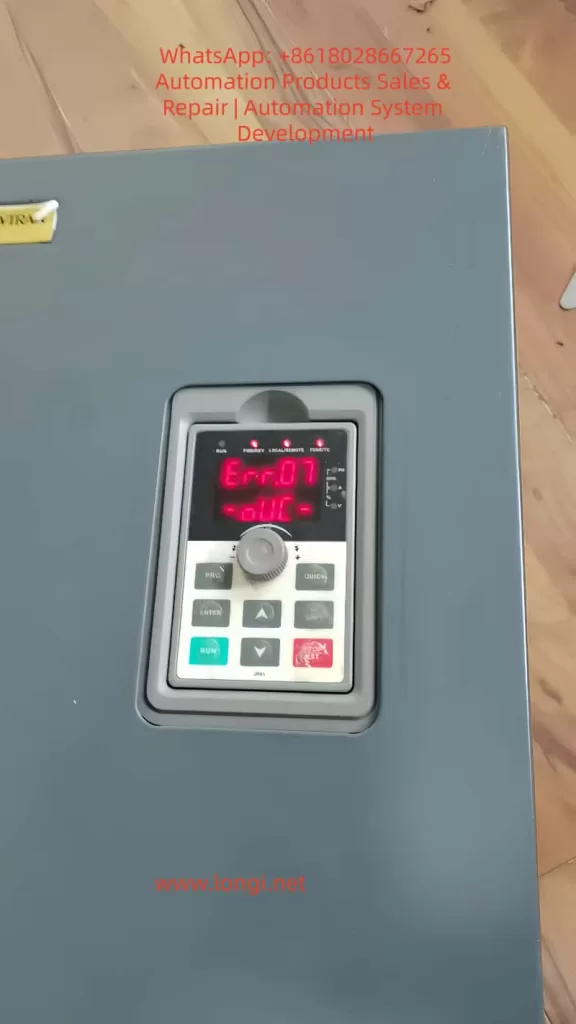
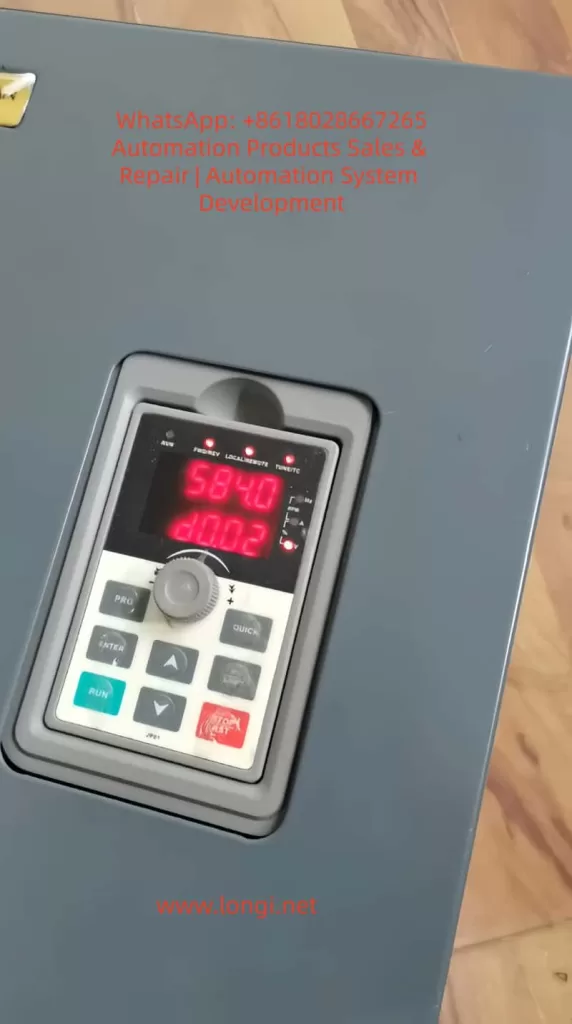
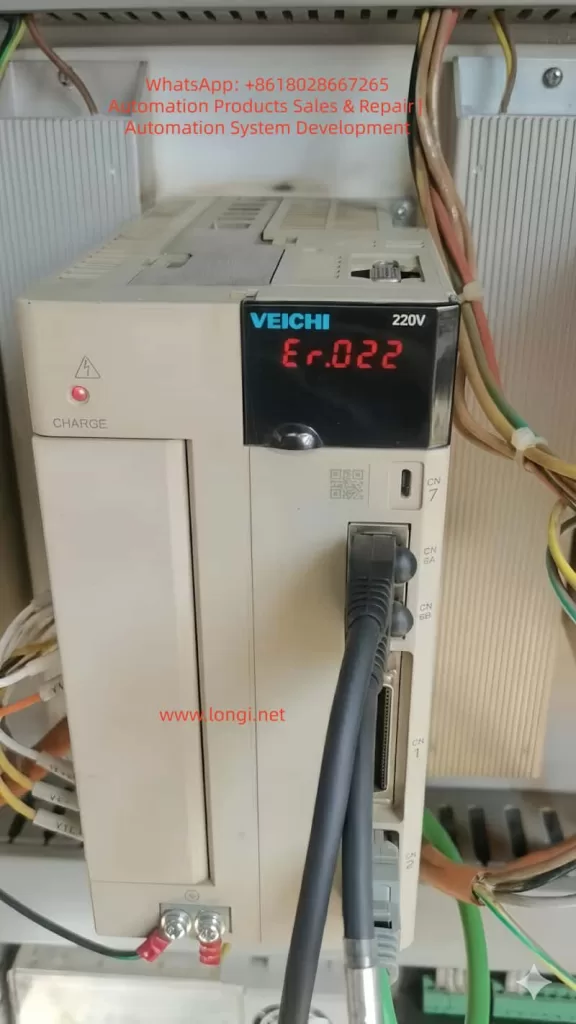
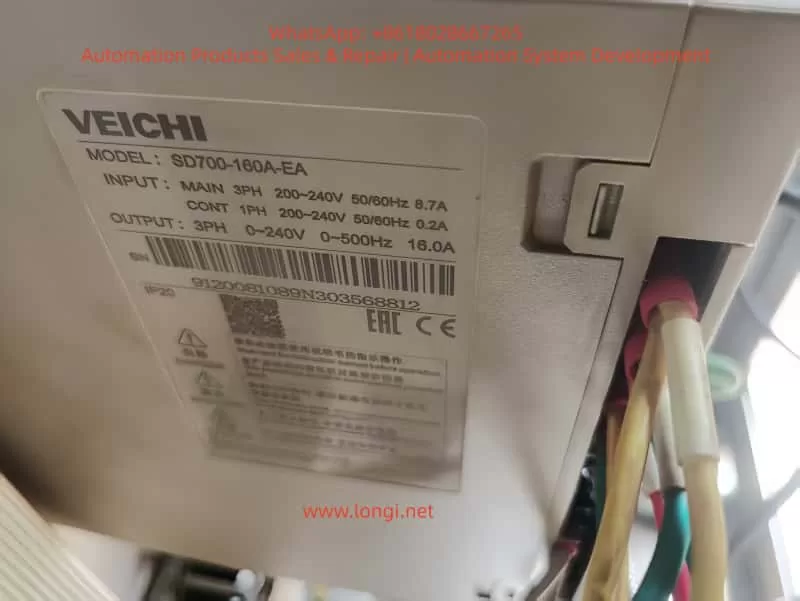
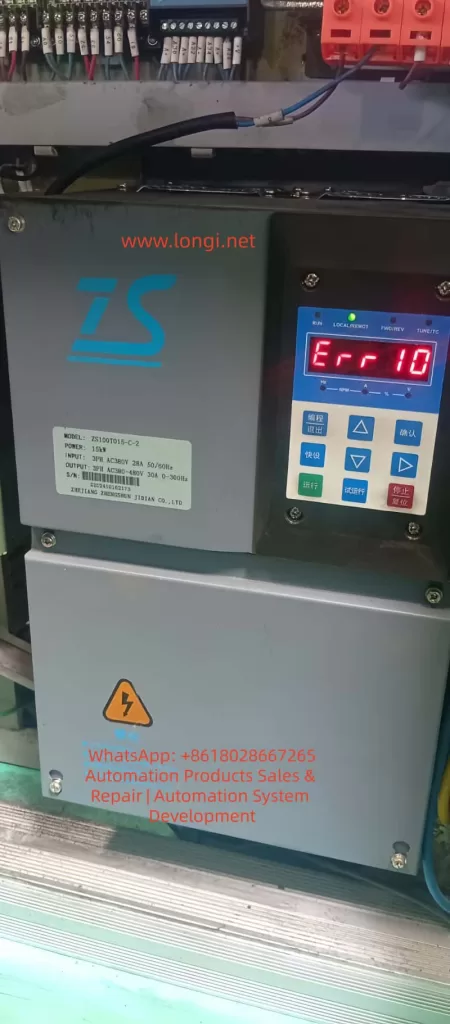
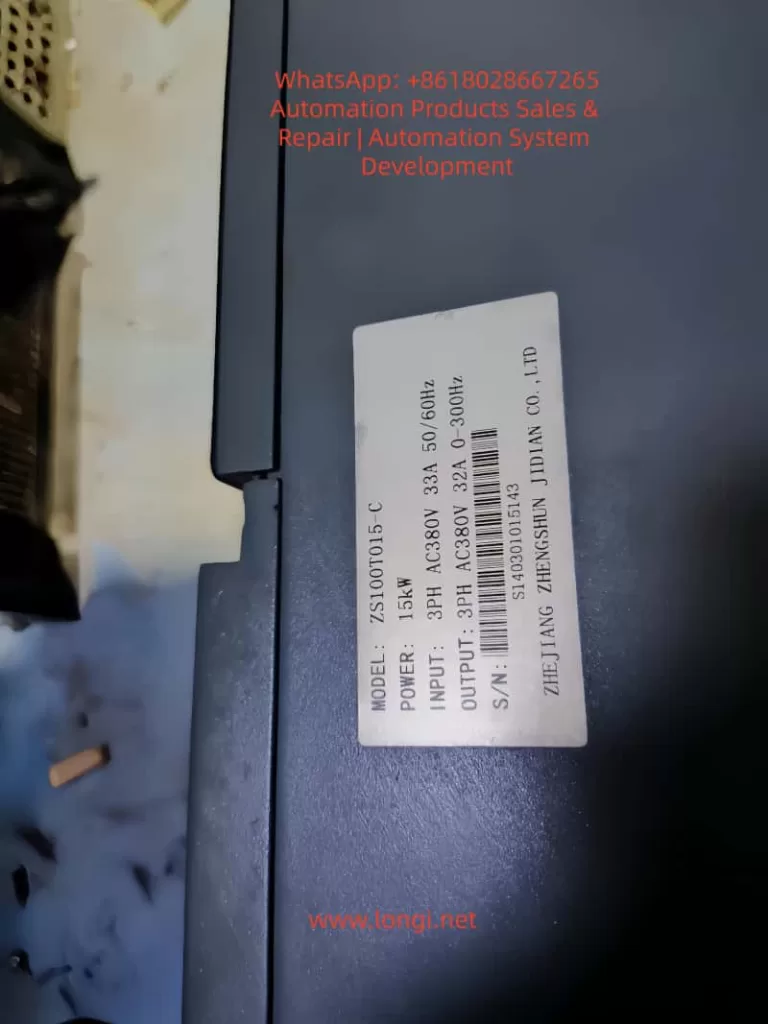
In practical field maintenance, overvoltage faults in variable frequency drives (VFDs) are common. However, a very specific and misleading condition is when the drive reports an overvoltage fault immediately after power-up, before the motor even starts.
Typical symptoms include:
Fault code displayed: Err.07 (Overvoltage during constant speed)
Fault occurs immediately after power-on
No motor operation or command given
DC bus voltage reading: approximately 580V
Voltage value is stable and does not fluctuate
This type of fault often leads to misdiagnosis, especially when technicians assume that overvoltage must be associated with regenerative energy or deceleration.
2. DC Bus Voltage Fundamentals
A VFD operates on an AC-DC-AC conversion principle. The incoming AC voltage is rectified and filtered to form a DC bus.
The theoretical relationship is:
[ U_{dc} \approx 1.35 \times U_{ac} ]
For a standard 380V three-phase system:
Theoretical DC bus voltage ≈ 380 × 1.35 ≈ 513V
In real applications, considering fluctuations and ripple:
Normal DC bus voltage range: 500V to 540V
Therefore, under no-load and idle conditions:
The DC bus voltage should remain around 510V
It should not naturally rise to 580V or higher
3. Two-Level Overvoltage Protection Mechanism
A common misconception is that overvoltage only occurs above 700V. In reality, VFDs implement a two-tier protection strategy:
3.1 Software-Level Protection
Trigger range: approximately 580V to 620V
Purpose: early intervention to prevent hardware damage
Action: fault alarm and shutdown
3.2 Hardware-Level Protection
Trigger range: approximately above 700V
Purpose: protect IGBT modules and DC capacitors
Action: emergency shutdown or hardware protection
Thus:
A reading of 580V triggering a fault is technically correct
However, it must represent a real voltage, not a false reading
4. Logical Contradiction in Power-Up Overvoltage
In a non-operational state:
No motor rotation
No deceleration process
No regenerative energy feedback
There is no physical mechanism to increase DC bus voltage beyond its rectified value.
Therefore:
If a VFD reports 580V at power-up, the key question is:
Is the voltage real, or is the measurement incorrect?
5. Root Cause: Voltage Detection Circuit Error
In over 90% of such cases, the issue is not actual overvoltage, but a fault in the voltage sensing circuit.
The DC bus voltage is not measured directly. Instead, it is processed through a signal chain:
5.1 High-Voltage Divider Network
The high DC voltage (~500V) is reduced using a resistor divider:
Typically consists of high-value resistors (hundreds of kΩ to MΩ)
Output is scaled down to low voltage (e.g., 0–5V)
Failure modes:
Resistance drift due to aging
Leakage caused by moisture or contamination
Result:
Divider ratio changes
Output voltage increases
MCU interprets voltage as higher than actual
5.2 Operational Amplifier Stage
The divided signal is conditioned using an op-amp:
Buffering
Amplification
Filtering
Failure modes:
Input offset drift
Power supply instability
Internal damage
Result:
Amplified signal becomes inaccurate
ADC receives incorrect voltage level
5.3 ADC and Reference Voltage
The conditioned signal is fed into the MCU’s ADC:
Requires a stable reference voltage
Failure modes:
Reference voltage drops
ADC calibration shifts
Result:
All measured values appear higher than actual
6. Key Differences: Real Overvoltage vs Measurement Error
Feature
Real Overvoltage
Detection Error
Occurrence
During operation
At power-up
Voltage behavior
Dynamic
Stable
Load dependency
Yes
No
Value pattern
Fluctuating
Fixed abnormal value
Root cause
Energy feedback
Circuit drift
The described case clearly matches the detection error scenario.
7. Practical Diagnostic Procedure
Step 1: Measure Input Voltage
Check three-phase input:
R-S, S-T, R-T
Expected:
Around 380V ±10%
If input exceeds 420V, a supply issue may exist.
Step 2: Measure Actual DC Bus Voltage
Using a multimeter:
Measure between P+ and N-
Interpretation:
Measured Value
Conclusion
~510V
Detection circuit fault
~580V
Real overvoltage
Step 3: Compare with Display Value
If:
Multimeter shows 510V
Display shows 584V
Conclusion:
Voltage sensing circuit is faulty
8. Component-Level Troubleshooting
8.1 Voltage Divider Resistors
Check resistance values after power discharge
Compare with nominal values
Focus:
High-voltage side resistors are most prone to drift
8.2 Operational Amplifier
Measure input and output voltages
Verify linear relationship
If input is correct but output is high:
Op-amp is defective
8.3 Reference Voltage
Measure ADC reference (e.g., 2.5V or 3.3V)
If reference is lower than expected:
ADC readings will appear higher
9. Why This Fault is Common
9.1 Thermal Stress
Long-term heat exposure
Causes resistor drift
9.2 Humidity and Contamination
PCB surface leakage
Insulation degradation
9.3 Aging
Component parameter drift over time
Solder joint degradation
10. Misdiagnosis Related to Braking Circuit
It is often assumed that overvoltage relates to braking resistor failure.
However:
Braking circuits only operate during deceleration
They are inactive at power-up
Therefore:
A fault occurring immediately after power-on is not related to braking components
11. Key Maintenance Conclusions
A 580V alarm is normal in terms of protection logic
The real issue is why voltage reaches that level without operation
Always verify DC bus voltage with a multimeter
Voltage divider drift is the most probable cause
Do not rely solely on displayed values
12. Practical Rule of Thumb
“Overvoltage at power-up = 90% probability of sensing circuit fault”
13. Conclusion
Understanding VFD overvoltage faults requires distinguishing between actual electrical conditions and measurement inaccuracies. In cases where faults occur immediately after power-up, the focus must shift from power circuits to sensing circuits.
By following a structured diagnostic approach—verifying real voltage, analyzing signal chains, and testing components—technicians can quickly and accurately locate the fault.
Effective troubleshooting depends not on interpreting fault codes alone, but on understanding the underlying electrical principles and circuit behavior.
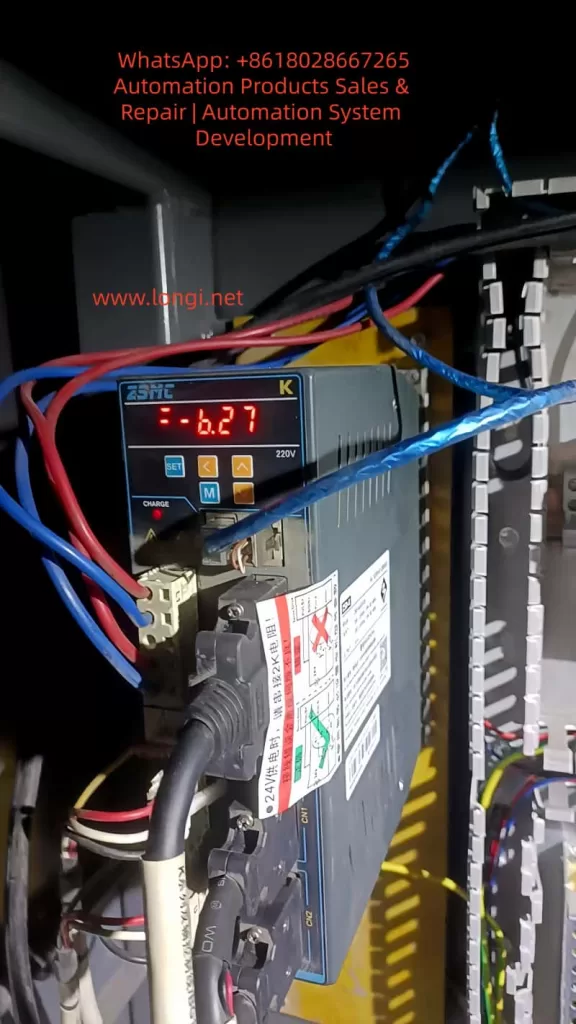
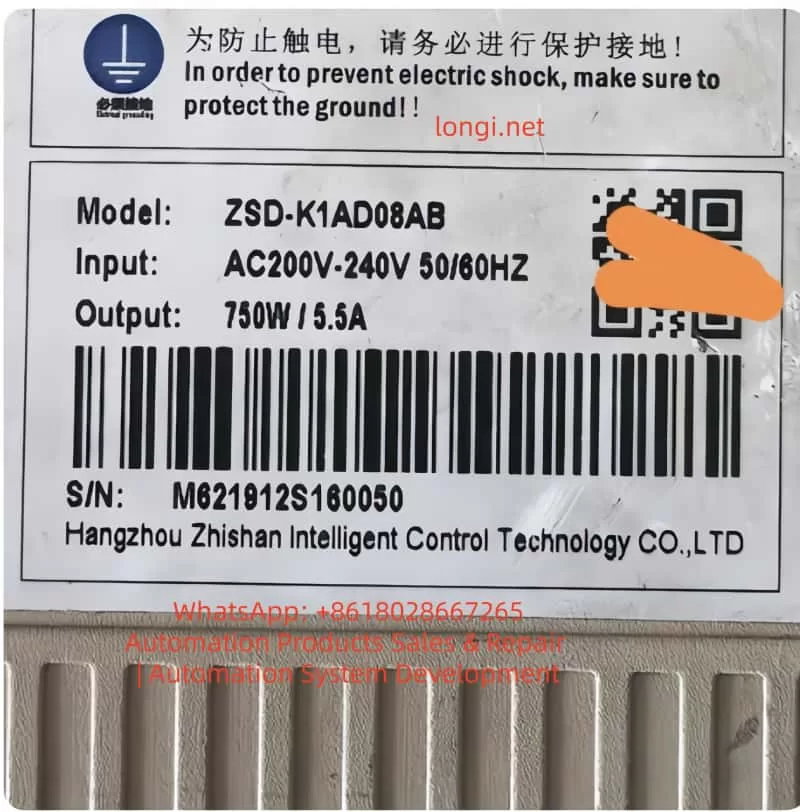
In the realm of industrial automation, the stability of servo systems is the cornerstone of machining precision and production efficiency. The ZSMC K-Series (Zhejiang Zhishan Electric Co., Ltd.), a leading domestic servo system in China, is widely deployed in CNC machine tools, robotics, packaging machinery, and textile equipment. Its core competitive advantage lies in its support for bus-type absolute encoders, enabling high-precision position control and multi-turn position memory without the need for homing sequences upon every power-up.
However, Alarm 27 (Bus Encoder Battery Alarm 1) is one of the most frequent and critical faults encountered in this series. If not addressed promptly, it can lead to production downtime, positional deviations, and even mechanical collisions. This article provides a comprehensive technical analysis of Alarm 27, covering its definition, root causes, operational impact, step-by-step troubleshooting, and preventive maintenance strategies. This guide is designed to serve as a practical reference for field engineers and maintenance personnel.
II. Technical Definition and Trigger Mechanism of Alarm 27
1. Fault Definition
According to the official ZSMC K-Series manual, Alarm 27 corresponds to “Bus Encoder Battery Alarm 1”. The specific technical parameters are:
Trigger Condition: The built-in battery voltage of the encoder drops below 2.5V (the critical threshold).
Associated Phenomenon: Loss of Multi-turn Position Information (the total count of motor rotations).
Drive Action: The drive enters a protection state, inhibiting motor operation. The digital panel displays “27” or a specific battery warning code.
2. Working Principle of Bus-Type Absolute Encoders
Unlike incremental encoders, bus-type absolute encoders (utilizing protocols such as RS485 or CANopen) transmit absolute position data via a serial bus to the drive. This data includes:
Single-turn Position: The angular position within one revolution (0–360°).
Multi-turn Position: The cumulative count of revolutions since power-on.
The “absolute” nature means the system knows its exact position immediately upon power-up. This capability relies entirely on a backup power source to maintain the counter in non-volatile memory (NVRAM) or specific registers during power outages.
3. Core Function of the Encoder Battery
The encoder typically uses a CR2032 lithium coin cell (nominal voltage 3.0V) for the following purposes:
Maintaining Multi-turn Counters: Preserving the count of total motor rotations.
Storing Parameters: Saving encoder-specific data (resolution, zero offset, communication baud rate).
Powering Static Logic: Supplying the minimal current required for the memory retention circuit.
When the voltage falls below 2.5V, the NVRAM can no longer retain data reliably. Consequently, the multi-turn count resets to zero or becomes invalid, triggering Alarm 27 to prevent the drive from operating with unknown position data.
III. Deep-Dive Root Cause Analysis
While the symptom is “low battery,” the underlying causes are multifaceted. We categorize them into four dimensions: Battery Integrity, Installation/Connection, Component Compatibility, and Environmental Factors.
1. Battery-Specific Factors
Natural Lifecycle: A standard CR2032 battery has a lifespan of 3–5 years at 25°C. However, in high-load applications where the encoder communicates frequently via the bus, the discharge rate increases, potentially shortening lifespan to 1–2 years.
Quality Issues: Counterfeit or low-quality batteries often have unstable voltage outputs or lower actual capacity. For instance, a factory using generic brand batteries reported Alarm 27 triggering within 6 months of installation.
Incorrect Specification: Using a battery with insufficient capacity (e.g., CR2025 instead of CR2032) results in rapid voltage sag under load.
2. Installation and Connection Issues
Contact Resistance: Oxidation on battery terminals (copper oxide/verdigris) or loss of spring tension in the battery holder creates high contact resistance. This causes a “voltage drop” where the actual battery voltage might be 2.8V, but the drive detects only 2.3V due to resistance.
Polarity Reversal: Installing the battery backward (positive to negative) can cause immediate short circuits or prevent the circuit from charging/discharging correctly.
Loose Bus Cabling: A loose connector on the encoder bus cable (e.g., RS485 A/B lines) can cause communication timeouts. Some ZSMC drives interpret communication failures as battery faults as a fail-safe mechanism.
3. Encoder and Drive Hardware Faults
Encoder Internal Short Circuit: Corrosion inside the encoder battery compartment or a failed capacitor on the encoder PCB can create a parasitic drain, draining the battery in weeks rather than years.
Drive Detection Circuit Failure: The voltage divider resistors or ADC (Analog-to-Digital Converter) chip on the drive’s control board may fail. In this scenario, the battery is fine, but the drive “hallucinates” a low voltage.
Protocol Mismatch: If the encoder uses CANopen but the drive is configured for RS485 (or vice versa), the handshake fails. While this usually triggers a communication alarm (e.g., Alarm 28), it can sometimes cascade into Alarm 27 if the drive cannot read the battery status register.
4. Environmental Factors
High Temperature: Lithium batteries degrade rapidly above 60°C. The chemical reaction rate doubles for every 10°C increase (Arrhenius equation). In a forging workshop where ambient temperatures reach 70°C, battery life can shrink to less than 12 months.
High Humidity: Humidity >80% causes galvanic corrosion on battery contacts, increasing resistance and leading to intermittent voltage detection errors.
Electromagnetic Interference (EMI): Proximity to high-power inverters or welders can induce noise on the encoder cables. This noise can corrupt the serial data stream, causing the drive to misinterpret the battery voltage telemetry.
IV. Impact Assessment of Alarm 27
Ignoring Alarm 27 poses significant risks to production and equipment integrity:
1. Operational Impact
Hard Lockout: The servo cannot start. In a CNC lathe, this means the spindle cannot turn, halting the entire production line.
Homing Failure: After battery replacement, if the multi-turn data is lost, the machine must re-home. If the homing method (e.g., external limit switch) is misconfigured, the axis may drift or fail to find zero.
Position Deviation: If the operator forces the motor to run in “relative mode” without multi-turn data, the position feedback will be inaccurate. For example, a robot arm might think it has rotated 10 times when it has only rotated 5, leading to collision or scrap parts.
2. Production and Economic Impact
Downtime Costs: For an automotive production line, one hour of downtime can cost tens of thousands of dollars in lost output.
Scrap Rates: Position errors lead to out-of-tolerance parts. In precision machining (±0.01mm), a lost multi-turn count can result in 100% scrap rates for a batch.
Mechanical Damage: Running a servo without absolute position knowledge can cause the tool post to crash into the chuck or the robot arm to exceed soft limits, damaging gearboxes and ball screws.
3. Long-Term Equipment Health
Battery Leakage: If a lithium battery is discharged below 2.0V, it risks leaking electrolyte, which corrodes the encoder PCB, permanently destroying the encoder.
Drive Stress: Repeated power cycles while the alarm is active can stress the drive’s IGBT modules and DC bus capacitors.
V. Troubleshooting and Resolution Procedures
(一) Systematic Troubleshooting Flow
Step 1: Confirm the Alarm Code
Verify via the drive’s 7-segment LED display or the ZSMC Studio software that the code is specifically “27” (Bus Encoder Battery Alarm).
Note: Check for coupled alarms. If Alarm 28 (Communication Error) is present, address the cabling first.
Step 2: Measure Battery Voltage
Disconnect main power to the drive (wait 5 minutes for capacitors to discharge).
Open the encoder battery cover (usually located on the rear or side of the motor).
Use a multimeter (DC Voltage mode) to measure across the battery terminals:
≥ 2.8V: Battery is healthy; investigate connection or drive logic.
2.5V – 2.8V: Battery is nearing end-of-life; schedule replacement.
< 2.5V: Battery is dead; immediate replacement required.
Step 3: Inspect Physical Connections
Battery Holder: Check spring tension. Clean oxidized terminals with isopropyl alcohol and a fiberglass pen.
Bus Cable: Unplug and re-plug the encoder cable. Ensure the shielding is grounded properly. Check for pinched wires or broken conductors.
Mounting: Verify the encoder coupling set screw is tight (Torque: 5–8 N·m for ZSMC K-series).
Step 4: Verify Compatibility via Software
Connect to ZSMC Studio (or the handheld debugger).
Read Encoder Information: Confirm the model matches the drive configuration (e.g., “ZSMC-E-2048-4-24V”).
Check Protocol Settings: Ensure Pn001 (Encoder Type) is set to “Bus Absolute Encoder” (not “Incremental” or “Sin-Cos”).
Step 5: Isolate the Faulty Component
Swap Test: Replace the battery. If the alarm persists, swap the encoder with a known-good spare.
Alarm disappears: Original encoder is faulty (internal circuit failure).
Alarm remains: The drive’s detection circuit is likely damaged (requires board-level repair or drive replacement).
(二) Detailed Resolution Operations
1. Replacing the Encoder Battery
Tools: Multimeter, Phillips screwdriver, CR2032 battery (Genuine ZSMC or reputable brand like Panasonic/Sony). Procedure:
Power Down: Cut main power and wait 5 minutes.
Access: Remove the encoder cover. Extract the old battery (avoid touching the PCB).
Install: Insert the new battery with correct polarity (+ to +).
Secure: Tighten the cover.
Power Up: Restore power.
Critical Note: While some encoders support hot-swapping, ZSMC K-series recommends power-off replacement to avoid bus contention. After replacement, use ZSMC Studio to perform a “Battery Learn” (Pn002 = 1) to recalibrate the drive’s voltage detection.
2. Restoring Multi-Turn Position (Homing)
Once the battery is replaced, the multi-turn count is lost. You must re-establish the mechanical zero. ZSMC K-series supports three methods:
Method A: External Home (Recommended)
Install a proximity sensor at the mechanical zero point.
Set Pn003 (Homing Mode) = 2 (External Signal).
Set Pn004 (Home Input Type) = 1 (NPN Normally Open).
Press the “ORIGIN” button on the keypad. The motor will creep toward the sensor, stop upon detection, and set the position to 0.
Method B: Z-Phase Home
Use the encoder’s Z-pulse (once per revolution).
Set Pn003 = 1.
The drive finds the Z-pulse edge and sets it as zero. Note: This does not reset multi-turn count unless combined with a specific “Clear Multi-turn” command.
Method C: Software/Manual Setting
Connect ZSMC Studio.
Manually rotate the axis to the mechanical zero.
Click “Set Current Position as Zero” in the software.
For multi-turn encoders, you may need to execute a “Multi-turn Clear” function (consult the specific encoder manual, e.g., ZSMC E-series “MULTI-TURN RESET”).
3. Addressing Environmental & Connection Issues
Corrosion: Apply dielectric grease to battery terminals to prevent future oxidation.
Vibration: Use cable ties to secure the bus cable to the motor body, preventing connector fatigue.
Heat: Install a forced-air cooling fan (≥5 CFM) directed at the encoder, or maintain the servo cabinet temperature below 30°C using an air conditioner.
Humidity: Place silica gel desiccants inside the cabinet or pot the encoder connector with epoxy for IP65 protection.
VI. Case Studies
Case 1: Intermittent Alarm Due to Poor Contact
Symptom: A ZSMC-K-110ST-M06025 servo on a CNC lathe triggered Alarm 27 intermittently. Replacing the battery did not fix it. Investigation:
Measured battery voltage: 2.9V (Good).
Inspected holder: The positive spring was flattened and oxidized. Resolution:
Bent the spring to restore tension.
Cleaned contacts with contact cleaner.
Result: Alarm cleared permanently.
Case 2: Premature Battery Failure in High Heat
Symptom: Robotic servos in a forging plant triggered Alarm 27 every 6 months (expected life: 3 years). Investigation:
Ambient temp near motor: 75°C.
Battery voltage: 2.2V (Dead). Resolution:
Replaced batteries.
Installed aluminum heat sinks (100cm²) on the motor backs.
Installed an industrial air conditioner in the cabinet (set to 25°C). Result: Battery life extended to 2 years.
Case 3: Encoder Internal Short Circuit
Symptom: Packaging machine servo triggered Alarm 27 immediately after battery replacement. Could not home. Investigation:
ZSMC Studio read “Battery Voltage: 2.1V” despite new battery.
Swapped encoder: Alarm cleared.
Disassembled old encoder: Found corrosion on battery terminals and a shorted capacitor on the PCB (due to 85% humidity). Resolution:
Replaced encoder.
Installed industrial dehumidifier in the factory (humidity controlled to 60%).
VII. Preventive Maintenance & Strategy
1. Scheduled Battery Replacement
Standard Environment (25°C): Check voltage every 12 months. Replace if < 2.8V.
High Temp (>40°C): Check every 6 months.
High Humidity (>70%): Check every 3 months.
2. Environmental Control
Temperature: Maintain servo cabinet at 20–30°C.
Humidity: Keep relative humidity at 40–60%.
EMI: Use shielded twisted-pair cables for the bus. Ground the shield at the drive end only. Keep encoder cables 30cm away from power lines.
3. Component Standardization
Batteries: Use only CR2032 from reputable sources (Panasonic, Sony, or ZSMC OEM).
Encoders: Use ZSMC-approved absolute encoders (e.g., ZSMC E-series) to ensure protocol compatibility.
Cables: Use factory-made bus cables (e.g., ZSMC-CABLE-RS485) to avoid impedance mismatch.
4. Digital Monitoring
ZSMC Studio Alerts: Configure the software to trigger a “Pre-Alarm” when battery voltage drops to 2.8V, allowing maintenance during planned downtime.
Maintenance Logs: Record battery changes in a logbook (Date, Axis, Voltage, Technician).
VIII. Common Pitfalls & Precautions
1. Pitfall: Replacing Battery Without Homing
Consequence: The drive runs in relative mode, accumulating position errors.
Fix: Always perform a homing sequence after battery replacement.
2. Pitfall: Using Non-Standard Batteries
Consequence: AA/AAA batteries (1.5V) cannot power the encoder circuitry (requires 3.0V+).
Fix: Strictly use CR2032 (3V) or the specific model recommended in the manual.
3. Pitfall: Ignoring the Bus Cable
Consequence: Loose cables cause “ghost” battery alarms due to data corruption.
Fix: Torque screws on connectors to 0.5 N·m and use thread locker if necessary.
4. Safety Precautions
Electrical Shock: Always discharge the drive DC bus (wait 5 mins) before touching internal components.
Data Loss: Some encoders lose parameters if power is removed too long. Replace batteries quickly (within 2 minutes) if the manual specifies “live replacement.”
Professional Repair: Do not solder on encoder PCBs unless trained; ESD can destroy the chip.
IX. Conclusion
Alarm 27 in the ZSMC K-Series servo system is a critical indicator of battery voltage depletion leading to multi-turn position loss. While the fix often seems as simple as replacing a coin cell, the root causes range from environmental stress to hardware failures.
For engineers, mastering the voltage verification process, homing procedures, and environmental control is essential. As technology evolves, battery-less absolute encoders (using supercapacitors or energy harvesting) are emerging, promising to eliminate this issue entirely. However, until then, a proactive battery maintenance strategy is the most cost-effective way to ensure servo reliability.
Final Recommendation: Integrate battery checks into your daily “Gemba Walk” or start-up checklist. The cost of a CR2032 battery is negligible compared to the cost of a crashed machine or a day of lost production.
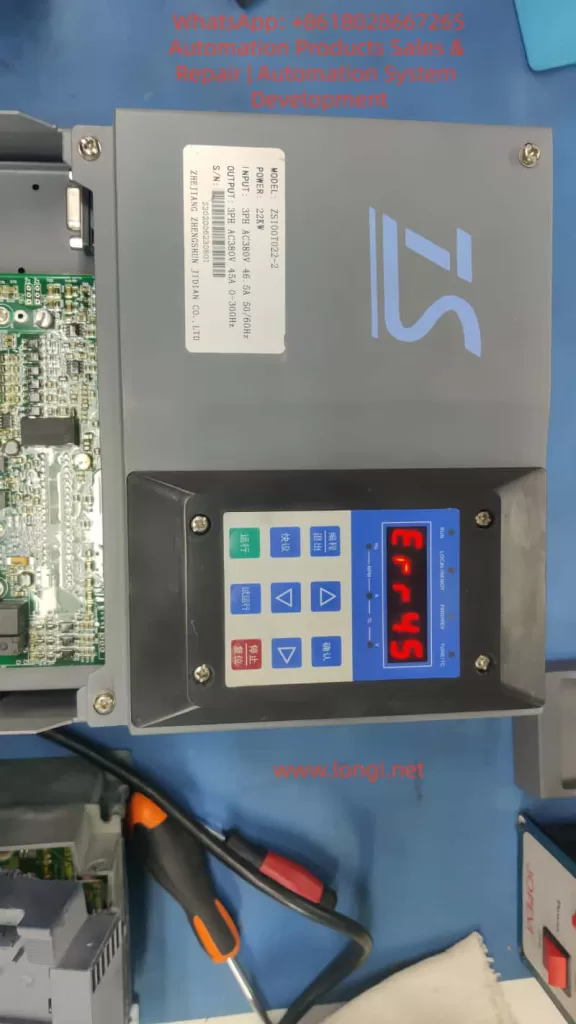
In the field of industrial automation, the Zhengshun Servo ZS100 series is widely applied in core scenarios such as CNC machine tools, industrial robots, packaging machinery, and textile equipment due to its high precision, rapid response, and wide speed – regulation range. However, during long – term operation, the ERR45 fault (motor over – temperature) is one of the most common alarms in the ZS100 series. According to the fault statistics of a servo manufacturer in 2023, ERR45 accounts for 18% of all faults. If not handled promptly, it may lead to motor winding burnout, bearing seizure, and even equipment shutdown and production interruption, causing significant losses to enterprises.
Based on the technical documents of the ZS100 series, on – site maintenance experience, and fault cases, this article systematically analyzes the solution logic of the ERR45 fault from the perspectives of fault definition, detection principle, cause analysis, troubleshooting steps, and preventive measures, providing an actionable reference plan for engineering technicians.
II. Definition and Detection Principle of ERR45 Fault
1. Fault Definition
ERR45 is a protection alarm for abnormal motor temperature in the Zhengshun Servo ZS100 series drive. The trigger condition is that the motor temperature exceeds the threshold set by the drive (the default threshold is 130°C – 150°C, depending on the motor insulation class). When the temperature exceeds the threshold, the drive immediately cuts off the output, the panel displays “ERR45”, and locks the fault state (which can only be restarted after reset).
2. Temperature Detection Principle
The ZS100 series collects temperature signals through a built – in temperature sensor in the motor. There are two common types of sensors:
PTC Thermistor (Positive Temperature Coefficient): At 25°C, its resistance is approximately 100Ω – 500Ω. As the temperature rises, the resistance increases sharply (the Curie point is about 120°C – 150°C). When it exceeds the Curie point, the resistance suddenly jumps to infinity, triggering protection.
PT100 Platinum Resistor (Linear Characteristics): At 0°C, its resistance is 100Ω, with a temperature coefficient of about 0.00385Ω/Ω/°C and high precision (±0.1°C), suitable for high – precision temperature detection.
The temperature detection process of the drive is as follows:
The sensor converts the temperature signal into a resistance value.
The signal conditioning circuit (amplification and filtering) converts the resistance value into a voltage signal.
The AD conversion chip (such as a 12 – bit AD) converts the voltage signal into a digital quantity.
The internal algorithm of the drive converts the digital quantity into a temperature value (for example, the temperature calculation formula for PT100: T=R0×αRt−R0, where Rt is the current resistance, R0 is the resistance at 0°C, and α is the temperature coefficient).
The comparator compares the calculated temperature with the set threshold. If it exceeds the threshold, the ERR45 alarm is triggered.
III. In – Depth Cause Analysis of ERR45 Fault
The essence of ERR45 is that “the motor temperature exceeds the protection threshold”, but the reasons for the temperature rise need to be analyzed from six dimensions: the motor side, the fan side, the wiring side, the drive side, the load side, and the environmental side, as follows:
(I) Motor Side: Real Overheating or Sensor Fault
1. Real Overheating (Abnormal Motor Temperature)
Overload Operation: When the load torque exceeds the rated torque of the motor (for example, the rated torque of the ZS100 – 22kW motor is 70N·m, and if the load reaches 80N·m, it is overloaded), the current increases (exceeding the rated current), and the winding heating increases.
Long – term High – load Operation: The motor runs continuously for 24 hours, and the heat dissipation cannot keep up, causing the temperature to accumulate and exceed the threshold.
Poor Heat Dissipation: Dust accumulation on the motor heat sink, coverage by debris (such as oil stains from cutting fluid splashing), or a high ambient temperature (workshop temperature > 40°C) reduce the heat dissipation efficiency.
Motor Faults:
Winding Short – circuit: The insulation of the winding ages (the insulation life is halved for every 10°C increase in temperature), resulting in an inter – phase short – circuit, a sudden increase in current, and increased heating.
Bearing Damage: The bearing grease fails (carbonization due to high temperature) or the ball bearings wear, causing friction between the rotor and the stator and generating a large amount of heat.
Rotor Jamming: Foreign objects (such as iron filings) enter the motor, or the bearing seizes, preventing the rotor from rotating. The current increases sharply (up to 5 – 10 times the rated current), causing instant overheating.
2. Sensor Fault (False Temperature Alarm)
Sensor Damage: The PTC thermistor breaks down (resistance is 0Ω), or the PT100 platinum resistor is open – circuit (resistance is infinite).
Improper Sensor Installation: It is not tightly attached to the motor winding (for example, installed on the heat sink instead of near the winding), causing the detected temperature to be lower than the actual winding temperature.
Sensor Type Mismatch: The drive parameters are set to “PT100”, but a PTC sensor is actually used, resulting in incorrect temperature calculation.
(II) Fan Side: Heat Dissipation Failure
The ZS100 series motor is usually equipped with a forced air – cooling fan (voltage AC220V, speed 1500rpm). Fan failure is a common cause of ERR45:
Fan Does Not Rotate: The fan motor is damaged (winding burnout), or there is a power supply fault (loose wiring, fuse blowout).
Insufficient Fan Speed: Dust accumulation on the fan blades (such as in a workshop with a lot of dust) or bearing wear (high rotational resistance) reduce the air volume (the normal air volume is about 0.5m³/min. If it drops to 0.2m³/min, heat dissipation fails).
Incorrect Fan Direction: The fan rotates in reverse (such as due to incorrect wiring phase sequence), causing air to be blown out from the inside of the motor instead of being drawn in, completely losing the heat dissipation effect.
(III) Wiring Side: Signal Transmission Fault
Wiring problems of the temperature sensor can prevent the drive from correctly collecting the temperature signal:
Broken Wire: The wire breaks due to long – term vibration (for example, the motor junction box is not fixed), or is squeezed by mechanical parts (such as the machine tool protective door clamping the wire).
Poor Contact: The wiring terminals are oxidized (for example, copper terminals develop green rust), or the screws are loose, increasing the resistance (for example, the contact resistance increases from 0.1Ω to 10Ω), causing abnormal AD conversion values.
Polarity Error: The PT100 sensor requires “three – wire” wiring (to compensate for wire resistance). If it is connected as “two – wire”, the detected temperature value will be higher (for example, the actual temperature is 100°C, but the detected temperature is 120°C).
(IV) Drive Side: Detection Circuit Fault
If the motor, fan, and wiring are all normal, a fault in the drive’s temperature detection circuit should be suspected:
AD Conversion Chip Damage: For example, if the ADS1115 chip fails, the conversion of the resistance value to the temperature value is incorrect (for example, the actual temperature is 100°C, but it is displayed as 150°C).
Comparator Fault: For example, if the LM393 comparator is damaged, the threshold judgment is incorrect (for example, the threshold is set to 140°C, but the comparator triggers the alarm at 120°C).
Parameter Setting Errors:
The temperature threshold is set too low (for example, for an F – class insulation motor, the threshold is set to 120°C, while the actual allowable temperature is 155°C).
The sensor type is set incorrectly (for example, PTC is actually used, but the parameter is set to PT100).
The filtering time is set too short (for example, 10ms), causing temperature signal fluctuations and false alarms.
Mechanical load problems can indirectly cause motor overheating:
Transmission Jamming: Poor lubrication of the lead screw (lack of oil) or bearing damage (ball bearing seizure) requires the motor to overcome greater resistance, increasing the current.
Excessive Load: For example, the feeding mechanism of packaging machinery is jammed, causing the motor torque to exceed the rated value.
Coupling Misalignment: The radial deviation between the motor shaft and the load shaft is > 0.05mm, and the axial deviation is > 0.03mm, causing the motor shaft to bear additional radial forces and increasing friction heating.
(VI) Environmental Side: Deterioration of Heat Dissipation Conditions
High Workshop Temperature: In summer, if the workshop temperature exceeds 40°C, the motor’s heat dissipation capacity decreases (the heat dissipation efficiency is inversely proportional to the ambient temperature).
Poor Ventilation: There are obstacles (such as shelves and equipment) around the motor, preventing the hot air from being discharged.
Heat Source Interference: There are heaters, high – frequency welding machines, and other heat sources near the motor, increasing the ambient temperature.
IV. Systematic Troubleshooting Steps for ERR45 Fault
When troubleshooting ERR45, the principle of “from simple to complex and from external to internal” should be followed to avoid blind disassembly. The following is a standardized troubleshooting process:
Step 1: Reset the Fault and Confirm Whether It is a False Alarm
Operation: Press the “reset” key on the drive panel (or power off and restart). If the fault disappears, it may be due to occasional interference (such as power supply fluctuations or instantaneous abnormal sensor signals). If the fault recurs, further troubleshooting is required.
Step 2: Check the Temperature Sensor Wiring (Easiest to Check)
Turn off the drive power and wait for 5 minutes (for capacitor discharge).
Remove the motor junction box and find the temperature sensor terminals (marked as “TH” or “TEMP”).
For a PTC sensor (two wires): Measure the resistance between the two ends. At 25°C, it should be 100Ω – 500Ω (depending on the model). If the resistance is infinite (broken wire) or 0Ω (short – circuit), replace the wire or sensor.
For a PT100 sensor (three wires): Measure the resistance between the “A – B” wires (about 100Ω at 25°C). The resistances between “A – C” and “B – C” wires should be equal (to compensate for wire resistance). If the resistances are abnormal, check the wiring or sensor.
Check whether the terminals are oxidized or loose. Polish them with sandpaper or tighten them again.
Step 3: Check the Motor Fan (Key Heat – Dissipation Component)
Tools: Multimeter (voltage range), tachometer (or the “Tachometer” mobile app), compressed air. Operation:
Power on and start the motor (run at low speed), and observe whether the fan rotates.
If the fan does not rotate: Measure the fan power supply voltage (should be AC220V). If there is no voltage, check the drive’s fan output terminals or wiring. If there is voltage, it means the fan motor is damaged and needs to be replaced.
If the fan rotates: Use a tachometer to measure the speed (normal 1500rpm ± 10%). If the speed is insufficient, clean the blade dust with compressed air or lubricate the bearing (add a drop of engine oil).
Check the fan direction: Feel the airflow with your hand. Air should be drawn in from the outside of the motor (blown from the heat sink to the inside of the motor). If it rotates in reverse, adjust the wiring phase sequence.
Step 4: Detect the Actual Motor Temperature (Determine Whether It is Overheated)
Tools: Infrared thermometer (such as FLUKE TiS75), megohmmeter (500V). Operation:
Run the motor until the fault is triggered (or simulate the load), and use an infrared thermometer to measure the motor housing (normal ≤ 80°C), heat sink (normal ≤ 100°C), and winding (measured through the junction box, normal ≤ 130°C, F – class insulation allows 155°C).
If the temperature exceeds the threshold, it means the motor is really overheated, and the load or the motor itself needs to be checked.
After shutdown, use a megohmmeter to measure the winding insulation resistance (between phases and to the ground). It should be > 10MΩ normally. If it is < 1MΩ, it means the winding is damp or the insulation is aged, and the motor needs to be dried or replaced.
Step 5: Troubleshoot the Load and Mechanical Transmission (Indirect Causes)
Use a torque sensor to measure the load torque (for example, the rated torque of the ZS100 – 22kW motor is 70N·m. If it exceeds 80N·m, it is overloaded). Adjust the load (such as reducing the feeding amount or repairing the jammed lead screw).
Use a dial indicator to measure the coupling alignment: the radial deviation should be ≤ 0.05mm, and the axial deviation should be ≤ 0.03mm. If it exceeds the standard, re – adjust the coupling.
Check the lubrication of mechanical transmission components: whether the lead screw and bearings are short of oil. Add lubricating grease (such as lithium – based grease).
Manually rotate the motor shaft (power off): if it is jammed, it means there is a problem with the bearing or rotor, and the motor needs to be disassembled for inspection.
Step 6: Check the Drive’s Temperature Detection Circuit (Last Step)
If all the above steps are normal, disassemble the drive and find the temperature detection circuit (usually on the control board, marked as “TEMP IN”).
Use an oscilloscope to measure the sensor signal waveform: the resistance change of the PTC sensor should be proportional to the temperature, and the voltage signal of the PT100 should change linearly.
Replace the temperature sensor (use a new sensor of the same model). If the fault disappears, it means the original sensor is damaged.
If the fault still exists, check the power supply voltage (should be 5V) and output signal of the AD conversion chip (such as ADS1115) for normality, or replace the control board.
Step 7: Improve the Environment and Heat Dissipation (Prevent Recurrence)
Tools: Thermometer, ventilation equipment, compressed air. Operation:
Measure the workshop temperature. If it is > 40°C, install an air conditioner or industrial fan (aimed at the motor heat sink).
Clean the debris around the motor (such as cutting fluid buckets and tools) to ensure a clear heat dissipation channel.
Apply thermal conductive silicone grease (such as Shin – Etsu 7921) on the motor heat sink to improve heat dissipation efficiency.
For motors that run under long – term high – load conditions, add an external heat sink (such as an air – cooled heat sink).
V. Analysis of Typical Cases
Case 1: False Alarm Due to Wiring Breakage
Fault Phenomenon: A ZS100 – 15kW servo motor on a CNC lathe suddenly reported ERR45 during operation and could not be started after reset. Troubleshooting Process:
Check the temperature sensor wiring and find that one wire of the PTC sensor is broken at the junction box (due to long – term vibration, the wire – terminal welding joint is detached).
Re – weld the wire and perform insulation treatment (wrap it with heat – shrinkable tubing).
Power on for testing, and the fault disappears. The motor returns to normal. Cause: The wire breakage interrupts the sensor signal, and the drive misjudges it as “infinite temperature”, triggering ERR45. Lesson: The motor junction box should be firmly fixed to prevent wire breakage due to vibration.
Case 2: Overheating Due to Fan Dust Accumulation
Fault Phenomenon: A ZS100 – 7.5kW servo motor on a packaging machine frequently reported ERR45 (1 – 2 times a day). It could continue to run after reset, but the frequency gradually increased. Troubleshooting Process:
Check the fan and find that the blades are covered with dust (the workshop is a flour mill with a lot of dust), and the speed is only 800rpm (normal 1500rpm).
Clean the fan blades with compressed air and add lubricating grease to the bearing.
Run for 24 hours, and the fault does not recur. Cause: Dust accumulation on the fan reduces the speed and heat dissipation capacity, causing the motor temperature to gradually rise to the threshold. Lesson: In dusty environments, the fan should be cleaned regularly, preferably once a month.
Case 3: Real Overheating Due to Load Overload
Fault Phenomenon: A ZS100 – 22kW joint motor on an industrial robot reported ERR45. The infrared thermometer showed that the motor temperature reached 160°C (exceeding the 155°C allowed for F – class insulation). Troubleshooting Process:
Check the load and find that the lubrication of the robot’s lead screw is poor, causing the torque to increase from 70N·m to 90N·m (overload).
Disassemble the lead screw, clean the old lubricating grease, and add new lithium – based grease.
Adjust the load (reduce the grasping weight of the robot arm). After operation, the torque returns to 70N·m, and the temperature drops to 110°C. Cause: Load overload increases the motor current (from 46.5A to 55A), increasing the winding heating and exceeding the temperature threshold. Lesson: The load torque should be monitored regularly to avoid long – term overload operation.
VI. Preventive Measures for ERR45 Fault
1. Regular Maintenance Plan (Key)
Maintenance Cycle
Maintenance Content
Monthly
Check the fan operation and clean the dust; measure the sensor resistance (PTC: 100Ω – 500Ω, PT100: 100Ω); check whether the wiring terminals are loose.
Quarterly
Measure the motor winding insulation resistance (> 10MΩ); check the lubrication of mechanical transmission (add grease to the lead screw and bearings); check the coupling alignment (deviation ≤ 0.05mm).
Semi – annually
Clean the dust on the motor heat sink; calibrate the temperature sensor (compare with a standard thermometer); check the drive’s cooling fan (clean the heat sink).
Annually
Replace the motor lubricating grease (except for sealed bearings); replace the temperature sensor (if it has been used for more than 3 years); check the drive’s temperature detection circuit (measure the waveform with an oscilloscope).
2. Parameter Setting Optimization
Temperature Threshold: Set it according to the motor insulation class (set it to 140°C for F – class and 160°C for H – class) to avoid false alarms due to a too – low threshold or loss of protection due to a too – high threshold.
Sensor Type: Ensure that the drive parameters are consistent with the actual sensor (set PTC as “PTC” and PT100 as “PT100”).
Filtering Time: Set it to 100ms – 500ms (avoid false alarms due to signal fluctuations), but not too long (such as > 1s, which will delay protection).
3. Environmental Improvement
Control the workshop temperature within 25°C – 35°C (install an air conditioner or industrial fan).
Prohibit stacking debris within 1 meter around the motor to ensure a clear heat dissipation channel.
For high – temperature environments (such as foundry workshops), add a water – cooled heat sink to the motor (instead of air – cooling).
4. Load Monitoring
Install a torque sensor or current sensor to monitor the motor load in real – time (alarm when the torque exceeds 110% of the rated value).
Set overload protection (set the “overload current threshold” in the drive parameters, such as 120% of the rated current. When it is exceeded, cut off the output).
Avoid frequent start – stop (for example, starting more than 5 times per minute will cause heat accumulation in the motor).
VII. Conclusion
The ERR45 fault is a “temperature protection signal” for the ZS100 series servo system, and its core logic is that “the motor temperature exceeds the safety threshold”. When troubleshooting, start with simple components such as wiring and fans, and gradually delve into the motor, load, and drive. Use tools (multimeter, infrared thermometer, oscilloscope) to quickly locate the fault point.
The key to preventing ERR45 is regular maintenance (cleaning the fan and checking the wiring), optimizing parameters (correctly setting the temperature threshold), improving the environment (controlling the workshop temperature), and monitoring the load (avoiding overload). Engineering technicians should master the detection principle and troubleshooting process of the fault to solve problems in a timely manner and ensure the stable operation of the equipment.
For ZS100 series users, it is recommended to establish a fault record (record the fault time, phenomenon, troubleshooting process, and solution), and take preventive measures in advance (such as cleaning the fan before summer) through data statistical analysis (such as the high – incidence season and equipment of ERR45).
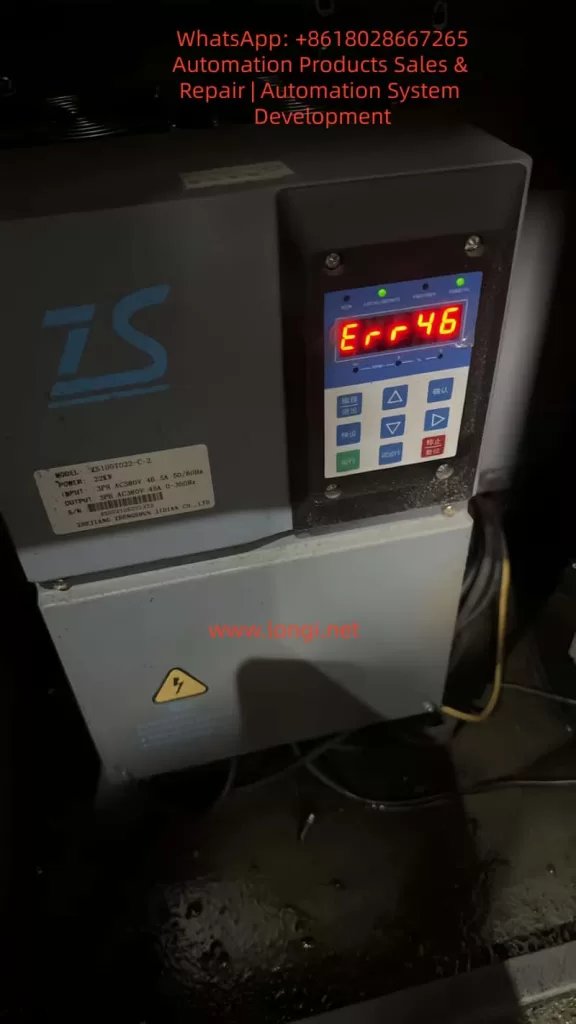
In the field of industrial automation, servo drives serve as the core hub between hydraulic systems and motor control. Their stability directly determines the production efficiency of equipment such as machine tools, injection molding machines, and packaging machinery. As a mainstream product in the domestic low-to-mid-end market, the Zhensun Servo ZS100 series is widely used in various hydraulic drive scenarios due to its high cost-performance ratio. However, ERR46 (Hydraulic Pressure Sensor Fault) is one of the most frequently reported issues by users. This fault causes the servo system to shut down immediately, potentially interrupting production processes or, in severe cases, damaging hydraulic components (e.g., pumps, valves).
This article combines Zhensun Servo technical documentation, on-site maintenance cases, and sensor principles to provide a comprehensive breakdown of the ERR46 fault from four dimensions: fault mechanism, cause investigation, resolution steps, and preventive measures, offering maintenance personnel an actionable troubleshooting guide.
1. The Underlying Logic of ERR46: The “Perception-Feedback” Mechanism of the Hydraulic Pressure Sensor
To resolve ERR46, one must first understand the role of the hydraulic pressure sensor and the drive’s fault-triggering logic.
1.1 Core Function of the Hydraulic Pressure Sensor
The hydraulic pressure sensor acts as the “nerve ending” of the hydraulic system. Essentially, it is a pressure-to-electrical signal converter. The ZS100 series typically employs piezoresistive sensors (low cost, high reliability). The working principle is as follows: when hydraulic oil pressure acts on the sensor’s sensitive diaphragm, the diaphragm deforms, causing a change in the resistance of the internal piezoresistive elements. This change is converted into a 0-10V DC analog signal (or 4-20mA for some models) via a Wheatstone bridge and fed back to the servo drive.
The drive adjusts the motor speed based on this signal to ensure the hydraulic system pressure remains stable within the set range (e.g., 10-15MPa for machine tool clamping mechanisms, 0.5-1MPa for lubrication systems). For example:
When clamping cylinder pressure is insufficient, the drive increases motor speed to boost the pump’s output pressure.
When the pressure reaches the set value, the drive reduces speed to maintain constant pressure.
1.2 Trigger Conditions for ERR46
The ZS100 series drive collects sensor signals through analog input channels (e.g., parameter L0.11). Internal signal detection circuits monitor the following metrics in real-time:
Range: Whether the sensor signal exceeds the drive’s set threshold (e.g., if 0-10V corresponds to 0-10MPa, a signal exceeding 10V triggers an over-range alarm).
Signal Stability: Whether signal fluctuation exceeds 0.5V within 1 second (e.g., signal jitter caused by vibration).
Signal Continuity: Whether “signal loss” occurs (e.g., wiring disconnection resulting in a sustained 0V signal for over 1 second).
Parameter Matching: Whether the sensor’s zero point (voltage at no pressure) and full scale (voltage at max pressure) match the drive parameters.
If any of these metrics are abnormal, the drive triggers an ERR46 fault and cuts off motor output to prevent the hydraulic system from running out of control and damaging equipment.
2. Common Causes and Troubleshooting Process for ERR46
Based on field maintenance data, the top three causes of ERR46 are: loose wiring (45%), sensor damage (30%), and parameter errors (20%). The remaining 5% are attributed to internal drive circuit faults (e.g., damage to the analog input module). Below is the standardized troubleshooting process:
2.1 Step 1: Safety First (Mandatory!)
Servo drives contain high-voltage capacitors (which may retain over 300V even after power-off). Before operation:
Disconnect the drive’s main power supply (AC380V).
Wait for 5 minutes to allow the capacitors to discharge.
Use a multimeter to measure the voltage at the drive terminals (e.g., L1, L2, L3) to confirm they are de-energized before proceeding.
2.2 Step 2: Check Sensor Wiring (Most Common Cause)
Wiring issues are the “number one killer” of ERR46 faults, especially in high-vibration environments (e.g., machine tools) where terminal looseness and cable damage are common.
Troubleshooting Steps:
Locate Terminals: Open the drive panel and find the hydraulic pressure sensor terminals (usually marked “PRESSURE SENSOR” or “OIL PRESSURE,” corresponding to terminals like X3-1 (+24V), X3-2 (Signal Output), X3-3 (0V/GND)).
Check for Looseness: Gently shake the terminals with a screwdriver. If poor contact between the terminal and wire core is found (e.g., exposed core), re-crimp or replace the terminal.
Check Cable Integrity: Inspect the sensor cable for crushing, breaking, or fraying (especially near bends close to the sensor or drive). Use a multimeter continuity setting to test the cable (signal wire resistance should be <0.5Ω).
Check Shielding: The sensor cable must be shielded, with the shield grounded at a single point (drive side) to avoid electromagnetic interference (e.g., crossing motor cables and sensor cables causes signal fluctuation).
Case Study: A CNC lathe user reported an ERR46 fault. Inspection revealed that the signal wire terminal (X3-2) was loose due to vibration, causing poor contact between the core wire and terminal. After tightening the terminal and wiping the oxidation layer with alcohol, the fault was resolved.
2.3 Step 3: Test Sensor Output Signal (Core Cause)
If wiring is normal, verify if the sensor can perceive pressure correctly. The standard output for ZS100 series sensors is: 0MPa = 0V, Full Scale (e.g., 10MPa) = 10V, with a linear relationship between output and pressure.
Troubleshooting Steps:
Power the Sensor: The sensor requires an external 24V DC power supply (if not provided by the drive, supply separately; note polarity: Red to +24V, Black to 0V).
Apply Pressure: Use a manual pump or the equipment’s hydraulic system to apply pressure to the sensor (gradually increasing from 0MPa to full scale).
Measure Output: Use a multimeter DC voltage setting to measure the signal terminal (X3-2) and observe voltage changes:
Normal: Voltage increases by 1V for every 1MPa increase in pressure (e.g., 10MPa corresponds to 10V).
Abnormal 1: Voltage remains 0V → Sensor power not connected or internal short circuit.
Abnormal 2: Voltage remains 10V → Sensor range setting error or internal open circuit.
Abnormal 3: High voltage fluctuation (e.g., >0.5V within 1s) → Aging of sensitive elements or interference.
Abnormal 4: Non-linear voltage (e.g., pressure increases but voltage stays flat) → Damaged piezoresistive chip.
Case Study: An injection molding machine triggered ERR46. Testing revealed the sensor output remained at 0V even when pressure was applied (it should be 0V at no pressure but increase under load). Replacing the piezoresistive sensor (0-10V, 0-10MPa) resolved the fault.
Parameter errors can cause the drive to misjudge a normal sensor signal. Key parameters related to the hydraulic pressure sensor in the ZS100 series are:
Parameter No.
Parameter Name
Description
L0.11
Analog Input Channel Selection
Selects the channel for the pressure sensor (e.g., “1” for X3 terminal)
L0.12
Sensor Range Setting
Sets the pressure value corresponding to full scale (e.g., “10.0” for 10MPa)
L0.13
Sensor Zero Offset
Voltage at no pressure (default 0.0V)
L0.14
Sensor Full Scale Offset
Voltage at max pressure (default 10.0V)
L0.15
Sensor Self-Learning Enable
Set to “1” to enable self-learning (calibrates zero/full scale)
Troubleshooting Steps:
Enter Parameter Mode: Press the “Programming” key on the panel and enter the password (default “1234”).
Check L0.11: Confirm the correct analog channel is selected (e.g., “1” for X3 terminal).
Check L0.12: Confirm the range matches the sensor (e.g., “10.0” for a 0-10MPa sensor).
Check L0.13/L0.14: Confirm zero (0.0V) and full scale (10.0V) are at defaults (if modified, restore them).
Restore Factory Settings: If parameters are chaotic, set L9.00 (Factory Reset) to “1” and restart the drive to restore defaults.
Case Study: A packaging machine operator accidentally changed L0.12 from “10.0” to “5.0”. The drive interpreted the full-scale pressure as 5MPa. When actual pressure reached 6MPa (outputting 6V), the drive judged it as “over-range” and triggered ERR46. Restoring L0.12 to “10.0” fixed the issue.
2.5 Step 5: Factory Reset and Self-Learning (Ultimate Solution)
If the above checks fail, the issue may be sensor characteristic changes (e.g., zero drift due to aging) or corrupted drive parameters. Re-calibration via self-learning is required.
Operation Steps:
Restore Factory Settings: Set L9.00 to “1” and restart the drive (parameters return to default).
Enable Self-Learning: Set L0.15 to “1”.
Collect Zero Signal: Open the hydraulic system relief valve to ensure 0MPa pressure. The drive automatically collects the zero-point voltage (e.g., 0V) and saves it to L0.13.
Collect Full Scale Signal: Close the relief valve and apply full-scale pressure (e.g., 10MPa) to the system. The drive collects the full-scale voltage (e.g., 10V) and saves it to L0.14.
Exit Self-Learning: Set L0.15 to “0” and save parameters (press “Confirm”).
Note: Ensure correct wiring and stable power before self-learning. Inaccurate results will occur if pressure exists during zero collection (causing subsequent signal offsets).
3. Preventive Measures for ERR46: From “Passive Repair” to “Active Prevention”
The root cause of ERR46 is often poor daily maintenance. The following measures can reduce the failure rate by 80%:
3.1 Daily Maintenance: Regular Inspections
Weekly: Check if sensor terminals are loose and if cables are damaged.
Monthly: Wipe the sensor surface with alcohol to remove oil and dust, preventing contamination of sensitive elements.
Quarterly: Calibrate the sensor using a standard pressure source (e.g., piston manometer) to ensure output accuracy (error ≤ ±1%).
Semi-Annually: Check the stability of the sensor power supply (24V DC); voltage fluctuation should not exceed ±5%.
3.2 Operational Standards: Avoid Misoperation
Prohibit Arbitrary Parameter Changes: Only trained personnel should modify parameters. Only process-related parameters (e.g., pressure setpoints) should be adjusted; core parameters like sensor range (L0.12) and zero offset (L0.13) must not be altered.
Pressure Release After Shutdown: Always open the hydraulic relief valve after stopping the equipment to release pressure (prevents long-term high-pressure damage to the sensor).
Pre-Start Check: Verify sensor wiring and power are normal before startup; ensure no fault codes are present.
3.3 Environmental Control: Reduce Interference
Vibration Damping: Add rubber damping pads at the sensor installation site to prevent vibration from loosening wiring or damaging the sensor.
Cabling: Route sensor cables separately from motor cables and power lines (spacing ≥10cm) to avoid electromagnetic interference.
Temperature: Keep the sensor operating temperature between -20°C and 85°C (install cooling fans for high-temp environments or insulation for low-temp environments).
4. Extended Analysis: Correlation with Other Faults
ERR46 rarely occurs in isolation and may happen simultaneously with the following faults, requiring comprehensive investigation:
ERR45 (Overvoltage Fault): If hydraulic pressure exceeds the sensor range, it may trigger both ERR46 (sensor over-range) and ERR45 (DC bus overvoltage).
ERR12 (Undervoltage Fault): Undervoltage in the sensor power supply (24V DC) causes abnormal output signals, triggering ERR46.
ERR03 (Overcurrent Fault): If a sensor signal error causes the drive to misjudge low pressure, the motor may run at high speed continuously, leading to overcurrent.
5. Conclusion
ERR46 is a “high-frequency fault” in the Zhensun Servo ZS100 series, but it is not a “difficult disease.” Its core logic is “abnormal sensor signal.” Troubleshooting should follow the sequence of Wiring → Sensor → Parameters to narrow down the fault range step-by-step.
For maintenance personnel, mastering the ERR46 troubleshooting method not only resolves downtime quickly but also reduces recurrence through daily maintenance and operational standards, saving significant repair costs and downtime for enterprises.
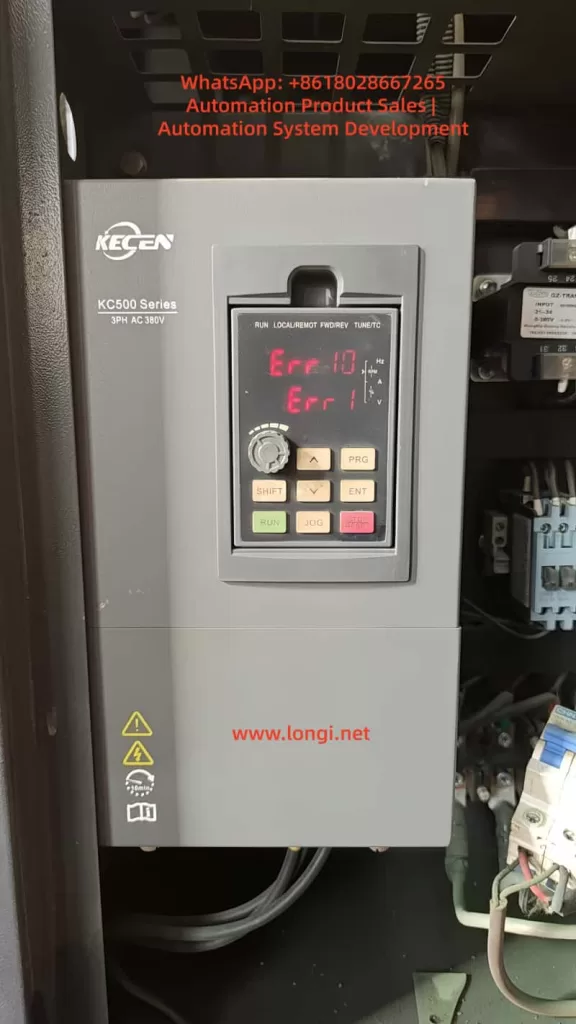
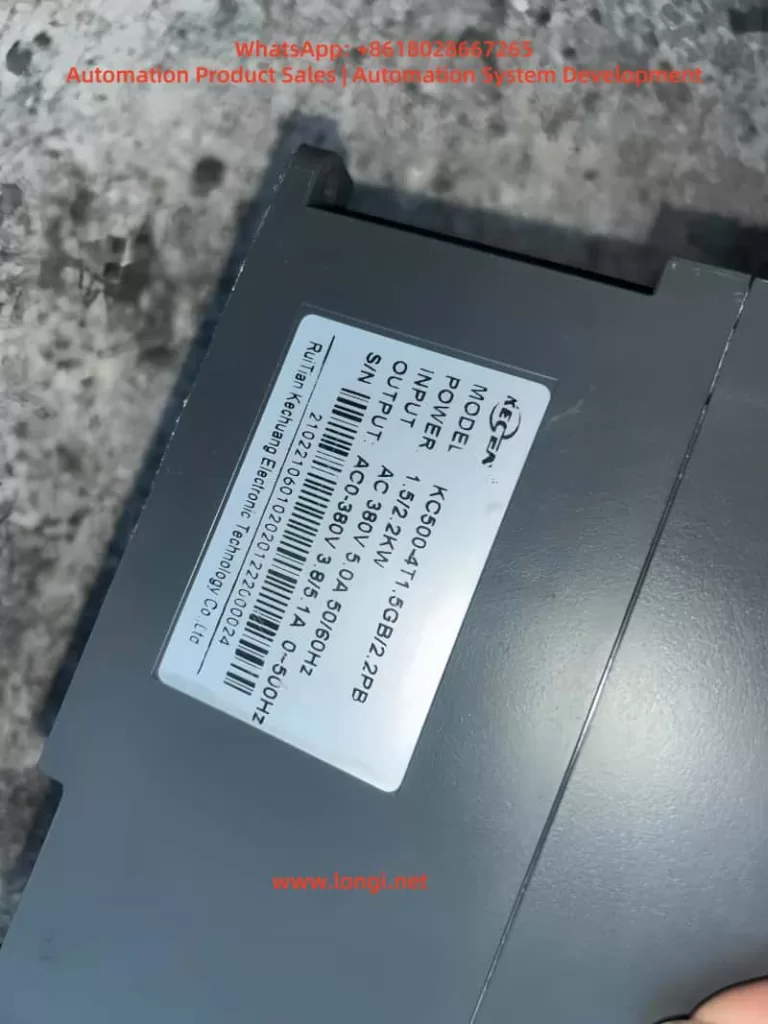
This paper delves into the multifaceted impacts of motor dust accumulation on the operation of KECEN inverters (KC480/KC500 series) from Chuan Science, focusing particularly on Err10 (Drive Overload) and a hypothetical Err1 (Drive Unit Protection) fault. Through a systematic analysis of how dust affects motor heat dissipation, insulation performance, mechanical components, and electrical connections, comprehensive and targeted solutions are proposed. This paper aims to provide industrial field technicians with a detailed and practical guide for fault handling and prevention, ensuring the long-term stable operation of motors and inverters.
1. Introduction
In the field of industrial automation, inverters serve as the core equipment for motor speed control, and their stable operation is crucial for ensuring the continuity and efficiency of production lines. However, motors and inverters often face various challenges in practical operation, among which motor dust accumulation is a prevalent yet easily overlooked issue. This paper will take KECEN inverters (KC480/KC500 series) as an example to analyze in detail how motor dust accumulation can lead to Err10 (Drive Overload) and a hypothetical Err1 (Drive Unit Protection) fault, and propose corresponding handling and preventive measures.
2. Fault Overview
2.1 Err10 Fault: Drive Overload
The Err10 fault typically indicates drive overload in KECEN inverters, meaning the motor load exceeds the rated carrying capacity of the inverter. This fault can be triggered by various factors, including excessive load, motor lock-up, inadequate inverter power rating, or improper setting of motor overload protection parameters. However, motor dust accumulation, as an indirect yet significant factor, should not be overlooked.
2.2 Hypothetical Err1 Fault: Drive Unit Protection
The Err1 fault is hypothesized here as drive unit protection, which may involve abnormalities in the inverter’s internal power module, drive circuit, or control board. Although the specific fault code and表现形式 (manifestations) may vary by manufacturer, drive unit protection is typically closely related to abnormal conditions such as overcurrent, overvoltage, and overheating. Motor dust accumulation may indirectly trigger such protection mechanisms by affecting heat dissipation or causing poor electrical connections.
3. Multidimensional Impacts of Motor Dust Accumulation
3.1 Poor Heat Dissipation
Mechanism of Impact: Motors generate significant heat during operation, which must be effectively dissipated through heat sinks and fans. Dust accumulation can cover the heat sinks, obstructing heat dissipation and leading to a continuous rise in motor temperature. Impact on Inverter: Motor overheating can trigger the inverter’s overload protection (Err10). Additionally, long-term high-temperature operation can accelerate the aging of internal components in the inverter, increasing the risk of faults.
3.2 Degraded Insulation Performance
Mechanism of Impact: Dust may contain conductive substances, such as metal particles and carbon powder. Accumulation of these substances on motor windings and insulation materials can degrade insulation performance. In humid environments, this situation can be particularly severe, potentially leading to internal short circuits in the motor. Impact on Inverter: Internal short circuits in the motor can trigger the inverter’s overcurrent protection or drive unit protection (hypothetical Err1) and even damage internal components of the inverter.
3.3 Increased Mechanical Wear
Mechanism of Impact: Once dust enters the motor, it can cause wear on mechanical components such as bearings and gears. Long-term accumulation can lead to unstable motor operation, producing vibrations and noise. Impact on Inverter: Increased mechanical wear-induced motor load can trigger the inverter’s overload protection (Err10). Additionally, vibrations and noise may also affect the normal operation and lifespan of the inverter.
3.4 Poor Electrical Connections
Mechanism of Impact: Dust accumulation on electrical connection points can lead to poor contact, increasing contact resistance and generating additional heat. This can result in voltage drops, current imbalances, and even open circuits. Impact on Inverter: Poor electrical connections can trigger various protection mechanisms in the inverter, including overcurrent protection and drive unit protection (hypothetical Err1), and may also cause damage to internal components.
4. Handling and Preventive Measures
4.1 Cleaning Motor Dust
Operational Steps:
Preparation: Gather appropriate cleaning tools, such as compressed air, vacuum cleaners, soft brushes, and cleaning cloths.
Shutdown and Disconnection: Ensure the motor and inverter are completely shut down and disconnected from the power supply before cleaning.
External Cleaning: Use a vacuum cleaner or soft brush to remove dust from the motor’s exterior, including heat sinks, fans, and ventilation openings.
Internal Cleaning (if accessible): For motors with accessible interiors, use compressed air to blow out dust from windings, bearings, and other components. Exercise caution to avoid damaging delicate parts.
Final Inspection: After cleaning, visually inspect the motor for any signs of damage or wear. Reassemble any disassembled parts and ensure all connections are secure.
4.2 Inspecting and Optimizing the Heat Dissipation System
Operational Steps:
Visual Inspection: Check for any obstructions or damage to heat sinks, fans, and ventilation openings.
Fan Operation Test: Manually rotate the fan blades to ensure they move freely without obstruction. Power on the motor (if safe to do so) and verify that the fan operates correctly.
Cleaning Heat Sinks: Use a soft brush or compressed air to remove dust from heat sinks, ensuring optimal heat transfer.
Thermal Paste Application (if necessary): If the motor has been disassembled, apply a thin layer of thermal paste between the motor and heat sink to enhance heat conduction.
4.3 Calibrating and Optimizing Inverter Parameters
Operational Steps:
Overload Protection Parameters: Set the inverter’s overload protection parameters reasonably based on the motor’s actual load conditions to avoid false triggering.
Acceleration and Deceleration Times: Adjust acceleration and deceleration times according to motor and load characteristics to reduce inrush currents during startup and stopping.
V/F Curve Adjustment: Optimize the V/F curve settings based on motor load characteristics to improve motor operating efficiency and stability.
4.4 Strengthening Routine Maintenance and Monitoring
Operational Steps:
Regular Cleaning: Establish a regular cleaning schedule for motors and inverters to ensure equipment cleanliness.
Condition Monitoring: Regularly check the operating status of motors and inverters, including temperature, vibration, and noise levels, to detect and address anomalies promptly.
Parameter Recording: Record inverter parameter settings and operating data to facilitate fault analysis and parameter optimization.
4.5 Environmental Improvement and Protection
Operational Steps:
Dust Prevention Measures: Install dust covers or take other dust prevention measures around motors and inverters to reduce dust ingress.
Regular Cleaning of Work Area: Regularly clean the work area to maintain a clean environment and reduce dust concentration.
Humidity Control: In humid environments, take dehumidification measures to prevent dust and moisture from combining and degrading insulation performance.
5. Case Study
5.1 Case Background
A factory’s production line experienced frequent Err10 (Drive Overload) and hypothetical Err1 (Drive Unit Protection) faults with its KECEN inverter (KC500 series), leading to multiple production line shutdowns. Technicians initially suspected motor overload but found that the motor load did not exceed the rated value upon inspection.
5.2 Fault Investigation
Further investigation revealed significant dust accumulation inside the motor, with heat sinks covered in dust, leading to poor heat dissipation. Additionally, poor electrical connections due to dust accumulation were also observed.
5.3 Handling Measures
Cleaning Motor Dust: Thoroughly cleaned the motor’s interior using compressed air and vacuum equipment.
Inspecting Heat Dissipation System: Confirmed that the cooling fan and heat sinks were functioning properly without blockages or damage.
Securing Electrical Connections: Checked and tightened all electrical connection points to ensure good contact.
Calibrating Inverter Parameters: Reasonably set overload protection parameters and other key parameters based on the motor’s actual load conditions.
Strengthening Routine Maintenance: Established a regular cleaning schedule for motors and inverters and enhanced condition monitoring and parameter recording.
Environmental Improvement: Added dust covers around motors and inverters and regularly cleaned the work area.
5.4 Handling Results
After implementing the above handling measures, the inverter no longer experienced Err10 or hypothetical Err1 faults, and the production line resumed stable operation.
6. Conclusion
Motor dust accumulation is a significant factor contributing to inverter Err10 (Drive Overload) and hypothetical Err1 (Drive Unit Protection) faults. By implementing comprehensive measures such as cleaning motor dust, inspecting and optimizing the heat dissipation system, calibrating and optimizing inverter parameters, strengthening routine maintenance and monitoring, and improving the environment, these issues can be effectively resolved, and similar faults can be prevented from recurring. Industrial field technicians should fully recognize the hazards of motor dust accumulation and take effective measures to prevent and handle it, ensuring the long-term stable operation of motors and inverters.
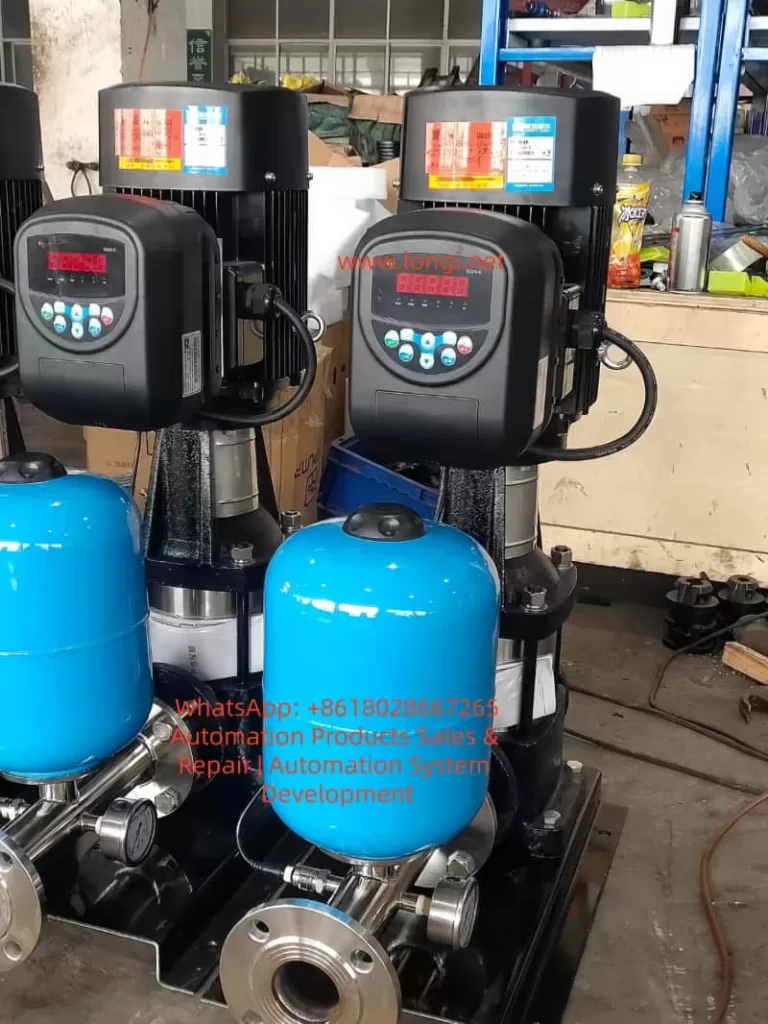
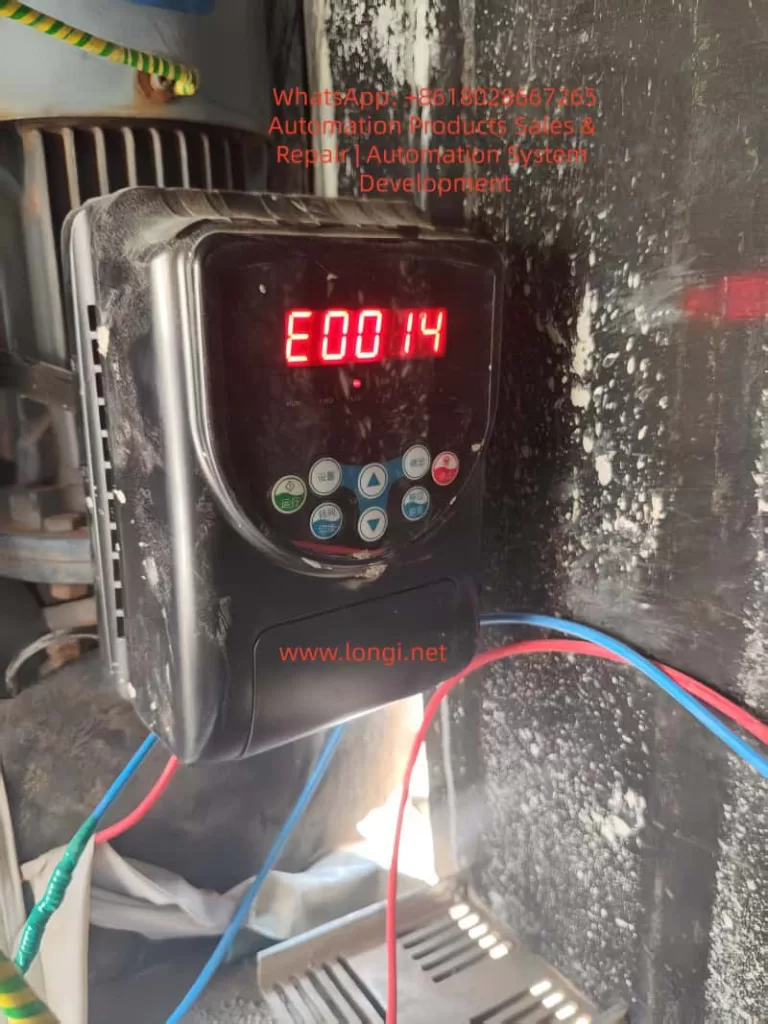
In the realm of industrial automation, the Variable Frequency Drive (VFD) serves as the “heart” of the motor drive system, undertaking core functions such as speed regulation, energy saving, and overload protection. The Weier (Weier) S320 series inverters, known for their high cost-performance ratio and stable vector control performance, are widely applied in constant pressure water supply, fans, pumps, conveyors, and packaging machinery. They cover a power range from 0.75kW to 37kW. However, during long-term operation, inverters inevitably encounter various faults. Among these, E0014 “Output Side Phase Loss (or Severe Load Three-Phase Imbalance)” is one of the most common fault codes in the S320 series.
If the E0014 fault is not addressed promptly, it can lead to motor burnout, equipment downtime, and even safety accidents. According to statistics from an industrial maintenance platform, E0014 accounts for approximately 18% of faults in S320 series inverters. Of these, 60% stem from wiring issues, 25% from motor or cable faults, 10% from inverter hardware damage, and 5% from load or parameter issues. This article provides a comprehensive analysis of the E0014 fault from the perspectives of fault principles, cause analysis, systematic troubleshooting processes, typical cases, and prevention strategies, offering a practical solution guide for engineers and technicians.
2. Definition and Detection Principle of E0014 Fault
2.1 Official Definition of Fault Code
According to the Weier S320 Series Inverter User Manual, the accurate description of the E0014 fault is:
Output Side Phase Loss (or Severe Load Three-Phase Imbalance): The inverter detects that one or two phases of the three phases (U, V, W) at the output terminal have no current output, or the imbalance of three-phase current (voltage) exceeds the set threshold.
2.2 Detection Principle: Current Sampling and Threshold Judgment
The S320 series inverter employs a detection mechanism based on Current Sensors (Hall Sensors) + Digital Signal Processing (DSP). The core logic is as follows:
Current Sampling: Three-phase Hall sensors installed near the output terminals collect the output current of the U, V, and W phases in real-time (sampling frequency is approximately 10kHz).
Imbalance Calculation: The DSP chip calculates the imbalance of the three-phase current using the following formula:
Threshold Trigger: When the imbalance exceeds the default value of 20% (adjustable via parameter F012), or when the current of a certain phase is zero (phase loss), the inverter immediately locks the IGBT drive signal, stops output, and displays E0014 on the panel.
Note: “Severe load three-phase imbalance” is also a triggering condition. For example, if a fan blade breaks or a pump impeller jams, the motor’s three-phase load becomes unbalanced, causing the three-phase current deviation to exceed the threshold. Even if the wiring and motor are intact, this will trigger E0014.
3. Core Cause Analysis of E0014 Fault
The essence of the E0014 fault is a severe imbalance in three-phase current (voltage) on the output side. The causes can be divided into four categories: Wiring Issues, Motor & Cable Faults, Inverter Hardware Damage, and Load Abnormalities.
3.1 Wiring Issues: The Most Common “Explicit Fault”
Wiring is the “energy transmission channel” between the inverter and the motor. Its reliability directly affects the current balance on the output side. Common problems include:
Loose Terminals: Vibration or oxidation causes poor contact at the inverter output terminals (U, V, W) or motor terminal box terminals. Contact resistance increases (e.g., from 0.1Ω to 10Ω) or even disconnects completely. For instance, in a constant pressure water supply system, a loose V-phase terminal due to long-term vibration caused the phase current to drop from 15A to 0A, triggering E0014.
Wire Breakage: Mechanical damage (e.g., crushed by heavy objects) or aging (insulation cracking leading to core wire breakage) causes a phase wire to disconnect. For example, the output cable of a conveyor equipment broke at the terminal due to frequent movement, resulting in no W-phase output.
Wiring Errors: Although rare, reversing the U, V, W phase sequence or failing to connect a phase (e.g., connecting only two phases) will cause output phase loss. However, wiring errors more often cause the motor to reverse or fail to start rather than directly triggering E0014, but they must be checked.
3.2 Motor and Cable Faults: The “Hidden Danger” Zone
The motor is the load of the inverter. The condition of its windings and the insulation performance of the cable directly affect the current balance. Common issues include:
Motor Winding Burnout: Long-term phase-loss operation (e.g., power supply side phase loss), overload, or poor heat dissipation causes winding insulation to age and eventually burn out a phase winding. For example, a pump motor’s U-phase winding burned out due to bearing wear causing overload. The resistance increased from 2.5Ω to infinity, and the inverter detected no current in that phase, triggering E0014.
Cable Insulation Damage: Aging, moisture, or corrosion causes the insulation layer to crack, leading to short circuits between phases or between phase and ground, resulting in abnormal current in a phase. For example, an outdoor fan cable exposed to rain developed cracked insulation, causing a short between V-phase and ground. The V-phase current surged from 10A to 30A, and the three-phase imbalance exceeded 20%.
Loose Motor Terminal Box: Vibration causes terminals inside the motor terminal box to loosen, leading to poor contact in a phase wire, similar to the inverter output terminal issue.
3.3 Inverter Hardware Faults: “Fatal Damage” to Core Components
The inverter’s output module (IGBT) and current sensors are key components for detecting output status. Their damage directly causes E0014:
IGBT Module Damage: The IGBT (Insulated Gate Bipolar Transistor) is the power switching device. If an IGBT in a phase is damaged (open or short circuit) due to overcurrent, overheating, or voltage surge (e.g., lightning strike), there will be no output voltage in that phase, and the motor will have no current. For example, the W-phase IGBT of a fan inverter failed due to a cooling fan malfunction causing overheating. The Collector (C) to Emitter (E) opened, resulting in no W-phase output and triggering E0014.
Current Sensor Fault: Current sensors (e.g., Hall sensors) detect three-phase output current. If dust accumulation or aging wires cause the sensor output signal to drift (e.g., U-phase sensor output drops from 2.5V to 0V), the inverter will falsely judge that there is no current in that phase and trigger E0014.
Control Board Fault: Damage to components like A/D converters or operational amplifiers on the control board causes errors in current sampling signal processing, leading to a false phase-loss judgment. However, the probability of control board failure is low (about 5%) and is usually considered only after other causes are ruled out.
3.4 Load Abnormalities: The “Indirect Trigger” Often Overlooked
The three-phase balance of the load directly affects the current distribution of the motor. If the load has abnormalities like jamming or component damage, it causes three-phase load imbalance, leading to severe deviation in three-phase current:
Fan Blade Damage: A fan blade breaks due to foreign object impact, causing the impeller to rotate with unbalanced three-phase load. The current in one phase increases significantly (e.g., from 10A to 20A), exceeding the imbalance threshold.
Pump Impeller Jamming: Debris enters the pump, jamming the impeller. The motor needs to output more torque, causing overcurrent in one phase (e.g., from 15A to 30A) and triggering E0014.
Conveyor Belt Deviation: A deviated conveyor belt causes uneven force on the rollers, leading to unbalanced three-phase motor load and triggering E0014.
Note: E0014 caused by load abnormalities is usually accompanied by other fault codes (such as Overcurrent E0002) and requires combined judgment.
3.5 Parameter Setting Issues: The “Human Factor” for False Alarms
The phase-loss protection threshold of the inverter (e.g., current imbalance) can be adjusted via parameters. If the threshold is set too sensitive (e.g., less than 10%), even slight three-phase imbalance will trigger E0014. If set too insensitive (e.g., greater than 30%), it fails to provide timely protection, leading to motor burnout. For example, a user adjusted the “Output Phase Loss Detection Threshold” (Parameter F012) from the default 20% to 10%, causing false alarms during normal motor operation due to slight imbalance.
4. Systematic Troubleshooting Process for E0014 Fault
Troubleshooting E0014 must follow the principle of “Safety First, Easy to Difficult, External to Internal”. The specific process is as follows:
4.1 Step 1: Safety Preparation (Avoid Electric Shock Risk)
The DC bus (between P and N terminals) of the inverter stores high-voltage energy (with 380V input, DC bus voltage is approximately 537V). Even after power-off, the capacitor needs 5-10 minutes to discharge. Therefore, before troubleshooting:
Cut off the inverter’s input power (R, S, T terminals) and hang a “Do Not Energize” warning sign.
Use a multimeter to measure the DC bus voltage (between P and N terminals) to confirm it is below 36V (safe voltage) before proceeding.
Wear insulated gloves and use insulated tools (e.g., screwdrivers, clamp meters) to avoid direct contact with live parts.
Wiring issues are the most common cause of E0014 (60%), so check this first:
Visual Inspection: Open the inverter output terminal cover (U, V, W) and check if wires are loose, broken, or if the insulation is damaged. If loose, tighten the terminals with a torque wrench (refer to the manual for torque values, e.g., 1.2N·m for M4 terminals). If wires are broken, replace them with new wires of the same specification (copper core cable).
Resistance Measurement: Use the multimeter’s low resistance range (200Ω) to measure the resistance between output terminals (U-V, V-W, W-U). Under normal conditions, the resistance should equal the DC resistance of the motor windings (e.g., 2-3Ω for a 7.5kW motor), and the difference between the three phases should not exceed 5%. If the resistance between two phases is infinite, the wire in that phase is broken. If the resistance difference is too large (e.g., U-V is 2Ω, V-W is 5Ω), it indicates poor contact.
Insulation Measurement: Use a Megger (Insulation Resistance Tester) to measure the insulation resistance of the output terminals to ground (PE terminal). It should normally be greater than 1MΩ (for low-voltage motors). If the insulation resistance is below 0.5MΩ, the cable insulation is damaged and needs replacement.
4.3 Step 3: Motor and Cable Testing
If the wiring is fine, check the motor and cable:
Motor Winding Resistance Measurement: Open the motor terminal box and use a multimeter to measure the resistance of U-V, V-W, and W-U. If the resistance of a phase is infinite, the winding is broken. If the resistance difference exceeds 5%, it indicates a short circuit or poor contact in the winding.
Motor Insulation Resistance Measurement: Use a Megger to measure the insulation resistance of the motor windings to ground (motor casing). It should normally be greater than 1MΩ. If it is below 0.5MΩ, the motor windings are damp or the insulation is aged. It needs to be baked (heat in an oven to 80°C for 4 hours) or the motor needs replacement.
Cable Continuity Test: Use a multimeter to test the continuity of the cable at both ends (inverter side and motor side). If a phase wire is not conducting, the cable is broken. If there is continuity between phases, the cable is shorted.
4.4 Step 4: Inverter Hardware Diagnosis
If the motor and cable are fine, check the inverter itself:
IGBT Module Detection: Open the inverter and locate the output IGBT module (usually a three-phase bridge structure, one IGBT per phase, model such as FS150R12KT3). Use the multimeter’s diode range to measure the resistance between the Collector (C) and Emitter (E) of the IGBT:
Normally, the resistance between C-E is infinite when the IGBT is off. When conducting (red probe on E, black probe on C), the resistance is about 0.5-1Ω (due to the internal freewheeling diode).
If the C-E resistance of a phase is infinite, the IGBT is open (damaged). If the resistance is very small (close to 0Ω), the IGBT is shorted (damaged).
Current Sensor Detection: Locate the current sensors (usually near the output terminals, three sensors for three phases). Measure their output voltage with a multimeter (temporary power-on required, be careful). Normally, the sensor output voltage is proportional to the current (e.g., 0-5V corresponds to 0-rated current). If the output voltage of a phase is zero or abnormal (e.g., U-phase outputs 0V while V and W phases output 2.5V), the sensor is damaged.
Control Board Check: Inspect the control board for signs of burning or bulging capacitors. Use an oscilloscope to measure the current sampling signal (e.g., the signal from the sensor to the control board) to see if it is normal (e.g., sine wave or PWM wave). If the signal is abnormal, replace the control board.
4.5 Step 5: Load Status Verification
If all the above steps show no issues, check the load:
Manual Rotation: Disconnect the motor from the load (e.g., remove the conveyor chain) and turn the motor shaft by hand to check if it rotates flexibly. If the load is jammed, repair the load (e.g., clean debris from the pump, adjust fan blades).
Three-Phase Balance Detection: Use a clamp meter to measure the three-phase current of the motor during operation (temporary power-on required, be careful). If the difference between the three-phase currents exceeds 20%, it indicates unbalanced three-phase load. Adjust the load (e.g., replace damaged fan blades, calibrate the pump impeller).
4.6 Step 6: Parameter and Waveform Analysis
If both hardware and load are fine, check parameters and waveforms:
Parameter Check: Enter the inverter’s parameter setting interface (password required, e.g., default “0000” for S320 series) and check if the “Output Phase Loss Detection Threshold” (Parameter F012) is set reasonably. The default is 20%. If set too low (e.g., 10%), increase it to 20%-25%. If set too high (e.g., 30%), decrease it to 15%-20% (to avoid false alarms).
Waveform Detection: Use an oscilloscope to measure the voltage waveform at the inverter output terminals (between U, V, W). Normally, it should display a three-phase PWM wave (Pulse Width Modulation wave) with an amplitude equal to the DC bus voltage (approx. 537V) and a frequency equal to the set frequency (e.g., 50Hz). If there is no waveform in a phase, the IGBT in that phase is damaged. If the waveform is distorted (e.g., uneven amplitude), the IGBT drive circuit is faulty.
5. Analysis of Typical Fault Cases
Case 1: Phase Loss Fault Caused by Loose Output Terminal
Scenario: A residential constant pressure water supply system uses a Weier S320-11kW inverter to drive two water pumps (one in use, one on standby). One day, the inverter suddenly reported E0014, and the pump stopped, causing a water outage in the community. Troubleshooting:
After shutdown and power-off, the output terminal cover was opened after discharging. The V-phase terminal wire was found to be loose, with obvious oxidation marks between the wire and the terminal.
A multimeter measured the resistance between U-V and V-W. The resistance between V-W was infinite (normal should be 2.5Ω), indicating a broken V-phase wire.
The V-phase terminal was retightened, and the oxidized end of the wire was polished with sandpaper. The resistance was measured again, and all three phases showed 2.5Ω, balanced.
After power-on testing, the inverter operated normally, and the E0014 fault disappeared. Root Cause: Loose terminal caused poor contact, which worsened due to oxidation over time, eventually leading to disconnection and phase loss. Solution: Replace the wire end (crimp with a cold-pressed terminal) and inspect terminal tightness weekly.
Case 2: E0014 Triggered by Motor Winding Burnout
Scenario: A factory conveyor using a Weier S320-7.5kW inverter suddenly reported E0014 during operation. The motor stopped, and materials piled up on the conveyor. Troubleshooting:
After power-off, the motor terminal box was opened, and the U-phase winding wire was found to be burnt out with charred insulation.
A multimeter measured the motor winding resistance. The resistance between U-V was infinite, while V-W and W-U were 3Ω (normal), indicating a burnt-out U-phase winding.
The motor bearings were inspected and found to be severely worn (radial clearance exceeded 0.2mm), causing the motor rotor to rub against the stator, overheating and burning out the winding.
The motor (same model 7.5kW) and bearings (model 6204) were replaced. After rewiring and power-on, the inverter operated normally. Root Cause: Bearing wear caused motor overload, overheating the winding until it burned out, resulting in phase loss. Solution:Inspect motor bearings quarterly (add lubricant) and avoid overload operation (keep conveyor load below 80% of rated value).
Case 3: Output Phase Loss Caused by IGBT Module Damage
Scenario: A workshop fan using a Weier S320-15kW inverter reported E0014 during operation. The fan stopped, and the workshop temperature rose. Troubleshooting:
After power-off and discharging, the inverter was opened, and burn marks were found on the Collector and Emitter of the W-phase IGBT module (FS150R12KT3).
A multimeter measured the C-E resistance of the IGBT. The W-phase was 0Ω (shorted), while U and V phases were infinite (normal).
The cooling fan was inspected and found not rotating (bearing seized
KEWO SD800N series inverters, as the upgraded iteration of the AD800 series, are widely deployed in industrial drive applications—including fans, pumps, conveyors, and textile machinery—due to their high reliability, rich communication capabilities, and flexible parameter configuration. Supporting protocols like Modbus RTU/ASCII, Profibus-DP (optional), and Ethernet/IP (optional), they meet the remote monitoring and control needs of the Industrial Internet of Things (IIoT). However, the E024 communication fault ranks among the most frequent issues reported by users: according to a 2023 survey by an industrial automation forum, E024 accounts for ~15% of SD800N fault repairs, primarily in remote communication scenarios (e.g., water treatment plants, material handling lines).
The E024 fault stems from interruptions in the communication link between the inverter and upper computer (e.g., PLC, HMI, IPC) or failed data exchange. Unaddressed, it prevents the inverter from receiving start/stop commands, frequency setpoints, or status feedback—severely impacting production efficiency. This article combines SD800N’s hardware characteristics, communication principles, and field cases to dissect E024’s root causes and provide a repeatable, systematic troubleshooting workflow for engineers to minimize downtime.
I. E024 Fault Definition and Root Causes
Per the KEWO SD800N Series Inverter User Manual, E024 corresponds to “Communication Fault”, triggered when:
The inverter fails to receive a valid command from the upper computer within the set timeout (default: 10 seconds, adjustable via P9.05);
The inverter’s response frame is not acknowledged by the upper computer.
The manual explicitly lists three core causes:
Abnormal Upper Computer: Power failure, software crashes, damaged communication interfaces, missing drivers, or incorrect protocol configuration (e.g., PLC/HMI settings mismatch);
Defective Communication Cable: Incorrect cable type (e.g., RS232 instead of RS485), reverse wiring (A/B lines swapped), physical damage/looseness, or missing terminal resistors (for long-distance links);
Incorrect Communication Parameters: Mismatch between the inverter and upper computer in baud rate, station address, parity, or protocol (e.g., Modbus RTU vs. ASCII).
II. Communication Principles and Key Concepts
SD800N’s standard communication interface is RS485 (half-duplex), which uses differential signaling (A/B lines) to resist electromagnetic interference (EMI)—critical for industrial environments. Its primary protocol is Modbus RTU (binary format, high efficiency), with the following frame structure:
Start Bit
Station Address
Function Code
Data Area
CRC Check
Stop Bit
1 bit
1 byte
1 byte
N bytes
2 bytes
1 bit
For example:
Upper computer sends: 01 06 00 01 00 64 (Station 1, Function Code 06 [write single register], Address 0001H, Value 0064H = 100Hz);
If no response is received or the CRC check fails, the inverter triggers E024.
III. Systematic Troubleshooting Workflow for E024
Step 1: Hardware Connection Inspection (Most Common Fault Point)
Goal: Verify no physical defects in cables, connectors, or terminal resistors.
Interface Confirmation: SD800N’s communication terminal is labeled “RS485” or “A/B” (some models use “+/-“: “+” = A, “-” = B). For RJ45 (Ethernet) interfaces, ensure the cable is a crossover type (required for some devices).
Cable Type Check: Use shielded twisted pair (STP) with a wire diameter of 0.5–1.0mm². Never use RS232 cables—their voltage levels (±5V) mismatch RS485 (±2V) and will damage the interface.
Wiring Correctness: Use a multimeter’s buzzer mode to test continuity:
If the cable is marked “A”/”B”, match upper computer A → inverter A, B → B;
If unmarked, measure voltage between A/B (powered on): RS485 should show -2V ~ +2V. A reading of 0V or reversed polarity (-5V ~ +5V) indicates reverse wiring.
Terminal Resistor Check: For links >100 meters, install a 120Ω/0.25W resistor at both ends of the bus to match RS485’s characteristic impedance (120Ω) and eliminate signal reflections.
Test: Disconnect power, measure resistance at both ends of the cable. A reading of ~120Ω confirms correct installation.
Connector Integrity: Inspect connectors for oxidation, bent pins, or looseness. Re-crimp or replace with industrial-grade DB9/RJ45 connectors if needed.
Step 2: Upper Computer Validation (Rule Out Upper System Issues)
Goal: Confirm the upper computer’s hardware, software, and protocol settings are functional.
Hardware Check:
Power: Verify the upper computer (PLC/IPC) is powered on (indicator lights active);
Interface: For USB-to-RS485 modules, ensure the “TX/RX” LED flashes (normal communication) and drivers (e.g., CH340, PL2303) are installed in Device Manager;
Wiring: Upper computer RS485 A → inverter A, B → B.
Software/Protocol Configuration: Open the upper computer software (e.g., KingView, WinCC, Siemens TIA Portal) and cross-verify:
Protocol: Must be “Modbus RTU” (SD800N default);
Baud Rate: Match inverter P9.01 (e.g., 9600, 19200, 38400);
Station Address: Match inverter P9.02 (default: 1; unique for multi-inverter systems);
Parity: Match inverter P9.03 (None/Odd/Even);
Stop Bit: Match inverter P9.04 (1 or 2 bits);
Register Address: Align with SD800N’s Modbus map (e.g., operating frequency = 40001H, offset 0000H).
Communication Test: Use a serial debugging tool (e.g., SSCOM, Modbus Poll) to simulate upper computer commands:
If no response or an error frame (e.g., 01 83 02 00 01 F8 3A [illegal function code]) is returned, recheck parameters or wiring.
Step 3: Inverter Parameter Verification (Critical but Overlooked)
SD800N’s communication parameters reside in Group P9 (Communication Parameters). Below are key settings (refer to the latest manual for batch-specific variations):
Parameter
Name
Range
Factory Default
Description
P9.00
Protocol Selection
0=Modbus RTU
0
1=Modbus ASCII (rarely used)
P9.01
Baud Rate
0=9600
0
1=19200; 2=38400; 3=57600; 4=115200
P9.02
Station Address
1–247
1
Unique for multi-inverter systems
P9.03
Parity
0=None
1
1=Odd; 2=Even
P9.04
Stop Bit
0=1 bit
0
1=2 bits (rare)
P9.05
Timeout (100ms units)
0–255
10
Increase for long links (e.g., 20 = 2 seconds)
Troubleshooting Priorities:
Confirm P9.00 = 0 (Modbus RTU); switch to 1 if using ASCII;
Match P9.01 to the upper computer’s baud rate;
Ensure P9.02 is unique across all inverters on the bus;
Align P9.03/P9.04 with the upper computer’s parity/stop bit settings;
Avoid setting P9.05 too low (e.g., 10 = 1 second may be insufficient for 200m links).
Supplementary Parameters:
P0.01 (Operation Command): Set to 2 (RS485) for upper computer control;
P0.03 (Main Frequency): Set to 9 (Communication) for remote frequency setting. Incorrect settings here won’t trigger E024 but will prevent the inverter from executing commands—verify only after resolving communication.
Step 4: Interference Mitigation (Invisible but Common Root Cause)
Industrial EMI—from 380V power lines, motor surges, or inverter switching noise—is a top cause of intermittent E024 faults.
Mitigation Strategies:
Wiring Isolation: Separate communication cables from power lines (input/output terminals) by ≥20cm. Avoid parallel routing; cross vertically if necessary.
Shield Grounding: Ground the cable shield at one end only (preferably the inverter’s PE terminal or upper computer’s ground) to prevent ground loops.
Test: Measure shield-to-PE resistance with a multimeter—should be <1Ω.
Filtering:
Add ferrite cores to both ends of the communication cable to suppress high-frequency noise;
Install a KEWO-dedicated EMI filter at the inverter’s RS485 port to block differential/common-mode interference.
Distance from Interference Sources: Route cables away from motors, transformers, or welders (≥50cm spacing).
Upgrade Communication Media: For severe interference or long distances (>1200m), use fiber optic modules (optional for SD800N, e.g., Profibus-DP/Ethernet). Fiber optics are immune to EMI and ideal for harsh environments.
IV. Field Case Studies
Case 1: Reverse Wiring Causes E024
Scenario: A water treatment plant’s SD800N inverter uses ordinary twisted pair (not STP) with A/B reversed. Symptom: Inverter displays E024; PLC cannot start/stop the motor. Resolution:
Replace cable with STP and rewire A→A, B→B;
Add 120Ω terminal resistors (120m link);
Test communication—fault cleared.
Case 2: Baud Rate Mismatch
Scenario: A textile mill’s SD800N inverter (P9.01=0 [9600]) communicates with an HMI set to 19200. Symptom: HMI cannot read frequency; “Communication Error” alert. Resolution: Set P9.01=1 (19200) and retest—communication restored.
Case 3: Station Address Conflict
Scenario: Three SD800N inverters on a conveyor line all use station address 1. Symptom: Inverters alternate E024; PLC cannot target individual units. Resolution: Set P9.02 to 1, 2, 3 for each inverter; update PLC station addresses—fault resolved.
Case 4: Missing Terminal Resistors
Scenario: A 200m RS485 link without terminal resistors. Symptom: Intermittent E024; communication drops randomly. Resolution: Install 120Ω resistors at both ends—fault eliminated.
V. Preventive Measures to Reduce E024 Occurrence
Standardize Wiring: Use STP, separate power/communication cables, and ground shields at one end.
Parameter Backup: Save correct P9 parameters to the inverter’s EEPROM (via P0.09=2) or export to a PC using KEWO’s software.
Use Specialized Tools: Deploy serial debuggers (SSCOM) or Modbus testers (Modbus Poll) to accelerate troubleshooting.
Firmware Updates: Contact KEWO support to upgrade firmware (e.g., fix CRC bugs in older versions).
VI. Safety Precautions
Power Off Before Work: Disconnect 380V input power and verify DC bus voltage <36V (multimeter test).
No Hot Plugging: Avoid inserting/removing communication connectors while powered—risk of short circuits.
Multimeter Safety: Use AC 500V range for voltage, buzzer mode for continuity.
Insulation: Wear insulated gloves/goggles when testing live equipment.
Grounding: Never skip shield grounding—risk of electric shock.
VII. Conclusion
E024 is a common but manageable fault in KEWO SD800N inverters. Over 90% of cases are resolved by:
Correct STP wiring with terminal resistors;
Matching baud rate/station address/parity between inverter and upper computer;
Mitigating EMI via shielding and isolation.
Preventive measures (standardized wiring, parameter backups, regular checks) can reduce E024 occurrence to <5%. For complex issues (e.g., protocol incompatibility, hardware failure), contact KEWO’s technical support (400-888-XXXX) to avoid warranty voidance.
Key Takeaway: Troubleshoot E024 systematically—start with hardware (cables/connectors), then software (parameters), then interference. Use specialized tools and field experience to minimize downtime.
Appendix: Common Modbus Register Addresses for SD800N (Reference)
In the field of industrial automation, servo systems are core components for achieving precise motion control, and their stability directly impacts production efficiency and product quality. The Berger Lahr EXC-30 series servo drives are widely used in applications such as machine tools, packaging machinery, and robots due to their high precision and reliability. However, during long-term operation, the ER-13 overload fault is one of the most common alarms. If not addressed promptly, this fault can lead to motor burnout, drive damage, and even production shutdowns. Based on the hardware characteristics and control logic of the EXC-30 series, this article provides an in-depth analysis of the causes, troubleshooting procedures, and solutions for the ER-13 fault, offering practical guidance for engineering technicians.
II. Definition and Classification of the ER-13 Fault Code
According to the Berger Lahr EXC-30 series user manual, the ER-13 fault corresponds to an “Overload” condition and is triggered in two scenarios:
During power-on of the control supply: The drive detects abnormal current at the moment of power-up, usually related to hardware failures.
During motor operation: The actual torque of the motor exceeds its rated torque (or the torque limit set by the drive), or excessive torque fluctuations occur due to control abnormalities.
The core logic of this fault is as follows: The drive continuously monitors the motor winding current through current sensors. When the current exceeds 1.5 times the rated value (or the set overload threshold) and persists for a certain duration (typically 1-3 seconds), the ER-13 alarm is triggered, and the drive output is cut off to protect the motor and the drive itself.
III. In-depth Analysis of the Causes of the ER-13 Fault
The causes of the ER-13 fault are complex and require a comprehensive assessment based on hardware status, load characteristics, and parameter settings. The following is a detailed classification analysis:
(I) ER-13 Triggered at Power-on: Primarily Hardware Failures
1. Circuit Board Failures
Current Sensor Drift: In the EXC-30 series drives, failures in the current detection circuit (e.g., Hall sensors), drive circuit (e.g., IGBT modules), or control board (e.g., CPU board) can lead to abnormal current detection at power-up. For example:
If the current sensor drifts, the detected current value may be significantly higher than the actual value, triggering overload protection.
If the IGBT module is short-circuited, a short circuit occurs at the power output terminal, causing a sudden increase in current at power-up.
If the control board program malfunctions, it may misinterpret current signals, resulting in false alarms.
2. Motor Winding Short Circuit
A short circuit between phases or to ground in the motor stator windings can cause a rapid increase in current at power-up, exceeding the drive’s overload threshold. This is often accompanied by motor overheating and a burning smell.
3. Brake Not Released (for motors with brakes)
For certain EXC-30 series models equipped with electromagnetic brakes (e.g., motors with brakes), if the brake coil is not energized or the brake is mechanically jammed, the motor is braked at power-up. The drive detects a “locked-rotor current” and triggers the ER-13 fault.
(II) ER-13 Triggered During Operation: Primarily Load and Control Issues
1. Operation Beyond Rated Torque
This is the most common cause and includes the following scenarios:
Excessive Load: Mechanical transmission system issues such as insufficient lubrication on guide rails, worn screw nuts, or external impact loads (e.g., material jamming in packaging machinery) can increase the load beyond the motor’s rated capacity.
Improper Parameter Settings: Incorrect settings for parameters such as the torque limit (e.g., P001 in EXC-30), start-stop frequency (P002), and acceleration/deceleration time (P004) can lead to operation beyond rated torque. For example:
Setting the torque limit (P001) too high (exceeding the motor’s rated torque).
Setting the start-stop frequency (P002) too fast, causing the starting impact torque to exceed the rated value.
Setting the acceleration/deceleration time (P004) too short, resulting in excessive acceleration and a surge in torque.
2. Brake Not Released During Operation
For motors with brakes, if the brake coil loses power or experiences a mechanical failure (e.g., worn brake pads, failed springs) during operation, the brake may not fully release. The motor then has to overcome the braking torque, causing the actual torque to exceed the rated value.
3. Motor Instability and Oscillation
Improper adjustment of servo system gains (e.g., excessively high position gain P003 or speed gain P005) can cause the motor to oscillate during operation, with torque fluctuating periodically. If the peak torque exceeds the rated value, the ER-13 fault is triggered. This is common in scenarios with a high load inertia ratio (load inertia/motor inertia), such as robot arms or large worktables.
4. Wiring Errors
Power Line Disconnection: If one of the three-phase power lines (UVW) to the motor is disconnected (e.g., due to loose connectors or crushed wires), the motor operates in a phase-loss condition, reducing torque. To maintain speed, the current increases, eventually leading to overload.
Incorrect Encoder Wiring: If the encoder feedback lines (e.g., A/B phase, Z phase) are reversed or loose, the drive cannot accurately detect the motor’s position or speed, causing control algorithm disruptions and abnormal torque output.
IV. Systematic Troubleshooting Procedure for the ER-13 Fault
For the ER-13 fault in the EXC-30 series, follow the principle of “checking external factors before internal ones, mechanical issues before electrical ones, and parameters before hardware,” and proceed with the following steps:
Step 1: Visual and Wiring Inspection (Quickly Eliminate Obvious Faults)
Check Wires and Connectors: Examine the power lines (UVW), encoder lines, and brake lines for breaks, oxidation, or looseness (e.g., bent connector pins).
Check Mechanical Status: Manually rotate the motor shaft (after disconnecting the load) to check for any binding (e.g., sticky guide rails, bent screw rods). Check the load for foreign objects (e.g., material rolls in packaging machinery, iron filings in machine tools).
Check the Brake: For motors with brakes, listen for a “click” sound at power-up (indicating brake release). Use a multimeter to measure the brake coil voltage (usually DC24V). If the voltage is normal but there is no release action, the brake has a mechanical failure.
Step 2: Load and Parameter Verification (Core Troubleshooting Step)
Measure Load Torque: Use a torque wrench or torque sensor to measure the actual load torque and compare it with the motor’s rated torque (which can be found in the EXC-30 series model specifications, e.g., the rated torque of the ECX-30PL30 is 10 N·m).
Verify Parameter Settings: Enter the drive’s parameter mode (set via the operation panel or software in the EXC-30 series) and check the following key parameters:
Torque Limit (P001): Ensure it does not exceed the motor’s rated torque (recommended to be set at 1.2-1.5 times the rated value).
Start-Stop Frequency (P002): Check if it is too high (e.g., exceeding 50% of the motor’s rated frequency).
Acceleration/Deceleration Time (P004): Check if it is too short (e.g., start time < 0.1 seconds).
Gain Parameters (P003 position gain, P005 speed gain): Check if they are too high (gradually reduce them using the “gain adjustment” function and observe for motor oscillation).
Step 3: Electrical Testing (Locate Wiring and Hardware Faults)
Power Line Testing: Use a multimeter to measure the resistance between the three phases (UVW) of the motor. The resistance should be balanced (e.g., 0.5 Ω ± 10%). If one phase shows infinite resistance, there is a break. Measure the resistance between the power lines and ground (should be > 10 MΩ). A lower value indicates insulation damage.
Encoder Line Testing: Use an oscilloscope to measure the encoder’s A/B phase signals (normal signals are differential pulses with a frequency proportional to the motor speed). If the signals are missing or distorted, the encoder wiring is incorrect or the encoder is damaged.
Current Testing: Use a clamp-on ammeter to measure the motor’s operating current (should be less than the rated current). If the current exceeds 1.5 times the rated value, the load is too heavy or the parameters are improperly set.
Brake Testing: Measure the brake coil resistance (normal values range from tens to hundreds of ohms). If the resistance is infinite, the coil is burned out. Measure the brake release time (should be < 0.5 seconds). A longer time indicates mechanical jamming.
Step 4: In-depth Hardware Testing (Circuit Boards and Drive)
If no fault is found in the previous steps, disassemble the drive for hardware testing:
Current Sensor: Measure the sensor’s output voltage (should be proportional to the current, e.g., 2.5V for 10A). If the output is abnormal, the sensor is damaged.
IGBT Module: Use a multimeter to measure the resistance between the collector (C) and emitter (E) of the IGBT (should be infinite). If it conducts, the module is short-circuited.
Control Board: Check for swollen electrolytic capacitors or burned resistors on the board. Use a programmer to read the control board program (if corrupted, reprogram it).
V. Solutions and Case Studies for the ER-13 Fault
(I) Common Fault Solutions
Fault Cause
Solution
Excessive Load
Clear mechanical foreign objects, lubricate guide rails, use a lighter load, or upgrade to a higher-power motor/drive.
Brake Not Released
Repair the brake coil (replace or rewind it), adjust the brake pad clearance, or check the brake power supply.
Improper Parameter Settings
Reduce the torque limit (P001), increase the acceleration/deceleration time (P004), or adjust the gains (P003/P005).
Power Line Disconnection
Reconnect the wires (crimp terminals) or replace damaged wires.
Incorrect Encoder Wiring
Verify the encoder pin definitions (usually a 25-pin D-type connector in EXC-30 series) and reconnect correctly.
Circuit Board Failure
Replace the current sensor, IGBT module, or control board (recommended to return to the manufacturer for repair).
(II) Typical Case Studies
Case 1: ER-13 Due to Material Jamming in Packaging Machinery
Fault Phenomenon: An EXC-30 servo motor (model ECX-30PL30) on a packaging machine suddenly reported ER-13 during operation and could not be restarted after shutdown.
Troubleshooting Process:
Manually rotating the motor shaft revealed that the load side (material roll) was jammed and could not rotate.
Disassembling the packaging machine revealed that a piece of packaging paper was stuck on the material roll support, causing a sudden increase in load torque.
After clearing the foreign object, the motor shaft rotated smoothly manually, and the drive restarted without fault.
Solution: Add a protective cover to the material roll support and regularly clean foreign objects.
Case 2: ER-13 Due to Brake Coil Burnout
Fault Phenomenon: An EXC-30 servo motor with a brake (model ECX-30BL30) on a machine tool frequently reported ER-13 during operation, and the brake did not release with a sound.
Troubleshooting Process:
Using a multimeter, the brake coil voltage was measured at DC24V (normal), but the coil resistance was infinite (normal value: 120 Ω).
Disassembling the brake revealed that the coil winding was burned black (due to long-term overload).
After replacing the brake coil, power-up testing showed normal brake release, and the motor operated without alarm.
Solution: Check the brake load (ensure it does not exceed the rated braking torque) and avoid long-term overload.
Case 3: ER-13 Due to Improper Gain Adjustment
Fault Phenomenon: An EXC-30 servo motor (model ECX-30HL30) on a robot arm oscillated during high-speed operation, accompanied by ER-13 alarms.
Troubleshooting Process:
Using an oscilloscope to measure the motor current revealed periodic fluctuations in the current waveform, with peak values exceeding the rated value.
Checking the parameters revealed that the position gain (P003) was set to 1000 (rated value: 500), and the speed gain (P005) was set to 800 (rated value: 400).
Gradually reducing the gains (P003 to 600, P005 to 500) eliminated the oscillation and prevented further ER-13 alarms.
Solution: Based on the load inertia ratio (8:1 in this case), recalculate the gain parameters (recommended to reduce gains by 20%-30% when the inertia ratio exceeds 5:1).
VI. Preventive Measures for the ER-13 Fault
To reduce the occurrence of the ER-13 fault, take the following measures in terms of design, installation, and maintenance:
Proper Component Selection: Select motors based on load torque and inertia (recommended load inertia ratio < 5:1) to avoid “overloading a small motor.”
Parameter Optimization: Verify parameters (torque limit, start-stop frequency, gains) before power-up and adjust them according to load characteristics (e.g., increase acceleration/deceleration time for heavy loads).
Lubricate mechanical transmission parts (guide rails, screw rods) and clean dust (to prevent it from entering the drive) quarterly.
Test motor winding insulation annually (use a megohmmeter to measure ground resistance, which should be > 10 MΩ).
Environmental Protection: Install the drive in a well-ventilated area (temperature < 40°C) and avoid humid or dusty environments (add protective covers if necessary for harsh environments).
VII. Conclusion
The ER-13 overload fault in the Berger Lahr EXC-30 series is the result of the interaction between hardware, load, and parameters. During troubleshooting, follow a logical approach from “external to internal” and “mechanical to electrical,” focusing on load status, parameter settings, and wiring integrity. Through the analysis and case studies in this article, engineering technicians can quickly locate the root cause of the fault and implement targeted solutions. Additionally, by selecting components properly, performing regular maintenance, and optimizing parameters, the occurrence of the ER-13 fault can be effectively prevented, ensuring the stable operation of the servo system.
In the field of industrial automation, the core of fault handling is “understanding system logic + mastering troubleshooting methods.” It is hoped that this article will provide practical technical references for Berger Lahr servo users and improve equipment maintenance efficiency.
2.2 Technical Features of the SD700 Series Servo Drive
2.3 Operating Modes and Control Logic of Servo Drives
Common Fault Types and Cause Analysis of Servo Drives
3.1 Fault Classification and Level Division
3.2 Cause Analysis of Er.022 (System and Checksum Error)
3.3 Comparison with Other Common Fault Codes (Er.001, Er.003, Er.016, etc.)
Diagnosis and Handling Process for Er.022 Fault
4.1 Fault Phenomena and Preliminary Judgment
4.2 Principle and Operation Steps of Soft Reset (FN002)
4.3 Advanced Diagnosis: Parameter Verification and Hardware Inspection
4.4 Case Study: Actual Handling Process of Er.022
Preventive Maintenance and Optimization of Servo Drives
5.1 Key Points for Regular Inspection and Maintenance
5.2 Parameter Backup and Recovery Strategies
5.3 Environment and Wiring Optimization
5.4 Firmware Upgrade and Compatibility Management
Fault Prediction and Intelligent Development Trends of Servo Systems
6.1 Predictive Maintenance Based on Data Analysis
6.2 Application of Artificial Intelligence in Servo Fault Diagnosis
6.3 Intelligent Upgrade of Servo Systems in the Context of Industry 4.0
Conclusion and Recommendations
1. Introduction
As the core execution unit of modern industrial automation systems, servo drives are widely used in CNC (Computer Numerical Control) machine tools, robots, packaging machinery, printing equipment, and other fields. Their high-precision and high-response control characteristics significantly improve production efficiency and product quality. However, due to complex working environments, electrical interference, and incorrect parameter settings, servo drive failures occur frequently. Among them, Er.022 (System and Checksum Error) is a relatively common fault in the SD700 series servo drives.
This article takes the SD700 Er.022 fault as the starting point to systematically analyze the causes, diagnostic methods, and handling processes of servo drive faults. It also discusses preventive maintenance and intelligent development trends, aiming to provide engineering and technical personnel with a scientific and efficient solution for fault handling and optimization.
2. Basic Principles and Structure of Servo Drives
2.1 Core Composition of Servo Systems
A servo system typically consists of the following three parts:
Servo Drive: Receives control signals to drive the servo motor.
Servo Motor: The actuator that converts electrical energy into mechanical motion.
Feedback Device (Encoder): Detects the motor’s position and speed in real-time and feeds it back to the drive to form a closed-loop control.
Inside the servo drive, core components such as DSP (Digital Signal Processor), FPGA (Field-Programmable Gate Array), Power Module (IGBT), and Communication Interfaces are integrated to achieve precise control through high-speed computing.
2.2 Technical Features of the SD700 Series Servo Drive
The SD700 series is a high-performance servo drive with the following features:
Fault Diagnosis and Protection: Built-in multiple fault codes and alarm mechanisms for quick problem localization.
2.3 Operating Modes and Control Logic of Servo Drives
The main operating modes of a servo drive include:
Position Control Mode: Precisely controls the motor position via pulse signals.
Speed Control Mode: Controls the motor speed via analog or digital signals.
Torque Control Mode: Directly controls the motor’s output torque, suitable for applications like tension control.
The control logic is based on the PID (Proportional-Integral-Derivative) algorithm, combined with feedforward compensation and filtering processing to achieve high-precision closed-loop control.
3. Common Fault Types and Cause Analysis of Servo Drives
3.1 Fault Classification and Level Division
Servo drive faults can be divided into the following types:
Hardware Faults:
Power module damage (IGBT short circuit, open circuit).
Encoder wire break or signal abnormality.
Main circuit overvoltage/undervoltage.
Software/Parameter Faults:
Incorrect parameter settings (e.g., Pn000 control mode mismatch).
Firmware abnormality or checksum failure (e.g., Er.022).
Communication Faults:
Fieldbus communication interruption (EtherCAT, CANopen, etc.).
Command signal loss or interference.
Environment and Wiring Faults:
Electromagnetic Interference (EMI).
Poor grounding or power fluctuation.
According to severity, faults can be divided into:
4. Diagnosis and Handling Process for Er.022 Fault
4.1 Fault Phenomena and Preliminary Judgment
Typical phenomena of Er.022:
The drive panel displays “Er.022”, and the servo motor stops.
Cannot start via the Servo ON (/S-ON) signal.
The alarm light (ALM) is constantly on.
Preliminary Judgment Steps:
Check for recent parameter changes or firmware upgrades.
Confirm if the encoder cables are connected properly (SD+, SD-, BAT+, BAT-).
Check if the control power supply (L1C, L2C) is stable.
4.2 Principle and Operation Steps of Soft Reset (FN002)
Soft Reset is a standard operation to clear temporary fault states. It does not clear user parameters but reloads system defaults.
Operation Steps:
Enter Fn Mode: Press the MODE/SET key to switch to the auxiliary function (Fn) mode.
Select FN002: Use the ▲/▼ keys to select FN002 (Soft Reset).
Execute Reset: Press the MODE/SET key to confirm; the drive will re-initialize.
Observe Result:
If the fault clears, normal operation resumes.
If the fault persists, proceed to advanced diagnosis.
4.3 Advanced Diagnosis: Parameter Verification and Hardware Inspection
If the soft reset is ineffective, further diagnosis is required:
Parameter Verification:
Check if Pn000 (Control Mode) matches the actual application.
Confirm if Pn100 (Motor Model) and Pn101 (Encoder Type) are correct.
Use FN000 (Alarm Record) to view historical faults.
Encoder Inspection:
Measure if the encoder power supply (+5V, 0V) is normal.
Check the absolute encoder battery voltage (should be ≥3.0V).
Use an oscilloscope to detect if there is pulse output on SD+ and SD- signals.
Hardware Inspection:
Measure if the IGBT module is short-circuited (use a multimeter to measure resistance between U/V/W and ground).
Check if the main circuit capacitors are bulging or leaking.
Confirm if grounding is reliable (≤1Ω).
4.4 Case Study: Actual Handling Process of Er.022
Case Background: A CNC machining center using an SD700-7R6A drive suddenly reported Er.022 and failed to start.
Troubleshooting Process:
Soft Reset: Executed FN002, but the fault remained.
Parameter Check: Found that Pn100 was mistakenly set to “0” (the default should be “7”).
Parameter Correction: After restoring Pn100 to “7”, the fault was cleared.
Root Cause Analysis: The parameter loss was caused by operator misoperation.
Conclusion:
Er.022 is mostly caused by parameter errors or encoder abnormalities.
Soft Reset is the first step; if ineffective, parameters and hardware need in-depth inspection.
5. Preventive Maintenance and Optimization of Servo Drives
5.1 Key Points for Regular Inspection and Maintenance
Daily Inspection:
Confirm no alarms on the drive panel.
Check if the motor running sound is abnormal (e.g., noise, vibration).
Weekly Inspection:
Clean the drive cooling fan and filter.
Check if wiring terminals are loose.
Monthly Inspection:
Measure the absolute encoder battery voltage.
Check if the main circuit capacitors are bulging.
Yearly Inspection:
Use FN100 (Vibration Detection) to evaluate the mechanical state.
Back up all parameters (Pn group).
5.2 Parameter Backup and Recovery Strategies
Use host computer software to back up parameters regularly (e.g., SD700 supporting debugging software).
Backup files should include:
Pn parameters (control parameters).
Fn auxiliary function settings.
Internal position data (e.g., origin offset).
When restoring, parameters should be loaded step-by-step to avoid conflicts caused by batch writing.
5.3 Environment and Wiring Optimization
Electromagnetic Compatibility (EMC):
Separate servo cables from signal cables by a distance of ≥30cm.
Use shielded cables and ensure the shield layer is grounded at a single point.
Power Quality:
Use a regulated power supply to avoid voltage fluctuations exceeding ±10%.
Install a noise filter at the main circuit input.
Grounding Standards:
Ensure common grounding for the drive, motor, and control cabinet, with grounding resistance ≤1Ω.
Avoid ground loops (e.g., interference caused by multi-point grounding).
5.4 Firmware Upgrade and Compatibility Management
Check the manufacturer’s official website regularly for the latest firmware.
Back up parameters before upgrading and confirm compatibility with the motor model.
Do not power off during the upgrade process to prevent EEPROM damage.
6. Fault Prediction and Intelligent Development Trends of Servo Systems
6.1 Predictive Maintenance Based on Data Analysis
Through IoT (Internet of Things) and big data analysis, real-time monitoring is performed on:
Motor temperature, vibration, and current fluctuations.
Drive alarm logs and parameter change trends.
Using machine learning algorithms to predict faults (e.g., IGBT aging, encoder failure).
Case: Brands like Siemens and Fanuc have launched cloud monitoring platforms that use AI to analyze historical data and warn of IGBT faults one month in advance.
6.2 Application of Artificial Intelligence in Servo Fault Diagnosis
Automatic Fault Classification:
Use NLP (Natural Language Processing) to parse alarm descriptions and automatically match solutions.
Intelligent Parameter Optimization:
AI dynamically adjusts PID parameters and gain settings based on load changes.
Remote Expert Systems:
Combined with AR (Augmented Reality), technicians can receive real-time guidance via smart glasses.
6.3 Intelligent Upgrade of Servo Systems in the Context of Industry 4.0
Digital Twin:
Build a virtual model of the servo system to simulate fault scenarios and optimize parameters.
Edge Computing:
Embed edge AI chips in the drive to process data in real-time and reduce cloud latency.
Adaptive Control:
The system automatically identifies load changes and switches control modes (e.g., from speed mode to torque mode).
7. Conclusion and Recommendations
7.1 Summary
Er.022 faults are mostly caused by parameter errors, encoder abnormalities, or firmware corruption, and can be quickly recovered via Soft Reset (FN002).
Preventive maintenance is the key to reducing faults; regular parameter backup, wiring checks, and environment optimization are essential.
Future servo systems will develop towards intelligence and predictive maintenance, combining AI, IoT, and Digital Twins to improve reliability.
7.2 Recommendations
For Engineers:
Familiarize yourself with the drive manual and master the use of Fn auxiliary functions.
Establish a parameter backup library to avoid data loss due to misoperation.
For Enterprises:
Invest in intelligent monitoring systems to implement predictive maintenance.
Train employees regularly to improve fault diagnosis capabilities.
For System Integrators:
Consider EMC protection and grounding standards during the system design phase.
Choose servo drive brands that support remote diagnosis.
The Zhensun Servo ZS100 series is a dedicated control system designed specifically for hydraulic servo oil pump systems. It consists of the ZS100 series servo drive, ZM permanent magnet synchronous servo motor, and ZB braking unit. Covering a power range from 7.5kW to 75kW, it adopts Closed-loop Vector Control (VCC) with a maximum frequency of 300Hz, starting torque of 180% at 0Hz, speed regulation range of 1:1000, stability accuracy of ±0.02%, and an overload capacity of 150% rated output current for 100s or 180% rated output current for 5s. The system is widely used in hydraulic equipment such as injection molding machines, die-casting machines, and spinning machines, emphasizing high reliability, high stability, and cost-effectiveness. In practical field applications, the ERR10 fault (displayed as “Err 10” on the panel) is one of the most frequent alarms, directly affecting equipment operational safety. Based on the complete structure of the ZS100 series manual, this article provides a comprehensive operational guide covering fault definition, internal coding mechanisms, in-depth analysis of four causes, step-by-step diagnosis procedures, targeted solutions, parameter optimization for prevention, and typical case reviews, helping engineers quickly locate and thoroughly resolve the issue.
I. Nature of ERR10 Fault and Alarm Trigger Mechanism
The panel display for ERR10 corresponds to the fault name “Drive Overload”. In the drive’s internal fault address 8000H, its code is 000A, listed alongside ERR02~ERR07 (overcurrent/overvoltage series), ERR09 (undervoltage), and ERR11 (motor overload). The trigger conditions are strictly based on the drive’s hardware protection logic: when the output current continuously exceeds the rated value and surpasses the overload tolerance time, or when IGBT module temperature/bus voltage abnormalities cause a protection action, the system immediately locks the PWM output, the panel red light flashes, and “Err 10” is displayed. Unlike ERR11 (motor overload), ERR10 focuses on the drive unit’s own load-bearing capacity rather than the motor winding thermal protection.
1. Trigger Logic
Trigger conditions are strictly based on drive hardware protection logic:
When output current continuously exceeds the rated value and exceeds overload tolerance time;
Or when IGBT module temperature/bus voltage abnormalities cause protection actions;
The system immediately locks PWM output, panel red light flashes, and displays “Err 10”.
Note: Unlike ERR11 (motor overload), ERR10 focuses on the drive unit’s load-bearing capacity, not motor winding thermal protection.
2. Trigger Paths
Current Detection Circuit: Hall sensor or shunt resistor samples three-phase output current in real-time. Triggers after exceeding 150% rated value for 100s or 180% for 5s.
Pressure Feedback Abnormality: Abnormal pressure sensor feedback (terminal A13) causes the control loop to output excessive setpoints, indirectly amplifying current.
Hardware Abnormality: IGBT short-circuit leakage current directly increases bus current.
3. Reset Method
Press the panel “Stop/Reset” button (red button);
Or clear via DI digital input (D11~D15 programmed as reset signal).
Warning: Root cause must be eliminated before reset, otherwise repeated triggering will cause permanent drive damage.
II. In-depth Analysis of Four Major Causes
Section 4.1 of the manual clearly lists the troubleshooting checklist for ERR10, totaling four items, each corresponding to high-frequency field scenarios. The following analysis combines system specifications, wiring, parameters, and hydraulic application characteristics.
Cause 1: Drive Undersizing
Core Basis: ZS100 series sizing core basis is the table in Section 1.2.
Example: Take ZS100T015-C (15kW, rated output current 32A). If actual hydraulic pump power demand reaches 18kW (considering 1.2~1.5x safety margin), the drive capacity is insufficient.
Risk: Hydraulic pump starting torque peaks can reach over 200%. If sizing only matches rated power, long-term operation will inevitably overload.
MCCB needs ≥63A, contactor ≥40A, input wire ≥6mm². If wires are too thin or contactor capacity is insufficient, contact resistance heating further amplifies overload.
Braking Unit: 15kW model built-in braking resistor recommended ≥32Ω/100W. Without external braking unit or if resistance value is too large, deceleration energy cannot be released, indirectly raising bus voltage and current.
Quantitative Judgment: Measured output current (A01/A02 analog output) long-term ≥110% rated value indicates undersizing.
Cause 2: Excessive Load or Motor Locked Rotor
High-load scenarios specific to hydraulic systems:
Relief valve not fully open, pump blockage, injection/clamping pressure set too high;
Oil temperature too low causing viscosity increase, pipeline leakage causing excessive compensation current.
Locked Rotor Characteristics:
When motor locks, three-phase current instantly reaches over 300%, triggering ERR10 within 5s.
Criteria: Speed feedback (PG card SIN/COS signal) is 0 while set frequency >0Hz, or A13 pressure feedback suddenly rises to upper limit.
Commissioning Risk: Section 3.2 of commissioning flow clearly states that if load tuning (P1.16=2) fails during motor trial run, overload is easily caused by locked rotor. ZS100 overload protection time is strict: must act after 150% for 100s, otherwise IGBT burn risk is extremely high.
Cause 3: Drive Hardware Failure
Fault Scope: Includes IGBT module aging, current sensor drift, main control board/drive board abnormalities, lightning protection board breakdown.
Accompanying Fault: ERR18 (current detection fault) often accompanies ERR10.
Hardware Failure Features: ERR10 reported even without load, or three-phase current severely unbalanced (>20%).
Board-level Check Points:
Bus capacitor capacity attenuation (measured voltage fluctuation >10%);
Cooling fan speed <2000rpm;
IGBT module Vce saturation voltage drop abnormality.
Environmental Impact: 15kW model weighs 6.5kg. When installation environment temperature exceeds 40℃ or vibration >5.9m/s², hardware life significantly shortens.
Cause 4: Pressure Sensor Failure
ZS100 is optimized for hydraulic servo pumps. Terminal A13 (pressure sensor feedback) connects to ±10V or 0~20mA signal (selected by J5 jumper).
Fault Mechanism: Sensor output abnormality (open circuit, short circuit, zero drift >0.5%) causes closed-loop vector control to misjudge insufficient pressure, automatically increasing torque setpoint and causing current surge.
Typical Manifestations:
Panel shows ERR10 while A13 input voltage remains constant at 0V or 10V limit values.
If 13V sensor power supply (+13V~GND) output deviation >±10%, it will also indirectly trigger.
Requirement: Hydraulic system pressure fluctuates greatly (0~250bar), requiring high sensor pressure resistance and linearity.
III. Standardized Diagnostic Procedure (30-Minute Positioning Method)
Strictly follow the five-step method of “Power-off Inspection—Power-on Parameters—Load Isolation—Sensor Verification—Hardware Measurement” to avoid blind reset.
1. Safety Power-off Inspection (5 minutes)
Cut off main power R/S/T, wait for bus capacitor to discharge to <36V (confirm with multimeter DC range). Check:
Main Circuit: Whether wires (U/V/W) are loose or insulation damaged;
Grounding: Whether grounding terminal ⊕ is reliable (<0.1Ω);
Braking Resistor: Whether (+、PB) connections are correct and resistance matches (15kW ≥32Ω);
Sensor: Whether pressure sensor wires (A13-GND) have open or short circuits.
Nameplate Check: ZS100T015-C-2 input 28A/output 30A, matches actual pump power?
2. Parameter Check and Self-Learning (10 minutes)
After power-on, enter P1 group (motor parameters):
P1.01~P1.05: Confirm motor rated power, current, voltage, frequency, speed match ZM motor nameplate;
P1.15: Motor overload coefficient default 1.0;
P1.16: Execute static self-learning (=1) or dynamic self-learning (=2), must open relief valve before running. Learning failure directly correlates with ERR10.
P0.02: =0 (panel control), confirm no external CAN setpoint interference.
Disconnect motor from pump coupling (or close all valves), execute no-load trial run:
Press “Run” key, observe output current (A01 set as current monitoring, J4 jumper voltage output).
If ERR10 still reported: Exclude excessive load, pointing to hardware or sizing issues.
If current normal: Reconnect pump, gradually increase pressure (from 10bar), monitor corresponding relationship between A13 pressure feedback and current.
4. Pressure Sensor Special Verification (5 minutes)
Measure +13V~GND output: should be 13V±1.3V;
Measure A13-GND voltage: 0V at no pressure, 10V at full pressure (or 20mA range);
Calibration: Calibrate sensor with standard pressure source. If output deviation >2%, replace immediately (recommend 0~350bar 4~20mA type).
PID Optimization: Optimize P3 group PID parameters (reduce proportional gain by 20%~30%, extend integral time).
3. For Hardware Failure
Module Replacement: Replace corresponding module (IGBT module must match model);
Maintenance: Clean heat sink, fan speed test >2800rpm;
Return to Factory: Return entire unit or replace drive (free during warranty).
4. For Pressure Sensor Failure
Replacement: Replace with same specification sensor, re-zero (pressure feedback zero calibration in P parameters);
Anti-interference: Add shielded wire, keep away from strong current interference;
Bus Check: For multi-unit systems, check CAN bus terminal resistance (J8 jumper).
Post-reset Monitoring: Must monitor for 30 minutes. Confirm current <105% rated value, pressure stable, no abnormal noise before putting into production.
V. Parameter Optimization and Preventive Maintenance System
Preventing ERR10 core lies in parameter closed-loop and regular maintenance:
Conclusion: From Passive Alarm to Active Protection
ERR10 is not an isolated fault, but the result of four-dimensional coupling among drive, motor, hydraulic load, and sensor. Mastering the complete ZS100 series architecture (Chapters 1~10 + Appendices), combined with the five-step diagnosis and four targeted solutions above, can compress fault downtime by over 90%.
Recommendation: Establish equipment files, execute quarterly “parameter backup—self-learning—load test—sensor calibration” maintenance, combined with PLC upper monitoring to achieve zero-fault operation. The key to hydraulic servo system efficiency and stability lies in “proper sizing, precise parameters, timely maintenance”. Strictly following this process will transform ERR10 from a “common fault” into a controllable risk that is “predictable and avoidable”.