
1. Introduction: Why So Many Users “Can’t Find” Temperature and Time Settings on the MB45
In laboratories, chemical plants, food processing facilities, pharmaceutical production lines, and materials testing environments, moisture analyzers are among the most frequently used analytical instruments. The OHAUS MB45 Moisture Analyzer is widely adopted due to its robust design, stable measurement results, and relatively low maintenance cost.
However, despite its popularity, one question repeatedly arises during real-world use:
“Where do I set the temperature and drying time on the MB45?”
“There is no temperature knob or time button—are these functions missing or locked?”
In reality, the MB45 fully supports temperature and time control. The confusion does not stem from missing functionality, but from the menu logic and design philosophy of the instrument. Unlike simpler or older moisture analyzers, the MB45 does not expose temperature and time as standalone controls. Instead, they are embedded within a structured test parameter system.
This article provides a comprehensive, engineer-oriented explanation of how MB45 temperature and time settings work, how to adjust them correctly, and how to avoid the most common operational mistakes—based on actual device behavior rather than a simple manual rewrite.
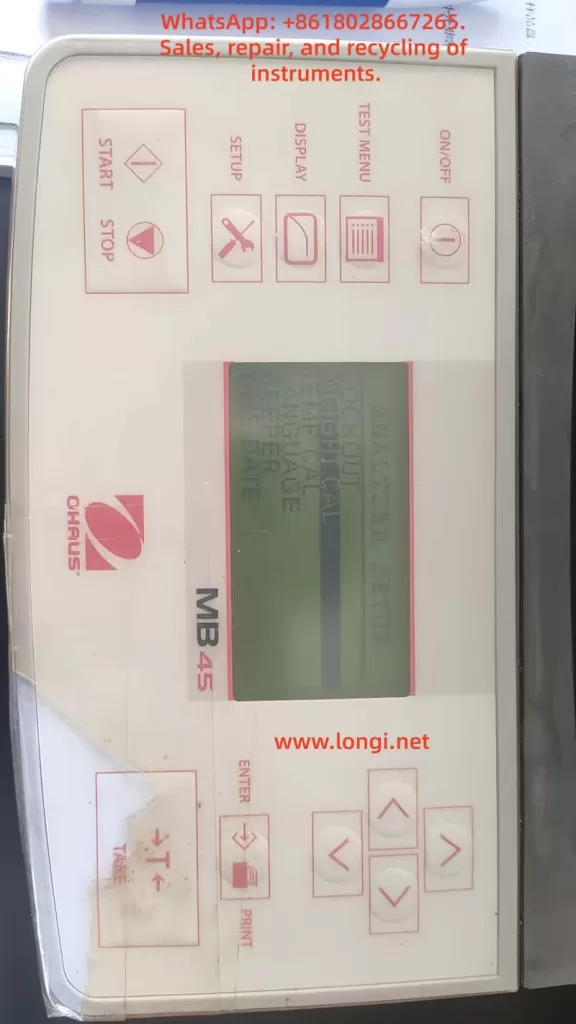
2. Core Design Philosophy of the MB45: Test-Centered Parameter Control
2.1 The MB45 Is Not a “Direct-Adjustment” Instrument
Many users expect to adjust temperature and time directly from the main screen, as they would on older or entry-level moisture analyzers. The MB45, however, is designed around test methods, not individual parameters.
In the MB45:
- Temperature is not an independent setting
- Time is not always visible
- All critical parameters belong to a test definition
In other words:
Temperature and time only exist in the context of a test method.
2.2 Understanding the MB45 Menu Architecture
The MB45 menu system can be logically divided into three levels:
- System Setup (SETUP)
- Display options
- Units
- General instrument configuration
- Test Management (TEST MENU / TEST LIBRARY)
- Create tests
- Recall saved tests
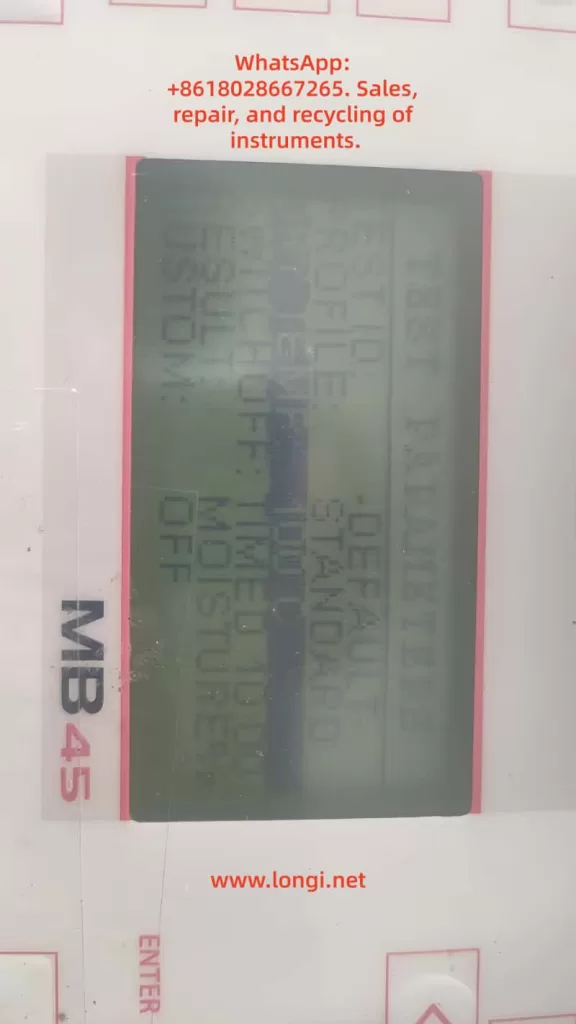
- Test Parameters (TEST PARAMETERS)
- Drying profile
- Final temperature
- Shutoff condition (time, auto, manual)
- Start weight
Temperature and time are both located in the third level: TEST PARAMETERS.
Failing to recognize this structure is the primary reason users believe the instrument lacks these controls.
3. Temperature Setting Explained: FINAL TEMP
3.1 Where Is the Temperature Setting?
The correct navigation path is:
SETUP
→ TEST PARAMETERS
→ FINAL TEMP
Once “FINAL TEMP” is visible on the display, you are already in the correct configuration area.
3.2 What Does FINAL TEMP Actually Mean?
FINAL TEMP refers to:
- The target temperature maintained by the heating system
- The stable temperature reached during the drying process
It is not a ramp rate or an instantaneous value, but the steady-state operating temperature used for moisture removal.
3.3 How to Change FINAL TEMP
- Use the UP / DOWN keys to highlight
FINAL TEMP - Press ENTER
- The numeric value begins flashing
- Use arrow keys to increase or decrease the temperature
- Press ENTER again to confirm
3.4 Temperature Range and Resolution
- Typical adjustable range: 50 °C to 200 °C
- Adjustment resolution: 1 °C
It is important to note that higher temperature does not automatically produce better results. Excessive heat can cause thermal decomposition, oxidation, or spattering, leading to incorrect moisture readings.
4. Time Setting Explained: Why You “Can’t See” TIME
4.1 No Dedicated TIME Parameter by Default
One of the most misunderstood aspects of the MB45 is that time is not always displayed. This is intentional.
The MB45 determines test duration through a shutoff condition, not a universal timer.
4.2 Understanding SHUTOFF MODE
Navigation path:
SETUP
→ TEST PARAMETERS
→ SHUTOFF MODE
SHUTOFF MODE defines how the test ends, not how it starts.
Typical options include:
- AUTO – automatic stability-based termination
- TIME – fixed-time termination
- MANUAL – operator-controlled termination
4.3 Why TIME Only Appears After Selecting TIME Mode
The TIME parameter is only visible after SHUTOFF MODE is set to TIME.
Correct procedure:
- Enter
SHUTOFF MODE - Select TIME
- Press ENTER
- The display now shows:
TIME: 10:00 - Enter TIME again to modify minutes and seconds
This design ensures that time is only adjustable when it is actually used as the termination criterion.
5. Common User Errors and Misinterpretations
Error 1: Assuming the Instrument Is Locked or Incomplete
Reality:
The user did not enter TEST PARAMETERS.
Error 2: Searching for Temperature or Time in DISPLAY Menu
DISPLAY controls visualization only.
No test parameters can be changed there.
Error 3: Expecting TIME to Appear Automatically
TIME is hidden unless SHUTOFF MODE is explicitly set to TIME.
Error 4: Pressing ENTER Without Selecting the Parameter Line
ENTER only works when a specific parameter line is highlighted.
This is often mistaken for a keypad fault.
Error 5: Believing the Instrument Is Defective
On older MB45 units, membrane keypad wear can reduce responsiveness, but in most cases the issue is navigation logic, not hardware failure.
6. Practical Engineering Recommendations
6.1 Typical Temperature Ranges by Material Type
| Material Type | Recommended Temperature |
|---|---|
| Food powders | 105 °C |
| Chemical granules | 120 °C |
| Plastic pellets | 130–150 °C |
| Volatile samples | ≤ 80 °C |
These values are practical starting points, not absolute rules. Validation testing is always recommended.
6.2 TIME vs AUTO: Which Should You Use?
- R&D and formulation work: AUTO
- Routine production testing: TIME
- Incoming material inspection: TIME with fixed sample mass
AUTO mode offers higher analytical precision, while TIME mode offers repeatability and speed.
6.3 Use the Test Library Whenever Possible
Once a test method is properly configured:
- Save it to the test library
- Recall it directly for future measurements
- Eliminate operator variability
This practice is highly recommended in regulated or quality-controlled environments.
7. When Parameters Cannot Be Changed: A Diagnostic Checklist
If adjustments appear impossible:
- Confirm you are in TEST PARAMETERS, not DISPLAY
- Ensure the correct line is highlighted
- Press ENTER firmly and deliberately
- Check for keypad membrane aging
- Verify no unintended mode restrictions are active
Most issues are operational, not electronic.
8. Conclusion: Understanding the Logic Matters More Than Memorizing Steps
The OHAUS MB45 is not difficult to use—but it requires an understanding of its design logic.
Once the user understands that:
- Temperature = FINAL TEMP
- Time = SHUTOFF MODE → TIME
the instrument becomes predictable, reliable, and efficient.
For laboratory technicians, maintenance engineers, and equipment resellers, mastering this logic is far more valuable than simply knowing which buttons to press. It ensures consistent results, reduces errors, and improves long-term operational confidence.
Proper understanding transforms the MB45 from a “confusing device” into a dependable analytical tool suitable for daily professional use.