
The ABB ACS510 is one of the most widely used low-voltage AC drives in HVAC systems, water pumps, constant-pressure water supply systems, ventilation equipment, conveyor systems, industrial fans, and various variable-speed motor applications. In real industrial maintenance work, one of the most common faults encountered on the ACS510 is F0009, also displayed in the fault list as MOT TEMP or Motor Overtemperature.
According to the ABB ACS510 user manual, fault code 9 “MOT TEMP” indicates that the drive has detected a motor overheating condition based on either the internal thermal model calculation or an external temperature feedback signal. ABB recommends checking whether the motor is overloaded, adjusting parameters 3005–3009 related to the motor thermal model, and checking the temperature sensor configuration and parameter group 35 settings.
This fault is frequently misunderstood in the field. Many technicians immediately assume the inverter itself is defective as soon as F0009 appears. In reality, this fault primarily concerns the motor thermal condition rather than the ACS510 heatsink temperature. The ACS510 has separate alarms and faults for drive overtemperature conditions. F0009 specifically focuses on motor thermal protection, including real motor overheating, overload conditions, insufficient cooling at low speed, incorrect motor parameter settings, thermal model mismatch, or external temperature sensor problems.
For this reason, troubleshooting F0009 must follow a systematic process. Resetting the drive repeatedly or replacing boards without analysis often leads to wasted time, unnecessary repair costs, and even motor damage.
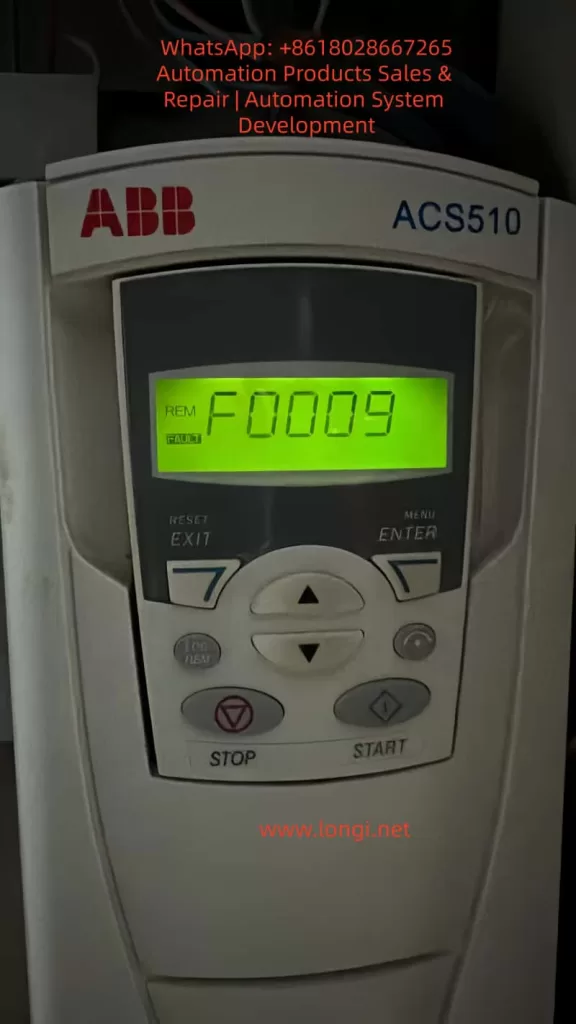
1. Understanding the Real Meaning of F0009
The ACS510 determines motor overheating in two primary ways.
The first method is the internal motor thermal model. The drive continuously estimates motor temperature based on:
- Motor rated current
- Output current
- Operating frequency
- Load conditions
- Running time
- Thermal characteristics
When the calculated thermal level exceeds the protection threshold, the drive first may generate a warning and eventually trips with F0009.
The second method is external temperature feedback. If the motor is equipped with a PTC thermistor, PT100 sensor, thermal switch, or other temperature feedback device, and parameter group 35 is enabled, the ACS510 can monitor actual motor temperature through the sensor input.
This explains why the same F0009 fault may have completely different causes depending on the installation.
In some cases the motor is genuinely overheating. In others the issue is caused by incorrect parameters, sensor wiring problems, or thermal model configuration errors.
2. F0009 Does Not Mean the Drive Itself Is Overheating
One of the most common mistakes in industrial troubleshooting is confusing motor overtemperature with inverter overtemperature.
F0009 is specifically related to motor thermal protection.
This does not automatically mean the ACS510 heatsink or power section is overheating.
When the drive itself overheats, troubleshooting usually focuses on:
- Cooling fan failure
- Heatsink dust accumulation
- Poor cabinet ventilation
- High ambient temperature
- Improper installation spacing
- Airflow obstruction
However, when F0009 occurs, the primary focus must remain on:
- Motor temperature
- Motor current
- Mechanical load
- Motor cooling
- Thermal protection settings
Even though drive heating and motor heating can occur together under overload conditions, the diagnostic sequence should not start with inverter hardware replacement.
3. Step One: Confirm Whether the Motor Is Actually Hot
The first action after F0009 appears is to verify the real motor temperature.
Use an infrared thermometer or contact thermometer to measure:
- Motor housing temperature
- Front bearing temperature
- Rear bearing temperature
- Cooling fan area
- Coupling or pulley area
- Gearbox or pump bearing temperature
If the motor surface is extremely hot, bearings are overheating, or there is a strong burnt insulation smell, then the fault is likely a real overtemperature condition.
In this situation, repeatedly resetting the drive is dangerous. Continuous restarting may eventually damage motor insulation, burn the winding, or cause mechanical failure.
On the other hand, if the motor is only slightly warm and F0009 occurs quickly after startup, parameter mismatch or sensor issues become more likely.
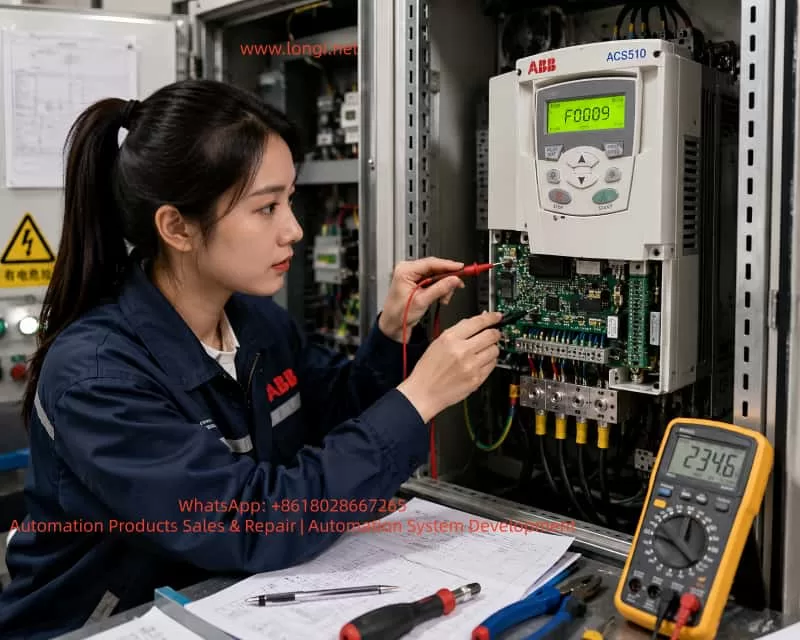
4. Step Two: Check Whether the Motor Current Exceeds Rated Current
Motor overheating is commonly caused by overload conditions.
The ACS510 should be monitored together with an external clamp meter.
The following values must be compared:
- Motor nameplate rated current
- Drive output current
- Actual measured phase current
- Phase current balance
- Starting current
- Loaded operating current
If the motor is rated at 20A but continuously operates at 25A or higher, overheating is expected.
If the phase currents are significantly unbalanced, such as:
- Phase A: 18A
- Phase B: 25A
- Phase C: 19A
then the problem may involve:
- Motor winding damage
- Loose cable connections
- Output terminal problems
- Contactor issues
- Partial short circuit
- Ground leakage
When the drive display current differs greatly from actual measured current, additional investigation of current feedback or measurement accuracy may be required.
5. Step Three: Inspect Mechanical Load Problems
Many F0009 faults are not electrical failures at all.
Mechanical overload is extremely common.
Typical causes include:
- Pump blockage
- Fan blade contamination
- Damper problems
- Bearing seizure
- Belt overtension
- Gearbox damage
- Conveyor jams
- Coupling misalignment
- Excessive friction
- Product buildup
- Increased process load
The inverter only sees increased motor current and rising thermal estimation.
The drive cannot determine the exact mechanical cause.
One effective troubleshooting method is to disconnect the mechanical load temporarily and run the motor unloaded. If the current drops significantly and the overheating fault disappears, the problem is mechanical rather than electrical.
6. Step Four: Low-Speed Operation and Cooling Problems
This is one of the most overlooked causes of motor overheating in variable frequency drive systems.
Standard induction motors use shaft-mounted cooling fans.
When the motor runs at low frequency, such as:
- 10 Hz
- 15 Hz
- 20 Hz
the motor cooling fan also rotates slowly.
As airflow decreases, motor cooling performance drops dramatically.
Even if the current is not extremely high, the motor may gradually overheat.
This problem is especially common in:
- Conveyors
- Mixers
- Compressors
- Extruders
- Constant torque applications
Solutions may include:
- Increasing minimum operating frequency
- Installing independent cooling fans
- Using inverter-duty motors
- Reducing mechanical load
- Improving ventilation
- Cleaning motor cooling fins
If the customer reports that the fault occurs mainly during summer or after long low-speed operation, insufficient cooling is a major suspect.
7. Step Five: Verify Motor Nameplate Parameters 9905–9909
The ACS510 motor thermal model relies heavily on accurate motor data.
Incorrect motor parameter settings are a very common cause of F0009.
The following parameters must be checked carefully:
Parameter 9905 — Motor Rated Voltage
This must match the actual motor nameplate voltage.
Parameter 9906 — Motor Rated Current
This is the most critical parameter.
It must match the actual motor nameplate current.
If 9906 is set too low, the ACS510 will falsely estimate motor overheating much earlier than normal.
Parameter 9907 — Motor Rated Frequency
Usually:
- 50 Hz
- 60 Hz
depending on the motor.
Parameter 9908 — Motor Rated Speed
Must match the motor nameplate RPM.
Parameter 9909 — Motor Rated Power
Must match actual motor power.
Parameter mismatch frequently occurs when:
- Motors are replaced
- Drives are restored to factory settings
- Used equipment is installed
- Parameters are copied from another machine
- Control boards are replaced
For example, if the original motor was 7.5 kW and later replaced with an 11 kW motor while the old current settings remain unchanged, the drive may falsely trip with F0009.
8. Step Six: Check Parameters 3005–3009
The ABB manual specifically recommends checking parameters 3005–3009 when F0009 occurs.
These parameters control the motor thermal protection model.
Parameter 3005 — Motor Thermal Protection
Defines how the drive reacts to thermal overload.
Disabling this protection entirely is not recommended in industrial applications unless external thermal protection exists.
Parameter 3006 — Motor Thermal Time Constant
Defines how quickly the thermal model responds.
If set too low, the drive may trip prematurely.
If set too high, motor protection may become insufficient.
Parameters 3007–3009 — Load Curve and Low-Speed Thermal Characteristics
These parameters influence low-speed motor heating estimation.
Incorrect settings can easily cause false overheating trips.
This is particularly common in:
- Used drives
- Systems with modified parameters
- Equipment with undocumented adjustments
9. Step Seven: Check Parameter Group 35 and Temperature Sensors
If external motor temperature sensors are used, parameter group 35 becomes extremely important.
Common problems include:
- Open-circuit PTC sensors
- Incorrect sensor type configuration
- Broken wiring
- Loose terminals
- Grounding problems
- Analog input interference
- Incorrect sensor resistance
- Wrong terminal assignment
In some cases, parameter group 35 is enabled even though no motor temperature sensor exists.
This can directly generate false F0009 faults.
Sensor-related faults often show these characteristics:
- Motor is physically cool
- Fault appears immediately after startup
- Fault changes when wiring is moved
- Intermittent trips occur randomly
10. Distinguishing Between Alarm and Fault Conditions
The ACS510 may first display a motor overtemperature warning before finally tripping with F0009.
This progression is important.
If the fault develops gradually over time, thermal accumulation is likely.
If the drive trips immediately after startup, parameter or sensor problems are more likely.
If the fault appears mainly in hot weather or during long operating cycles, cooling and environmental conditions become key suspects.
11. Recommended Field Troubleshooting Procedure
A professional troubleshooting sequence should follow these steps:
- Record the fault condition.
- Measure actual motor temperature.
- Measure three-phase motor current.
- Inspect mechanical load conditions.
- Verify motor nameplate parameters 9905–9909.
- Check thermal model parameters 3005–3009.
- Inspect parameter group 35 and temperature sensors.
- Test the system after reset under controlled load.
- Perform insulation resistance testing if necessary.
This structured approach prevents unnecessary board replacement and reduces downtime.
12. Real Overheating vs False Overheating
When the motor is genuinely overheating, the root cause must be corrected physically.
Possible solutions include:
- Reducing load
- Repairing bearings
- Cleaning cooling fins
- Improving airflow
- Replacing cooling fans
- Upgrading motor size
- Installing forced cooling
- Correcting alignment
- Repairing mechanical equipment
Simply disabling thermal protection does not solve the real problem.
When the motor is not actually overheating, the issue usually involves:
- Incorrect motor parameters
- Wrong thermal model settings
- Sensor problems
- Parameter corruption
- Wiring errors
- Control board feedback issues
13. Common Mistakes Made During Troubleshooting
Several mistakes appear repeatedly in industrial service work.
Mistake 1: Assuming the inverter is defective immediately
F0009 primarily concerns the motor thermal condition.
Mistake 2: Repeatedly resetting the drive
This can eventually destroy the motor.
Mistake 3: Disabling thermal protection
This removes a critical protection layer.
Mistake 4: Ignoring mechanical load
Mechanical overload is extremely common.
Mistake 5: Replacing motors without updating parameters
Parameter mismatch causes false trips frequently.
Mistake 6: Ignoring low-speed cooling limitations
This is one of the most common real-world causes.
14. Example Field Case
A water pump system using ACS510 repeatedly generated F0009 during summer operation.
The customer believed the inverter was defective.
Field inspection revealed:
- Motor current near rated value
- Long-term operation at 18 Hz
- Poor ventilation
- Standard self-cooled motor
- High ambient temperature
The real issue was insufficient motor cooling at low speed.
The solution included:
- Cleaning motor cooling fins
- Improving ventilation
- Raising minimum frequency
- Installing independent cooling
No inverter repair was required.
In another case, a larger motor had been installed but parameter 9906 still contained the old motor current value. The drive repeatedly tripped with F0009 after several minutes of operation. Correcting the motor parameters solved the problem immediately.
15. Conclusion
ABB ACS510 fault F0009 / MOT TEMP indicates that the drive believes the motor thermal condition has exceeded safe operating limits. The drive may determine this through the internal thermal model or through external temperature feedback devices.
Successful troubleshooting requires systematic analysis of:
- Actual motor temperature
- Motor current
- Mechanical load
- Low-speed cooling capability
- Motor nameplate parameters
- Thermal protection settings
- Temperature sensor circuits
The correct diagnostic philosophy is:
Verify real overheating first, then investigate false thermal estimation, and only consider inverter hardware failure after all motor-side causes have been eliminated.
In most real industrial cases, F0009 is caused by:
- Motor overload
- Poor cooling
- Incorrect parameters
- Mechanical load issues
- Sensor configuration errors
rather than defective ACS510 hardware itself.
A structured troubleshooting process can prevent unnecessary drive replacement, reduce maintenance costs, avoid repeated downtime, and protect the motor from catastrophic thermal damage.