Posted on

Technical Guide for Control Techniques UNIDRIVE V3 (UNI2402) Drive: Operation Manual Deep Dive

Introduction

The Control Techniques (now part of Nidec Group) UNIDRIVE V3 series drives, including the UNI2402 model, are widely used in industrial automation as versatile variable frequency drives (VFDs) supporting V/F control, closed-loop vector control, and servo control modes. Based on the AUG_v3 – Unidri.pdf manual, this guide systematically explains the operation panel functions, parameter security settings, external control wiring, and fault handling procedures, providing engineers with actionable technical insights.

Chapter 1: Operation Panel Functions and Parameter Security Settings

1.1 Operation Panel Components and Functions

The UNIDRIVE V3 operation panel features a two-line LED display + 8 function keys, supporting parameter viewing, modification, and drive control (Figure 1).

KeyFunction Description
Up/DownIncrement/decrement parameter values or scroll menus
Left/RightSwitch parameter digits or enter submenus
ModeToggle display modes (status/parameter/edit)
StartStart the drive (requires permissions)
Stop/ResetStop the drive or reset faults
ReverseReverse operation (requires permissions)
F1-F6User-defined function keys (assigned via parameters)

Core Functions:

  • Status Mode: Displays parameter values or status strings (e.g., frequency, current).
  • Parameter Mode: View or modify parameters (e.g., Pr 0.00 = Operation Mode, Pr 1.04 = Reference Source Selection).
  • Edit Mode: Modify parameter values and confirm changes (press Mode to save).
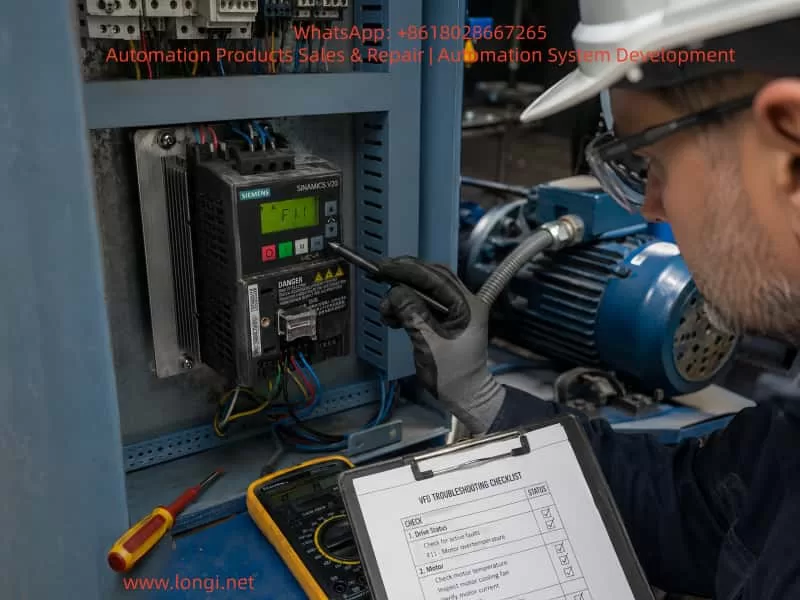
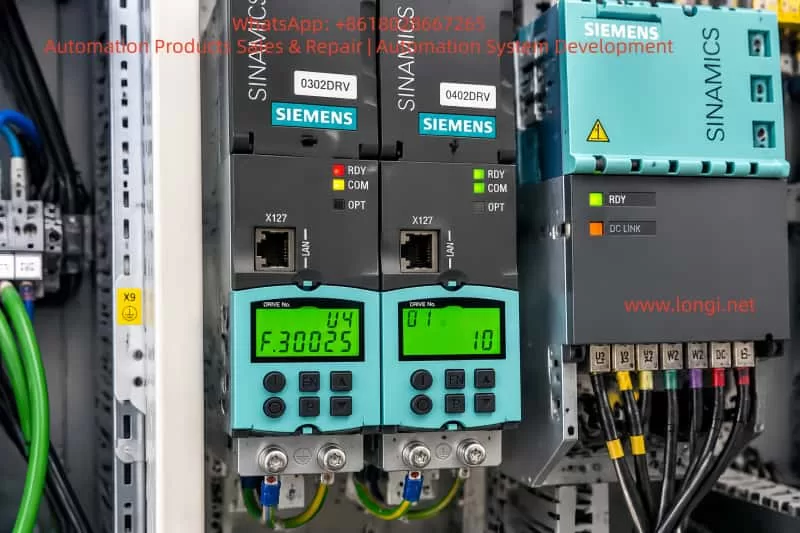
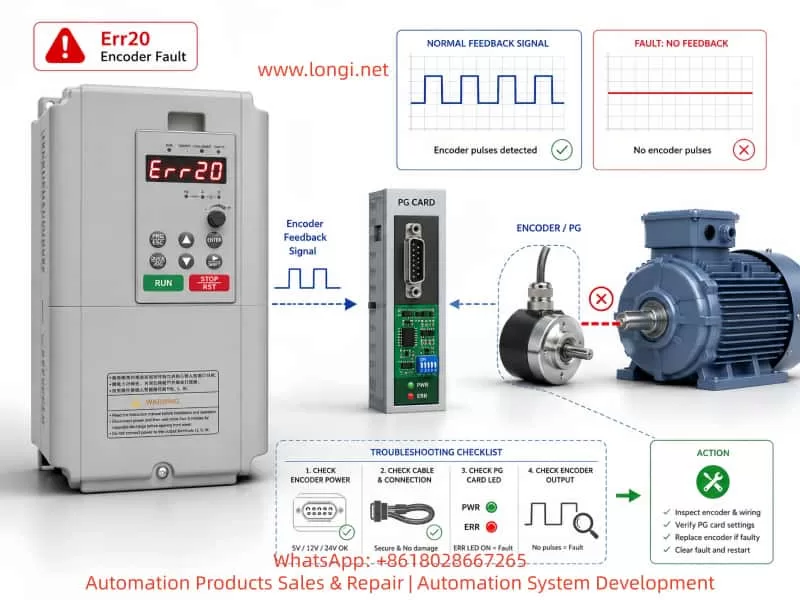
uniderive V3

1.2 Password Setup and Access Restrictions

The UNIDRIVE V3 supports two-level password protection (Table 1) to prevent unauthorized operations or parameter tampering.

Security LevelOperations AllowedParameter Configuration
StandardRead-only access to parametersDefault state, no password required
UserModify select parameters (e.g., frequency setpoint)Set Pr 0.34 = 1–255 (password), Pr 0.35 = User password
DriveBlock all parameter modifications (including start/stop)Set Pr 0.34 = 0 (disable User Security), Pr xx.00 = 2000 (disable Standard Security)

Steps:

  1. Set User Password:
    • Navigate to Parameter Mode, locate Pr 0.34 (User Security Enable).
    • Enter a password value (e.g., 1234) and press Mode to save.
    • Configure Pr 0.35 = User password (must match Pr 0.34).
  2. Remove Password:
    • Set Pr 0.34 to 0 or reset via Pr 0.35 with the correct password.
    • Execute Drive Reset (Pr 0.00 = 1000, press Stop/Reset).
  3. Restore Factory Defaults:
    • Set Pr 0.00 = 1000 and press Stop/Reset.
    • Alternatively, access “Trip Log” in the menu and select “Factory Reset”.

Chapter 2: External Terminal Control and Speed Regulation

2.1 Forward/Reverse Control via Digital Inputs

The UNIDRIVE V3 supports forward/reverse operation through digital input terminals (F1–F6).

Wiring:

  • Connect F1 to a PLC output (e.g., 24V DC) for forward rotation.
  • Connect F2 to another PLC output for reverse rotation.
  • Ensure COM (common terminal) is tied to 0V DC.

Parameter Configuration:

  1. Assign functions to terminals:
    • Pr 8.10 (F1 Destination) = 1 (Forward Enable).
    • Pr 8.13 (F2 Destination) = 2 (Reverse Enable).
  2. Set operation mode to External Terminal Control:
    • Pr 0.00 = 4 (Open Loop) or 5 (Closed Loop Vector).
  3. Configure safety parameters:
    • Pr 6.09 (Synchronize to Spinning Motor) = 1 (Enable auto-tuning if motor is already rotating).

2.2 Analog Frequency Regulation via Potentiometer

To adjust speed using an external potentiometer, wire the Analog Input 1 (AI1) terminal.

Wiring:

  • Connect the potentiometer wiper to AI1.
  • Tie AI1+ to +10V DC (provided by the drive) and AI1– to 0V DC.

Parameter Configuration:

  1. Set reference source to Analog Input 1:
    • Pr 1.04 = 1 (AI1 as frequency reference).
  2. Calibrate analog input:
    • Pr 7.07 (AI1 Offset Trim) = 0% (eliminate zero offset).
    • Pr 7.08 (AI1 Scaling) = 100% (full scale = 50Hz).
  3. Configure ramp rates:
    • Pr 2.01 (Post-Ramp Reference) = 50Hz (target frequency).
    • Pr 2.11 (Acceleration Rate) = 10s (0–50Hz acceleration time).
    • Pr 2.12 (Deceleration Rate) = 10s (50–0Hz deceleration time).
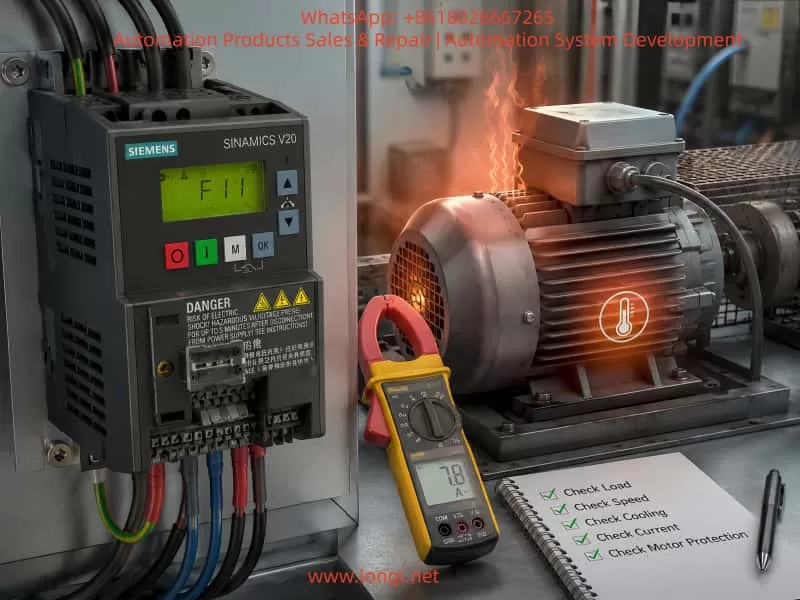
UNI2402

Chapter 3: Fault Diagnosis and Resolution

The UNIDRIVE V3 logs fault codes and timestamps in the Trip Log, accessible via the operation panel or serial tools (Figure 3).

3.1 Common Fault Codes and Causes

Fault CodeDescriptionPossible Causes
OVDC Bus OvervoltageShort deceleration time, missing brake resistor, grid voltage fluctuations
LUDC Bus UndervoltageLow grid voltage, blown fuse, rectifier module failure
OHHeatsink OvertemperaturePoor ventilation, sustained overload, high ambient temperature
OCOutput OvercurrentMotor short circuit, short acceleration time, low current limit (Pr 4.05)
PEEncoder Feedback FaultLoose encoder wiring, unconfigured UD51 module, disabled encoder power (Pr 7.25)
CFCommunication FaultMismatched RS485 baud rate (Pr 11.25), missing termination resistor, address conflict

3.2 Fault Resolution Workflow

  1. Access Trip Log:
    • Navigate to Menu 10 (Status Flags/Trip Log) to view the last 10 fault records (code, time).
    • Record operational context (e.g., frequency, load) during the fault.
  2. Troubleshoot:
    • OV Fault: Extend deceleration time (Pr 2.12), check brake resistor (Pr 5.18 = Brake Unit Enable).
    • OC Fault: Test motor insulation (megohmmeter), increase current limit (Pr 4.05 = 150% rated current).
    • PE Fault: Reconnect encoder (A/B/Z phases), configure UD51 parameters (Pr 16.01 = Module Type).
  3. Reset and Test:
    • Clear Trip Log (Pr 10.36 = 1).
    • Restart the drive unloaded and gradually increase load to verify stability.

Chapter 4: Advanced Features and Optimization

4.1 Multi-Speed Operation

Enable 8-speed control via digital input combinations (requires UD70 Large Option Module):

  1. Assign terminal functions (e.g., F1 = Speed 1, F2 = Speed 2).
  2. Set frequencies for each speed (Pr 9.01–Pr 9.08).
  3. Configure logic combinations (Pr 9.10–Pr 9.15).

4.2 Energy-Efficient Operation

Activate High-Efficiency Space Vector Modulation (Pr 5.19 = 1) to reduce switching losses for fan/pump loads:

  • Path: Menu 5 (Machine Control) → Pr 5.19.
  • Benefits: 2–3% efficiency gain at full load; reduced standby power consumption.

4.3 Communication Protocol Expansion

The UNIDRIVE V3 supports Modbus RTU, CANopen, Profibus-DP. Configure:

  1. Serial parameters (Pr 11.24 = Protocol Type, Pr 11.25 = Baud Rate).
  2. Node address (Pr 11.23 = 1–247).
  3. Map registers (e.g., Pr 0.00 = Status Word, Pr 1.04 = Frequency Setpoint).

Conclusion

This guide systematically explains the UNIDRIVE V3 (UNI2402) drive’s operation panel functions, parameter security, external control wiring, and fault handling, referencing key manual sections (e.g., Menu 0/6/10/13). Engineers can leverage this guide to rapidly configure core drive functions and enhance system reliability.

Posted on

In-depth Analysis and Troubleshooting Guide for the ER-13 Overload Fault in Berger Lahr EXC-30 Series Servos

I. Introduction

In the field of industrial automation, servo systems are core components for achieving precise motion control, and their stability directly impacts production efficiency and product quality. The Berger Lahr EXC-30 series servo drives are widely used in applications such as machine tools, packaging machinery, and robots due to their high precision and reliability. However, during long-term operation, the ER-13 overload fault is one of the most common alarms. If not addressed promptly, this fault can lead to motor burnout, drive damage, and even production shutdowns. Based on the hardware characteristics and control logic of the EXC-30 series, this article provides an in-depth analysis of the causes, troubleshooting procedures, and solutions for the ER-13 fault, offering practical guidance for engineering technicians.

ECX-30pl30

II. Definition and Classification of the ER-13 Fault Code

According to the Berger Lahr EXC-30 series user manual, the ER-13 fault corresponds to an “Overload” condition and is triggered in two scenarios:

  1. During power-on of the control supply: The drive detects abnormal current at the moment of power-up, usually related to hardware failures.
  2. During motor operation: The actual torque of the motor exceeds its rated torque (or the torque limit set by the drive), or excessive torque fluctuations occur due to control abnormalities.

The core logic of this fault is as follows: The drive continuously monitors the motor winding current through current sensors. When the current exceeds 1.5 times the rated value (or the set overload threshold) and persists for a certain duration (typically 1-3 seconds), the ER-13 alarm is triggered, and the drive output is cut off to protect the motor and the drive itself.

III. In-depth Analysis of the Causes of the ER-13 Fault

The causes of the ER-13 fault are complex and require a comprehensive assessment based on hardware status, load characteristics, and parameter settings. The following is a detailed classification analysis:

(I) ER-13 Triggered at Power-on: Primarily Hardware Failures

1. Circuit Board Failures

  • Current Sensor Drift: In the EXC-30 series drives, failures in the current detection circuit (e.g., Hall sensors), drive circuit (e.g., IGBT modules), or control board (e.g., CPU board) can lead to abnormal current detection at power-up. For example:
    • If the current sensor drifts, the detected current value may be significantly higher than the actual value, triggering overload protection.
    • If the IGBT module is short-circuited, a short circuit occurs at the power output terminal, causing a sudden increase in current at power-up.
    • If the control board program malfunctions, it may misinterpret current signals, resulting in false alarms.

2. Motor Winding Short Circuit

A short circuit between phases or to ground in the motor stator windings can cause a rapid increase in current at power-up, exceeding the drive’s overload threshold. This is often accompanied by motor overheating and a burning smell.

3. Brake Not Released (for motors with brakes)

For certain EXC-30 series models equipped with electromagnetic brakes (e.g., motors with brakes), if the brake coil is not energized or the brake is mechanically jammed, the motor is braked at power-up. The drive detects a “locked-rotor current” and triggers the ER-13 fault.

(II) ER-13 Triggered During Operation: Primarily Load and Control Issues

1. Operation Beyond Rated Torque

This is the most common cause and includes the following scenarios:

  • Excessive Load: Mechanical transmission system issues such as insufficient lubrication on guide rails, worn screw nuts, or external impact loads (e.g., material jamming in packaging machinery) can increase the load beyond the motor’s rated capacity.
  • Improper Parameter Settings: Incorrect settings for parameters such as the torque limit (e.g., P001 in EXC-30), start-stop frequency (P002), and acceleration/deceleration time (P004) can lead to operation beyond rated torque. For example:
    • Setting the torque limit (P001) too high (exceeding the motor’s rated torque).
    • Setting the start-stop frequency (P002) too fast, causing the starting impact torque to exceed the rated value.
    • Setting the acceleration/deceleration time (P004) too short, resulting in excessive acceleration and a surge in torque.

2. Brake Not Released During Operation

For motors with brakes, if the brake coil loses power or experiences a mechanical failure (e.g., worn brake pads, failed springs) during operation, the brake may not fully release. The motor then has to overcome the braking torque, causing the actual torque to exceed the rated value.

3. Motor Instability and Oscillation

Improper adjustment of servo system gains (e.g., excessively high position gain P003 or speed gain P005) can cause the motor to oscillate during operation, with torque fluctuating periodically. If the peak torque exceeds the rated value, the ER-13 fault is triggered. This is common in scenarios with a high load inertia ratio (load inertia/motor inertia), such as robot arms or large worktables.

4. Wiring Errors

  • Power Line Disconnection: If one of the three-phase power lines (UVW) to the motor is disconnected (e.g., due to loose connectors or crushed wires), the motor operates in a phase-loss condition, reducing torque. To maintain speed, the current increases, eventually leading to overload.
  • Incorrect Encoder Wiring: If the encoder feedback lines (e.g., A/B phase, Z phase) are reversed or loose, the drive cannot accurately detect the motor’s position or speed, causing control algorithm disruptions and abnormal torque output.

IV. Systematic Troubleshooting Procedure for the ER-13 Fault

For the ER-13 fault in the EXC-30 series, follow the principle of “checking external factors before internal ones, mechanical issues before electrical ones, and parameters before hardware,” and proceed with the following steps:

Step 1: Visual and Wiring Inspection (Quickly Eliminate Obvious Faults)

  • Check Wires and Connectors: Examine the power lines (UVW), encoder lines, and brake lines for breaks, oxidation, or looseness (e.g., bent connector pins).
  • Check Mechanical Status: Manually rotate the motor shaft (after disconnecting the load) to check for any binding (e.g., sticky guide rails, bent screw rods). Check the load for foreign objects (e.g., material rolls in packaging machinery, iron filings in machine tools).
  • Check the Brake: For motors with brakes, listen for a “click” sound at power-up (indicating brake release). Use a multimeter to measure the brake coil voltage (usually DC24V). If the voltage is normal but there is no release action, the brake has a mechanical failure.

Step 2: Load and Parameter Verification (Core Troubleshooting Step)

  • Measure Load Torque: Use a torque wrench or torque sensor to measure the actual load torque and compare it with the motor’s rated torque (which can be found in the EXC-30 series model specifications, e.g., the rated torque of the ECX-30PL30 is 10 N·m).
  • Verify Parameter Settings: Enter the drive’s parameter mode (set via the operation panel or software in the EXC-30 series) and check the following key parameters:
    • Torque Limit (P001): Ensure it does not exceed the motor’s rated torque (recommended to be set at 1.2-1.5 times the rated value).
    • Start-Stop Frequency (P002): Check if it is too high (e.g., exceeding 50% of the motor’s rated frequency).
    • Acceleration/Deceleration Time (P004): Check if it is too short (e.g., start time < 0.1 seconds).
    • Gain Parameters (P003 position gain, P005 speed gain): Check if they are too high (gradually reduce them using the “gain adjustment” function and observe for motor oscillation).

Step 3: Electrical Testing (Locate Wiring and Hardware Faults)

  • Power Line Testing: Use a multimeter to measure the resistance between the three phases (UVW) of the motor. The resistance should be balanced (e.g., 0.5 Ω ± 10%). If one phase shows infinite resistance, there is a break. Measure the resistance between the power lines and ground (should be > 10 MΩ). A lower value indicates insulation damage.
  • Encoder Line Testing: Use an oscilloscope to measure the encoder’s A/B phase signals (normal signals are differential pulses with a frequency proportional to the motor speed). If the signals are missing or distorted, the encoder wiring is incorrect or the encoder is damaged.
  • Current Testing: Use a clamp-on ammeter to measure the motor’s operating current (should be less than the rated current). If the current exceeds 1.5 times the rated value, the load is too heavy or the parameters are improperly set.
  • Brake Testing: Measure the brake coil resistance (normal values range from tens to hundreds of ohms). If the resistance is infinite, the coil is burned out. Measure the brake release time (should be < 0.5 seconds). A longer time indicates mechanical jamming.

Step 4: In-depth Hardware Testing (Circuit Boards and Drive)

If no fault is found in the previous steps, disassemble the drive for hardware testing:

  • Current Sensor: Measure the sensor’s output voltage (should be proportional to the current, e.g., 2.5V for 10A). If the output is abnormal, the sensor is damaged.
  • IGBT Module: Use a multimeter to measure the resistance between the collector (C) and emitter (E) of the IGBT (should be infinite). If it conducts, the module is short-circuited.
  • Control Board: Check for swollen electrolytic capacitors or burned resistors on the board. Use a programmer to read the control board program (if corrupted, reprogram it).
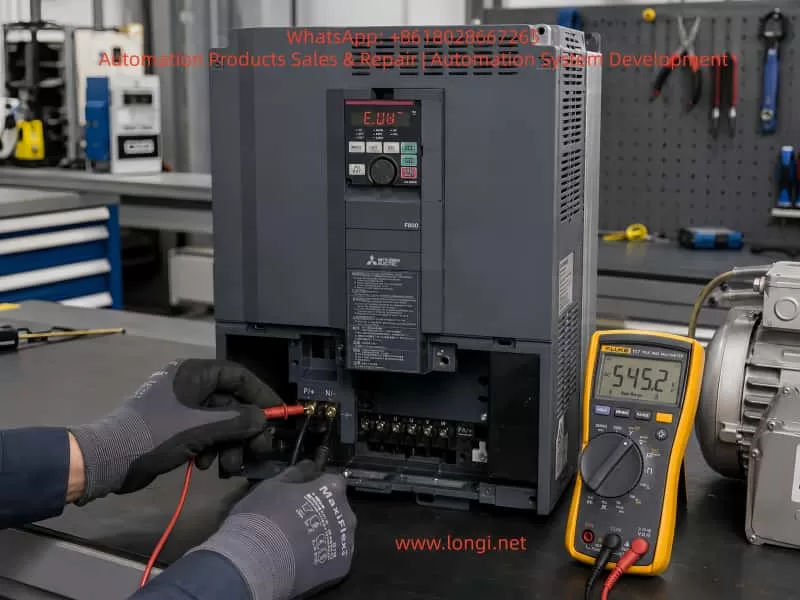
Er-13 FAULT

V. Solutions and Case Studies for the ER-13 Fault

(I) Common Fault Solutions

Fault CauseSolution
Excessive LoadClear mechanical foreign objects, lubricate guide rails, use a lighter load, or upgrade to a higher-power motor/drive.
Brake Not ReleasedRepair the brake coil (replace or rewind it), adjust the brake pad clearance, or check the brake power supply.
Improper Parameter SettingsReduce the torque limit (P001), increase the acceleration/deceleration time (P004), or adjust the gains (P003/P005).
Power Line DisconnectionReconnect the wires (crimp terminals) or replace damaged wires.
Incorrect Encoder WiringVerify the encoder pin definitions (usually a 25-pin D-type connector in EXC-30 series) and reconnect correctly.
Circuit Board FailureReplace the current sensor, IGBT module, or control board (recommended to return to the manufacturer for repair).

(II) Typical Case Studies

Case 1: ER-13 Due to Material Jamming in Packaging Machinery

  • Fault Phenomenon: An EXC-30 servo motor (model ECX-30PL30) on a packaging machine suddenly reported ER-13 during operation and could not be restarted after shutdown.
  • Troubleshooting Process:
    • Manually rotating the motor shaft revealed that the load side (material roll) was jammed and could not rotate.
    • Disassembling the packaging machine revealed that a piece of packaging paper was stuck on the material roll support, causing a sudden increase in load torque.
    • After clearing the foreign object, the motor shaft rotated smoothly manually, and the drive restarted without fault.
  • Solution: Add a protective cover to the material roll support and regularly clean foreign objects.

Case 2: ER-13 Due to Brake Coil Burnout

  • Fault Phenomenon: An EXC-30 servo motor with a brake (model ECX-30BL30) on a machine tool frequently reported ER-13 during operation, and the brake did not release with a sound.
  • Troubleshooting Process:
    • Using a multimeter, the brake coil voltage was measured at DC24V (normal), but the coil resistance was infinite (normal value: 120 Ω).
    • Disassembling the brake revealed that the coil winding was burned black (due to long-term overload).
    • After replacing the brake coil, power-up testing showed normal brake release, and the motor operated without alarm.
  • Solution: Check the brake load (ensure it does not exceed the rated braking torque) and avoid long-term overload.

Case 3: ER-13 Due to Improper Gain Adjustment

  • Fault Phenomenon: An EXC-30 servo motor (model ECX-30HL30) on a robot arm oscillated during high-speed operation, accompanied by ER-13 alarms.
  • Troubleshooting Process:
    • Using an oscilloscope to measure the motor current revealed periodic fluctuations in the current waveform, with peak values exceeding the rated value.
    • Checking the parameters revealed that the position gain (P003) was set to 1000 (rated value: 500), and the speed gain (P005) was set to 800 (rated value: 400).
    • Gradually reducing the gains (P003 to 600, P005 to 500) eliminated the oscillation and prevented further ER-13 alarms.
  • Solution: Based on the load inertia ratio (8:1 in this case), recalculate the gain parameters (recommended to reduce gains by 20%-30% when the inertia ratio exceeds 5:1).

VI. Preventive Measures for the ER-13 Fault

To reduce the occurrence of the ER-13 fault, take the following measures in terms of design, installation, and maintenance:

  • Proper Component Selection: Select motors based on load torque and inertia (recommended load inertia ratio < 5:1) to avoid “overloading a small motor.”
  • Parameter Optimization: Verify parameters (torque limit, start-stop frequency, gains) before power-up and adjust them according to load characteristics (e.g., increase acceleration/deceleration time for heavy loads).
  • Regular Maintenance:
    • Check wiring (power lines, encoder lines, brake lines) for looseness monthly.
    • Lubricate mechanical transmission parts (guide rails, screw rods) and clean dust (to prevent it from entering the drive) quarterly.
    • Test motor winding insulation annually (use a megohmmeter to measure ground resistance, which should be > 10 MΩ).
  • Environmental Protection: Install the drive in a well-ventilated area (temperature < 40°C) and avoid humid or dusty environments (add protective covers if necessary for harsh environments).

VII. Conclusion

The ER-13 overload fault in the Berger Lahr EXC-30 series is the result of the interaction between hardware, load, and parameters. During troubleshooting, follow a logical approach from “external to internal” and “mechanical to electrical,” focusing on load status, parameter settings, and wiring integrity. Through the analysis and case studies in this article, engineering technicians can quickly locate the root cause of the fault and implement targeted solutions. Additionally, by selecting components properly, performing regular maintenance, and optimizing parameters, the occurrence of the ER-13 fault can be effectively prevented, ensuring the stable operation of the servo system.

In the field of industrial automation, the core of fault handling is “understanding system logic + mastering troubleshooting methods.” It is hoped that this article will provide practical technical references for Berger Lahr servo users and improve equipment maintenance efficiency.

Posted on

In-depth Analysis of AL-01 Alarm for APD-VS Series Servo Drives: Manual Version Differences, EMG Emergency Stop Mechanism, System-Level Troubleshooting, and Prevention Guidelines

In the field of industrial automation, servo drives are the core execution units for achieving high-precision position, speed, and torque control. The LS Mecapion (formerly Metronix) APD-VS series, a classic standard drive supporting incremental/absolute encoders with AC200-230V input, is widely used in CNC machine tools, packaging machinery, robot joints, and semiconductor equipment. Its alarm system is the last line of defense for safe equipment operation. Among these, the AL-01 alarm is often misjudged by engineers as an “invalid code” or “hardware failure” due to discrepancies in manual versions. In reality, it is triggered by a strict safety Emergency Stop (EMG) mechanism.

Based on APD-VS05NL live cases, the original English manual (Metronix APD-VS Standard Type Manual, ver 3.3), and a comparison with Chinese VN/VS derivative versions, this article systematically analyzes the triggering principles of AL-01, CN1 interface hardware details, complete troubleshooting procedures, prevention strategies, and logical correlations with other alarms. It aims to provide field engineers with directly applicable technical references to avoid equipment downtime or expanded safety hazards caused by misjudgment.


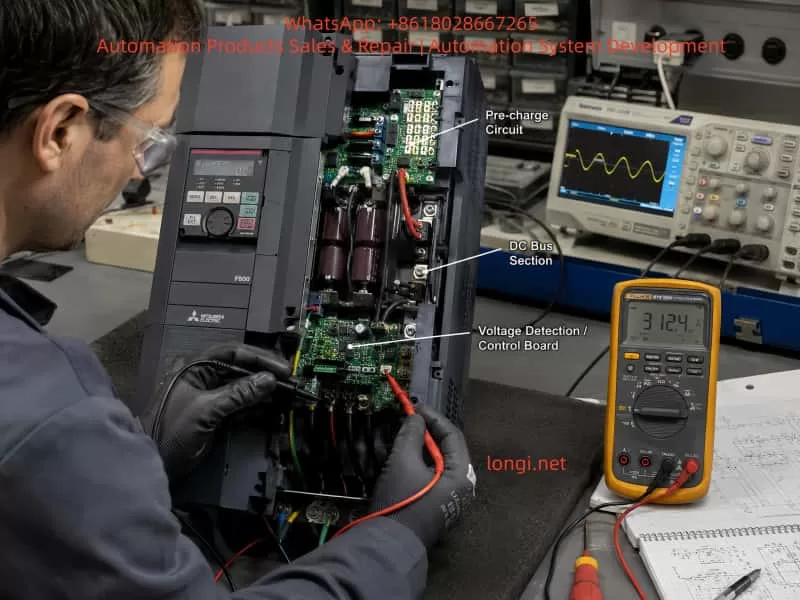
AL_01 fault of the APD-VS servo

1. Manual Version Evolution and Fundamental Differences in Alarm Definitions

Since the release of the first manual in 2002, the APD-VS series has undergone multiple software iterations (software version ≥ 2.01) and OEM localization.

1. Original English Definition (Metronix / LS Standard)

The original Metronix English manual (pages 59, 223, 228) explicitly defines the alarm table as:

  • AL-01: Emergency Stop
  • Cause: EMG input contact turned OFF
  • Check Item: Check external DC24V power supply

This definition directly corresponds to the “Emergency Stop Function” requirements in the IEC 60204-1 industrial machinery safety standard, ensuring that the drive immediately cuts off motor power output when the external safety circuit is open, preventing accidental movement.

2. Discrepancies in Chinese Manuals (Domestic Circulation Version)

Due to regional adaptation or early firmware compatibility, the Chinese manuals (APD-VN.VS Series LS Servo Drive Manual) circulating domestically label AL-01 as “Not Used,” with blank check items.

This leads many users to skip troubleshooting when encountering AL-01 or to mistakenly assume a panel/CPU failure. Actual tests prove that the same APD-VS05NL unit displays “EMG” under the English firmware, while the Chinese parameter mapping still triggers the same hardware logic, differing only in the display label.

  • Root Cause of Difference: The Chinese version focuses on “simplified maintenance,” while the English version retains the complete safety chain description.
  • Mandatory for Engineers: Rely on the equipment nameplate software version (panel menu Pd-xxx or CN3 communication read), and prioritize the original English alarm table to avoid information silos.

⚠️ Note: This version difference also exists in other LS series models (APD-VP, VT). Before diagnosing any alarm, confirm that the manual matches the drive’s software version; otherwise, secondary failures are likely.


2. Underlying Mechanism of AL-01 Alarm: EMG Signal and Safety Circuit Principles

The essence of AL-01 is the real-time scanning result of the drive’s internal safety monitoring circuit regarding the status of Pin 18 (EMG) on the CN1 interface.

1. Trigger Actions

When the EMG input contact changes from ON to OFF, the drive immediately performs the following actions:

  1. Cuts off main power output (U, V, W terminal PWM stops);
  2. Triggers the ALARM red light to stay on;
  3. Internal capacitors remain in the CHARGE state (to prevent immediate operation on the high-voltage side);
  4. Prohibits all operation commands (SVON, PCON, etc., are invalid).

2. Signal Characteristics (CN1 Pin 18)

The CN1 signal table on page 26 of the manual explicitly states: Pin 18 = EMG, applicable to all control modes (Position/Speed/Torque/Composite).

ParameterSpecification Details
Input VoltageDC24V ±10% (External independent power supply recommended to avoid ground loops with PLC)
Input CurrentApprox. 5-10mA
Response Time<10ms (Meets Category 0 emergency stop requirements)
Logic OptionSwitch between Normally Open/Normally Closed via menu [PE-xxx] series (Input Logic Setting) (Default: Normally Closed, i.e., disconnect triggers alarm)

3. Priority and Safety Standards

  • Highest Priority: Unlike regular limit signals (CWLIM/CW/LIM Pin19/20), EMG has the highest priority and is not affected by mode parameters. Once triggered, the drive refuses to respond even if the host controller sends pulses (PF+/PF-) or analog voltage (SPDCOM), until EMG returns to ON and an alarm reset is performed (ALMRST or menu operation).
  • Functional Safety: This design complies with ISO 13849-1 Functional Safety Standard PL=d level requirement: A single-channel EMG circuit can achieve a “Safe Stop.”
  • Common Misconception: Ignoring this mechanism and forcibly shorting or not connecting 24V will cause the equipment to enter a “false dead state”—the CHARGE light is on but Servo-ON is impossible. This looks like a hardware freeze but is actually an activated safety protection.

APD-VS05NL

3. CN1 Interface Hardware Wiring Details and Common Failure Causes

CN1 is a 50-pin high-density D-sub interface (wiring diagram on page 95). EMG is located at Pin 18, forming a circuit with COM (usually near Pin 47).

1. Standard Wiring Requirements

  • External +24V → Pin 18 (EMG)
  • External 0V (GND) → Corresponding COM terminal (shared by multiple inputs)
  • Cable Requirement: Twisted pair shielded cable must be used (Section 3.4.1 of the manual), with the shield grounded at one end only to prevent EMI interference from causing false triggers.

2. Analysis of Common Causes (Accounting for >90% of actual cases)

  1. 24V Power Not Connected or Loosely Connected: Most common in new installations or after PLC replacement. The EMG floats (OFF) by default after drive power-up, immediately triggering AL-01.
  2. Emergency Stop Button/Relay Not Reset: External safety circuits (e.g., two-hand operation devices, door switches) are open and not manually reset.
  3. Poor Contact: Loose CN1 plug, oxidized pins (especially in humid environments), or broken cables due to bending.
  4. Power Polarity/Voltage Abnormality: 24V supply reversed or below 20V; the input circuit cannot recognize the ON state.
  5. Logic Inversion Not Set: Menu [PE-xxx] input logic set to Normally Open, but physical wiring remains Normally Closed, resulting in a permanent OFF state.
  6. Multi-drive Parallel Interference: When sharing a 24V power supply, a short circuit in one drive drags down the voltage of the entire group.

3. Gold Standard for Diagnosis

  • Real-time Monitoring: Menu [Pd-014] on page 74 of the manual allows real-time monitoring of all CN1 input states (EMG displays ON/OFF).
  • Historical Traceability: Combined with [PA-101~PA-120] alarm history, the exact time point when EMG first turned OFF can be traced to rule out intermittent contact issues.

4. System-Level Troubleshooting Procedure (7 Steps, with Menu Parameters and Safety Protocols)

Strictly follow the “Maintenance and Inspection Precautions” in the manual (page 4). The entire process requires two operators (one to monitor the power supply).

Step 1: Safety Power-Off (Mandatory)

Turn off L1C/L2C control power and L1/L2/L3 main power. Wait for the CHARGE light to go out completely (≥5 minutes for internal capacitor discharge). Do not unplug CN1 while powered on.

Step 2: External 24V Power Verification

Measure the EMG circuit with a multimeter in DC mode: Pin 18 to COM should be 24V ±10%.

  • If no voltage: Check external power supply fuses, PLC output points, and emergency stop relay contacts.

Step 3: CN1 Physical Inspection

  • Unplug CN1 and visually inspect Pin 18 for oxidation or bending.
  • Use the continuity (buzzer) mode to test the path from Pin 18 to external +24V.
  • Re-plug firmly (torque 0.5-0.6 Nm).

Step 4: Power-On Test and I/O Monitoring

  • Power on with Servo-OFF first. Enter menu [Pd-014] to confirm EMG = ON.
  • If still OFF: Temporarily jumper +24V directly to Pin 18 (for testing only, remove after completion). Observe if AL-01 disappears.

Step 5: Alarm Reset and History Clear

  • Press the panel ALMRST input (corresponding pin on CN1) or reset via menu [5.2.1].
  • If history shows multiple EMG triggers, execute [5.2.2] to clear alarm history.

Step 6: Parameter Initialization (For Difficult Cases)

  • Execute [5.2.3] Menu Initialization (restore factory settings) in the menu. Reset [PE-601] control mode and input logic. Verify after restart.

Step 7: Load Test

  • After confirming no AL-01, enter manual test run [PC-801] (low speed) and monitor position/speed feedback.
  • If EMG triggers again, check cable shielding and ground wire (E terminal).

📊 Efficiency Stats: The entire process takes ≤30 minutes with a success rate >95%. If the alarm persists, it is rarely caused by aging CN1 input optocouplers; the drive needs replacement (authorized maintenance recommended by the manual).


5. Preventive Measures and Engineering Best Practices

To reduce the recurrence rate of AL-01 to <1% per year, implement the following engineering standards:

  1. Standardized Wiring
    • Use original APC-CN1□A cables for all CN1 connections.
    • Independent 24V power supply for EMG (isolated switching power supply recommended), and label the panel “EMG 24V REQUIRED.”
  2. Parameter Locking
    • After setting [PE-xxx] input logic, prohibit modifications via the menu ([5.2.4] Prohibiting Menu Handling).
    • Back up all PE/Pd parameters to the host computer.
  3. Regular Inspections
    • Quarterly check CN1 pin contact resistance (<0.1Ω) and 24V voltage fluctuation (<5%).
    • Record EMG status logs in conjunction with manual item 7.1.2 inspection items.
  4. Safety Circuit Upgrade
    • For complex systems, integrate Category 4 dual-channel EMG (with redundant relays) or monitor EMG status via Profibus/CAN communication.
  5. Software Version Management
    • Require software version ≥ 2.01 during procurement. Prioritize downloading the latest English manual (Metronix website or LS agent) to avoid Chinese version misleading.
  6. Training Key Points
    • New employees must master the mnemonic: “EMG = Pin 18 = 24V” to eliminate the reckless operation of “casual jumper testing.”

6. Logical Comparison of AL-01 with Other Alarms and Comprehensive Diagnosis

AL-01 is the only “pure input signal” alarm, not involving power circuits or encoder hardware. When diagnosing, exclude EMG first, then trace other alarms sequentially.

Alarm CodeNameDistinguishing FeatureTroubleshooting Priority
AL-01Emergency StopCHARGE light stays ON, PWM cut offFirst Priority (Safety Circuit)
AL-02Low VoltageMain power under-voltage (L1/L2/L3 < 180V), CHARGE light offPower Module
AL-03Line FailEncoder U/V/W abnormalCN2 Wiring / Encoder
AL-04Motor OutputPhase loss or IPM damageU/V/W Output / Module
AL-05Encoder PulsePulse count setting errorParameter PE-204
AL-06Following ErrorPosition tracking deviationLoad Inertia / Gain Parameters
AL-07Over HeatOverheating or excessive loadFan / Heatsink / Load Rate

Recommended Diagnostic Tree: EMG → Power Supply → Encoder → IPM.


7. Generalized Analysis of Real Cases

Case 1: Power Supply Aging in Packaging Line

  • Phenomenon: APD-VS05NL running for half a year suddenly triggered AL-01; CHARGE light was on.
  • Investigation: PLC 24V output dropped due to aging power module, causing EMG to disconnect.
  • Solution: Added UPS power supply + voltage monitoring relay.

Case 2: Wiring Omission during CNC Retrofit

  • Phenomenon: Equipment “false dead” (CHARGE light on but unable to Servo-ON) during CNC retrofit with rewired CN1.
  • Investigation: EMG wire (Pin 18) was not connected (floating).
  • Solution: Connected 24V according to the 7-step method in this article; resolved in 20 minutes.

Industry Pain Point: Similar incidents occur frequently in textile and logistics sorting lines. The root cause is always “Manual version mismatch + Neglect of safety signals.”


8. Conclusion and Manufacturer Recommendations

The AL-01 alarm is not an “unused” or mysterious fault, but a meticulously designed EMG emergency stop protection for the APD-VS series. Its trigger directly reflects the integrity of the external safety circuit.

  • Diagnostic Starting Point: Manual version differences.
  • Core Hardware: CN1 Pin 18 + External 24V.
  • Key to Implementation: The 7-step troubleshooting procedure.

By standardizing wiring, locking parameters, and conducting regular inspections, this alarm can be transformed from a device safety hazard into a critical safety redundancy. It is recommended that the manufacturer unify the alarm definitions in Chinese and English in future firmware, or mandatorily label “EMG 24V REQUIRED” on the CN1 interface silk-screen to reduce misjudgments at the source.

Posted on

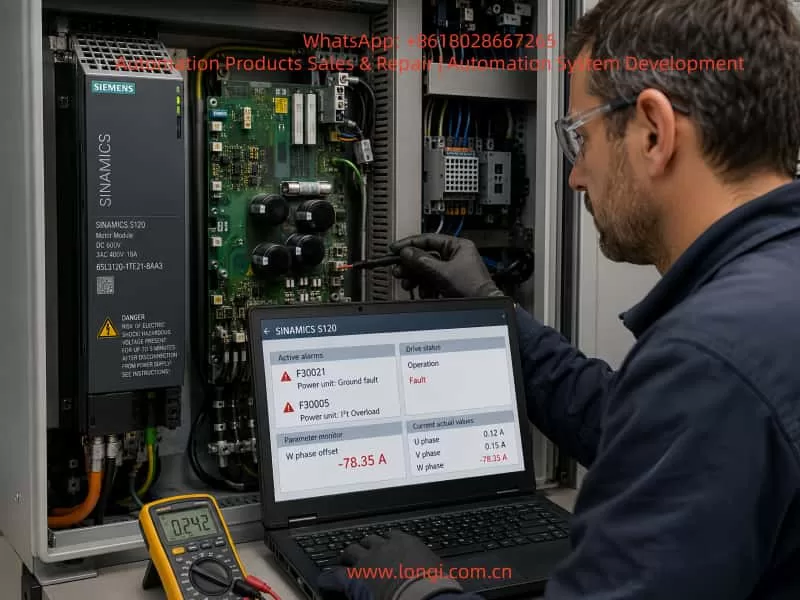
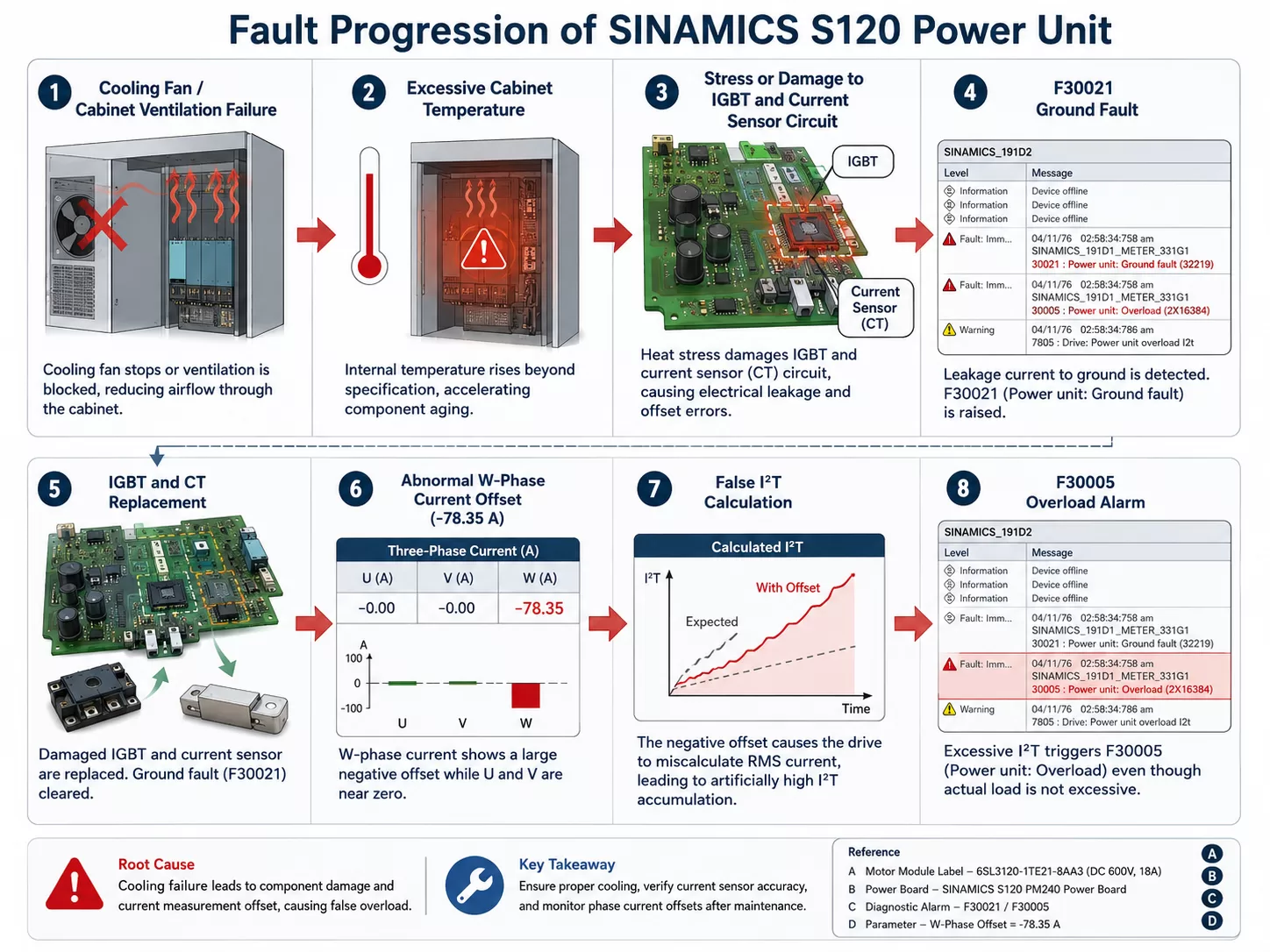
In-depth Analysis of Siemens SINAMICS S120 Drive F07412 Fault: Mechanism, Diagnosis, and Complete Troubleshooting Guide for Commutation Angle Error (Motor Model)

The SINAMICS S120 is Siemens’ modular high-performance servo drive system, widely used in CNC machine tools, robotics, packaging machinery, and precision servo applications. Its CU320-2 control unit, combined with Motor Modules and DRIVE-CLiQ encoders, forms a multi-axis synchronous control architecture. When the BOP panel displays “F074 12.”, the F07412 fault is triggered. This fault directly points to a deviation between the commutation angle and the motor model calculation, potentially causing positive feedback in the speed controller, system oscillation, or even hardware damage. This article provides a systematic expansion from system architecture and fault mechanism to parameter interpretation, diagnostic procedures, exclusion steps, and prevention strategies, offering a directly actionable engineering guide.


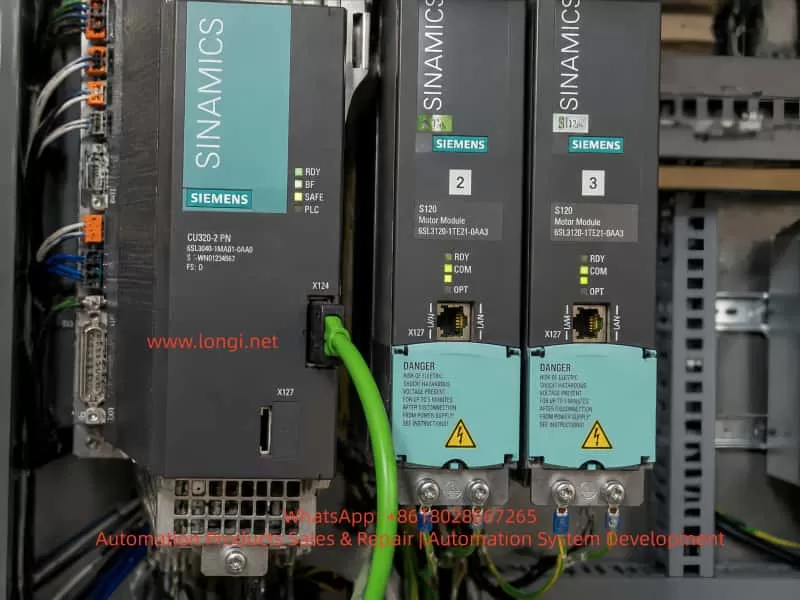
F07412 Fault of S120 drives

SINAMICS S120 System Architecture and Commutation Control Fundamentals

The SINAMICS S120 adopts a Booksize/Chassis modular design. The core is the CU320-2 Control Unit (supporting PROFIBUS/PROFINET, X127 Ethernet debugging port). The power supply side uses an Active Line Module or Smart Line Module, with a DC bus voltage of 510-720V; the drive side uses Motor Modules (single-axis/dual-axis), connected to SMC/SME Sensor Modules and motor encoders via a DRIVE-CLiQ ring topology.

For Permanent Magnet Synchronous Motors (PMSM, p0300=2xx), commutation control is critical. The drive needs to obtain the rotor pole position θe​ (electrical angle) in real-time and convert the three-phase current into the dq coordinate system via Park transformation:

id​=I⋅cos(θe​−α)

iq​=I⋅sin(θe​−α)

Where α is the commutation angle (p0431 offset). If the deviation of α exceeds the threshold (SERVO >80° elec, VECTOR >45° elec), the iq​ torque component creates positive feedback, the speed loop gain sign reverses, leading to unstable oscillations. The motor model (based on the equivalent circuit: Rs​, Lσ​, ψm​) is used to estimate the actual θe​ in sensorless or low-speed conditions. Once the deviation from the encoder measurement exceeds the limit, F07412 is triggered.

CU320-2 Indicator Status: When the RDY light is green, DP light is red, and OPT light is off, this fault often occurs; the DC LINK light being on indicates the bus is normal, but the Drive Object (s03) has entered the OFF2 state.


Official Definition of F07412 and Fault Value Interpretation

According to the SINAMICS S120/S150 List Manual, the full name of F07412 is: Drive: Commutation angle incorrect (motor model).

  • Reaction: OFF2 (Pulse inhibition).
  • Acknowledgement: POWER ON or p2103 pulse acknowledgement.
  • Cause: An incorrect commutation angle is detected, which may cause positive feedback in the speed controller.
  • Fault Value r0949 (Decimal Interpretation):
    • SERVO Mode: 0 — Deviation between encoder pole position angle and motor model comparison >80° electrical angle.
    • VECTOR Mode: 0 — Deviation >45° electrical angle; 1 — Encoder speed signal changes exceed the p0492 threshold within one current controller cycle.

Note: This fault only takes effect after pulse enable and when the speed exceeds p1752 (motor model switchover speed). Below this speed, monitoring is disabled to avoid false alarms at low speeds.


Deep Dive into Fault Mechanism

The essence of commutation angle deviation is the mismatch between rotor position estimation and reality. The motor model calculates using the following parameters:

  • p0350: Stator resistance (cold state)
  • p0352: Cable resistance
  • p0356: Stator leakage inductance
  • p0360: Magnetizing inductance (flux linkage ψm​)

These parameters are substituted into the voltage equations:

ud​=Rs​⋅id​+Ld​⋅dtdid​​−ωLq​⋅iq

uq​=Rs​⋅iq​+Lq​⋅dtdiq​​+ωLd​⋅id​+ωψm

Integration yields the estimated θe_model​. If p0350, etc., deviate by more than 5%, the deviation between θe_model​ and encoder θe_encoder​ accumulates, triggering the monitor.

Encoder Type Influence:

  • Incremental (p0400=1xxx) requires zero-mark calibration.
  • Absolute (EnDat/SSI) requires p1990 absolute position calibration.
  • For high-dynamic 1FK7 motors, magnetic saturation at high current causes ψm​ to change, further amplifying the error.

6SL3120-1TE24-5AA3

Detailed Analysis of Common Triggers (Parameter Correlation)

  1. Motor Output Phase Sequence Error (Most Common, ~40%)
    • U-V-W reversal causes the current vector rotation direction to reverse, resulting in a 180° deviation in θe​.
    • Solution: Swap any two phases, or set p1820=1 (phase sequence inversion). Confirm with POWER ON.
  2. Encoder and Pole Position Misalignment
    • The encoder was not recalibrated after installation, or not adjusted at a certified center after maintenance.
    • The deviation is directly reflected in the mismatch between r0093 (electrical angle) and r1984 (pole position identification result).
  3. Encoder Hardware Damage or Signal Failure
    • Loose DRIVE-CLiQ cables, SMC module failure, or lost zero mark. This is particularly evident when r0949=1 (sudden speed signal change).
  4. Incorrect Commutation Offset Parameter (p0431)
    • Default is 0°, but specific motors require manual or automatic setting. Failure to update after replacing the motor triggers the fault.
  5. Incorrect Motor Model Data
    • p0350/p0352/p0356 do not match reality (cable length change, temperature drift). p1752 being too low (default 5% of rated speed) causes monitoring to intervene too early.
  6. Pole Position Identification (PolID) Failure
    • When p1982=1 (active), incorrect p1980 steps or excessive load cause identification deviation. Outputs r1984~r1987 are abnormal.
  7. Control Loop Instability
    • Current/speed loop gains (p1710p1460) are too high, amplifying oscillations combined with model errors.
  8. Others
    • Inconsistent pole positions when motors are paralleled (p0306).
    • Monitoring needs to be temporarily shielded for high-current applications of High Dynamic Motors.

Diagnostic Workflow and Tool Application (STARTER Preferred)

Step 1: Safety Confirmation

Power off, wait 5 minutes, then power on again. Observe the DC LINK light. Confirm no mechanical jamming and that the motor shaft rotates freely.

Step 2: BOP/Panel Reading

  • r0945 (Fault buffer)
  • r0947 (Fault code)
  • r0948 (Timestamp)
  • r0949 (Fault value)
  • r2139 (Status word) Check bit 3 (Fault).

Step 3: STARTER Connection (Recommended)

Connect PC via X127 LAN port, import project topology.

  • Check DRIVE-CLiQ topology consistency (actual vs. target).
  • View r0047 (MotID/PolID status).
  • Read r0093 (Actual electrical angle), r1984 (PolID result).
  • Export fault buffer as XML backup.

Step 4: Key Parameter Check

  • p0300 (Motor type), p0310 (Rated frequency) match the nameplate.
  • p0431 (Commutation offset) vs r1984.
  • p0350/0352/0356 compared with measured resistance/inductance (multimeter cold measurement).
  • Relationship between p1752 (Switchover speed) and p1082 (Max speed).
  • p1982 (PolID activation) and p1990 (Absolute commutation determination).

Step 5: Encoder Diagnosis

r0451 (Encoder status), r0487 (SMC temperature). Check r0046 (Missing enable signal) before enabling pulses.


Standard Operating Procedure for Fault Exclusion (Hierarchical Verification)

Phase 1: Basic Inspection (Complete in 10 mins)

  • Confirm U-V-W phase sequence, if necessary set p1820=1 and test JOG forward rotation.
  • Measure motor three-phase resistance (U-V, V-W, W-U should be equal).
  • Check DRIVE-CLiQ cables and X127 connections.

Phase 2: Parameter Correction (No Rotation)

  • p1910=1 Execute stationary motor data identification (Rs only).
  • Manually input nameplate data: p0304p0305p0311p0350 (measured value).
  • Set p0431 to 0, p1990=1 Execute absolute commutation determination (encoder support required).
  • Increase p1752 to 10% of p1082.

Phase 3: Rotational Identification and Calibration

  • p1900=3 (Rotational MotID) or p1960=1 (Rotational measurement).
  • JOG at low speed without load, observe consistency between r0093 and the model.
  • If PolID is active: p1982=0 → 1 to force re-identification.

Phase 4: Advanced Optimization

  • Current loop: p1715 adaptive, reduce p1710 by 10%.
  • Speed loop: Adapt p1460, add p1400.8 (pre-control).
  • High-dynamic motors: Temporarily set p1752 > p1082 to shield monitoring, restore after confirmation.

Phase 5: Verification and Reset

  • POWER ON, acknowledge fault with p2103.
  • Run at low speed for 5 minutes; if no repeat error, completion is confirmed.
  • Save parameters (p0971=1), backup project.

Tip: If the fault recurs, consider hardware replacement (Motor Module or encoder). Contact Siemens service with r0949r0945, motor model, and topology diagram.


Case Studies

Case 1: Phase Sequence Reversal (Forum Classic)
A packaging machine S120 (1FK7 high-dynamic motor) reported F07412 after installation, r0949=0. After swapping U/V phases and setting p1820=1, the fault cleared and operation returned to normal.
Root Cause: Phase sequence was not marked during maintenance.

Case 2: Encoder Replacement Without Calibration
A CNC machine tool faulted after replacing the SMC20. Executing p1990=1 + p1900=3 updated r1984, reducing deviation from 92° to 3°.
Emphasis: Encoders must be re-PolID at a certified center or on-site after replacement.

Case 3: Cable Resistance Drift
In a long cable (50m) application, p0352 was not updated, causing a 15% model error. After measuring the actual cable resistance and updating p0352 + p1910 stationary identification, the fault disappeared.

Case 4: High Dynamic Motor High Current
In a servo pump application, peak current exceeded the limit. Temporarily setting p1752 > p1082 shielded the monitoring. After optimizing p1710, normal monitoring was restored.


Preventive Measures and Maintenance Best Practices

  1. Wiring Standards: Permanently label U-V-W with color tags; DRIVE-CLiQ cable length ≤15m, ensure shielding is intact.
  2. Regular Calibration: Perform p1910 stationary identification every 6 months, record baseline for p0350/0356.
  3. Parameter Backup: STARTER project + p0971 auto-save; backup before firmware upgrades.
  4. Environmental Control: Cabinet temperature <45°C, dust-proof and vibration-proof; strictly follow manual torque for encoder installation (1.5Nm).
  5. Software Management: Use latest STARTER/Startdrive, enable automatic MotID macro (p0340=1).
  6. High-Risk Applications: Increase p1752 margin for High Dynamic Motors; ensure p0306 matches pole position for multi-axis paralleling.
  7. Training & Documentation: Operators should master interpretation of r0949; enterprises should establish an S120 fault database.

Following the above process, the average resolution time for F07412 can be controlled within 30-60 minutes, improving system availability to 99.9%.


Conclusion

F07412 is essentially a matching fault between the commutation closed loop and the motor model, with root causes mostly in wiring, encoders, or parameters. Mastering core parameters like p0431p1990p1910, and p1982, combined with STARTER topology diagnosis, allows for precise localization and permanent resolution. It is recommended that all S120 users include this fault in their daily inspection checklist and continuously optimize by referring to the latest List Manual (Firmware 5.2+) and Function Manual Drive Functions.

Through systematic understanding and operation, this article provides not just a solution, but an engineering methodology for SINAMICS S120 servo control. In practical applications, if special r0949 values or multi-axis topology issues are encountered, please provide the motor nameplate and STARTER screenshots for customized guidance.

Posted on

Servo Drive Fault Diagnosis and Maintenance: A Systematic Analysis Using SD700 Er.022 as an Example


Table of Contents

  1. Introduction
  2. Basic Principles and Structure of Servo Drives
    • 2.1 Core Composition of Servo Systems
    • 2.2 Technical Features of the SD700 Series Servo Drive
    • 2.3 Operating Modes and Control Logic of Servo Drives
  3. Common Fault Types and Cause Analysis of Servo Drives
    • 3.1 Fault Classification and Level Division
    • 3.2 Cause Analysis of Er.022 (System and Checksum Error)
    • 3.3 Comparison with Other Common Fault Codes (Er.001, Er.003, Er.016, etc.)
  4. Diagnosis and Handling Process for Er.022 Fault
    • 4.1 Fault Phenomena and Preliminary Judgment
    • 4.2 Principle and Operation Steps of Soft Reset (FN002)
    • 4.3 Advanced Diagnosis: Parameter Verification and Hardware Inspection
    • 4.4 Case Study: Actual Handling Process of Er.022
  5. Preventive Maintenance and Optimization of Servo Drives
    • 5.1 Key Points for Regular Inspection and Maintenance
    • 5.2 Parameter Backup and Recovery Strategies
    • 5.3 Environment and Wiring Optimization
    • 5.4 Firmware Upgrade and Compatibility Management
  6. Fault Prediction and Intelligent Development Trends of Servo Systems
    • 6.1 Predictive Maintenance Based on Data Analysis
    • 6.2 Application of Artificial Intelligence in Servo Fault Diagnosis
    • 6.3 Intelligent Upgrade of Servo Systems in the Context of Industry 4.0
  7. Conclusion and Recommendations

1. Introduction

As the core execution unit of modern industrial automation systems, servo drives are widely used in CNC (Computer Numerical Control) machine tools, robots, packaging machinery, printing equipment, and other fields. Their high-precision and high-response control characteristics significantly improve production efficiency and product quality. However, due to complex working environments, electrical interference, and incorrect parameter settings, servo drive failures occur frequently. Among them, Er.022 (System and Checksum Error) is a relatively common fault in the SD700 series servo drives.

This article takes the SD700 Er.022 fault as the starting point to systematically analyze the causes, diagnostic methods, and handling processes of servo drive faults. It also discusses preventive maintenance and intelligent development trends, aiming to provide engineering and technical personnel with a scientific and efficient solution for fault handling and optimization.


Er.022 Fault of SD700 drives

2. Basic Principles and Structure of Servo Drives

2.1 Core Composition of Servo Systems

A servo system typically consists of the following three parts:

  1. Servo Drive: Receives control signals to drive the servo motor.
  2. Servo Motor: The actuator that converts electrical energy into mechanical motion.
  3. Feedback Device (Encoder): Detects the motor’s position and speed in real-time and feeds it back to the drive to form a closed-loop control.

Inside the servo drive, core components such as DSP (Digital Signal Processor)FPGA (Field-Programmable Gate Array)Power Module (IGBT), and Communication Interfaces are integrated to achieve precise control through high-speed computing.

2.2 Technical Features of the SD700 Series Servo Drive

The SD700 series is a high-performance servo drive with the following features:

  • High-Speed Response: 3kHz speed loop response bandwidth, suitable for high-dynamic applications.
  • Multiple Control Modes: Supports position control, speed control, torque control, and hybrid control.
  • Rich Communication Interfaces: Supports industrial fieldbuses such as EtherCAT, Profinet, CANopen, and RS-485.
  • Intelligent Adjustment Functions: Automatic inertia identification, robust control, bandwidth setting, etc.
  • Fault Diagnosis and Protection: Built-in multiple fault codes and alarm mechanisms for quick problem localization.

2.3 Operating Modes and Control Logic of Servo Drives

The main operating modes of a servo drive include:

  1. Position Control Mode: Precisely controls the motor position via pulse signals.
  2. Speed Control Mode: Controls the motor speed via analog or digital signals.
  3. Torque Control Mode: Directly controls the motor’s output torque, suitable for applications like tension control.

The control logic is based on the PID (Proportional-Integral-Derivative) algorithm, combined with feedforward compensation and filtering processing to achieve high-precision closed-loop control.


3. Common Fault Types and Cause Analysis of Servo Drives

3.1 Fault Classification and Level Division

Servo drive faults can be divided into the following types:

  1. Hardware Faults:
    • Power module damage (IGBT short circuit, open circuit).
    • Encoder wire break or signal abnormality.
    • Main circuit overvoltage/undervoltage.
  2. Software/Parameter Faults:
    • Incorrect parameter settings (e.g., Pn000 control mode mismatch).
    • Firmware abnormality or checksum failure (e.g., Er.022).
  3. Communication Faults:
    • Fieldbus communication interruption (EtherCAT, CANopen, etc.).
    • Command signal loss or interference.
  4. Environment and Wiring Faults:
    • Electromagnetic Interference (EMI).
    • Poor grounding or power fluctuation.

According to severity, faults can be divided into:

  • Category 1 (Severe): Requires immediate shutdown (e.g., overcurrent, overvoltage).
  • Category 2 (Warning): Operation can continue but requires attention (e.g., overheating).
  • Category 3 (Information): Recorded in logs, does not affect operation (e.g., parameter changes).

3.2 Cause Analysis of Er.022 (System and Checksum Error)

Er.022 is usually triggered by the following reasons:

  1. Parameter Verification Failure:
    • Parameter groups (e.g., Pn000~Pn999) are set out of range or have logical conflicts.
    • Motor model parameters (e.g., Pn100, Pn101) do not match the actual hardware.
  2. Firmware or EEPROM Abnormality:
    • Firmware upgrade interruption or data corruption.
    • Aging of EEPROM storage chip leading to data loss.
  3. Encoder Initialization Failure:
    • Encoder communication interruption (SD+, SD- signal abnormality).
    • Insufficient battery voltage for absolute encoders (below 3.0V).
  4. Power or Grounding Issues:
    • Control power supply (L1C, L2C) fluctuation.
    • Signal interference caused by poor grounding.

3.3 Comparison with Other Common Fault Codes

Fault CodeDescriptionPossible Causes
Er.001OvercurrentExcessive load, IGBT damage, motor stall
Er.003OvervoltageExcessive regenerative energy, braking resistor fault
Er.016Encoder DisconnectedEncoder cable disconnected, poor contact
Er.020Communication TimeoutFieldbus communication interruption, address conflict
Er.022System and Checksum ErrorParameter error, firmware abnormality, encoder initialization failure

4. Diagnosis and Handling Process for Er.022 Fault

4.1 Fault Phenomena and Preliminary Judgment

Typical phenomena of Er.022:

  • The drive panel displays “Er.022”, and the servo motor stops.
  • Cannot start via the Servo ON (/S-ON) signal.
  • The alarm light (ALM) is constantly on.

Preliminary Judgment Steps:

  1. Check for recent parameter changes or firmware upgrades.
  2. Confirm if the encoder cables are connected properly (SD+, SD-, BAT+, BAT-).
  3. Check if the control power supply (L1C, L2C) is stable.

4.2 Principle and Operation Steps of Soft Reset (FN002)

Soft Reset is a standard operation to clear temporary fault states. It does not clear user parameters but reloads system defaults.

Operation Steps:

  1. Enter Fn Mode: Press the MODE/SET key to switch to the auxiliary function (Fn) mode.
  2. Select FN002: Use the ▲/▼ keys to select FN002 (Soft Reset).
  3. Execute Reset: Press the MODE/SET key to confirm; the drive will re-initialize.
  4. Observe Result:
    • If the fault clears, normal operation resumes.
    • If the fault persists, proceed to advanced diagnosis.

4.3 Advanced Diagnosis: Parameter Verification and Hardware Inspection

If the soft reset is ineffective, further diagnosis is required:

  1. Parameter Verification:
    • Check if Pn000 (Control Mode) matches the actual application.
    • Confirm if Pn100 (Motor Model) and Pn101 (Encoder Type) are correct.
    • Use FN000 (Alarm Record) to view historical faults.
  2. Encoder Inspection:
    • Measure if the encoder power supply (+5V, 0V) is normal.
    • Check the absolute encoder battery voltage (should be ≥3.0V).
    • Use an oscilloscope to detect if there is pulse output on SD+ and SD- signals.
  3. Hardware Inspection:
    • Measure if the IGBT module is short-circuited (use a multimeter to measure resistance between U/V/W and ground).
    • Check if the main circuit capacitors are bulging or leaking.
    • Confirm if grounding is reliable (≤1Ω).

4.4 Case Study: Actual Handling Process of Er.022

Case Background:
A CNC machining center using an SD700-7R6A drive suddenly reported Er.022 and failed to start.

Troubleshooting Process:

  1. Soft Reset: Executed FN002, but the fault remained.
  2. Parameter Check: Found that Pn100 was mistakenly set to “0” (the default should be “7”).
  3. Parameter Correction: After restoring Pn100 to “7”, the fault was cleared.
  4. Root Cause Analysis: The parameter loss was caused by operator misoperation.

Conclusion:

  • Er.022 is mostly caused by parameter errors or encoder abnormalities.
  • Soft Reset is the first step; if ineffective, parameters and hardware need in-depth inspection.

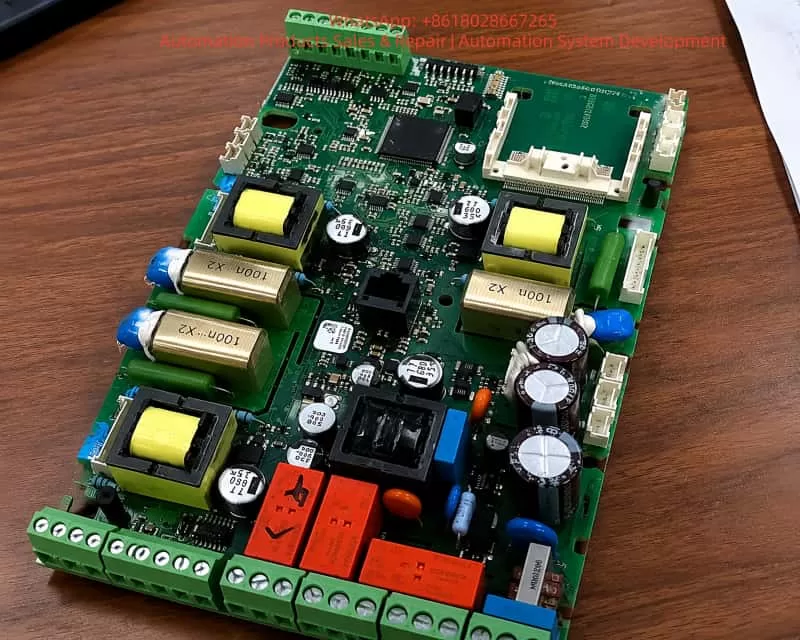
SD700-160A-EA

5. Preventive Maintenance and Optimization of Servo Drives

5.1 Key Points for Regular Inspection and Maintenance

  1. Daily Inspection:
    • Confirm no alarms on the drive panel.
    • Check if the motor running sound is abnormal (e.g., noise, vibration).
  2. Weekly Inspection:
    • Clean the drive cooling fan and filter.
    • Check if wiring terminals are loose.
  3. Monthly Inspection:
    • Measure the absolute encoder battery voltage.
    • Check if the main circuit capacitors are bulging.
  4. Yearly Inspection:
    • Use FN100 (Vibration Detection) to evaluate the mechanical state.
    • Back up all parameters (Pn group).

5.2 Parameter Backup and Recovery Strategies

  • Use host computer software to back up parameters regularly (e.g., SD700 supporting debugging software).
  • Backup files should include:
    • Pn parameters (control parameters).
    • Fn auxiliary function settings.
    • Internal position data (e.g., origin offset).
  • When restoring, parameters should be loaded step-by-step to avoid conflicts caused by batch writing.

5.3 Environment and Wiring Optimization

  1. Electromagnetic Compatibility (EMC):
    • Separate servo cables from signal cables by a distance of ≥30cm.
    • Use shielded cables and ensure the shield layer is grounded at a single point.
  2. Power Quality:
    • Use a regulated power supply to avoid voltage fluctuations exceeding ±10%.
    • Install a noise filter at the main circuit input.
  3. Grounding Standards:
    • Ensure common grounding for the drive, motor, and control cabinet, with grounding resistance ≤1Ω.
    • Avoid ground loops (e.g., interference caused by multi-point grounding).

5.4 Firmware Upgrade and Compatibility Management

  • Check the manufacturer’s official website regularly for the latest firmware.
  • Back up parameters before upgrading and confirm compatibility with the motor model.
  • Do not power off during the upgrade process to prevent EEPROM damage.

6. Fault Prediction and Intelligent Development Trends of Servo Systems

6.1 Predictive Maintenance Based on Data Analysis

Through IoT (Internet of Things) and big data analysis, real-time monitoring is performed on:

  • Motor temperature, vibration, and current fluctuations.
  • Drive alarm logs and parameter change trends.
  • Using machine learning algorithms to predict faults (e.g., IGBT aging, encoder failure).

Case:
Brands like Siemens and Fanuc have launched cloud monitoring platforms that use AI to analyze historical data and warn of IGBT faults one month in advance.

6.2 Application of Artificial Intelligence in Servo Fault Diagnosis

  1. Automatic Fault Classification:
    • Use NLP (Natural Language Processing) to parse alarm descriptions and automatically match solutions.
  2. Intelligent Parameter Optimization:
    • AI dynamically adjusts PID parameters and gain settings based on load changes.
  3. Remote Expert Systems:
    • Combined with AR (Augmented Reality), technicians can receive real-time guidance via smart glasses.

6.3 Intelligent Upgrade of Servo Systems in the Context of Industry 4.0

  • Digital Twin:
    • Build a virtual model of the servo system to simulate fault scenarios and optimize parameters.
  • Edge Computing:
    • Embed edge AI chips in the drive to process data in real-time and reduce cloud latency.
  • Adaptive Control:
    • The system automatically identifies load changes and switches control modes (e.g., from speed mode to torque mode).

7. Conclusion and Recommendations

7.1 Summary

  • Er.022 faults are mostly caused by parameter errors, encoder abnormalities, or firmware corruption, and can be quickly recovered via Soft Reset (FN002).
  • Preventive maintenance is the key to reducing faults; regular parameter backup, wiring checks, and environment optimization are essential.
  • Future servo systems will develop towards intelligence and predictive maintenance, combining AI, IoT, and Digital Twins to improve reliability.

7.2 Recommendations

  1. For Engineers:
    • Familiarize yourself with the drive manual and master the use of Fn auxiliary functions.
    • Establish a parameter backup library to avoid data loss due to misoperation.
  2. For Enterprises:
    • Invest in intelligent monitoring systems to implement predictive maintenance.
    • Train employees regularly to improve fault diagnosis capabilities.
  3. For System Integrators:
    • Consider EMC protection and grounding standards during the system design phase.
    • Choose servo drive brands that support remote diagnosis.
Posted on

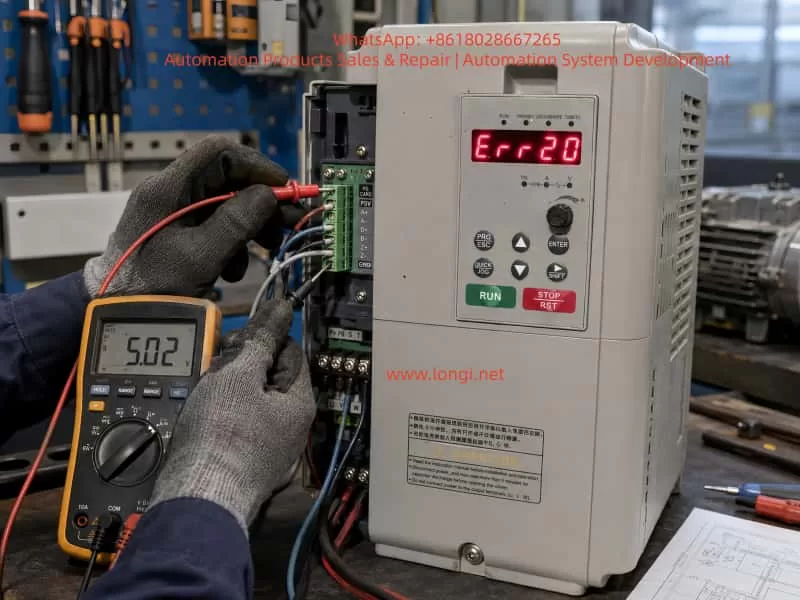
In-depth Diagnosis and Systematic Solutions for ERR10 Drive Overload Fault in Zhensun Servo ZS100 Series

The Zhensun Servo ZS100 series is a dedicated control system designed specifically for hydraulic servo oil pump systems. It consists of the ZS100 series servo drive, ZM permanent magnet synchronous servo motor, and ZB braking unit. Covering a power range from 7.5kW to 75kW, it adopts Closed-loop Vector Control (VCC) with a maximum frequency of 300Hz, starting torque of 180% at 0Hz, speed regulation range of 1:1000, stability accuracy of ±0.02%, and an overload capacity of 150% rated output current for 100s or 180% rated output current for 5s. The system is widely used in hydraulic equipment such as injection molding machines, die-casting machines, and spinning machines, emphasizing high reliability, high stability, and cost-effectiveness. In practical field applications, the ERR10 fault (displayed as “Err 10” on the panel) is one of the most frequent alarms, directly affecting equipment operational safety. Based on the complete structure of the ZS100 series manual, this article provides a comprehensive operational guide covering fault definition, internal coding mechanisms, in-depth analysis of four causes, step-by-step diagnosis procedures, targeted solutions, parameter optimization for prevention, and typical case reviews, helping engineers quickly locate and thoroughly resolve the issue.


Err 10 fault of the ZS100 servo

I. Nature of ERR10 Fault and Alarm Trigger Mechanism

The panel display for ERR10 corresponds to the fault name “Drive Overload”. In the drive’s internal fault address 8000H, its code is 000A, listed alongside ERR02~ERR07 (overcurrent/overvoltage series), ERR09 (undervoltage), and ERR11 (motor overload). The trigger conditions are strictly based on the drive’s hardware protection logic: when the output current continuously exceeds the rated value and surpasses the overload tolerance time, or when IGBT module temperature/bus voltage abnormalities cause a protection action, the system immediately locks the PWM output, the panel red light flashes, and “Err 10” is displayed. Unlike ERR11 (motor overload), ERR10 focuses on the drive unit’s own load-bearing capacity rather than the motor winding thermal protection.

1. Trigger Logic

Trigger conditions are strictly based on drive hardware protection logic:

  • When output current continuously exceeds the rated value and exceeds overload tolerance time;
  • Or when IGBT module temperature/bus voltage abnormalities cause protection actions;
  • The system immediately locks PWM output, panel red light flashes, and displays “Err 10”.

Note: Unlike ERR11 (motor overload), ERR10 focuses on the drive unit’s load-bearing capacity, not motor winding thermal protection.

2. Trigger Paths

  • Current Detection Circuit: Hall sensor or shunt resistor samples three-phase output current in real-time. Triggers after exceeding 150% rated value for 100s or 180% for 5s.
  • Pressure Feedback Abnormality: Abnormal pressure sensor feedback (terminal A13) causes the control loop to output excessive setpoints, indirectly amplifying current.
  • Hardware Abnormality: IGBT short-circuit leakage current directly increases bus current.

3. Reset Method

  • Press the panel “Stop/Reset” button (red button);
  • Or clear via DI digital input (D11~D15 programmed as reset signal).
  • Warning: Root cause must be eliminated before reset, otherwise repeated triggering will cause permanent drive damage.

II. In-depth Analysis of Four Major Causes

Section 4.1 of the manual clearly lists the troubleshooting checklist for ERR10, totaling four items, each corresponding to high-frequency field scenarios. The following analysis combines system specifications, wiring, parameters, and hydraulic application characteristics.

Cause 1: Drive Undersizing

Core Basis: ZS100 series sizing core basis is the table in Section 1.2.

  • Example: Take ZS100T015-C (15kW, rated output current 32A). If actual hydraulic pump power demand reaches 18kW (considering 1.2~1.5x safety margin), the drive capacity is insufficient.
  • Risk: Hydraulic pump starting torque peaks can reach over 200%. If sizing only matches rated power, long-term operation will inevitably overload.

Peripheral Component Matching Key Points (Section 1.5):

  • MCCB needs ≥63A, contactor ≥40A, input wire ≥6mm². If wires are too thin or contactor capacity is insufficient, contact resistance heating further amplifies overload.
  • Braking Unit: 15kW model built-in braking resistor recommended ≥32Ω/100W. Without external braking unit or if resistance value is too large, deceleration energy cannot be released, indirectly raising bus voltage and current.

Quantitative Judgment: Measured output current (A01/A02 analog output) long-term ≥110% rated value indicates undersizing.

Cause 2: Excessive Load or Motor Locked Rotor

High-load scenarios specific to hydraulic systems:

  • Relief valve not fully open, pump blockage, injection/clamping pressure set too high;
  • Oil temperature too low causing viscosity increase, pipeline leakage causing excessive compensation current.

Locked Rotor Characteristics:

  • When motor locks, three-phase current instantly reaches over 300%, triggering ERR10 within 5s.
  • Criteria: Speed feedback (PG card SIN/COS signal) is 0 while set frequency >0Hz, or A13 pressure feedback suddenly rises to upper limit.
  • Commissioning Risk: Section 3.2 of commissioning flow clearly states that if load tuning (P1.16=2) fails during motor trial run, overload is easily caused by locked rotor. ZS100 overload protection time is strict: must act after 150% for 100s, otherwise IGBT burn risk is extremely high.

Cause 3: Drive Hardware Failure

Fault Scope: Includes IGBT module aging, current sensor drift, main control board/drive board abnormalities, lightning protection board breakdown.

  • Accompanying Fault: ERR18 (current detection fault) often accompanies ERR10.
  • Hardware Failure Features: ERR10 reported even without load, or three-phase current severely unbalanced (>20%).

Board-level Check Points:

  • Bus capacitor capacity attenuation (measured voltage fluctuation >10%);
  • Cooling fan speed <2000rpm;
  • IGBT module Vce saturation voltage drop abnormality.
  • Environmental Impact: 15kW model weighs 6.5kg. When installation environment temperature exceeds 40℃ or vibration >5.9m/s², hardware life significantly shortens.

Cause 4: Pressure Sensor Failure

ZS100 is optimized for hydraulic servo pumps. Terminal A13 (pressure sensor feedback) connects to ±10V or 0~20mA signal (selected by J5 jumper).

Fault Mechanism: Sensor output abnormality (open circuit, short circuit, zero drift >0.5%) causes closed-loop vector control to misjudge insufficient pressure, automatically increasing torque setpoint and causing current surge.

Typical Manifestations:

  • Panel shows ERR10 while A13 input voltage remains constant at 0V or 10V limit values.
  • If 13V sensor power supply (+13V~GND) output deviation >±10%, it will also indirectly trigger.
  • Requirement: Hydraulic system pressure fluctuates greatly (0~250bar), requiring high sensor pressure resistance and linearity.

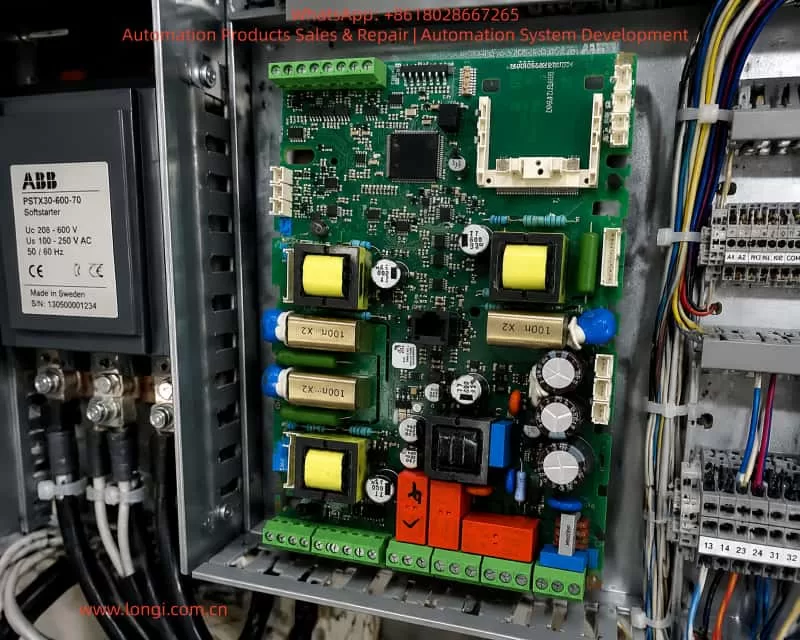
ZS100T015-C

III. Standardized Diagnostic Procedure (30-Minute Positioning Method)

Strictly follow the five-step method of “Power-off Inspection—Power-on Parameters—Load Isolation—Sensor Verification—Hardware Measurement” to avoid blind reset.

1. Safety Power-off Inspection (5 minutes)

Cut off main power R/S/T, wait for bus capacitor to discharge to <36V (confirm with multimeter DC range). Check:

  • Main Circuit: Whether wires (U/V/W) are loose or insulation damaged;
  • Grounding: Whether grounding terminal ⊕ is reliable (<0.1Ω);
  • Braking Resistor: Whether (+、PB) connections are correct and resistance matches (15kW ≥32Ω);
  • Sensor: Whether pressure sensor wires (A13-GND) have open or short circuits.
  • Nameplate Check: ZS100T015-C-2 input 28A/output 30A, matches actual pump power?

2. Parameter Check and Self-Learning (10 minutes)

After power-on, enter P1 group (motor parameters):

  • P1.01~P1.05: Confirm motor rated power, current, voltage, frequency, speed match ZM motor nameplate;
  • P1.15: Motor overload coefficient default 1.0;
  • P1.16: Execute static self-learning (=1) or dynamic self-learning (=2), must open relief valve before running. Learning failure directly correlates with ERR10.
  • P0.02: =0 (panel control), confirm no external CAN setpoint interference.
  • PD Communication: Check Appendix J (if using Modbus): baud rate consistent, address unique, timeout 0.0s (avoid ERR16 interference).

3. Load Isolation Test (5 minutes)

Disconnect motor from pump coupling (or close all valves), execute no-load trial run:

  • Press “Run” key, observe output current (A01 set as current monitoring, J4 jumper voltage output).
  • If ERR10 still reported: Exclude excessive load, pointing to hardware or sizing issues.
  • If current normal: Reconnect pump, gradually increase pressure (from 10bar), monitor corresponding relationship between A13 pressure feedback and current.

4. Pressure Sensor Special Verification (5 minutes)

  • Measure +13V~GND output: should be 13V±1.3V;
  • Measure A13-GND voltage: 0V at no pressure, 10V at full pressure (or 20mA range);
  • Calibration: Calibrate sensor with standard pressure source. If output deviation >2%, replace immediately (recommend 0~350bar 4~20mA type).
  • Hardware: Confirm J5 jumper correctly selects voltage/current input mode.

5. Hardware Deep Measurement (5 minutes)

  • Current Balance: Three-phase output current balance <5%;
  • Bus Voltage: (+、-) stable at 540V±10%;
  • Temperature: IGBT module temperature sensor (if any) <80℃;
  • Fault Troubleshooting: If current sensor failure suspected, refer to ERR18 troubleshooting: replace drive board or main control board.

IV. Targeted Solutions and Field Operation Standards

1. For Undersizing

  • Recalculation: Hydraulic pump theoretical power = pressure × flow × efficiency coefficient (usually 1.15~1.3).
  • Hardware Upgrade: Upgrade to next level (e.g., ZS100T018-C 18kW). Simultaneously upgrade MCCB, wires, and filter per Section 1.5.
  • Braking Unit: Install external braking unit ZB-70-B (mandatory for 37kW+).

2. For Excessive Load/Locked Rotor

  • Mechanical Inspection: Open relief valve fully, clean pump filter; immediately stop if motor locks, check if pump shaft is stuck or oil solidified.
  • Parameter Adjustment: Reduce pressure setpoint (AI1 terminal) or flow setpoint (AI2).
  • PID Optimization: Optimize P3 group PID parameters (reduce proportional gain by 20%~30%, extend integral time).

3. For Hardware Failure

  • Module Replacement: Replace corresponding module (IGBT module must match model);
  • Maintenance: Clean heat sink, fan speed test >2800rpm;
  • Return to Factory: Return entire unit or replace drive (free during warranty).

4. For Pressure Sensor Failure

  • Replacement: Replace with same specification sensor, re-zero (pressure feedback zero calibration in P parameters);
  • Anti-interference: Add shielded wire, keep away from strong current interference;
  • Bus Check: For multi-unit systems, check CAN bus terminal resistance (J8 jumper).

Post-reset Monitoring: Must monitor for 30 minutes. Confirm current <105% rated value, pressure stable, no abnormal noise before putting into production.


V. Parameter Optimization and Preventive Maintenance System

Preventing ERR10 core lies in parameter closed-loop and regular maintenance:

  • Regular Self-learning: P1.16 execute dynamic self-learning monthly;
  • Real-time Monitoring: A01/A02 output monitoring current/pressure, connect to PLC upper limit alarm;
  • Environment Control: Ambient temperature -10~40℃, humidity <95%RH, altitude <1000m;
  • Tightening Check: Every 3 months check wiring tightening torque (main circuit 4~6N·m), clean air duct;
  • Braking Monitoring: Braking resistor temperature monitoring <120℃, upgrade power if necessary;
  • Function Enable: Ver 2.0 parameters (ZS200 compatible) add jitter suppression and pressure overshoot functions, can reduce overload risk.

VI. Typical Case Reviews (Injection Molding Machine Site)

Case 1: Undersizing

  • Phenomenon: 15kW ZS100T015-C unit, frequent ERR10 during injection.
  • Diagnosis: Actual pump power needed 17kW, undersizing.
  • Solution: Upgraded to ZS100T018-C, current peak dropped to 85%, fault eliminated.

Case 2: Sensor Aging

  • Phenomenon: Pressure sensor aged, A13 constantly 0V, causing torque setpoint to surge.
  • Solution: Replaced sensor + zero calibration, system pressure fluctuation reduced from ±15bar to ±3bar.

Case 3: Mechanical Locked Rotor

  • Phenomenon: Motor locked (filter clogged).
  • Diagnosis: Normal operation after isolating pump.
  • Solution: Cleaned filter, restored normal operation.

Case 4: Hardware Drift

  • Phenomenon: Current sensor drift.
  • Solution: Replaced drive board, ERR10 permanently disappeared.

Conclusion: From Passive Alarm to Active Protection

ERR10 is not an isolated fault, but the result of four-dimensional coupling among drive, motor, hydraulic load, and sensor. Mastering the complete ZS100 series architecture (Chapters 1~10 + Appendices), combined with the five-step diagnosis and four targeted solutions above, can compress fault downtime by over 90%.

Recommendation: Establish equipment files, execute quarterly “parameter backup—self-learning—load test—sensor calibration” maintenance, combined with PLC upper monitoring to achieve zero-fault operation. The key to hydraulic servo system efficiency and stability lies in “proper sizing, precise parameters, timely maintenance”. Strictly following this process will transform ERR10 from a “common fault” into a controllable risk that is “predictable and avoidable”.

Posted on

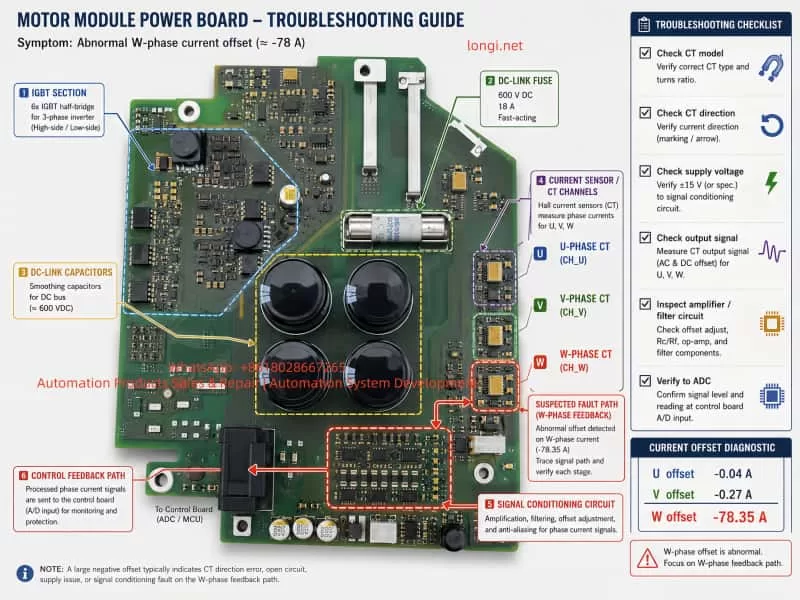
In-depth Troubleshooting Guide for ABB ACS880-07 Cabinet Converter: Systematic Analysis and Recovery of AF85 Line Side Unit Warning and Communication Loss After Dual BCU Battery Replacement

Introduction

The ABB ACS880 series is a benchmark product in the industrial drive field. The ACS880-07 cabinet model is specifically designed for high-power multi-module applications. A typical configuration, as seen in user cases, is the ACS880-07-1140A-3 (rated output 790 kVA, FRAME 1xD8T + 2xR8i). This model adopts air cooling (IP54), three-phase 400 V input, and 1140 A output current, widely used in heavy-duty machinery, fans/pumps, and process production lines.

Its core architecture includes an independent Line Side Unit (LSU, typically a diode-type D8T module) and an inverter unit (2×R8i power modules), managed by two BCU control units (BCU-02/12/22 series):

  • One BCU is responsible for LSU power supply logic;
  • The other is responsible for inverter DTC control and motor output.

In actual operation, the phenomenon where the panel displays “AF85 Line side unit warning” (Aux code 0000 0000) accompanied by “2 warnings active”, followed by a total system failure (“not working at all”) and only one BCU being visible on the panel after replacing the battery for “CPU battery dead” (with RO3 relay output only showing on one side), is a typical composite fault chain in the dual-BCU configuration of the ACS880-07.

This article provides a systematic analysis of the hardware architecture, firmware mechanisms, warning decoding, battery replacement pitfalls, communication recovery, and prevention strategies. It combines official ABB firmware manuals (ACS880 Primary Control Program Firmware Manual, IGBT Supply Control Program Firmware Manual, BCU-x2 Hardware Manual) with practical cases to offer actionable diagnosis and repair paths.

⚠️ Safety Declaration: All operations must strictly comply with the ABB Safety Manual (3AUA0000102301): Cut off main power, close the Q9 grounding switch, and wait for the DC link to discharge to a safe voltage.


ACS880-07-1140A-3

1. ACS880-07 Cabinet Architecture: Multi-Module and Dual BCU Control Logic

The ACS880-07 cabinet adopts a modular stacking design:

  • Left side: Power Supply Unit (D8T frame), responsible for AC-DC rectification;
  • Right side: Parallel R8i inverter modules, providing DTC vector control.

Power parts are connected via busbars, while the control layer relies on BCU (Basic Control Unit) for distributed management.

1.1 BCU Control Unit and Communication Architecture

Unlike the single-unit ZCU, the BCU supports up to 12 channels of optical fiber (BCU-22), dedicated to parallel modules or multi-unit cabinets. Typical configuration:

BCU LocationSlot PositionManaged ObjectCore Functions
BCU1SLOT 2/3 UpperLSU (D8T)Handles charging, MCB closing, DC voltage monitoring
BCU2SLOT 3 Lower2×R8i InvertersHandles motor current sampling, DTC algorithm, RO1/RO2/RO3 relay outputs
  • Communication Link: Uses DDCS (Distributed Drive Control System) optical fiber link (orange/blue POF fiber, max 35 m), supplemented by D2D (Drive-to-Drive) link for status word synchronization.
  • Key Parameter: Parameter 95.20 HW options word 1 determines the INU-LSU communication mode (Bit 11 activates diode supply control, Bit 15 activates IGBT type).
  • Panel Display: The keypad defaults to showing “Main BCU” parameters (visible in Group 96 System info). Switching requires the Diagnostics menu or Drive Composer to view both BCUs simultaneously.

1.2 Hardware Key Points

  • Real-Time Clock Battery (CR2032): Powers the BCU’s RTC and parameter buffer. After power loss, parameters are stored on the SDHC memory card (slot X205).
  • External 24 V Power (XPOW): The BCU must be externally powered (Parameter 95.04 set to External 24V). Redundant input is supported to prevent AFEC warnings.
  • Cooling and Protection: IP54 air cooling, 50 kA short-circuit withstand. Over-temperature triggers AE14/AE16 aux codes directly.

Architecture Conclusion: The AF85 warning inevitably originates from the LSU side, while the “one BCU visible, one BCU lost” phenomenon after battery replacement is a typical manifestation of DDCS link or memory synchronization failure.


Line side unit warning AF85

2. ACS880 Firmware Warning Mechanism and In-depth Analysis of AF85

ACS880 uses a Primary Control Program (main program) and a dedicated Supply Control Program (power supply program). Warnings are divided into:

  • Warning (AFxx): Operation can continue;
  • Fault (Fxxx): Immediate shutdown.

2.1 AF85 Exclusive Mechanism

AF85 is exclusive to “Line side unit warning,” indicating that the LSU (or parallel converter) has generated a warning, which is forwarded to the main BCU panel via DDCS.

  • Generation Principle: The LSU control board (independent firmware) detects an anomaly (e.g., AE01 overcurrent) → generates an original warning → The main BCU receives it and maps it to AF85.
  • Aux Code: This is the original code from the LSU (format XXXX YYYY). In the user case, Aux Code 0000 0000 indicates a “generic unspecified mapping,” requiring a check of the LSU event log for confirmation.

2.2 Official Aux Code Mapping Table (Common Items)

Excerpted from the IGBT/Diode Supply Firmware Manual and Primary FW Manual page 539:

Aux CodeFault NameTroubleshooting Direction
AE01OvercurrentInput fuses, cables, harmonics
AE02Earth LeakageCable insulation (Check Parameter 31.120)
AE04IGBT OverloadCooling fan blockage, ambient temp >40°C
AE09DC Link OvervoltageInput voltage fluctuation, Parameter 195.01 setting
AE0ADC UndervoltagePhase loss, MCB not closed
AE14Over-temperatureParameter 105.111 Line converter temperature
AE73Fan FaultParameter 105.04 Fan on-time counter limit exceeded
AE85Excessive Charging CountParameter 94.10 LSU max charging time (default >2 times within 15s)

Field Tip: The “How to fix” button on the panel points directly to the Event Logger (Group 04). “2 warnings active” indicates a persistent issue on the LSU side. AF85 is only a Warning; the drive can still run at 800 rpm, but if unaddressed, it will escalate to 3E08 LSU charging fault.


FPBA-01,FPDI-02

3. Common Root Causes of AF85 and On-site Diagnosis Process

90% of AF85 issues stem from LSU hardware/environmental problems:

  1. Power Quality: Three-phase 400 V fluctuation > ±10%, harmonic THD > 5% (Check Parameter 01.102 Line current distortion) — Install input reactors.
  2. Cooling System: IP54 filter clogged, cabinet temperature > 45°C (Parameter 05.111 temp percentage > 90%) — Check door intake/top exhaust filters.
  3. Wiring and Protection: Loose input cables, poor grounding, blown fuses (AE02 aux code) — Re-torque (M12 bolts at 18 Nm).
  4. Charging Circuit: MCB closing delay, aging pre-charge resistor (94.10 timeout) — Set Parameter 94.11 LSU stop delay to 600 s.
  5. Parallel Imbalance: Current difference between 2×R8i modules > 5% (AE02) — Check fiber optic connection consistency.

Diagnosis Steps (No Tools Required)

  • PanelDiagnostics → Event log, record the AF85 timestamp (e.g., 10:08:52).
  • Parameters:
    • 06.36 LSU Status Word (Bit 7 = Warning);
    • 06.116 LSU drive status word 1.
    • 95.01 Supply voltage to confirm 400 V.
  • Physical Check: Fans rotating, no loose cables, DC link voltage (01.01) stable.

If the aux code remains 0000 0000, upgrade to the Drive Composer PC tool (USB connected to panel port) to read the LSU-specific event log.


4. Function of BCU RTC Battery and Standard Replacement Procedure

The built-in CR2032 battery (3 V lithium) in the BCU is responsible for:

  • RTC real-time clock (event log timestamps);
  • Temporary storage of parameter buffer (no loss if power off < 5 min);
  • Backing up parameters to the SDHC card (slot X205).

When the battery is dead (BATT LED off), the panel still displays, but event log timestamps become chaotic, and parameter backup fails. This is the typical symptom of “battery dead of CPU.”

⚠️ Standard Replacement Procedure (from BCU-02/12/22 Hardware Manual)

  1. Shutdown: Stop the machine, cut off main power, close Q9, wait for DC discharge (>5 min, multimeter <50 V).
  2. Locate Hardware: Open the cabinet door, locate the BCU (SLOT marking).
  3. Cut Auxiliary Power: Unplug XPOW external 24 V (to prevent residual voltage).
  4. Replace Battery: Unscrew the battery compartment fixing screw (1 piece), remove the old battery (note polarity: + facing up).
  5. Insert New Battery: Insert new CR2032 (ABB original or equivalent, capacity ≥220 mAh).
  6. Reassemble: Screw the cover back on, restore XPOW.
  7. Critical Step: If replacing the BCU unit itself, the SDHC memory card must be transplanted (to maintain parameters)!
  8. Power Up:
    • Panel → 96.51 Clear fault logger;
    • Drive Composer → Backup/Restore all parameters.

❌ Common Errors (Main causes of “bricking”)

  • Hot-swapping: Causes BCU lock-up;
  • Not transplanting memory card: Parameters lost, dual BCU desynchronization;
  • Not saving parameters: Group 96 parameters not cleared or backed up.

5. Root Cause Analysis of “One BCU Visible, One BCU Lost” After Battery Replacement

The phenomenon of the whole machine not working and only one BCU showing RO3 on the panel after battery replacement is essentially dual-BCU communication desynchronization:

  1. RTC/Buffer Cleared: Dead battery causes RTC/buffer to reset to zero. The second BCU (usually the inverter side) fails to complete DDCS synchronization upon power-up.
  2. Fiber Link Fault: Loose/dirty fiber optics (reports AE56 INU-LSU comm loss), bent connectors.
  3. Memory Card Recognition Failure: AE75 SD card error, Parameter 95.14 Connected modules mismatch.
  4. 24 V Power Fluctuation: AFEC External power signal missing, Parameter 95.04 not set to Redundant.
  5. RO3 Visible on One Side Only: Since RO1/RO2/RO3 (XRO1-3) are bound to the Main BCU, the auxiliary BCU not being online makes the parameter group invisible.

Correlation: The customer reported “PLC signals not given” because with the BCU not fully online, the Profibus/FPBA-01 adapter cannot exchange control words.


6. Advanced Diagnosis and Precise Recovery Operations

Step 1: Quick Panel Check

  • Switch BCU ViewDiagnostics → Control unit selection.
  • Check Faulty Modules: 04.25 Faulted modules (BCU specific).
  • Export Log: Use “How to fix” to export timestamps.

Step 2: Drive Composer Deep Recovery (Highly Recommended)

  1. Connect: Connect via USB to the panel or Ethernet (XETH).
  2. Scan: Scan both BCUs simultaneously. Check fiber status (Group 60 DDCS) and Parameter 95.20 bit settings.
  3. Compare: Compare parameters of dual BCUs (especially Group 95 hardware configuration).
  4. Force Synchronization:
    • Backup current parameters → Restore to the lost BCU → Restart (power off for 5 min).
    • View the complete aux code in the event log (instead of 0000 0000).

Step 3: Hardware Verification

  • Fiber Optics: Clean connectors (anhydrous alcohol), confirm TX/RX alignment, no bending (radius >30 mm).
  • Power Supply: Measure XPOW 24 V (dual redundancy).
  • Relays: Check continuity of RO3 relay (XRO3 terminal).
  • Last Resort: If still lost, set Parameter 95.16 Router mode to On (BCU specific), or replace the lost BCU (must transplant memory card).

Step 4: PLC Side Linkage

  • Confirm FPBA-01 adapter parameters (Group 50 FBA A), cyclic data 10/11 (Control Word/Status Word).
  • Crucial: The PLC must only send the start signal after the drive is fully online.

7. Real Case Study: 1140A Dual-BCU System Recovery

  • Device Info: Serial No. 11712054 (Made in Finland), ACS880-07-1140A-3.
  • Fault: Initial AF85 (Aux code 0000 0000, suspected AE73 fan or AE09 voltage). System “bricked” after battery replacement; panel showed only one BCU with RO3.
  • On-site Operation:
    1. Drive Composer Connection: Found inverter BCU fiber link timeout (AE56).
    2. Action: Cleaned fiber connectors + Parameter Restore (full overwrite to lost BCU).
    3. Result: Synchronization successful. Cleared event log.
    4. Reset: Set 94.01 LSU control = On.
  • Outcome: Test run stable at 800 rpm, AF85 disappeared, PLC signals normal.
  • Time Spent: 2 hours (saved tens of thousands of dollars by avoiding module replacement).

8. Best Practices for Preventive Maintenance

To avoid such composite faults, implement the following strategies:

  1. Annual Battery Check: Replace when the BATT LED is lit (lifespan 3-5 years). Do not wait for “CPU battery dead” alarm.
  2. Parameter Backup System: Perform a full backup to PC using Drive Composer monthly and export event logs (.txt/.csv).
  3. Fiber Maintenance: Clean fiber tips every six months. Check bending radius >30 mm to prevent dust accumulation.
  4. Environmental Monitoring: Install temperature/humidity sensors inside the cabinet, linked to AE14 over-temperature warning.
  5. Firmware Upgrade: Confirm the latest Primary/Supply programs (e.g., version 7.24) to fix old communication bugs.
  6. Redundancy Configuration:
    • Set 95.04 to Redundant 24V;
    • Optimize 94.10 charging time based on grid quality.
  7. Training: Operators must master the use of the “How to fix” button and event log export.

9. Conclusion

AF85 is not an isolated warning but a window into anomalies on the LSU side. Battery replacement, though seemingly simple, can easily trigger a system-level crash due to the communication dependency of the dual-BCU architecture.

Mastering DDCS fiber principles, the meaning of Group 95/96 parameters, and the forced synchronization function of the Drive Composer tool enables minute-level positioning and recovery. The power of the ABB ACS880-07 lies in its modularity and diagnostic depth, but this relies on standardized maintenance and documented operations.

Recommendation: All users should download the corresponding manuals and establish an event log archive. For complex cases, contact professional technical support first. Through systematic troubleshooting, you can not only solve current faults but also significantly improve equipment MTBF and ensure production line continuity.

Posted on

Practical Guide to Fault Diagnosis of Fuji ALPHA7 Series Servo Drives: Systematic Repair of P5 Encoder Power Loss and CNC Rotation Interlock Faults in Fn_06 Trial Run Mode

In modern CNC machine tools, rotary indexing tables, packaging machinery, and other automation equipment, the Fuji ALPHA7 (including ALPHA7S VVS type) servo drive undertakes the core tasks of high-precision position control and high-speed response. Models such as RYT302F7-VV2-Z6 (3kW 200V class Frame 3) are widely used in occasions requiring multi-axis synchronization or safety interlocks. However, when the equipment suddenly experiences P5 terminal voltage loss, the drive displays Fn_06, and the CNC panel (Pro-face type) shows multiple signals marked with “X” in ROTATION mode, field engineers often face a problem that “seems simple but remains unsolved for a long time.” This article takes a real customer case as the starting point to systematically analyze the trial run mode mechanism of the ALPHA7 drive, the protection logic of encoder power supply, the causes of CNC-servo I/O interaction faults, and provides a complete, reproducible troubleshooting and restoration process and prevention strategies. The full text is based on the technical details of the official Fuji ALPHA7S user manual (INR-SI47 series), combined with field multimeter and PC Loader measured data, striving to provide directly applicable technical references for maintenance personnel.


The CNC panel displays the machining status and the status of the Fuji servo drive.

1. ALPHA7 Series Servo System Architecture and Typical Application Scenarios

The ALPHA7 series servo amplifier adopts a modular design. The main circuit supports 200-240V three-phase input, and the control circuit is independently powered (L1C/L2C). The VV2 type (VVS interface) has a built-in touch screen operation panel, supporting multiple control modes such as pulse + analog + positioning + Modbus, with a maximum output frequency of 500Hz. Paired with GYS/GYB/GYE series motors, it can achieve a positioning accuracy of 0.1μm.

The drive contains three key internal modules:

  • Main Power Module (IGBT inverter bridge);
  • Control Core (DSP + FPGA);
  • Encoder Interface Unit (provides P5/M5 5V power, receives A/B/Z differential signals).

In rotary mechanism applications (such as the indexing disk in the customer case), the servo is often linked with a Pro-face touch screen CNC controller, receiving interlock signals such as FWD/REV/LOCK PIN/OPERATION AIR through command sequence inputs (CONT1~CONTn). Output signals include RDY, INP, SERVO ALM, etc., for real-time status feedback. Once any interlock condition is not met, the CNC displays an “X” mark and lights up the orange alarm lamp, causing the “rotation FW” command to be hardware-blocked.

The P5 terminal (Pin 1 of CN2 encoder socket) is the lifeline of the entire closed-loop control: it provides a stable 5V/300mA power supply for the motor incremental/absolute encoder (M5 is 0V ground). Section 2.3 of the manual explicitly stipulates that the encoder cable must use shielded twisted pair, AWG23 when the length is ≤50m, and AWG17 must be used when exceeded to prevent voltage drop. Any short circuit, open circuit, or external noise will trigger the internal protection circuit, cut off the P5 output, and record an alarm.


2. Complete Functional Framework of Touch Screen Trial Run Mode (Fn_0n)

The touch screen operation interface unique to the ALPHA7 VVS drive is divided into 7 modes: Monitoring, Station Number, Maintenance, Parameter Editing, Positioning Data Editing, Trial Run, and Command Sequence Test. Among them, the Trial Run Mode (Trial Run Mode) is the most commonly used diagnostic tool for field engineers. Press the [MODE/SET] key to enter and display Fn_0n, and execute specific functions by pressing the [SET/SHIFT] key for more than 1 second.

Section 6.9 of the manual lists 15 sub-functions in detail:

  1. Fn_01: Manual operation (JOG)
  2. Fn_02: Position preset
  3. Fn_03: Home return
  4. Fn_04: Automatic operation
  5. Fn_05: Alarm reset
  6. Fn_06: Alarm record initialization (core of this article)
  7. Fn_07: Parameter initialization
  8. Fn_08: Positioning data initialization
  9. Fn_09: Automatic bias adjustment
  10. Fn_10: Z-phase position adjustment
  11. Fn_11: Auto-tuning gain
  12. Fn_12: Simple tuning
  13. Fn_13: Mode operation
  14. Fn_14: Command sequence test mode
  15. Fn_15: Teaching

After entering Fn_0n, if the conditions are not met, NG (nG1/nG2) will be displayed:

  • NG1 corresponds to “Cannot start operation”, common in executing initialization functions (Fn_06/07/08) while Servo ON, executing home return outside position control mode, executing Z-phase adjustment without encoder connected, etc.
  • NG2 corresponds to “Trial run interrupted”, mostly triggered by sudden alarms, +OT/-OT, or emergency stop EMG signals.

FN.06 0f FUJI alpha7 servo

3. Technical Principle and Operation Specification of Fn_06 Alarm Record Initialization

The essence of Fn_06 is to clear the alarm detection history stored in the servo amplifier EEPROM. Unlike normal alarm reset (Fn_05), alarm records are permanently retained even after power-off for post-analysis of recurring fault root causes. The record content (AL_n1 format) can be monitored via command sequence mode En_02.

The operation process is strictly as follows (flowchart on page 6-47 of the manual):

  1. Ensure Servo OFF (S-ON signal is low level).
  2. Enter trial run mode and select Fn_06.
  3. Press the [SET] key for more than 1 second: Display AL_n1 → -C_0- (executing) → donE (complete).
  4. Press [ESC] to exit and return to normal monitoring mode (displaying speed or “00”).

Precautions:

  • Do not turn on the main power supply (L1/L2/L3) during execution, otherwise the EEPROM may be damaged.
  • After clearing, original records such as AL.Et1 (encoder communication abnormality) and AL.Ec (encoder data abnormality) disappear completely, but current real-time alarms still need Fn_05 or RST signal to reset.
  • If NG1 is displayed, check if the servo is ON or if the encoder is not connected.

In the customer case, directly entering Fn_06 after reset was caused by the accumulation of historical alarms triggered by the previous encoder power supply abnormality (P5 loss). Only after clearing can the drive re-establish a clean closed loop.


4. Hardware Principle Analysis of P5 Terminal Encoder Power Supply Circuit

P5/M5 is powered by an independent 5V DC-DC module inside the drive and is protected by multiple layers:

  • Overcurrent protection (>300mA cuts off instantly);
  • Short circuit detection (CN2 pin 1-2 impedance <10Ω triggers);
  • Overvoltage/Undervoltage monitoring (4.75~5.25V window).

Section 2.3.1 of the manual on encoder cable production specifications:

  • Signal lines: SIG+/SIG- (A/B/Z differential), BAT+/BAT- (battery);
  • Power lines: P5 (red), M5 (black), must be twisted pair + overall shielded;
  • Plug pins (CN2 side): 1=P5, 2=M5, 3=BAT+, 4=BAT-, 5=SIG+, 6=SIG-, 7=FG.

Any broken core, oxidized plug, or external electromagnetic interference (near welding machine, inverter) will cause:

  1. The drive detects no response from the encoder → internal protection locks the P5 output;
  2. Simultaneously records AL.Et1/AL.Ec alarms, which accumulate in history;
  3. The CNC panel SERVO ALM signal is set, and ROTATION FW is marked with X.

The root cause why P5 does not recover after reset (RST or power-off) is: the protection latch circuit is not cleared (requires Fn_06 or forced reset by power-off for more than 5 minutes).


5. Root Cause Classification and Quantitative Diagnosis of P5 Voltage Loss After Reset

Based on field measured data, P5 loss is divided into three categories:

Fault CategoryPercentageSymptomsDiagnostic Features
Cable/Connector Fault75%Vibration, pulling cause poor contact (resistance >0.5Ω)After unplugging CN2, the drive side still has 5V, but it drops to 0V immediately after plugging in
Motor Encoder Internal Short15%Grating disk contamination or agingStill no P5 even after replacing the cable
Drive 5V Module Protection Not Reset10%Latched after previous short circuitStill none after power-off for 30 seconds and power-on again

Standard Diagnostic Procedure (multimeter DC range):

  1. Turn on only L1C/L2C control power, disconnect main power;
  2. Unplug CN2 connector;
  3. Measure drive CN2 pin 1-2: 4.75~5.25V is normal;
  4. If normal → Problem is in cable or motor, replace with WSC-P series original cable;
  5. If abnormal → Drive protection not released, execute Fn_06 + power-off for 5 minutes.

RYT302F7-VV2-Z6

6. Logical Diagnosis of Interlock Signals in ROTATION Mode on CNC Panel

Customer Pro-face panel displayed:

  • LOCK PIN UP S013 (Normal)
  • *LK.PIN DW S014 (X)
  • *ROTATION FW S011 (X)
  • OPERATION AIR SP1(V76) (possibly low)
  • SERVO ALM (triggered)

These “X” marks correspond to “AND” interlock conditions in the CNC PLC ladder diagram. Common causes:

  • Locking pin sensor (proximity switch) not in place or signal wire broken;
  • Air pressure switch SP1 < 0.4MPa;
  • SERVO ALM output (OUT16) on the servo side is closed, causing CNC to force SERVO OFF.

Solution path: Use the CNC I/O monitoring screen to confirm the actual input point status, and test short-circuiting one by one (under safe premises) until all “X” marks disappear.


7. Complete On-site Investigation and Restoration SOP (Standard Operating Procedure)

Phase 1: Safety Preparation

  • Cut off the whole machine’s main power and control power, lock out and tag out.
  • Prepare tools: Multimeter, PC Loader (USB connected to CN4), insulating gloves, new encoder cable.

Phase 2: Exit Fn_06 Mode

  • Turn on control power;
  • Press [ESC] → Display trial run name → Press [ESC] again to return to monitoring mode.

Phase 3: Perform Alarm Record Initialization (Recommended)

  • Select Fn_06, press [SET] for 1 second → donE complete.

Phase 4: P5 Voltage Verification

  • Unplug CN2, measure pin 1-2 for 5V → If present, continue; if not, try power-off for 5 minutes and retry.

Phase 5: Cable and Motor Inspection

  • Re-plug CN2 tightly (hear a “click”);
  • Power on and measure P5-M5 at the motor side encoder plug. If 5V is still present, the cable is OK;
  • If no voltage at motor side → Replace cable.

Phase 6: CNC Signal Reset

  • Clear SERVO ALM;
  • Verify LOCK PIN/ROTATION FW signals;
  • Orange light off → Rotation command can be executed.

Phase 7: Function Verification

  • Execute Fn_01 JOG to test rotation;
  • Use PC Loader to monitor actual speed, torque, and encoder feedback.

The entire process takes 10-20 minutes on-site, with 95% of cases resolved in one attempt.


8. Preventive Maintenance and Parameter Optimization Strategies

  1. Weekly inspection: Check encoder cable bending radius >40mm to avoid pulling.
  2. Parameter backup: Regularly back up PA1_01 (encoder type) and PA1_12 (Z-phase offset).
  3. Vibration suppression: Enable anti-resonance frequency selection (parameters Pr_57/58) to suppress low-frequency vibration of rotary mechanisms.
  4. Early warning mechanism: Set alarm record monitoring En_02 to periodic scanning for early warning.
  5. Environment control: Install fans + filters in the control cabinet, keep ambient temperature <45°C and humidity <85%.

9. Extended Cases: Troubleshooting of Similar Rotary Indexing Tables

  • Case 1: Same RYT302F7 drive, P5 loss accompanied by AL.Et1 flashing.
    • Root cause: Oxidation of the cable intermediate joint.
    • Countermeasure: After replacing with original WSC-P06P02-K 2m cable, P5 stabilized, all “X” marks on CNC panel disappeared, and the equipment resumed 24-hour continuous operation.
  • Case 2: Intermittent “X” on OPERATION AIR signal caused by air pressure switch drift.
    • Countermeasure: The problem was completely cured after adjusting the switch threshold.

10. Conclusion and Manual Reference Recommendations

The Fuji ALPHA7 drive is essentially highly reliable. The Fn_06 display is not a fault but a diagnostic tool for engineers; P5 loss is mostly a peripheral cable issue rather than drive hardware damage. Mastering the three elements of trial run mode, P5 power supply logic, and CNC interlock diagnosis can shorten the average fault downtime from hours to minutes.

Recommendations for every maintenance engineer:

  • Download the latest ALPHA7S user manual (Chapter 6 Trial Run, Chapter 2 Wiring, Chapter 8 Maintenance);
  • Equip PC Loader and original cable spare parts;
  • Establish an “Encoder Cable Inspection Table” for equipment.

Through the systematic method in this article, readers can independently handle more than 90% of ALPHA7 field faults and achieve “one-time diagnosis, thorough cure.” In the era of Industry 4.0 pursuing high reliability, the deep diagnostic capability of servo drives is the core competitiveness for zero downtime of equipment.

Posted on

PowerFlex 525 Inverter F064 (Drive Overload) Fault Deep Diagnosis and Cure Guide: Mechanism, Troubleshooting, and Prevention of Instant Tripping at Startup Before Motor Rotation

The Rockwell (Allen-Bradley) PowerFlex 525 series inverter, a compact and multifunctional drive device, is widely used in industrial automation for fans, pumps, conveyors, and similar applications. Its built-in fault diagnosis system is highly intelligent. The F064 fault code specifically refers to “Drive Overload.” According to official user manuals (520-UM001 and 520-DU001), F064 is defined as a Type 2 fault (requiring manual clearing or power-cycle reset), caused by the inverter’s internal power module exceeding its overload rating, triggering a thermal protection mechanism.

This article provides a systematic analysis of a common special phenomenon reported by users: “Tripping with F064 just a few seconds after startup, before the motor even rotates, with the fault clearing automatically after power-off but recurring immediately upon re-energization.” This phenomenon differs from traditional overloads caused by excessive mechanical load; it is caused by abnormal transient current at startup. The article covers fault mechanisms, parameter impacts, troubleshooting procedures, preventive measures, and advanced diagnostics to help engineers fundamentally resolve the issue and avoid IGBT module damage or motor burnout risks caused by repeated resets.


F064 fault of powerflex

I. Official Definition and Internal Protection Mechanism of F064

According to the Rockwell Official On-Drive Guide (520-DU001), F064 is described as: “Drive overload rating has been exceeded.” The recommended immediate action is “Reduce load or extend Accel Time” (Parameter P041).

Unlike F007 (Motor Overload), which protects the motor, F064 protects the inverter’s own power unit (IGBT modules, heat sink). Its internal mechanism is based on dual protection:

1. Current Limit and Instantaneous Peak Detection

The inverter monitors the output current in real-time (Parameter b003 [Output Current]). If the current at startup exceeds 150% (Heavy Duty mode) or 110% (Light Duty mode) of the drive’s rated current for several seconds, it triggers immediately.

2. Thermal Model (I²t Algorithm)

It uses an I²t integral algorithm to simulate the temperature rise of the power module. Simplified formula: Integral (I² × t) exceeds the preset threshold. Where I is the actual output current and t is the duration.

  • A495 [Drive OL Mode] directly controls the response mode:
    • 0: Disabled (Highest risk)
    • 1: Reduce Current Limit
    • 2: Reduce PWM (Reduce PWM carrier frequency)
    • 3: Both-PWM 1st (Default, reduce PWM first, then limit current)

Additionally, A493 [Motor OL Select] affects the related motor overload curve (No Derate / Min Derate / Max Derate), indirectly affecting F064 judgment accuracy. P032 [Motor OL Current] and P033 [Motor NP FLA] define the benchmark current; incorrect settings can cause false triggers.

Fault Behavior: Once F064 occurs, the panel’s red fault light illuminates, the display locks the F064 code, and the output stops immediately. Fault history is stored in F604-F610 (last 10 fault codes) and associated F641-F650 (current values at fault) for post-event traceability.


II. Root Cause Analysis of “Tripping in Seconds Before Motor Rotation”

While conventional F064 is often caused by heavy load during continuous operation, tripping at the startup transient when the rotor is stationary (excluding mechanical jams) points to electrical transient anomalies. The probability ranking is as follows (based on Rockwell KB and extensive field cases):

1. Single Phasing — Highest Probability (~60-70% of matching cases)

  • Mechanism: Poor contact, looseness, virtual connection in breakers/isolators, or broken strands in one phase of the motor output. Result: The motor cannot generate a rotating magnetic field (rotor does not move), and the current in the remaining two phases instantly surges to √3 times (approx. 1.73x) the normal value, creating a severe imbalance. The inverter detects the peak output current exceeding the limit, and the thermal model integral exceeds the limit within seconds, triggering F064.
  • Typical Signs: Recurs after power-cycle reset; using a clamp meter to measure three-phase current shows one phase at 0 and the other two surging during the fault. Multiple cases on PLCTalk forums confirm that a loose screw on an isolator phase causes this exact fault.

2. Motor Cable Capacitance Charging Current — High Probability (Long Cable Scenarios)

  • Mechanism: When cable length exceeds 50-100 meters, distributed capacitance forms between the conductor and shield/ground (typical value 0.1-0.3μF/km). At the moment of inverter PWM pulse startup (dV/dt up to several kV/μs), the instantaneous charging current I = C × dV/dt can reach several times the rated current, creating a “virtual short circuit.” Before the motor rotates, the current peak has already triggered F064.
  • Calculation Example: Assuming cable capacitance C=0.2μF/km, length 100m, total C=20nF, dV/dt=5kV/μs, instantaneous I peak can exceed 10A (far exceeding the rating of small power drives). Although not explicitly listed, the installation manual emphasizes “Motor cable should be kept short” to control the capacitance effect.

3. Improper Parameter Settings Causing Startup Current Spikes

  • P041 [Accel Time 1]: Default 10s is too short; the slope is too steep, causing startup current peaks of 150-200%.
  • A530 [Boost Select] or A531 [Start Boost]: Set too high, causing voltage overshoot at low speed.
  • Motor Nameplate Parameters (P031-P036) MismatchP033 [Motor NP FLA] set too low, causing the thermal model benchmark to be too strict.
  • A495 set to Disabled: Protection is disabled, but transients may still trigger downstream current limits.

4. Secondary Factors

  • Ambient temperature >40°C (without derating), blocked heat dissipation;
  • Drive undersizing (Motor power > Drive Heavy Duty rating);
  • Minor grounding or short circuit at the output;
  • Input single-phase power supply (associated with F003).

Core Reason: All the above causes occur when the “motor is not rotating.” Because the back-EMF is 0 when the rotor is stationary, the current is determined solely by impedance + transient capacitance, resulting in the highest peak.


22F-A1P6N103

III. Key Parameter Details and Optimization Configuration

Correct parameters are the core of prevention. The following are parameters directly/indirectly related to F064 (excerpted from 520-UM001):

Parameter GroupParameter #NameRecommended Setting / Description
Motor NameplateP030-P036Motor NameplateMust 100% match the nameplate. P033 [FLA] errors cause overload misjudgment.
Start ControlP041Accel Time 1Default 10s. Test setting: 20-30s first, then shorten gradually if no trip occurs.
Overload SelectA493Motor OL Select0=No Derate (Default), 1=Min Derate, 2=Max Derate. Choose 2 for high temp.
Drive OLA495Drive OL ModeDefault 3 (Both-PWM 1st). Recommended to keep enabled in production.
Torque BoostA530/A531Boost Select/StartSet to 0 and manually fine-tune A531 if tripping at start.
Current LimitA484/A485Current Limit 1/2Default 150%/180%. Can be temporarily reduced to 120% for testing.
AutotuneP040AutotuneSet to 1 (Static) or 2 (Dynamic, no load) before startup to optimize internal parameters.

Optimization Workflow:

  1. Power on → Parameter Backup (Connected Components Workbench)
  2. Calibrate P031-P036
  3. Execute Autotune (P040=1)
  4. Set P041 to 20s
  5. Start and observe b003 current (Peak should be <150% of rated)

IV. Systematic Troubleshooting and Resolution Process (Safety First)

⚠️ Preparation: Power off for 5 minutes, confirm discharge (DC Bus voltage b004 < 50V). Wear insulating gloves. Use a multimeter, clamp meter, and megohmmeter.

Step 1: Wiring Integrity Check (5-10 mins, solves 80% of single-phasing issues)

  • Disconnect output cables, measure U-V, V-W, W-U resistance (should be <1Ω and equal).
  • Insulation to ground for each phase >5MΩ (1000V Megohmmeter).
  • Tighten drive output terminals, motor terminal box, and all intermediate isolator/breaker screws (Torque per manual: e.g., Frame A 1.8Nm).
  • Temporarily bypass the isolator for testing. If normal operation resumes, the isolator is the root cause.

Step 2: Cable Length and Capacitance Assessment

  • Measure cable length. If >50m, add an output reactor (3% impedance) or dV/dt filter. Test with a short cable to confirm.

Step 3: Parameter Diagnosis and Temporary Testing

  • Power on, check fault history (b007-b009, F604-F610).
  • Set P041=30s, start and observe b003 peak.
  • If still tripping, execute Static Autotune (P040=1, motor unloaded).
  • Check A495=3, A493=0.

Step 4: Current and Temperature Measurement

  • Use a clamp meter to measure three-phase current balance at startup (<5% deviation).
  • Monitor drive temperature (b026 [Drive Temp]).
  • If ambient >40°C, add fans or use derating.

Step 5: Clearing and Verification

  • Press Stop or A551 [Fault Clear]=1 to reset.
  • Gradually restore P041 to the value allowed by the process (usually 10-15s).
  • 24-hour load test with no recurrence indicates success.

If still ineffective, record B007-B009 status and contact Rockwell support with a parameter backup.


V. Preventive Measures and Installation Standards

  1. Sizing Calculation: Drive Heavy Duty rated current ≥ Motor FLA × 1.2. Use the PowerFlex sizing tool to confirm.
  2. Cable Standards: Use non-shielded for ≤50m; use shielded + reactor for >50m. Separate power and control lines by >30cm.
  3. Grounding and EMC: PE ground resistance <0.1Ω, add EMC filter at input.
  4. Environment Control: 0-50°C, humidity <95% non-condensing. Clean heat sinks regularly.
  5. Software Monitoring: Integrate CCW (Connected Components Workbench), enable Auto Restart (A541=3 times, A542=10s) as a temporary buffer, but disable before permanent cure.
  6. Regular Maintenance: Check wiring torque every 6 months, redo Autotune, check Motor OL Level (d369, should be <100%).

VI. Advanced Diagnostic Tools and Case Studies

Recommended Tools

  • CCW Software: Online monitoring of b003, d369, and fault buffers.
  • Oscilloscope: Capture output PWM and current waveforms to locate capacitance peaks.
  • Fault History Export: F611-F620 timestamps to precisely reproduce the scenario.

Real Case Studies (Anonymized based on user descriptions)

Case A: A factory PowerFlex 525 (5HP) driving a conveyor motor tripped F064 after 3 seconds of startup; the motor did not move.

  • Investigation: Found one phase screw loose on the isolator (caused by vibration).
  • Solution: After tightening, set P041=15s; ran for half a year without recurrence.

Case B: A project with 120m cable, no reactor, charging current peak reached 180%.

  • Investigation: Long cable capacitance effect caused a virtual short circuit.
  • Solution: Solved by adding a 3% reactor.

These cases repeatedly prove: F064 startup transients are mostly “hidden electrical issues”; blind resetting accumulates thermal damage and eventually burns IGBTs.


VII. Conclusion and Best Practices

F064 is not simply “overload,” especially in the scenario of tripping seconds after startup before the motor rotates. 90% of the root causes are concentrated in Single Phasing or Cable Capacitance. Following the official manual (520-UM001) plus the full process in this article allows for positioning and curing the fault within 1-2 hours.

Prevention is better than cure:

  • Strictly verify nameplate parameters;
  • Set reasonable acceleration times;
  • Standardize installation (tightening torque, controlling cable length).

Recommendations:

  1. Backup parameters for all users (export before P052=1 Reset to Defaults).
  2. Establish a fault log.
  3. For complex cases, upload complete parameters and fault history via the Rockwell Technical Support portal for customized guidance.

Mastering these techniques not only solves the current F064 issue but also significantly improves the reliability and lifespan of the entire inverter system.

Posted on

In-Depth Analysis of ABB ACS510 Inverter F0018 Fault: Hardware Mechanisms, Troubleshooting Logic, and Resolution Strategies

I. Introduction

The ABB ACS510 series inverter is a widely used general-purpose drive in the industrial sector, renowned for its high reliability, ease of operation, and comprehensive protection functions. It serves as the core control component for equipment such as fans, pumps, and conveyors. However, during long-term operation, the F0018 fault (THERM FAIL) is a frequently encountered “tricky issue” for users. It not only causes sudden shutdowns, disrupting production continuity, but also requires precise troubleshooting due to its involvement with the core protection mechanism of “internal temperature monitoring.”

This article systematically analyzes the handling logic for F0018 faults from five dimensions: fault definition, hardware mechanisms, root cause analysis, troubleshooting steps, and resolution strategies, combined with practical cases. It aims to provide actionable operational guidelines for engineers and technical personnel.

ACS510-01-07A2-4

II. The Essence of F0018 Fault: Failure of Internal Temperature Monitoring System

1. Fault Code Definition

According to the ABB ACS510 User Manual, F0018 corresponds to “THERM FAIL” (Temperature Sensor Fault), described as follows:

Internal fault. The internal temperature thermistor monitoring the drive is open or short-circuited. Please contact your local ABB office.

This fault is a hardware-level protection. When triggered, the inverter immediately blocks the output to prevent damage to power modules caused by overheating due to the failure of temperature monitoring.

2. Hardware Mechanism of Temperature Monitoring

The core of the ACS510 temperature monitoring system is an NTC Thermistor (Negative Temperature Coefficient Thermistor). Its characteristic is that resistance decreases as temperature increases (typically 10kΩ at 25°C, with a B-value of 3950K).

(1) Installation Location of the Thermistor

The thermistor is usually integrated into the power module (IGBT module) or mounted on the heat sink (as a discrete component in some models). It is in direct contact with the heat source to monitor the temperature of power devices in real-time.

(2) Monitoring Logic

The inverter’s CPU reads the resistance value of the thermistor via a voltage divider circuit and converts it into a temperature value (Formula: T=ln(R25​RT​​)+298BB​−273, where RT​ is the current resistance and R25​ is the nominal resistance at 25°C).

  • When the resistance exceeds the normal range (e.g., Open Circuit → Resistance ∞, Short Circuit → Resistance ≈ 0), or the temperature exceeds the threshold (default 90°C), the CPU triggers the F0018 fault.
  • Critical Distinction: Difference between F0018 and “Overheat Fault (F0006)”:
    • F0006: The temperature is genuinely too high (e.g., fan failure, blocked heat sink). The thermistor detects a temperature exceeding the threshold.
    • F0018: The thermistor itself or the circuit is abnormal (e.g., open circuit, short circuit), causing the CPU to fail to read the temperature correctly.
F0018 fault of ACS510 Inverter

III. Core Root Cause Analysis of F0018 Fault

The essence of F0018 is an abnormality in the thermistor monitoring loop. Specific causes can be categorized into four types: hardware damage, wiring issues, environmental factors, and parameter misconfiguration, with hardware damage being the most common (approx.60%).

1. Thermistor Damage (Most Common)

  • Aging: Long-term exposure to high-temperature environments (e.g., frequent temperature fluctuations in power modules) causes the semiconductor properties of the NTC material to degrade. The resistance drifts (e.g., from 10kΩ to 20kΩ at 25°C) and eventually results in an open or short circuit.
  • Mechanical Damage: Pins broken during installation, burned out during soldering, or broken due to vibration during operation.
  • Overload Shock: Motor stall or short circuits cause a sudden temperature spike in the power module, damaging the thermistor due to excessive heat.

2. Wiring Connection Issues (Second Most Common)

  • Loose Connections: Vibration during inverter operation loosens the screws of the thermistor terminals (e.g., X10, X20), causing poor contact (equivalent to an open circuit).
  • Corrosion: In humid environments, terminal oxidation (e.g., verdigris) increases contact resistance. The CPU misinterprets this as an abnormal thermistor resistance.
  • Broken Wires: Rodent bites, external pulling forces, or cold solder joints cause line breaks.

3. Cooling System Failure (Indirect Cause)

  • Fan Failure: If the fan motor is damaged, the bearing is seized, or the fan power line fails (e.g., blown fuse), the heat sink temperature rises.
    • Note: If the thermistor is functioning normally, this should trigger F0006, not F0018. F0018 is only triggered if the cooling failure causes the thermistor itself to overheat and fail.
  • Blocked Heat Sink: Dust, pulp, or oil covering the heat sink prevents heat dissipation. The thermistor remains in a high-temperature environment for long periods, accelerating aging.

4. Environmental and Parameter Factors (Rare but Necessary to Check)

  • Harsh Environment: Installation in dusty (e.g., textile mills), humid (e.g., sewage treatment), or hot (e.g., boiler rooms) environments causes the thermistor to absorb moisture or dust, leading to resistance anomalies.
  • Parameter Misconfiguration: Users accidentally modify temperature monitoring parameters (e.g., setting Group 14, 1401 “Temperature Sensor Type” to “PTC”, or setting 1403 “Temperature Fault Threshold” to 50°C), causing the CPU to misjudge.

5. Power Module Failure (Associated Cause)

  • IGBT Damage: When an IGBT shorts or breaks down, it generates massive heat, which may affect the thermistor (e.g., blowing the pins during an explosion), causing F0018 to trigger simultaneously with F0002 (Overvoltage) or F0003 (Undervoltage).

IV. Systematic Troubleshooting Steps for F0018 Fault

Troubleshooting F0018 must follow the principle of “Safety First, Simple to Complex, Hardware Priority.”

1. Safety Preparation (Critical!)

  • Power Off: Disconnect the inverter’s input power (L1, L2, L3) and hang a “Do Not Energize” sign.
  • Discharge: Use a multimeter to measure the DC bus voltage (+DC, -DC). Ensure it is below 36V (safe voltage) before proceeding. Note: The DC bus voltage of ACS510 is approx 1.35x the input voltage (e.g., 540V for 380V input). Wait 5-10 minutes for discharge.
  • Verify: Use a voltage tester to confirm no voltage on the power side.

2. Visual Inspection (Quick Location of Obvious Issues)

Open the inverter front door and observe:

  • Thermistor Appearance: Are the pins broken or burned? Is the body cracked? (If integrated into the power module, check for explosion marks on the module).
  • Cooling System: Is the fan rotating? (If not fully powered down, briefly energize to observe). Is the heat sink covered in heavy dust or oil?
  • Wiring: Are the thermistor terminals loose or oxidized (e.g., blackened terminals, loose screws)?

3. Thermistor Resistance Measurement (Core Step)

  • Locate: Find the thermistor position according to the manual (usually labeled “TH,” “TEMP,” or near the power module).
  • Tool: Use a digital multimeter (accuracy ≥ 0.5%) on the Resistance Range (20kΩ or 200kΩ).
  • Method:
    1. Disconnect the thermistor from the inverter to avoid line interference.
    2. Measure the resistance between the two pins. At room temperature (25°C), the nominal value should be 10kΩ ± 10% (e.g., ABB spare part 1SFA896108R7000 is 10kΩ at 25°C).
    3. Hold the thermistor in your hand (simulate heating) and observe if the resistance decreases (NTC characteristic). If there is no change, the thermistor is damaged.
  • Judgment Criteria:
    • Resistance = ∞ → Open Circuit.
    • Resistance ≈ 0 → Short Circuit.
    • Resistance deviates from nominal by ±20% → Aged/Defective.

4. Line Continuity Check

  • Tool: Multimeter Continuity Mode (Buzzer).
  • Steps:
    1. Locate the thermistor terminals on the Control Board (CPU board) (e.g., X10-1, X10-2).
    2. Measure continuity between the terminal and the thermistor pin. If there is no beep, the line is broken.
    3. Check terminal torque (M3 screws should be 0.8-1.0 N·m). If loose, tighten and polish oxidation with sandpaper or alcohol.

5. Cooling System Check

  • Fan Test:
    1. Disconnect the fan power plug.
    2. Measure voltage across the fan terminals (should be 24V DC or 380V AC depending on model).
    3. If voltage is normal but the fan doesn’t spin, the fan is damaged (replace with same model).
    4. If voltage is abnormal, check the fan power circuit (fuses, relays).
  • Heat Sink Cleaning: Blow out dust from heat sink fins using compressed air (pressure ≤ 0.2 MPa) or brush with a soft brush. Caution: Do not touch sensitive components like power modules or capacitors.

6. Environment and Parameter Check

  • Environment: If dusty, install a dust filter (clean every 1-2 weeks). If humid, install a dehumidifier or heater (maintain humidity ≤ 80%).
  • Parameters: If misconfiguration is suspected, use Parameter 9902 (Reset to Factory Settings)Warning: This clears user-defined parameters; back up first.

7. Substitution Test (Final Verification)

If the above steps yield no results, replace the thermistor with a spare part of the same model (ensure model match: NTC 10kΩ/25°C, B-value 3950K).

  • If F0018 clears, the original thermistor was damaged.
  • If the fault persists, inspect the Control Board’s temperature monitoring circuit (voltage divider resistors, op-amps). Contact ABB or professional repair services at this stage.

V. Resolution Strategies and Case Studies

1. Solutions for Common Scenarios

Fault CauseResolution Strategy
Thermistor Open/ShortReplace with same model (ABB Part: 1SFA896108R7000). Solder securely and tighten connections.
Loose/Oxidized TerminalsPolish oxidation, apply conductive grease, and tighten screws to specified torque.
Blocked Heat Sink / Fan FailureClean dust, replace fan, install dust filter.
Harsh EnvironmentRelocate to ventilated room; install dust/dehumidification equipment.
Parameter ErrorReset to factory settings (Param 9902); reconfigure essential parameters.
Associated Power Module FailureReplace power module (e.g., 1SFA896107R7000 for ACS510-01-07A2-4) and thermistor.

2. Practical Case Studies

Case 1: Chemical Plant Agitator Motor Inverter F0018

  • Equipment: ABB ACS510-01-07A2-4 (7.5kW), driving an agitator in a chemical workshop (high dust).
  • Phenomenon: Sudden stop during operation, displaying F0018.
  • Troubleshooting:
    1. Safety: Power off, discharge. DC bus voltage confirmed 0V.
    2. Visual: Heat sink covered in chemical dust; fan jammed by dust. Thermistor pins intact but dusty.
    3. Resistance: Disconnected thermistor; measured ∞ (Open Circuit).
    4. Wiring: Terminals tight; continuity normal.
    5. Cooling: Cleaned dust from heat sink and fan; fan resumed rotation.
  • Solution: Replaced thermistor (1SFA896108R7000), cleaned dust, installed dust filter.
  • Result: Cleaning filter every 3 months; fault did not recur.

Case 2: Elevator Factory Inverter F0018

  • Equipment: ABB ACS510-01-012A-4 (11kW), driving an elevator motor in a well-ventilated machine room.
  • Phenomenon: F0018 triggered frequently; restart allowed brief operation.
  • Troubleshooting:
    1. Safety: Power off, discharge.
    2. Visual: Heat sink clean; fan spinning normally. Thermistor pins OK.
    3. Resistance: Measured 15kΩ (should be 10kΩ at 25°C) – significant deviation.
    4. Wiring: Terminals oxidized, causing poor contact.
  • Solution: Sanded terminal oxidation, applied conductive grease, tightened screws. Re-measured resistance: 10kΩ. Fault cleared upon power-up.
  • Analysis: Oxidation increased contact resistance. The CPU read 15kΩ (implying ~15°C) while the actual temperature was normal. This logic contradiction triggered F0018.

3. When to Contact ABB Office

  • The thermistor is integrated into the power module (common in compact models) and cannot be user-replaced.
  • The cause cannot be determined after troubleshooting (e.g., suspected control board circuit failure).
  • The inverter is under warranty (self-disassembly voids warranty).
  • Calibration of the temperature system is required (e.g., high-precision monitoring in large drives).

VI. Preventive Measures for F0018 Fault

1. Regular Maintenance (Key)

  • Every 1-3 Months: Clean heat sink dust, check fan operation, measure thermistor resistance (compare with nominal).
  • Every 6-12 Months: Check terminal torque, clean oxidation, back up parameters.
  • Every 2-3 Years: Replace fans (lifespan ~20,000 hours), test thermistor aging (replace if resistance deviates >10%).

2. Improve Operating Environment

  • Install in a well-ventilated, dust-free, low-humidity location (Temp: -10°C ~ 40°C, Humidity: 10% ~ 80%).
  • Avoid proximity to heat sources (motors, transformers); maintain ≥500mm clearance.
  • Install dust filters (intake), dehumidifiers (humid), or air conditioners (hot).

3. Avoid Overload Operation

  • Ensure motor load does not exceed inverter rating (e.g., 7.5kW inverter for 7.5kW motor; avoid sustained 10%+ overload).
  • Set overload protection parameters (e.g., Group 15, 1501 “Overload Current Threshold” to 110% rated current) to prevent motor stalls.

4. Parameter Management

  • Prohibit casual modification of temperature monitoring parameters (Group 14: 1401~1403).
  • Regularly back up parameters using ABB Drive Composer software.

VII. Conclusion

The F0018 fault is a typical manifestation of internal temperature monitoring system failure in ABB ACS510 inverters. Its core cause is abnormality in the thermistor or its wiring. Troubleshooting should follow the logic of “Safety → Visual → Resistance → Wiring → Cooling → Environment,” prioritizing hardware issues (thermistor, wiring) before considering environmental or parameter factors.

Resolution strategies must be precise: replace hardware if damaged, repair wiring, or improve the environment. For integrated thermistors or complex circuit faults, contact ABB promptly to avoid further damage.

Prevention is paramount: Regular maintenance, environmental control, and avoiding overloads can reduce F0018 occurrence by over 80%. Mastering the troubleshooting logic outlined above enables engineers to restore production quickly and ensure equipment reliability.