
Introduction
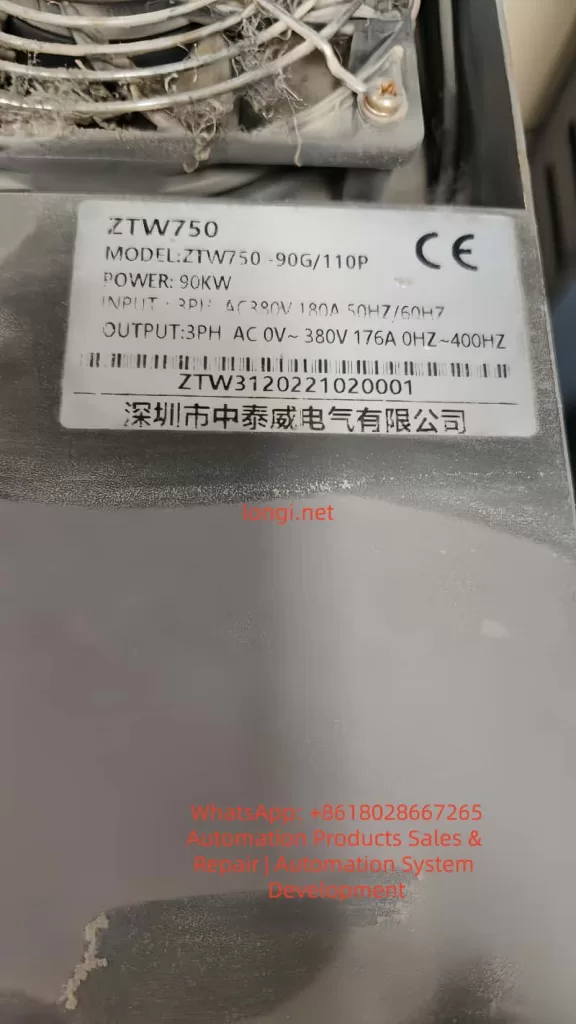
The Zhongtaiwei ZTW750 series frequency inverter is a high-performance, multifunctional vector control inverter widely used in industrial automation fields such as textiles, papermaking, wire drawing, machine tools, packaging, food processing, fans, pumps, and various automated production equipment. This article will provide a detailed introduction to the operation panel functions, password setting and elimination, parameter access restrictions, parameter reset to factory defaults, as well as how to implement external terminal forward/reverse control and external potentiometer speed regulation for the ZTW750 series frequency inverter. Additionally, common fault codes and their solutions will be listed to help users better understand and utilize the inverter.
I. Operation Panel Function Introduction
1.1 Overview of the Operation Panel
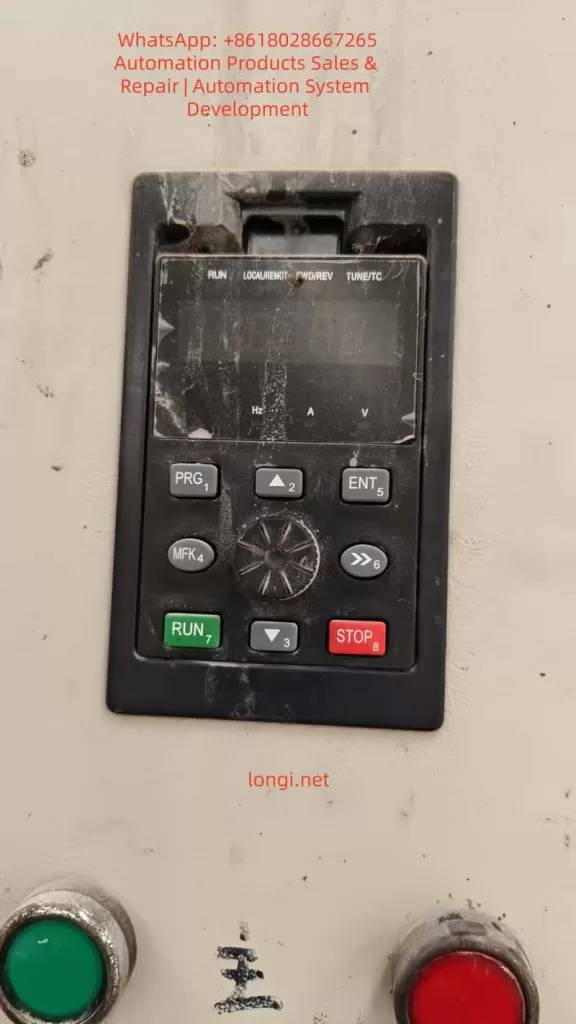
The operation panel of the Zhongtaiwei ZTW750 series frequency inverter integrates various function keys and display areas, facilitating user parameter settings, operational status monitoring, and inverter control. The operation panel mainly includes the following components:
- Command Source Indicator: Indicates the current command source, such as panel operation, terminal operation, or remote operation.
- Forward/Reverse Indicator: Displays the current running direction of the motor.
- Run Indicator: Lights up when the inverter is running.
- Programming Key (PRG): Used to enter or exit menus.
- Enter Key (ENTER): Confirms parameter modifications or enters the next level menu.
- Increment/Decrement Keys: Used to increase or decrease parameter values.
- Shift Key: Selects the modification bit when adjusting parameters.
- Run Key (RUN): Starts the inverter.
- Stop/Reset Key (STOP/RESET): Stops the inverter or resets faults.
- Multifunction Selection Key (MF.K): Quickly switches functions, such as forward/reverse switching and jogging.
- Data Display Area: Displays set frequencies, output frequencies, monitoring data, and alarm codes.
1.2 Password Setting and Elimination
Password Setting:
The Zhongtaiwei ZTW750 series frequency inverter provides user password protection to prevent unauthorized parameter modifications. To set a password:
- Enter the parameter setting menu and locate the user password parameter (PP-00).
- Use the increment/decrement keys to input a new password (non-zero value).
- Press the Enter key (ENTER) to save the settings.
Password Elimination:
To eliminate a set password, reset the user password parameter (PP-00) to 0 and press the Enter key to save.
1.3 Parameter Access Restrictions
To prevent misoperations or unauthorized parameter modifications, the Zhongtaiwei ZTW750 series frequency inverter offers parameter access restriction functions. Users can restrict parameter access by setting a user password (PP-00). When PP-00 is set to a non-zero value, entering the parameter setting menu requires inputting the correct password.
1.4 Parameter Reset to Factory Defaults
When it is necessary to restore the inverter parameters to their factory defaults, the parameter reset function can be used. The specific steps are as follows:
- Enter the parameter setting menu and locate the parameter initialization parameter (PP-01).
- Use the increment/decrement keys to select the reset option (e.g., restore factory parameters excluding motor parameters; restore all parameters including motor parameters).
- Press the Enter key (ENTER) to execute the reset operation.
II. External Terminal Forward/Reverse Control and External Potentiometer Speed Regulation
2.1 External Terminal Forward/Reverse Control
The Zhongtaiwei ZTW750 series frequency inverter supports forward/reverse control of the motor through external terminals. The specific setup steps are as follows:
2.1.1 Wiring
- Forward Control: Connect one end of the forward start button (normally open contact) to the DI1 terminal and the other end to the COM terminal.
- Reverse Control: Connect one end of the reverse start button (normally open contact) to the DI2 terminal and the other end to the COM terminal.
2.1.2 Parameter Settings
- Enter the parameter setting menu and locate the command source selection parameter (P0-02), setting it to the terminal command channel (value 1).
- Set the DI1 terminal function to forward operation (P4-00 set to 1, P4-01 set to 1).
- Set the DI2 terminal function to reverse operation (P4-00 set to 1, P4-02 set to 1).
2.2 External Potentiometer Speed Regulation
The Zhongtaiwei ZTW750 series frequency inverter supports motor speed regulation through an external potentiometer. The specific setup steps are as follows:
2.2.1 Wiring
- Connect the three terminals of the potentiometer to the +10V, AI1, and GND terminals respectively. Among them, +10V and GND are provided by the inverter, and AI1 is the analog input terminal.
2.2.2 Parameter Settings
- Enter the parameter setting menu and locate the frequency source selection parameter (P0-03), setting it to analog setting (value 2 or 3, depending on the potentiometer type).
- Set AI1 input to voltage input or current input (according to the potentiometer type, P4-18 set to 0 or 2).
- If necessary, adjust the analog input range by setting relevant parameters such as P4-04 to P4-07.
III. Fault Codes and Solutions
The Zhongtaiwei ZTW750 series frequency inverter may encounter various faults during operation, each with a corresponding fault code. Below are some common fault codes and their solutions:
3.1 Acceleration Overcurrent (Err02)
Possible Causes:
- Grounding or short circuit in the inverter output circuit.
- Vector control mode without parameter tuning.
- Too short acceleration time.
- Low voltage.
- Starting the motor while it is still rotating.
Solutions:
- Check the inverter output circuit and eliminate grounding or short circuit faults.
- Perform motor parameter tuning.
- Increase the acceleration time.
- Adjust the input voltage to the normal range.
- Ensure the motor is stopped before starting.
3.2 Deceleration Overcurrent (Err03)
Possible Causes:
- Grounding or short circuit in the inverter output circuit.
- Vector control mode without parameter tuning.
- Too short deceleration time.
- Low voltage.
- Sudden load addition during deceleration.
- Lack of a braking unit and braking resistor (if required).
Solutions:
- Check the inverter output circuit and eliminate grounding or short circuit faults.
- Perform motor parameter tuning.
- Increase the deceleration time.
- Adjust the input voltage to the normal range.
- Avoid sudden load addition during deceleration.
- Install a braking unit and braking resistor as needed.
3.3 Constant Speed Overcurrent (Err04)
Possible Causes:
- Grounding or short circuit in the inverter output circuit.
- Vector control mode without parameter tuning.
- Low voltage.
- Sudden load addition during operation.
- Undersized inverter.
Solutions:
- Check the inverter output circuit and eliminate grounding or short circuit faults.
- Perform motor parameter tuning.
- Adjust the input voltage to the normal range.
- Avoid sudden load addition during operation.
- Select a higher power rating inverter.
3.4 Undervoltage Fault (Err09)
Possible Causes:
- Input voltage outside the specified range.
- Abnormal bus voltage.
- Faulty rectifier bridge and buffer resistors.
- Abnormal drive or control board.
Solutions:
- Adjust the input voltage to the specified range.
- Check the bus voltage and replace capacitors if necessary.
- Check the rectifier bridge and buffer resistors, replacing them if necessary.
- Seek technical support from the manufacturer to check and replace the drive or control board.
Conclusion
The Zhongtaiwei ZTW750 series frequency inverter is widely used in industrial automation due to its high performance, multifunctionality, and ease of operation. This article has provided a detailed introduction to the operation panel functions, password setting and elimination, parameter access restrictions, parameter reset to factory defaults, as well as how to implement external terminal forward/reverse control and external potentiometer speed regulation. Additionally, common fault codes and their solutions have been listed. It is hoped that this article will help users better understand and utilize the Zhongtaiwei ZTW750 series frequency inverter, improving production efficiency and reducing maintenance costs.