
1. Overview of the Fault
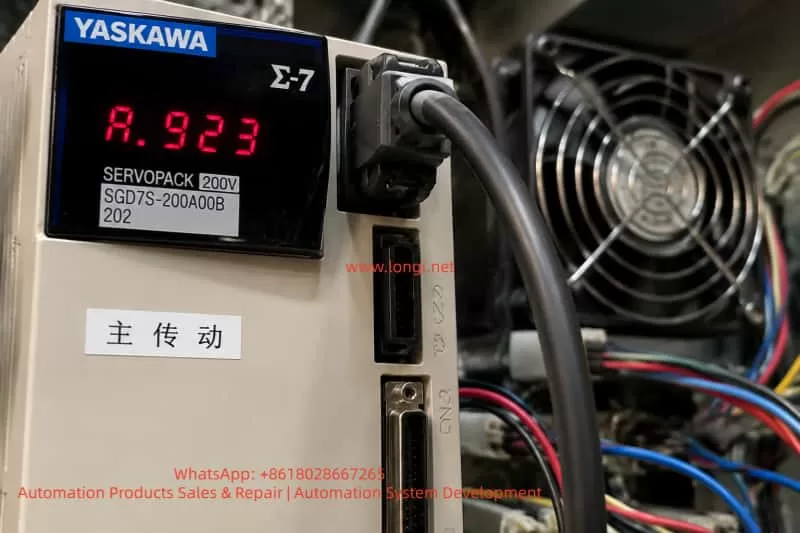
During operation of Yaskawa SERVOPACK servo drives, operators may encounter the A.923 code displayed on the drive panel. This fault is commonly observed in the Sigma series, particularly when the device is running continuously, the control cabinet temperature is high, dust accumulation is significant, or the drive has been in service for an extended period.
The core meaning of A.923 is: the built-in cooling fan in the SERVOPACK has stopped or is operating abnormally. It is a fan-stop warning, not a motor, encoder, overcurrent, or main power circuit failure. Essentially, the servo drive has detected that the internal fan is not operating according to its specifications and is alerting the operator.
Although A.923 does not indicate an immediate catastrophic failure, it should not be ignored. The internal components of the servo drive—including rectifiers, DC bus capacitors, IGBT modules, braking units, power supplies, driver circuits, and control boards—generate heat during operation. If the fan stops, internal temperatures rise, potentially causing overheat alarms, sudden shutdowns, capacitor aging, IGBT module damage, and, in extreme cases, complete power section failure.
Thus, when A.923 occurs, the root cause should be investigated from multiple angles: fan condition, fan power supply, fan signal feedback, duct and cabinet environment, control board detection circuits, and overall cooling conditions.
2. Technical Meaning of A.923
The primary function of the internal fan is to force airflow to dissipate heat from power devices. Medium- and high-power SERVOPACK drives cannot rely solely on natural convection, and the fan ensures effective heat removal from heatsinks, power modules, and the drive enclosure.
A.923 indicates the drive has detected abnormal fan operation. Scenarios include:
- Fan completely stopped: On power-up, the fan does not rotate or stops mid-operation.
- Fan speed too low: Bearing wear, dust, or blade resistance causes reduced rotation speed. The drive may detect this as abnormal.
- Intermittent fan stoppage: Loose connections, broken wiring, or internal fan sensor issues cause the fan to stop sporadically.
- Fan rotating but detection signal abnormal: Fan power is fine, but rotation feedback (e.g., FG signal) is missing or incorrect.
- Control board detection circuit failure: Even with a working fan, a damaged detection circuit may falsely trigger A.923.
3. Impact on Equipment Operation
A.923 primarily affects the drive’s cooling. Many operators assume that as long as the drive runs, the alarm can be ignored; this is risky.
IGBT modules and DC bus capacitors generate significant heat, especially during frequent acceleration/deceleration. Without fan cooling, heat accumulates, potentially triggering overheat alarms, power module failure, or DC bus capacitor degradation.
Extended operation under A.923 may shorten capacitor life, reduce ripple tolerance, and destabilize power supplies. In production lines, a drive shutdown can halt the entire process, damage materials, or cause mechanical jamming. Therefore, A.923 is a reliability warning that requires timely attention.
4. Common Causes of A.923
4.1 Fan Failure
Bearings wear over time, lubrication declines, and blades experience resistance. Dusty, oily, or high-temperature environments accelerate deterioration.
4.2 Fan Obstruction
Dust, debris, wire ends, or foreign objects can block the fan blade or heatsink, increasing load or stopping rotation.
4.3 Loose Connectors or Wiring
Vibration or maintenance can loosen fan plugs or wires, causing intermittent operation.
4.4 Fan Power Supply Issue
Fans require DC12V or DC24V. Supply failure prevents operation.
4.5 Feedback Signal Abnormal
Fans with FG signals may rotate correctly but fail to provide feedback, causing the drive to detect a fault.
4.6 Control Board Detection Circuit Fault
Damaged board circuits may misinterpret signals or fail to detect fan rotation.
4.7 Poor Cabinet Cooling
Clogged filters, poor ventilation, insufficient spacing, or crowded drives can reduce cooling efficiency and indirectly trigger A.923.
5. On-Site Troubleshooting Procedure
- Confirm the alarm code: Ensure the display shows A.923.
- Observe fan operation: Safely power up and check if the fan rotates.
- Power off and discharge: Wait for DC bus voltage to drop.
- Inspect mechanical condition: Check blade smoothness, wear, and obstruction.
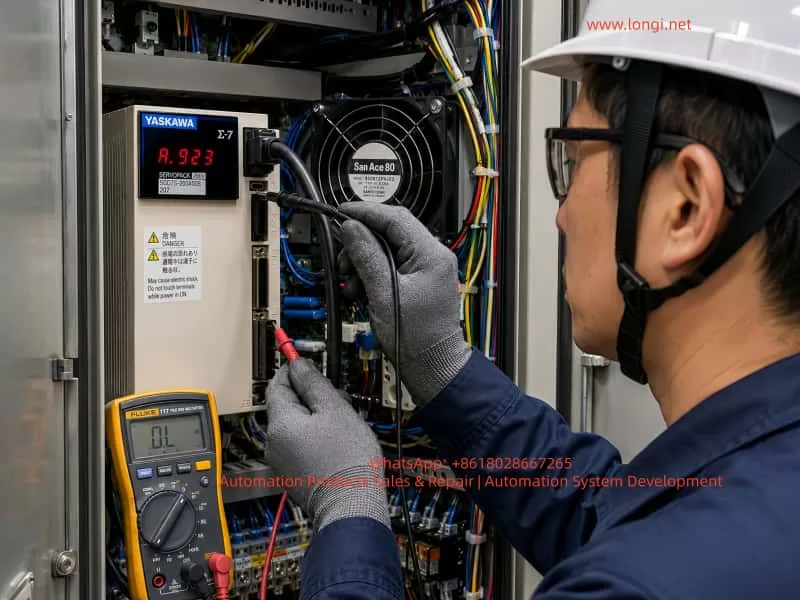
- Check fan power supply: Measure voltage per fan specifications.
- Replace with a compatible fan: Match voltage, feedback type, wiring, and airflow direction.
- Check detection signals: Ensure FG or other feedback lines function.
- Clear the alarm and test: Verify fan operation and drive temperature under load.
6. Repair Recommendations
For most maintenance personnel:
- Clean dust and debris.
- Check connectors and wiring.
- Replace the fan with the correct specification.
- If the alarm persists, inspect fan power supply and control board circuits.
Do not ignore A.923. Continuing operation increases the risk of overheat, shutdown, and component failure.
7. Common Misdiagnoses
- Confusing A.923 with motor or encoder failure.
- Assuming a visibly spinning fan is always normal.
- Using a physically similar but electrically incompatible fan.
- Only replacing the fan without cleaning the duct or enclosure.
- Continuing operation without intervention.
8. Preventive Maintenance
- Periodically clean filters and enclosures.
- Inspect fan noise and speed.
- Replace aged fans proactively.
- Ensure sufficient cabinet ventilation and spacing.
- Protect against moisture, oil, and conductive dust.
9. Customer Guidance
Inform customers:
A.923 indicates the internal cooling fan has stopped or has abnormal feedback. It is not a motor or encoder fault. Immediate action is recommended to inspect the fan, clean the duct, and replace the fan if necessary. Persistent alarms may indicate internal drive circuits need repair.
This approach clarifies the issue while avoiding unnecessary concern about motor or drive failure.
10. Conclusion
A.923 is a preventive warning about the cooling system in a Yaskawa SERVOPACK. Proper diagnosis includes verifying fan operation, power supply, feedback, and detection circuits. Most cases involve fan wear, obstruction, loose wiring, or power supply issues. Ignoring A.923 risks overheating, shutdown, and power module damage. Timely intervention ensures stable drive operation and long-term reliability.