
Thermal Conductivity Instruments (Including Laser Thermal Conductivity Tester, Flash Thermal Conductivity Tester, Thermal Reflectance Thermal Conductivity Tester, Thermal Conductivity Coefficient Tester, etc.) Play a Vital Role in Material Research and Testing, But May Encounter Various Faults During Use. Below Are Some Common Fault Scenarios and Corresponding Repair Methods: I. Common Fault Scenarios 1. Unstable Readings or Display Errors Possible Causes:…
Month: September 2024
ACH550 Inverter User Manual: Comprehensive Guide for Installation, Operation, and Maintenance
I. Operating Panel (Control Pad) Usage 1. Overview of Control Pad The operating panel (control pad) of the ACH550 inverter serves as the primary interface between the user and the inverter, enabling status display, parameter setting, and operation control. 2. Basic Operations Starting and Stopping: Press “HAND” Button: Enters manual mode, allowing adjustment of inverter output frequency via the up…
Vector Network Analyzer: Common Faults and Solutions”Vector Network Analyzer: Troubleshooting Guide and Repair Services for Various Brands and Models”Vector Network Analyzer: Common Faults and Solutions
I. Common Fault Phenomena Power Supply Faults: Indicators: Front panel power indicator not lit, fan not rotating, network analyzer unable to start normally, or constant resetting due to unstable power supply voltage. Display Faults: Manifestations: No display (black screen), scrambled screen, grayscale display. Possible causes include monitor failure, graphics processing board failure, or CPU failure. Local Oscillator Faults: Issues: Local…
Comprehensive Analysis of Spectrometers: Principles, Usage Methods, Common Faults, and Repair Techniques (Spectral Analyzer, Infrared Spectrometer, Raman Spectrometer, Fluorescence Spectrometer, Direct-Reading Spectrometer, UV-Vis Spectrometer, Fluorescence Spectrometer)
I. Spectrometer Fault Handling Invalid Detection, No Data Output: Replace or upgrade the light source equipment. Repair or clean the detector. Realign the optical path. Fault Causes: Insufficient light emission from the source, damaged or dusty detector, misaligned or shifted optical path. Optical Path Obstruction: Clear the sample or optical path. Check for damaged components or dust in the optical…
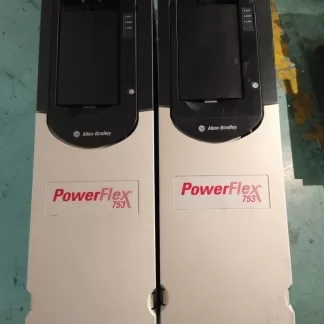
PowerFlex 750 Series AC Drive User Guide
PowerFlex 750 Series AC Drive User Guide 1. Operation Panel (Keypad) Usage The operation panel (keypad) of the PowerFlex 750 series AC drive serves as the primary interface for user interaction. It allows users to navigate menus, set parameters, and view status information.
CHF100A Series Vector Universal VFD Usage Guide:Usage of Operation Panel, Startup and Debugging of VFD Terminal Mode, Analysis and Solutions for VFD Fault Codes
I. Operation Panel (Keyboard) Usage The operation panel (keyboard) of the CHF100A Series Vector Universal VFD serves as the primary interface for VFD control and parameter setting. Here are the basic keyboard operation methods: Power-on and Display: Upon connecting the VFD’s power supply, the display on the operation panel will illuminate, showing the current status or default parameters. Key Functions:…
User Guide for Delta VFD MS300 Series: Operation Panel Usage, Startup and Debugging of VFD Terminal Mode, Analysis and Solutions for VFD Fault Codes
Delta VFD MS300 Series User Guide I. Operating Panel Usage Power-On and Display Upon powering on, the VFD automatically conducts a self-test and then enters standby mode. The display on the operating panel shows the current status and parameters. Function Key Operations RUN/STOP Button: Press RUN to start the VFD and STOP to halt its operation. Direction Selection (FWD/REV): Used…
ACS510 Variable Frequency Drive (VFD) User Guide: Operating Panel Usage, Terminal Mode Startup and Speed Adjustment Methods, Fault Analysis and Solution Methods
ACS510 Variable Frequency Drive (VFD) User Guide I. Operating Panel Usage Power On/OffBefore powering on, ensure all connections are correct and the surrounding environment meets safety standards.Use the power switch on the operating panel to turn the power on or off. Mode SwitchingLOC/REM Button: Used to switch the control mode of the VFD. Press and hold this button for 2…
JACT AT500 Inverter Operation Guide and Fault Handling Summary
AT500 Inverter Operation Guide and Fault Handling Summary I. AT500 Inverter Operation Panel Usage Operation Panel Layout and Indicator Description: Introduces the display, buttons (RUN, STOP/RES, MK, Λ, V, >>, etc.) on the operation panel and their functions. Explains the meanings of various indicators (Run, Alm, Hz, A, V, %, rpm, F/R, etc.). Menu and Parameter Settings: Describes the three-level…
POWTRAN PI500 Series Current Vector Inverter: User Guide & Essential Features
This comprehensive guide covers the key features and essential operations of the POWTRAN PI500 Series high-performance current vector inverter, including parameter adjustment via the panel, start/stop control through terminals, external potentiometer debugging mode configuration, and multi-speed settings. 1. Adjusting Parameters via the Inverter Panel To adjust parameters using the inverter’s keypad, follow these steps: Enter Menu: Press the PRG key to enter…