Posted on

Systematic Analysis of SIMCO-ION CM20-P Electrostatic High-Voltage Generator Tripping and OVERLOAD Faults

1. Equipment Background and Fault Description

The SIMCO-ION Chargemaster CM20-P is an industrial electrostatic high-voltage generator. It is commonly used in electrostatic charging, electrostatic adhesion, film processing, printing and packaging, plastic sheet handling, lamination systems, and automated production lines. Its main function is to convert a standard AC input supply into a high-voltage DC output, which is then supplied to static bars, electrodes, charging heads, or electrostatic holding devices.

According to the nameplate, the main specifications of this unit are:

ItemSpecification
BrandSIMCO-ION
ModelChargemaster CM20-P
Input Power230VAC, 50/60Hz
Input Current0.3A
Output Voltage+20kV
Output Current0.5mA
Fuse630mA, 5×20mm, Time Lag

Although the input power of this type of equipment is not high, the output voltage reaches +20kV. It is a typical low-current, high-voltage device. Such equipment is very sensitive to grounding, insulation condition, humidity, contamination, high-voltage cable condition, static bar cleanliness, and electrode-to-metal distance.

Once leakage, discharge, short circuit, or insulation breakdown occurs at the high-voltage output side, the unit may show symptoms such as OVERLOAD alarm, blown fuse, leakage breaker tripping, no output, abnormal display, or unstable operation.

In this case, the fault development was very typical:

At the beginning, the OVERLOAD red indicator on the front panel was lit. This usually means that the high-voltage output was abnormal or the load was excessive. Later, inspection found that an internal fuse had blown. After replacing the fuse, the main display powered on, and the OVERLOAD red light was no longer lit. However, a new fault appeared: the breaker tripped when the unit was powered on.

The customer also reported that when the equipment was used inside the factory, the breaker tripped as soon as the earth wire was connected. The site power system was described as three-phase four-wire.

These pieces of information indicate that the fault is not simply a blown fuse or a grounding question. It involves several possible fault directions, including high-voltage output overload, internal power circuit short circuit, leakage to ground, and improper site grounding system. The troubleshooting must be carried out systematically from four aspects: input power, protective earth, high-voltage output, and internal components.
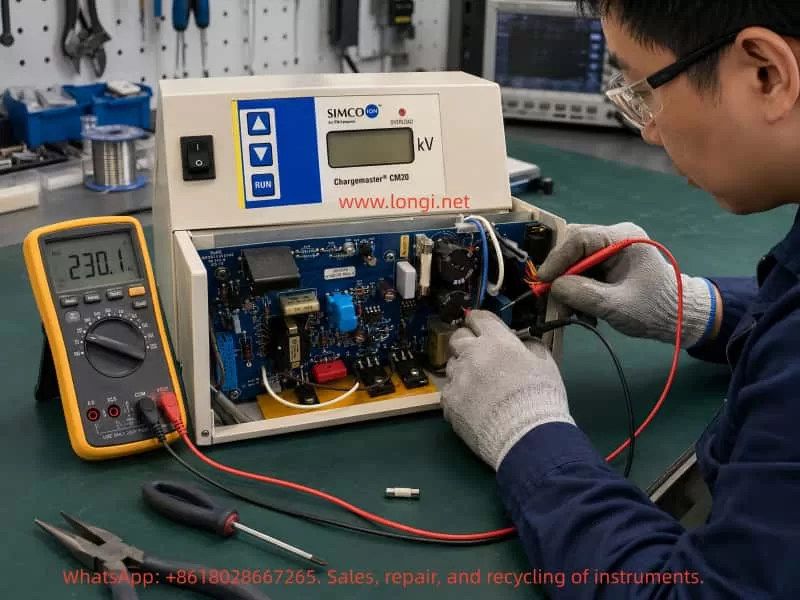

Technician troubleshooting a SIMCO-ION Chargemaster CM20 electrostatic high-voltage generator on a repair bench, using a digital multimeter to check the internal power board, fuse area, and input circuit after an overload fault.

2. Meaning of the OVERLOAD Indicator

The OVERLOAD indicator on an electrostatic high-voltage generator is usually not a general power alarm. It is closely related to the high-voltage output condition. It normally means that the unit cannot establish the required output voltage, or the output current has exceeded the permitted range.

Common causes include:

  1. Short circuit at the high-voltage output;
  2. Internal leakage in the static bar;
  3. Damaged or aged high-voltage cable insulation;
  4. Electrode installed too close to a metal frame;
  5. Dust, oil, moisture, or contamination causing surface creepage;
  6. Internal breakdown of the high-voltage module;
  7. Abnormal high-voltage feedback detection circuit;
  8. Load exceeding the design capacity of the generator.

The CM20-P output is +20kV and 0.5mA. Although the current is very small, in a high-voltage electric field, even slight moisture, dust, oil contamination, burrs, or carbonized tracks can form a leakage path. When the generator detects abnormal output current, it lights the OVERLOAD indicator to warn of output overload or insulation failure.

Therefore, the initial OVERLOAD alarm already indicated that the equipment or its external load had a real fault. The later blown fuse was only a result of the fault progressing further. Replacing the fuse does not mean the equipment has recovered. A blown fuse usually means that the power circuit experienced overcurrent, short circuit, or an abnormal surge.
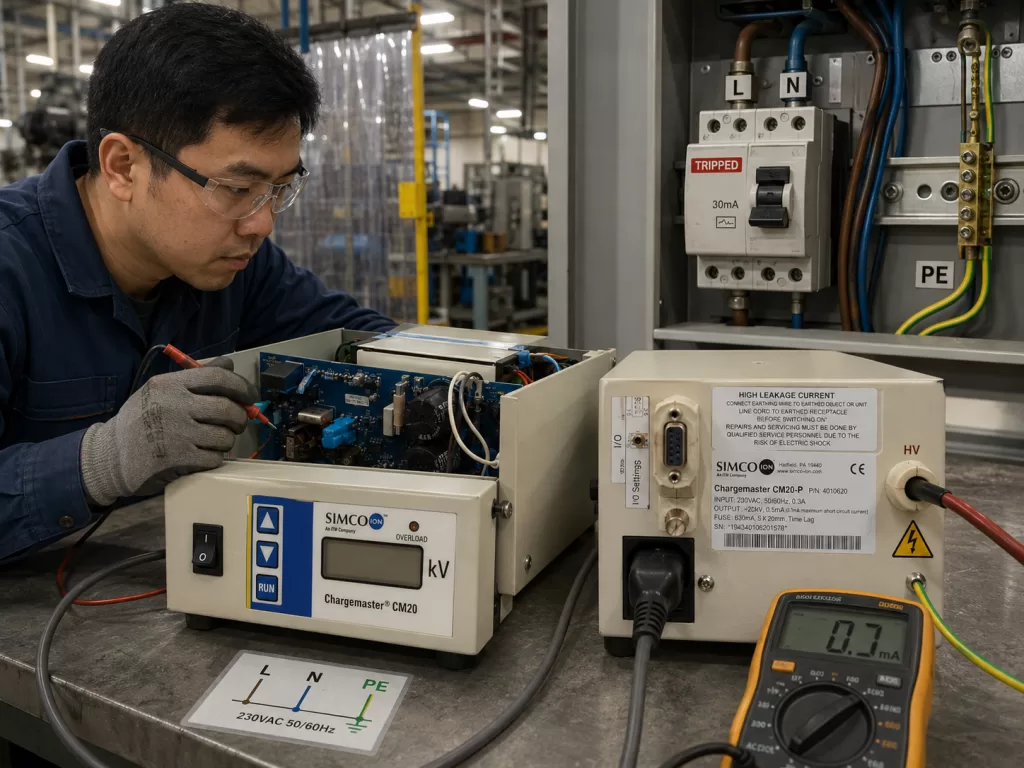

Factory electrical diagnosis of a SIMCO-ION Chargemaster CM20-P high-voltage generator connected to L, N, and PE wiring, showing earth leakage troubleshooting, a tripped leakage breaker, and grounding inspection.

3. A Blown Fuse Is Usually a Result, Not the Root Cause

When field technicians see a blown fuse, the first reaction is often to replace it. However, in industrial electronic equipment, the fuse itself is rarely the root cause. Its function is protection. If it blows, it means the downstream circuit has drawn abnormal current.

The CM20-P nameplate specifies:

630mA, 5×20mm, Time Lag

This means:

T630mA / 250V / 5×20mm slow-blow fuse

There are two important points here.

First, the fuse rating must not be increased randomly.
If the original fuse is 630mA slow-blow, it must not be replaced with a 1A, 2A, or larger fuse simply to prevent it from blowing again. It is even more dangerous to use copper wire instead of a fuse. This may keep the circuit powered temporarily, but it can cause more serious damage to components, PCB traces, transformers, high-voltage modules, or even create a fire and electric shock hazard.

Second, fast-blow and slow-blow fuses must not be used interchangeably without analysis.
When the equipment starts, there may be short-duration inrush current from filter capacitor charging, transformer magnetizing current, or high-voltage circuit startup. A slow-blow fuse is designed to tolerate this short inrush. If a fast-blow fuse is installed incorrectly, it may blow even during normal startup.

However, if the correct slow-blow fuse is installed and the breaker still trips or the fuse blows again, the downstream circuit must be checked. Repeated power-on testing is not acceptable.

In this case, after the fuse was replaced, the display could light up, proving that part of the low-voltage supply had recovered. But the subsequent breaker tripping proves that the root fault remained. Replacing the fuse merely restored the current path. The real short circuit, leakage, or high-voltage insulation fault was still present.


4. Breaker Tripping: MCB Trip or RCD/RCBO Trip?

When a customer says “the breaker trips,” the first task is to identify what type of protection device is tripping. Different protection devices indicate different fault directions.

If an ordinary MCB trips, the main concern is overcurrent or short circuit. Typical causes include L-N short circuit, shorted rectifier bridge, shorted main electrolytic capacitor, shorted power transistor, or shorted transformer primary winding.

If an RCD or RCBO trips, the main concern is earth leakage. Typical causes include leakage in the input filter, abnormal Y capacitor, high-voltage circuit breakdown to chassis, moisture or carbonization at the output socket, damaged high-voltage cable, or incorrect N/PE connection on site.

In this case, the customer’s photo showed a CHINT NXBLE-63 C63 breaker. The NXBLE-63 is a leakage-protection circuit breaker, commonly known as an RCBO. It can trip because of earth leakage, but it can also trip because of overload or short circuit. Therefore, its tripping does not automatically prove that the fault is purely earth leakage. However, it does prove that the equipment caused an abnormal condition at power-up.

The fault must be further divided into the following situations.

4.1 The Breaker Trips Immediately When the Plug Is Inserted with the Power Switch OFF

If the front power switch of the unit is OFF, but the breaker trips immediately when the power plug is inserted, the fault is usually located before the main power switch.

The key areas to check are:

  • Power cord;
  • IEC power inlet;
  • Fuse holder;
  • Input EMI filter;
  • MOV surge suppressor;
  • NTC inrush limiter;
  • Insulation between L/N/PE;
  • Damaged input wiring touching the chassis.

In this state, the main high-voltage circuit may not have started yet.

4.2 The Plug Can Be Inserted Normally, But the Breaker Trips When the Unit Is Switched ON

If the plug is inserted without tripping, but the breaker trips when the front switch is turned ON, the fault is more likely in the downstream power supply or high-voltage generation circuit.

Key areas to check include:

  • Rectifier bridge;
  • Main filter capacitor;
  • Switching transistor;
  • Driver circuit;
  • Step-up transformer;
  • Voltage multiplier circuit;
  • High-voltage output socket;
  • High-voltage feedback circuit.

4.3 It Does Not Trip Without Ground, But Trips as Soon as PE Is Connected

If the equipment seems to power on when the earth wire is not connected, but trips immediately when protective earth is connected, there are usually two possibilities.

The first possibility is that the equipment itself has leakage to chassis or PE.
The second possibility is that the site grounding system is incorrect, with neutral and protective earth mixed, or the so-called “earth wire” is not a real PE conductor.

This kind of symptom is common in high-voltage electrostatic equipment because the high-voltage output, input EMI filter, and metal chassis have complex insulation relationships. Once an internal leakage path exists, connecting PE allows leakage current to return through the grounding system. The RCBO detects imbalance between line and neutral current and trips.


5. Grounding Risk in a Three-Phase Four-Wire Factory Supply

The customer mentioned that the site supply is “three-phase four-wire.” This is a critical detail.

In industrial sites, two common systems are three-phase four-wire and three-phase five-wire.

A three-phase four-wire system usually consists of:

L1, L2, L3, N

A three-phase five-wire system consists of:

L1, L2, L3, N, PE

The CM20-P is a 230VAC single-phase input device. Its correct wiring is:

L + N + PE

Here, PE is protective earth. It must not be replaced by N. In many three-phase four-wire sites, there may be no independent PE conductor. Some users may incorrectly use neutral as earth, or connect the equipment chassis to steel structures, water pipes, cable trays, or machine frames. These practices can cause RCBO tripping and also create electric shock hazards.

An RCBO works by comparing the current flowing through the line conductor and the current returning through the neutral conductor. Under normal conditions, the current going out through L should return through N. If part of the current returns through PE, chassis, steel structure, or another path, the RCBO detects an imbalance and trips.

Therefore, if a unit trips as soon as the earth wire is connected in a three-phase four-wire site, the following possibilities must be considered:

  1. There is no real PE at the site;
  2. Neutral is being used incorrectly as protective earth;
  3. N and PE are mixed on the load side of the leakage breaker;
  4. The equipment PE is connected to the wrong neutral bar;
  5. The factory steel structure has a different potential from the power supply earth;
  6. Other equipment on the same grounding network has leakage;
  7. The CM20-P itself has internal leakage to chassis, and grounding exposes the fault.

The correct solution is to have a qualified electrician verify the grounding system. It is not acceptable to randomly select a wire and call it “earth.” For a +20kV electrostatic generator, protective earth is not optional. It is a necessary safety condition.


6. Correct On-Site Verification Method

When a unit shows breaker tripping, earth-wire tripping, previous fuse blowing, and OVERLOAD history, it should not be tested directly with the external static bar connected. The verification must be performed in stages.

Stage 1: Verify Power Supply and Grounding

Use a multimeter to measure the supply point:

Measuring PointNormal Result
L-NApproximately 220V / 230V
L-PEApproximately 220V / 230V
N-PEClose to 0V, usually within a few volts

If L-N is normal but L-PE is abnormal, PE is unreliable.
If N-PE has a significant voltage, the site neutral-earth system may be faulty.
If the site has only three-phase four-wire without independent PE, N must not be used directly as protective earth.

Stage 2: Disconnect All High-Voltage Loads

Disconnect the external static bar, high-voltage cable, electrode, and charging head. Only the main generator should remain connected to the input power.

Then test:

  • Does it trip when the plug is inserted with the power switch OFF?
  • Does it trip only when the switch is turned ON?
  • Does it trip only when PE is connected?
  • Does it trip without external high-voltage cables?

If it no longer trips after the external load is disconnected, the fault is likely in the static bar, high-voltage cable, or installation environment.

If it still trips with no external load, the fault is inside the generator.

Stage 3: Separate Input-Side Faults from High-Voltage-Side Faults

If it trips with the switch OFF, check the input side.
If it trips only after switching ON, check the main power and high-voltage generation stage.
If it trips only when PE is connected, check insulation to PE, input filter leakage, and high-voltage module leakage to chassis.
If it trips only after connecting the static bar, check the external high-voltage cable and static bar.

This staged method is much more reliable than blind component replacement.


7. Key Internal Circuit Areas to Inspect

The internal structure of the CM20-P generally includes input protection, rectification and filtering, control circuit, power drive, step-up circuit, and high-voltage output stage. In this case, the following areas should be inspected carefully.

7.1 Input Fuse and Fuse Holder

Confirm that the installed fuse is:

T630mA / 250V / 5×20mm slow-blow

Check whether the fuse holder is burnt, loose, oxidized, or deformed. Poor contact in the fuse holder can cause local heating, arcing, or intermittent faults.

If the fuse blows again, stop replacing it and proceed with short-circuit testing.

7.2 Input MOV Surge Suppressor

The internal photos show a black disc-shaped component near the input area. This type of component is commonly used as an MOV or surge suppressor. It absorbs lightning surges, overvoltage spikes, and switching transients.

When an MOV fails, it may become low-resistance or fully shorted. This can cause the fuse to blow or the breaker to trip immediately at power-up.

For accurate testing, one leg should be lifted from the circuit or the component should be isolated before measuring. If the MOV measures low resistance, it is faulty.

7.3 Input EMI Filter and Y Capacitors

Industrial equipment with a metal chassis often uses an EMI filter. The filter normally includes X capacitors, Y capacitors, and common-mode inductors. Y capacitors are connected between L/N and PE. Under normal conditions, they produce a very small leakage current. If a Y capacitor ages, absorbs moisture, or breaks down, leakage to PE may increase and trip the RCBO.

When the symptom is “the breaker trips as soon as the earth wire is connected,” the EMI filter and Y capacitors must be checked carefully.

7.4 Rectifier Diodes or Rectifier Bridge

The internal board shows several diode positions such as D2, D6, and D7. If any rectifier diode breaks down short, the fuse may blow and the breaker may trip. Use the diode test mode of a multimeter to measure forward and reverse voltage drops. If both directions read nearly zero, the diode is shorted.

7.5 Main Electrolytic Capacitors

High-voltage generators usually include main filter capacitors in the power supply section. If an electrolytic capacitor is shorted, severely leaky, swollen, or leaking electrolyte, it can cause abnormal input current.

After power is disconnected and capacitors are safely discharged, measure the resistance across the capacitor terminals. It should not remain near zero ohms. If a low resistance is present, isolate the capacitor or downstream DC bus to confirm whether the capacitor or the circuit is shorted.

7.6 Power Switching Transistor

Electrostatic high-voltage generators often use a switching power supply topology to drive a high-voltage step-up transformer. If the power switching transistor fails short between D-S or C-E, it can short the DC bus and cause fuse blowing, breaker tripping, or failure to start.

The main terminals of the switching device must be checked for short circuit. The gate/base drive circuit, gate resistors, snubber components, and fast recovery diodes should also be inspected because they are often damaged together.

7.7 Step-Up Transformer and High-Voltage Module

The initial OVERLOAD alarm strongly suggests a high-voltage output-side abnormality. If the step-up transformer, voltage multiplier capacitors, high-voltage diodes, or encapsulated HV module breaks down, it may cause leakage to chassis, internal discharge, or output short circuit.

A normal multimeter may not always detect high-voltage insulation failure. Megger testing, sectional isolation, unloaded power testing, and visual inspection for discharge marks may be required.

7.8 High-Voltage Output Socket and HV Cable

The output sockets and high-voltage terminals must be inspected carefully. At +20kV, even light dust, moisture, oil contamination, or carbonized marks can form a creepage path. If the high-voltage cable insulation is damaged or routed too close to the metal chassis or frame, leakage and OVERLOAD alarms can occur.

A typical feature of this type of fault is that low-voltage resistance checks may appear normal, but the unit alarms or trips once high voltage is generated.


8. Influence of External Static Bars and Installation Environment

In an electrostatic system, the generator is only the high-voltage source. The real fault is often located in the external load. Static bars, electrodes, and high-voltage cables work under strong electric fields for long periods. They are easily affected by dust, oil, moisture, aging, mechanical stress, and improper installation.

Common external problems include:

  1. Damaged high-voltage cable jacket;
  2. Reduced insulation inside the static bar;
  3. Contaminated electrode needles;
  4. Static bar installed too close to a metal roller, frame, or guard;
  5. High ambient humidity;
  6. Oil mist or dust causing surface creepage;
  7. Carbonization inside the high-voltage plug;
  8. Breakdown at cable bending points.

Therefore, to determine whether the CM20-P generator itself is faulty, an unloaded test is mandatory. If the generator no longer trips or alarms after all external loads are disconnected, the generator may not have a serious internal short circuit. The troubleshooting focus should then move to the high-voltage cable, static bar, and installation environment.

If the generator still trips with no external load, an internal fault is confirmed.


9. Why the Unit Must Not Be Tested Without Protective Earth

The customer once tested the equipment in another room without an earth wire. This is unsafe and unsuitable for diagnosing high-voltage electrostatic equipment.

The warning label on the CM20-P clearly requires that the earthing wire be connected before operation. The reasons include:

  1. The metal chassis must be protectively earthed to prevent electric shock if internal leakage occurs;
  2. The high-voltage output system requires a stable reference potential;
  3. The EMI filter requires a PE path;
  4. High-voltage discharge energy must be safely released;
  5. Without earth, the chassis may float to an unsafe potential.

When the unit is not grounded, some leakage faults may not immediately show because the leakage current has no clear return path. This does not mean the equipment is normal. Once PE is connected, the leakage path becomes complete, and the RCBO may trip immediately. In that case, grounding has not caused the fault; it has exposed the fault.

For high-voltage electrostatic equipment, the correct interpretation is:

After the equipment is grounded, the leakage fault inside the unit or the site wiring system is detected by the protection device.


10. Recommended Troubleshooting Procedure

For this case, the following procedure is recommended.

Step 1: Confirm Fuse Specification

Confirm that the replacement fuse is:

T630mA / 250V / 5×20mm slow-blow

Do not increase the rating. Do not replace the fuse with copper wire.

Step 2: Disconnect All High-Voltage Outputs

Remove the static bar, high-voltage cable, and external electrode. Test only the main generator.

Step 3: Confirm Power Supply

Use single-phase 230VAC with:

L, N, PE

PE must be a real protective earth. It must not be replaced by neutral.

Step 4: Test in Different Power States

Insert the plug with the power switch OFF and observe whether the breaker trips.
Then turn the power switch ON and observe whether it trips.
Record exactly when the trip occurs.

Step 5: Measure Input-Side Insulation and Short Circuit

After disconnecting power and discharging capacitors, measure:

  • Resistance between L and N;
  • Resistance between L and PE;
  • Resistance between N and PE;
  • Fuse downstream side to N;
  • DC bus resistance;
  • PCB insulation to chassis.

If L-PE or N-PE reads low resistance, there is leakage or short circuit to chassis.

Step 6: Check Input Protection Components

Inspect:

  • MOV surge suppressor;
  • EMI filter;
  • X/Y capacitors;
  • NTC inrush limiter;
  • Fuse holder;
  • Power switch;
  • Input wiring.

Step 7: Check Rectifier and Power Stage

Inspect:

  • Rectifier diodes;
  • Rectifier bridge;
  • Main electrolytic capacitors;
  • Power switching transistor;
  • Snubber circuit;
  • Driver circuit;
  • Primary winding of the step-up transformer.

Step 8: Check High-Voltage Output and Insulation

Inspect:

  • High-voltage module;
  • Voltage multiplier capacitors;
  • High-voltage diodes;
  • Output sockets;
  • High-voltage cable;
  • Static bar;
  • Insulation between output and chassis.

Step 9: Clean and Dry the HV Area

If dust, oil, moisture, or discharge marks are present around the high-voltage output, clean and dry the area before retesting. Severely carbonized insulation parts must be replaced. Wiping the surface is not enough.

Step 10: Power-On Verification

After repair, test the generator without load first. Then connect the high-voltage load. Before connecting the load, confirm that the static bar and high-voltage cable have no short circuit, leakage, or insulation damage.


11. Probable Fault Conclusion

Based on all the symptoms in this case, the following conclusion is reasonable:

First, the initial OVERLOAD red light indicates a high-voltage output overload, leakage, or internal high-voltage fault.
Second, the internal fuse blowing indicates that the abnormal condition developed into an overcurrent condition on the power side.
Third, after the fuse was replaced, the display recovered, but the breaker still tripped, proving that the root fault had not been removed.
Fourth, the report that the unit trips as soon as the earth wire is connected indicates possible internal leakage to earth, while the three-phase four-wire factory supply may also have an improper PE/N grounding arrangement.
Fifth, the correct next step is to verify whether the site has a real PE conductor, disconnect all external high-voltage loads, and perform an unloaded test to determine whether the fault is inside the generator or in the external static bar system.

In order of probability, the most likely fault areas are:

  1. Leakage in the high-voltage output socket, static bar, or high-voltage cable;
  2. Insulation breakdown in the high-voltage module or step-up section;
  3. Earth leakage from the input EMI filter or Y capacitors;
  4. Damaged MOV, rectifier diode, or rectifier bridge;
  5. Shorted power transistor or main electrolytic capacitor;
  6. Improper factory grounding system, especially neutral-earth confusion in a three-phase four-wire supply.

12. Repair and Operation Precautions

Electrostatic high-voltage generators must not be repaired in the same way as ordinary low-voltage power supplies. Their input power may be small, but the output voltage is very high. Incorrect operation can cause electric shock, arcing, equipment damage, or fire.

The following precautions are essential:

  1. Do not repeatedly power the unit on after it trips.
    Repeated tripping can enlarge the damage to power components and high-voltage modules.
  2. Do not increase the fuse rating.
    A blown fuse means that the downstream circuit has an abnormal condition.
  3. Do not operate the unit without protective earth.
    Grounding is a safety requirement, not an optional connection.
  4. Do not use neutral as earth.
    Three-phase four-wire does not automatically mean that PE is available. The CM20-P requires a real protective earth.
  5. Do not test the unit directly with the static bar connected.
    First disconnect external loads and confirm the condition of the generator itself.
  6. Do not ignore high-voltage output cleanliness.
    Dust, moisture, oil, and carbonized tracks are common causes of HV leakage.
  7. Do not replace the high-voltage cable with ordinary low-voltage wire.
    A +20kV output requires a suitable HV-rated cable and connector.
  8. Do not judge the equipment only by whether the display lights up.
    A working display only proves that part of the low-voltage supply is operating. It does not prove that the high-voltage section is healthy.

13. Summary

The SIMCO-ION Chargemaster CM20-P fault involving OVERLOAD indication, blown internal fuse, breaker tripping after fuse replacement, and tripping when the earth wire is connected is a typical combined fault scenario in electrostatic high-voltage equipment. The root cause may be external high-voltage cable or static bar leakage, internal high-voltage module breakdown, input filter leakage, rectifier or power-stage short circuit, or an improper factory grounding system.

The correct approach is not to repeatedly replace the fuse, repeatedly power on the unit, or remove the earth wire. Instead, the troubleshooting should follow a clear sequence: confirm the correct fuse rating, verify the L/N/PE supply, disconnect all high-voltage loads, distinguish whether the trip occurs with switch OFF, switch ON, PE connected, or external load connected, and then inspect the input protection circuit, rectifier stage, power switching stage, high-voltage module, output socket, and site grounding system.

For a +20kV electrostatic generator, grounding, insulation, and cleanliness are the foundation of safe operation. Once OVERLOAD, fuse blowing, or RCBO tripping occurs, the equipment should be taken out of service and tested systematically. Only by separating the input power, protective earth, internal power circuit, high-voltage output stage, and external static bar system can the fault be accurately located and repaired safely.
Posted on

Diagnostic Analysis of ZEISS Sigma 300 SEM Chamber Vacuum Failure and “Waiting Penning” Status

1. Overview of the Fault Phenomenon

In daily operation of a field-emission scanning electron microscope, the vacuum system is one of the most critical subsystems. It directly determines whether the microscope can image normally, whether the high voltage can be enabled safely, and whether the electron gun can be protected from contamination. For a field-emission SEM such as the ZEISS Sigma 300, the sample chamber, column chamber, electron gun chamber, backing pump, turbo molecular pump, vacuum gauges, pneumatic valves, and vacuum control electronics are all connected through a strict interlock logic. If any one of these conditions is not satisfied, the system will prevent EHT from being switched on and will keep the column chamber valve closed to protect the electron gun and electron optical column.

In this case, the ZEISS Sigma 300 was originally operating normally. The operator performed a standard venting procedure, opened the chamber, then closed the chamber and attempted to pump down again. After this operation, the chamber vacuum could not be restored normally. The software vacuum panel showed the status “Waiting Penning”, the EHT vacuum condition was not ready, the column chamber valve remained closed, and the microscope could not return to normal operating condition.

The field feedback also indicated that after power-on, the system automatically entered the pumping sequence. The chamber door could be pulled tight by negative pressure, and no obvious air leakage sound was heard. However, the chamber vacuum could not continue into the normal high-vacuum state. In some observations, the vacuum gauge reading was missing, invalid, or remained abnormal.

From a service diagnostic point of view, this type of fault should not be simplified as “the pump is bad” or “the vacuum gauge is bad.” The SEM vacuum system works in stages and has different vacuum zones. The fact that the chamber door can be sucked tight only proves that a rough vacuum is being formed. The software status Waiting Penning means that the system is waiting for valid confirmation from the Penning high-vacuum gauge or its related measurement circuit. If the system also shows Gun Vacuum = 1000 mbar, EHT Vac Ready = No, and Column Chamber Valve = Closed, it is necessary to distinguish whether the actual vacuum has not reached the required condition, or whether the vacuum measurement circuit, valve actuation, or control logic has failed to confirm the vacuum state.

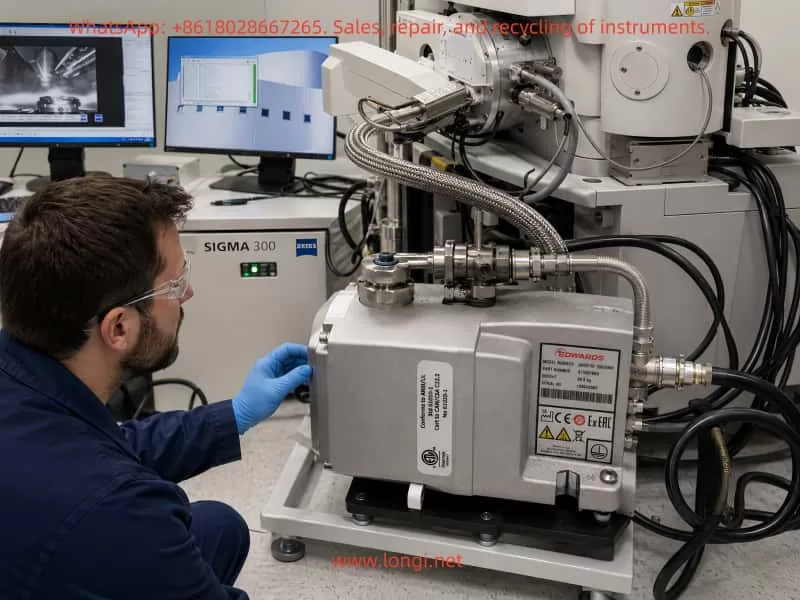
ZEISS Sigma 300 SEM workstation showing the vacuum control interface with “Waiting Penning” status, rough vacuum reading around 8 Pa, closed column valve, and EM Server log during vacuum fault diagnosis.

2. Basic Structure of the ZEISS Sigma 300 Vacuum System

To understand this fault, it is necessary to understand the general structure of the SEM vacuum system. Different configurations of the ZEISS Sigma 300 may vary in detail, but the main vacuum architecture usually includes the following sections.

2.1 Sample Chamber Vacuum Area

The sample chamber is the vacuum area most frequently operated by users. During normal sample exchange, the system vents the chamber to atmospheric pressure through the vent valve. After the chamber door is closed, the system pumps the chamber down again through the pump sequence. The chamber door seal, door locking mechanism, sample stage height, sample holder, detector ports, EDS/EBSD/BSE accessory interfaces, and chamber flanges can all affect whether the sample chamber can establish vacuum normally.

Typical sample chamber faults include slow pump-down, failure to pump down, pressure remaining at a high level, chamber door not being sucked tight, or repeated vacuum timeout. Conductive adhesive, sample powder, metal particles, fiber, glove fragments, or contamination on the O-ring and sealing surface can prevent the chamber from reaching the required vacuum level. A damaged, displaced, hardened, or locally deformed O-ring can also cause the same problem.

2.2 Backing Pump and Rough Pumping Path

A ZEISS Sigma 300 may use an Edwards nXDS dry scroll pump as the backing pump. This pump is responsible for rough pumping the sample chamber and providing backing support for the turbo molecular pump. However, a running backing pump does not automatically mean that the entire vacuum system is healthy. It is only the first stage of the vacuum chain.

If the backing pump is completely non-operational, the chamber usually cannot form noticeable negative pressure. The chamber door will not be pulled tight, and the system vacuum will remain close to atmospheric pressure. If the backing pump runs but has poor pumping speed, the pressure may decrease slowly and fail to reach the condition required for high-vacuum transition. If the backing pump itself is normal but the pumping valve does not open, the vent valve does not close, or the pipeline has a leak, the chamber will still fail to enter the next vacuum stage.

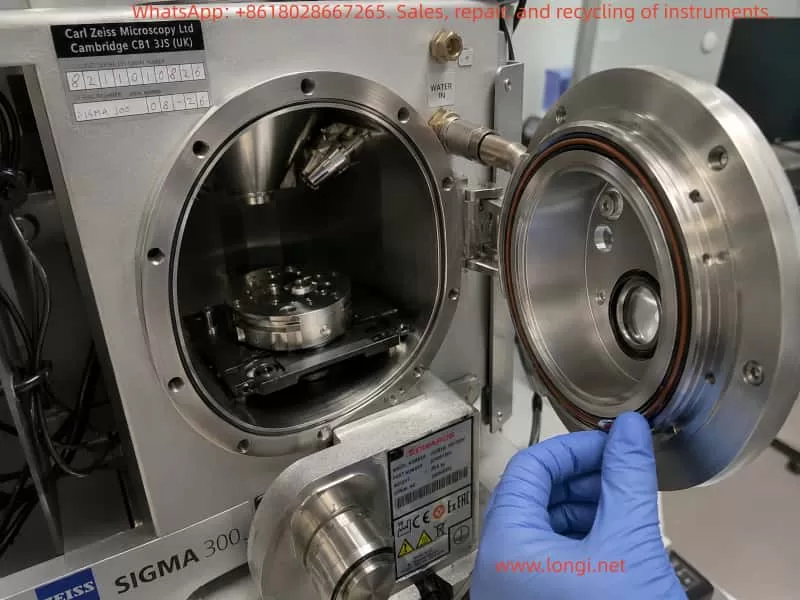
Technician inspecting the open ZEISS Sigma 300 SEM sample chamber, chamber door seal, O-ring, and sample stage during vacuum leakage and pump-down troubleshooting.

2.3 Turbo Molecular Pump and High-Vacuum Stage

After rough pumping reaches a certain pressure, the system relies on the turbo molecular pump to continue pumping the chamber into the high-vacuum range. The turbo molecular pump must start, accelerate, reach operational speed, and enter a Ready or Normal state. The high-vacuum valve and related valves must also actuate correctly before the system can proceed to high-vacuum confirmation.

If the turbo pump does not start, if the controller reports an alarm, if the rotational speed is not reached, if the backing pressure is not acceptable, or if the high-vacuum valve does not open, the chamber may stay at several Pa or tens of Pa and the software may continue to display Waiting Penning, Vacuum not ready, or a similar interlock status.

2.4 Pirani Gauge and Penning Gauge

Different types of vacuum gauges are used to cover different pressure ranges. The rough vacuum range is commonly monitored by a Pirani gauge, while the high-vacuum range is commonly monitored by a Penning gauge or cold cathode gauge.

The Pirani gauge is used in the higher pressure range and is typically responsible for determining whether the sample chamber has moved from atmosphere into rough vacuum. The Penning cold cathode gauge is used in the high-vacuum range and usually works reliably only when the pressure is low enough. If the system displays Waiting Penning, it means the vacuum control sequence is waiting for the Penning gauge to provide a valid high-vacuum condition, or waiting for it to start, ignite, stabilize, and satisfy the interlock threshold.

A Penning gauge fault does not always generate an obvious error message. In some cases, the software only remains at Waiting Penning, while the server or message log does not show a red alarm. This can happen because the control system is simply waiting for a valid confirmation signal rather than classifying the condition as a hard error.

2.5 Vacuum Valves and Pneumatic System

Many SEM vacuum valves are pneumatically driven, including vent valves, pumping valves, high-vacuum valves, and column isolation valves. Insufficient compressed air pressure, detached air tubing, a defective solenoid valve, a stuck valve body, or missing valve feedback can all cause the vacuum sequence to stop at a certain stage.

For instruments that require the chiller and compressed air system to stabilize before power-on, the cooling water, water pressure, compressed air pressure, dry air supply, and external interlock conditions must all be confirmed. Otherwise, even if the pumps themselves are functional, the valves may not actuate correctly.

Engineer checking the Edwards nXDS dry scroll backing pump, vacuum hoses, fittings, and rough pumping system connected to a ZEISS Sigma 300 scanning electron microscope.

3. Initial Judgment Based on the Failure Sequence

The most important detail in this case is that the instrument was working before the chamber was vented and opened. The failure appeared when the chamber was closed again and the operator attempted to pump down. This background strongly suggests that the problem may be related to the open-chamber and re-pump sequence.

When a vacuum fault appears immediately after opening and closing the chamber, the first suspects are usually chamber door sealing, sample stage position, sample holder interference, O-ring contamination, vent valve return, or rough pumping path problems. These are the components most likely to change after user operation.

However, later observations showed that the sample chamber door was sucked tight immediately after pumping started, and there was no obvious air leakage sound. The software showed System Vacuum = approximately 8.4e-02 mbar to 8.6e-02 mbar, equivalent to about 8.4–8.6 Pa. This means the chamber was not at atmospheric pressure and rough pumping was not completely ineffective. The backing pump and rough pumping path were at least partly functional. A major leak at the chamber door became less likely.

At this point, the diagnostic focus should shift from “whether the chamber can form negative pressure” to “why the system cannot complete high-vacuum confirmation after rough pumping.” The software status Waiting Penning indicates that the system has reached the stage where it expects confirmation from the Penning high-vacuum gauge, but the Penning gauge or its related vacuum measurement circuit is not providing a valid state.

Therefore, the fault range should be narrowed to the following possibilities:

  1. Penning / cold cathode high-vacuum gauge failure;
  2. Penning gauge cable, connector, supply, or high-voltage excitation failure;
  3. Gauge interface board or vacuum control board unable to read the Penning signal;
  4. Turbo molecular pump not started, not accelerated, or not Ready;
  5. High-vacuum valve not open or valve feedback not confirmed;
  6. Pneumatic pressure insufficient, causing valve actuation failure;
  7. Vacuum measurement power supply, communication, or common measurement circuit fault;
  8. Abnormal Gun Vacuum reading suggesting a wider measurement-channel issue.
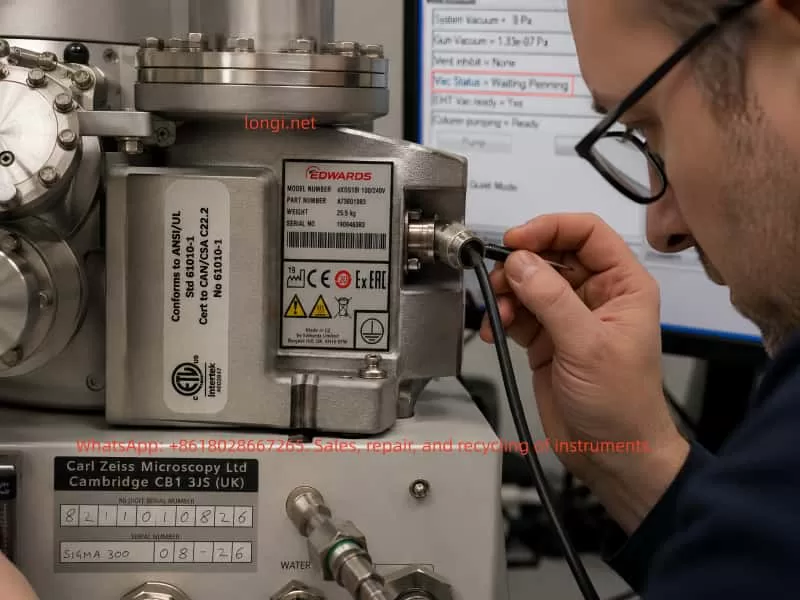
Close-up inspection of the Penning cold cathode vacuum gauge cable and connector on a ZEISS Sigma 300 SEM during “Waiting Penning” high-vacuum measurement fault diagnosis.

4. Meaning of System Vacuum Around 8 Pa

A System Vacuum reading of around 8 Pa is an important diagnostic dividing point. Atmospheric pressure is about 101325 Pa, so 8 Pa is already far below atmosphere. This value can exclude some simple failures, but it does not prove that the high-vacuum system is normal.

4.1 Complete Rough Pumping Failure Becomes Less Likely

If the backing pump were completely inactive, or if the chamber door were not sealing at all, the System Vacuum would usually not decrease to around 8 Pa. The chamber door would also not be sucked tight quickly. Therefore, with the chamber already around 8 Pa, it is not correct to simply describe the problem as “the pump is not pumping” or “the chamber is still at atmosphere.”

4.2 Minor Leakage Still Cannot Be Fully Excluded

Although the door is sucked tight, a minor leak cannot be completely excluded. A small leak may still allow the chamber to reach several Pa, but prevent the system from reaching the lower pressure range required for high vacuum. Common leak sources include a contaminated O-ring, detector flange, chamber accessory port, vent valve leakage, or contaminated valve seal. However, if the software clearly remains at Waiting Penning and the high-vacuum gauge has no valid reading, the measurement and high-vacuum confirmation chain becomes the higher-priority suspect.

4.3 The System Is Likely Stuck at Rough-to-High-Vacuum Transition

A pressure of around 8 Pa is still within the rough-vacuum region. At this stage, the system may be preparing to start or confirm the turbo pump, high-vacuum valve, and Penning gauge. If the pressure cannot decrease further, it is necessary to determine whether the turbo pump has really accelerated, whether the high-vacuum valve has opened, and whether the Penning gauge has entered a valid operating condition.

5. Technical Meaning of “Waiting Penning”

Waiting Penning is not the same as a direct conclusion that “the Penning gauge is bad.” It is a process status. It indicates that the system is waiting for the Penning high-vacuum gauge or cold cathode gauge to satisfy a required condition. This condition may include gauge enable, high-voltage excitation, ignition, valid pressure range, stable reading, control-board signal recognition, and software interlock confirmation.

5.1 Penning Gauge Body Failure

After long operation, a Penning gauge may suffer from contamination, internal deposition, ignition difficulty, unstable discharge, reading drift, or no reading at all. Common contamination sources in SEM chambers include conductive adhesive, volatile organic samples, powder, oil vapor, water vapor, and solvent residue. These contaminants can reduce the reliability of the gauge and prevent stable discharge, so no valid high-vacuum reading is produced.

5.2 Gauge Cable or Connector Failure

A loose gauge cable, oxidized connector, damaged shielding, pulled cable, or poor contact can cause the software to lose the Penning signal. Such faults may not always produce a clear alarm. They may only appear as Waiting Penning or no gauge reading.

5.3 High-Voltage Excitation or Gauge Supply Failure

A Penning cold cathode gauge requires high-voltage excitation to operate. If the high-voltage excitation module, gauge supply, or interface output is abnormal, the gauge body may be good but still unable to produce a valid measurement signal.

5.4 Vacuum Control Board or Measurement Channel Failure

If the vacuum control board input channel is damaged, or the gauge interface module is faulty, the software may not receive the actual reading. If multiple vacuum readings are abnormal at the same time, for example if Gun Vacuum = 1000 mbar, the diagnosis should expand to the common vacuum measurement power supply, communication chain, control board, or data acquisition channel, rather than focusing only on one gauge.

6. Risk Significance of Gun Vacuum Showing 1000 mbar

In one observation, Gun Vacuum = 1000.00 mbar was displayed. This value is close to atmospheric pressure and is highly abnormal for a field-emission gun. A field-emission electron gun must be maintained at extremely high vacuum, usually far lower than the sample chamber pressure. If the gun chamber were truly at atmospheric pressure, it would be a serious fault. The EHT must not be switched on, and emission or imaging must not be attempted.

However, because an earlier observation had shown a normal high-vacuum gun value, such as 1.33e-07 Pa, the later value of 1000 mbar may also be a software default value, an unloaded reading during startup, a communication failure, a lost gun vacuum gauge signal, or an abnormal vacuum measurement system display. Regardless of the cause, as long as Gun Vacuum remains at 1000 mbar, all high-voltage operation must be prohibited.

This symptom also indicates that diagnosis should not focus only on the chamber Penning gauge. The entire vacuum measurement system needs attention. If the chamber Penning gauge has no valid reading and the gun vacuum reading is also abnormal, there may be a fault in common power supply, vacuum control electronics, communication, or multiple gauge signal channels.

7. Diagnostic Procedure and On-Site Inspection Method

7.1 Do Not Enable EHT or Force the Column Chamber Valve

When EHT Vac Ready = No, Column Chamber Valve = Closed, and the vacuum status is abnormal, the EHT must not be switched on. The column chamber valve must not be forced open through service mode. The closed column valve protects the electron gun and high-vacuum column. Forcing it open may contaminate the electron optical system.

7.2 Observe the Complete Vacuum Page

The complete software Vacuum page should be observed, not only a cropped screenshot. The following parameters should be recorded:

  • System Vacuum;
  • Gun Vacuum;
  • Vac Status;
  • Column Chamber Valve;
  • EHT Vac Ready;
  • Column Pumping;
  • Pump / Vent button status;
  • Bottom status indicators such as Vac, Gun, and EHT;
  • Any warning or message.

It is especially important to distinguish whether the System Vacuum is completely blank, fixed at atmosphere, decreasing to a certain value and stopping, or still slowly decreasing. These patterns correspond to different fault directions.

7.3 Record the Full Pump-Down Sequence

After clicking Pump or after automatic pumping at startup, a continuous video of at least 10–20 minutes should be recorded. The change of System Vacuum should be observed. If the pressure drops quickly from atmosphere to around 8 Pa and then remains there, the rough pumping is effective but the high-vacuum stage is not continuing. If the pressure does not change at all, the chamber seal, vent valve, pumping valve, and rough vacuum gauge should be checked again.

7.4 Check the Chamber Door and O-Ring

Although a major chamber leak is now less likely, the fault occurred after chamber opening, so the door seal should still be checked. The inspection should include:

  • Whether the O-ring is displaced;
  • Whether the O-ring has dents, cracks, hardening, or deformation;
  • Whether the sealing surface has conductive adhesive, dust, metal particles, or fibers;
  • Whether the sample stage is too high;
  • Whether the sample holder interferes with the door;
  • Whether a sample has dropped inside the chamber;
  • Whether detector ports or accessory flanges are loose.

An empty-chamber pump-down test is recommended to rule out sample or holder interference.

7.5 Check the Edwards Backing Pump

The backing pump should be checked for operating sound, indicator lamps, alarm status, pumping-load change, pipe connection, and exhaust condition. A running pump does not necessarily mean it has sufficient pumping speed or that the valve path is open. If the pump sounds unloaded all the time, the chamber may not be connected to the pump path. If the pump sounds heavily loaded but the pressure does not fall, there may be a large leak or a vent valve not fully closed.

7.6 Check the Turbo Pump and Controller

When System Vacuum has reached around 8 Pa, the turbo pump status becomes especially important. The following should be checked:

  • Whether the turbo pump starts;
  • Whether acceleration sound can be heard;
  • Whether the controller displays Ready, Normal, Acceleration, or Alarm;
  • Whether Fail, Error, or Overtemperature is present;
  • Whether backing pressure satisfies the turbo start condition;
  • Whether turbo pump cables and control lines are normal;
  • Whether the software shows any Turbo / TMP status.

If the turbo pump is not accelerating, even a good Penning gauge may not enter a valid high-vacuum measurement range.

7.7 Check the Penning / Cold Cathode Gauge

The Penning gauge body should be located, and its model, installation position, cable, and connector condition should be recorded. The key inspection points are:

  • Whether the connector is loose;
  • Whether the cable has been pulled or damaged;
  • Whether the connector is oxidized;
  • Whether the gauge is contaminated;
  • Whether the gauge is connected to the correct vacuum region;
  • Whether a replacement gauge is available for cross-testing;
  • Whether gauge supply or high-voltage excitation is normal.

If conditions allow, replacing the gauge with the same model or cross-checking the channel can help determine whether the fault is in the gauge body, the cable, or the control electronics. This must be done carefully by personnel familiar with the system, because incorrect handling of gauge wiring or high-voltage connectors can cause additional damage.

7.8 Check Compressed Air and Valve Group

Many SEM vacuum valves are pneumatic, so compressed air must be checked. The inspection should include:

  • Air compressor output pressure;
  • Instrument air pressure gauge;
  • Whether the air supply is dry;
  • Whether any air tube is loose;
  • Whether valve manifold indicators are normal;
  • Whether valve actuation sound is heard during Pump / Vent;
  • Whether the vent valve fully closes;
  • Whether the high-vacuum valve actuates;
  • Whether valve feedback is received by the control system.

If the high-vacuum valve does not open, the chamber may remain in the rough-vacuum stage and the software may continue waiting for Penning confirmation.

7.9 Check Logs and Status Records

Even if the server shows no obvious error, the Message Log, Event Log, and Vacuum Log should be reviewed. The following keywords are especially important:

  • Penning;
  • Cold Cathode;
  • Gauge;
  • Pirani;
  • TMP;
  • Turbo;
  • Valve;
  • Vacuum timeout;
  • Gun vacuum;
  • EHT;
  • Interlock.

No error message does not mean no fault. Many interlock conditions are shown only as a waiting state and may not be classified as an error.

8. Fault Priority Analysis

Based on the observed symptoms, the likely fault priority can be ranked as follows.

8.1 Penning Gauge or Its Measurement Circuit

This is the most direct suspect. The software explicitly displays Waiting Penning, and the high-vacuum gauge remains without valid reading. If the turbo pump and high-vacuum valve are confirmed normal, then the Penning gauge body, cable, supply, interface board, or vacuum control board channel becomes the primary target.

8.2 Turbo Pump Not Ready

If the turbo pump has not reached operating condition, the chamber cannot enter the high-vacuum range, and the Penning gauge may not produce a valid reading. This must be confirmed by controller status and software status, not just by listening for pump noise.

8.3 High-Vacuum Valve or Pneumatic Valve Not Actuated

If the valve does not open or the feedback signal is missing, the system may wait for Penning in the control sequence while the actual high-vacuum path is not established. Insufficient compressed air, defective solenoid valves, stuck valve bodies, and failed valve feedback can all cause this condition.

8.4 Vacuum Measurement Control Module Fault

The abnormal Gun Vacuum = 1000 mbar is a signal that the fault may be wider than a single chamber gauge. If multiple readings are abnormal, the vacuum measurement module, control board, communication line, power supply, and interface electronics must be inspected. Replacing only the Penning gauge may not solve the problem.

8.5 Minor Leak or Contamination Preventing High Vacuum

Although the chamber can rough-pump to around 8 Pa, a small leak may still prevent high vacuum. If the turbo pump and Penning gauge are functional but the pressure cannot decrease further, the O-ring, flanges, detector interfaces, vent valve, and chamber leak paths should be inspected.

9. Repair Recommendations

9.1 Do Not Replace the Gauge Blindly

Although the Penning gauge is a highly suspicious component, it should not be replaced blindly before confirming the turbo pump, valve group, compressed air, and measurement circuit. Blind replacement may increase service cost and may not address the actual fault.

9.2 Perform On-Site Diagnosis First

A reasonable service process should begin with on-site diagnosis. The following items should be confirmed:

  • Sample chamber sealing;
  • Backing pump performance;
  • Rough vacuum reading;
  • Turbo pump status;
  • Compressed air pressure;
  • Valve actuation;
  • Penning gauge and cable;
  • Gun Vacuum reading;
  • Vacuum control board and log status.

If the fault is only a loose connector, light gauge contamination, valve state problem, sealing-surface contamination, or software state issue, cleaning, reconnecting, resetting, or state recovery may restore the system. If the gauge is damaged, the control board channel is defective, the turbo pump fails, or the valve group is damaged, a separate repair quotation and parts plan will be required.

9.3 Protect the Electron Gun During Service

The field-emission gun is highly sensitive to vacuum contamination. During diagnosis and repair, the following rules must be followed:

  • Do not switch on EHT;
  • Do not force the Column Chamber Valve open;
  • Do not repeatedly Pump and Vent unnecessarily;
  • Do not disassemble electron gun high-vacuum components;
  • Do not attempt emission while Gun Vacuum is abnormal;
  • Do not modify vacuum interlock parameters randomly in service mode;
  • Do not force the vacuum sequence when the chiller, water, or compressed air conditions are abnormal.

The software keeping the valve closed and EHT disabled is normally a protection mechanism. These protections should not be bypassed.

10. Typical Diagnostic Conclusion

For a ZEISS Sigma 300 with chamber vacuum abnormality, if the sample chamber door is sucked tight, the System Vacuum can fall to around 8 Pa, the software remains at Waiting Penning, the server shows no obvious error, and the high-vacuum gauge has no valid reading, the following stage conclusion can be made:

  1. A major chamber door leak is less likely;
  2. The backing rough-pumping system is not completely failed;
  3. The fault is mainly concentrated in the high-vacuum confirmation chain;
  4. The Penning / cold cathode gauge and its measurement circuit are the first suspects;
  5. Turbo pump Ready status, high-vacuum valve actuation, and compressed air pressure must be checked at the same time;
  6. If Gun Vacuum remains at 1000 mbar, the diagnosis must expand to the vacuum measurement control module, communication, or supply circuit;
  7. Before EHT Vac Ready becomes valid, EHT must not be enabled and the column valve must not be forced open.

11. Conclusion

Vacuum faults in a scanning electron microscope cannot be diagnosed from one pressure value alone. They also should not be solved by replacing one component simply because a process status mentions a gauge. The ZEISS Sigma 300 vacuum system is built from the backing pump, turbo pump, Pirani gauge, Penning gauge, valve group, compressed air system, control electronics, and software interlocks. The chamber door being sucked tight means rough vacuum exists, but it does not mean high vacuum has been achieved. Waiting Penning points to the high-vacuum confirmation chain, but it does not prove that the Penning gauge body itself is definitely defective. An abnormal Gun Vacuum value further suggests a possible deeper issue in the vacuum measurement system.

The correct diagnostic method is to follow the vacuum establishment sequence step by step. First confirm chamber sealing and rough pumping capability. Then confirm the turbo pump and valve actuation. Next inspect the Penning gauge, cable, supply, interface board, and vacuum control board. Finally, use the logs and interlock status to determine whether a common measurement-circuit problem exists.

Only by distinguishing between “the actual vacuum has not reached the required condition” and “the vacuum may be present but the system cannot read or confirm it” can misdiagnosis and unnecessary replacement of expensive components be avoided.

For this type of fault, the key service focus should be on the Penning high-vacuum gauge and its measurement circuit, turbo pump Ready status, high-vacuum valve actuation, and the vacuum control module. Until the fault is clearly identified, EHT should remain off, the column chamber valve should remain closed, and any operation that may contaminate the electron gun or expand the fault should be avoided.

Posted on

Analysis of Image Quality Degradation After Filament Replacement in the JEOL JEM-1400 Transmission Electron Microscope: Systematic Troubleshooting from Filament Emission and Vacuum Conditions to Electron Gun Alignment

1. Background: A TEM Filament Is Not an Ordinary “Light Bulb”

In the JEOL JEM-1400 transmission electron microscope (TEM), the so-called “bulb” is actually the electron gun filament, which serves as the electron emission source. In tungsten-filament TEM systems, the filament does not provide illumination in the traditional optical sense. Instead, under high vacuum and high-voltage conditions, it emits electrons through thermionic emission. The emitted electron beam passes through the Wehnelt electrode, anode, condenser lens system, objective lens system, specimen region, and imaging system before finally forming an image on the fluorescent screen or digital camera.

Because of this, filament replacement is not merely a simple consumable replacement procedure. It directly involves the electron gun structure, vacuum system, high-voltage stability, beam current stability, gun alignment, and imaging calibration. A filament that can emit electrons does not necessarily mean the microscope has returned to optimal imaging performance. Many JEM-1400 systems exhibit the condition commonly described as “the microscope still works, but the image quality is poor” after filament replacement.

Typical symptoms include:

  • Reduced image brightness
  • Gray or low-contrast images
  • Difficulty focusing
  • Off-center beam spot
  • Uneven illumination
  • Unstable beam current
  • Poor high-magnification resolution
  • Increased camera noise
  • Beam drift or fluctuation

These issues cannot simply be attributed to “a bad filament” or “the wrong filament model.” Proper diagnosis requires systematic analysis of:

  • Filament compatibility
  • Installation orientation
  • Electron gun contamination
  • Vacuum condition
  • HT (high tension) voltage stability
  • Beam current stability
  • Filament saturation
  • Gun alignment after replacement
  • Beam alignment
  • Specimen condition
  • Camera and imaging settings

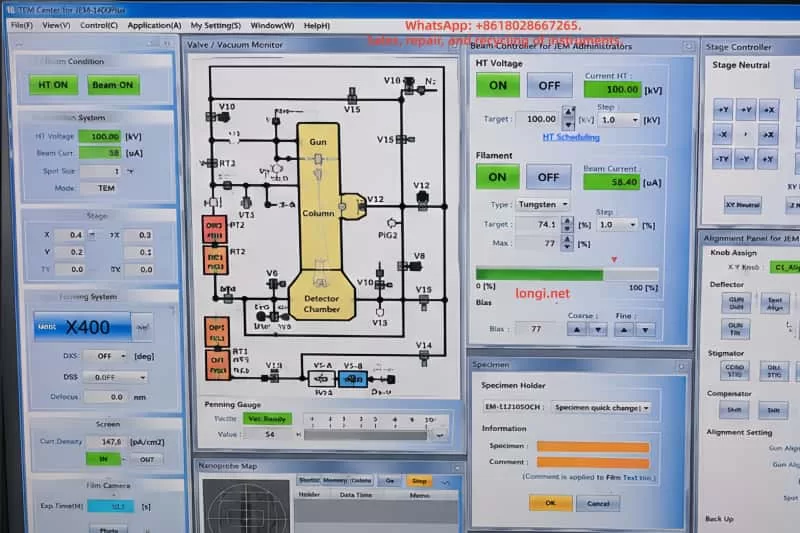
JEOL JEM-1400 transmission electron microscope control software interface showing HT voltage at 100 kV, filament ON status, beam current settings, vacuum monitor diagram, stage controller, and alignment control panel.

2. Basic Equipment and Filament Verification

For the JEOL JEM-1400, the instrument label typically identifies the system as JEM-1400 Electron Microscope along with its serial information. Systems equipped with HC (High Contrast) pole pieces are particularly sensitive to beam alignment, specimen height, beam stability, and sample thickness.

Replacement tungsten filaments are commonly labeled as:

FILAMENT / K-TYPE MA113008

Physically, these filaments generally consist of:

  • A circular metal mounting base
  • Ceramic insulation
  • Two electrical pins
  • A central tungsten emission wire

Installation is not simply a matter of inserting the filament assembly. The following factors significantly affect beam quality:

  • Filament center height
  • Pin contact quality
  • Tungsten wire position
  • Mounting orientation
  • Concentricity with the Wehnelt aperture

Even if the old filament was discarded and no reference photos exist, reliable diagnosis is still possible. Comparing the old and new filaments is only a secondary aid. The more important checks are:

  1. Whether the filament model matches the electron gun configuration
  2. Whether the replacement filament packaging corresponds to the proper JEM-1400 filament type
  3. Whether the new filament is physically intact
  4. Whether the tungsten wire is centered
  5. Whether the pins are straight and undamaged
  6. Whether stable beam current can be achieved after installation
  7. Whether a controllable beam spot appears on the fluorescent screen

If these conditions are verified step by step, troubleshooting can continue even without the original filament.


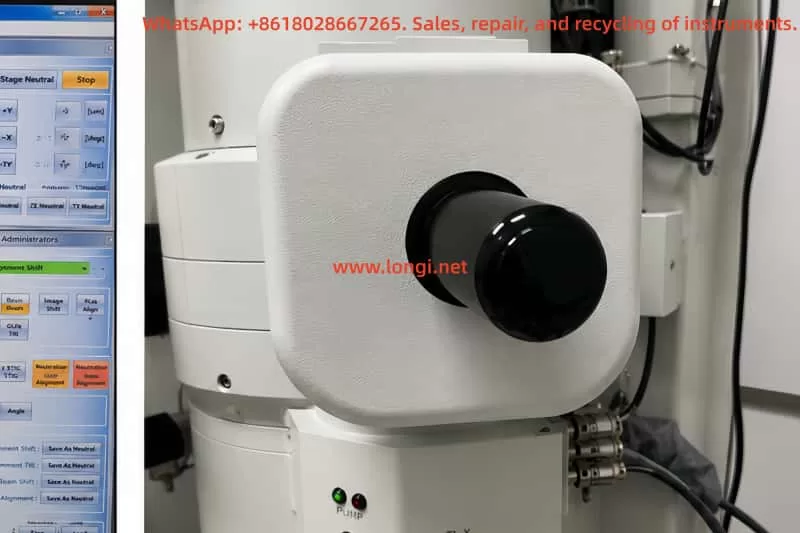
Close-up external view of the JEOL JEM-1400 electron gun filament housing and electron source assembly mounted on the TEM column in a laboratory environment.

3. Safety Conditions Before and After Filament Replacement

TEM filament replacement must follow strict high-voltage and vacuum safety procedures. The electron gun area of the JEM-1400 involves:

  • High voltage
  • High vacuum
  • Precision alignment structures
  • Clean internal surfaces

Improper handling may result in:

  • High-voltage discharge
  • Electron gun contamination
  • Reduced filament lifetime
  • Vacuum instability
  • Damage to the HT system

Before replacement, ensure:

  • HT is OFF
  • Filament power is OFF
  • The electron gun is fully cooled
  • The gun chamber has been vented properly
  • Only the filament assembly is accessed
  • No unrelated high-voltage covers are removed
  • Clean gloves and proper tools are used

Never touch:

  • Tungsten wire
  • Ceramic surfaces
  • Wehnelt aperture
  • Contact surfaces

Each disassembly step should be documented with photos, especially:

  • Mounting orientation
  • Insertion depth
  • Locking screw positions

After replacement, HT should not be enabled immediately. The gun chamber and associated vacuum regions must first recover to proper vacuum levels. Gun, Column, Specimen Chamber, and Detector Chamber should all reach READY status before HT and Filament are turned on.

Enabling HT under poor vacuum conditions may cause:

  • Gun discharge
  • Wehnelt contamination
  • Anode contamination
  • Instability of emission

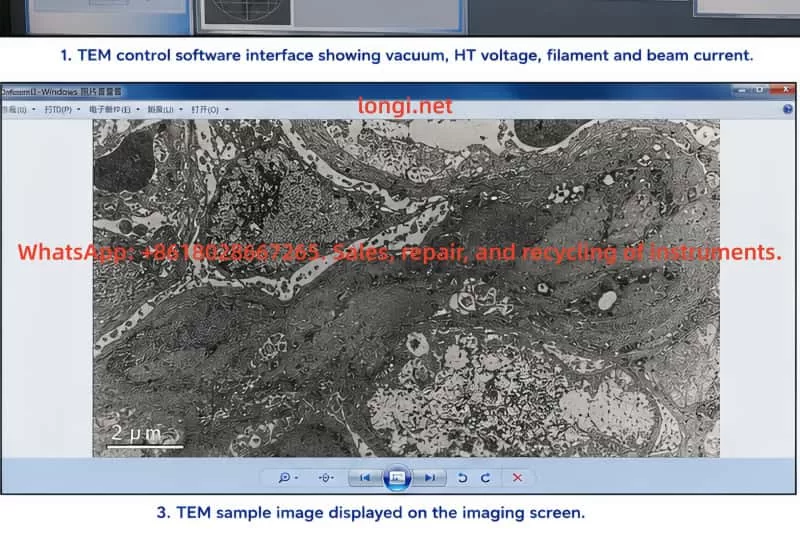
Transmission electron microscope sample image displayed on a monitor, showing high-magnification grayscale cellular ultrastructure captured by a JEOL JEM-1400 TEM system.

4. Vacuum Status Is the First Requirement Before Judging Filament Performance

The JEM-1400 vacuum interface typically displays statuses for:

  • Gun
  • Column
  • Specimen Chamber
  • Detector Chamber
  • RT1
  • Penning Gauge

Before evaluating filament performance, vacuum conditions must first be confirmed.

Typical normal status indicators include:

  • Gun: Evac Ready
  • Column: Evac Ready
  • Specimen Chamber: Evac Ready
  • Detector Chamber: Evac Ready
  • RT1: Evac Ready
  • Penning Gauge: Vac Ready

If any section shows NOT READY, especially the Specimen Chamber, image quality evaluation becomes unreliable.

Common causes include:

  • Specimen holder not fully inserted
  • Chamber leakage
  • Vacuum valve issues
  • Incomplete evacuation
  • Damaged seals
  • Improper loading procedures

Under these conditions, HT may fail to activate properly, or image quality may degrade regardless of filament condition.

A common mistake is assuming:
“The image quality became poor after filament replacement, therefore the filament is defective.”

However, if the vacuum condition itself is unstable, filament evaluation becomes meaningless.


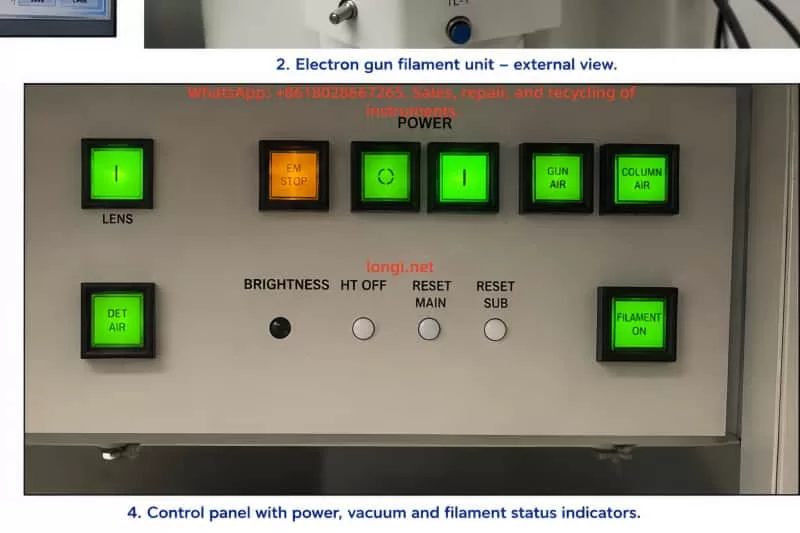
JEOL transmission electron microscope control panel with illuminated power, vacuum, filament, detector air, and column air status indicators during system operation.

5. Relationship Between HT, Filament, and Beam Current

The JEM-1400 requires HT voltage to generate the electron beam. Typical operating voltages include:

  • 80 kV
  • 100 kV
  • 120 kV

Typical software status indications include:

  • HT ON
  • Current HT: 100.00 kV
  • Filament ON
  • Beam ON
  • Beam Current: tens of microamps

If HT remains OFF or Current HT remains at 0 kV, proper electron imaging cannot occur even if the filament is heated.

If the system displays:

  • HT ON
  • Current HT: 100.00 kV
  • Filament ON
  • Beam Current around 57–58 μA
  • Visible fluorescent beam spot

then the filament is clearly emitting electrons.

This does not automatically mean imaging performance is optimal. Beam current alone only confirms electron emission. Additional evaluation is required for:

  • Beam stability
  • Beam centering
  • Brightness
  • Beam symmetry
  • Saturation condition
  • Gun alignment

If Beam Current is approximately 57 μA and the fluorescent spot responds smoothly to Brightness adjustment, the filament should not immediately be considered defective.

In such cases, poor beam alignment after replacement is a far more likely cause.


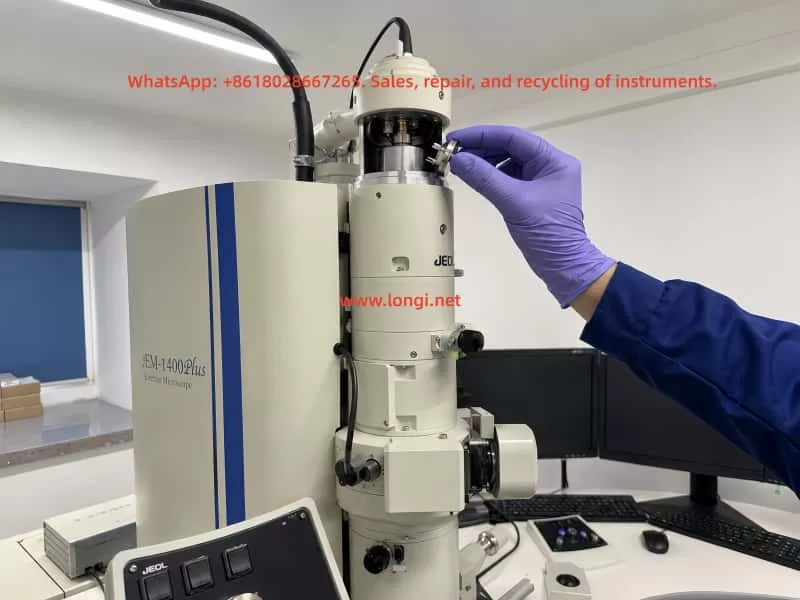
Engineer wearing protective gloves installing a tungsten filament assembly into the electron gun of a JEOL JEM-1400 transmission electron microscope during maintenance and alignment procedure.

6. How to Evaluate Beam Condition Without a Specimen

Although final imaging quality must ultimately be judged using a specimen, important preliminary evaluation can still be performed without any sample loaded.

After filament replacement, fluorescent screen observation is often more important than camera imaging.

The following checks can be performed without a specimen:

Low-Magnification Beam Spot Observation

Set magnification to:

  • X400
  • X800

Set Spot Size to:

  • 1
  • 2

Adjust Brightness and observe whether a green fluorescent beam spot appears.

Brightness Adjustment Test

Slowly adjust Brightness.

The beam spot should:

  • Expand smoothly
  • Contract smoothly
  • Change brightness continuously
  • Remain stable
  • Not flicker
  • Not disappear abruptly

Beam Centering

If the beam spot is significantly off-center, Beam Shift, Gun Alignment, or Beam Alignment is required.

This is extremely common after filament replacement.

Beam Shape and Uniformity

A proper beam should appear:

  • Circular
  • Uniform
  • Symmetrical
  • Adjustable

Uneven illumination or distorted shape may indicate:

  • Gun misalignment
  • Off-center filament installation
  • Wehnelt contamination
  • Condenser misalignment
  • Aperture issues

Beam Current Stability

After HT and Filament are enabled, Beam Current should remain relatively stable.

Large fluctuations or gradual decay may indicate:

  • Filament aging
  • Poor electrical contact
  • Gun contamination
  • High-voltage instability

Without a specimen, one cannot judge ultimate resolution performance, but it is entirely possible to evaluate:

  • Electron emission
  • Beam stability
  • Beam centering
  • Basic electron optical alignment

7. Importance of Filament Saturation

Tungsten filaments require proper filament saturation adjustment after replacement.

Simply enabling Filament power is insufficient.

Without proper saturation:

  • Brightness may be inadequate
  • Beam current may fluctuate
  • Filament lifetime may shorten significantly

As filament current increases:

  • Beam current should increase
  • Fluorescent brightness should increase

Eventually, the increase slows and reaches a relatively stable plateau. This plateau represents the appropriate saturation region.

If filament current approaches maximum while Beam Current remains low and brightness remains weak, possible causes include:

  • Filament aging
  • Poor-quality filament
  • Off-center installation
  • Contact issues
  • Gun contamination

If Beam Current fluctuates heavily during adjustment, possible causes include:

  • Poor contact
  • Wehnelt contamination
  • Imminent high-voltage discharge

If Beam Current is stable and brightness is adequate, immediate replacement is generally unnecessary.

Overheating tungsten filaments greatly reduces service life. Many “rapid failures” are actually caused by:

  • Improper saturation
  • Excessive operating temperature
  • Poor vacuum conditions
  • Gun contamination

8. Electron Gun Alignment Must Be Repeated After Filament Replacement

One of the most commonly overlooked procedures after filament replacement is electron gun realignment.

Even with the correct filament model, the following factors will differ slightly from the original filament:

  • Wire position
  • Pin depth
  • Ceramic height
  • Mechanical seating

Therefore, the electron optical axis changes after replacement.

The following adjustments are typically required:

  • Gun Alignment
  • Beam Alignment
  • Beam Shift
  • Condenser Alignment
  • Beam Tilt
  • Spot Size alignment
  • Brightness-related condenser adjustments
  • Astigmatism correction if necessary

Without realignment, typical symptoms include:

  • Off-center beam
  • Uneven illumination
  • Poor high-magnification imaging
  • Low contrast
  • Difficulty focusing
  • Increased camera noise

These problems are often mistaken for defective filaments when the actual cause is incomplete alignment.

Replacing a filament without re-aligning the gun is comparable to replacing a laser source without recalibrating the optical path.

The system may still function, but image quality will not be optimal.


9. Effects of Off-Center Installation and Wehnelt Contamination

If proper beam quality cannot be achieved even after adjustment, mechanical installation and contamination should be investigated.

Off-Center Filament Installation

If the filament assembly is:

  • Not fully seated
  • Incorrectly oriented
  • Unevenly tightened
  • Improperly positioned

the emission point may shift away from the electron optical axis.

This causes:

  • Off-center beam
  • Uneven illumination
  • Excessive alignment correction requirements

Tungsten Wire Deformation

If the filament wire is bent during handling or installation, beam quality may degrade significantly.

Wehnelt Aperture Contamination

Contamination around the Wehnelt aperture may cause:

  • Beam instability
  • Beam deflection
  • Gray images
  • Reduced brightness
  • High-voltage discharge

Fingerprint Contamination

Direct contact with ceramic or filament surfaces introduces oils that become severe contamination sources under vacuum and HT conditions.


10. When Should Another Filament Actually Be Replaced?

A common field situation occurs when one filament from a new box has already been installed, image quality is unsatisfactory, and several unused filaments remain available. The operator may immediately want to replace another filament.

This is not always the best decision.

Each electron gun disassembly increases the risk of:

  • Contamination
  • Misalignment
  • Vacuum leakage
  • Recovery downtime

Replacement should only be considered if several of the following are observed:

  • Beam Current cannot reach normal levels
  • Brightness remains weak even near maximum filament setting
  • Beam Current fluctuates heavily
  • Beam intermittently disappears
  • Saturation plateau cannot be reached
  • Alignment cannot restore centered stable illumination
  • Filament appears physically damaged

If the system already shows:

  • HT ON
  • 100 kV
  • Beam Current around 57–58 μA
  • Bright fluorescent beam spot

then the filament should not immediately be judged defective.

Beam alignment should be completed first.


11. Poor Images Are Not Always Caused by the Filament

TEM image quality depends on many factors beyond the filament itself.

Even with proper beam emission, poor specimen quality may cause unsatisfactory images.

Possible non-filament causes include:

  • Thick specimens
  • Damaged sections
  • Poor staining
  • Specimen drift
  • Objective aperture contamination
  • Incorrect aperture positioning
  • Poor focus
  • Astigmatism
  • Camera exposure settings
  • Camera aging
  • Mechanical vibration

Therefore, a single specimen image cannot definitively determine filament condition.


12. Recommended Troubleshooting Procedure

For JEM-1400 systems with degraded image quality after filament replacement, the recommended diagnostic sequence is:

Step 1: Verify Vacuum

Confirm all major vacuum sections are READY.

Step 2: Verify HT

Confirm HT ON and correct operating voltage.

Step 3: Verify Electron Emission

Enable Filament and Beam. Confirm stable Beam Current.

Step 4: Observe Fluorescent Beam Spot

Check beam visibility, centering, symmetry, and response to Brightness adjustment.

Step 5: Perform Filament Saturation

Confirm stable saturation plateau.

Step 6: Perform Gun Alignment and Beam Alignment

Center and optimize the beam.

Step 7: Evaluate Specimen Images

Use standard or disposable test specimens.

Step 8: Inspect Gun Components if Necessary

Inspect filament, Wehnelt, and contacts only if previous steps fail.

Step 9: Replace Another Filament Only if Necessary

Avoid unnecessary repeated gun disassembly.


13. Conclusion

Image quality degradation after filament replacement in the JEOL JEM-1400 is a comprehensive electron optical system issue rather than a simple “bad filament” problem.

If the microscope can achieve:

  • 100 kV HT
  • Stable Beam Current around 57 μA
  • Bright fluorescent beam spot
  • Smooth Brightness response

then the filament is at least functioning as a valid electron emitter.

Under these conditions, priority should be given to:

  • Beam centering
  • Filament saturation
  • Gun alignment
  • Beam alignment
  • Condenser alignment

before deciding to replace another filament.

A filament should only be replaced when there is clear evidence of failure such as:

  • Insufficient emission
  • Severe instability
  • Saturation failure
  • Physical filament damage
  • Persistent abnormal beam behavior after proper alignment

For TEM service engineers and technical support personnel, the correct troubleshooting sequence is:

Verify vacuum → verify HT → verify emission → optimize beam alignment → evaluate imaging → replace filament only if necessary.

Following this sequence minimizes unnecessary disassembly, reduces contamination risk, and restores stable imaging performance efficiently.

Posted on

Particle Metrix ZetaView NTA Analyzer Startup Self-Test Failure and Stepper Drive Timeout Fault Diagnosis

1. Overview of the Fault Phenomenon

The Particle Metrix ZetaView is a nanoparticle tracking analysis (NTA) instrument widely used for the characterization of exosomes, viruses, liposomes, nanomaterials, protein aggregates, colloidal suspensions, and other nanoscale particles. Although it appears externally as a compact benchtop laboratory analyzer, internally it integrates a laser illumination system, microscopic imaging system, sample cell positioning mechanism, temperature and fluid control system, camera acquisition module, motion control system, and dedicated analysis software.

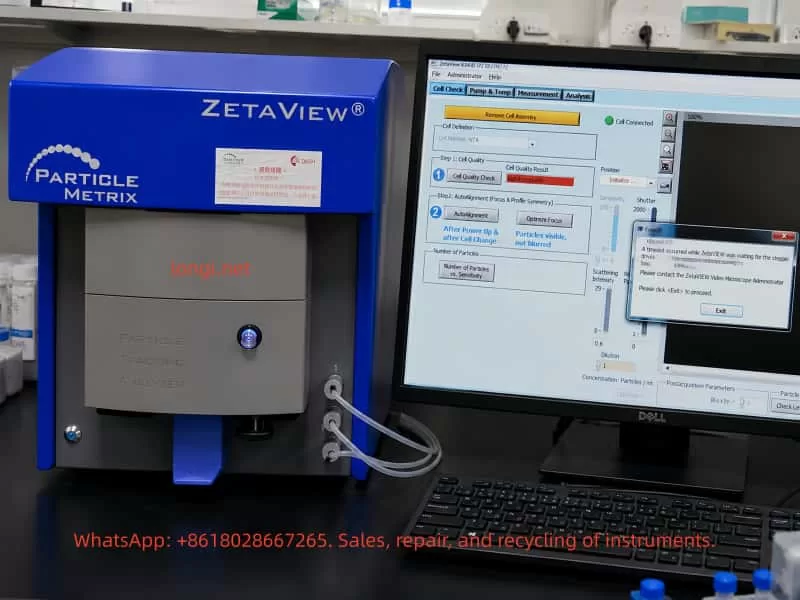
One common field failure encountered on this type of instrument is startup initialization failure. After powering on the instrument and launching the ZetaVIEW software, the system cannot complete the self-check procedure. During initialization or Cell Check, the software displays an error message similar to:

A timeout occurred while ZetaVIEW was waiting for the stepper drives to stop.
ZetaVIEW will be stopped without saving the configuration file.
Please contact the ZetaVIEW Video Microscope Administrator.

This error does not simply indicate a software crash or Windows problem. It means that during startup initialization, the software issued a motion command to the internal stepper motor system, but the instrument failed to return the expected “motion completed” or “drive stopped” status within the allowed time window.

For service engineers, this is a critical distinction. Reinstalling the software or replacing the PC may not resolve the issue. In most cases, the fault is associated with one or more of the following subsystems:

  • Sample cell installation or positioning problems
  • Mechanical blockage inside the motion platform
  • Stepper motor or stepper driver failure
  • Home sensor or limit switch malfunction
  • Motion controller communication errors
  • Internal power supply instability
  • Liquid contamination, salt crystallization, or corrosion inside the instrument

Therefore, when a ZetaView analyzer reports a “stepper drives timeout” error during startup, troubleshooting should focus primarily on the internal motion control system rather than the software alone.


Particle Metrix ZetaView NTA analyzer showing a ZetaVIEW software self-test failure with a stepper drive timeout error on the connected computer screen.

2. Basic Internal Structure of the ZetaView NTA Analyzer

Understanding the internal architecture of the analyzer is essential for correct fault diagnosis.

The ZetaView is not merely an optical microscope. Its operation is based on nanoparticle tracking analysis. Nanoparticles suspended in liquid undergo Brownian motion. A laser illuminates the particles inside the sample cell, and the microscopic imaging system captures the scattered light from each particle. The software then calculates particle size distribution by analyzing particle motion trajectories.

To achieve this, the instrument includes several interconnected systems.


2.1 Laser Illumination System

The analyzer requires a stable laser source to illuminate nanoparticles inside the measurement cell. Scattered light from the particles is captured by the camera system.

Laser-related failures usually produce symptoms such as:

  • Dark image
  • No visible particles
  • Weak scattering intensity
  • High optical noise
  • Unstable illumination

However, laser faults generally do not directly trigger “stepper drive timeout” errors unless multiple initialization procedures fail simultaneously.


2.2 Microscopic Imaging System

The instrument includes:

  • Microscope optics
  • Imaging camera
  • Focus adjustment mechanism
  • Optical positioning assembly

The software functions “Auto Alignment” and “Optimize Focus” indicate that the system must move and adjust optical components during initialization.

If the imaging system fails, typical symptoms include:

  • Black image
  • Blurred particles
  • Unstable focus
  • Excessive background noise
  • Missing particle trajectories

Again, these faults alone normally do not generate the specific “waiting for the stepper drives to stop” error unless the motion system involved in focusing is malfunctioning.


2.3 Sample Cell and Fluidic System

The sample cell is where nanoparticle measurements occur. Tubing connections allow sample injection, flushing, and fluid exchange.

The software screen often displays messages such as:

  • Remove Cell Assembly
  • Cell Connected
  • Cell Quality Check

If the sample cell is improperly installed, contaminated, misaligned, or mechanically interfering with the positioning mechanism, the motion platform may fail during initialization.

Common issues include:

  • Misaligned sample cell
  • Salt residue inside the holder
  • Damaged sealing ring
  • Deformed mounting mechanism
  • Mechanical obstruction
  • Improper insertion depth

2.4 Motion Control System

The motion system is the most important subsystem related to this fault.

Inside the analyzer, several precision movements may be controlled by stepper motors:

  • Sample cell positioning
  • Focus adjustment
  • Optical path alignment
  • Stage positioning
  • Internal calibration movement

During startup, the software typically performs:

  • Homing operations
  • Position calibration
  • Focus initialization
  • Alignment verification
  • Motion completion checks

If any axis fails to stop correctly, or if the controller does not receive the expected completion signal, the software eventually reports a timeout error.


Engineer diagnosing and repairing a Particle Metrix ZetaView NTA nanoparticle analyzer with the instrument panel open, using a multimeter and laptop during troubleshooting.

3. Technical Meaning of the Error Message

The key phrase is:

waiting for the stepper drives to stop

This is extremely important.

It means the software successfully communicated with the instrument and attempted to control the internal motion system. The failure occurred after motion commands were already issued.

This implies several important conclusions:

  1. The instrument is at least partially communicating with the PC.
  2. The motion initialization process has started.
  3. The software is waiting for confirmation that the stepper-driven mechanism has stopped or reached its target position.
  4. That confirmation never arrived within the allowed time.

Therefore, the root problem lies somewhere within the motion control chain:

  • Mechanical movement
  • Stepper motors
  • Driver electronics
  • Home sensors
  • Limit switches
  • Motion feedback logic
  • Controller communication

This is not primarily a Windows or GUI software problem.


4. Common Causes of the Fault

4.1 Sample Cell Assembly Problems

The appearance of “Remove Cell Assembly” suggests that the software is checking sample cell status during startup.

If the sample cell is:

  • Improperly seated
  • Mechanically obstructing movement
  • Contaminated
  • Deformed
  • Incorrectly installed

the initialization sequence may fail.

This is particularly common when:

  • Operators force the cell into position
  • Salt crystals accumulate
  • Sample liquid leaks into the holder
  • The positioning mechanism becomes misaligned

A practical first step is always:

  1. Power off the instrument
  2. Remove the sample cell
  3. Clean the mounting area
  4. Restart the analyzer
  5. Retry initialization

If the instrument passes startup without the cell installed, the fault is strongly related to the sample cell assembly or associated positioning mechanism.


4.2 Mechanical Blockage

Mechanical resistance is one of the most common causes of stepper timeout errors.

Typical sources include:

  • Dried sample residue
  • Salt crystallization
  • Corrosion
  • Contaminated guide rails
  • Damaged bearings
  • Misaligned sliders
  • Bent lead screws
  • Foreign debris inside the motion path

Typical symptoms:

  • Humming motor without movement
  • Clicking or knocking sounds
  • Intermittent startup success
  • Axis stalling during homing
  • Excessive resistance during manual movement

NTA analyzers often operate with biological buffers and saline solutions. Even small liquid leaks can eventually contaminate precision mechanical assemblies.


4.3 Stepper Motor Failure

Stepper motors themselves can fail, although this is less common than mechanical blockage or driver board faults.

Possible motor-related issues include:

  • Open motor winding
  • Shorted winding
  • Connector failure
  • Bearing seizure
  • Motor overheating
  • Insufficient holding torque
  • Damaged cables

Diagnostic methods include:

  • Measuring winding resistance
  • Checking motor holding torque
  • Observing motor vibration
  • Listening for abnormal noise

A motor that vibrates but does not rotate often indicates either:

  • Mechanical blockage
  • Incorrect drive signals
  • Coil phase problems
  • Driver current failure

4.4 Stepper Driver Board Failure

The stepper driver board converts motion commands into motor current.

Failures may involve:

  • Burned driver ICs
  • Overcurrent protection triggering
  • Damaged MOSFETs
  • Corroded PCB traces
  • Loose connectors
  • Missing enable signals
  • Driver overheating
  • Power supply collapse

Typical symptoms:

  • Motor has no holding torque
  • Motor briefly moves then stops
  • Driver IC overheating
  • Repeated startup failures
  • Axis movement instability

Because many ZetaView instruments use proprietary motion control boards, board-level diagnosis may require oscilloscope testing and electronic repair skills.


4.5 Home Sensor or Limit Switch Failure

During startup, the instrument typically performs homing operations.

The motion axis moves toward a reference position until:

  • A home sensor activates
  • A limit switch changes state
  • A position feedback signal is detected

If this feedback never occurs, the software waits indefinitely until timeout.

Common causes include:

  • Dust blocking optical sensors
  • Broken limit switches
  • Misaligned sensor flags
  • Loose sensor connectors
  • Broken wires
  • Failed Hall sensors
  • Corroded optical interrupters

This is one of the most common root causes of startup timeout faults.


4.6 Internal Power Supply Problems

Motion systems require stable power.

Typical internal voltages include:

  • 24V motor supply
  • 12V auxiliary supply
  • 5V logic supply

Power-related faults may produce:

  • Random startup failures
  • Weak motor movement
  • Driver resets
  • Unstable communication
  • Excessive ripple noise
  • Voltage drop during motion

Important diagnostic points include:

  • Voltage stability under load
  • Ripple measurement
  • Capacitor aging
  • Connector oxidation
  • Power supply overheating

A static voltage reading alone is insufficient. Dynamic measurements during motor movement are far more useful.


4.7 Communication or Software Configuration Issues

Although the primary fault is usually hardware-related, communication problems should still be considered.

Potential issues include:

  • USB communication instability
  • Driver mismatch
  • Incorrect software version
  • Permission conflicts
  • Corrupted configuration files
  • PC power management problems

However, if the software already reaches the Cell Check interface and displays “Cell Connected,” communication is likely at least partially functional.

Therefore, communication issues are usually secondary rather than primary causes.


5. Recommended Troubleshooting Procedure

Step 1 – Record the Complete Failure Behavior

Before disassembly, record:

  • Software version
  • Exact error message
  • Startup timing
  • Motor sounds
  • Recent maintenance history
  • Sample leakage history
  • Transport history
  • Environmental conditions

This information greatly improves diagnostic efficiency.


Step 2 – Perform Minimal Startup Configuration

Reduce the system to the simplest possible state:

  1. Remove the sample cell
  2. Disconnect unnecessary peripherals
  3. Restart the analyzer
  4. Observe initialization behavior

If startup succeeds without the sample cell installed, focus on the cell assembly mechanism.


Step 3 – Listen to Internal Motion Behavior

Motor sounds provide valuable clues.

No sound at all

Possible causes:

  • No power
  • Dead driver board
  • Controller not issuing commands

Humming without movement

Possible causes:

  • Mechanical blockage
  • Insufficient drive current
  • Jammed axis

Repetitive clicking

Possible causes:

  • Failed homing
  • Sensor malfunction
  • Axis hitting mechanical stop

Brief movement then timeout

Possible causes:

  • Feedback failure
  • Motion interruption
  • Controller communication issue

Step 4 – Inspect Mechanical Assemblies

Check for:

  • Corrosion
  • Salt deposits
  • Contamination
  • Misalignment
  • Loose couplings
  • Damaged rails
  • Broken belts
  • Liquid intrusion

Mechanical inspection should always be performed carefully to avoid disturbing optical alignment.


Step 5 – Check Home Sensors and Limit Switches

Measure:

  • Sensor supply voltage
  • Output signal switching
  • Connector integrity
  • Wiring continuity

A failed home sensor can completely prevent successful initialization even if the motor itself is functioning normally.


Step 6 – Test Motors and Driver Boards

Key checks include:

  • Winding resistance
  • Driver board supply voltage
  • Enable signals
  • STEP/DIR signal activity
  • Motor holding torque
  • Driver temperature

Oscilloscope testing may be required for advanced diagnosis.


Step 7 – Verify Power Supplies

Measure:

  • 24V rail
  • 12V rail
  • 5V rail
  • Ripple voltage
  • Voltage sag during motion

Aging capacitors frequently cause intermittent startup problems in older laboratory instruments.


6. Repair Approaches

Depending on the root cause, repairs may involve:

  • Cleaning contamination
  • Realigning sample cell assemblies
  • Replacing sensors
  • Repairing motion rails
  • Replacing driver ICs
  • Rebuilding power supplies
  • Repairing corroded PCBs
  • Replacing damaged stepper motors
  • Reconfiguring software settings

After repair, the instrument must pass:

  • Startup initialization
  • Cell Quality Check
  • Auto Alignment
  • Optimize Focus
  • Standard particle testing

Only then can the repair be considered complete.


7. Important Diagnostic Distinctions

Software startup failure is not the same as self-test failure

If the software does not launch at all, the issue may be PC-related.

If the software launches but reports stepper timeout during initialization, the fault is inside the instrument.


“Cell Connected” does not mean the analyzer is healthy

This only confirms partial communication. Motion systems, optics, and sensors may still be malfunctioning.


Motor noise does not guarantee proper movement

A powered stepper motor may hum even when stalled.


Smooth mechanics do not guarantee healthy sensors

The axis may move correctly while the controller still fails to detect home position feedback.


Static voltage readings can be misleading

Power supplies may appear normal without load but collapse during motor operation.


8. Preventive Maintenance Recommendations

To reduce future failures:

  • Clean the sample cell after every use
  • Prevent liquid leakage
  • Avoid salt crystallization
  • Periodically exercise the instrument
  • Avoid forcing mechanical assemblies
  • Inspect tubing regularly
  • Monitor unusual startup sounds
  • Keep internal motion systems clean

Proper preventive maintenance significantly reduces the risk of motion system failures.


9. Conclusion

The “waiting for the stepper drives to stop” timeout error on a Particle Metrix ZetaView NTA analyzer is fundamentally a motion control initialization failure rather than a simple software problem.

The root cause usually lies in one or more of the following areas:

  • Mechanical blockage
  • Stepper motor failure
  • Driver board malfunction
  • Home sensor failure
  • Motion controller faults
  • Internal power instability
  • Sample cell positioning issues

Effective troubleshooting requires a structured approach:

  1. Observe startup behavior
  2. Listen to motor activity
  3. Inspect mechanics
  4. Verify sensors
  5. Test power supplies
  6. Diagnose driver electronics
  7. Validate software configuration

For precision laboratory instruments such as the ZetaView, successful repair means more than simply reopening the software. The analyzer must complete initialization, pass Cell Check procedures, perform stable Auto Alignment, and generate reliable nanoparticle measurements before the repair can be considered complete.

In practical field service, the “stepper drives timeout” message is actually highly valuable because it clearly narrows the problem to the motion control system. Once the troubleshooting process is focused on motors, sensors, mechanics, power supplies, and motion feedback signals, the fault can usually be isolated efficiently and repaired systematically.

Posted on

ABB EL3010-C / Uras26 Gas Analyzer Calibration Failure Analysis: From Abnormal SO₂ Concentration to “Raw Values Cannot Be Sampled”

In industrial flue gas monitoring, process gas analysis, environmental emission control, and chemical process measurement, the ABB EL3000 / EL3010-C gas analyzer is a widely used online analytical instrument. When configured with a Uras26 infrared analyzer module, it can measure infrared-active gases such as SO₂, CO₂, CO, NO, CH₄, and other process components. Because this type of analyzer involves optical detection, sample cells, temperature compensation, pressure compensation, EEPROM data sets, internal calibration cells, and external span gas calibration logic, a calibration failure should never be judged from one parameter alone.

A typical case involves an ABB EL3010-C gas analyzer that failed during SO₂ calibration. Two phenomena appeared at the same time. First, in ABB Optima TCT software, the Calibration Cell 1 parameter showed an apparently abnormal SO₂ concentration component, approximately 0.3134 ppm. Second, when manual zero calibration was performed from the analyzer front panel, the analyzer displayed the following error:

ERROR
Calibration canceled!
Raw values cannot be sampled!
SO2

Many technicians may see the first symptom and immediately conclude that the SO₂ calibration cell concentration is wrong, or that the EEPROM data is corrupted. However, from a troubleshooting perspective, the second message is more important. It means the analyzer cannot acquire a valid raw signal from the SO₂ channel during calibration. Therefore, this problem should not be treated simply as a wrong concentration value in the TCT configuration. The correct diagnostic sequence should be: verify whether the raw signal is valid, check detector status, confirm gas flow and calibration conditions, verify pressure and temperature compensation, and only then investigate whether the configuration data or EEPROM data set is corrupted.

ABB EL3010-C gas analyzer showing an SO2 calibration error while a laptop displays Optima TCT software with Calibration Cell 1 settings and SO2 diagnostic data.

1. Basic Working Logic of ABB EL3010-C and the Uras26 Module

The ABB EL3010-C belongs to the ABB EL3000 / Advance Optima family of gas analyzers. Depending on configuration, the system may include a Uras26 infrared analyzer module, pressure sensor, temperature compensation unit, sample gas handling components, I/O modules, and a system controller.

The Uras26 is a nondispersive infrared gas analyzer module. Its basic principle is that infrared light passes through a sample gas cell. Different gas molecules absorb infrared energy at specific wavelengths. The detector receives the remaining light intensity, and this detector signal changes according to gas concentration. The analyzer then applies linearization, temperature compensation, pressure compensation, cross-sensitivity correction, and other algorithms to convert the raw detector signal into a displayed concentration value.

For service work, three types of data must be clearly distinguished.

The first type is the raw value, meaning the original detector signal or internal raw count. It is not ppm, not vol%, and not the final gas concentration. It is the basic signal used by the analyzer for calculation.

The second type is the measured value, meaning the calculated gas concentration after internal processing, such as SO₂ ppm or CO₂ vol%.

The third type is configuration and calibration data, including detector configuration, gas component settings, measurement ranges, calibration cell parameters, calibration factors, compensation parameters, and linearization data. These values are usually stored in the module EEPROM or related memory.

When the analyzer reports “Raw values cannot be sampled,” the message directly points to the first type of data. The SO₂ channel cannot provide a valid raw value for the calibration algorithm. At this stage, even if a calibration cell concentration value looks suspicious in TCT, it should not immediately be treated as the root cause.

2. The Role of Optima TCT: Not a Simple Routine Calibration Tool

ABB Optima TCT stands for Test & Calibration Tool. It connects to ABB Advance Optima analyzer modules and can read data sets from the module EEPROM. It can also save, archive, configure, test, and write data sets back to the module. In the TCT tree structure, a technician may see items such as General Data, Uras26 Detector, SO₂ component, measurement range, temperature detector, pressure detector, and Calibration Cell.

In field service, TCT is useful mainly for the following tasks:

  1. Reading and saving the original EEPROM configuration data;
  2. Checking the relationship between detectors, components, ranges, and calibration cells;
  3. Checking raw values, component values, and status codes;
  4. Checking pressure and temperature compensation values;
  5. Testing pumps, valves, module communication, and detector status;
  6. Restoring or correcting configuration data after confirming the correct data source;
  7. Comparing data set changes before and after calibration.

However, TCT should not be understood as the tool that must be used for daily zero and span calibration. In normal maintenance, routine zero calibration and span calibration are usually performed from the analyzer front panel, through the automatic calibration sequence, or through a plant control system. TCT is more suitable for engineering configuration, deeper diagnostics, data backup, and data recovery.

Therefore, when a customer asks, “How do you configure such gas analyzers?” the accurate answer is:

Routine zero and span calibration should normally be performed from the analyzer menu. TCT is mainly used to read, back up, inspect, and restore configuration data. When calibration from the analyzer menu fails, when parameters appear corrupted, or when module configuration is suspicious, TCT is then used to analyze EEPROM data sets and module status.

3. Calibration Cell Concentration Is Not the Same as External Span Gas Concentration

In this case, the TCT screen showed Calibration Cell 1 configured approximately as follows:

  • Cell Type: Cell with one component;
  • Detector Component 1: Uras26 Detector 1;
  • Component: SO₂ ppm;
  • Concentration Component 1: approximately 0.3134 SO₂ ppm;
  • Raw Value Component 1: approximately 1714596;
  • Calibration Cell Factor 1: approximately 0.3077.

Since the SO₂ measuring range was 0–200 ppm, many technicians would consider 0.3134 ppm unreasonable. From practical experience, this value does look suspicious for a 0–200 ppm SO₂ range. However, one point must be emphasized: the Calibration Cell concentration component is not the same as the external SO₂ span gas concentration, and it is not the live SO₂ reading.

An internal calibration cell is usually an internal optical reference, such as a reference gas cell or an equivalent absorption element inserted into the infrared optical path. It simulates a known absorption effect so that the analyzer can check or correct drift. Its parameters must match the exact analyzer, exact detector, exact calibration cell certificate, and original factory data. A technician should never simply replace this value with 50 ppm, 100 ppm, or any other span gas concentration just because the value looks wrong.

If the goal is to calibrate SO₂ using an external standard gas cylinder, the correct target is the analyzer’s zero/span calibration menu, not manual modification of the Calibration Cell concentration in TCT.

Therefore, the 0.3134 ppm value in Calibration Cell 1 should be treated as a suspicious parameter, but not as a confirmed fault by itself. The technician must first confirm:

  • Whether this analyzer physically has an internal calibration cell installed;
  • Whether Calibration Cell 1 really belongs to SO₂;
  • Whether Calibration Cell 2 belongs to another detector or component;
  • What the original factory equivalent concentration of the cell should be;
  • Whether the calibration cell factor was modified;
  • Whether the current data set truly belongs to this analyzer;
  • Whether someone previously wrote another analyzer’s data set into this module.

Without this information, EEPROM data should not be modified.

Technician troubleshooting an ABB EL3010-C Uras26 gas analyzer with SO2 zero and span gas connections while Optima TCT shows raw value and overrange status.

4. “Raw Values Cannot Be Sampled” Is the Core Diagnostic Clue

The analyzer front panel displayed:

Calibration canceled!
Raw values cannot be sampled!
SO2

This message is more diagnostically important than the concentration component shown in TCT. It means that during SO₂ calibration, the analyzer attempted to acquire the SO₂ raw signal, but the sampling failed or the sampled value was invalid. As a result, the calibration was canceled.

This type of error usually comes from several main categories.

4.1 Sample Gas Flow Problems

During calibration, zero gas or span gas must actually enter the analyzer sample cell. If the gas does not enter the analyzer, or if the flow is unstable, the analyzer cannot acquire a stable raw value.

Common causes include:

  • Zero gas not opened;
  • Abnormal outlet pressure from the gas cylinder regulator;
  • Too low gas flow;
  • Inlet pressure too high or too low;
  • Blocked sample filter;
  • Blocked exhaust outlet;
  • Internal sample pump not working;
  • Solenoid valve not switching to the correct gas path;
  • Tubing connected incorrectly;
  • Condensate inside the sample cell;
  • Sample gas path blocked by sulfate deposits, dust, or corrosion products.

Online SO₂ analyzers are especially vulnerable to acidic condensate and dust contamination. If the sample conditioning system fails, moisture, acid mist, sulfur compounds, and particles may enter the sample cell. Mild contamination may cause drift, while severe contamination may attenuate the optical path or block the gas path.

4.2 Abnormal Raw Signal from Uras26 Detector 1

If SO₂ is assigned to Uras26 Detector 1, failure to sample raw values may indicate a problem in the detector signal chain.

Typical symptoms include:

  • Raw value is zero or extremely low;
  • Raw value remains frozen;
  • Raw value exceeds the ADC range;
  • Raw value fluctuates violently;
  • Detector status code is abnormal;
  • Analyzer shows overrange, underrange, invalid value, or alarm indication;
  • Calibration cannot reach a stable condition.

Possible causes include infrared source aging, infrared source failure, chopper malfunction, detector aging, preamplifier failure, ADC acquisition fault, loose signal connection, module power problem, or severe contamination of the sample cell.

4.3 Optical System Contamination or Attenuation

The Uras26 measurement depends on a stable infrared optical path. If the source, mirror, window, sample cell, or detector optical path is contaminated, the detector signal will be reduced or distorted. In SO₂ applications, optical contamination is relatively common, especially when sample conditioning is poor. Moisture, acid mist, dust, and reaction products can deposit on optical windows.

If optical attenuation becomes severe, the analyzer may still display some value in measurement mode, but during calibration it may fail to satisfy the required stability, intensity range, or algorithm conditions. The result can be “Raw values cannot be sampled.”

4.4 Temperature or Pressure Compensation Problems

Infrared gas absorption is affected by temperature and pressure. In an EL3010-C / Uras26 configuration, temperature and pressure compensation are often present. In the TCT tree, this may appear as items such as T-Con U26 C and A.Pres hPa. If temperature or pressure measurements are invalid, the final SO₂ calculation may also become invalid, and calibration may be blocked.

The following points should be checked:

  • Whether the pressure value is reasonable, such as close to atmospheric pressure or within the expected process range;
  • Whether the temperature value is reasonable;
  • Whether the pressure sensor has an alarm;
  • Whether the temperature compensation status is normal;
  • Whether the compensation items are configured correctly;
  • Whether the pressure or temperature value is used in the current SO₂ range calculation.

If the pressure sensor is open-circuit, short-circuit, out of range, or incorrectly configured, the analyzer may be unable to calculate a valid SO₂ value.

4.5 Configuration Data or EEPROM Data Set Problems

If hardware and gas flow are normal, but TCT shows logical inconsistencies between detector, component, measurement range, and calibration cell configuration, the EEPROM data set may have been modified incorrectly or corrupted.

Common situations include:

  • A technician wrote another analyzer’s data set into this module;
  • A CPU board or memory device was replaced but the correct data set was not restored;
  • Calibration cell settings were modified incorrectly in the full version of TCT;
  • Detector 1 / Detector 2 assignment does not match SO₂ / CO₂ component assignment;
  • Measurement range is missing;
  • Correction function points to a non-existent component;
  • Calibration cell points to the wrong detector;
  • Data set is incompatible with the actual module type;
  • EEPROM memory is unstable.

However, EEPROM failure should not be the first assumption. It should be investigated only after gas flow, detector raw value, pressure, temperature, and optical condition have been checked.

5. Correct Troubleshooting Sequence: Do Not Modify Parameters First

The worst response to this type of problem is to directly modify the concentration component in TCT and write it back to EEPROM. This may destroy recoverable original data and turn a calibration problem into a serious configuration problem.

A safer diagnostic process is as follows.

Step 1: Fully Back Up the Current Data Set

After connecting TCT, read the module data and save it immediately. The saved file extension depends on the module type. Analyzer module files are commonly saved as a format such as .d04. The automatic backup copy generated by TCT should also be preserved.

At minimum, save two files:

  • Original file before testing;
  • File after zero calibration or after the error occurs.

If it is necessary to determine whether a parameter “changed by itself,” the conclusion must be based on a comparison of before-and-after data files, not memory or screenshots alone.

Step 2: Do Not Write to EEPROM

Before the fault is confirmed, do not execute Send Module Data and do not write any modified data back to the analyzer module. This is especially important for Calibration Cell, Detector, Component, Range, and Correction Function settings.

Step 3: Use Module Test View to Check Real Status

The Module Test View in TCT is the most important diagnostic screen in this case. The following values should be checked:

  • Uras26 Detector 1 raw value;
  • Uras26 Detector 1 status;
  • SO₂ component measured value;
  • SO₂ percentage of range;
  • SO₂ status code;
  • Active correction functions;
  • Pressure value;
  • Temperature value;
  • Pump and valve test status.

If the SO₂ raw value is missing, frozen, overrange, or has an abnormal status, the problem already exists before calibration. In that case, there is no point focusing only on calibration cell concentration.

Step 4: Confirm Zero Gas and Flow

Before performing zero calibration, confirm that the zero gas source is correct. SO₂ zero calibration is usually performed with high-purity nitrogen or suitable zero gas. Clean air may be acceptable in some applications, but only if it meets the analyzer and process requirements.

The following field checks are necessary:

  • Whether zero gas is connected to the correct inlet;
  • Whether flow rate meets analyzer requirements;
  • Whether the outlet is open;
  • Whether the internal pump is operating;
  • Whether solenoid valves are switching correctly;
  • Whether the sample conditioning system is dry and clean;
  • Whether there is condensate or blockage.

If the gas path is not open, the analyzer cannot sample a stable raw value.

Step 5: Observe Whether SO₂ Is Valid in Measurement Mode

Before repeating calibration, check whether SO₂ is displayed normally in measurement mode. If SO₂ is already invalid, unstable, overrange, or constantly negative in measurement mode, the problem is not the calibration operation itself. The detection chain already has an issue.

The symptoms can be interpreted as follows:

  • SO₂ value is stable in measurement mode, but calibration fails: likely calibration condition, stability judgment, or configuration problem;
  • SO₂ value is unstable: likely gas flow fluctuation, optical source problem, or detector issue;
  • SO₂ value is overrange: possible wrong gas concentration, optical contamination, configuration error, or real contamination;
  • SO₂ value is invalid: prioritize raw value, ADC, pressure, and temperature compensation checks;
  • SO₂ value remains frozen: possible signal chain freeze or data update failure.

Step 6: Check Pressure and Temperature Compensation

Verify whether pressure and temperature values are within reasonable ranges. If pressure or temperature is abnormal, correct the compensation signal first. Otherwise, even a healthy SO₂ detector may produce invalid calculated concentration.

Step 7: Only Then Investigate Calibration Cell Configuration

Only after raw value, gas flow, pressure, temperature, and SO₂ measurement stability are confirmed should Calibration Cell 1 and Calibration Cell 2 be investigated.

At that point, check:

  • Whether Calibration Cell 1 should be assigned to SO₂;
  • Whether Calibration Cell 2 should be assigned to CO₂;
  • Whether Cell Type is correct;
  • Whether Detector Component 1 / 2 are correct;
  • Whether Concentration Component matches original factory data;
  • Whether Calibration Cell Factor is reasonable;
  • Whether an original backup data set is available for recovery.

Without an original certificate or backup, calibration cell parameters should not be reconstructed by guesswork.

6. How to Judge Whether EEPROM or Memory Is Faulty

When a parameter appears to change unexpectedly, technicians often suspect EEPROM failure. This is possible, but evidence is required.

A real EEPROM or memory data problem usually shows symptoms such as:

  1. Parameters are lost after power cycling;
  2. The same data reads differently each time;
  3. Serial number, module type, detector configuration, or range configuration becomes abnormal;
  4. Different screens show contradictory component, range, or detector logic;
  5. TCT reports errors such as data not compatible, unknown index, invalid subindex, or module data incorrect;
  6. Before-and-after file comparison shows irregular changes in non-calibration configuration fields;
  7. Write verification fails;
  8. The analyzer randomly reports configuration errors or module identification errors.

If only zero correction, drift, raw reference, or offset-related values change after zero calibration, that may be part of the normal calibration process and does not prove EEPROM failure.

The correct method is data comparison:

  1. Read the module data with TCT and save it as before_zero;
  2. Take screenshots of Calibration Cell 1, Calibration Cell 2, SO₂ component, range, and Module Test View;
  3. Perform zero calibration from the analyzer front panel;
  4. Re-read the module data from the module, instead of opening the old file;
  5. Save it as after_zero;
  6. Compare the two files and screenshots.

If changes are mainly limited to zero, drift, calibration result, or correction values, they may be normal or calibration-related. If nominal Calibration Cell concentration, Detector assignment, Range definition, Component name, or similar configuration fields change without reason, then corrupted data or memory instability becomes much more likely.

7. Relationship Between External Gas Calibration and Internal Calibration Cell

For a 0–200 ppm SO₂ measuring range, reliable calibration is usually based on external standard gas. A typical procedure is:

  1. Introduce zero gas;
  2. Wait until SO₂ measured value and raw value are stable;
  3. Perform zero calibration;
  4. Introduce certified SO₂ span gas;
  5. Wait until the reading is stable;
  6. Perform span calibration or end-point calibration;
  7. Recheck zero gas;
  8. Recheck span gas;
  9. Record calibration deviations before and after adjustment.

The span gas concentration should be selected according to the range. For a 0–200 ppm range, a span gas around 50% to 90% of full scale is commonly used, such as 100 ppm, 150 ppm, or 160 ppm, depending on site rules, analyzer instructions, and metrology requirements.

The internal calibration cell is usually used for drift checking, internal verification, or certain automatic calibration functions. It should not be treated as a complete substitute for external standard gas, especially after repair, optical contamination, detector replacement, suspected data corruption, or long-term drift.

8. Reasonable Fault Chain in This Case

Based on the observed symptoms, the more reasonable fault chain is:

The SO₂ channel cannot provide a valid raw value during calibration
→ The front-panel zero calibration is canceled
→ Calibration Cell 1 or related values in TCT appear abnormal
→ The field technician assumes the Calibration Cell 1 concentration is wrong
→ The actual root cause may be SO₂ raw signal acquisition, gas flow, optical condition, pressure/temperature compensation, or data set consistency.

Therefore, the most important next step is not to modify the 0.3134 ppm value. The priority is to obtain the SO₂ raw value and status code from Module Test View. Without this information, it is impossible to determine whether the root cause is gas path failure, detector failure, optical contamination, pressure/temperature compensation failure, or EEPROM data corruption.

9. Service Conclusion and Recommended Handling

When an ABB EL3010-C / Uras26 gas analyzer reports “Calibration canceled! Raw values cannot be sampled! SO2,” the following principles should be followed.

First, back up data before making any change.
The data set read by TCT is the basis for recovery and comparison. Any write-back action must be performed only after confirming that the data is correct.

Second, check raw value before checking concentration.
The SO₂ displayed concentration is a calculated result. The raw value is the foundation of whether calibration can proceed.

Third, check gas flow before suspecting the circuit board.
Whether zero gas actually enters the analyzer, whether flow is stable, whether the sample cell is blocked, and whether valves and pumps are working are often overlooked but critical.

Fourth, check pressure and temperature compensation before judging the SO₂ algorithm.
Abnormal pressure and temperature values can directly affect gas concentration calculation and calibration validity.

Fifth, do not modify Calibration Cell parameters casually.
The internal calibration cell concentration is not the external span gas concentration. It must be confirmed using the original certificate, backup file, or factory data.

Sixth, EEPROM failure must be proven.
Memory or EEPROM should be strongly suspected only when parameters read inconsistently, configuration fields change without reason, data is lost after power cycling, incompatible data messages appear, or module identification becomes abnormal.

10. Summary

For an ABB EL3010-C / Uras26 gas analyzer, calibration problems should not be judged only by one concentration value or one TCT parameter. An abnormal SO₂ concentration component under Calibration Cell 1 is worth investigating, but the front-panel message “Raw values cannot be sampled! SO2” is the more direct and important diagnostic clue. It means the SO₂ channel cannot provide a valid original signal during calibration, so the calibration algorithm cannot continue.

The correct troubleshooting strategy is to examine SO₂ raw value, detector status, gas flow, optical condition, pressure and temperature compensation, and configuration data consistency step by step. TCT should be used as a diagnostic and backup tool, not as an entry point for blind parameter modification. Only after hardware, gas path, raw signal, and compensation values are confirmed should Calibration Cell configuration be corrected, and only with reliable original data.

For high-precision gas analyzers, the most dangerous service action is not a temporary calibration failure. The real danger is writing new EEPROM data without backup or evidence. The proper method is to save the original data first, then use Module Test View to identify why the SO₂ raw value cannot be sampled. This approach prevents a diagnosable calibration fault from becoming a much more complicated configuration corruption problem.

Posted on

Troubleshooting a Batching Weighing System That Cannot Return to Zero, Displays Negative Weight at Empty Hopper, and Shows Only 19.83 kg with a 20 kg Test Weight

In powder, granule, plastic, chemical, food, feed, and building material production lines, batching weighing systems are one of the most critical parts of the entire automation process. A typical weighing system consists of a weighing hopper, load cells, weighing transmitters or indicators, PLC control systems, HMI touch screens, pneumatic valves, vacuum conveying systems, discharge valves, vibrators, and related mechanical structures.

When a batching scale begins to show symptoms such as:

  • inability to return to zero,
  • negative weight values when the hopper is empty,
  • unstable readings,
  • or inaccurate display values when standard weights are applied,

the issue can directly affect formula accuracy, production consistency, and final product quality.

This article analyzes a real industrial case involving a batching system using a METTLER TOLEDO IND131 weighing module. The system exhibited several typical problems:

  1. The empty hopper displayed approximately -2.03 kg to -2.05 kg.
  2. The HMI and the IND131 module displayed nearly identical values.
  3. Two 10 kg calibration weights produced a reading around 19.90 kg.
  4. A 20 kg test weight later produced a display of 19.83 kg.
  5. The customer reported that the “20 kg weight still shows slightly less than actual.”

Although these symptoms may initially appear minor, they actually reveal potential issues related to zero offset, tare errors, mechanical interference, load cell installation stress, calibration deviation, and weighing repeatability.


Industrial batching weighing system with stainless steel weigh hopper, load cell, pneumatic discharge valve, METTLER TOLEDO IND131 weighing module, and PLC/HMI control panel, illustrating the mechanical isolation required for accurate hopper weighing.

Understanding the Initial Symptoms

The first important observation was that both the HMI screen and the IND131 module displayed nearly the same negative value while the hopper was empty.

This is extremely significant from a troubleshooting perspective.

If the HMI displayed -2.05 kg while the IND131 module itself displayed 0.00 kg, the problem would likely be related to PLC scaling, communication conversion, HMI display configuration, or software logic.

However, because both devices showed nearly identical readings, the weighing signal itself was already offset into the negative range. This strongly suggests that the issue originates from the weighing system itself rather than the communication layer.

Later, when the customer added test weights, the system responded correctly in principle:

  • Two 10 kg weights produced approximately 19.90 kg.
  • A later 20 kg test showed 19.83 kg.

This proves several important things:

  • The load cell is not completely dead.
  • The IND131 module is receiving weight signals.
  • Signal polarity is generally correct.
  • Communication between the weighing module and PLC/HMI is functional.

Therefore, this type of fault should not immediately be classified as a failed weighing module or failed load cell.

A more accurate conclusion is:

The weighing system is operational, but suffers from zero offset, calibration deviation, or external mechanical interference.


Common Causes of Negative Weight at Empty Hopper

Incorrect Zeroing or Taring While Material Was Still Present

This is one of the most common causes in industrial batching systems.

Operators sometimes execute a ZERO or TARE command while residual material is still inside the hopper, while valves are not fully discharged, or while powder buildup remains attached to internal surfaces.

For example:

  • The hopper actually contains 2 kg of material.
  • The operator mistakenly performs a ZERO operation.
  • The system records this condition as 0.00 kg.
  • Later, after the hopper becomes truly empty, the display shows approximately -2 kg.

This does not necessarily indicate load cell failure. It simply means the zero reference was incorrectly established.

This problem is particularly common in powder handling systems where:

  • material sticks to hopper walls,
  • powder accumulates around discharge valves,
  • or vacuum conveying systems leave residual product inside the hopper.

Tare Values Were Not Cleared

Many technicians confuse ZERO and TARE functions, but they are not the same.

ZERO

Used to correct small offsets around true empty scale conditions.

TARE

Used to subtract container or process weight from the gross reading, displaying net weight instead.

If the system still retains a previous tare value, the empty hopper may display a negative number.

For example:

  • The system stored a 2 kg tare.
  • The hopper later becomes empty.
  • The net display becomes approximately -2 kg.

Therefore, troubleshooting must include checking for:

  • TARE,
  • CLEAR TARE,
  • PRESET TARE,
  • GROSS/NET mode,
  • NET WEIGHT display,
  • or hidden PLC tare variables.

Simply pressing ZERO may not solve the problem if an active tare remains inside the system.


Close-up of a METTLER TOLEDO IND131 weighing module inside an industrial control cabinet displaying 19.83 kg during a 20 kg test weight check, with the batching machine HMI and weigh hopper shown in the background.

Mechanical Interference and External Forces

A weighing hopper must remain mechanically isolated.

The hopper’s entire weight should transfer only through the load cell(s). Any external force can distort measurements.

In the provided industrial structure, the weighing hopper is surrounded by:

  • pneumatic tubing,
  • electrical cables,
  • vacuum lines,
  • discharge pipes,
  • vibrators,
  • support frames,
  • and valve assemblies.

Even slight pulling or pushing forces can create weight deviations ranging from several grams to multiple kilograms.

Typical interference sources include:

  • cables tied too tightly,
  • hardened flexible connectors,
  • vacuum hoses pulling upward,
  • discharge valve misalignment,
  • hopper walls touching support frames,
  • poorly installed vibrators,
  • side-loading on the load cell,
  • or piping transmitting external forces into the hopper.

A negative empty-hopper reading may actually indicate that some external structure is slightly lifting the hopper upward.


Load Cell Installation Stress

Load cells are highly sensitive to mechanical installation quality.

They are designed primarily for vertical force measurement. Side forces, torsion, uneven mounting surfaces, excessive tightening, or frame distortion can all affect zero stability and repeatability.

Over time, industrial systems experience:

  • vibration,
  • impact loading,
  • corrosion,
  • dust accumulation,
  • thermal expansion,
  • structural deformation,
  • and mechanical wear.

Even if the electrical part of the load cell remains functional, mechanical stress can still produce symptoms such as:

  • inability to return to zero,
  • unstable repeatability,
  • or inaccurate calibration readings.

What Does 19.83 kg with a 20 kg Test Weight Mean?

When the customer applied a 20 kg calibration weight, the IND131 displayed 19.83 kg.

This result provides two important conclusions.

The Weighing System Is Basically Functional

The system responds proportionally to added weight. This confirms:

  • the load cell generates output,
  • the IND131 receives the signal,
  • the display scaling is generally correct,
  • and signal direction is proper.

This is not a total system failure.


The System Has Measurement Error

The error is:

20.00 kg – 19.83 kg = 0.17 kg

That equals 170 grams.

Relative error:

0.17 ÷ 20.00 = 0.85%

Whether this is acceptable depends on the process requirements.

For large-scale bulk batching, such as 85 kg recipes, 170 g may be tolerable.

For precision chemical dosing, additives, pigments, or specialty materials, this error may be unacceptable.


Accuracy Error vs Repeatability Error

One of the biggest mistakes in industrial weighing maintenance is immediately recalibrating the system after observing a small error.

Before calibration, repeatability must be verified.


Good Repeatability

If repeated tests produce:

  • Empty hopper: 0.00 kg
  • 20 kg applied: 19.83 kg
  • Weight removed: 0.00 kg
  • Repeat cycles remain consistent

then the system likely has good repeatability and only requires span calibration adjustment.


Poor Repeatability

If repeated tests produce:

  • 19.90 kg,
  • then 19.83 kg,
  • then 19.70 kg,
  • and empty readings drift unpredictably,

then the issue is not simple calibration deviation.

Possible causes include:

  • mechanical binding,
  • piping interference,
  • side loading,
  • unstable load cell mounting,
  • inconsistent force transfer,
  • vibration effects,
  • or electrical instability.

In such cases, calibration should NOT be performed until the underlying mechanical instability is corrected.


Importance of Return-to-Zero Performance

A weighing system must reliably return to the same zero point after unloading.

If the scale:

  • drifts after unloading,
  • fails to return to zero,
  • or stabilizes at different empty values,

then mechanical or sensor-related issues remain unresolved.

Poor return-to-zero behavior often results from:

  • hopper friction,
  • pipe tension,
  • load cell side stress,
  • residual product buildup,
  • pneumatic actuator movement,
  • or structural deformation.

Correct Troubleshooting Procedure

Industrial weighing systems should be diagnosed in the following order:

  1. Mechanical condition
  2. Zero condition
  3. Repeatability
  4. Calibration

Step 1 – Ensure the Hopper Is Truly Empty

Stop automatic operation and verify:

  • no residual material remains,
  • discharge valves are fully open,
  • powder buildup is removed,
  • and the hopper is physically empty.

Never rely only on the HMI display.


Step 2 – Verify Mechanical Freedom

Check carefully for:

  • hopper contact with the frame,
  • rigid hoses,
  • over-tightened cables,
  • discharge pipe misalignment,
  • vacuum line tension,
  • vibrator mounting problems,
  • or support interference.

The hopper must move freely on the load cell.


Step 3 – Clear Tare Values

Check whether the system is displaying:

  • NET weight,
  • GROSS weight,
  • or an active TARE value.

Clear all tare values before troubleshooting zero errors.


Step 4 – Zero the IND131 Directly

Do not rely solely on the HMI ZERO button.

The HMI may communicate through PLC logic, which can block or modify the command.

Instead, perform ZERO directly on the IND131 module itself.

If the IND131 zeros correctly but the HMI does not, the problem likely exists in PLC logic or communication commands.


Step 5 – Perform Repeatability Testing

Conduct multiple loading cycles:

  1. Zero the empty hopper.
  2. Apply a known calibration weight.
  3. Record the stable reading.
  4. Remove the weight.
  5. Verify return-to-zero.
  6. Repeat several times.

Repeatability is more important than single-point accuracy.


When Should Calibration Be Performed?

Calibration should only be performed after confirming:

  • stable zero,
  • good repeatability,
  • no mechanical interference,
  • proper load cell mounting,
  • and correct electrical wiring.

If the system consistently displays 19.83 kg for a true 20 kg weight and always returns to zero correctly afterward, then span calibration is appropriate.

However, if the system normally operates around 85 kg batching ranges, using only a 20 kg calibration weight is not ideal.

Calibration loads should preferably approach the normal operating range whenever possible.


Wiring and Load Cell Signal Considerations

Typical IND131 load cell terminals include:

  • +EXC
  • -EXC
  • +SIG
  • -SIG
  • +SEN
  • -SEN

Incorrect wiring may produce:

  • unstable readings,
  • reversed weight direction,
  • poor zero stability,
  • or scaling errors.

If pressing downward causes displayed weight to decrease, signal polarity may be reversed.

Electrical checks should include:

  • terminal tightness,
  • shielding quality,
  • cable insulation,
  • grounding,
  • and moisture contamination.

Determining Whether the Load Cell Is Actually Faulty

A negative reading alone does not prove load cell failure.

True load cell damage usually involves:

  • unstable drift,
  • poor repeatability,
  • severe nonlinearity,
  • inability to return to zero,
  • physical deformation,
  • moisture ingress,
  • or abnormal millivolt output.

If possible, technicians should measure actual load cell mV output using proper instrumentation.


Final Technical Conclusion

This weighing system is not completely nonfunctional.

The 20 kg test producing approximately 19.83 kg demonstrates that:

  • the load cell is active,
  • the IND131 is operating,
  • communication is functioning,
  • and weight response exists.

However, the system still exhibits:

  • zero offset,
  • potential mechanical interference,
  • calibration deviation,
  • or incomplete tare removal.

The correct repair sequence is:

Eliminate mechanical interference → Clear tare → Establish proper zero → Verify repeatability → Perform calibration only afterward.

If repeatability is stable, calibration can correct the remaining offset.

If repeatability remains unstable, mechanical and installation problems must be solved before any recalibration attempt.


Recommended Field Service Procedure

For industrial batching systems showing negative empty readings and inaccurate calibration response:

  1. Fully empty the hopper.
  2. Stop vacuum conveying, vibration, and pneumatic motion.
  3. Inspect all hoses, cables, and structures for mechanical interference.
  4. Clear all tare values.
  5. Perform zero directly on the IND131.
  6. Conduct repeated loading tests.
  7. Verify repeatability before calibration.
  8. Correct mechanical issues before recalibrating.
  9. Use calibration weights near actual operating range whenever possible.
  10. Verify return-to-zero after every test.

The most important principle in industrial weighing diagnostics is:

Mechanical freedom comes first. Stable zero comes second. Repeatability comes before calibration.

Ignoring this order often leads to repeated calibration failures, unstable production batches, and ongoing weighing problems in industrial batching systems.

Posted on

Troubleshooting Vacuum System Faults on a JEOL JSM-IT700HR/LA Scanning Electron Microscope: From EVAC Failure to Successful Recovery

1. Background: When an SEM Cannot Work, the Electron Gun Is Not Always the Problem

A scanning electron microscope is a precision analytical instrument that depends heavily on a stable vacuum environment. For a field emission SEM such as the JEOL JSM-IT700HR/LA, the vacuum system is not just an auxiliary subsystem. It is one of the fundamental conditions that determines whether the instrument can enter observation mode.

When users report problems such as “the SEM cannot work,” “the software remains on the vacuum page,” “the system cannot enter observation,” or “there is no image,” the first suspicion is often directed toward the electron gun, high-voltage system, main computer, detector, or EDS analysis system. In many real service cases, however, the root cause is not located in the electron optical system. It is often related to the sample chamber, vacuum pump, vacuum valve, compressed air supply, vacuum sensor, or vacuum interlock logic.

This article discusses a real troubleshooting case involving a JEOL JSM-IT700HR/LA analytical field emission scanning electron microscope. The customer provided several photos of the instrument and a video of the fault condition. The instrument software was stopped on the Vacuum System page, and the customer repeatedly pointed to a rear-side module related to the vacuum system. Based on the visual evidence and operating condition, the initial diagnosis was that the SEM had failed to complete the normal EVAC sequence, preventing the system from entering Observation mode.

After the customer followed a low-risk troubleshooting procedure involving the sample chamber door, O-ring, air supply, EVAC/VENT status, pump operation, and valve action, the instrument resumed normal operation. This confirmed that the fault was not a serious failure of the electron gun, EDS, display, or computer system. It was a typical vacuum interlock or vacuum sequence issue.


Technician troubleshooting a JEOL JSM-IT700HR scanning electron microscope in a laboratory, with the computer monitor showing a vacuum system fault and recovery status beside the SEM workstation.

2. Instrument Overview: Why the JSM-IT700HR/LA Depends So Much on Vacuum Conditions

The JEOL JSM-IT700HR/LA is a high-performance field emission SEM with analytical capability. Compared with a conventional tungsten-filament SEM, a field emission SEM is much more sensitive to vacuum quality, especially around the electron gun, column, and sample chamber isolation system.

A typical configuration includes:

  1. Electron gun system
    This generates the electron beam. A field emission gun is highly sensitive to contamination, moisture, and poor vacuum. It should never be forced to operate when the required vacuum has not been achieved.
  2. Electron optical column
    This includes condenser lenses, objective lens, scanning coils, stigmator system, and other beam control components.
  3. Sample chamber
    This is where the user loads samples. It is also the part of the instrument that is opened and closed most frequently, making it one of the most common sources of vacuum problems.
  4. Vacuum system
    This includes the roughing pump, turbo molecular pump, ion pump, vacuum valves, vent valve, gauges, pipelines, and pneumatic actuators.
  5. Control system and software interface
    The control software displays vacuum status, pump status, valve status, alarms, beam parameters, and imaging status.
  6. EDS and analytical accessories
    The “LA” configuration generally indicates an analytical version, often with an EDS system or related analytical hardware.

The key point is this: whether the SEM can enter Observation mode does not depend only on the computer or software. It depends on whether all vacuum, pump, valve, pressure, door, and high-voltage interlock conditions are satisfied.

Therefore, when the software stays on the Vacuum System screen, the first direction should be the vacuum system rather than the electron gun or main control board.


JEOL JSM-IT700HR/LA analytical scanning electron microscope front view with sample chamber, electron column, ion pump, camera, control monitor, and labeled SEM components in a laboratory.

3. Fault Symptoms: The System Stayed on the Vacuum System Page

In this case, the video showed the SEM control interface displaying the vacuum system status diagram. Several important signs were visible:

  • The software was stopped at the Vacuum System page.
  • Status indicators such as VENT, EVAC, LV, and LLC were visible.
  • The VENT/EVAC status did not appear to be in a normal completed state.
  • Several valves, pumps, or vacuum paths appeared in abnormal colors.
  • The customer focused attention on a rear-side module with a fan and nearby control board.
  • The system could not smoothly enter normal observation mode.

These signs indicate that the fault was not simply “no image.” The SEM had not completed its vacuum preparation sequence. Before a scanning electron microscope can generate an image, the sample chamber must be evacuated from atmospheric pressure to the required vacuum level. Only after the required pressure and valve conditions are satisfied will the instrument allow the system to open the necessary valves, enable the electron beam, and enter observation mode.

Therefore, the correct diagnostic question is not:

“Why is there no SEM image?”

The correct question is:

“Why did the sample chamber or column vacuum sequence fail to complete?”

This distinction is critical. Once the fault direction is correctly limited to the vacuum system, unnecessary work on the computer, monitor, EDS system, electron gun, or detector can be avoided.


Rear-side view of a JEOL JSM-IT700HR/LA scanning electron microscope showing vacuum hoses, metal bellows, cables, pump connections, and rear vacuum system components.

4. Basic SEM Vacuum Sequence

To understand this type of fault, it is necessary to understand the normal vacuum sequence of an SEM.

A simplified operating sequence is as follows:

  1. The user presses VENT to bring the sample chamber to atmospheric pressure.
  2. The chamber reaches atmospheric pressure and the chamber door can be opened.
  3. The sample is loaded.
  4. The chamber door is closed.
  5. The user presses EVAC.
  6. The roughing pump starts to evacuate the sample chamber.
  7. The sample chamber pressure decreases.
  8. Vacuum valves switch in a defined sequence.
  9. The turbo molecular pump or high-vacuum system becomes effective.
  10. The pressure reaches the required range.
  11. The system allows Observation mode.
  12. The electron beam is enabled and imaging begins.

Every step is controlled by interlocks. The system may check:

  • Whether the sample chamber door is closed.
  • Whether the chamber is leaking.
  • Whether the O-ring is sealing correctly.
  • Whether the vent valve is fully closed.
  • Whether the EVAC valve is open.
  • Whether the roughing pump has started.
  • Whether the backing pressure is suitable for the turbo pump.
  • Whether the turbo pump has reached its required speed.
  • Whether the vacuum gauges are giving reasonable feedback.
  • Whether compressed air pressure is sufficient.
  • Whether valve position feedback is correct.
  • Whether the gun vacuum is safe for beam operation.

If any one of these conditions fails, the SEM may remain on the vacuum page and refuse to enter observation mode.

That is why an SEM vacuum fault often appears as a complete machine failure, even though the actual cause may be a small interlock condition.


JEOL JSM-IT700HR/LA field emission scanning electron microscope side view showing the electron column, ion pump, sample chamber, camera module, and laboratory gas pressure gauge.

5. Most Probable Causes in This Case

Based on the photos, the video, and the later successful recovery, the likely causes are concentrated in the following areas.

5.1 Sample Chamber Door Not Properly Sealed

The sample chamber door is one of the most common vacuum leak points in an SEM. It is opened and closed frequently, so its sealing surface and O-ring are exposed to dust, sample debris, carbon tape fragments, conductive adhesive, and mechanical wear.

Common problems include:

  • The chamber door is not fully closed.
  • The sample stage is too high and physically interferes with the chamber door.
  • A sample holder, screw, or specimen edge touches the chamber wall.
  • Dust or particles are present on the O-ring.
  • Carbon tape, powder, metal particles, or adhesive remain on the sealing surface.
  • The O-ring has cracks, compression marks, hardening, or deformation.
  • The chamber door hinge or locking mechanism is slightly misaligned.

If the sample chamber door is not pulled inward by vacuum after pressing EVAC, or if evacuation takes much longer than usual, the first component to inspect should be the chamber door seal. In many cases, cleaning the O-ring and sealing surface is enough to restore normal evacuation.

5.2 VENT Valve Not Fully Closed

The VENT valve is used to admit air or nitrogen into the chamber so that the door can be opened. If the VENT valve does not fully close, the roughing pump will continuously pull against an air leak. The chamber pressure will not decrease properly.

A VENT valve problem may show the following symptoms:

  • A slight air inlet sound after pressing EVAC.
  • Very slow pressure decrease.
  • Abnormal VENT status on the vacuum page.
  • The system recovers after repeated VENT and EVAC operations.
  • Intermittent valve sticking or poor sealing.

If the instrument recovers after repeated EVAC/VENT operation, the VENT valve or related pneumatic valve may have been sticking or not fully seated.

5.3 EVAC Valve or Pneumatic Valve Action Abnormal

The EVAC valve opens the evacuation path between the sample chamber and the pumping line. If the EVAC valve does not open, the pump may run but the chamber will not be evacuated.

Many SEM vacuum valves are not directly driven by small solenoids alone. They may use compressed air through pneumatic actuators. The control board sends an electrical signal, the solenoid valve switches, and compressed air moves the vacuum valve. If compressed air pressure is insufficient, the software may command the valve to move, but the valve may not actually reach its correct position.

Therefore, the technician should check:

  • Whether the compressed air supply is on.
  • Whether the air pressure is within the required range.
  • Whether the regulator is set correctly.
  • Whether air tubing is loose or kinked.
  • Whether the filter/regulator contains water.
  • Whether a clear valve actuation sound can be heard when pressing EVAC or VENT.
  • Whether the valve body is sticking.
  • Whether valve position feedback is correct.

Low compressed air pressure can cause slow valve motion, incomplete valve travel, inconsistent feedback, or a vacuum sequence stop.

5.4 Roughing Pump or Dry Pump Not Starting Correctly

The roughing pump is essential for bringing the sample chamber down from atmospheric pressure to a low-vacuum level. If it does not start, or if its pumping capacity is severely reduced, the chamber cannot reach the conditions required for the next stage.

Typical symptoms include:

  • No pump sound after pressing EVAC.
  • Cooling fan runs but the pump does not actually pump.
  • Pump body overheats.
  • Pump control board has no output.
  • A fuse is blown.
  • Power cable or control cable is loose.
  • The pump is worn and has reduced pumping speed.
  • The roughing line is blocked or leaking.

In the video, the customer pointed to a rear module with a fan and nearby control board. This suggests that the on-site operator already suspected a module related to the pump, power supply, valve control, or vacuum I/O. It is important to confirm whether the pump is truly operating after EVAC, not merely whether a fan is spinning.

5.5 Turbo Molecular Pump or High-Vacuum System Not Reaching Required Conditions

For a field emission SEM, the high-vacuum section can only work normally after the roughing stage reaches an acceptable pressure. If the backing pressure is too high, the turbo molecular pump may not start correctly or may fail to reach rated speed.

A turbo pump-related issue may show:

  • The roughing pump operates, but the pressure remains too high.
  • TMP speed does not reach the required value.
  • A TMP error or controller alarm appears.
  • The vacuum sequence stops halfway.
  • The system cannot enter high-vacuum mode or Observation.

However, in this case, because the instrument recovered after basic external checks, a serious turbo pump failure is less likely. A damaged turbo pump usually does not fully recover simply by cleaning the chamber seal or repeating the EVAC sequence.

5.6 Vacuum Sensor Feedback Abnormal

The vacuum control system depends on sensor feedback. If a vacuum gauge gives incorrect information, the SEM may refuse to proceed even if the actual pressure is acceptable.

Possible causes include:

  • Contaminated vacuum gauge.
  • Aging gauge.
  • Loose sensor cable.
  • Oxidized connector.
  • Control board input fault.
  • Abnormal sensor power supply.
  • Software reading error.

For this kind of issue, it is not enough to look at the color of the vacuum diagram. The actual pressure values must be recorded, including:

  • Chamber pressure.
  • Column pressure.
  • Gun pressure.
  • Turbo pump speed.
  • Ion pump current.
  • Error log.
  • Valve status.

If a pressure value does not change at all during evacuation, the sensor or its signal path should be suspected.


Close-up of the JEOL JSM-IT700HR/LA nameplate showing the model number and analytical scanning electron microscope identification label made in Japan.

6. Why the Electron Gun or Main Board Should Not Be Disassembled First

High-end field emission SEM troubleshooting must follow a safe order: from external to internal, from low risk to high risk, from interlock conditions to core hardware.

The electron gun and column should not be opened without strong evidence.

There are several reasons:

  1. The field emission gun is extremely sensitive to contamination
    Air exposure, moisture, particles, and oil vapor can cause unstable emission, low beam current, or permanent gun damage.
  2. Column disassembly requires clean conditions and calibration
    Random disassembly may introduce dust, mechanical misalignment, and vacuum contamination.
  3. Forcing beam operation under poor vacuum is risky
    Poor vacuum can cause high-voltage interlock, discharge, contamination, or emission instability.
  4. When the system is stopped at the Vacuum System page, the electron optical system may not even be active yet
    No image at this stage does not prove detector failure or electron gun failure. It may only mean that the system has not allowed beam operation.
  5. Control board potentiometers must not be adjusted randomly
    A visible trimmer or adjustable component on a control board may be used for threshold, feedback, drive calibration, or sensor adjustment. Without the service manual and original setting, it should not be turned.

Therefore, for this type of case, the correct approach is not to start with the most expensive component. The correct approach is to verify whether the most basic vacuum conditions are satisfied.


7. Recommended On-Site Troubleshooting Procedure

The following procedure can be used for SEM vacuum-related faults.

Step 1: Identify the Stage Where the Fault Occurs

The technician should first determine whether the problem occurs during:

  • VENT;
  • EVAC;
  • transition to high vacuum;
  • Observation entry;
  • beam enable;
  • imaging after the beam is already on.

Different stages correspond to different fault areas.

If the system is stuck on the Vacuum System page and cannot enter Observation, the vacuum system should be checked first.

Step 2: Observe Mechanical Response After Pressing EVAC

After pressing EVAC, observe:

  • Does the roughing pump start?
  • Is there a pump sound?
  • Is the chamber door pulled tight by vacuum?
  • Is there a valve actuation sound?
  • Does the compressed air system move any valves?
  • Does the chamber pressure decrease?
  • Does the system produce an error message?
  • Does it automatically return to VENT?

If there is no sound at all, check power, interlocks, pump control, and control signals.
If the pump runs but the door is not pulled inward, check for a large leak or EVAC valve failure.
If the door seals but the pressure decreases slowly, check for a small leak, weak pump, or leaking VENT valve.

Step 3: Inspect the Sample Chamber Seal

The recommended procedure is:

  1. Vent the chamber.
  2. Open the sample chamber.
  3. Remove the sample.
  4. Check whether the sample stage is too high.
  5. Inspect the sample holder, screws, and specimen edges.
  6. Inspect the chamber O-ring.
  7. Inspect the sealing surface.
  8. Clean the O-ring and sealing face carefully with suitable lint-free material.
  9. Close the chamber door again.
  10. Press EVAC and observe the result.

Do not use ordinary paper tissue that sheds fibers. Do not use aggressive solvent on the O-ring.

Step 4: Check the Compressed Air Supply

If the instrument uses pneumatic valves, compressed air must be checked.

Inspect:

  • Air pressure.
  • Air supply valve.
  • Regulator setting.
  • Loose air tubes.
  • Kinked tubes.
  • Water in the filter/regulator.
  • Valve actuation sound during EVAC and VENT.

Insufficient air pressure is a hidden but common cause of SEM vacuum sequence failure. It may not always appear as a direct air pressure alarm, but it can stop valves from reaching their correct position.

Step 5: Check the Roughing Pump

Inspect:

  • Whether the pump starts.
  • Whether the pump sound is normal.
  • Whether there is abnormal vibration.
  • Whether the pump is overheating.
  • Whether exhaust flow is present.
  • Whether power input is normal.
  • Whether the control cable is loose.
  • Whether the fuse is blown.
  • Whether the pipe connection is leaking.
  • Whether the pump is overdue for maintenance.

If it is an oil pump, check oil level and oil condition. If it is a dry pump, check sound, temperature, and alarm indicators.

Step 6: Record Actual Vacuum Values and Error Logs

The technician should not rely only on colors in the vacuum diagram. Actual data should be recorded:

  • Sample chamber pressure.
  • Column pressure.
  • Gun pressure.
  • Roughing pressure.
  • Turbo pump speed.
  • Ion pump current.
  • Valve status.
  • Error log.
  • Time required for evacuation.

These values help distinguish between leakage, weak pump performance, valve failure, and sensor feedback errors.

Step 7: Verify Repeatability

After recovery, the test should not stop immediately. Perform repeated cycles:

  1. VENT.
  2. Open and close the chamber.
  3. EVAC.
  4. Enter Observation.
  5. VENT again.
  6. EVAC again.
  7. Repeat at least two or three times.

If the sequence succeeds every time, the system is likely stable.
If the problem appears intermittently, there may still be valve sticking, air pressure fluctuation, poor sealing, or unstable sensor feedback.


8. Checks Required After the Instrument Recovers

In this case, the customer recovered the instrument after following the basic troubleshooting procedure. However, further verification is still necessary.

8.1 Check Evacuation Time

Record the time from pressing EVAC to reaching Observation-ready status. If this time becomes longer in future use, it may indicate a small leak or declining pump performance.

8.2 Save a Normal Vacuum System Screenshot

A screenshot of the normal Vacuum System page should be saved, including valve states, pump states, and pressure readings. This is an important reference for future troubleshooting.

8.3 Confirm Actual SEM Imaging

Vacuum recovery is only the first step. The user should also confirm:

  • Observation mode can be entered.
  • The electron beam is stable.
  • An image can be obtained.
  • Magnification change is normal.
  • Focus works correctly.
  • Stigmation adjustment is effective.
  • Detector signal is normal.
  • EDS or analytical functions work normally.

8.4 Watch for Recurrence

If EVAC failure returns soon after recovery, the likely suspects are:

  • Aging O-ring.
  • Leaking VENT valve.
  • Sticking pneumatic valve.
  • Fluctuating compressed air pressure.
  • Reduced roughing pump performance.
  • Unstable vacuum gauge.
  • Loose connector on a vacuum control board.

9. Practical Value of This Case

This case demonstrates an important principle in high-end instrument repair:

Do not be intimidated by the complexity of the instrument. Understand the system logic first, then check the basic conditions.

Although the JSM-IT700HR/LA is a high-end field emission SEM, its vacuum control still follows basic physical logic. When the system cannot enter Observation mode, the first questions should be:

  • Is the chamber door closed correctly?
  • Is the O-ring clean?
  • Has EVAC been executed properly?
  • Is the VENT valve closed?
  • Has the roughing pump started?
  • Is compressed air pressure sufficient?
  • Are the valves moving?
  • Is the chamber pressure decreasing?
  • Are the sensor readings reasonable?

These questions seem simple, but they solve many real SEM field failures. By contrast, immediately suspecting the electron gun, high-voltage power supply, main control board, or software may lead to misdiagnosis, unnecessary disassembly, and high repair risk.

In this case, the fact that the customer solved the fault through basic checks indicates that the actual problem was probably one of the following:

  • Incomplete sample chamber sealing.
  • VENT/EVAC sequence stuck.
  • Pneumatic valve not fully actuated.
  • Roughing pump or valve interlock temporarily abnormal.
  • Vacuum system status restored after re-operation.

This is a vacuum sequence fault, not a core electron optical failure.


10. Preventive Maintenance Recommendations

To reduce recurrence of similar problems, laboratories should establish routine maintenance practices.

10.1 Check Sample Height Before Every Evacuation

A sample that is too high can interfere with the chamber, holder, or objective area. Large, irregular, or screw-mounted samples should be checked carefully.

10.2 Keep the Sample Chamber Clean

Sample powder, conductive adhesive, carbon tape fragments, and metal particles can affect sealing and contaminate the vacuum system. The chamber should be cleaned regularly.

10.3 Inspect the O-Ring Regularly

The O-ring is a consumable part. If it becomes cracked, flattened, hardened, or contaminated, it should be cleaned or replaced.

10.4 Avoid Unnecessary VENT/EVAC Cycling

Frequent venting and evacuation increase the workload on pumps, valves, and seals. Samples should be arranged in batches when possible.

10.5 Maintain Stable Compressed Air

Low or unstable air pressure can cause valve movement problems. Filters should be drained regularly, and the regulator setting should remain stable.

10.6 Record Normal Vacuum Parameters

A maintenance log should include:

  • Evacuation time.
  • Sample chamber pressure.
  • Column pressure.
  • Gun pressure.
  • TMP status.
  • Ion pump status.
  • Alarm history.

When a fault occurs, these records help compare normal and abnormal conditions.

10.7 Do Not Adjust Internal Boards Without Evidence

Potentiometers, jumpers, and internal control settings should not be changed randomly. Any adjustment should be supported by service documentation and original position records.

10.8 Do Not Force Beam Operation Under Poor Vacuum

Operating the electron beam under poor vacuum conditions can cause contamination, discharge, emission instability, and possible gun damage. Vacuum conditions must be restored first.


11. Common Symptoms and Diagnostic Directions

SymptomPossible CausePriority Check
No sound after pressing EVACPump not starting, power fault, control signal faultPump power, fuse, interlock, control board
Pump runs but chamber door is not pulled tightLarge leak, door not closed, EVAC valve not openChamber door, O-ring, valve, air supply
Chamber seals but evacuation is slowSmall leak, weak pump, leaking VENT valveO-ring, pipeline, pump performance, VENT valve
System returns to VENT after evacuation attemptVacuum not achieved, valve feedback error, protectionError log, valve state, sensor readings
Turbo pump does not reach speedBacking pressure too high, TMP controller faultRoughing pump, TMP controller, pressure values
Vacuum value does not changeGauge or signal problemSensor, cable, connector, control board input
Intermittent success and failureSticking valve, air pressure fluctuation, bad connectionAir supply, valve body, connectors, sealing
Vacuum normal but no imageBeam, detector, or parameter issueHV, beam current, working distance, detector

12. Conclusion

When a JEOL JSM-IT700HR/LA scanning electron microscope cannot operate normally and the software remains on the Vacuum System page, especially with abnormal VENT, EVAC, LV, LLC, valve, or pump status, the first diagnostic direction should be the vacuum system. It is not correct to immediately assume that the electron gun, EDS system, main computer, or display system is damaged.

In this case, the instrument recovered after basic checks, which strongly indicates that the root cause was related to chamber sealing, VENT/EVAC valve status, compressed air, roughing pump operation, or vacuum interlock conditions.

The correct troubleshooting sequence is:

Check the sample chamber seal first, then the compressed air supply, then the pump, then the valves, then the actual pressure values and error logs. Only after these checks should deeper hardware faults such as sensors, control boards, or high-vacuum components be considered.

For a field emission SEM, vacuum is the foundation of operation. If the vacuum sequence is not completed, the system will not allow normal observation. Many faults that look like serious whole-machine failures are actually caused by a dirty O-ring, an incompletely closed vent valve, insufficient air pressure, a slow valve, or a failed EVAC sequence.

The safest and most effective repair strategy is not blind disassembly, but understanding the interlock logic of the instrument. By checking the vacuum process step by step, many SEM field failures can be restored without opening the electron gun, disturbing the column, or replacing expensive components.

Posted on

Troubleshooting Standardization Failure and Low Count Rate Faults in InnoV-X Alpha Series Handheld XRF Analyzers

Handheld XRF analyzers are widely used for alloy identification, scrap metal sorting, incoming material inspection, PMI testing, and field-grade composition screening. The InnoV-X / Innov-X Systems Alpha series is an older generation handheld XRF platform commonly used in alloy analysis applications. Although the instrument is compact, its internal structure includes an X-ray tube, high-voltage power supply, detector, preamplifier, digital pulse processing circuit, power management system, and PDA or embedded control terminal. After years of field use, these instruments may develop standardization failures, low count rate faults, unstable results, abnormal spectra, or poor repeatability.

A typical fault case is an InnoV-X Alpha series handheld XRF analyzer showing the following message during standardization in Alloy Analysis mode:

Standardization Failed: Error in count rate

The instrument also prompts the operator to check whether the standardization clip is in place. In the information screen, the following diagnostic values are displayed:

ItemMeasured ValueExpected Value
Total counts4741966
Test resolution187176
Peak check Fe327.1326
Peak check Mo887.0888

These values are very important. They show that the analyzer is not completely dead, and the problem is not caused by the alloy library or match cutoff setting. The main fault is that the total count rate during standardization is far lower than expected.

In XRF analysis, a low count rate usually means that the detector is receiving insufficient effective X-ray fluorescence signal. The cause may be in the standardization clip, analyzer window, X-ray tube output, shutter, collimator, detector, or signal-processing chain.

Innov-X Alpha series handheld XRF alloy analyzer displaying “Standardization Failed: Error in count rate” warning during alloy analysis calibration process

1. What Standardization Does in a Handheld XRF Analyzer

Many users misunderstand standardization as a normal software setting. In fact, standardization is a critical self-check and normalization process before reliable XRF measurement.

During XRF analysis, the X-ray tube emits primary X-rays onto the sample or standardization target. The atoms in the material generate characteristic fluorescent X-rays. The detector receives these signals and converts them into an energy spectrum. The software then calculates elemental composition based on peak position, peak intensity, background, and calibration algorithms.

Standardization is used to confirm several key conditions:

The X-ray tube must have enough output.
The detector must receive sufficient counts.
The energy scale must not be seriously shifted.
The characteristic peaks must appear at the correct positions.
The detector resolution must still be within an acceptable range.
The instrument must be normalized to its current operating condition.

For the InnoV-X Alpha series, standardization normally requires a dedicated standardization clip or check standard installed over the analyzer window. This clip contains a known standard material. The analyzer uses this known target to check whether the measuring system is working correctly.

Therefore, when the instrument says:

Please check that the standardization clip is in place and try standardizing again

it is not just a general reminder. The software is detecting that the expected XRF signal is too weak, similar to the situation where the standardization clip is missing, not seated properly, or blocked.

2. Why This Is a Count Rate Fault, Not a Library Problem

The core error is:

Standardization Failed: Error in count rate

The diagnostic screen shows:

Total counts: 474
Expected counts: 1966

The actual count is only about 24% of the expected value. This difference is too large to ignore. It means the analyzer is receiving only a small fraction of the signal it should receive during standardization.

The screen also shows:

Selected libraries: All
Match cutoff = EXACT MATCH

These settings are related to alloy grade matching after a measurement has been taken. They affect which alloy libraries are searched and how strictly the software matches the measured composition to known alloy grades. They do not control the physical X-ray count rate during standardization.

Changing the alloy library, match cutoff, or grade database will not solve a low standardization count rate fault. The correct diagnostic direction is the XRF signal chain: standardization clip, analyzer window, X-ray tube, high-voltage supply, shutter, collimator, detector, and preamplifier.

Female electronics engineer repairing an Innov-X Alpha series handheld XRF analyzer on a laboratory workbench with diagnostic tools and opened internal components visible

3. Interpreting the Fe and Mo Peak Check Values

The information screen also gives peak check data:

Peak check Fe = 327.1, factory set = 326
Peak check Mo = 887.0, factory set = 888

These values are close to the factory-set positions. This means the instrument can still identify the Fe and Mo peak positions. The energy calibration is not severely shifted.

This is an important diagnostic point. If the energy scale were seriously wrong, the peaks would appear in incorrect positions, the instrument might misidentify elements, or the spectrum would be unstable. In this case, however, the Fe and Mo peak positions are close to normal.

Therefore, the main problem is not energy calibration. The instrument can still “see” the peaks, but the signal strength is too low.

A practical way to summarize this fault is:

Peak position is basically correct, but total counts are seriously low.

This points more strongly to weak excitation, blocked X-ray path, poor standardization target contact, window contamination, tube output weakness, shutter obstruction, or detector count efficiency loss.

4. Understanding the Resolution Value

The screen shows:

Test resolution = 187
Expected resolution = 176

Detector resolution is normally a measure of how sharply the detector can separate nearby energy peaks. A lower value is generally better. The measured value of 187 is worse than the expected value of 176, but it is not the main reason for the current error.

If resolution were the primary fault, the instrument would usually report a resolution failure, broad peaks, unstable element identification, or poor separation between adjacent peaks.

In this case, the displayed error is clearly:

Error in count rate

So the first priority is to solve the low count rate problem. The slightly worse resolution should be treated as a secondary warning. If the count rate problem is solved but the analyzer still fails standardization due to resolution, then the detector, cooling, preamplifier, or signal-processing electronics should be checked further.

5. The Standardization Clip Is the First Suspect

For this type of older handheld XRF analyzer, the standardization clip is extremely important. It is not just a protective cover, and it cannot be replaced by any random piece of metal.

The standardization clip has a defined material, geometry, thickness, and position. The analyzer expects a specific response from this target. If the clip is missing, loose, reversed, damaged, or contaminated, the count rate can drop sharply.

Possible clip-related causes include:

The clip is not installed at all.
The clip is not fully seated on the analyzer nose.
The clip is installed in the wrong direction.
The internal standard plate has fallen off or moved.
The wrong clip from another model is being used.
The standard plate is dirty, oxidized, scratched, or covered with oil.
There is a gap between the standard plate and the analyzer window.
Plastic film, tape, dust, or debris is between the window and the clip.

In the reported case, the total counts are only 474 while the expected value is 1966. Such a large drop is very consistent with the analyzer not seeing the standardization target correctly.

Before opening the instrument, the operator should take clear photos of the standardization clip installed on the analyzer nose and check whether the clip is fully locked into position.

6. Analyzer Window Contamination or Damage

The analyzer window is another common cause of low count rate. The front window of an XRF analyzer is usually a very thin film designed to allow X-rays to pass while protecting the detector and internal optical path.

If the window is contaminated or blocked, both outgoing primary X-rays and incoming fluorescent X-rays may be attenuated. This can cause standardization failure.

Common window-related problems include:

Oil contamination.
Dust or metal powder on the window.
Transparent tape or plastic film covering the window.
A protective film left on the nose.
Sample debris stuck near the aperture.
Window film deformation or dents.
Cracked or torn window film.
Internal contamination after window damage.

Some operators apply tape or plastic film to protect the analyzer window. This may look harmless, but it can seriously affect XRF performance, especially during standardization and low-energy element detection.

The analyzer window and standardization plate should be clean and unobstructed. If the window is broken, continued testing is not recommended because dust and metal particles may enter the internal X-ray path and contaminate the detector or collimator.

7. Weak X-Ray Tube Output or High-Voltage Problem

If the standardization clip is correct, the standard plate is clean, and the analyzer window is not blocked, but the total counts remain far below the expected value, the next major suspect is weak X-ray excitation.

The excitation system includes:

X-ray tube.
High-voltage power supply.
Tube current control circuit.
High-voltage feedback circuit.
Safety interlock circuit.
Shutter mechanism.
Collimator and beam path.

An aging X-ray tube may still produce X-rays, but the output intensity can become too weak. This would allow the analyzer to detect some Fe and Mo peaks, while the total counts remain too low to pass standardization.

A weak high-voltage supply can produce a similar fault. The tube voltage or tube current may not reach the required operating value. The result is weak excitation, low peak intensity, and low total counts.

A partially closed shutter can also cause this problem. If the shutter does not open fully, the beam path may be partially blocked. The analyzer may still receive some signal, but not enough for standardization.

A blocked or misaligned collimator can produce the same symptom: detectable peaks with greatly reduced intensity.

These faults require professional repair. The X-ray tube and high-voltage section involve radiation safety and high voltage, so the instrument should not be opened casually by an unqualified operator.

8. Detector and Signal-Processing Faults

Although the current case points first to the standardization clip, window, or X-ray output, detector-related problems cannot be completely excluded.

The detector converts incoming X-ray photons into electrical pulses. These pulses are then processed by the preamplifier, shaping circuit, digital pulse processor, and software.

Detector or signal-chain problems may cause:

Low total count rate.
Poor resolution.
Broad peaks.
High noise.
Unstable spectra.
Large variation between repeated tests.
Temperature-related drift.
Intermittent standardization success and failure.

The resolution value in this case is 187 compared with the expected 176, which means the detector condition may not be perfect. However, because the primary error is count rate, the detector should be considered after the external target, window, X-ray source, shutter, and collimator have been checked.

If the count rate remains low on all known samples and the spectrum is noisy or unstable, then the detector bias, preamplifier power supply, pulse output, temperature control, and digital signal-processing board should be inspected.

9. Meaning of the Software Reset Prompt

The instrument also displays a message recommending that the operator shut down the Innov-X software, power off the instrument for 30 seconds, and restart.

This is a useful first step because older PDA-based or Windows CE-based XRF analyzers can occasionally suffer from software state errors, communication interruptions, or incomplete measurement sequences.

A restart may solve:

Temporary PDA software freeze.
Interrupted standardization process.
Temporary communication error.
Software cache or state fault.
Previous test not exiting correctly.

However, if the same count rate error returns after a full restart, the problem should no longer be treated as a simple software problem. The diagnostic direction should move to the physical measurement chain.

10. Recommended Field Troubleshooting Procedure

The troubleshooting process should go from simple to complex and from external to internal.

First, fully power off the instrument. Close the Innov-X software, turn off the analyzer, remove or disconnect the battery if possible, wait at least 30 seconds, restart the instrument, enter Alloy Analysis mode, install the standardization clip, and repeat standardization.

Second, inspect the standardization clip. Confirm that it is the original correct clip for this analyzer, that it is fully seated, that it is not reversed, and that the internal standard plate is present and clean.

Third, clean the standardization plate. Use a clean lint-free cloth. If there is oil or heavy dirt, a small amount of isopropyl alcohol may be used on the metal standard plate, but liquid must not enter the analyzer nose.

Fourth, inspect the analyzer window. Check for dust, oil, tape, plastic film, cracks, dents, torn film, or metal powder. The window must be clean and unobstructed.

Fifth, if the instrument allows testing, measure a known stainless steel sample such as 304 or 316 stainless steel. Observe whether Fe, Cr, and Ni peaks appear normally. If all peaks are extremely weak, the problem is not limited to the standardization clip.

Sixth, view the spectrum if the software allows it. Peak position, peak height, background, noise, and peak width can help separate excitation problems from detector problems.

11. Repair-Level Diagnostic Direction

If the external checks do not solve the problem, the analyzer needs internal repair-level diagnosis.

The X-ray tube output should be checked to confirm whether tube voltage and tube current are reaching the required levels.

The high-voltage power supply should be checked for weak output, excessive ripple, insulation leakage, or load failure.

The shutter mechanism should be checked to confirm whether it opens fully during measurement.

The collimator and internal beam path should be checked for blockage, contamination, or mechanical misalignment.

The detector and preamplifier should be checked for bias voltage, power supply stability, pulse output amplitude, noise, resolution, and thermal stability.

The main board and PDA communication should also be checked, although the presence of valid counts and peak check values suggests that this is not simply a communication failure.

12. How to Explain the Fault to the Customer

A clear technical explanation should be based on the diagnostic values.

The analyzer failed standardization because the standardization count rate is too low. The total counts are 474, while the expected counts are 1966. The analyzer is receiving only about one quarter of the expected signal.

The Fe and Mo peak positions are close to the factory-set values, so the energy calibration is basically normal. The main problem is not the alloy library or match cutoff setting. The problem is insufficient XRF signal during standardization.

The customer should first check the original standardization clip, standard plate cleanliness, analyzer window condition, and whether anything is blocking the window. If these are normal, the instrument should be inspected for weak X-ray tube output, high-voltage supply fault, shutter problem, blocked collimator, or detector count performance problem.

13. Can the Analyzer Continue to Be Used?

If standardization fails, the analyzer should not be used for formal inspection. Even if it can still enter measurement mode, the results may be unreliable.

Low count rate affects:

Detection sensitivity.
Low-concentration element identification.
Alloy grade matching.
Repeatability.
Quantitative accuracy.
Weak peak recognition.
Measurement statistics.

The analyzer may still show element results, but the statistical error will be much higher. In scrap sorting, this may cause wrong grade identification. In quality control, it may cause false acceptance or false rejection.

14. Final Technical Conclusion

The InnoV-X Alpha series handheld XRF analyzer in this case fails standardization in Alloy Analysis mode due to a count rate error. The total counts are only 474, while the expected count value is 1966. The actual signal is only about 24% of the expected signal.

The Fe and Mo peak check values are close to the factory-set values, which means the energy scale is basically normal. The main fault is not library selection, match cutoff, or alloy database configuration. The main fault is insufficient XRF signal strength during standardization.

The most likely causes are:

Incorrectly installed standardization clip.
Missing, damaged, dirty, or wrong standardization clip.
Dirty, covered, or damaged analyzer window.
Weak X-ray tube output.
Abnormal high-voltage or tube current control.
Shutter not fully opening.
Blocked collimator or internal beam path.
Detector efficiency loss or signal-processing fault.

The correct diagnostic sequence is:

standardization clip → standard plate → analyzer window → X-ray tube output → high-voltage supply → shutter → collimator → detector and preamplifier.

A practical repair rule is:

If the peak positions are basically correct but the total counts are seriously low, the energy calibration is not the main problem. The main problem is weak signal generation, signal blockage, or poor count collection.

Posted on

When a Siemens LDS 6 Ammonia Slip Analyzer Shows Abnormal Readings, Distorted Transmission Values, and Repeated Fault Switching: A Complete Diagnostic Path from “Suspected Board Failure” to “Confirmed Optical Path Contamination”

In industrial flue gas monitoring systems, ammonia slip measurement is often treated as a “parameter problem.” If the displayed value is too high, people first suspect calibration. If an alarm appears, they check wiring. If the reading does not fall to zero after a fiber disconnection, they immediately suspect the main board or analog output. However, for a Siemens LDS 6 laser gas analyzer based on tunable diode laser absorption principles, this line of thinking can easily send troubleshooting in the wrong direction. The core reason is simple: this type of analyzer is not a conventional extractive instrument. It is a highly integrated in-situ optical measurement system whose stability depends simultaneously on the optical path, reference channel, laser driver, detector chain, internal signal processing, and system status logic. Once the optical path is contaminated, connector coupling degrades, or lens surfaces become dirty, the instrument may display symptoms that look exactly like board failure, even though the root cause is not in the electronics at all.

This article is based on an actual troubleshooting process involving a Siemens LDS 6 ammonia slip analyzer central unit. It focuses on several typical symptoms: excessively high readings, readings that remain after optical disconnection, abnormal transmission values, status bar fault switching, distorted diagnostic values, and apparent logic inconsistency. The investigation ultimately led to a clear conclusion: the root cause was not main board failure, not an acquisition or computation board defect, and not a permanently forced analog output. The real fault was optical contamination at fiber connectors, lenses, or related optical interfaces. After cleaning, the analyzer returned to normal operation.

This kind of case is highly valuable for maintenance engineers, instrument technicians, and process analysis specialists because it reveals a crucial truth: for an LDS 6, optical path integrity must be placed very high in the diagnostic priority list. If not, a technician can waste a great deal of time replacing boards, questioning software versions, or chasing output logic issues while ignoring the actual cause.

Rear label of Siemens LDS 6 central unit, model 7MB6121-0CF00-0XX1, showing Class 1 laser product warning and serial information

1. Why LDS 6 ammonia slip analyzer faults are so easily misdiagnosed

When field personnel encounter abnormal readings on an LDS 6, they usually think of two categories first.

The first is software or parameter problems. These include measurement range mismatch, compensation parameter errors, output hold states, unresolved function control, and other menu-related issues.

The second is electronic board failure. Typical suspicions include acquisition and computation board faults, frozen display values, forced analog output, unstable main controller operation, EEPROM issues, or FPGA problems.

These suspicions are not entirely unreasonable. However, they both rely on the same hidden assumption: that the optical chain is still basically healthy. Once that assumption is false, many symptoms that appear “electronic” are only secondary reflections of an optical fault.

The LDS 6 does not simply calculate concentration from a single analog input board. Its measurement result depends on the coordinated operation of the laser source, reference path, monitor path, field optical path, receiver channel, signal processing chain, and status logic. If any part of the optical coupling degrades, the analyzer may show several confusing behaviors:

  1. The measured concentration may become too high, too low, or fail to return to zero.
  2. The Diagnostics page may show severely distorted Absolute Transmission and Relative Transmission values.
  3. The status line may switch repeatedly among FAULT, Maintenance Request, CTRL, TR, and related states.
  4. The main screen may sometimes show 0.00 ppm, sometimes dashes, and sometimes a value that appears to remain active.
  5. The logbook may contain Transmission Limit alarms, Optomodule Fault messages, and temperature-compensation-related maintenance requests.

Once these symptoms overlap, it becomes very tempting to blame the main board, interface board, laser driver board, EEPROM, FPGA, or other complex hardware. In reality, contaminated optical components are among the most common ways to create exactly this kind of “it looks like the boards are bad” situation.

Internal view of Siemens LDS 6 ammonia analyzer central unit with optical modules, circuit boards, fiber connections, and power supply exposed

2. Why the fault initially looked like a board problem but actually pointed to the optical path

The initial field description claimed that under “normal absolute and relative transmission conditions,” the analyzer displayed a value that was too high. According to the manufacturer’s troubleshooting logic, once the fiber or optical path is disconnected, the analyzer should show no signal, a signal abnormality alarm, an overrange state, or zero. But in the field, the operator reported that the reading remained even after fiber disconnection. Based on that behavior, the instrument itself was suspected, followed by suspicion of the signal acquisition and computation board, or alternatively that the display value was locked and the analog output was being forced.

If one reads only that description, it is easy to move directly toward electronic boards or output logic. “The reading remains after disconnection,” “the value does not drop,” and “the concentration is too high” all sound like frozen acquisition data, display cache retention, or forced output.

However, once the investigation progressed, inconsistencies began to appear.

On one hand, after the unit arrived for repair and was powered without the complete field optical setup, the Diagnostics page showed extremely low Absolute Transmission and Relative Transmission, indicating almost no effective optical signal.

On the other hand, the customer later provided a historical field photo showing a very different condition: Absolute Transmission was high, and Relative Transmission had climbed all the way to 999.0%. This meant the analyzer had not always been in a simple “no light” state. At some earlier point, it had displayed a different kind of fault: one in which the transmission diagnostics had clearly run away or saturated.

These two conditions appear contradictory at first glance, but in fact they point to the same fundamental issue: the optical path condition was unstable, and optical coupling had already been severely disturbed by contamination or abnormal reflection.

When contamination is still moderate, the analyzer may continue to receive part of the signal, but the proportional relationship between reference and measurement channels becomes distorted. As a result, Relative Transmission may surge, saturate, or become physically unreasonable.

When contamination worsens further, optical coupling deteriorates rapidly, and the system approaches signal collapse. Then both Absolute and Relative Transmission may fall toward zero.

This explains why the same analyzer can show two apparently opposite failure modes over time: one that looks like a runaway diagnostic condition, and another that looks like complete optical loss.

Siemens LDS 6 diagnostics screen for NH3 channel showing abnormal transmission values: Absolute Transmission 40.58 units and Relative Transmission 999.0 percent

3. Why “the reading remains after the fiber is disconnected” does not automatically mean board failure

This was one of the most misleading aspects of the case.

Many maintenance technicians are accustomed to treating “the input is gone but the reading remains” as direct evidence that an acquisition board is bad, a cache is not cleared, or software has frozen. On ordinary analog instruments, that reasoning can sometimes be valid. On an LDS 6, however, the word “reading” must first be broken into categories:

  1. The concentration value on the main display.
  2. The diagnostic values such as Absolute Transmission and Relative Transmission.
  3. The analog output signal transmitted to PLC or DCS.
  4. A retained or filtered engineering value shown in the upper control system.

When field personnel say “the reading remains,” they are often not referring to the LCD main value at all. They may be referring to a DCS value that did not immediately drop, or a trend value that remained on the upper-level system. In a complex analyzer, this can be related to output hold strategy, fault delay behavior, function control logic, or simply the fact that the disconnected element was not the decisive optical path segment.

The most important point is that the unit received for repair was not a complete field system. It was primarily the central unit. Once the central unit is separated from the field sensor, hybrid cable, and actual measurement path, many assumptions that are valid in the field are no longer valid on the repair bench. In other words, what the customer observed in the complete field configuration and what the technician observed from a stand-alone central unit are not the same test condition.

Therefore, such statements are useful clues, but they cannot be treated as direct proof of board failure.

Siemens LDS 6 error configuration screen for NH3 channel showing enabled fault items including supply voltage, EEPROM fault, and FPGA fault

4. Why Diagnostics must be checked before assuming a hardware board defect

For a laser gas analyzer like the LDS 6, the most valuable page is usually not the main menu but the Diagnostics Values page. The concentration displayed on the home screen is already the final result of an algorithm. Diagnostics is much closer to the underlying physical state.

In this case, the parameters that actually clarified the direction were:

  • Absolute Transmission
  • Relative Transmission
  • Temperature
  • Pressure
  • Measuring Path

The two transmission values were the most important. The reason is straightforward: if the laser chain, reference chain, receiver chain, and field optical path are healthy, transmission should not collapse toward zero, nor should Relative Transmission rush to 999.0% and remain there. Once these values become either extremely low or obviously saturated, troubleshooting should return immediately to the optical path rather than diving straight into main boards and menu parameters.

In this case, later comparison with a donor unit under no external optical connection also showed low transmission on both units. This reinforced an important point: when no external optical path is connected, low transmission can be physically reasonable and cannot by itself be used as a fault verdict.

What actually has diagnostic value is not a single number, but the broader behavior:

  1. Under identical no-light conditions, which unit is more stable?
  2. Does the unit repeatedly switch among FAULT, Maintenance Request, CTRL, and TR states?
  3. Does Diagnostics behave in a significantly more abnormal way under identical conditions?
  4. After cleaning the optical path, do the transmission values return to a more realistic condition?

This is why the breakthrough ultimately did not come from board replacement, but from cleaning the optical interfaces.

Siemens LDS 6 NH3 channel display showing CTRL OTR OCODE status with dashed measurement output instead of a valid ppm reading

5. Why optical contamination can create such complex fault behavior

Many people underestimate how destructive contamination can be in a laser gas analyzer.

In ordinary electronic equipment, dirt may simply affect cooling or appearance. In an in-situ laser analyzer, even light contamination can alter spot quality, incident angle, reflection characteristics, and optical coupling efficiency.

Typical contamination points include:

  1. Fiber connector end faces.
  2. External optical windows.
  3. Lens surfaces on transmitter or receiver optics.
  4. Internal optical coupling or collimation interfaces.
  5. Long-term deposits such as dust films, process residue, oily contamination, or condensate.

Once contamination occurs at these locations, several kinds of changes can follow.

5.1 Optical power attenuation

The most direct result is a reduction in received signal strength, causing Absolute Transmission to fall.

5.2 Spot distortion and increased scattering

Contamination does not always simply “block light.” It can distort the beam shape and alter the optical path, causing the ratio between reference and measurement channels to become unreliable. Relative Transmission may therefore surge abnormally or saturate.

5.3 Unstable coupling efficiency

Connector contamination is often not a fixed attenuation but an unstable coupling problem. The signal may improve and worsen unpredictably. This causes the analyzer to switch among normal, maintenance request, and fault states, making the problem look like software instability.

5.4 Triggering of upper-level diagnostic logic

The analyzer only knows that the underlying optical conditions are not acceptable. It may not immediately distinguish whether the cause is a dirty lens, contaminated connector, degraded coupling, or board damage. Therefore, it may switch among Transmission Limit, Optomodule Fault, Maintenance Request, and related states.

This fully explains why the same instrument in this case could show one phase with transmission collapse, another phase with runaway transmission values, and a repeating sequence of status changes. All of these can originate from the same class of optical contamination problem.

Siemens LDS 6 main screen showing Maintenance Request status for NH3 channel with a displayed value of 0.00 ppm

6. Why the donor unit comparison helped, but did not replace root cause analysis

A donor central unit was also introduced during troubleshooting. At first, the idea was to determine which analyzer was “good” and which was “bad” by comparing their displayed values. However, the analysis gradually revealed something more important:

  • A donor unit cannot be judged healthy solely because its transmission value is low under no external optical path; low transmission can be normal in that condition.
  • The donor unit becomes useful mainly as a comparative reference under identical no-light conditions.
  • If the donor unit remains stable while the customer unit repeatedly enters FAULT or Maintenance Request states, then the customer unit clearly has additional instability.
  • But even if the donor unit appears more stable, this does not eliminate the need to inspect the customer unit’s optical path for contamination.

In the end, the donor unit served mainly as a comparative tool. It helped establish a critical boundary condition: low transmission under no external optical path must not automatically be interpreted as a fault. That insight was essential in preventing a wrong conclusion.

7. The turning point: from “prepare to replace boards” to “cleaning restores normal operation”

The decisive turning point in this case was not complicated, but it was highly representative. After extensive menu analysis, board identification, donor comparison, and video-based state analysis, attention returned to the most fundamental part of the system: the optical path.

The actual findings were straightforward:

  • Fiber connectors were contaminated.
  • Lenses or related optical surfaces were dirty.
  • After cleaning, the analyzer returned to normal.

This means that all of the earlier symptoms that looked so much like board problems were simply the system-level consequences of an optical chain disturbance.

This conclusion is extremely valuable for maintenance practice because it suggests a revised troubleshooting priority:

When an LDS 6 shows abnormal readings, state switching, or distorted transmission values, optical cleaning and interface inspection should be placed ahead of blind board substitution.

8. A practical standard troubleshooting sequence for this type of fault

Based on this case, a more reliable troubleshooting order for an LDS 6 can be summarized.

Step 1: Define the test condition clearly

First determine:

  • Is this a complete field system fault, or only a central unit on the bench?
  • Is the external sensor connected?
  • Is the actual field optical path complete?
  • Does the customer’s “reading” refer to the local display, Diagnostics, or PLC/DCS engineering value?

If this is not clarified first, all later interpretation becomes mixed and unreliable.

Step 2: Check Diagnostics before assuming board failure

Focus on:

  • Absolute Transmission
  • Relative Transmission
  • Whether they are near zero
  • Whether they are abnormally high or saturated
  • Whether the values are physically consistent with the actual setup

Low transmission is not automatically a fault. Relative Transmission at 999.0% is certainly not normal.

Step 3: Observe state behavior

State stability often matters more than one isolated numeric value. If the analyzer repeatedly jumps among FAULT, Maintenance Request, CTRL, TR, and related states under unchanged conditions, an underlying instability exists.

Step 4: Inspect and clean the optical path first

This should include:

  • Fiber connector end-face cleaning
  • Lens and window cleaning
  • Optical coupling surface inspection
  • Checking for dust, residue, oily films, or process deposits
  • Rechecking Diagnostics after cleaning

Step 5: Consider board comparison and donor substitution only after optical cleaning

Only after optical path cleanliness has been confirmed should board substitution become a meaningful next step. Otherwise, a healthy donor board may be inserted into a contaminated optical system, leading to further misinterpretation.

9. How to explain the result to the customer professionally

Customer communication in this kind of case also matters. Many customers become convinced very early that “the main board is bad” or “the program is corrupted.” If the final explanation is too casual, such as “it was just dirty,” they may underestimate the difficulty of the work.

A proper explanation should be framed like this:

  1. The fault belongs to the optical chain category, not merely a parameter issue.
  2. Contamination of the fiber connector, lens, or related optical interface caused abnormal optical coupling, distorted transmission diagnostics, status alarms, and measurement abnormalities.
  3. This type of fault can easily imitate board-related symptoms and requires combined analysis of Diagnostics, state behavior, and optical inspection.
  4. After cleaning, the system returned to normal, which shows that the main board was not fundamentally damaged.

This wording remains technically accurate while properly reflecting the value of the diagnostic work.

10. Conclusion: for a laser analyzer, always return first to the light itself

The most important lesson from this case is not the exact name of a board, nor whether a donor unit should have been purchased. The most important lesson is a basic maintenance principle:

When troubleshooting a laser analyzer, think about the optical path before thinking about the board.

When an instrument shows:

  • excessively high readings,
  • abnormal behavior after disconnection,
  • distorted diagnostic values,
  • repeated fault switching,
  • transmission values that sometimes collapse and sometimes run away,

none of these symptoms automatically prove failure of the main board, acquisition board, or output board.

In many cases, the real cause is simply contamination at fiber connector end faces, dirty lenses, contaminated windows, or degraded optical coupling.

Once a technician forgets that the device is fundamentally a laser optical analyzer and starts treating it like an ordinary electronic instrument, the diagnostic path quickly moves away from the real cause.

In this case, the investigation began with suspicion of board failure. It then progressed through menu analysis, state comparison, donor-unit testing, and behavior comparison before finally returning to the optical path itself. Cleaning restored normal operation. That sequence proves something highly important:

The most complex fault symptoms may originate from the simplest optical contamination.

For third-party maintenance specialists, the true value of this case is not merely that “cleaning fixed it.” The true value lies in establishing a more reliable diagnostic logic:

define the test condition first,
check Diagnostics next,
evaluate state stability,
prioritize optical path inspection and cleaning,
and only then proceed to board substitution.

That is the diagnostic discipline required to troubleshoot an LDS 6 effectively, minimize wrong turns, and produce repair conclusions that withstand technical scrutiny.

Posted on

Troubleshooting Low Gas Flow and Abnormal Curves in an SBI Single Burning Item Test System: A Practical Analysis of Sampling Lines, Filter Contamination, Condensation, and Pump Degradation

The SBI Single Burning Item test is widely used to evaluate the fire reaction performance of building products, insulation materials, decorative boards, composite panels, and other construction-related materials. It is not a simple ignition test. Instead, it is a complete fire performance test system that combines a combustion chamber, burner, exhaust duct, smoke measurement, gas sampling system, gas analyzer, temperature and pressure measurement, flow calculation, and data acquisition software.

In an SBI test, the final report and software curves depend heavily on the stability of the gas sampling and gas analysis system. In many field service cases, the gas analyzer can power on normally, the O₂, CO₂, and CO sensors appear normal in the software, and the analyzer screen may still show reasonable readings. However, the customer may still report two typical problems:

The gas flow is too low.

The test curves or software graphs are abnormal.

This type of fault is often misjudged as a failed gas sensor, a software problem, or a calibration error. In many real cases, the root cause is not the sensor itself, but the sampling gas path: blocked filters, contaminated tubes, poor condensation drainage, weak sampling pump, dirty valve seats, blocked flowmeters, branch imbalance, or outlet back pressure.

This article analyzes this type of failure from an engineering maintenance perspective and explains how to diagnose low gas flow and abnormal SBI test curves systematically.

Servomex MultiExact 4100 gas analyzer showing O2, CO2, and CO readings in an SBI single burning item test system

1. The Role of the Gas Analysis System in an SBI Test

During an SBI test, combustion products are collected by the exhaust system. A portion of the exhaust gas is drawn through the sampling line and sent to the gas analyzer after filtration, condensation, drying, and flow regulation.

The gas analyzer normally measures:

O₂ concentration;

CO₂ concentration;

CO concentration.

These values are not only displayed for reference. They are key input signals for the SBI software. The software uses oxygen consumption, carbon dioxide generation, carbon monoxide generation, exhaust flow, pressure, temperature, and smoke data to calculate the dynamic combustion behavior of the tested material.

Typical calculated parameters may include:

Heat release rate;

Total heat release;

Smoke production rate;

Total smoke production;

FIGRA;

SMOGRA;

Gas concentration trends.

The O₂ channel is especially important because many heat release calculations are closely related to oxygen consumption. If the O₂ sampling flow is low, delayed, diluted, or unstable, the calculated heat release curve will be distorted. The CO₂ and CO channels are also important because they reflect combustion products and combustion completeness.

Therefore, the gas analyzer system must satisfy several conditions at the same time:

The sampling flow must reach the required value.

The gas path must be free from blockage.

The sampling line must not leak.

The filters must not be overloaded.

The condenser and drainage system must work properly.

The sampling pump must provide sufficient suction.

The O₂, CO₂, and CO channels must have normal response times.

The gas transport delay must be stable.

The calibration gas and sample gas switching path must be correct.

The outlet must be free from blockage and excessive back pressure.

If any of these conditions fail, the sensor may still show a normal status, but the final SBI test curve may still be wrong.

O2 and CO/CO2 channel flowmeters showing low gas sampling flow in an SBI combustion test analyzer cabinet

2. Typical Fault Symptoms

When the SBI gas sampling system has a flow problem, the following symptoms are commonly seen:

The flowmeter float cannot reach the red target line.

The O₂ channel flow is too low.

The CO/CO₂ channel flow is too low.

When the front sampling line is disconnected, one channel rises but the other channel does not change much.

A small filter becomes dirty again only a few days after replacement.

Black dots, yellow stains, tar marks, or rust-like particles appear on the filter.

Transparent tubes become yellow, brown, or hard.

The sampling pump makes noise, but the actual flow is still insufficient.

The gas analyzer display shows O₂, CO₂, and CO values, but the dynamic response is slow.

The software curve is delayed, flattened, or unstable.

Peak values are too low.

The test image or graph does not match the expected combustion process.

Zero and span calibration may appear successful, but real test results remain abnormal.

The gas values recover very slowly after the test.

Test repeatability is poor.

These symptoms usually indicate a gas path problem rather than a simple sensor failure.

Internal gas regulation and pneumatic tubing section of an SBI gas analysis system with pressure gauge, flow controls, and sampling lines

3. Why Normal Sensor Status Does Not Mean Normal Test Results

A common field mistake is to judge the whole system only by the sensor status in the software. If the software shows that the O₂, CO₂, and CO sensors are normal, the user may assume that the gas analysis system is healthy. This is not correct.

Sensor status usually means that the sensor circuit has no obvious electrical alarm, the signal is not out of range, communication is normal, and the current static reading can be obtained. However, an SBI test requires dynamic gas data. During combustion, gas concentrations change rapidly. The analyzer must receive the gas sample at the correct flow rate and with a predictable response time.

If the sampling flow is low, several problems occur.

First, the gas takes longer to reach the analyzer. The combustion event occurs in the test chamber, but the gas analyzer receives the concentration change too late. The curve shifts in time.

Second, the gas replacement inside the tubes, filters, condenser, and analyzer cell becomes slow. Old gas remains in the system, while new gas enters slowly. This produces a tailing effect and slows the response.

Third, the peak value is reduced. A combustion peak may last for only a short time. If the sampling system responds too slowly, the peak is mixed, delayed, and damped before reaching the sensor. The software then sees a lower peak than the real one.

Fourth, different gas channels may have different delays. For example, if the O₂ channel is slow and the CO₂ channel is faster, the software receives mismatched signals. This phase difference can distort calculated heat release and gas curves.

Fifth, calibration becomes misleading. Under low-flow conditions, static zero and span readings may still be adjusted, but the dynamic response during a real fire test remains wrong.

Therefore, troubleshooting an SBI gas analysis system must separate two concepts:

Sensor electrical status;

Gas sampling and dynamic response condition.

A normal sensor does not prove that the gas path is normal. A stable static reading does not prove that the dynamic test curve is reliable.

Inline gas filter and pneumatic valve assembly inside an SBI gas analyzer cabinet for sample gas conditioning

4. How to Interpret the Flowmeter Reading

Many SBI gas analysis cabinets have separate flowmeters for the O₂ channel and the CO/CO₂ channel. A red line is often marked on the flowmeter, indicating the required target flow. In some systems, this target may be around 3 L/min, but the exact value must follow the equipment specification and calibration setting.

When reading the flowmeter, several points should be noted:

The red line is not the actual flow; it is only a target reference.

The actual flow must be read from the float position.

Both channels should be close to the target and stable.

If one channel is obviously low, that branch may be blocked, restricted, leaking, affected by weak suction, or suffering from outlet back pressure.

If both channels are low, the common sampling pump, common gas path, front filter, condenser, or exhaust path may be faulty.

If the flow rises after disconnecting the front sampling line, the front gas path has high resistance.

If the flow does not rise after disconnecting the front sampling line, the problem is more likely inside that branch, inside the analyzer gas path, at the flowmeter, at the gas cell, at the pump side, or at the outlet.

A typical example is this: after disconnecting the front sampling line and allowing the analyzer to draw ambient air, the CO/CO₂ flow rises, but the O₂ flow does not change much. This means the CO/CO₂ channel still has suction capacity and is mainly affected by front-end resistance. However, the O₂ channel likely has an internal restriction, such as a blocked O₂ filter, needle valve, flowmeter, analyzer cell inlet, restrictor, outlet tube, or internal branch tube.

Sampling pump and contaminated yellow gas tubing inside an SBI single burning item test gas analysis system

5. What It Means When a Small Filter Becomes Dirty Again Quickly

If a small gas filter was replaced only a few days ago and already shows black dots, yellow stains, brown marks, or rust-like particles, this is not normal. It means there is still a contamination source upstream of the filter.

The contamination may come from several sources.

The first source is soot from combustion exhaust. SBI testing often involves building materials, insulation boards, decorative panels, plastic composites, or organic materials. These materials can generate soot during combustion. If the front coarse filter is not effective, soot particles will reach the downstream fine filter.

The second source is tar and organic condensate. When hot combustion gases cool down, organic vapors may condense into yellow-brown or black sticky substances. These deposits attach to tube walls, filters, pump heads, and gas cells.

The third source is water carrying contaminants. Combustion gas contains water vapor. If the condenser or drainage system does not work well, moisture can carry soot, soluble compounds, and acidic contaminants downstream.

The fourth source is metal oxide or rust powder. If metal sampling tubes, fittings, condenser parts, or other metal components are exposed to moisture for a long time, oxidation particles may be carried by the gas flow.

The fifth source is pump wear debris. If a diaphragm pump has operated for a long time with wet and dirty gas, its diaphragm, valve plates, or seals may degrade and produce black particles.

For this reason, replacing only the small filter does not solve the root cause. The upstream contamination source must be found. Otherwise, the new filter will become dirty again quickly, and the flow will drop again.

6. The Meaning of Yellowed or Hardened Transparent Tubes

SBI gas sampling systems often use transparent or semi-transparent tubes. A clean gas path should have relatively clear tubing, without visible deposits. If the tubes are yellow, brown, blackened, or hardened, it usually means that smoke, moisture, tar, or other contaminants have passed through them for a long time.

Contaminated tubes create several problems:

Deposits reduce the effective inner diameter.

Tar increases gas adsorption and causes response tailing.

Soot and particles can detach during operation and contaminate new filters.

Hardened tubing may lose sealing performance at fittings.

Tube bends and low points may accumulate water.

Partial collapse or deformation can reduce flow.

In many service cases, replacing only the filter is not enough. If the old tubes remain contaminated, the system will continue shedding particles and tar residue. For an SBI smoke sampling system, visibly yellowed or hardened tubes should usually be replaced, especially around the pump inlet, pump outlet, condenser outlet, filter inlet, O₂ branch, and CO/CO₂ branch.

7. A Sampling Pump That Makes Noise May Still Be Faulty

The sampling pump is one of the most important parts of the SBI gas analysis system. A common field misunderstanding is that if the pump makes noise, the pump is good. This is wrong.

A diaphragm pump or micro gas pump may still run electrically but fail to provide sufficient suction or flow.

Common pump problems include:

Aged diaphragm;

Cracked diaphragm;

Valve plate stuck by tar;

Water inside the pump head;

Soot and tar inside the pump chamber;

Aged sealing ring;

Partially blocked inlet or outlet fitting;

High outlet back pressure;

Reduced motor speed;

Worn pump chamber and poor volumetric efficiency.

Pump weakness may appear as:

Both channels have low flow.

Blocking the sampling inlet does not change the pump sound much.

Disconnecting the front line does not restore flow.

The flow is unstable.

The software curve is slow and flat.

Filters and tubes have been replaced, but flow is still insufficient.

The correct way to test the pump is to isolate it. Disconnect the pump inlet from the front sampling system and let the pump draw ambient air directly. If the flow returns to the target value, the pump is probably able to work, and the blockage is upstream. If the flow remains low even when the pump draws directly from ambient air, the problem is likely in the pump head, diaphragm, valve plates, downstream branch, outlet, or internal gas path.

8. Condenser and Drainage Problems Are Very Common

Combustion exhaust contains water vapor. Before the gas enters the analyzer, it usually must be cooled, condensed, and dried. If the condenser is not working properly, the drain pump fails, the drain bottle is full, the water separator is blocked, or condensate is carried downstream, the gas sampling system will become unstable.

Typical signs of condensation or drainage problems include:

The small filter is wet.

Water droplets appear in transparent tubes.

The flowmeter float fluctuates.

The flow suddenly drops.

Water accumulates at low points in the tubing.

The filter changes color quickly.

CO₂ and CO response becomes slow.

O₂ reading recovers slowly.

Water enters the pump head.

The software curve becomes unstable.

A water blockage can be difficult to find. It may not completely block the gas path. Instead, it creates unstable resistance. Sometimes the flow looks acceptable, but when a water droplet moves to a fitting, valve, or low point, the flow suddenly decreases.

Therefore, every low point in the tubing must be checked. The sampling line should not form a water trap. The condenser temperature, drain pump operation, drain bottle condition, water separator, dryer, and downstream filter dryness should all be confirmed.

If a downstream filter is wet, replacing the filter alone is not enough. The condenser and drainage problem must be corrected first.

9. Key Inspection Points for Low O₂ Channel Flow

The O₂ channel is critical in SBI testing. If the O₂ flow is low, the final calculated curve may be seriously wrong even if CO₂ and CO values still change.

When the O₂ channel flow is low, inspect the following parts:

O₂ channel small filter;

O₂ branch needle valve;

Internal blockage inside the needle valve;

O₂ flowmeter float;

Fittings before and after the O₂ flowmeter;

O₂ analyzer cell inlet;

Small restrictor or capillary at the cell inlet;

Contamination inside the O₂ cell;

O₂ outlet tube;

Outlet back pressure;

Internal soft tube deformation or collapse;

Leakage in the O₂ branch;

Weak suction in the O₂ branch.

If the O₂ flow does not rise after the external sampling line is disconnected, the problem is not mainly in the front sampling probe. It is more likely inside the O₂ branch itself. The best approach is to disconnect the O₂ flowmeter inlet and observe whether the float rises. Then disconnect the flowmeter outlet to determine whether the restriction is before the flowmeter, inside the flowmeter, or after the flowmeter.

10. Key Inspection Points for Low CO/CO₂ Channel Flow

The CO/CO₂ channel often passes through an infrared measurement section or related analyzer cell. It is also sensitive to flow, moisture, and contamination.

When the CO/CO₂ flow is low, inspect the following areas:

Sampling probe blockage;

Smoke coarse filter blockage;

Condenser water accumulation;

Drain bottle blockage;

Water separator blockage;

Dryer failure;

CO/CO₂ small filter blockage;

CO/CO₂ needle valve blockage;

Infrared gas cell inlet contamination;

CO/CO₂ outlet back pressure;

Water accumulated at tube low points;

Yellowed tubing with internal deposits.

If the CO/CO₂ flow rises after the front sampling line is disconnected, the channel is not completely blocked. The main resistance is likely upstream. However, this does not mean the internal channel is perfectly clean, because long-term contamination may have already entered the downstream section.

11. Do Not Ignore Outlet Blockage and Back Pressure

Many technicians focus only on the inlet side of the gas path. However, outlet blockage can also reduce inlet flow.

Outlet problems include:

Bent exhaust tube;

Compressed outlet tube;

Outlet connected to the wrong port;

Stuck check valve;

Condensate inside the exhaust tube;

Blocked outlet filter;

Excessive back pressure;

Cross-interference between different channel outlets.

If the analyzer outlet is restricted, the sampling pump cannot discharge gas smoothly. As a result, the inlet flow decreases. In a multi-channel gas analyzer, a blocked outlet in one branch may cause low flow, slow response, and ineffective flow adjustment in that branch.

Therefore, both inlet and outlet paths must be inspected during troubleshooting.

12. Section-by-Section Testing Is the Most Effective Method

When an SBI gas analysis system has low flow, guessing is not efficient. The most effective diagnostic method is section-by-section isolation.

A recommended procedure is as follows.

First, record the current flow of both channels.

Record the actual float positions of the O₂ and CO/CO₂ flowmeters. Confirm how far they are from the target red line.

Second, disconnect the analyzer inlet and let it draw ambient air.

If the flow rises significantly, the front sampling system has high resistance. If the flow remains low, the problem is likely inside the analyzer branch, pump path, outlet, or pump itself.

Third, disconnect the pump inlet and let the pump draw ambient air directly.

If the flow returns to normal, the blockage is before the pump. If the flow remains low, suspect the pump, pump outlet, downstream branch, or exhaust path.

Fourth, check the pump outlet.

If the pump outlet has poor discharge or high pressure, inspect the pump head, valve plates, diaphragm, and outlet back pressure.

Fifth, reconnect the condenser, filters, and probe one section at a time.

After reconnecting each section, observe the flow. If the flow drops sharply after one section is connected, the blockage or resistance is in that section or upstream of it.

Sixth, test the O₂ and CO/CO₂ branches separately.

Do not only test the common line. Each branch may have its own needle valve, filter, flowmeter, analyzer cell, and outlet.

Seventh, perform an inlet blocking test.

When the system is running, block the sampling inlet. Under normal conditions, the flow should quickly drop close to zero, and the pump sound should change. If the flow does not drop clearly, there may be a leak. If the pump sound does not change, the pump may be weak or the blocked point may not be in the effective suction path.

This method quickly separates the problem into front sampling system, pump, analyzer internal branch, or outlet.

13. How Gas Leaks Affect SBI Curves

Apart from blockage, leakage is another common problem. The upstream side of the sampling pump is usually under negative pressure. If a fitting, tube, filter housing, condenser seal, drain bottle, three-way valve, or solenoid valve leaks, ambient air will be sucked into the sample line.

Leakage can cause:

Sample gas dilution;

Lower CO₂ peak;

Lower CO peak;

Weak O₂ decrease;

Flattened curves;

Lower calculated heat release;

Poor repeatability;

Normal calibration but abnormal real test curves.

Leakage does not always cause low flow. In some cases, the flowmeter may look normal because the pump is drawing air, but the air is not the correct smoke sample. This is more dangerous because the operator may assume that the flow is acceptable, while the concentration data is already diluted.

Leak detection methods include:

Blocking the sampling inlet and checking whether the flow drops to zero;

Checking positive-pressure fittings with soap solution;

Using smoke or alcohol vapor near negative-pressure fittings and observing reading changes;

Inspecting aged or cracked tubes;

Checking filter housing O-rings;

Checking quick fittings;

Checking condenser and drain bottle seals.

14. Why Calibration Should Not Be Done Before Flow Is Restored

When abnormal curves appear, some operators immediately perform zero and span calibration. This is the wrong sequence if the gas flow is abnormal.

Calibration requires clean, stable, sufficient gas flow. If the gas path is blocked, leaking, wet, slow, or unstable, the calibration may be misleading.

Under poor flow conditions, calibration can cause several problems:

It may compensate for a gas path fault as if it were a sensor offset.

The calibration process becomes slow and unstable.

Standard gas may be diluted by leakage.

The zero point may drift.

The span may appear correct in static mode but fail during dynamic testing.

The software curve remains abnormal after calibration.

The correct sequence is:

Restore the gas path.

Confirm the correct flow.

Confirm no leakage.

Confirm normal response time.

Then perform zero and span calibration.

15. Recommended Repair Plan

For SBI gas analysis systems with low flow, dirty filters, contaminated tubes, and abnormal curves, the following repair plan is recommended.

First, replace visibly contaminated tubes.

Any transparent tube that is yellow, hardened, brown, blackened, or internally contaminated should be replaced, especially around the pump inlet, pump outlet, filter inlet, condenser outlet, O₂ branch, and CO/CO₂ branch.

Second, replace or clean the front coarse filter.

If the front coarse filter is ineffective, the downstream fine filter will become dirty very quickly. The smoke sample must be properly filtered before reaching the pump and analyzer.

Third, inspect the condenser and drainage system.

Confirm that the condenser cools properly, the drain pump works, the drain bottle is not blocked, the water separator is clean, and no water reaches the downstream filter.

Fourth, inspect the sampling pump.

Check the diaphragm, valve plates, pump head, seals, inlet fittings, and outlet fittings. If water, tar, or black powder is found in the pump head, clean or rebuild the pump. If pump capacity is weak, replace the pump.

Fifth, clean the O₂ branch.

Inspect the O₂ needle valve, filter, flowmeter, analyzer cell inlet, restrictor, outlet, and internal tubes. If O₂ flow adjustment has little effect, a blockage or outlet restriction is likely.

Sixth, clean the CO/CO₂ branch.

Inspect the infrared gas cell inlet, CO/CO₂ filter, needle valve, outlet, and front condensation/filtration system.

Seventh, check all fittings for leakage.

Inspect quick connectors, compression fittings, filter housings, three-way valves, solenoid valves, condenser connections, and drain bottle seals.

Eighth, reorganize tubing layout.

Avoid low points that collect water. Avoid sharp bends. Avoid unnecessarily long tubes. Make sure cabinet doors, cable ducts, or brackets do not press on tubes.

Ninth, perform a response test after flow is restored.

Introduce clean air or standard gas and observe the time required for O₂, CO₂, and CO readings to change and stabilize. The response time should be stable and consistent with equipment requirements.

Tenth, perform zero and span calibration only after the gas path is confirmed.

Calibration after restoring proper flow is meaningful. Calibration before restoring flow is not reliable.

16. Verification After Repair

After repair, do not judge the system only by whether there is some flow. The following points should be confirmed:

The O₂ channel reaches the target flow.

The CO/CO₂ channel reaches the target flow.

Both flow readings are stable.

Blocking the sampling inlet causes the flow to drop quickly.

Disconnecting the inlet and drawing ambient air produces reasonable flow behavior.

The small filter does not become dirty again immediately.

No water droplets are visible in the transparent tubes.

The sampling pump runs smoothly.

O₂, CO₂, and CO readings recover normally.

Standard gas response time is normal.

Software curves show reasonable peak timing and recovery.

Repeated tests are stable.

Only after these checks pass can the SBI gas analysis system be considered reliable again.

17. Conclusion

In an SBI Single Burning Item test system, the gas analysis system is a critical part of the measurement chain. When the equipment shows low gas flow and abnormal software curves, the first suspicion should not be the sensor alone. A gas analyzer may still display O₂, CO₂, and CO values, and the software may still report normal sensor status, but the sampling flow, gas path cleanliness, pump capacity, condensation drainage, and dynamic response may still be wrong.

When the flowmeter cannot reach the target red line, a newly replaced filter becomes dirty again within a short time, transparent tubes turn yellow, the pump makes noise but the flow is low, or one channel rises after disconnecting the front line while another channel does not, the fault should be investigated from the gas sampling path.

Common root causes include blocked filters, water blockage, soot and tar contamination, aged tubing, weak sampling pump diaphragm, stuck pump valve plate, blocked O₂ branch needle valve, excessive CO/CO₂ channel resistance, contaminated gas cell inlet, outlet back pressure, and leakage in the negative-pressure line.

The correct troubleshooting strategy is:

Restore gas flow first.

Then check response time.

Then perform calibration.

Finally verify the SBI software curves.

Section-by-section testing is the most effective diagnostic method. By isolating the sampling probe, condenser, filters, pump inlet, pump outlet, analyzer branches, and exhaust outlet, the technician can quickly determine whether the fault is in the front sampling system, the pump, the internal analyzer branch, or the outlet path.

For an SBI gas sampling system that has been contaminated by combustion smoke for a long time, replacing only the small filter is usually not enough. Contaminated tubes must be replaced, the condenser and drainage system must be cleaned, the sampling pump must be inspected, the O₂ and CO/CO₂ branches must be cleared, low-point water traps must be eliminated, and outlet restrictions must be removed.

Only when both gas channels return to the specified flow, the O₂, CO₂, and CO response times are normal, and the software curves are stable can the SBI test result be considered trustworthy.