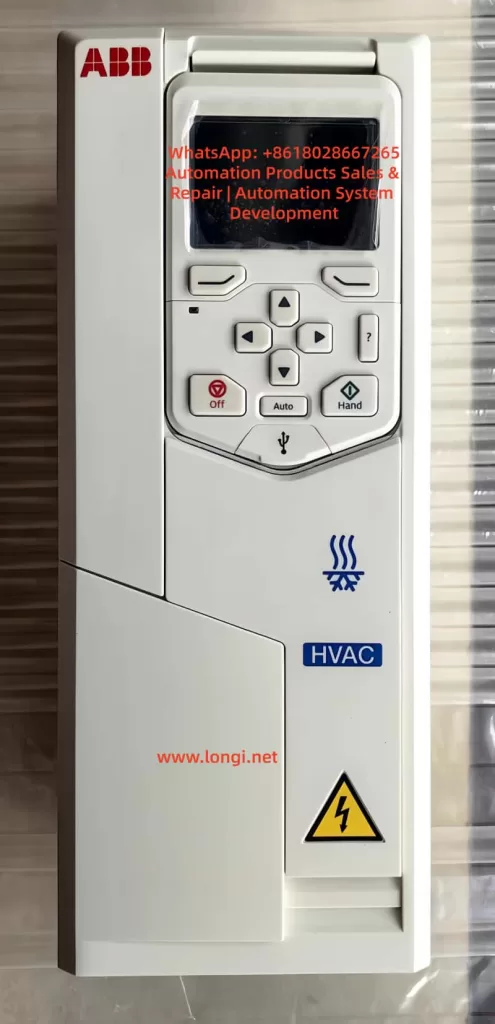
In industrial automation systems, variable frequency drives (VFDs) are one of the core devices in motor control systems. When alarms occur or the equipment fails to start during operation, quickly and accurately determining the cause is crucial for production recovery.
During the use of ABB’s new-generation high-performance drive, the ABB ACS880, field engineers often encounter the following alarms:
AE50 – Emergency Stop (OFF2)
AE5B – Run Enable Missing
Many maintenance personnel may mistakenly assume that the inverter itself has malfunctioned when encountering these two alarms for the first time. However, in most cases, these two alarms are not caused by hardware failures but by missing safety circuit or control signals.
This article will provide a detailed explanation from the perspective of industrial control principles, covering the following aspects:
The meaning of the ACS880 Emergency Stop alarm
The logical relationship of the Run Enable Missing alarm
The control circuit structure of the ACS880
The working principle of the safety circuit (Emergency Stop / STO)
On-site troubleshooting steps and diagnostic methods
Through this technical analysis, engineers can locate the problem and restore equipment operation within minutes on site.
I. Interpretation of Alarms on the ABB ACS880 Inverter
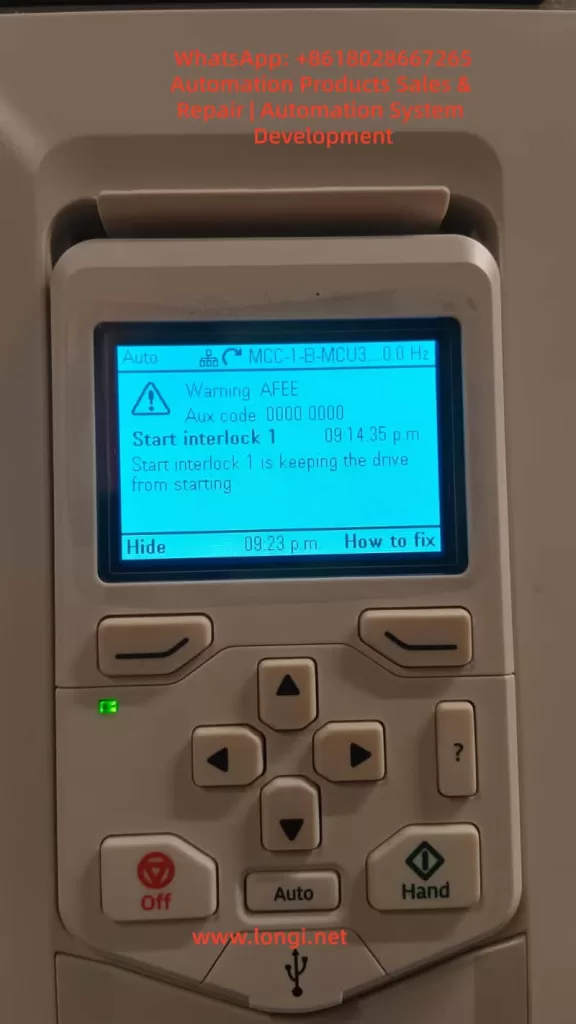
When the following information is displayed on the ACS880 control panel:
Emergency stop (OFF2)
Warning AE50
Emergency stop command received
or
Run enable missing
Warning AE5B
No run enable signal received
This indicates that the inverter has received a control logic signal prohibiting operation.
It should be noted that:
Warning and Fault are different.
Status
Meaning
Warning
Operating conditions are not met
Fault
Equipment malfunction
Therefore, when AE50 or AE5B occurs:
The drive itself is usually normal; only the operating conditions are not met.
II. Three Stop Modes of ABB Inverters
The stop logic of ABB drives complies with international industrial safety control standards and mainly consists of three stop modes:
OFF1 — Normal Stop
The motor stops according to the set deceleration time.
Application scenarios:
Normal production shutdown
PLC-controlled stop
OFF2 — Emergency Stop (Emergency Stop)
This is a safety stop mode.
Characteristics:
The motor stops immediately
The drive is locked by the safety system
Trigger sources:
Emergency stop button
Safety relay
PLC safety output
OFF3 — Free Stop
The drive immediately disconnects the output, and the motor stops due to inertia.
When the ACS880 displays:
Emergency stop (OFF2)
It means:
The drive has received an emergency stop signal.
III. The Role of the Run Enable Signal
In the ABB ACS880 system, two basic conditions must be met for the motor to operate:
Run Enable (Operating permission)
Start Command (Starting command)
Only when:
Run Enable = TRUE
Start Command = TRUE
will the drive operate.
If the Run Enable signal is missing, the drive will display:
Run enable missing
In this case, even if the Start button is pressed, the motor will not start.
IV. Typical Control Circuit Structure of the ACS880
In industrial settings, the ACS880 is usually controlled by a PLC or safety system, and its typical wiring structure is as follows:
24V control power supply
      │
      │
 Emergency stop button (NC)
      │
      │
 Safety relay
      │
      │
 Run Enable input (DI1)
      │
      │
 ACS880 control board
In this circuit:
The emergency stop button is used for emergency stops
The safety relay is used for safety control
DI1 serves as the operating permission input
If any link in the circuit is broken:
DI1 loses 24V
The drive will consider the operating conditions to be unmet.
V. STO (Safe Torque Off) Function
In many ACS880 systems, the STO (Safe Torque Off) safety function is also used.
The role of STO is:
To immediately shut off the motor torque output under safe conditions.
The STO circuit usually consists of two independent channels:
STO1
STO2
Only when both channels are closed:
The drive is allowed to output
If either one is disconnected:
The drive is prohibited from running
This is also one of the reasons for many Run Enable Missing alarms on site.
VI. Why Emergency Stop and Run Enable Missing Often Occur Simultaneously
Many engineers find that:
AE50 + AE5B
often occur simultaneously.
This is because:
After the Emergency Stop is triggered, the safety system cuts off the Run Enable signal.
The logical relationship is as follows:
Emergency stop button is pressed
      ↓
Safety relay is disconnected
      ↓
Run Enable signal disappears
      ↓
Drive is prohibited from running
      ↓
AE50 + AE5B are displayed
Therefore, these two alarms are essentially the result of the same safety event.
VII. On-site Quick Troubleshooting Steps
When the above alarms occur on the ACS880, the following steps can be followed for inspection:
Step 1: Check the Emergency Stop Button
Confirm whether the emergency stop button on the equipment cabinet has been pressed.
Many times, the problem is simply:
Emergency stop button not reset
Step 2: Check the Safety Relay
Check whether the safety relay is working properly.
Common brands include:
Pilz
Sick
Omron
ABB
If the safety relay is not reset:
Run Enable cannot be output
Step 3: Check the STO Circuit
Use a multimeter to detect whether:
STO1
STO2
are closed.
If STO is disconnected:
The drive will also be prohibited from running.
Step 4: Test the DI1 Input
Measure the voltage at the DI1 terminal:
DI1 → COM
It should normally be:
24VDC
If there is no voltage:
It indicates a problem in the control circuit.
VIII. Local Mode Testing Method
The ACS880 provides a Local/Remote control mode switching function.
Operating steps:
Press the LOC/REM button
Switch to LOCAL mode
Press START
If the motor can start at this time:
It indicates that the problem lies in:
PLC control signals
rather than the inverter.
IX. Summary of Common Fault Causes
According to on-site statistics, the main causes of AE50 and AE5B alarms include:
Cause
Probability
Emergency stop button not reset
40%
Safety relay not reset
25%
STO circuit disconnected
15%
PLC not outputting Run Enable
10%
Wiring problems
10%
As can be seen:
Most problems are related to the safety control system, not the inverter itself.
X. Engineering Maintenance Recommendations
To reduce production downtime, the following points are recommended for system design and maintenance:
Establish Standard Wiring Diagrams
A complete control wiring diagram should be kept for each piece of equipment.
Set Up Alarm Records
The PLC or SCADA system should record:
Emergency Stop trigger times
Safety circuit status
Regularly Inspect the Safety System
Including:
Emergency stop buttons
Safety relays
STO circuits
Backup Parameters
Regularly back up ACS880 parameters for quick system recovery.
Conclusion
When the ABB ACS880 inverter displays the Emergency Stop (OFF2) and Run Enable Missing alarms, in most cases, it is not due to equipment failure but rather caused by missing safety circuit or control signals.
By understanding the operating logic of the drive and following the troubleshooting steps provided in this article, engineers can quickly locate the problem and restore system operation.
In modern industrial automation systems, safety control has become an indispensable part. Correctly understanding the relationship between the inverter and the safety system is of great significance for improving equipment reliability and maintenance efficiency.
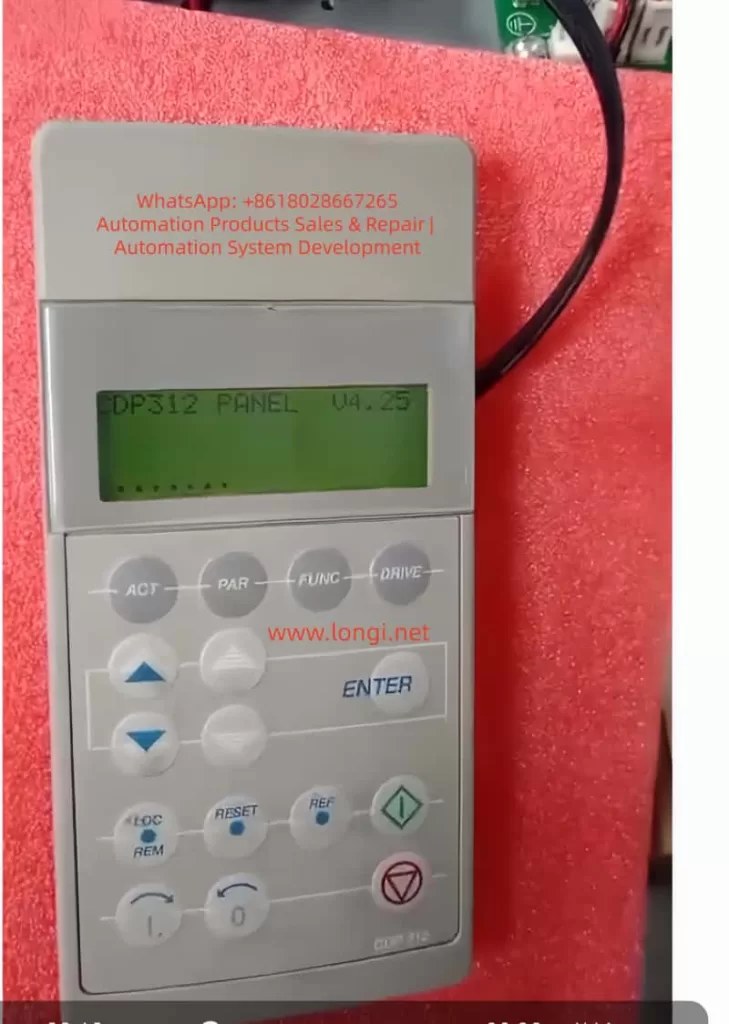
The ABB ACS600 series inverters serve as core equipment in the field of industrial automation, widely used in motor speed control, pump and fan systems, and multi-drive applications. Launched in the late 1990s, this product line supports scalar control and Direct Torque Control (DTC) modes, with a power range from 0.75 kW to 3000 kW, suitable for voltage levels of 380-690 V. Firmware compatibility issues are a common challenge in ACS600 maintenance, especially when replacing components or upgrading aging equipment. Incompatible firmware can lead to initialization failures, communication interruptions, or system freezes. For example, the control panel CDP312 may only display the version information “V4.25” and fail to enter the parameter mode. This problem stems from data inconsistencies between the Flash PROM (FPROM) and EEPROM on the NAMC (Application and Motor Controller) board, or version conflicts in the loading package. According to ABB’s official manuals (e.g., System Application Version 6.x), firmware versions have evolved from 3.x to 6.x, and incompatibility can result in the appearance of the “VN0” (Invalid Version) identifier, while a normal board displays “SN0” (Standard Serial Number). Based on practical diagnostic experience, this article systematically explains the causes, diagnosis, and repair methods of firmware compatibility issues in the ACS600 series, aiming to provide practical guidance for engineers. The article focuses on technical details, avoids redundant descriptions, and ensures rigorous logic.
2. Overview of ACS600 System Architecture
The core architecture of the ACS600 includes a power module, an inverter unit, and a control system. The control system is centered around the NAMC board, which integrates a microprocessor, FPROM, and EEPROM. The FPROM stores the system program and application programs (such as Standard Application 5.2 or Pump and Fan Control PFC), while the EEPROM saves factory configurations, parameter nominal values, and serial numbers. The CDP312 panel connects to the CH3 channel of the NAMC board via an RS485 Modbus link (9600 bps), using optical fibers or cables for data transmission. The panel firmware version (e.g., V4.25) must be compatible with the NAMC application program: V4.x is compatible with 5.x and above but not with 3.x. The NINT board handles speed measurement and LED indications, while the NIOC board manages I/O interfaces.
System Initialization Process: Upon power-up, the NAMC loads the program from the FPROM into RAM, performs a self-check, and then establishes communication with the panel. If the model identifier in the EEPROM is “VN0,” it indicates an invalid or erased configuration, and the system cannot enter the operating state. Typical loading packages include AM4B5230 (4.x series) or AM5Gxxxx (5.x series), and version conflicts trigger a “Version Conflict” error. Hardware interfaces include CH0 (for external systems), CH3 (panel/DriveWindow), and the X28 terminal (termination resistor). Understanding this architecture is crucial for diagnosing firmware issues.
Table 1: Functions of Key ACS600 Components
Component
Function Description
Common Failure Points
NAMC Board
Core control, firmware storage and execution
FPROM damage, EEPROM erasure
CDP312 Panel
Parameter display and operation, V4.25 requires 5.x compatibility
Communication link interruption
NINT Board
Speed feedback, LED fault indication
Red light flashing (speed measurement fault)
EEPROM
Saves serial number (e.g., SN0/VN0) and nominal values
Data inconsistency leading to initialization failure
3. Analysis of Firmware Compatibility Issues
Firmware compatibility issues mainly arise from version mismatches, hardware replacements, or storage damage. The firmware evolution of the ACS600 can be divided into 3.x (early scalar control), 5.x (standard DTC), and 6.x (multi-drive optimization). The panel V4.25 is designed for 5.x, and if connected to a 3.x NAMC, it will get stuck in the identification display mode and fail to display actual signals such as speed or torque. EEPROM dump analysis shows that a normal board has the “SN0” identifier (indicating a standard application sequence), while a faulty board displays “VN0” (version 0 or invalid), reflecting a failure in FPROM loading or an incomplete parameter file (PARAMETER.DDF).
Causes Classification:
Version Conflict: For example, upgrading from AM4B5230 to AM5G5250 without using the correct tools can lead to a communication monitoring trip (fault code FF84).
EEPROM Damage: A large number of 00/FF bytes in the hexadecimal dump indicate erasure, with missing valid data near the “SN0” string.
Communication Fault: Link problems (such as loose cables or lack of termination resistors) can simulate compatibility errors, leaving the panel stuck at V4.25.
Initialization Delay: Unstable auxiliary power can interrupt RAM loading, commonly seen in aging capacitors. According to ABB’s fault manual (System Program 6.x), these issues trigger protection mechanisms such as I/O monitoring, over-temperature faults, or DC under-voltage. Quantitative Analysis: Initialization takes 6-10 seconds, and if it times out, the system enters a protection state. The “VN0” identifier is typically located at EEPROM offsets 0x100-0x200 (depending on the board type), with a normal value of “SN0 model” followed by a date code.
4. Diagnostic Methods
Diagnosis requires a systematic approach, starting from hardware inspection to software analysis. The steps are as follows:
4.1 Preliminary Hardware Inspection
Verify Power Supply: Ensure the auxiliary +24 V is stable, and disconnect the main power for 5 minutes to discharge. Measure the UDC+ and UDC- voltages to be close to 0 V.
LED Indications: The NINT board’s green light indicates normal operation, while a red light flashing indicates a speed measurement fault (code 7-6). Check the NAMC board’s LED for overswitching frequency.
Connection Inspection: Ensure the CDP312 cable is secure and the CH3 channel is undamaged. If using an NBCI-01 extension, test for continuity.
4.2 DriveWindow Diagnosis
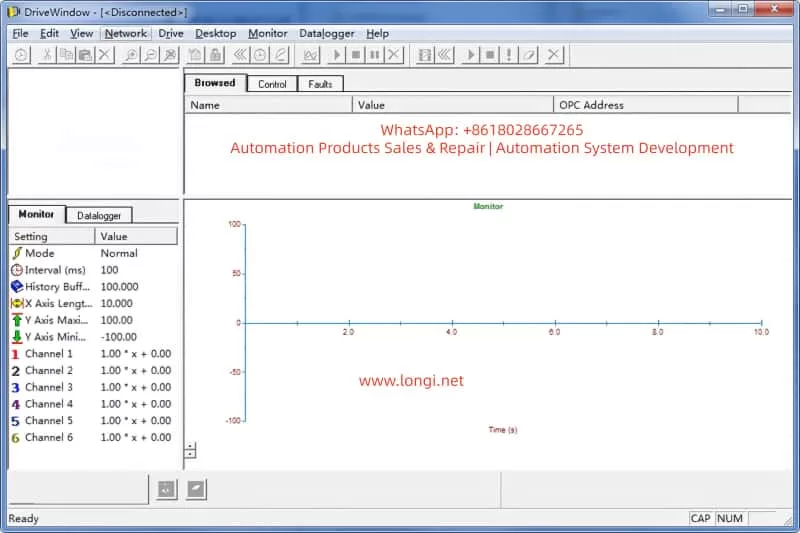
DriveWindow (Classic or Light 2) is the core tool that supports the DDCS protocol. Connection: Disconnect CH0 and connect the optical fiber directly to CH3.
Status Check: If it displays “[Disconnected],” confirm the protocol settings. Read group 99 startup data to view 4.01 SW PACKAGE VER and 4.03 APPLIC SW VERSION.
Parameter Browsing: Inability to read indicates a version conflict. Use the Monitor to view actual signals, such as 1.01 MOTOR SPEED.
Fault Log: Recorded in chapter 7, such as DC OVERVOLT (over-voltage, check the braking resistor) or EARTH FAULT (ground fault, verify the motor cable).
4.3 EEPROM Analysis
Use a programmer to dump the EEPROM. Normal Dump Example:
Offset 0x000: Serial number header
Offset 0x100: SN0 model + date (e.g., 2000-01-01) Faulty Dump: VN0 + a large number of FF bytes, indicating the need for restoration.
4.4 Other Tools
Oscilloscope: Monitor analog outputs to verify torque references.
Domino Test: Replace with a spare panel. If it still gets stuck, the issue is with the NAMC. Common Fault Code Table (Based on Manual 7-14): | Code | Description | Possible Causes | Actions | | — | — | — | — | | TEMP | Internal over-temperature | Fan failure, dust accumulation | Clean the heat sink and check the environment | | DC UNDERVOLT | DC under-voltage | Unstable power supply | Verify the input voltage | | COMM MON | Communication monitoring | Link damage, version mismatch | Reset the link and upgrade the firmware | | ID RUN FAIL | ID run failure | Inaccurate motor model | Re-run the ID process | The diagnostic time is usually 1-2 hours, and the accuracy depends on the completeness of the tools.
5. Repair Steps
Repair focuses on firmware flashing and backup restoration. It requires qualified electricians to operate to avoid the risk of “bricking” the device.
Backup Normal Board: In Drive, go to Backup >> Create complete backup and save the PARAMETER.DDF file, including nominal values.
5.2 Firmware Flashing Process
Disconnect CH0, connect DriveWindow to CH3, and apply auxiliary power.
Select Drive >> Restore >> Complete Backup and load the *.DDB file.
If prompted with “Version Conflict,” confirm “Yes” only if the node numbers are different; otherwise, load the system program.
After downloading, restart the power and verify that version 4.03 matches 5.2.
EEPROM Restoration: If “VN0” persists, use a programmer to write SN0 data, ensuring the offset matches.
5.3 Version Upgrade
Minor Upgrade (e.g., from 5230 to 5250): Directly use Restore.
Major Upgrade: Requires an official ABB package and load the .ldr file through the DriveWindow download function.
Note: The board types must be consistent (e.g., NAMC-11/21); otherwise, there will be hardware incompatibility.
5.4 Testing and Verification
After power-up, the panel should display actual signals. Run the ID process (group 99) to confirm the motor model.
Load Test: Gradually increase the speed and monitor torque and current. The repair success rate is over 90%, and failures are mostly due to package mismatches.
6. Case Studies
Case 1 A pump control system with an ACS600 inverter got stuck at V4.25 on the panel during power-up. Diagnosis: DriveWindow displayed “Disconnected,” and the EEPROM dump showed “VN0.” Cause: The NAMC board was replaced without restoring the backup. Repair: Created a Complete Backup from a normal board and restored it to the faulty board. Verification: The version was upgraded to 5.2, and the system operated normally.
Case 2 In a multi-drive application, there was a communication fault. The LED was red, and the code was COMM MON. Analysis: The link lacked a termination resistor, and there was a version mismatch between 3.x and V4.25. Repair: Added a resistor and upgraded to a 6.x package. Result: Initialization was successful, and the system ran stably.
Case 3 The EEPROM was erased, displaying a large number of FF bytes. Used a programmer to rewrite SN0 data and combined it with DriveWindow Restore. Lesson: Regularly back up parameters. These cases are derived from actual maintenance and emphasize the importance of backups.
Regular Backups: Create a Complete Backup using DriveWindow monthly and store multiple copies.
Version Management: Record all board types and loading packages and check compatibility before upgrades.
Hardware Maintenance: Clean the heat sink annually and check cables and capacitors. Use PT100/PTC sensors to monitor motor temperature (group 30 parameters).
Training: Engineers should master chapters 2 (startup) and 7 (fault tracking) of the manual.
Upgrade Path: When upgrading from 5.x to 6.x, prioritize ABB support and avoid third-party packages.
Monitoring System: Integrate DriveBus (group 71) for real-time diagnosis.
Maintenance Cycle: Conduct quarterly inspections and annual firmware audits. Follow safety regulations: disconnect power for 5 minutes and measure the voltage.
8. Advanced Topics: Firmware Optimization and Expansion
The ACS600 firmware supports custom macros, such as PFC (Pump and Fan Control). Group 26 torque reference processing can optimize load distribution. Scalar control (group 29) is suitable for simple applications, while DTC improves accuracy. Expansion: Integrate a Modbus Plus adapter (NMBP-01) to achieve PLC interconnection. Future Compatibility: Although the ACS600 is discontinued, it can be bridged to the ACS800 series, and parameters can be migrated using DriveWindow Light.
9. Advanced Fault Analysis
Overload Protection (Section 7-7): Monitor between I_AC_Nominal and I_AC_1/5min.
Motor Thermal Model (Section 7-9): Set alarm limits (5-45) in user mode.
Ground Fault Logic (Section 7-4): Detect current imbalance.
Speed Measurement Switching (Section 7-7): Switch from measurement to estimation to avoid overspeed.
Table 2: Motor Protection Parameters
Parameter Group
Description
Setting Range
30
Motor thermal model, stall protection
Zero-speed load 0-300%
31
Extended fault functions
Underload curve 1-5
35
Motor fan control
Delay 0-3600 s
10. Communication and Integration
DDCS Control (Group 70): Node address 70.15 CH3 NODE ADDR.
Data Set Reception (Groups 90-91): Address mapping control words.
Transmit Address (Groups 92-93): Status word feedback.
Fieldbus Adapter (Group 51): Supports Profibus, etc.
11. Conclusion
Diagnosing and repairing firmware compatibility issues in the ABB ACS600 series requires a combination of hardware diagnosis, software tools, and system knowledge. The difference between VN0 and SN0 is a typical indicator, and firmware flashing through DriveWindow can efficiently resolve the issues. By strictly following the manual and ensuring safe operations, the service life of the equipment can be maximized.
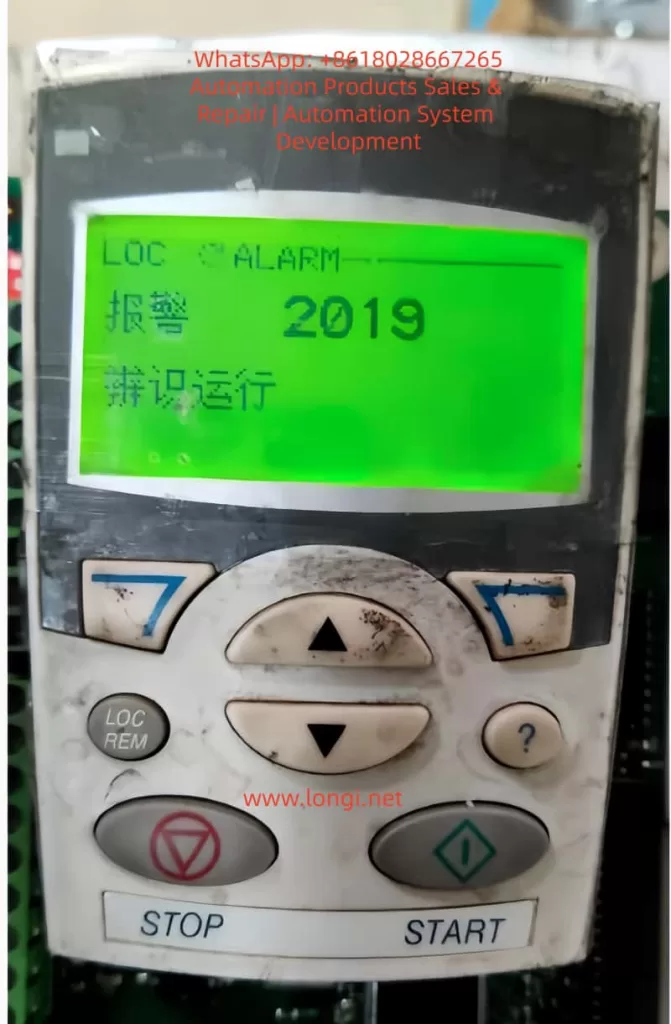
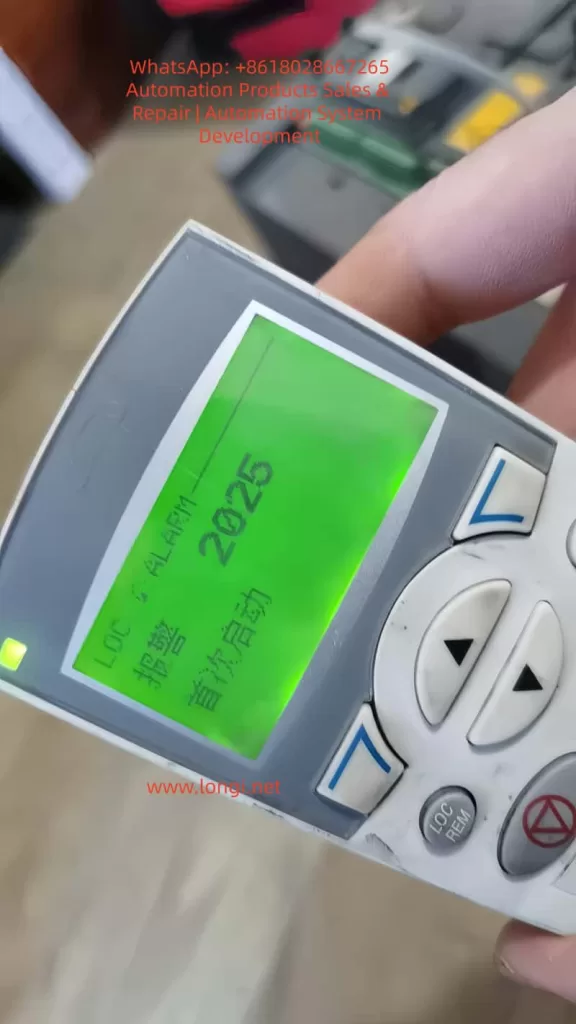
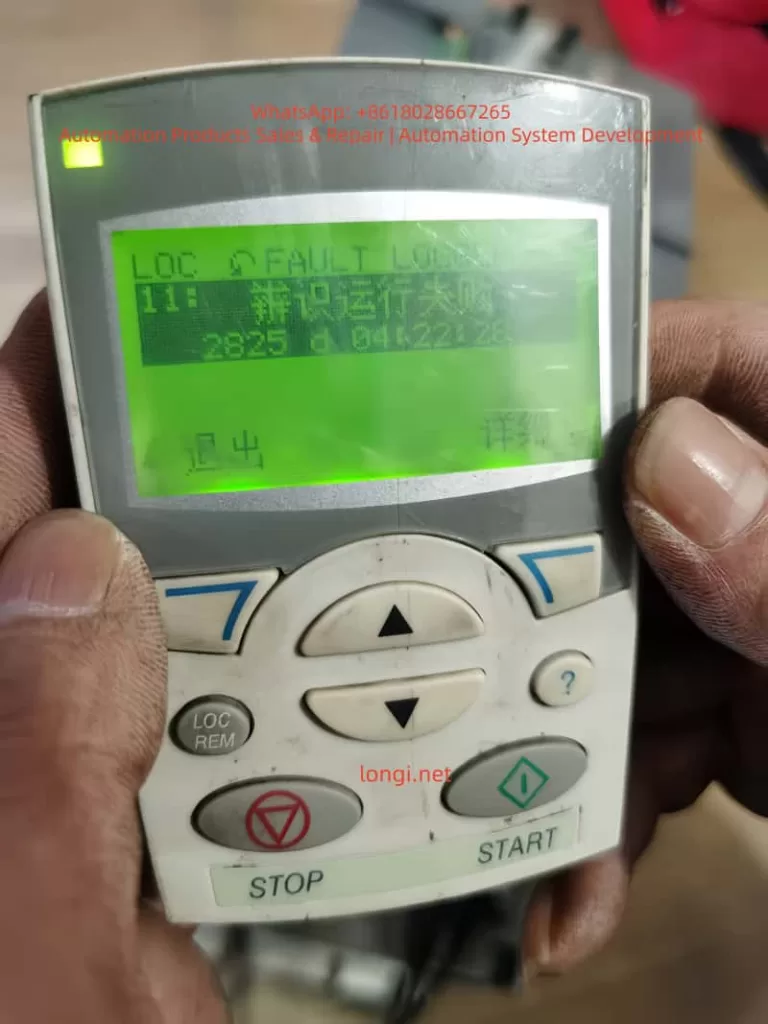
Abstract In the field of industrial drives, the ABB ACS550 is widely praised for its excellent stability. However, when many engineers attempt to switch the control mode from traditional Scalar Control to Vector Control, they often encounter alarms such as 2025 (First Start), 2019 (ID Run Waiting), and 2825 (Identification Failed). This article will deeply analyze the underlying logic of these phenomena, combined with actual test data, to provide a standardized debugging process and a pitfall avoidance guide, helping readers achieve precise motor torque and speed control.
I. Introduction: Why Do We Need to Move from Scalar to Vector?
In the primary application of inverters, Scalar Control (V/f Control) is the default choice. Its principle is to keep the ratio of voltage (V) to frequency (f) constant. This mode is like “driving blind”; the inverter does not truly understand the real-time state of the motor. As long as a frequency is given, it outputs the corresponding voltage.
However, when application scenarios involve low-speed high-torque (such as cranes, extruders) or require extremely high dynamic response speeds (such as synchronous processing), the disadvantages of scalar control—insufficient low-speed torque and large speed fluctuations—are exposed. At this point, Vector Control becomes the inevitable choice. Through coordinate transformation, vector control decomposes the stator current into excitation current and torque current components, realizing the control of an AC asynchronous motor like a DC motor.
But vector control is a double-edged sword: it requires an extremely precise motor mathematical model. This is why a series of alarms follow when you modify parameter 9904 (Motor Control Mode).
II. Key Parameters: The Cornerstone of Building the Motor Mathematical Model
Before entering vector control mode, the “genetic information” of the motor must be entered in the 99xx parameter group. If the information is incorrect, the subsequent ID Run (Motor Identification) is destined to fail.
2.1 9905 – 9907: Basic Rated Data
These parameters must be strictly entered according to the motor nameplate.
9905 (Voltage): Rated voltage.
9906 (Current): Rated current. Note: If the input current is much smaller than the inverter’s rated current, it may cause the identification current to be too small and trigger an error.
9907 (Frequency): Usually 50Hz or 60Hz.
2.2 9908: The “Soul” Parameter of Vector Mode — Rated Speed
This is the most error-prone area. In scalar mode, the inverter does not care much about slip; but in vector mode, the inverter must know the motor’s rated speed.
Wrong approach: Input synchronous speed (e.g., 1500 rpm for a 4-pole motor).
Correct approach: Input the rated speed with slip (e.g., 1440 or 1460 rpm). If this value is filled in incorrectly, the rotor magnetic field position calculated by the inverter will be offset, resulting in a 2825 alarm.
III. Deep Decoding: The Logic Chain of 2019, 2825, and 2025 Alarms
When you change 9904 to vector mode and set 9910 (ID RUN) to 1, the inverter enters a special logic state.
3.1 2019 Alarm: It is Not a Fault, but a “Request”
The screen flashes 2019 (ID RUN), which means: “I am ready to perform motor identification, but for safety, I need you to manually press the Start button to confirm.” At this point, the inverter is in standby mode. Only by pressing the START button on the panel will the identification program actually inject current into the motor.
3.2 2825 Alarm: Why Does Identification Fail?
If 2825 (ID RUN FAIL) pops up during the identification process, it usually implies the following situations:
Load Interference: Standard identification (ID Run 1) requires the motor shaft to rotate without load. If connected to a reducer or high-inertia load, the motor cannot reach the predetermined response, and the identification will be interrupted.
Brake Not Released: For motors with electromagnetic brakes, the brake must be forced open during identification; otherwise, the motor stall will cause abnormal current.
9908 Speed Setting Deviation: As mentioned above, unreasonable speed input will cause the model calculation to fail to converge.
3.3 2025 Alarm: The System’s “Coming of Age”
2025 (FIRST START) is a unique logic of the ACS550. When you change the core control mode (scalar to vector), the system treats this as a “rebirth.” 2025 reminds you: the current model is new and requires a complete start cycle to establish the operating benchmark.
IV. Practical Summary: An Effective Debugging Process
Based on experimental tests, we have summarized a “Golden Process” for ACS550 vector switching:
1. Parameter Alignment: First, in scalar mode, input the 99xx group parameters accurately according to the nameplate, especially 9908 (actual rated speed, not synchronous speed).
2. Trigger Identification:
Set 9904 to Vector Mode.
Set 9910 to 1.
At this time, the screen flashes 2019.
3. Execute Identification:
Ensure the motor shaft is in a safe state and press START.
Observe the motor: It will emit a high-frequency whine (injecting detection current) and may rotate for a short time.
Key Point: After identification is complete, 9910 will automatically roll back to 0.
4. The “Cycle Method” to Eliminate 2025:
After identification, if a 2025 alarm appears, do not panic.
Perform a no-load run, then power off completely. Wait for the panel light to go out and then power on again.
Run again; the inverter will formally write the identification data from RAM to EEPROM, the alarm will disappear, and the control logic will close the loop.
V. Advanced Optimization: Dynamic Fine-Tuning in Vector Mode
Eliminating alarms is just the beginning. To unleash the power of vector control, you also need to pay attention to the following parameters:
Group 23 (Speed Compensation): If you find that the speed drops after the motor is loaded, you can improve the dynamic stiffness by adjusting the speed controller Proportional Gain and Integration Time in Group 23.
Group 20 (Limit Settings): In vector mode, the inverter is more sensitive to overcurrent and overspeed. It is necessary to reasonably set 2003 (Maximum Current) and 2008 (Maximum Speed).
VI. Conclusion
The 2025 and 2019 alarms of the ABB ACS550 are not system defects but rigorous motor protection and self-learning mechanisms. By understanding the logic chain of “Parameter Input -> Trigger 2019 Identification -> Exclude 2825 Interference -> Eliminate 2025 via Run Cycle”, engineers can calmly upgrade the drive system to high-performance vector control status.
Technical Tip: Never ignore every number on the nameplate. In the world of inverters, the difference of a few dozen RPM in 9908 (Rated Speed) is often the dividing line between “normal operation” and “alarm failure.”
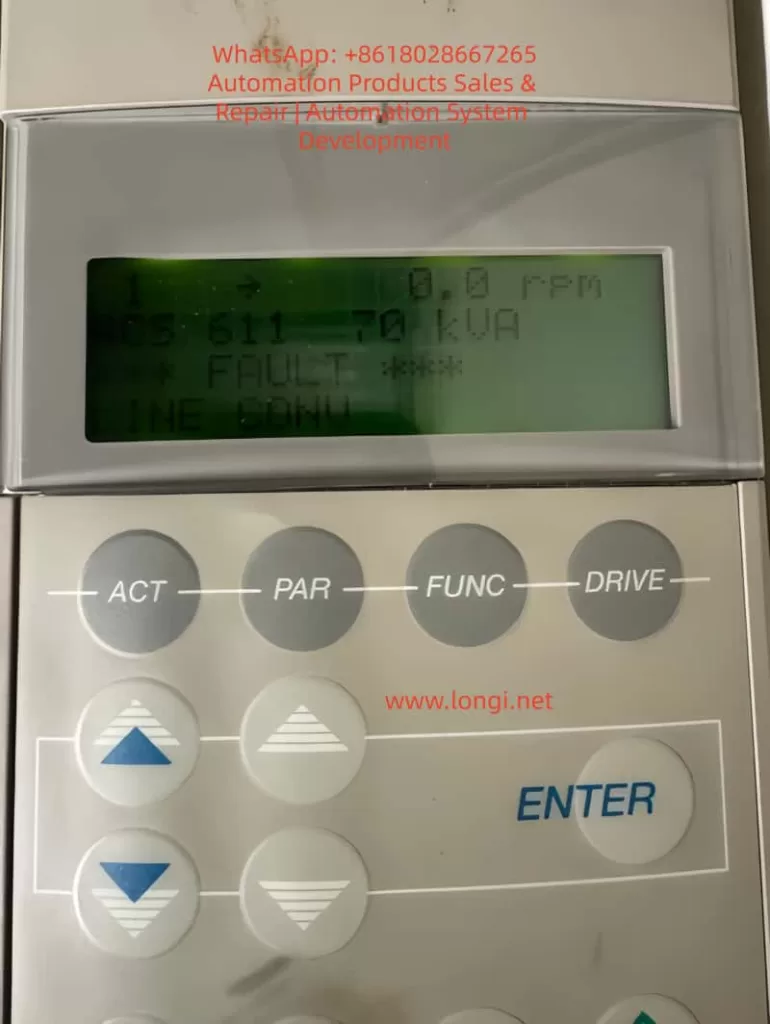
Abstract The ABB ACS611 series inverter is a versatile product widely used in industrial drives for applications like fans, pumps, and compressors. One common fault in this series is the “LINE CONV” fault (Line Converter Fault), which is one of the main reasons for frequent shutdowns. This fault involves the rectification topology, power system, and control circuits, and if not promptly addressed, it can lead to rectifier module damage, DC bus instability, and even safety incidents. This article begins by explaining the rectification principle of the ACS611 inverter and systematically analyzes the “LINE CONV” fault’s triggering mechanism, core causes, and troubleshooting process, providing practical case studies and preventive measures for engineers.
1. Introduction The ABB ACS611 series inverter, designed for medium to large loads, covers power ratings from 5.5 to 560 kW (approximately 7 to 700 kVA). It supports various topologies such as diode rectification and AFE (Active Front End), with the 70 kVA model commonly used for medium-sized fans, pumps, and compressors. This inverter features energy feedback and power factor correction (PF ≥ 0.98), making it a core component of industrial energy-saving retrofits.
However, during long-term operation, the “LINE CONV” fault (Fault Code: LINE CONV FAULT) becomes a frequent issue in the ACS611 series. According to ABB’s service data, this fault accounts for approximately 18% of the ACS611 inverter’s shutdowns, primarily due to abnormal rectifier unit scenarios. This article breaks down the fault from principle explanation to troubleshooting, offering engineers a step-by-step guide to quickly locate and resolve the issue.
2. ACS611 Rectification Topology and “LINE CONV” Fault Definition (a) ACS611 Rectification Topology The line converter (rectifier unit) is the “energy entry point” of the ACS611 inverter, responsible for converting AC input into DC bus voltage. The 70 kVA and higher models typically use the AFE (Active Front End) topology, which includes the following core components:
IGBT Modules: These act as the rectifier switches, using PWM control to achieve bidirectional energy flow (motor feedback energy can be fed back into the grid).
Pre-charging Circuit: Consisting of pre-charging resistors (PTC/coil resistors) and a pre-charging contactor, it limits inrush current when powering up.
DC Bus Capacitors: These buffer the rectified DC voltage, stabilizing the input to the inverter unit.
Control Circuit: Includes voltage/current sensors, driver boards, and CPU boards, implementing closed-loop control of the rectifier unit.
Compared to traditional diode rectifiers, AFE topologies offer the advantages of energy feedback and power factor correction, but they are more complex, with more potential fault points (e.g., IGBT drivers, pre-charging circuits).
(b) “LINE CONV” Fault Official Definition According to ABB’s ACS611 Fault Code Manual, the “LINE CONV” fault is triggered when the rectifier unit fails to convert AC to DC, which can be caused by one of the following issues:
The rectifier unit detects abnormal conversion from AC input to DC bus voltage, leading to an unstable DC bus voltage.
Rectifier modules (diodes/IGBTs) experience short circuits, open circuits, or driver signal loss.
The typical symptoms of this fault include:
The inverter panel displays “*** FAULT ***” followed by “LINE CONV.”
Abnormal DC bus voltage (overvoltage, undervoltage, or fluctuation).
Rectifier current exceeds the rated value (e.g., 120% rated current).
Pre-charging failure (unable to establish DC bus voltage during startup).
3. Core Cause Analysis of “LINE CONV” Fault The essence of the “LINE CONV” fault is the inability of the rectifier unit to complete the AC-to-DC conversion. The causes can be categorized into four main areas: external power supply issues, hardware damage, control abnormalities, and environmental factors, as detailed below:
(a) External Power Supply Issues (Approximately 35%) The power supply is the “energy source” for the rectifier unit, and any issues with the power supply can trigger the fault:
Phase Loss: If one of the three-phase inputs is disconnected (e.g., fuse blown or contactor contacts burned), the current distribution is uneven, potentially causing overheating and damage.
Voltage Imbalance: If the three-phase voltage imbalance exceeds 5%, rectifier current peaks can increase by 2-3 times, accelerating aging.
Overvoltage/Undervoltage: If the input voltage exceeds ±10% of the rated value, overvoltage can damage rectifier modules, while undervoltage prevents the DC bus from being established.
Harmonic Interference: Large amounts of harmonics in the power supply can trigger false rectifier module actions.
(b) Rectifier Module Damage (Approximately 28%) Rectifier module damage is a core hardware issue for the “LINE CONV” fault:
Diode Rectifier Bridge:
Short Circuit: Both forward and reverse directions conduct (measuring 0Ω between input L1 and output + terminal).
Open Circuit: Both directions are blocked (measuring “OL” between input and output), causing DC bus voltage fluctuation.
AFE IGBT Modules:
Gate (G) Damage: Resistance between gate and emitter is lower than expected (<1kΩ, indicating gate damage).
Collector-Emitter (C-E) Short Circuit: Both directions conduct, triggering overcurrent protection.
(c) Pre-charging Circuit Failure (Approximately 20%) The pre-charging circuit limits inrush current during startup. Failures in this circuit can directly cause “LINE CONV” faults:
Pre-charging Resistor Damage: Overuse or insufficient power rating of the resistor leads to overheating and failure (e.g., 500W resistor used instead of 200W).
Pre-charging Contactor Failure: Issues such as open circuits or burnt contact points prevent the pre-charging circuit from engaging, causing excessive inrush current.
(d) DC Bus Issues (Approximately 12%) The DC bus stabilizes the energy between the rectifier and inverter units. Abnormalities here can affect the rectifier unit’s operation:
Overvoltage: A sudden increase in power supply voltage or failure to release motor feedback energy leads to an overvoltage condition.
Undervoltage: Drop in input voltage or excessive load causes undervoltage.
Ripple Issues: Aging DC bus capacitors increase ripple, causing instability in the rectifier unit.
(e) Control Circuit Failures (Approximately 5%) The control circuit, the “brain” of the rectifier unit, can cause false alarms or improper control if damaged:
Sampling Circuit Failure: Voltage sensor damage can cause incorrect voltage readings.
Driver Circuit Failure: Failure in the IGBT driver board causes improper switching of IGBTs.
CPU Board Failure: If the CPU board malfunctions, the rectifier unit may not receive proper start-up instructions.
(f) Environmental and Cooling Issues (Minimal Impact) Though not a primary cause, environmental and cooling issues can contribute to failure:
Fan Failure: Fans malfunctioning due to bearing issues lead to overheating of rectifier modules.
Excessive Dust: Accumulated dust on heat sinks reduces cooling efficiency.
High Ambient Temperature: High installation temperatures can hinder module cooling.
4. Troubleshooting and Resolution Methods The troubleshooting process begins with safety preparation and proceeds through a step-by-step diagnosis from external to internal causes:
Step 1: Check Input Power Use a multimeter to measure the three-phase voltage, ensuring no phase loss or imbalance.
Step 2: Inspect Rectifier Modules Test diodes and IGBT modules for shorts or open circuits, replacing faulty components as necessary.
Step 3: Inspect Pre-charging Circuit Test the pre-charging resistor and contactor for failure, replacing faulty components to restore functionality.
Step 4: Inspect DC Bus Use a high-voltage probe to measure DC bus voltage, checking for overvoltage, undervoltage, and excessive ripple.
Step 5: Inspect Control Circuits Use Drive Composer software to analyze fault history, checking sensors, IGBT drivers, and CPU boards for malfunctions.
Step 6: Inspect Cooling and Environment Check for fan operation, clean dust from heat sinks, and monitor ambient temperatures to ensure proper cooling.
5. Case Studies
Case 1: Chemical Plant ACS611-70kVA Inverter “LINE CONV” Fault
Symptoms: Inverter suddenly trips with “LINE CONV” error and 0V DC bus voltage.
Diagnosis: Short circuit in the diode rectifier bridge.
Solution: Replaced the damaged rectifier bridge (ABB 6SY7000-0AB42).
Case 2: Water Plant ACS611-70kVA Inverter “LINE CONV” Fault
Symptoms: Pre-charging failure during startup.
Diagnosis: Open circuit in pre-charging contactor.
Solution: Replaced the pre-charging contactor (ABB A145-30-11).
6. Preventive Measures
Regularly maintain power supply, rectifier modules, pre-charging circuits, and cooling systems to avoid “LINE CONV” faults.
Use Drive Composer to monitor system performance and detect early signs of trouble.
7. Conclusion The “LINE CONV” fault in the ABB ACS611 inverter involves complex interactions between the power supply, hardware, control circuits, and environment. Engineers can effectively troubleshoot and resolve these faults by following a systematic approach and utilizing diagnostic tools. Regular preventive maintenance is crucial to avoid such failures and ensure the long-term reliability of industrial drive systems.
The ABB ACH580 series of inverters are low-voltage AC drive devices specifically designed for heating, ventilation, and air conditioning (HVAC) applications. They are renowned for their high efficiency, reliability, and user-friendly interfaces. This series is suitable for controlling asynchronous induction motors, permanent magnet motors, and synchronous reluctance motors, supporting a power range from 0.75 kW to 250 kW and voltage levels covering 208-480 V.
One of the core functions of the ACH580 is the motor identification run (ID Run), an automatic tuning process that precisely measures motor parameters to ensure a perfect match between the inverter and the motor, thereby achieving optimal performance, energy efficiency, and protection.
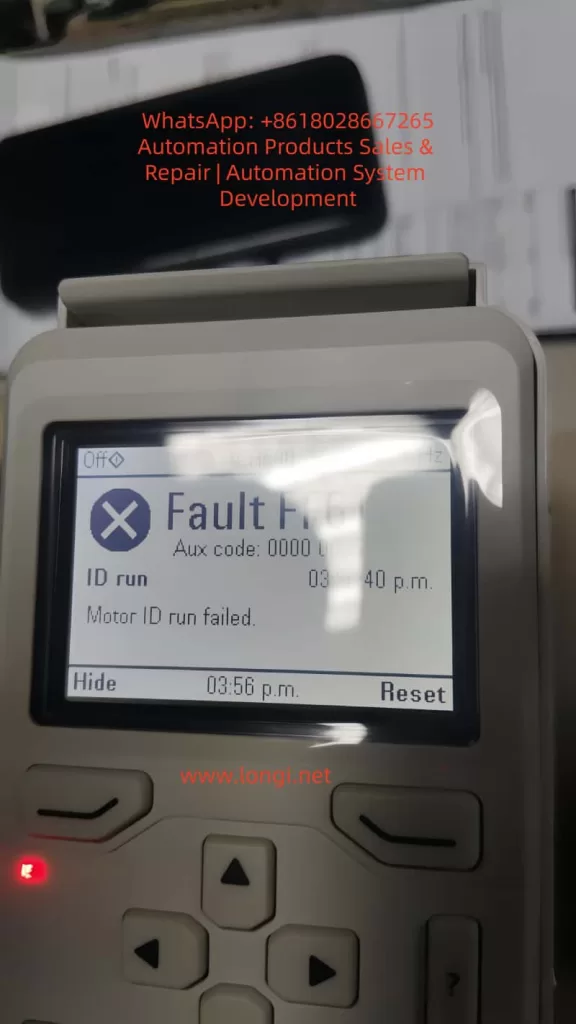
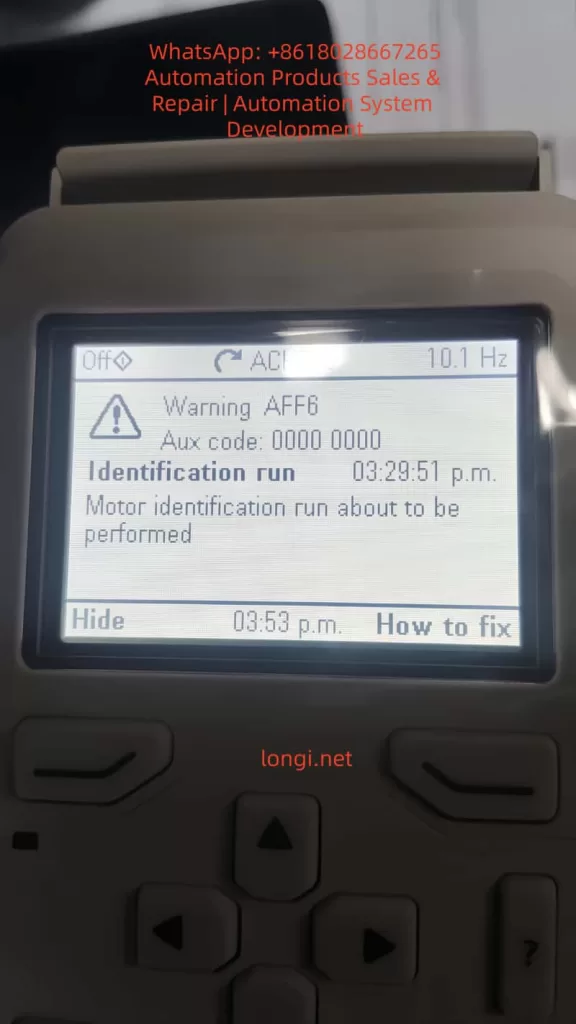
However, in practical applications, motor ID run faults are one of the common issues. Typical faults include FF86 (ID Run Failed) and AFF6 (Identification Run Warning). These faults can result in the motor failing to start, operating inefficiently, or causing equipment damage. According to ABB’s official manuals and technical notes, these problems often stem from improper parameter settings, mechanical constraints, or external interference. The FF86 fault is usually accompanied by auxiliary codes, such as 0000 0003, indicating that the maximum torque limit is too low.
This article will comprehensively elaborate on the ID run principles, fault analysis, diagnosis, and repair methods of the ACH580 inverter, drawing on ABB’s official documents, fault diagnosis guides, and best practices. It will also provide installation and maintenance recommendations to help engineers and maintenance personnel efficiently resolve issues.
By reading this article, you will learn how to avoid these faults and ensure stable system operation. The content is based on ABB’s firmware manuals (version 2.15 and above) and real-world cases, ensuring originality and practicality.
ACH580 Inverter Overview
The ACH580 series is a dedicated HVAC model within ABB’s low-voltage general-purpose drive product line, emphasizing energy efficiency, ease of use, and compatibility. Its main features include:
Harmonic Suppression: Built-in active filters reduce harmonic distortion, with a total harmonic distortion (THDi) of less than 5%, complying with IEEE 519 standards and improving grid quality.
Control Modes: Supports scalar control and vector control, suitable for constant torque and fan/pump loads. Vector mode requires an ID run to optimize torque control.
Communication Interfaces: Integrated Modbus RTU, supporting BACnet MS/TP, LonWorks, and other HVAC protocols for easy building automation integration.
Safety Features: Built-in Safe Torque Off (STO), complying with SIL 3/PL e standards; supports emergency stops and external event inputs.
Technical Specifications: Input voltage of 208-240 V or 380-480 V; output frequency of 0-500 Hz; protection class IP21/IP55; ambient temperature range of -15°C to 50°C (no derating). The power module uses IGBT technology, achieving an efficiency of up to 98%.
The ACH580 is suitable for HVAC equipment such as fans, pumps, and compressors, significantly reducing energy consumption (saving 30-50% compared to direct starting). Its control panel (ACH-AP-H) provides an intuitive menu, supporting multiple languages and an assistant mode for quick startup. However, ID run faults are prone to occur during initial configuration or after parameter changes, requiring a systematic understanding.
Motor ID Run Principles
The motor ID run is a crucial function of the ACH580 inverter, used to automatically identify the electrical parameters of the motor, such as resistance, inductance, and magnetization current. These parameters are used to build a motor model, ensuring precise speed, torque, and flux control. The ID run is divided into two modes:
Normal ID Run: Rotating mode. The inverter applies a variable frequency signal to rotate the motor shaft (without load) and measures the dynamic response. Suitable for most applications, it lasts 1-2 minutes and provides the highest precision. However, it requires ensuring that the motor shaft can rotate freely; otherwise, a fault will occur.
Standstill ID Run: Stationary mode. Only the motor stator is magnetized, and the shaft does not rotate. Suitable for scenarios where the load cannot be removed, such as when a fan impeller is connected. The precision is slightly lower, but it is safer.
The triggering conditions for an ID run include:
Initial startup.
Changes to parameter group 99 (motor data), such as rated current (99.06), voltage (99.07), frequency (99.08), speed (99.09), power (99.10), and torque (99.12).
After a firmware upgrade or factory reset.
The process is as follows:
Set parameter 99.13 (ID Run Requested) to the desired mode.
Start the inverter in local mode (Hand).
The inverter injects test signals and calculates parameters.
If successful, the internal model is updated; if failed, FF86 is triggered.
The ID run improves performance by enhancing low-speed torque (up to 200% of rated torque) and reducing vibration and noise. Systems that have not undergone an ID run may experience overcurrent, stalling, or low efficiency.
Common Fault Analysis
The main ID run-related faults in the ACH580 are FF86 and AFF6.
FF86 (ID Run Failed): Indicates that the ID run was not successfully completed. The auxiliary code provides details:
0000 0001: The maximum current limit is too low (parameter 30.17 < 99.06).
0000 0002: The maximum speed or field weakening point is too low (check 30.11/30.12 with 99.09).
0000 0003: The maximum torque limit is too low (30.20 < 100% of rated torque).
0000 0012: The motor is too large (the drive size does not match).
Others: Incorrect motor data or external interference. This fault stops the motor and requires a reset and repair.
AFF6 (Identification Run Warning): An informational warning indicating that an ID run will be automatically performed at the next startup. Not a serious error, but ignoring it may affect performance. Common after parameter changes.
These faults are common in HVAC systems and affect the continuous operation of fans or pumps. According to ABB Technical Note 143, the failure rate can reach 10-20%, mostly due to human configuration errors.
Detailed Fault Causes
The reasons for ID run failures are diverse and can be classified into parameter, mechanical, electrical, and external factors.
Improper Parameter Settings (Most Common, Accounting for Over 50%):
Incorrect motor nameplate data entry: Rated values do not match the actual values, leading to calculation deviations.
Overly conservative limit parameters: For example, a torque upper limit (30.20) lower than 100% prevents the inverter from applying sufficient excitation signals.
Mismatched control modes: Vector mode requires an ID run but is not enabled.
Mechanical Constraints:
The motor shaft is not free: Load connection, brake locking, or bearing seizure. In Normal mode, the shaft must be able to rotate at least a few turns.
Mechanical resonance: Vibration interference in high-load applications affects measurements.
Electrical Issues:
Wiring errors: Reversed phase sequence, loose connections, or insulation faults cause current imbalances.
Ground faults: Motor or cable grounding triggers A2B3 (ground leakage) related alarms.
Power supply fluctuations: Low voltage (<0.66 × rated voltage) affects magnetization.
External Interference:
PLC or fieldbus control: External signals interrupt the ID process.
Environmental factors: High temperatures (>50°C) or dust trigger overheating protection activation.
Drive hardware: IGBT failures or control board power supply issues (check 95.04).
According to search results, auxiliary code 0003 often occurs when the torque setting is too low (<150% of the recommended value), especially after replacing a new motor.
Diagnostic Steps
Diagnosis requires a systematic approach using the control panel and tools.
View Fault Display: The panel displays FF86/AFF6 and auxiliary codes. Press “How to Fix” for suggestions.
Check Event Log (Parameter Group 04):
Records the time, code, and parameter status of recent faults.
For example, 04.01 displays active faults, and 04.11-04.15 display historical records.
Parameter Verification:
Group 99: Compare with the motor nameplate to ensure accuracy.
Group 30: Check limit values (30.11 minimum speed, 30.12 maximum speed, 30.17 maximum current, 30.20 maximum torque).
Group 96: System settings, such as 96.06 parameter recovery.
Electrical Testing:
Use a multimeter to measure motor insulation resistance (>1 MΩ) and continuity.
Check cable phase sequence (U-V-W corresponds to T1-T2-T3).
Measure input voltage stability.
Isolation Testing:
Disconnect external control (PLC) and test in local mode.
Remove the load and attempt an ID run.
If the panel is unavailable, use the Drive Composer PC tool to connect and view detailed logs.
Repair Methods
Repairs should be carried out in sequence, ensuring safety (power off, lockout/tagout).
Basic Restart:
Power off for 5-10 minutes and restart the inverter. Clears temporary faults.
Adjust Torque and Limits (for 0003 code):
Set 30.20 to 150-200%.
Ensure 30.17 > 99.06 and 30.12 > 0.55 × 99.09.
Verify Motor Data:
Enter nameplate values: current, voltage, frequency, speed, power, and torque.
If changed, trigger AFF6 and manually run the ID.
Ensure Shaft Freedom:
Disconnect the load and release the brake.
Check bearings and couplings.
Disable External Control:
Disconnect DI/DO and fieldbus.
Set 20.12 Run Enable to local.
Manual ID Run:
Set 99.13 to Normal or Standstill.
Start locally and monitor progress.
After success, reset the fault (96.08 or panel Reset).
Restore Factory Settings:
Method 1: Menu > Primary Settings > Reset to Defaults > Reset All to Factory Defaults.
Method 2: Set parameter 96.06 to 34560.
After resetting, re-enter group 99 data and back up parameters (96.07).
Advanced Repairs:
If the issue persists, check hardware: replace cables and test motor windings.
Contact ABB support, providing the model, serial number, and firmware version.
After repair, verify: Run a no-load test and monitor current and speed.
Installation Best Practices
Correct installation reduces ID run faults.
Location Selection:
Install in a well-ventilated, dry, and dust-free environment. Avoid direct sunlight and vibration sources.
Maintain spacing: 200 mm on the top/bottom and 100 mm on the sides to ensure airflow.
Electrical Installation:
Use shielded cables and ensure good grounding. Separate input/output cables to reduce EMI.
Power cables: Copper core, cross-sectional area matching power (e.g., 6 mm² for 10 kW).
Control cables: Shielded twisted pair, with signal lines isolated from power lines by >30 cm.
Grounding Requirements:
Dual PE conductors: One main and one auxiliary, with a cross-sectional area of ≥10 mm² Cu.
Avoid ground loops and ensure the motor and inverter share the same ground.
Initial Startup:
Disconnect the load before entering motor data.
Verify safety circuits (STO, emergency stop).
Follow IEC/EN 61800-5-1 standards and check insulation after installation.
Maintenance Best Practices
Regular maintenance extends lifespan and prevents faults.
Cleaning:
Vacuum the panel and fan monthly to avoid using compressed air for dust removal.
Clean the radiator annually to ensure it is dust-free.
Inspection:
Check connections quarterly for tightness, with a torque of 5-10 Nm.
Monitor temperature (<50°C), vibration, and noise.
Test the STO function: Disconnect during operation to confirm the motor stops.
Parameter Backup:
Regularly back up parameters using Drive Composer.
Check for firmware updates on the ABB website and ensure compatibility.
Preventive Testing:
Perform an ID run calibration annually, especially after motor replacement.
Monitor energy consumption and efficiency, and diagnose anomalies.
Environmental Control:
Maintain humidity <95% without condensation and stable temperature.
Install in a NEMA 12 enclosure for dust protection.
Keep a maintenance log for tracking.
Case Studies
Case 1: In an HVAC system of a commercial building, an ACH580 drove a fan. After initial installation, FF86 (0003 code) occurred. Diagnosis: The torque limit 30.20 was set to 80%. Repair: Adjusted to 150% and manually ran the ID run successfully. Result: Efficiency improved by 15%.
Case 2: In an industrial pump station, AFF6 recurred. Cause: PLC interference. Repair: Isolated control and reset parameters. Prevention: Added a filter.
Case 3: Based on search results, a paper mill using an ACH580 experienced ID failures due to an oversized motor. Solution: Upgraded the drive size.
These cases emphasize the importance of parameter accuracy and isolation.
Preventive Measures
Initial Configuration: Strictly enter data according to the nameplate and select the appropriate ID mode.
Training: Ensure operators understand the panel and fault codes.
Monitoring System: Integrate remote diagnostics for early warnings.
Spare Parts Preparation: Keep cables and modules in stock.
Compliance: Follow ABB guidelines and avoid non-original accessories.
Conclusion
The motor ID run of the ABB ACH580 inverter is crucial for ensuring efficient operation, but faults such as FF86 and AFF6 require prompt handling. By understanding the principles, analyzing causes, conducting systematic diagnosis and repair, system reliability can be maximized. Combining installation and maintenance best practices, the ACH580 can provide long-term stable performance, reducing energy consumption and downtime risks. It is recommended to regularly refer to ABB manuals and technical support to adapt to specific applications. Correct implementation not only resolves issues but also optimizes the overall HVAC system.
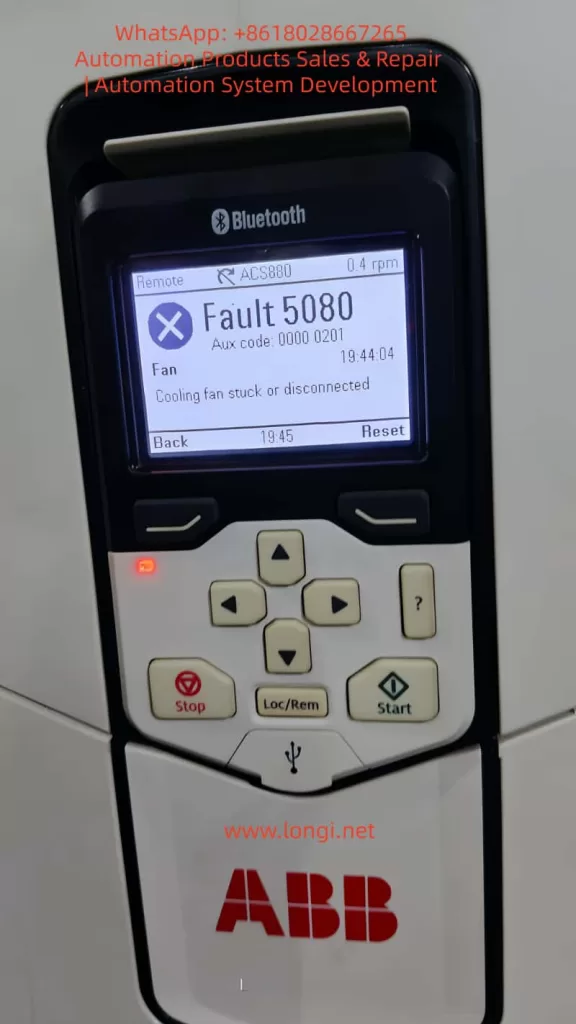
In the realm of industrial automation, the ABB ACS880 series of variable frequency drives (VFDs) stands as a benchmark for reliability, precision vector control, and advanced communication capabilities. Widely deployed in applications ranging from fans and pumps to conveyors and machine tools, these drives act as the “heart” of modern production lines. However, the stable operation of internal power components—specifically IGBT modules, rectifier bridges, and DC capacitors—relies heavily on an efficient thermal management system. At the core of this system lies the cooling fan, a component whose failure is statistically significant. According to ABB after-sales data, over 30% of VFD faults originate from thermal system anomalies, with Fault 5080 (Cooling Fan Stuck or Disconnected) being one of the most frequent early-warning faults in the ACS880 series.
If left unaddressed, this fault allows the internal temperature of the drive to rise unchecked. Once the IGBT junction temperature exceeds 150°C, it triggers a secondary over-temperature fault (Fault 5090), potentially leading to catastrophic component failure—such as IGBT explosions or capacitor bulging—resulting in costly unplanned downtime. This article provides a comprehensive technical analysis of Fault 5080, covering code interpretation, root cause analysis, systematic troubleshooting procedures, real-world case studies, and strategic preventive maintenance protocols.
2. Fault Code Analysis: Definition and Trigger Logic
According to the official ABB ACS880 User Manual, Fault 5080 is defined as: Cooling fan stuck or disconnected. It falls under the “Fan” category, typically accompanied by an Auxiliary Code (Aux code) of 0000 0201 (though this may vary slightly depending on firmware version). The trigger logic is based on a closed-loop fan speed monitoring system:
Sensing Mechanism: The drive utilizes an internal Hall effect sensor to monitor fan speed. This sensor outputs a pulse signal where the frequency is directly proportional to the rotational speed (e.g., 1500 rpm might correspond to a 25 Hz signal).
Threshold Logic: The drive’s firmware continuously analyzes this signal. If the detected speed drops below 50% of the rated value (or if the signal is completely absent) for a duration exceeding 10 seconds, the fault is triggered.
Protective Action: Upon triggering, the drive immediately inhibits output and trips to prevent thermal damage to the power semiconductors.
It is crucial to understand that Fault 5080 is a predictive warning. Its purpose is to alert maintenance personnel before the cooling system completely fails, thereby preventing the more severe consequences of over-temperature shutdowns or hardware destruction.
3. Root Cause Analysis: The Triad of Mechanical, Electrical, and Environmental Factors
The origins of Fault 5080 can be categorized into three primary domains: mechanical failure, electrical faults, and environmental degradation.
3.1 Mechanical Causes: Fan or Drive Mechanism Failure
Mechanical issues are the most prevalent, accounting for approximately 60% of cases:
Bearing Wear/Seizure: Over time, lubricating grease in the fan bearings dries out or becomes contaminated with dust, increasing the friction coefficient. This causes a drop in RPM (e.g., from 1500 rpm to 800 rpm). In severe cases, the bearing seizes completely, stopping the fan.
Dust/Debris Accumulation: In industrial environments, metal filings, fibers, and particulate matter accumulate on the fan blades or within the bearing assembly. This adds physical load, reducing rotational speed. Large debris (like screws or washers) can physically jam the blades.
Blade Damage: Physical impact, material fatigue, or foreign object strikes can crack or break fan blades, destroying the dynamic balance. This leads to increased vibration and unstable speed readings.
3.2 Electrical Causes: Power or Signal Circuit Faults
Electrical anomalies represent the second major category (approx. 30%):
Power Supply Failure: The fan’s DC power supply (typically 24V DC) may experience open circuits (broken wires, loose terminals), short circuits (damaged insulation), or voltage deviations (below 18V or above 30V). For instance, a terminal block screw loosening due to machine vibration can cut off power.
Feedback Signal Failure: The signal lines connecting the Hall sensor to the mainboard (usually a 3-core cable: Power, Ground, Signal) may suffer from loose connections, electromagnetic interference (EMI) if routed parallel to power lines, or sensor failure. If the signal shield is compromised, high-frequency noise from the inverter output can corrupt the speed data, causing the mainboard to falsely interpret a stopped fan.
Control Circuit Failure: Components on the mainboard responsible for fan control—such as relays, driver ICs, or operational amplifiers—may fail. A burnt-out relay contact, for example, will prevent power from reaching the fan even if the control logic is sound.
Environmental factors (approx. 10%) accelerate wear or increase thermal load:
High Ambient Temperature: Operating in environments above 40°C increases the fan’s workload, accelerates grease evaporation, and degrades motor insulation.
High Humidity: Relative humidity above 80% causes oxidation on terminals and rust in bearings, increasing contact resistance and mechanical drag.
Poor Ventilation: If the drive cabinet is sealed too tightly or the cabinet exhaust fan is failing, heat recirculates inside. Even if the internal fan is spinning, it cannot dissipate heat effectively, potentially causing the drive to misinterpret the high internal temperature as a fan failure.
4. Systematic Troubleshooting: A Step-by-Step Guide
Resolving Fault 5080 requires a “Safety First, Outside-In, Mechanical-to-Electrical” approach.
4.1 Safety Preparation
Lockout/Tagout (LOTO): Disconnect the main power supply (AC 380V/220V) and apply lockout devices.
Discharge Wait: Wait at least 5 minutes for the DC bus capacitors to discharge (verify voltage is below 50V DC using a multimeter).
PPE: Wear insulated gloves and safety glasses. Use ESD-safe tools to prevent static damage to sensitive electronics.
4.2 Visual Inspection
Open the drive cover and inspect:
Fan Condition: Check for cracked blades, clogged protective grilles, or deformed housings.
Wiring: Look for loose wires, burnt insulation, or oxidized (green/white crust) terminal blocks.
Internal Cleanliness: Assess the level of dust accumulation on the fan, heatsinks, and IGBT modules.
4.3 Mechanical Verification
Disconnect the fan power connector.
Manually rotate the fan blades.
If Stiff/Jammed: Clean dust/debris from blades and bearings. If the bearing makes grinding noises or has significant play, replace the fan assembly.
If Smooth: Proceed to electrical diagnostics.
4.4 Electrical Diagnostics
4.4.1 Power Supply Measurement
Re-energize the main power (do not start the motor yet).
Use a multimeter (DC Voltage mode) to measure the voltage across the fan connector (Red to Black wires).
Normal: 22V–26V DC.
Abnormal (e.g., 15V): Check for broken conductors (use continuity mode; resistance should be ~0Ω) or loose terminals. If wiring is intact, the internal power supply module may be faulty.
4.4.2 Feedback Signal Analysis
If voltage is normal but the fault persists, use an oscilloscope to measure the signal line (Yellow to Black).
Normal: A stable frequency pulse train (e.g., 25Hz for 1500rpm).
No Signal: Indicates a failed Hall sensor (replace fan).
Noisy/Erratic Signal: Indicates EMI. Re-route signal cables away from motor power cables (minimum 10cm separation) and ensure the shield is properly grounded.
4.5 Control Circuit Inspection
If power and signals are verified but the fan does not spin:
Locate the fan control relay on the mainboard. Measure the coil voltage.
Voltage Present, No Click: Replace the relay.
No Voltage Output: The driver IC or microcontroller may be damaged. This usually requires board-level repair or replacement by a certified technician.
4.6 Reset and Verification
Press the 【Reset】 button on the control panel.
Start the drive and monitor the fan speed via the Drive Composer software or the panel display. It should stabilize at 90–110% of the rated speed.
Run the drive under load for 30 minutes, monitoring the IGBT temperature (should remain below 80°C).
5. Case Studies: From Symptom to Resolution
Case 1: Intermittent Fault Due to Loose Terminal
Scenario: An ACS880-01-05A3-2 driving a blower fan in a steel plant trips with Fault 5080 every 2–3 hours. Investigation: Visual inspection revealed minor dust on the fan guard. Manual rotation was smooth. Voltage measurement at the fan plug showed only 15V DC (nominal 24V). Root Cause: The red (+24V) wire at the terminal block had loosened due to machine vibration, creating high contact resistance. Solution: Power down, retighten the terminal screw, and secure the wire with insulation tape. Result: The drive ran for 8 hours without tripping. Fan speed stabilized at 1450 rpm, and internal temperature remained at 65°C.
Case 2: Bearing Wear Causing Speed Drop
Scenario: An ACS880-01-12A3-2 driving a water pump trips with Fault 5080. The panel indicated a speed of 800 rpm (rated 1500 rpm). Investigation: The fan was dusty. Manual rotation produced a grinding noise and significant resistance. Disassembly revealed the bearing grease had completely liquefied and leaked out, with visible pitting on the ball bearings. Solution: Replaced the fan with an ABB genuine part (Model 3BSE023456R1). Result: Speed returned to 1480 rpm. The drive operated for 24 hours without alarms, with a cabinet temperature of 55°C.
Case 3: Electromagnetic Interference (EMI) False Trigger
Scenario: An ACS880-01-20A3-2 driving a conveyor belt trips with Fault 5080 immediately upon start, despite the fan visibly spinning. Investigation: Voltage supply was steady at 24V. However, an oscilloscope connected to the signal line showed a chaotic waveform filled with high-frequency noise (100Hz+), rather than a clean square wave. Root Cause: The fan signal cable was routed parallel to the motor power cable (AC 380V) with only 5cm separation, inducing noise. Solution: Separated the signal cable from the power cable by 20cm and wrapped the signal cable in aluminum foil shielding, grounding the foil at the drive end. Result: The fault cleared. The signal waveform normalized to a clean 25Hz pulse, and the drive ran trouble-free for a week.
6. Preventive Maintenance Strategy: Shifting to Predictive Maintenance
Preventing Fault 5080 requires a strategy that moves beyond “run-to-failure” toward a structured maintenance lifecycle.
6.1 Scheduled Maintenance Plan
Frequency
Action Items
Monthly
Visually inspect fan rotation (manual check); clean dust from fan guards.
Check terminal tightness; measure fan supply voltage (tolerance ±10% of 24V).
Annually
Replace cooling fans (preventative replacement is cheaper than downtime).
Bi-Annually
Perform “Blow-out”: Use compressed air (<0.2 MPa) to clean internal dust from heatsinks and PCBs.
6.2 Environmental Optimization
Thermal Management: Ensure ambient temperature stays below 40°C. Install auxiliary cabinet cooling units if necessary.
Humidity Control: Maintain relative humidity below 80%. Use dehumidifiers in damp environments.
Cabling Standards: Strictly segregate high-voltage power lines from low-voltage signal lines (minimum 10cm spacing). Use shielded cables for all sensor connections.
6.3 Condition Monitoring (IoT)
Leverage ABB Ability™ Smart Sensor or similar IIoT gateways to monitor:
Vibration: Set alarms for vibration levels exceeding 0.5mm/s (indicative of bearing wear).
Temperature: Monitor IGBT heatsink temperature; set a pre-alarm at 90°C to trigger a fan check before a trip occurs.
Speed: Configure the system to send an email/SMS alert if fan speed drops below 80% of nominal.
7. Conclusion
Fault 5080 on the ABB ACS880 is a critical indicator of thermal system health. While often caused by simple issues like loose wires or dust accumulation, it can also signal complex electrical failures or environmental stress. By adhering to a systematic troubleshooting methodology—prioritizing safety, visual inspection, and step-by-step electrical verification—maintenance teams can resolve these issues efficiently.
However, the true value lies in prevention. Implementing a rigorous schedule of cleaning, component replacement, and environmental control, augmented by modern condition monitoring tools, can reduce fan-related failures by over 80%. This proactive approach not only extends the lifespan of the VFD but also safeguards the continuity of industrial processes, turning maintenance from a cost center into a strategic asset.
For complex board-level failures or persistent intermittent faults that defy standard diagnostics, engaging ABB certified service partners is recommended to ensure the integrity of the drive system.
Understanding EEPROM Parameter Storage Errors and Full Recovery Methods in Industrial Field Maintenance
Introduction
The ABB ACS501 (also known as SAMI GS series) is an early but highly reliable generation of industrial drives, widely deployed in pumping systems, HVAC, conveyors, and general industrial automation. Many units today have been in service for more than 10–20 years. With aging hardware, environmental stress, and frequent power cycles, one common fault has become a major maintenance topic:
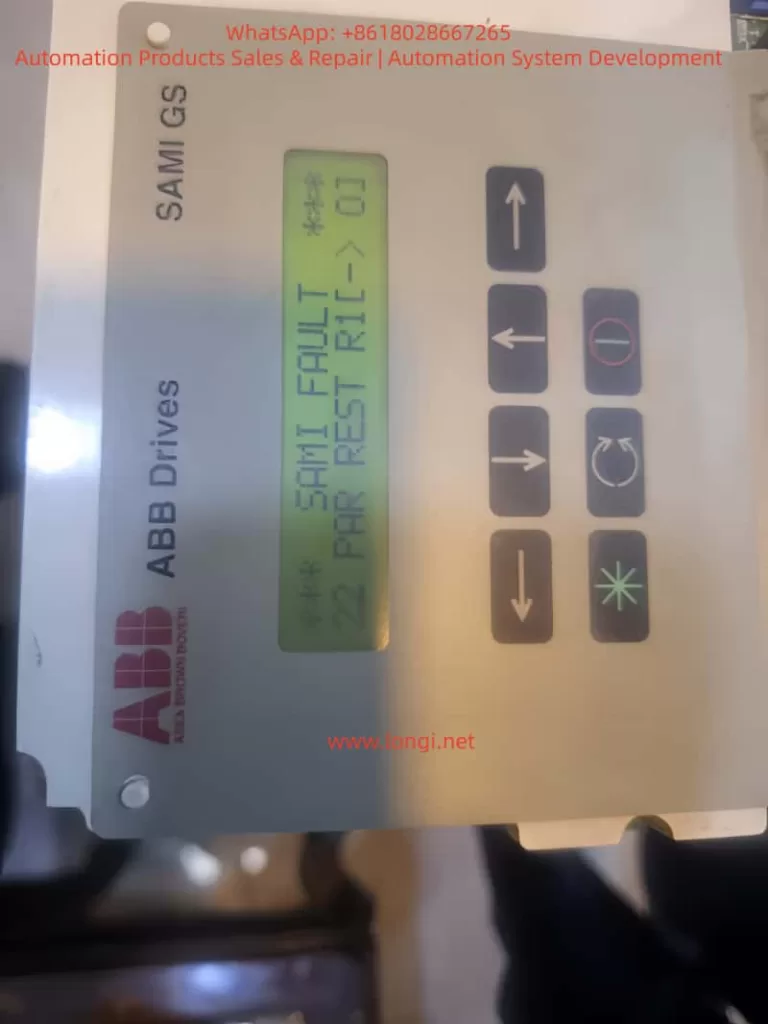
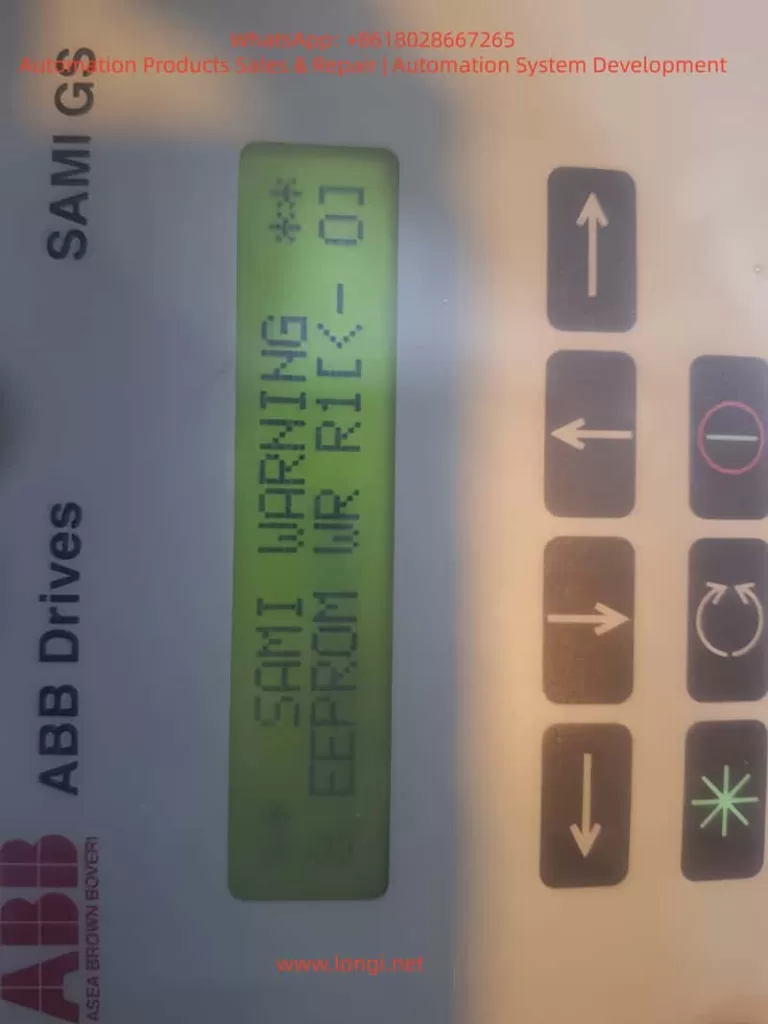
Fault 22 – PAR REST accompanied by Warning – EEPROM WR.
Once this happens, the inverter may fail to store parameters, repeatedly reboot with alarms, and in many cases refuse to run until the parameter system is repaired. Unlike protection faults such as overcurrent or overvoltage, Fault 22 belongs to the memory integrity class of failures, which requires understanding of EEPROM behavior, data checksum logic, and internal parameter structure.
This article aims to provide an independent, practical, and systematically structured guide for diagnosing and repairing this fault. The content is based on real repair cases, technical documentation, and years of on-site maintenance experience. Engineers, maintenance technicians, and equipment owners can rely on this guide to restore functionality effectively.
1. Recognizing the Fault Symptoms
Typical screen displays observed in real cases:
SAMI FAULT
22  PAR REST R1(-)01
and/or
SAMI WARNING
8 EEPROM WR R1(-)01
From the ABB manual:
Code
Meaning
Consequence
22 Par Rest
Parameter checksum mismatch / storage error
Parameter memory considered invalid and must be reset
EEPROM WR
Failure or inconsistency during parameter write operation
Drive cannot safely store parameter configuration
The coexistence of these two messages indicates that the parameter storage block in the EEPROM failed to pass CRC verification. In simple terms:
The drive was unable to read or write its configuration data correctly, so it entered protection status.
If not solved, the drive may not start, or parameters will disappear after every power cycle.
2. Why This Fault Happens – Root Cause Mechanism
Understanding the cause is crucial before taking action. The ACS501 uses internal EEPROM to store key parameters, including:
startup configuration
motor nameplate data
application macro and limits
protection settings
frequency scaling and control mode
On startup, the firmware loads parameters and verifies data integrity. When CRC fails or EEPROM read/write is unstable, the drive issues Fault 22 Par Rest.
Based on repair statistics, the root causes can be grouped into five main categories:
EEPROM Aging and Memory Wear
Drives older than 10 years frequently experience write failure
Parameters can be changed, but revert to defaults after power-off
Use UPS or avoid power-off during parameter writing
Prevent data corruption
Annual parameter backup for old drives
Quick restoration in emergencies
Replace EEPROM & capacitors proactively after 10 years
Prevent failure before it occurs
Ensure grounding and shielded wiring
Reduce I²C communication interference
The failure is progressive, not sudden. Early attention saves downtime cost.
Conclusion
The ABB ACS501/SAMI GS is a robust drive platform with high maintainability. Fault 22 Par Rest is not a dead-end failure; in most cases, it simply indicates corrupted EEPROM data that can be restored with systematic procedures.
Through this article, we explored:
• What Fault 22 means • Why EEPROM errors occur • Complete step-by-step recovery workflow • Hardware repair techniques & parameter reconstruction • Preventive strategies to increase long-term reliability
For engineers, understanding this fault transforms a seemingly serious shutdown into a solvable maintenance task. With the correct approach, the inverter can return to full operation with minimal downtime.
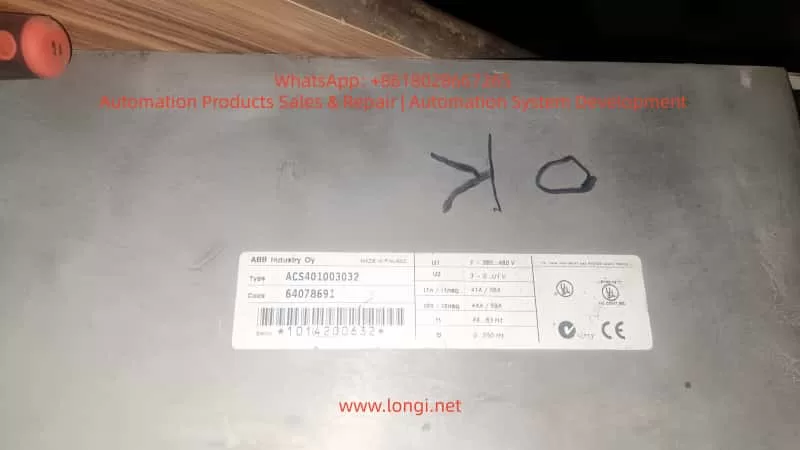
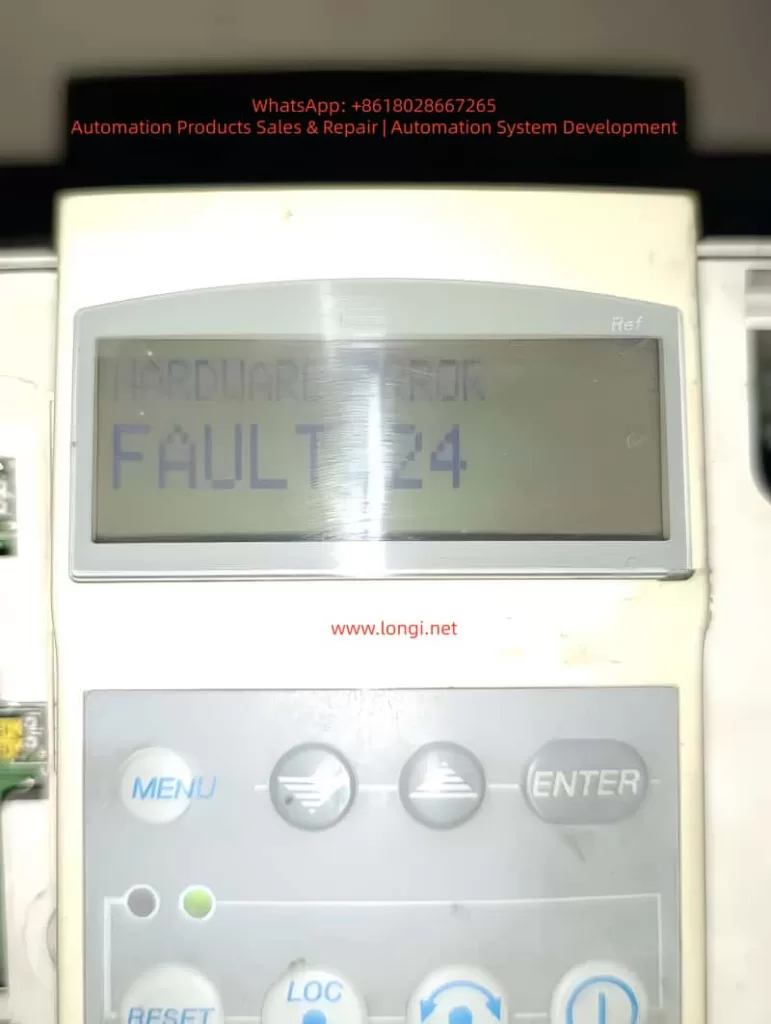
ABB ACS401 is a widely deployed early-generation industrial AC drive series, known for its stable performance and suitability for long-term field operation. However, after years of use, especially in dusty, high-temperature or high-load environments, the probability of internal hardware failure increases significantly. Among all fault codes, Fault 24 stands out as one of the most common and difficult issues, categorized under Hardware Error, belonging to the Fault 21–26 range.
Unlike configuration or parameter-related alarms, Fault 24 cannot be cleared by parameter reset or software operation. It indicates that the drive has detected an internal hardware malfunction, and the device has stopped operation to protect the power module and motor.
This article provides a complete, structured and practical repair guide including fault interpretation, failure mechanism, diagnostic workflow, hardware inspection method, component-level repair techniques, and final validation procedure. It is fully suitable for technical service engineers, repair companies and factory maintenance personnel as a knowledge base.
2. What Does Fault 24 Mean?
When the ACS401 powers up, it performs a self-diagnostic routine. Fault 24 appears when any internal hardware logic or feedback signal is out of range. The detection includes:
Internal low-voltage power rails (5V/15V/24V) stability
DC-bus voltage measurement accuracy
Motor phase current Hall/ shunt sampling feedback
Gate-driver board communication handshake
Short-circuit detection channel
CPU memory integrity check (RAM/ROM/EEPROM)
IGBT driver feedback and enable loop status
System reset watchdog state
If any section fails, the drive will block output and display Fault 24 instantly or during acceleration.
Summary of common field symptoms
Behavior
Likely Cause
Fault 24 appears immediately on power-up
Control board failure / power supply anomaly / sampling-chain fault
Runs for a few seconds then trips
Sampling drift due to temperature / unstable DC-DC supply
Driver enable not established or CPU fails to initialize
3. Pre-diagnostic Checklist
Before performing hardware repair, follow the initial verification steps:
3.1 Document equipment rating
Record motor plate values:
Rated voltage, current and frequency
Motor kW capacity vs drive rating
Load characteristics (constant torque / fan pump)
Incorrect parameter configuration may cause misjudgment during testing.
3.2 Visual and environmental inspection
Check for:
Dust, humidity, oil contamination on PCB
Rust or oxidation on terminals
Burn marks or abnormal smell
Fan not running or weak airflow
Loose connectors or cracked solder pads
Cleaning before measurement dramatically improves troubleshooting accuracy.
3.3 DC bus voltage measurement
After power-off wait ≥5 minutes, measure:
DC Bus Voltage ≈ AC Input Voltage × 1.35
380 VAC input → approx. 530 VDC on Uc+ ~ Uc-
If the measured value differs significantly from real value, DC-bus divider or sampling network is defective, commonly leading to Fault 24.
4. Root Cause Analysis and Hardware Failure Zones
Based on large sample repair experience, Fault 24 mainly originates from Power Supply Section + Sampling Feedback Section + IGBT Driver Section.
Below are the detailed checkpoints.
4.1 Low-Voltage Power Supply Section
Logic power rail instability is the number one cause of Fault 24.
Measure with multimeter and preferably oscilloscope:
Test Point
Good Range
+5V logic rail
4.95 – 5.10 V
+15V driver supply
14.5 – 15.5 V
+24V auxiliary
23.5 – 24.5 V
Ripple tolerance
< 50 mV ideally
Common failure components:
Aged electrolytic capacitors (ESR increase)
7815/7805 linear regulators degraded
Faulty switching regulator in power stage
Dry capacitors near MCU crystal area
Repair recommendation:
Replace aging capacitors directly (especially small high-frequency caps)
Check rectifier bridge and filter capacitors
Re-solder supply area thoroughly
Power ripple causes sampling noise → system considers it as hardware instability → triggers Fault 24.
4.2 Current Feedback & Hall Sensor Circuit
ACS401 uses shunt or Hall sensor for motor phase current sampling.
Inspection procedures:
Observe shunt resistor color — dark/ cracked means drift
Hall output idle voltage should be around mid-reference ~2.5V
Measure continuity between sampling trace pads
Look for cold solder joint under sensor legs
Fix actions:
Replace sampling shunt resistor with same precision rating
Re-solder Hall sensor pins
Replace damaged op-amps in signal conditioning path
Clean flux/oxidation, restore copper pads if burnt
This area contributes to 40–60% Fault 24 repair cases.
4.3 IGBT Gate Driver Communication Failure
Driver stage problems will also report Fault 24 even when IGBT is intact.
Check:
Part
Potential Issue
Gate driver optocouplers (HCPL/PC817)
Aging → rise/fall time distorted
Driver transformer/driver IC
Leakage inductance, overstress aging
Push-pull transistor pair
Heat-damage, short/half-short
IGBT module
Gate leakage, thermal cracks
Testing method:
Remove gate output → power test
If Fault 24 disappears → driver/IGBT problem
If still exists → sampling/control board side
Repair checklist:
Replace optocouplers first (highest success rate)
Replace gate-drive transistors
Check dead-time generation waveform
4.4 Control CPU & Memory Section
Lower probability but possible:
Faulty EEPROM / corrupted parameter storage
Crystal oscillator start-up failure
Internal flash bit-flip
Actions:
Heat reflow/ re-solder micro-controller
Replace crystal + bypass capacitor set
Reflash firmware if backup is available
This level repair requires senior capability/lab environment.
5. Step-By-Step Repair Procedure
Step A – Safe Disassembly
Power off and discharge for 5–10 minutes
Remove keypad and casing
Extract control PCB gently
Clean surface using IPA + soft brush
Dry with warm air, avoid overheating
Step B – Power Supply Restoration
Replace 100µF~470µF electrolytics near DC-DC
Test 5V/15V rails under load
If unstable, replace regulator IC directly
Step C – Sampling Circuit Repair
Key components to check:
Sampling resistor (Rshunt)
Hall sensor IC
Signal conditioning op-amp
Feedback trace continuity
Replace all suspicious components instead of single-point repair only.
Step D – Driver Section Diagnostic
Test optocoupler output waveform
Replace aging models in pair
Measure gate leakage on IGBT
Confirm dead-time presence on oscilloscope
Step E – Reassembly & Load Testing
Reassemble power & control board
Power without motor first → observe LED state
Then run at low frequency (5–10Hz)
Gradually increase to rated load over 20–30 minutes
Monitor temperature and current feedback stability
If no Fault 24 occurs → Repair successful.
6. Conclusion
Fault 24 in ACS401 is a hardware-level failure protection, not related to user parameter configuration. Most failures originate from:
Aged DC-DC low voltage power capacitors
Current/Hall sampling drift or circuit oxidation
Gate driver channel weakening
Control board solder fatigue
With systematic diagnosis, repair success rate can be very high, and in many cases only capacitor replacement + sampling/driver rework restores normal operation.
Optional Additional Value Files (can be generated if requested)
Deliverable
What I can generate for you
PDF formatted technical manual
With diagrams & maintenance checklist table
Board Mark-Up Diagnostic Map
You send board images → I label hotspots
Training PPT Version
For technician training, with flowcharts
Extended SEO version (4000–8000 words)
Suitable for website, knowledge base posts
If you want, you can now send me clear photos of the control board (front + back, close-ups of power, sampling and driver areas). I will mark exact test points and show components to replace, making a more accurate repair plan tailored to your unit.
Would you like:
A) A PDF formatted version B) A more detailed version with diagrams & oscilloscope waveform examples C) Component BOM + sourcing specifications
Reply A/B/C or mix multiple options.
1. Introduction
ABB ACS401 is a widely deployed early-generation industrial AC drive series, known for its stable performance and suitability for long-term field operation. However, after years of use, especially in dusty, high-temperature or high-load environments, the probability of internal hardware failure increases significantly. Among all fault codes, Fault 24 stands out as one of the most common and difficult issues, categorized under Hardware Error, belonging to the Fault 21–26 range.
Unlike configuration or parameter-related alarms, Fault 24 cannot be cleared by parameter reset or software operation. It indicates that the drive has detected an internal hardware malfunction, and the device has stopped operation to protect the power module and motor.
This article provides a complete, structured and practical repair guide including fault interpretation, failure mechanism, diagnostic workflow, hardware inspection method, component-level repair techniques, and final validation procedure. It is fully suitable for technical service engineers, repair companies and factory maintenance personnel as a knowledge base.
2. What Does Fault 24 Mean?
When the ACS401 powers up, it performs a self-diagnostic routine. Fault 24 appears when any internal hardware logic or feedback signal is out of range. The detection includes:
Internal low-voltage power rails (5V/15V/24V) stability
DC-bus voltage measurement accuracy
Motor phase current Hall/ shunt sampling feedback
Gate-driver board communication handshake
Short-circuit detection channel
CPU memory integrity check (RAM/ROM/EEPROM)
IGBT driver feedback and enable loop status
System reset watchdog state
If any section fails, the drive will block output and display Fault 24 instantly or during acceleration.
Summary of common field symptoms
Behavior
Likely Cause
Fault 24 appears immediately on power-up
Control board failure / power supply anomaly / sampling-chain fault
Runs for a few seconds then trips
Sampling drift due to temperature / unstable DC-DC supply
Driver enable not established or CPU fails to initialize
3. Pre-diagnostic Checklist
Before performing hardware repair, follow the initial verification steps:
3.1 Document equipment rating
Record motor plate values:
Rated voltage, current and frequency
Motor kW capacity vs drive rating
Load characteristics (constant torque / fan pump)
Incorrect parameter configuration may cause misjudgment during testing.
3.2 Visual and environmental inspection
Check for:
Dust, humidity, oil contamination on PCB
Rust or oxidation on terminals
Burn marks or abnormal smell
Fan not running or weak airflow
Loose connectors or cracked solder pads
Cleaning before measurement dramatically improves troubleshooting accuracy.
3.3 DC bus voltage measurement
After power-off wait ≥5 minutes, measure:
DC Bus Voltage ≈ AC Input Voltage × 1.35
380 VAC input → approx. 530 VDC on Uc+ ~ Uc-
If the measured value differs significantly from real value, DC-bus divider or sampling network is defective, commonly leading to Fault 24.
4. Root Cause Analysis and Hardware Failure Zones
Based on large sample repair experience, Fault 24 mainly originates from Power Supply Section + Sampling Feedback Section + IGBT Driver Section.
Below are the detailed checkpoints.
4.1 Low-Voltage Power Supply Section
Logic power rail instability is the number one cause of Fault 24.
Measure with multimeter and preferably oscilloscope:
Test Point
Good Range
+5V logic rail
4.95 – 5.10 V
+15V driver supply
14.5 – 15.5 V
+24V auxiliary
23.5 – 24.5 V
Ripple tolerance
< 50 mV ideally
Common failure components:
Aged electrolytic capacitors (ESR increase)
7815/7805 linear regulators degraded
Faulty switching regulator in power stage
Dry capacitors near MCU crystal area
Repair recommendation:
Replace aging capacitors directly (especially small high-frequency caps)
Check rectifier bridge and filter capacitors
Re-solder supply area thoroughly
Power ripple causes sampling noise → system considers it as hardware instability → triggers Fault 24.
4.2 Current Feedback & Hall Sensor Circuit
ACS401 uses shunt or Hall sensor for motor phase current sampling.
Inspection procedures:
Observe shunt resistor color — dark/ cracked means drift
Hall output idle voltage should be around mid-reference ~2.5V
Measure continuity between sampling trace pads
Look for cold solder joint under sensor legs
Fix actions:
Replace sampling shunt resistor with same precision rating
Re-solder Hall sensor pins
Replace damaged op-amps in signal conditioning path
Clean flux/oxidation, restore copper pads if burnt
This area contributes to 40–60% Fault 24 repair cases.
4.3 IGBT Gate Driver Communication Failure
Driver stage problems will also report Fault 24 even when IGBT is intact.
Check:
Part
Potential Issue
Gate driver optocouplers (HCPL/PC817)
Aging → rise/fall time distorted
Driver transformer/driver IC
Leakage inductance, overstress aging
Push-pull transistor pair
Heat-damage, short/half-short
IGBT module
Gate leakage, thermal cracks
Testing method:
Remove gate output → power test
If Fault 24 disappears → driver/IGBT problem
If still exists → sampling/control board side
Repair checklist:
Replace optocouplers first (highest success rate)
Replace gate-drive transistors
Check dead-time generation waveform
4.4 Control CPU & Memory Section
Lower probability but possible:
Faulty EEPROM / corrupted parameter storage
Crystal oscillator start-up failure
Internal flash bit-flip
Actions:
Heat reflow/ re-solder micro-controller
Replace crystal + bypass capacitor set
Reflash firmware if backup is available
This level repair requires senior capability/lab environment.
5. Step-By-Step Repair Procedure
Step A – Safe Disassembly
Power off and discharge for 5–10 minutes
Remove keypad and casing
Extract control PCB gently
Clean surface using IPA + soft brush
Dry with warm air, avoid overheating
Step B – Power Supply Restoration
Replace 100µF~470µF electrolytics near DC-DC
Test 5V/15V rails under load
If unstable, replace regulator IC directly
Step C – Sampling Circuit Repair
Key components to check:
Sampling resistor (Rshunt)
Hall sensor IC
Signal conditioning op-amp
Feedback trace continuity
Replace all suspicious components instead of single-point repair only.
Step D – Driver Section Diagnostic
Test optocoupler output waveform
Replace aging models in pair
Measure gate leakage on IGBT
Confirm dead-time presence on oscilloscope
Step E – Reassembly & Load Testing
Reassemble power & control board
Power without motor first → observe LED state
Then run at low frequency (5–10Hz)
Gradually increase to rated load over 20–30 minutes
Monitor temperature and current feedback stability
If no Fault 24 occurs → Repair successful.
6. Conclusion
Fault 24 in ACS401 is a hardware-level failure protection, not related to user parameter configuration. Most failures originate from:
Aged DC-DC low voltage power capacitors
Current/Hall sampling drift or circuit oxidation
Gate driver channel weakening
Control board solder fatigue
With systematic diagnosis, repair success rate can be very high, and in many cases only capacitor replacement + sampling/driver rework restores normal operation.
In the field of modern industrial automation, inverters serve as the core equipment for motor control and are widely applied in hydraulic press systems. The ABB ACS580 series of inverters are highly efficient, reliable, and flexible, supporting torque control mode. They can precisely regulate the motor’s output torque to achieve stable pressure output in hydraulic systems, avoiding energy waste and mechanical shocks associated with traditional fixed-speed operation. However, in practical applications, motor overload faults (such as the 7122 code) are common. Even when the actual torque does not exceed 80%, continuous operation for more than 10 minutes may trigger the fault, leading to production interruptions. Based on the ACS580 firmware manual and actual cases, this paper explores the principles of torque control, the causes of the 7122 fault, diagnostic methods, and parameter optimization strategies. The torque control mode in hydraulic presses emphasizes constant load output, and low-speed, high-torque operation amplifies the risk of motor heat accumulation. Reasonable configuration of parameter group 35 (motor thermal protection) and group 97 (motor control) can mitigate faults and enhance system stability.
II. Overview of the ACS580 Inverter
(A) Basic Information
The ACS580 is a high-performance product in the ABB general-purpose drive series, designed specifically for industrial applications. It supports a power range of 0.75 kW to 500 kW and is suitable for 380 – 480 V AC power supplies. With a modular structure, it features a built-in control panel (ACS-AP-S or ACS-AP-I) for convenient parameter setting and fault diagnosis.
(B) Core Features
Diverse Control Modes: It supports scalar control and vector control. Scalar control is suitable for simple frequency regulation, while vector control provides precise torque and speed control. In hydraulic presses, torque control is often combined with scalar mode to achieve stable pressure.
Protection Mechanisms: It incorporates a built-in motor thermal model (I²t algorithm) that monitors current, frequency, and time to accumulate heat and prevent overloading. It also supports input from external temperature sensors (such as Pt100 or KTY84) to enhance protection accuracy.
Communication and Integration: It has a built-in Modbus RTU fieldbus and can be extended to support protocols such as PROFIBUS and EtherNet/IP, facilitating integration with PLCs or upper-level computers.
Energy Efficiency: The energy optimizer function reduces magnetic flux losses under light loads, saving 1 – 20% of electrical energy. This significantly reduces no-load losses during intermittent operation of hydraulic presses.
(C) Application in Hydraulic Presses
The ACS580 regulates the pump motor’s output through torque control mode to achieve pressure closed-loop control, reducing mechanical components and maintenance costs compared to traditional proportional valve control. It performs excellently in heavy-duty machinery and can handle low-speed, high-load scenarios.
III. Principles of Torque Control Mode
(A) Vector Control
It achieves independent regulation by decoupling the motor’s magnetic flux and torque components. The torque setpoint is calculated by a PI controller, and PWM signals are output to control the inverter. The formula is: T=23×p×LrLm×iq×ψd, where T is the torque, p is the number of pole pairs, iq is the torque current, and ψd is the magnetic flux linkage. This mode offers high precision and is suitable for dynamic loads, but requires ID operation to identify motor parameters.
(B) Scalar Control
It employs simple U/F control, where the voltage is kept proportional to the frequency. Torque is indirectly regulated through current, and it is susceptible to slip at low speeds. The setting of the U/F ratio is crucial. A linear ratio (U∝f) is suitable for constant-torque applications such as hydraulic presses, while a square ratio (U∝f2) is used for variable-torque loads like fans. In the manual, parameter 97.20 (U/F ratio) defaults to linear, but improper user settings (such as setting it to square) can lead to insufficient voltage at low speeds, increased current, and accelerated heat accumulation.
(C) Application Principles in Hydraulic Presses
In hydraulic presses, torque control is used for pressure feedback closed-loop control. Sensors monitor the cylinder pressure, and a PID controller regulates the torque setpoint. Low-speed, high-torque operation is common, and self-cooling motors have poor heat dissipation and are prone to overheating. The control chain is as follows: the setpoint source (AI1/AI2) is selected, processed by a function, and then output through a ramp to a limit module. At low speeds, insufficient magnetic flux (due to U/F mismatch) can cause current peaks and trigger thermal protection. It is necessary to ensure IR compensation in scalar mode to enhance low-frequency torque.
IV. Analysis of the 7122 Fault
(A) Fault Definition
The 7122 fault indicates motor overload, which occurs when the temperature calculated by the drive’s thermal model exceeds the threshold. Even when the torque is less than 80%, accumulated heat can trigger the fault. According to the manual, it is based on the I²t algorithm, which monitors the integral of current squared over time. When the motor overload level (parameter 35.05) reaches 100%, a trip occurs.
(B) Fault Causes
Thermal Model Mechanism: The model uses parameters 35.51 (zero-speed load, default 70%), 35.52 (corner frequency, 50 Hz), and 35.53 (corner load, 100%) to define the load curve. At low speeds, the allowable load decreases linearly to the zero-speed value. The formula is: Allowable load = Zero-speed load + (Corner load – Zero-speed load) × (f / f_corner), where f is the current frequency. When users operate at low speeds with a sustained torque close to the allowable value, heat accumulation can trigger the fault.
Application Mismatch: Hydraulic presses operate at low speeds with high torque, and cooling is often insufficient. Setting the U/F to square results in low voltage at low frequencies, requiring higher current to maintain torque and increasing heat losses.
Conservative Parameters: Users may set parameters such as 35.51 and 35.52 too loosely, but overestimating the ambient temperature (parameter 35.54) accelerates heat accumulation. Additionally, large errors in sensorless estimation can also contribute to the problem.
External Factors: High ambient temperatures, blocked motor ventilation, and cable problems can amplify the risk. The 7122 fault is often caused by incorrect motor data or sudden load changes.
V. Case Study
(A) Parameter Analysis
Based on the user-provided parameter photos, the motor data is as follows: 99.04 = scalar, 99.06 = 69.6 A, 99.07 = 380 V, 99.10 = 1450 rpm, and power = 37 kW. The control mode: 19.12/19.16 = torque, 26.11 = AI1. Thermal protection: 35.51 = 130%, 35.52 = 80%, 35.54 = 90°C, 35.57 = Class 30. U/F: 97.20 = square. The operating data shows a torque of 80%, a speed of 300 rpm, and a current of 56.3 A. The thermal model reaches 100% after 10 minutes of fault occurrence.
(B) Problem Diagnosis
The square U/F setting results in high current at low speeds, and the overestimated ambient temperature setting accelerates the I²t accumulation. At 10 Hz, the allowable load = 80% + (130% – 80%) × (10/50) = 90%, and the actual 80% exceeds the limit, leading to accumulation and triggering the 7122 fault, which is often caused by low-speed overloading. To resolve this, the load curve and U/F settings need to be adjusted.
VI. Parameter Optimization Guide
(A) Check Motor Data
Check the motor data in group 99 to ensure it matches the nameplate specifications and avoid underestimating the rated current. Set 99.04 = vector (requires ID operation) to improve accuracy.
(B) Adjust the U/F Ratio
Set 97.20 = linear to ensure sufficient magnetic flux at low speeds. The formula is U=Un×(f/fn)+IR compensation (97.13 = 10 – 20%).
(C) Optimize Thermal Protection
35.51 Corner load: Increase from 130% to 150% (if forced cooling is available).
35.52 Zero-speed load: Increase from 80% to 90%.
35.53 Corner frequency: Decrease from 50 Hz to 30 Hz to expand the high-load area.
35.55 Thermal time constant: Increase from 256 s to 500 s.
35.56 Overload action: Change from fault to warning (monitor without tripping).
35.57 Overload class: Set to Class 30 (highest).
Enable sensor: Set 35.11 = KTY84 and connect it to AI.
(D) Monitoring and Testing
Monitor parameter 35.05 during operation. If it exceeds 88%, issue a warning and optimize the curve. Use Drive Composer to record data.
(E) Other Optimizations
Match the torque limits (30.19/30.20) to the application requirements.
Enable the energy optimizer (45.11 = allow) to save energy.
After adjustment, restart and test, observing for 10 minutes to ensure no faults occur.
VII. Best Practices and Prevention
(A) Temperature Monitoring
Prioritize the use of external sensors to avoid estimation errors.
(B) Load Matching
When selecting equipment, ensure that the VFD power is at least 1.5 times that of the motor and consider low-speed derating.
(C) Maintenance
Regularly clean the ventilation and check the cables. Use automatic reset (31.12) to handle intermittent faults.
(D) Software Tools
Use Drive Composer to diagnose the thermal curve and simulate optimizations.
(E) Green Applications
VFDs can reduce energy consumption by 20%. Combined with PFC multi-pump control, they can optimize hydraulic systems.
VIII. Conclusion
The 7122 fault in the ACS580’s torque control for hydraulic presses mainly stems from heat accumulation and parameter mismatch. By optimizing group 35 and group 97 parameters, the fault can be effectively resolved, ensuring stable operation. This strategy improves production efficiency, reduces energy consumption, and promotes green manufacturing. In practical applications, it is necessary to combine field testing and, if necessary, consult ABB support.
This paper provides a comprehensive analysis of the common “Start Interlock 1” fault in ABB ACH580 series variable frequency drives (VFDs), covering fault mechanisms, core causes, diagnostic procedures, and solutions. By integrating official technical manuals, engineering practice cases, and in-depth technical principles, a three-tier diagnostic system—”Signal Chain-Configuration Layer-System Level”—is constructed. This offers engineers in industrial and HVAC fields a full-process guide from basic troubleshooting to complex system debugging, facilitating rapid equipment restoration and preventing fault recurrence.
Introduction
In modern industrial automation and HVAC systems, variable frequency drives serve as the core equipment for motor control, with their stability directly determining production efficiency and energy consumption. The ABB ACH580 series VFDs are widely used in load scenarios such as fans, pumps, and compressors due to their high efficiency, energy savings, and reliability. However, the “Start Interlock 1” fault is one of the high-frequency issues that prevent equipment from starting. This paper provides a systematic fault-solving methodology by dissecting the fault essence through technical analysis and case verification.
1. Fault Essence and Safety Mechanism Analysis
1.1 Definition and Function of “Start Interlock 1”
“Start Interlock 1” is an inherent safety protection logic in ABB ACH580 VFDs, designed to ensure that the drive starts the motor only when external conditions are met. Its core function is to monitor preset digital input signals (default DI4 terminal) or communication instruction states to determine whether the device is ready for startup. When the interlock signal is invalid, the VFD immediately blocks the startup process, displays a warning on the panel, and accompanies it with an AFEE code.
1.2 Design Logic of the Safety Mechanism
This protection mechanism adheres to the IEC 61800-5-1 functional safety standard and falls under the category of “Safety-Related Stop Functions” (SRS). Its design logic can be summarized as an “AND gate control”:
Condition 1: The drive has no hardware faults (e.g., overcurrent, overvoltage, overheating, or other critical errors).
Condition 2: The external startup instruction is valid (e.g., panel “Hand” mode startup, remote DI signal, or bus control word).
Condition 3: The “Start Interlock 1” signal is valid (default high level 1 or communication bit enabled).
Only when all three conditions are satisfied can the VFD proceed to the startup sequence; otherwise, interlock protection is triggered.
2. In-Depth Analysis of Core Fault Causes
According to ABB technical manuals and engineering case statistics, “Start Interlock 1” faults can be categorized into four main types:
2.1 External Signal Chain Anomalies (45%)
2.1.1 Digital Input Terminal Faults
Wiring Issues: Loose, oxidized, or damaged DI4 terminal connections can lead to signal disconnections, common in vibrating environments (e.g., pump rooms) or frequent plugging/unplugging scenarios.
Power Supply Conflicts: External sensors (e.g., pressure switches, limit switches) may have power supply logic conflicts with the VFD’s DI terminals (e.g., sensor output is PNP, while VFD DI is configured for NPN input).
Interference Impact: Analog signal cables running parallel to power cables can cause electromagnetic interference (EMI), leading to signal misinterpretation, especially in systems with high-frequency harmonics from VFD speed control.
2.1.2 External Safety Device Activation
In HVAC systems, the interlock signal is often linked to critical safety devices. Typical triggering scenarios include:
Pressure Protection: Low-pressure switches at pump inlets or high-pressure safety valves at outlets activating.
Temperature Interlocks: Freeze protection switches in heat exchangers or motor winding over-temperature protections triggering.
Mechanical Limits: Unreset end-limit switches on damper actuators or belt breakage detection sensors activating.
Fire Signals: Building fire systems forcing the shutdown of air conditioning units (e.g., FAS system sending a stop command).
2.2 Parameter Configuration Errors (30%)
2.2.1 Incorrect Interlock Source Selection
Parameter 20.41 (Start interlock 1 source) defines the interlock signal source. Common configuration errors include:
Source Mismatch: Using DI5 terminal while incorrectly setting it to “DI4.”
Communication Source Conflicts: In Modbus or BACnet control modes, mistakenly setting the interlock source to “digital input” instead of “communication control word bit.”
Logic Level Errors: Setting parameter 20.42 (Start interlock 1 active level) to “high level active” while the external sensor outputs a low-level signal.
2.2.2 Multi-Pump/PFC System Configuration Anomalies
In constant pressure water supply or multi-fan linkage systems (PFC function), interlock faults are often related to the following parameters:
Node Configuration Errors: Setting parameter 76.22 (PFC number of nodes) to 3 pumps while only 2 are online, causing master-slave communication timeouts.
Run Permissive Timeout: Setting parameter 76.64 (Run permissive timeout) too short (e.g., default 5 seconds) while the external PLC startup instruction is delayed, triggering a timeout interlock.
Synchronization Parameter Inconsistencies: Failure to unify parameters 76.101 (PFC sync word 1) and 76.102 (PFC sync word 2) across multiple pumps, leading to node state misinterpretation.
2.3 Communication and Control Logic Faults (15%)
2.3.1 Fieldbus Communication Anomalies
In industrial Ethernet (e.g., Profinet) or Modbus RTU control scenarios, communication interruptions or data errors can cause interlock signal loss:
Bus Physical Layer Faults: Damaged network cables, missing terminal resistors (Profinet requires 110Ω terminal resistors), or poor grounding leading to common-mode interference.
Protocol Data Errors: Incorrect control word bit definitions (e.g., Modbus register address 0x0002 Bit3 for interlock not set to 1).
Slave Station Timeout: When the VFD acts as a slave, if the master station (e.g., PLC) communication cycle exceeds the parameter 32.05 (Bus timeout) setting (default 2000ms), a “communication interlock failure” is triggered.
2.3.2 Control Mode Switching Conflicts
Frequent switching between “Auto” and “Hand” modes can cause logic conflicts if the external control system does not synchronously update the interlock signal:
Example: In “Auto” mode, the PLC controls the interlock signal. Switching to “Hand” mode without the PLC sending a release command results in a persistently invalid interlock signal.
2.4 Hardware and Power Supply Faults (10%)
2.4.1 Internal VFD Faults
DI Terminal Module Damage: Surge voltages (e.g., lightning strikes) or overcurrent can burn out digital input optocouplers, common in outdoor equipment without surge protection devices (SPDs).
CPU Board Logic Errors: Main control board program crashes or EEPROM parameter corruption can be verified via “factory reset” (parameter 96.06).
Power Module Anomalies: Excessive ripple (>50mV) in the auxiliary power supply (+24V DC) can cause misinterpretation of DI signal detection circuits.
2.4.2 External Power Supply Fluctuations
Undervoltage Impact: When the AC 220V control power supply drops below 180V, the internal pull-up resistor voltage division in the DI terminal becomes insufficient, causing the signal to be misinterpreted as “low level.”
Grounding Faults: System grounding resistance exceeding the standard (>4Ω) can lead to common-mode voltage interference in the DI signal detection circuit.
3. Systematic Diagnostic Process and Tools
3.1 Basic Principles of Fault Diagnosis
Follow a “simple-to-complex, external-to-internal” troubleshooting logic, prioritizing the exclusion of external factors (wiring, power supply, external devices) before checking parameter configurations, and finally considering hardware faults. The “bisection method” is recommended for localization: first determine the interlock source state via panel monitoring parameters, then segmentally test the signal chain.
3.2 Basic Troubleshooting Tools and Steps
3.2.1 Panel Monitoring and Parameter Reading
Status Parameter Query:
Enter parameter 10.02 (DI delayed status) to view the interlock-related DI terminal state (e.g., DI4 displaying “0” indicates an invalid signal).
Check parameter 06.18 (Drive status word 2), where Bit4 (Start interlock 1 active) being “0” indicates an unsatisfied interlock.
In multi-pump systems, parameter 76.02 (PFC status word) Bit0 (Run permissive active) can determine the system-level interlock state.
Event Log Analysis:
Enter parameters 04.40 (Latest fault code) and 04.41 (Fault time) to confirm the fault occurrence time and associated events (e.g., whether accompanied by “Overvoltage” or “Communication loss”).
3.2.2 Electrical Test Tool Applications
Multimeter: Measure the voltage between the DI terminal and COM (for PNP input, the signal should be +24V when valid and 0V when invalid).
Oscilloscope: Detect DI signal waveforms to identify glitches or interference (normal signals should have no ripple exceeding 50mV).
Megohmmeter: Measure DI cable insulation resistance (should be >10MΩ) to exclude grounding faults.
3.3 Advanced Diagnostics: Signal Chain Integrity Testing
Using the default DI4 terminal as an example, construct a “Signal Chain Test Table”:
Test Node
Test Method
Normal Standard
Abnormal Handling Suggestions
External Sensor Output
Short-circuit sensor contacts and measure output voltage
In building automation systems (BAS), the following steps are recommended for troubleshooting:
BACnet Communication Test: Monitor the BV20 (Start interlock 1) object status via ABB Drive composer software to confirm whether the BAS system sends “1” (allow startup).
Linkage Logic Verification: In BAS programming software (e.g., Tridium Niagara), check whether interlock conditions (e.g., “damper fully open” AND “fire signal normal”) are met.
Timeout Parameter Adjustment: If BAS instruction delays occur, extend parameter 76.64 (Run permissive timeout) to 10 seconds.
4. Full-Scenario Solutions and Cases
4.1 External Signal Chain Repair Solutions
Case 1: Loose DI Terminal in a Pump Room Causing Interlock Failure
Fault Phenomenon: In a residential secondary water supply system, the ACH580 VFD reports “Start Interlock 1,” with the panel showing DI4 status as 0.
Troubleshooting Process:
Measured voltage between DI4 and COM as 0V (normal should be 24V).
Inspected the terminal block and found a loose DI4 terminal screw with oxidized cables.
Solution:
Cleaned terminal oxidation with fine sandpaper, re-crimped cables, and tightened screws.
Added anti-loosening markers at the terminal block and established a monthly inspection plan.
Result: Fault disappeared after restart, with stable operation.
Case 2: Electromagnetic Interference Causing Signal Misinterpretation
Fault Phenomenon: In a shopping mall air conditioning unit, the VFD randomly reports interlock faults with DI signal fluctuations during operation.
Solution:
Replaced DI signal lines with twisted-pair shielded cables, grounding the shield at the VFD side.
Adjusted cable routing to maintain a >30cm distance from power cables.
Added an RC filter circuit (100Ω resistor + 104 capacitor) before the DI terminal.
Result: Interference eliminated, with no recurrence of faults.
Case 3: PFC Parameter Configuration Errors in a Multi-Pump System
Fault Phenomenon: In a factory constant pressure water supply system (3 pumps), pump #2 reports “Start Interlock 1” and cannot participate in rotation.
Troubleshooting Process:
Checked parameter 76.22 (PFC number of nodes) set to “3” but parameter 76.25 (Number of motors) set to “2.”
Found inconsistent parameter 76.101 (Sync word 1) between master and slave stations (master 0x1234, slave 0x1235).
Solution:
Unified settings: 76.22=3, 76.25=3.
Synchronized all pump parameters via Drive composer software (checked “PFC synchronization” option).
Result: System restarted normally with 3 pumps rotating, and interlock fault resolved.
4.3 Hardware Fault Repair and Prevention
Case 4: DI Module Damage from Surge
Fault Phenomenon: In an outdoor fan VFD, a “Start Interlock 1” fault occurred after a thunderstorm, with no signal input at DI4 terminal.
Troubleshooting Process:
Measured DI4 terminal-to-ground resistance as 0Ω (normal should be infinite), indicating a burned-out optocoupler.
Solution:
Replaced the DI input module (model: ACH-0201).
Installed a surge protection device (Imax≥20kA, Up≤1.5kV) before the DI terminal.
Result: Module replacement restored signal, with no further damage during subsequent thunderstorms.
4.4 System-Level Interlock Logic Optimization
Case 5: Fire Linkage Interlock Design for a Hospital Cleanroom HVAC System
Requirement: When a fire signal is triggered, the VFD must immediately stop and prohibit restart (interlock locking).
Solution:
Parameter Configuration:
20.41=DI6 (fire signal input terminal).
20.42=low level active (DI6=0V during fire action).
20.45 (Start interlock stop mode)=1 (ramp stop).
External Circuit: Fire signal relay contacts are串联 (series-connected) to DI6 and COM to ensure reliable disconnection during fire action.
Effect: Upon fire signal trigger, the VFD stops with a 10-second ramp, and the interlock locks, requiring manual reset of the fire signal for restart.
5. Preventive Maintenance and Long-Term Reliability Enhancement
5.1 Regular Maintenance Plan (Recommended Cycles)
Daily Checks: Panel shows no interlock warnings, and DI signal states are normal (monitored via parameter 10.02).
Monthly Maintenance: Tighten DI terminal screws, measure insulation resistance, and clean VFD filters.
Quarterly Calibration: Calibrate DI signal detection thresholds using a signal generator (via Drive composer software).
Annual Inspection: Test surge protector performance and check grounding resistance (≤4Ω).
5.2 Design-Stage Optimization Recommendations
Hardware Selection: Prioritize DI terminals with built-in surge protection (e.g., ACH580-01 series).
Wiring Specifications: Use twisted-pair shielded cables for DI signals, with lengths ≤50 meters, and avoid parallel routing with VFD output cables.
Redundancy Design: Implement dual-loop inputs for critical interlock signals (e.g., fire, pressure protection) to enhance reliability.
Parameter Backup: Regularly back up parameters via USB or Drive composer to prevent configuration loss.
5.3 Intelligent Monitoring Solutions
Through the ABB Ability™ cloud platform or local SCADA system, implement a “interlock signal trend analysis” function:
Real-Time Monitoring: Track DI signal fluctuations and set threshold alarms (e.g., signal jitter >5 times/minute).
Fault Frequency Logging: Record interlock trigger frequencies and associated events to generate preventive maintenance reports.
Remote Parameter Adjustment: Enable remote parameter modification and fault reset to reduce on-site intervention time.
Conclusion
The “Start Interlock 1” fault is a direct reflection of the ACH580 VFD’s response to external system states, with its essence being a “mismatch between safety logic and actual operating conditions.” Resolving this fault requires engineers to possess a cross-disciplinary mindset encompassing “electrical + control + system” knowledge. The proposed “three-tier diagnostic system” (signal chain-configuration layer-system level) enables efficient problem localization. In the context of Industry 4.0, combining preventive maintenance with intelligent monitoring not only resolves existing faults quickly but also facilitates a transition from “reactive maintenance” to “proactive prevention,” ensuring long-term equipment reliability throughout its lifecycle.