
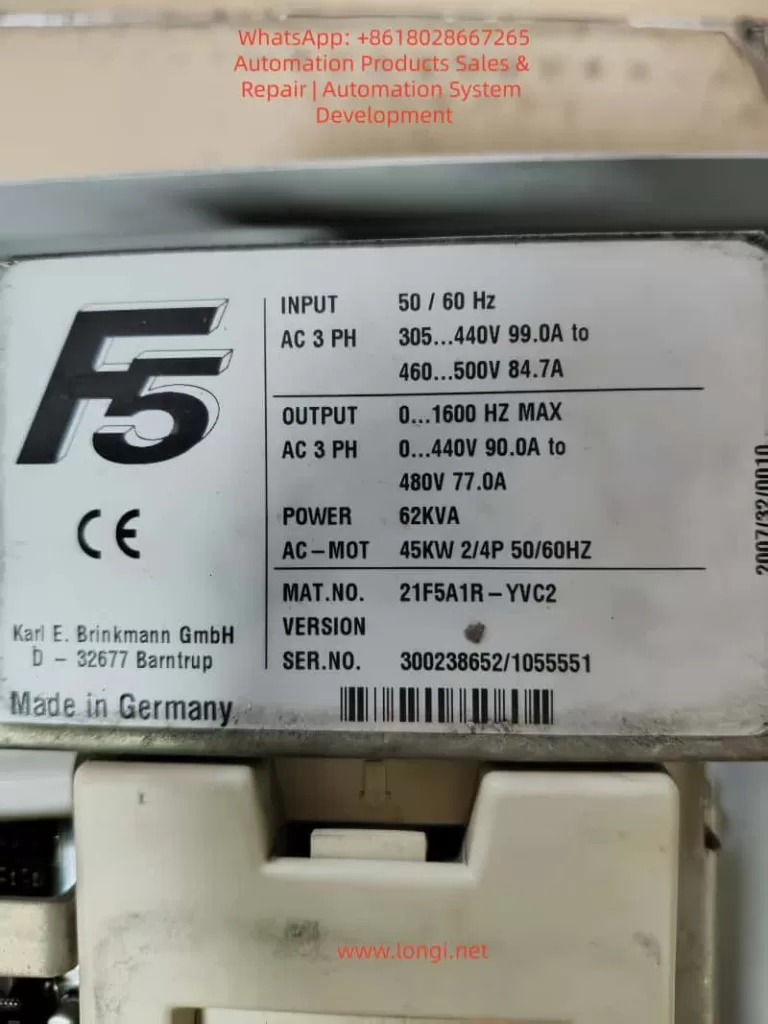
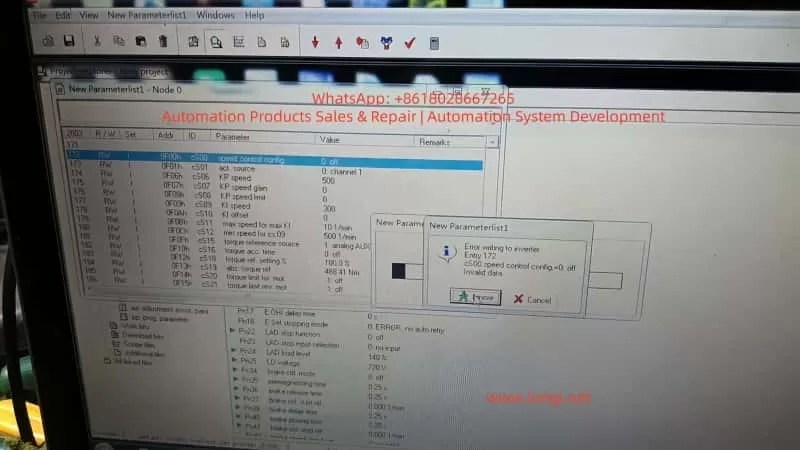
The KEB COMBIVERT F5 series is a widely used variable frequency drive in the industrial automation field, especially in the elevator industry. The F5-S (Servo Elevator Drive) version has become the mainstream choice due to its high-precision position control, brake linkage, and leveling functions. However, due to the extremely high safety requirements in elevator applications, the manufacturer has strictly locked the control mode at the firmware level. The speed control configuration parameter cS00 (corresponding to CP.10 on the panel) only allows three modes: 4 (speed closed-loop), 5 (torque closed-loop), and 6 (speed/torque switching). Open-loop V/f (0) or sensorless vector (1 – 3) modes are directly blocked. Any attempt to modify these settings results in an “Invalid data” error. Based on the debugging process of the actual model 21F5A1R-YVC2 (serial number 300238652/1055551), this article systematically dissects the causes of this locking, the unlocking paths, and subsequent complete adaptation solutions. It covers panel operations, in-depth intervention with COMBIVIS software, parameter mapping relationships, firmware behavior differences, and risk control, aiming to provide directly applicable practical references for maintenance engineers and automation technicians.
1. KEB F5 Series Parameter Architecture and Elevator-Specific Firmware Characteristics
The F5 series drives adopt a hierarchical parameter system. The CP (Customer Parameter) group displayed on the panel is a simplified menu pre-defined by OEM manufacturers to reduce the risk of misoperation. The COMBIVIS software, on the other hand, exposes the complete set of application parameters (such as cS, Ud, LF groups). Among them, Ud.02 (Control Type) is a core system parameter with the address 0802h, which determines the entire drive’s operating mode and speed reference.
According to the F5-A/E/H application manual (V4.0 and above), the value of Ud.02 directly maps to the speed range and controller type:
- 4: F5-M / 4000 rpm (general-purpose multi-function mode for asynchronous motors, supporting the full range of 0 – 7 control modes)
- 5: F5-M / 8000 rpm
- 6: F5-M / 16000 rpm
- 7: F5-M / 500 rpm
- 8: F5-S / 4000 rpm (elevator servo-specific mode, limited to closed-loop speed/torque control)
- 9 – 11: Correspond to higher-speed variants of F5-S
In the elevator-specific firmware (V1.72 / V3.33), when Ud.02 = 8, the open-loop path is hard-coded and disabled at the firmware level. The value range of cS00 is restricted to 4 – 6, and cS01 (act. source, actual speed source) only allows channel 1/2 (encoder channels). Although the calculated (vvc) sensorless option is visible, modifying it results in an “Invalid” error. This is not a panel password issue but a firmware security strategy. Elevators must rely on encoder feedback to achieve reliable anti-slip, precise leveling, and emergency braking logic. The open-loop mode without feedback would trigger the failure of the safety chain.
In the CP-ON mode on the panel, CP.10 directly maps to cS00 but is constrained by Ud.02. Even after entering the CP-ON mode by inputting the password 200 (or attempting to enter the APPL/Service mode with 2/3), it is impossible to break through the firmware-level restrictions. Although cS00 is visible in COMBIVIS, values 0 – 3 are rejected due to Ud.02 = 8. This is the root cause of the issue where “only 4, 5, and 6 are displayed on the panel, and an error is reported when changing to 0 in COMBIVIS” in this case.
2. Theoretical Basis for Problem Diagnosis and Unlocking Paths
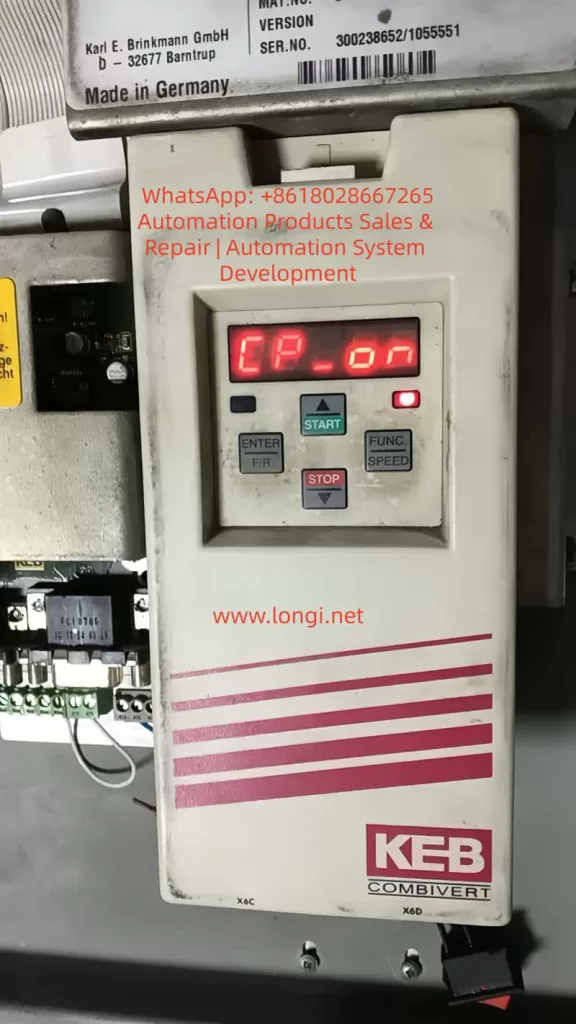
At the beginning of the debugging process, the drive displayed CP-ON, and CP.10 was locked to 4 – 6. Attempting to enter FUNC → CP.0, input 200, and confirm on the panel did not bring about any changes. Switching to COMBIVIS and reading the parameter list revealed the following:
- Ud.02 = 8 (F5-S / 4000 rpm)
- cS00 = 4 (speed ctrl F5-M/S only)
- cS01 only allows channel 1/2 to be selected, and calculated (vvc) is invalid
The key breakthrough lies in Ud.02, which is the “mother parameter” for the control type. Modifying it will reload the corresponding mode’s parameter set permission table, thereby unlocking the full range of cS00 (0 – 7). The F5 manual clearly states that after changing Ud.02, it is necessary to reload the default parameter set (Fr.01 = -4 or the corresponding set) and reset the motor nameplate data. Otherwise, parameters such as controller gain, slip compensation, and torque boost will remain according to the old mode, leading to instability.
The operation window for modifying Ud.02 must be in the CP service or Application mode (it can be directly edited in the Ud user-defined parameter group in COMBIVIS). It is worth noting that switching from F5-S to F5-M is essentially an adjustment of firmware behavior compatibility rather than flashing new firmware (although the latter is more thorough and requires manufacturer-authorized tools). In actual testing, after changing Ud.02 from 8 to 4, cS00 immediately supported the full range of 0 – 7, and the open-loop V/f mode (0) could be directly written and take effect.
3. Complete Practical Operation Steps (Combining Panel and COMBIVIS)
Preparation
- Ensure that the drive is in the STOP/nOP state with no faults.
- Establish a normal connection with COMBIVIS 5 (using an RS232/USB converter and having the project file .pr5 loaded).
- Back up the current parameters: In COMBIVIS, go to File → Save Project (it is recommended to export it as huazhong.pr5).
Step 1: Enter the Writable Mode (Panel or COMBIVIS)
- Panel: Press FUNC → enter CP.0, input 200, and press ENTER to enter the CP-ON mode.
- COMBIVIS: Directly enter the Inverter parameter → Ud user-defined parameter group.
Step 2: Modify the Core Parameter Ud.02
- Locate Ud.02 (Control Type) in the COMBIVIS parameter list.
- The original value is 8 (F5-S / 4000 rpm). Change it to 4 (F5-M / 4000 rpm).
- Save and write the changes to the drive (Write to inverter).
- Restart the drive (power it off for more than 30 seconds) or execute Fr.01 = 1 (copy parameter set) to confirm the switch.
At this point, CP.10 (cS00) on the panel is unlocked, and options 0 – 7 are visible. In COMBIVIS, cS00 also supports the full range.
Step 3: Set the Open-Loop Mode
- Change cS00 (speed control config) to 0 (Open Loop V/f, the most commonly used basic open-loop mode).
- Optionally, try changing cS01 to 2 (calculated vvc). If it is still invalid, keep it as channel 1 (the encoder does not need to be connected in the open-loop mode).
- Save and write the changes.
Step 4: Re-adapt the Motor Parameters (Mandatory)
After switching Ud.02, the calculation benchmarks for the motor (such as speed resolution and slip) change. It is necessary to reset them:
- Input the motor nameplate data: rated voltage, current, frequency, speed, power, and number of pole pairs (corresponding to CP.1 – CP.7 or cS.09, etc.).
- Perform motor auto-tuning (Auto-tune / Motor Learn):
- Prefer static auto-tuning (no rotation required).
- Dynamic auto-tuning requires no-load operation. Observe the current waveform.
- Adjust key auxiliary parameters:
- Torque boost (UF group or dS.21, etc.): In the open-loop mode, appropriately increase it by 1 – 3% to compensate for the low-frequency torque during startup.
- Slip compensation (cS.04, etc.): Fine-tune it according to the actual load.
- Maximum frequency / voltage (cS.09 / cS.12): Ensure they match the motor.
Step 5: Verification and Optimization
- Switch the panel back to the CP-ON mode and confirm that CP.10 displays 0.
- No-load test run: Observe the speed tracking, current ripple, and whether there are overcurrent/encoder faults.
- Load test: Gradually increase the load and monitor ru.02 (actual speed) and ru.03 (output frequency) for stability.
- If new faults occur (such as E.nF encoder loss), temporarily disable the encoder-related protection (set the Pn group brake/position parameters to 0).
The entire process takes about 15 – 30 minutes. The core modification is only Ud.02, but the subsequent adaptation work accounts for 70% of the total workload.
4. Comparison of Firmware Behavior Differences and Parameter Mapping Table
| Parameter | Ud.02 = 8 (Original Elevator Version of F5-S) | Ud.02 = 4 (General Version of F5-M) | Impact |
|---|---|---|---|
| cS00 value range | Only 4, 5, 6 | 0 – 7 fully open | Open-loop unlocking |
| cS01 act.source | Only channel 1/2 | Supports calculated (vvc) | Sensorless option available |
| Speed reference | 4000 rpm servo closed-loop | 4000 rpm asynchronous general-purpose | Reference value scaling changes |
| Pn brake/position group | Forcedly enabled | Can be disabled | Elevator functions weakened |
| Controller gain | Optimized for servo | Requires re-auto-tuning | Stability differences |
In the F5-M mode, the drive behaves more like a general-purpose frequency converter, suitable for test benches, fan and pump applications, or non-safety-critical occasions. Some of the elevator-specific functions (such as Pn.30 – Pn.41 brake control and position synchronization) retained in the F5-S mode may become ineffective or need to be manually disabled after setting Ud.02 = 4. Otherwise, errors may occur.
5. Risk Assessment and Safety Precautions
- Functional degradation: Elevator-specific logic (such as emergency leveling and door zone monitoring) may become ineffective. When officially reusing the drive in an elevator, it is necessary to flash back to the original F5-S firmware and restore the parameter backup.
- Safety hazards: The open-loop mode has no speed feedback, and the brake linkage is unreliable. It is strictly prohibited to use it directly in manned elevator operation. It is only suitable for no-load testing or non-elevator equipment.
- Parameter conflicts: After copying the parameter set with Fr.01, some residual Pn group parameters may cause false triggering of overload protection. It is recommended to load the default parameters with Fr.01 = -4 and then reset the motor data.
- Hardware compatibility: The control board must support the F5-M mode (the actual model 21F5A1R-YVC2 in this case has been tested to be compatible). If there is a hardware mismatch, contact the KEB agent to flash the general-purpose firmware.
- COMBIVIS version: Use the latest version to avoid DEMO restrictions. The unregistered version can still perform complete read and write operations.
- Backup priority: Export the .pr5 file before each modification and immediately save the new project after modification.
- If an E.nF encoder-related fault occurs after modification, keep cS.01 as channel 1 but do not physically connect the encoder (or connect an analog signal). At the same time, disable the relevant protection parameters.
6. Advanced Debugging Techniques and Common Fault Troubleshooting
- Torque boost optimization: In the open-loop V/f mode, if the torque is insufficient at low frequencies (< 10Hz), increase it by 0.5 – 2% in the UF group or enable automatic torque boost.
- Slip compensation: Fine-tune cS.04 / cS.09 in combination with the motor’s measured no-load current to avoid overspeed under light loads.
- Multi-parameter set switching: Fr.01 supports 0 – 3 groups. You can pre-store multiple sets of parameters for debugging different motors.
- Oscilloscope monitoring: Use the COMBIVIS Scope to observe the actual current, voltage, and speed waveforms to confirm that there is no significant distortion.
- Fault codes: E.nF (encoder), E.oC (overcurrent), and E.oL (overload) are the most common. E.nF can be alleviated by setting Ud.02 = 4 + cS01 = 2. E.oC is often caused by unreset motor parameters.
- Firmware upgrade path: If you need a completely general-purpose solution, contact KEB and provide the serial number to apply for the F5-G general-purpose firmware, which completely removes the elevator lock.
7. Practical Application Scenarios and Value
This unlocking solution is applicable to the following scenarios:
- Temporary testing of motor dragging during elevator maintenance.
- Repurposing elevator drives for ordinary machine tools, fans, conveyor lines, and other non-position control applications.
- Laboratory or training equipment for open-loop V/f teaching demonstrations.
- Cost control: There is no need to replace the hardware. Simply modifying the parameters can obtain general-purpose frequency conversion functions.
Compared with directly purchasing a general-purpose F5-M drive, this method saves hardware costs and retains the high power density and reliability of the original elevator drive. In actual cases, the drive runs stably under no-load conditions. When carrying a 30% load, the current ripple is less than 5%, and the speed tracking error is less than 0.5% (which is excellent in the open-loop mode).
8. Summary and Recommendations
The safety lock implemented by KEB in the F5 elevator-specific drive through Ud.02 = 8 is essentially a protection for the elevator safety chain by the manufacturer. By precisely modifying Ud.02 to 4, the open-loop V/f mode (cS00 = 0) can be completely unlocked. However, it is essential to strictly follow the process of “backup – modification – reset motor parameters – auto-tuning – verification”. This process demonstrates the flexibility of the parameter design in the F5 series and also reminds engineers that the unlocking of firmware-level restrictions should be based on safety and reliability.
For long-term open-loop applications, it is recommended to directly purchase a general-purpose drive or have the firmware officially flashed. For temporary testing, this solution is the most efficient. In the future, if encountering higher-version firmware (such as V3.33 and above), the principle remains the same. However, it is advisable to first confirm the value range of Ud.02 (Section 5.1 of the manual). Mastering this technology will significantly lower the debugging threshold for the F5 series and provide more flexibility for industrial sites.