
I. Overview of FC-360 Series Positioning and Structural Features
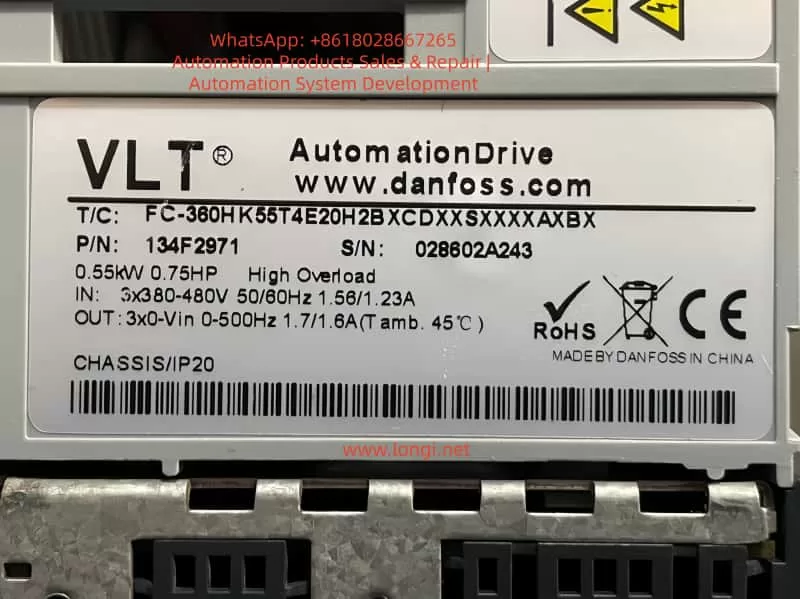
Danfoss FC-360 is a mid-range inverter designed for the OEM and general industrial markets. It is widely used in various applications such as fan and pump circulation systems, conveyor belts, packaging, textile machinery, and general industrial power control for low-voltage asynchronous motor variable frequency speed regulation. Its core advantages include a compact structure, flexible installation, parameter logic that follows the traditional menu structure of the FC series, support for both local panel and remote communication configurations, built-in PID, diverse start-up modes, and a clear distinction between parameter retention and user areas.
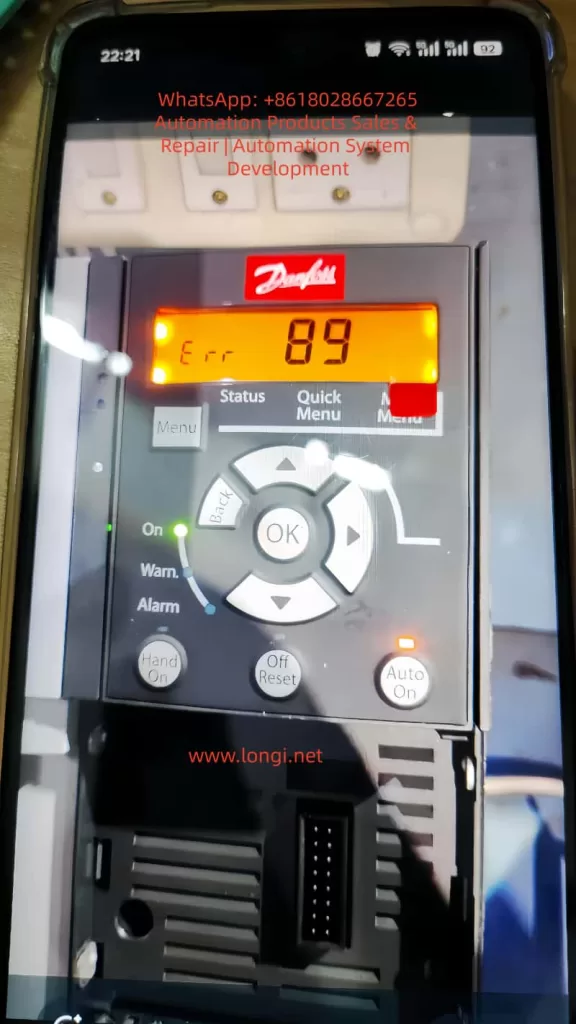
II. Meaning of Error 89 in FC-360
In the FC series, Error 89 typically indicates an attempt to write to a read-only parameter (Parameter Read-Only) or a parameter that is protected by access permissions, resulting in a write failure. Common triggering scenarios include modifying system internal parameters, changing parameters that are only allowed to be set during shutdown while the device is running, insufficient write permissions for upper computer communication, parameters that cannot be modified before unlocking due to password protection, write conflicts caused by importing parameter groups that do not match the system version, and writing to restricted index addresses via Modbus/Profibus/RS485.
III. Technical Analysis: Why Do Read-Only Parameters Exist?
The Danfoss parameter architecture divides parameters into display parameters, basic setting parameters, safety protection parameters, system maintenance parameters, and communication registers. Error 89 is triggered when accessing the system read-only area. When writing parameters, the inverter performs a series of logical checks internally, including whether the parameter is writable, whether the device is running, whether the parameter requires shutdown for modification, and whether the password is locked. Any unsatisfied condition in this chain of checks will result in Error 89.
IV. On-Site Handling Steps (Directly Applicable to Maintenance SOPs)
- Confirm Error Type: The panel displays “Err” → Press “Off/Reset” → If the error persists after clearing, proceed to the next step.
- Determine Error Trigger Scenario: Ask the user if they were attempting to modify parameters, writing via an upper computer or communication software, copying an external parameter group, or setting sensitive parameters while the device was running.
- Identify the Specific Parameter Group Causing the Error: Operation path (panel): Menu → Status → Last Error → View the error source parameter index.
- Solutions:
- Modified to Read-Only Parameter: Replace with the correct parameter number.
- Parameter Requiring Shutdown for Modification While Running: Shut down the device and write again.
- Password Protection: Enter the password or restore defaults.
- Communication Write Failure: Check register address permissions.
- Incompatible Parameter File Import: Rewrite with a version-matched file.
- Confirm Fault Elimination: Restart the device/resume operation → If the error does not reappear, the problem is considered resolved.
V. In-Depth Analysis Combined with Communication Protocols
When using a PLC or SCADA to write parameters to the FC-360 via Modbus/Profibus, if the write address points to the system area, Error 89 will be directly reported. Solutions include using the official register manual to confirm parameter mappings, distinguishing between read-only (RO) and writable (RW) registers, and removing write protection before remotely issuing parameters. When handing over to the engineering team, a communication restriction document can be output to clarify the read and write permissions of parameter groups.
VI. Typical Case Examples
- Domestic Textile Factory Site: An engineer imported an old version parameter file → FC-360 reported Error 89. Cause: The parameter template was from an FC-302 and contained invalid register items. Handling: Delete conflicting parameters → Manually enter each item → Normal operation resumed.
- Indian Customer: Attempted to modify motor nameplate parameters on-site → The system was running. Handling: Shut down the device and enter the Menu for modification → Alarm cleared.
- PLC Remote Setting Failure: PLC wrote to register 14-02 → Error 89. Cause: The firmware area is read-only. Solution: Map to 3-02 (target frequency) for successful writing.
VII. Experience Summary and Recommendations
To reduce the recurrence of Error 89 in the future, it is recommended to:
- Clarify parameter types before debugging.
- Keep the device in shutdown status when modifying important parameters.
- Read the manual register table before remote control.
- Establish a parameter backup mechanism for engineering projects.
- Use a CSV import template for batch writing if necessary.
- Avoid directly copying parameters across different device models.
VIII. Conclusion
The Danfoss FC-360 inverter’s Error 89 is not a fault but a protection mechanism reminder. Only by truly understanding its underlying principles can rapid positioning and precise handling be achieved. Maintenance engineers should grasp the underlying logic to calmly应对 (cope with) communication parameter conflicts, template import conflicts, and other issues.