
Introduction
In the modern industrial and environmental monitoring sectors, water quality monitoring is a crucial link to ensure production safety, environmental protection, and efficient resource utilization. The Partech 750w² Monitor, as a high-performance, multi-parameter water quality monitoring device, is widely used across various industries such as wastewater treatment, food processing, papermaking, and mining due to its high accuracy, ease of operation, and comprehensive functionality. This guide aims to provide users with a comprehensive and practical manual for operating the Partech 750w² Monitor by thoroughly interpreting its manual, covering instrument operations, sensor calibration, maintenance, and troubleshooting.
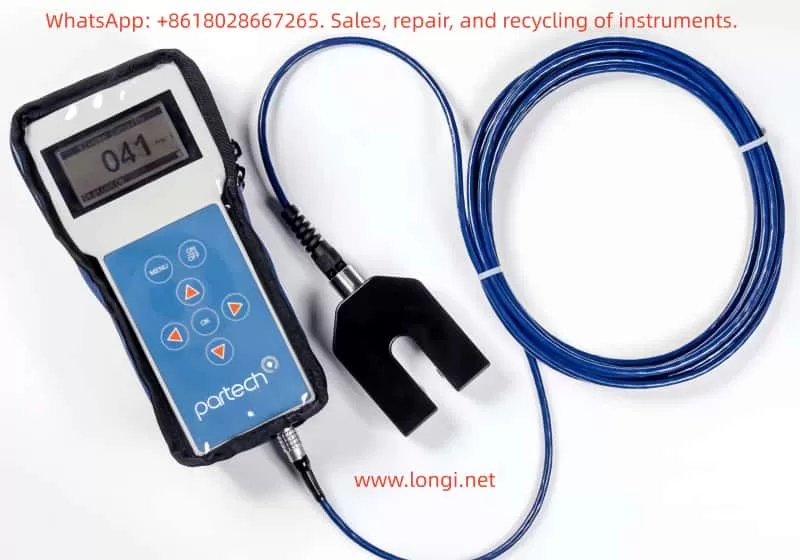
I. Instrument Overview
1.1 Product Introduction
The Partech 750w² Monitor is a high-precision water quality monitoring device that integrates data acquisition, processing, display, and transmission. It supports use with various Partech WaterWatch² series sensors, enabling real-time monitoring of multiple key water quality parameters such as suspended solids (SS), dissolved oxygen (DO), and temperature. The instrument features a compact design and a user-friendly interface, making it suitable for various field environments.
1.2 Key Features
- High-Precision Measurement: Utilizes advanced sensing technology and signal processing algorithms to ensure data accuracy.
- Multi-Parameter Monitoring: Supports simultaneous monitoring of suspended solids, dissolved oxygen, temperature, and other parameters.
- Flexible Configuration: Configurable with different sensors and measurement ranges based on user needs.
- Data Recording and Transmission: Built-in data recorder with USB data transmission capability for easy data analysis and processing.
- User-Friendly Operation: Intuitive display and simple keypad design for convenient operation.
II. Basic Operations
2.1 Power On/Off
To power on the instrument, simply press the On/Off button on the front panel, and the instrument will automatically enter measurement mode. When finished measuring or needing to turn off the instrument, press and hold the On/Off button until the screen turns off to complete the shutdown process.
2.2 Measurement Mode
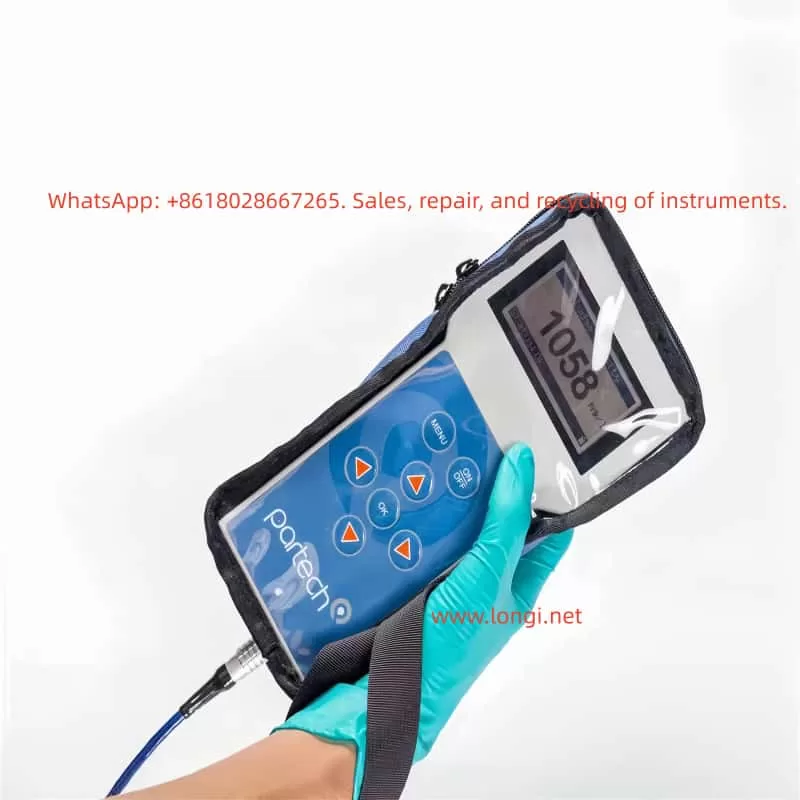
In measurement mode, the instrument displays the current sensor readings in large numerals. The display also includes a status bar showing battery status, instrument settings, and other key information. Users can perform the following operations to further process measurement data:
- Save Readings: Press the OK key in measurement mode to save the current sensor reading, time, and date. The status bar briefly displays “Saving” to confirm data storage.
- View Recorded Data: Access the Recorded Data menu to view previously saved sensor readings.
2.3 Menu Navigation and Configuration
The instrument features an intuitive menu system for easy configuration and operation.
- Access Main Menu: Press the Menu key in measurement mode to enter the main menu.
- Select Options: Use the arrow keys to browse and select desired options in the main menu, then press the OK key to confirm.
- Return to Measurement Mode: The instrument automatically returns to measurement mode after 60 seconds of inactivity in any non-measurement mode.
III. Sensor Calibration
Accurate sensor calibration is crucial for ensuring reliable measurement data. The Partech 750w² Monitor supports calibration of suspended solids and dissolved oxygen sensors.
3.1 Suspended Solids Sensor Calibration
3.1.1 Zero Calibration
Zero calibration is the first step in the calibration process, used to eliminate baseline readings when no suspended solids are present.
- Steps:
- Immerse the sensor in clean water, using a dark container to minimize ambient light interference.
- Enter the main menu, select Measurement Config, and then select Suspended Solids.
- Choose the Set Zero function, wait for the reading to stabilize, and press the OK key to complete zero calibration.
3.1.2 Set Measurement Range (Set Cal)
Setting the measurement range ensures accurate sensor measurements within the expected concentration range.
- Steps:
- Determine the maximum expected concentration value for suspended solids based on your application.
- In the Measurement Config menu, select the Set Cal function.
- Use the arrow keys to adjust the measurement range to the maximum expected concentration value and press the OK key to confirm.
3.1.3 Take Sample for Calibration
When the exact value of the calibration solution is unknown, use the Take Sample function.
- Steps:
- Immerse the sensor in a representative sample.
- In the Measurement Config menu, select the Take Sample function.
- Wait for calibration to complete; the instrument displays a calibration success message.
3.2 Dissolved Oxygen Sensor Calibration
3.2.1 100% Open Air Calibration
Dissolved oxygen sensor calibration is typically performed in open air to ensure accurate measurement of dissolved oxygen concentration in water.
- Steps:
- Ensure the sensor is in a draft-free environment to avoid interference.
- Enter the main menu, select Measurement Config, and then select DO Saturation.
- Choose the Calibrate function, wait for the saturation percentage to reach approximately 90%, and press the OK key to complete calibration.
IV. Advanced Configuration and Features
In addition to basic measurement and calibration functions, the Partech 750w² Monitor offers numerous advanced configuration options and features to meet diverse user needs.
4.1 Site Management
The Site Management feature allows users to configure independent calibration values and settings for different monitoring locations. This is particularly useful for applications requiring simultaneous monitoring at multiple sites.
- Add Site: In the main menu, select Sites, then Add Site, enter the site name, and confirm.
- Delete Site: In the Sites menu, select Delete Site, choose the site to delete, and confirm.
- Edit Site Name: In the Sites menu, select Edit Site Name, modify the site name, and confirm.
4.2 Data Recording and Transmission
4.2.1 Data Recording
The instrument’s built-in data recorder automatically logs sensor readings. Users can view recorded data through the Recorded Data menu.
- View Recorded Data: Press the OK key in measurement mode to enter the Recorded Data menu and browse recorded data.
4.2.2 Data Transmission
The instrument supports USB data transmission to a PC for further analysis.
- Connect to PC: Use the provided USB cable to connect the instrument to a PC.
- Data Transmission: The instrument appears as a USB storage drive on the PC. Access the DataRecordings folder to view and copy data files.
V. Maintenance and Troubleshooting
To ensure long-term stable operation of the instrument, users should perform routine maintenance and promptly troubleshoot any issues that arise.
5.1 Routine Maintenance
- Clean Sensors: Regularly clean the sensor surface to ensure measurement accuracy. Use a soft cloth to gently wipe the sensor surface, avoiding chemical cleaners.
- Check Battery: Ensure the battery is adequately charged and avoid using the instrument with a low battery. If the instrument is not used for an extended period, remove the battery and store it properly.
- Storage Environment: Store the instrument in a dry, ventilated, and shaded environment, avoiding extreme temperatures and humidity. Do not expose the instrument to direct sunlight or damp conditions.
5.2 Troubleshooting
Although the Partech 750w² Monitor is designed for reliability, users may encounter occasional issues. Here are some common problems and their solutions:
5.2.1 Unable to Power On
- Check Battery: Confirm the battery is correctly installed and adequately charged. If the battery is low, charge it before use.
- Check Power Adapter: If using an external power adapter, confirm it is functioning correctly and properly connected. Try using another power adapter or socket for testing.
5.2.2 Inaccurate Measurement Data
- Check Sensors: Confirm the sensor is undamaged and properly connected. Check for loose or damaged sensor cables and reconnect them.
- Recalibrate: Recalibrate the sensor following the calibration steps in the manual. Ensure all instructions are followed during calibration and use the correct calibration solution.
5.2.3 Data Transmission Failure
- Check USB Connection: Confirm the USB cable is securely connected and the PC’s USB port is functioning correctly. Try using another USB cable or port for testing.
- Check Data Files: Confirm the data files in the DataRecordings folder are not corrupted. If corrupted, try retransmitting data from the instrument.
VI. Firmware Updates
To ensure instrument performance stability and continuous functionality optimization, it is recommended to regularly update the instrument firmware. Firmware updates can fix known issues, add new features, or improve instrument performance.
- Pre-Update Preparation: Ensure the instrument is adequately charged and back up important data. Do not disconnect the instrument from the PC or turn off the power during the update process.
- Update Steps:
- From the Monitor Config menu, select Update Monitor F/W.
- Copy the BIN file containing the firmware update to the root directory of the instrument. Ensure the file name is correct and unmodified.
- Confirm there is only one BIN file on the instrument and press the OK key to begin the update. The instrument displays the update progress during the process.
- Wait for the update to complete; the instrument automatically restarts. After restarting, check that the instrument functions normally.
VII. Conclusion
The Partech 750w² Monitor, as a high-performance water quality monitoring device, is widely used across various industries due to its high accuracy, ease of operation, and comprehensive functionality. Through this detailed guide, users should now have a comprehensive understanding of instrument operations, sensor calibration, maintenance, and troubleshooting. In practical applications, it is recommended to strictly follow the instructions in the manual for operation and maintenance to ensure long-term stable operation of the instrument and accuracy of measurement data.
Furthermore, as technology continues to evolve, Partech may introduce more innovative products and technical support services. Users should stay informed by regularly checking Partech’s official website or contacting customer service for the latest product information and technical support. Through continuous learning and practice, users will be better equipped to utilize the Partech 750w² Monitor for water quality monitoring, contributing to environmental protection and resource utilization.