Posted on

Understanding and Resolving the E0021 Fault in Hpmont HD20 Series Inverters: A Comprehensive Guide to Control Board EEPROM Read/Write Errors

Introduction

Variable Frequency Drives (VFDs), such as the Hpmont HD20 series, are indispensable in industrial automation, providing precise control over motor speed and torque to enhance efficiency and performance. However, even the most reliable systems can encounter faults that disrupt operations. One such fault, identified by the error code E0021—a “Control Board EEPROM Read/Write Error”—can halt the inverter’s functionality, leading to costly downtime. This article delves into the nature of the E0021 fault, its underlying causes, and offers a detailed, actionable guide to diagnosing and resolving it. Drawing from the HD20 series user manual and fault screenshots, we aim to equip users with the knowledge to restore their inverters efficiently and prevent future occurrences.
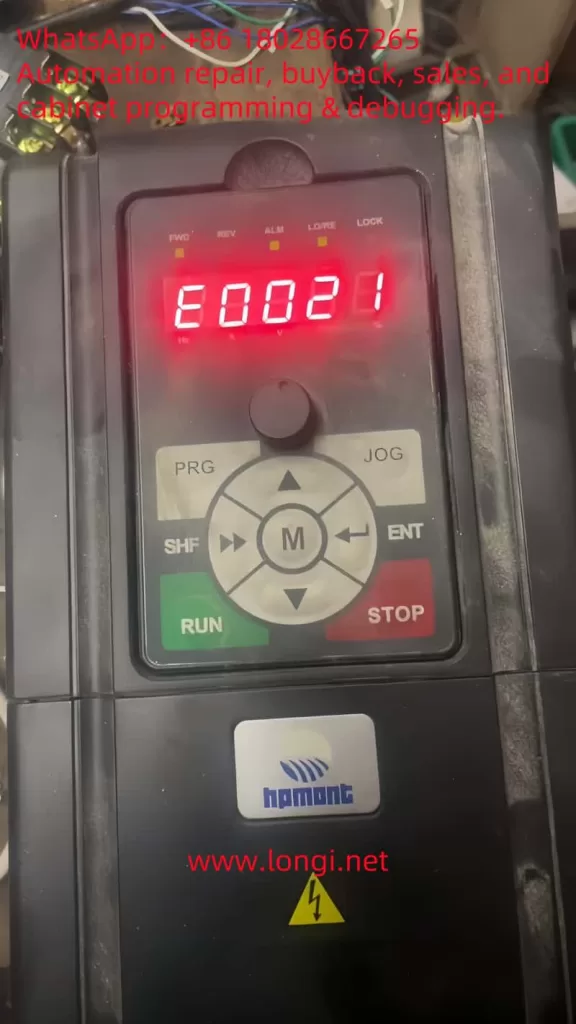
E0021

What is the E0021 Fault?

The E0021 fault in the Hpmont HD20 series inverter indicates a Control Board EEPROM Read/Write Error. EEPROM, or Electrically Erasable Programmable Read-Only Memory, is a non-volatile memory type integral to the inverter’s control board. It stores essential data, including:

  • Configuration Parameters: Settings like motor ratings, control modes, and operational limits.
  • User Settings: Custom adjustments made for specific applications.
  • Firmware Data: Variables and instructions critical to the inverter’s software operation.

When the inverter displays the E0021 fault, as shown on the control panel with the illuminated “ALM” (alarm) light and the error code in red, it signifies a failure to read from or write to the EEPROM. This disruption can prevent the inverter from loading its operational parameters, resulting in startup failures, erratic behavior, or complete shutdowns. The user manual and fault description (e.g., “控制板EEPROM读写故障” or “Control Board EEPROM Read/Write Fault”) highlight this as a critical issue requiring immediate attention.

The Nature and Essence of the E0021 Fault

At its core, the E0021 fault reflects a breakdown in the inverter’s ability to manage its stored data. The EEPROM’s role is to ensure that the inverter retains its settings across power cycles, making it a cornerstone of reliable operation. A read/write error could stem from:

  • Data Access Failure: The control board cannot retrieve stored parameters.
  • Data Modification Failure: New settings or updates cannot be saved.
  • Data Integrity Issues: Corrupted data renders the EEPROM unreadable or unusable.

This fault’s essence lies in its potential to compromise the inverter’s functionality entirely. Without access to its configuration, the HD20 series inverter cannot control the connected motor effectively, impacting production lines and industrial processes.

Potential Causes of the E0021 Fault

Understanding the root causes of the E0021 fault is crucial for effective troubleshooting. Based on the fault description and general VFD principles, the following factors may contribute:

  1. Power Supply Instability
    Voltage fluctuations, surges, or sudden power losses can interrupt EEPROM operations. The HD20 series manual (Page 16) specifies a rated voltage (e.g., “额定电压”), and deviations from this range can affect data integrity.
  2. EEPROM Hardware Failure
    The EEPROM chip may degrade over time due to its finite write cycles (typically 100,000–1,000,000) or suffer damage from electrical stress, heat, or manufacturing defects.
  3. Data Corruption
    Electrical noise, improper shutdowns, or electromagnetic interference (EMI) in industrial environments can corrupt the EEPROM’s data, making it inaccessible.
  4. Firmware Issues
    Bugs or corruption in the inverter’s firmware, which manages EEPROM interactions, can lead to read/write errors. An incomplete firmware update could exacerbate this.
  5. Environmental Factors
    The manual (Page 20, “第三条 机械安装”) advises on installation conditions. Excessive heat, humidity, or dust can degrade the EEPROM and control board.
  6. Control Board Malfunction
    Damage to other components, such as solder joints or circuits interfacing with the EEPROM, can disrupt communication.
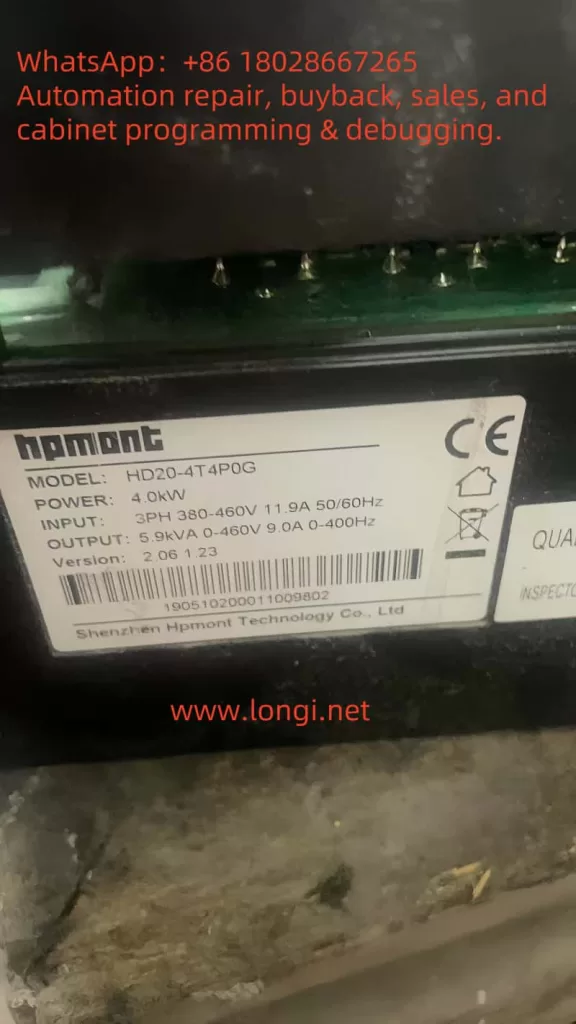
HD20

Diagnosing the E0021 Fault

Accurate diagnosis is the first step to resolution. Follow these steps to identify the cause:

  1. Observe Symptoms
    • Check the control panel (as per the screenshot) for the E0021 code and “ALM” light.
    • Note if the inverter fails to start, loses settings, or shows additional faults.
  2. Verify Power Supply
    • Measure input voltage with a multimeter to ensure it aligns with the manual’s specifications (e.g., 380V ±15%).
    • Look for fluctuations or noise using an oscilloscope if available.
  3. Inspect the Environment
    • Ensure compliance with installation guidelines (Page 20), checking for proper ventilation, temperature (e.g., 0°C–40°C), and EMI sources.
  4. Power Cycle the Inverter
    • Turn off the inverter, wait 5 minutes, and restart it to rule out temporary glitches.
  5. Check Firmware and Fault Logs
    • Access the fault history via the control panel (“PRG” and “ENT” buttons) to identify patterns.
    • Verify the firmware version against Hpmont’s latest release.
  6. Examine the Control Board
    • Power down safely and inspect for visible damage (e.g., burnt components, loose connections) around the EEPROM chip (often labeled “24Cxx” or “25Cxx”).

Resolving the E0021 Fault

Once diagnosed, apply these solutions tailored to the cause:

  1. Stabilize Power Supply
    • Install a surge protector or UPS to mitigate voltage issues.
    • Ensure proper grounding to reduce EMI.
  2. Reset to Factory Settings
    • Use the control panel to reset parameters (refer to the manual for exact steps, typically via “PRG” and a reset code).
    • Reprogram settings post-reset, using backups if available.
  3. Update Firmware
    • Download the latest firmware from Hpmont’s website and follow update instructions, ensuring an uninterrupted process.
  4. Replace the EEPROM or Control Board
    • If the EEPROM is faulty, a technician can desolder and replace it with an identical chip, reprogramming it with default or backed-up data.
    • For broader control board issues, replace the entire board (e.g., compatible with HD20-4T5PSG), then reset and reconfigure.
  5. Address Environmental Issues
    • Enhance cooling, reduce humidity, or shield the inverter from interference sources.

Preventive Measures

To avoid future E0021 faults:

  • Maintain Power Quality: Use stabilizers and avoid frequent power interruptions.
  • Limit EEPROM Writes: Minimize unnecessary parameter changes.
  • Optimize Environment: Adhere to manual guidelines for temperature and humidity.
  • Regular Maintenance: Inspect and clean the inverter periodically.
  • Backup Parameters: Save settings regularly if the HD20 supports it.

Conclusion

The E0021 fault—Control Board EEPROM Read/Write Error—in the Hpmont HD20 series inverter is a significant challenge that can disrupt industrial operations. By understanding its nature as a data access failure, identifying causes like power instability or hardware issues, and applying systematic diagnosis and resolution steps, users can restore functionality efficiently. Preventive measures further ensure long-term reliability. For persistent issues, Hpmont’s technical support can provide expert assistance, leveraging the manual’s guidance and replacement parts. This comprehensive approach minimizes downtime and sustains the HD20 series’ performance in demanding applications.
Posted on

Understanding and Resolving the Err20 Fault (Module Overcurrent) in Baojie Servo AG Series

Understanding and Resolving the Err20 Fault (Module Overcurrent) in Baojie Servo AG Series

The Baojie Servo AG Series is a widely utilized industrial servo drive system known for its robust performance and advanced control features. However, like any sophisticated machinery, it is susceptible to operational faults, one of which is the “Err20” fault code displayed on the control panel. This error, accompanied by the indication of “module overcurrent,” signals a critical issue that requires immediate attention to prevent damage to the equipment and ensure uninterrupted production. This article delves into the nature of the Err20 fault, its potential causes, diagnostic procedures, and effective resolution strategies, drawing from the technical insights provided in the AG Series user manual.

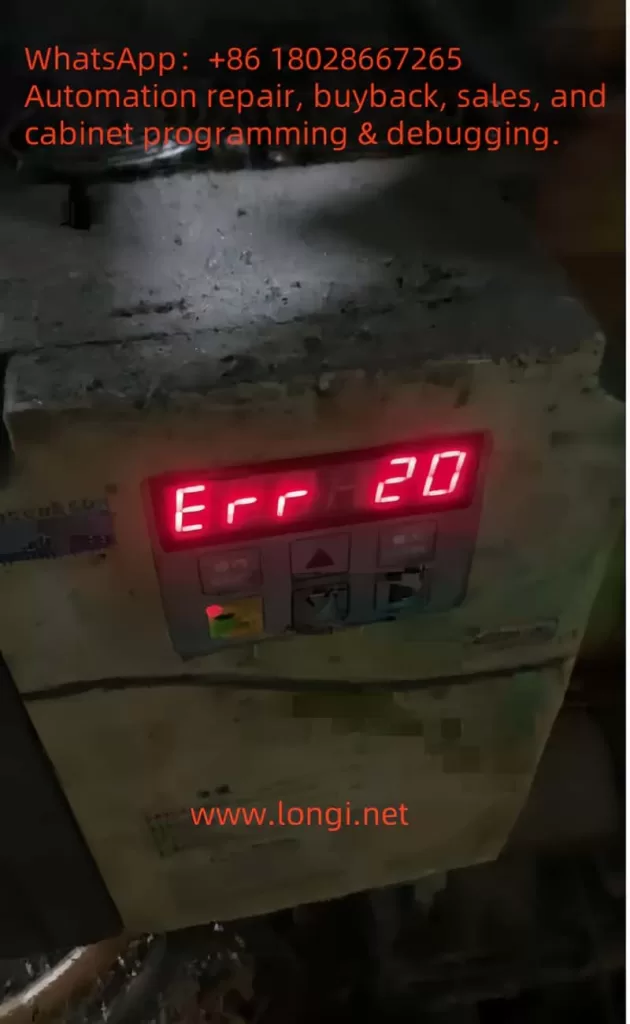
ERR20

What is the Err20 Fault?

The Err20 fault code on the Baojie Servo AG Series control panel indicates a module overcurrent condition. Overcurrent occurs when the electrical current flowing through the servo drive’s power module exceeds its rated capacity. This can lead to overheating, potential damage to the internal components, or even a complete system shutdown to protect the hardware. The user manual highlights that such faults are part of the system’s safety diagnostics, designed to alert operators to issues that could compromise the drive’s integrity or the machinery it controls.

The display of “Err20” alongside a numerical value (e.g., 20) suggests a specific error category within the fault diagnostic framework outlined in Chapter 8 of the manual, “Fault Diagnosis Explanation.” This chapter emphasizes the importance of understanding alarm codes to identify and rectify underlying issues promptly.

Potential Causes of the Err20 Fault

Several factors can trigger the Err20 fault in the Baojie Servo AG Series. Understanding these causes is the first step toward effective troubleshooting:

  1. Overload Conditions: Excessive mechanical load on the servo motor, beyond its specified capacity, can cause the current to spike, triggering the overcurrent protection. This might occur due to jammed machinery or an improperly calibrated load.
  2. Short Circuits: An unintended electrical connection between the drive’s output terminals (e.g., U, V, W) or within the motor wiring can result in a short circuit, leading to a sudden surge in current.
  3. Faulty Wiring or Connections: Loose, damaged, or incorrectly installed wiring can disrupt normal current flow, potentially causing overcurrent conditions. The manual’s Chapter 3, “Installation and Debugging,” stresses the importance of secure and correct wiring practices.
  4. Component Wear or Failure: Over time, components such as the power module, capacitors, or transistors may degrade, especially if maintenance schedules (detailed in Chapter 9, “Maintenance and Care”) are not followed. A failing component can lead to irregular current draw.
  5. Improper Parameter Settings: Incorrect settings in the drive’s internal parameters, such as those adjustable via the operation panel (Chapter 5, “Parameter Setting Explanation”), can misconfigure the current limits, inadvertently allowing overcurrent situations.
  6. Environmental Factors: Operating the drive in harsh conditions—high temperatures, dust, or humidity—can affect its performance. The manual recommends regular cleaning (e.g., Section 9.4 for 7.5-11kW drive cleaning methods) to mitigate such risks.
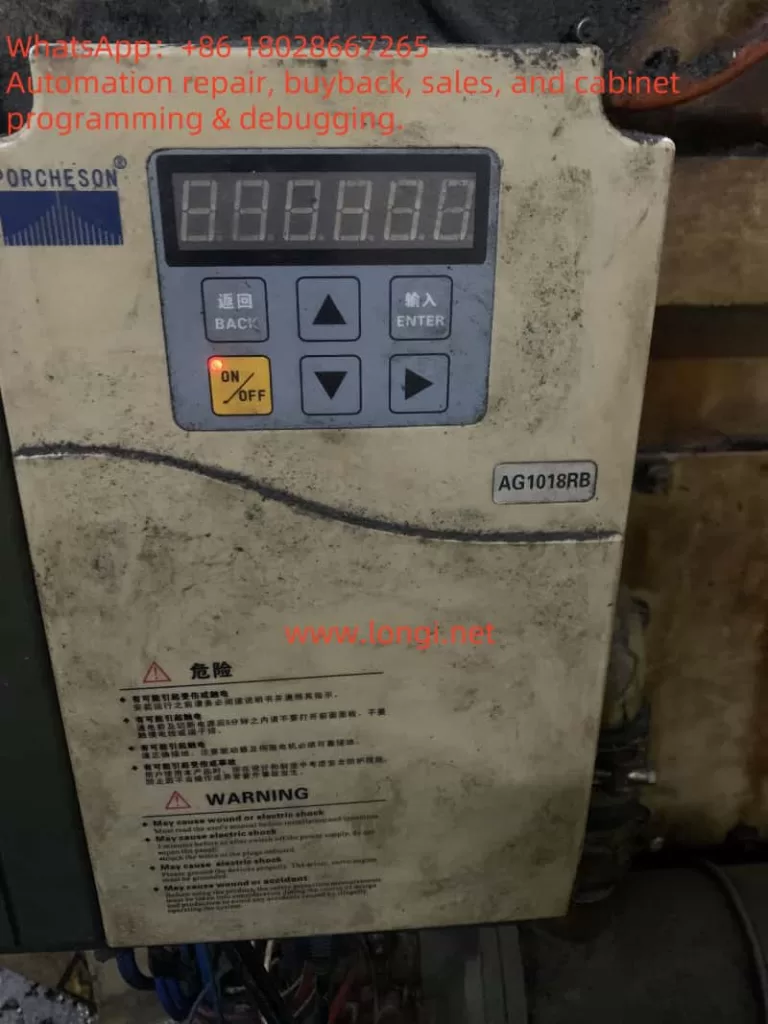
PORCHESON AG10

Diagnostic Procedures

To resolve the Err20 fault, a systematic diagnostic approach is essential. The following steps, informed by the manual’s guidelines, should be undertaken:

  1. Initial Safety Check: Ensure the power supply is disconnected, as advised in Section 9.2 for insulation testing, to avoid electrical hazards during inspection.
  2. Visual Inspection: Examine the control panel, wiring, and motor for visible signs of damage, loose connections, or burn marks. Refer to Chapter 3.7 for the control terminal function table to verify wiring integrity.
  3. Review Operating Conditions: Check the mechanical load and operating environment. Compare the current load against the motor’s specifications listed in Chapter 4.7, “Servo Motor Parameter Table.”
  4. Parameter Verification: Access the operation panel (Section 5.1) to review and reset parameters under the “PA” or “PB” menus, ensuring they align with the application’s requirements.
  5. Testing with Diagnostic Tools: Use a multimeter to test for short circuits or abnormal current draw, following the insulation test procedures in Section 9.2. A resistance value of 5 MΩ or higher indicates normal insulation.
  6. Monitor System Logs: If the drive supports logging (as hinted in Chapter 6, “Computer Screen Parameter Monitoring”), review historical data to identify patterns leading to the fault.

Resolution Strategies

Once the cause is identified, the following corrective actions can be implemented:

  • Addressing Overload: Reduce the mechanical load by inspecting and repairing any jams or obstructions. Recalibrate the system to match the load to the motor’s rated capacity, as per the selection guidelines in Chapter 4.9.
  • Fixing Short Circuits: Trace and repair any shorted wires or terminals. Replace damaged cables or connectors, ensuring compliance with the wiring instructions in Chapter 3.11.
  • Repairing Connections: Tighten loose connections and replace any frayed or corroded wires. Refer to the user manual’s wiring diagrams for accuracy.
  • Replacing Faulty Components: If a component failure is suspected, replace it with a compatible part. The manual’s Section 9.3 provides a replacement schedule (e.g., fans every 3 years, capacitors every 5 years), which should guide the decision.
  • Adjusting Parameters: Correct any misconfigured parameters using the panel’s menu system. Ensure changes are made with the power off, as warned in Section 5.5.
  • Environmental Control: Clean the drive using the methods in Section 9.4 (e.g., blowing dust with air) and relocate it if environmental conditions are unfavorable. Install cooling systems if necessary.

Preventive Measures

To prevent recurrence of the Err20 fault, adopt the following practices:

  • Regular Maintenance: Follow the daily checks and periodic maintenance outlined in Chapter 9.1, including insulation tests and component replacements.
  • Training Operators: Ensure personnel are trained in the parameter settings and fault diagnosis procedures detailed in Chapters 5 and 8.
  • Environmental Monitoring: Maintain the operating environment within the recommended temperature and humidity ranges, as noted throughout the manual.
  • Load Management: Regularly assess and adjust the mechanical load to prevent exceeding the drive’s capacity.

Conclusion

The Err20 fault (module overcurrent) in the Baojie Servo AG Series is a critical alert that demands a thorough understanding of its causes and a structured approach to resolution. By leveraging the detailed guidance in the user manual—spanning installation, parameter settings, fault diagnosis, and maintenance—operators can effectively diagnose and rectify this issue. Implementing preventive measures ensures the longevity and reliability of the servo drive system, minimizing downtime and maintaining productivity. For complex cases or persistent faults, consulting the manufacturer’s technical support, as recommended in the manual’s preface, can provide additional expertise. With proactive management, the AG Series can continue to deliver optimal performance in industrial applications.

Posted on

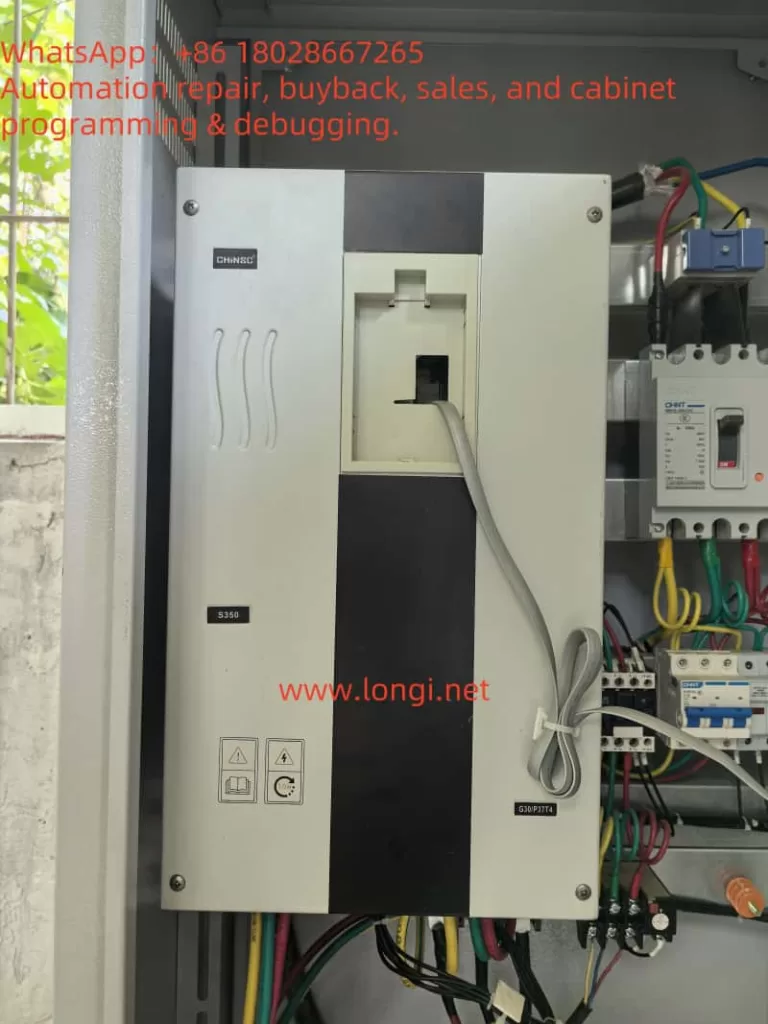
In-Depth Analysis and Troubleshooting Guide for E017 Contactor Fault in Shengchuan S350 Inverter

1. Introduction: Background and Importance of the Fault

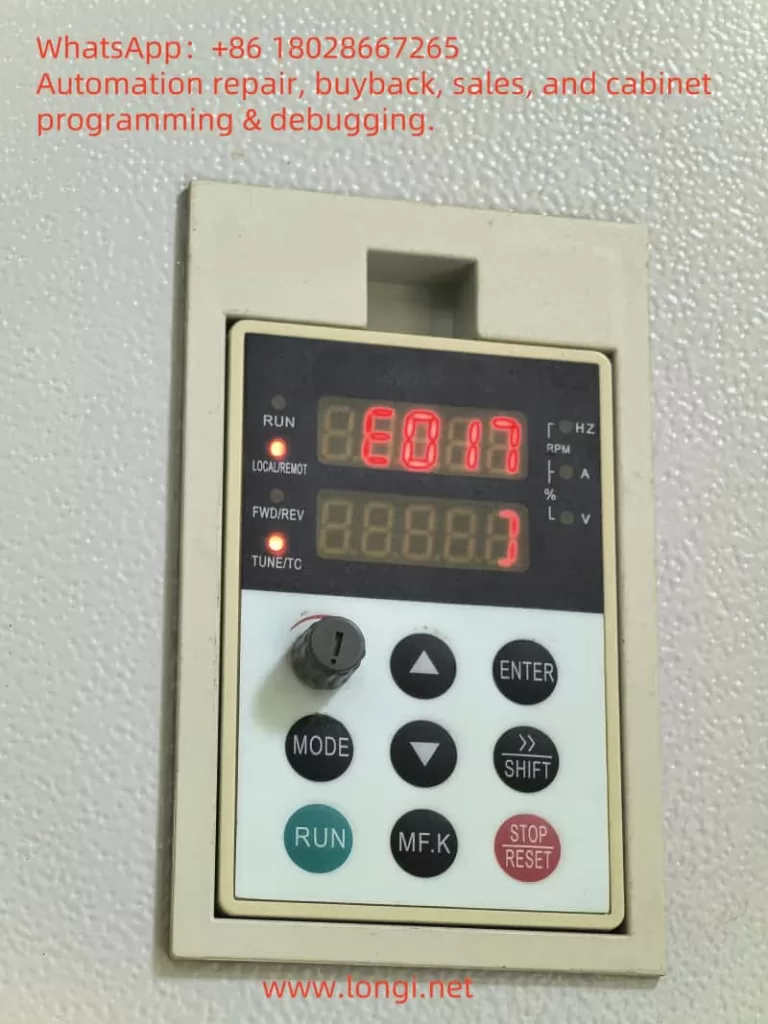
In industrial automation systems, inverters play a vital role in controlling motor speed, improving energy efficiency, and enabling flexible control. The Shengchuan S350 series inverter is widely used in automated production lines due to its high performance and reliability. However, when the inverter displays error code E017, it usually results in a startup failure or shutdown, which can seriously impact production continuity. Understanding the real cause behind the E017 alarm, distinguishing it from misinterpretations, and knowing how to troubleshoot it efficiently are crucial for technicians and maintenance engineers.


E017
_cuva

2. Understanding the E017 Fault Code

2.1 What Does E017 Mean?

In the Shengchuan S350 inverter, E017 is defined as a contactor fault, which occurs when the internal main circuit contactor (often the pre-charging or main contactor) fails to engage or the feedback signal is missing during power-up or start-up phases.

2.2 Misinterpretation in Some Manuals

Some manuals may mistakenly describe E017 as a “keypad fault.” However, in actual on-site scenarios and based on electrical logic and signal paths, this alarm is clearly linked to internal contactor failures, not the keypad (HMI) panel.


3. Causes of E017 Fault – Multi-dimensional Analysis

Type of CauseSpecific IssuesField Symptoms & Hints
Contactor ComponentCoil damage, oxidized or welded contactsNo clicking sound during start-up; blackened contacts
Drive Signal FailureNo output signal from control or drive boardNo control voltage present at coil terminals
Feedback Circuit IssueFeedback contact not closing or faultyContactor works, but inverter doesn’t recognize it
Power Supply InstabilityLow voltage, failing power boardInsufficient coil voltage to energize contactor
Control Logic MisjudgeIncorrect sequence or parameter settingsInverter fails to detect correct engagement logic

4. Step-by-Step Troubleshooting Procedure

4.1 Listen for Sound and Check Contactor Action

  • Upon power-up or start, is there a clicking sound (“clack”) from the contactor?
  • If no sound is heard, the contactor might not be energized or is physically damaged.

4.2 Measure Coil Voltage

  • Use a multimeter to check whether the contactor coil receives the control voltage (usually DC 24V or AC 220V).
  • If no voltage is detected, the issue is likely with the drive board or control signal.

4.3 Check Feedback Contact Integrity

  • Some inverters monitor auxiliary contacts on the contactor for feedback.
  • If the auxiliary contact is damaged or misaligned, even a working contactor may trigger E017.

4.4 Swap and Compare Boards

  • If you have another working S350 inverter, try swapping the contactor or drive board.
  • If the fault moves with the board, it’s likely a board-level issue. If it stays, the contactor is to blame.

S350
_cuva

5. Repair and Replacement Recommendations

5.1 Replace the Contactor

  • The most effective solution is to replace the faulty contactor with a manufacturer-approved component matching the same coil voltage and rated current.
  • Ensure proper tightening of terminals and clean installation surface.

5.2 Drive Board and Power Board Check

  • If the contactor has no drive signal, check if the relay or transistor circuit on the drive board is faulty.
  • A failing power supply board may output unstable voltage and should be checked or replaced.

5.3 Wiring and Signal Feedback

  • Verify all wiring is tight, corrosion-free, and correctly routed.
  • Clean and reconnect feedback lines if necessary.

5.4 Parameter Initialization and Reset

  • After component replacement, perform a full reset of the inverter and reconfigure necessary startup parameters.
  • Check if the inverter correctly recognizes contactor engagement signals.

6. Practical Case Studies

Case 1: Drive Board Failure

A technician encounters E017 on an S350 inverter. No clicking sound is heard on power-up. Measuring the coil terminal reveals 0V. After swapping the drive board with one from a working unit, the contactor clicks and the inverter starts normally. Conclusion: the original drive board failed to output the control signal.

Case 2: Feedback Contact Issue

Another unit shows E017 but the contactor does engage. Closer inspection shows the auxiliary feedback contact did not close properly due to carbon build-up. Cleaning restored function, but to ensure long-term reliability, the contactor was later replaced.


7. Preventive Maintenance Tips

  1. Regularly Clean Contactors
    Prevent dust, moisture, and carbon buildup from interfering with mechanical motion or electrical contact.
  2. Monitor Power Supply Quality
    Ensure stable voltage supply to the control board and contactor coil to prevent intermittent faults.
  3. Log Faults and Spare Part Info
    Keep a history of faults and maintain a stock of critical spares such as contactors, drive boards, and power boards.
  4. Perform Routine Start-Up Tests
    Periodically run the inverter in test mode to check for early signs of engagement or feedback failure.

8. Summary and Conclusions

  • The E017 error code in the Shengchuan S350 inverter most accurately refers to an internal contactor failure, not a keypad issue.
  • Diagnosing the fault involves confirming whether the contactor actuates, checking for control voltage, and verifying feedback signal integrity.
  • Most common causes include faulty contactors, failed drive boards, or broken feedback circuits.
  • Effective troubleshooting requires listening for sounds, using a multimeter for voltage checks, and replacing components as needed.
  • Preventive maintenance and spare part readiness are essential to avoid prolonged downtime in industrial systems.

Posted on

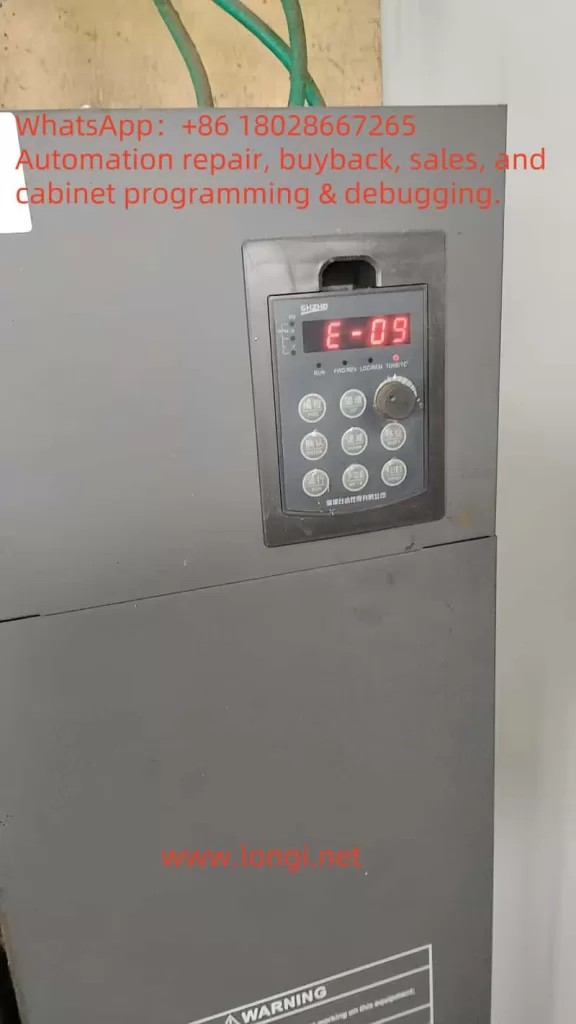
Understanding and Resolving the E-09 Undervoltage Fault in Shenzhen Tai Da V680 Series Variable Frequency Drives

Introduction

Variable frequency drives (VFDs) are critical components in industrial automation, enabling precise control of motor speed and torque to enhance efficiency and performance. The V680 series VFD, produced by Shenzhen Tai Da Holdings, is a high-performance model widely used in applications such as manufacturing, HVAC systems, and conveyor operations. However, like all sophisticated electronic devices, it may encounter faults that disrupt operations. One common issue is the “E-09” fault code, which indicates an undervoltage condition. This article provides a comprehensive analysis of the E-09 fault’s mechanisms, implications, diagnostic procedures, solutions, and preventive strategies, drawing from technical insights and industry resources.

E-09

Technical Background of the V680 Series VFD

Role of VFDs

VFDs regulate the speed and torque of AC motors by adjusting the frequency and voltage of the power supplied. This capability optimizes energy consumption, reduces mechanical stress, and enhances process control in industrial settings. The V680 series, with its advanced vector control algorithms, is designed for demanding applications requiring high reliability and precision.

V680 Series Specifications

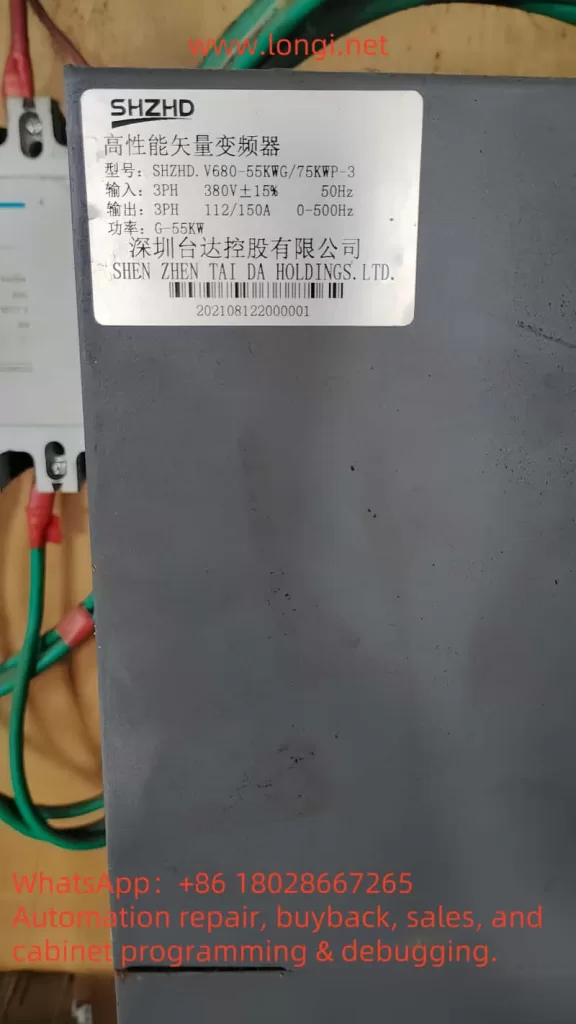
Based on available information, the V680 series (model: SHZHD.V680-55KW/75KWP-3) has the following key specifications:

ParameterSpecification
Input3-phase, 380V ±15%, 50Hz
Output3-phase, 112/150A, 0-500Hz
PowerG-55kW
ManufacturerShenzhen Tai Da Holdings Co., Ltd.

The input voltage range of 323V to 437V is critical for understanding the E-09 fault, as voltages below 323V trigger undervoltage protection.

Definition and Implications of the E-09 Undervoltage Fault

Definition

The E-09 fault code signifies that the VFD’s input voltage has fallen below the minimum threshold required for safe operation, typically around 323V for a 380V system. This undervoltage condition prompts the VFD to halt operation to protect itself and the connected motor, displaying “E-09” on the control panel.

Implications

The E-09 fault can have significant consequences:

  • Operational Downtime: The VFD’s shutdown halts motor operation, disrupting production processes and potentially causing financial losses in industries reliant on continuous operation.
  • Component Wear: Prolonged undervoltage can stress electrolytic capacitors and other components, reducing their lifespan and increasing maintenance costs.
  • Performance Issues: In applications requiring precise motor control, such as conveyor systems, undervoltage may lead to erratic motor behavior, compromising product quality.

Mechanisms Behind the E-09 Undervoltage Fault

VFD Operational Principles

A VFD converts input AC power to DC through a rectifier, stores it in a DC bus with capacitors, and then inverts it back to AC with adjustable frequency and voltage to drive the motor. The DC bus voltage, typically around 520V for a 380V input, is crucial for stable operation. A drop in input voltage reduces the DC bus voltage, triggering the E-09 fault if it falls below the undervoltage threshold (approximately 60% of nominal, or ~312V DC).

Causes of Undervoltage

The E-09 fault may result from several factors:

  1. External Power Supply Instability:
    • Grid Fluctuations: Variations in the utility power supply, such as voltage sags or outages, can lower the input voltage.
    • Heavy Load Demands: Simultaneous operation of high-power equipment may cause voltage drops.
    • Phase Loss: Loss of one phase in a three-phase system increases DC bus ripple and may trigger undervoltage protection.
  2. Internal Component Failures:
    • Capacitor Degradation: Electrolytic capacitors in the DC bus may lose capacity over time, failing to smooth voltage fluctuations.
    • Rectifier Issues: Damaged diodes or rectifiers in the power conversion circuit can impair voltage regulation.
    • Pre-Charge Circuit Problems: Faulty pre-charge relays or resistors can prevent proper DC bus charging, especially during startup.
  3. Wiring and Connection Issues:
    • Loose or corroded connections increase resistance, causing voltage drops at the VFD’s input.
    • Improper wiring, as outlined in the V680 manual’s connection diagrams, can exacerbate the issue.
  4. Environmental Factors:
    • High temperatures or humidity can degrade component performance, indirectly contributing to undervoltage.
    • Dust accumulation may cause overheating or short circuits, affecting voltage stability.
  5. Sensing Circuit Malfunction:
    • A faulty DC voltage sensing circuit within the VFD may incorrectly detect low voltage, causing nuisance trips.

Trigger Mechanism

The VFD continuously monitors the DC bus voltage. When it detects a voltage below the undervoltage threshold, it activates the E-09 fault, halting operation. For the V680 series, this threshold is likely set to protect against voltages below 323V AC, corresponding to a DC bus voltage of approximately 312V. The fault may reset automatically after 5 seconds if the voltage stabilizes, as noted in some Tai Da VFD documentation.

Diagnostic Steps for the E-09 Fault

Diagnosing the E-09 fault requires a systematic approach to identify the root cause:

  1. Verify Input Voltage:
    • Measure the input voltage at the VFD’s terminals using a multimeter, ensuring it is within 380V ±15% (323V–437V).
    • Check all three phases for balance and absence of phase loss.
    • If the voltage is low, investigate upstream power supply issues with the utility provider.
  2. Inspect Internal Components:
    • Power down the VFD and inspect for visible signs of damage, such as capacitor leakage, bulging, or burn marks on the rectifier or control board.
    • Test capacitors and rectifiers with appropriate equipment, if qualified, or consult a technician.
    • Check the pre-charge circuit for relay or resistor functionality.
  3. Examine Wiring and Connections:
    • Refer to the V680 manual’s wiring diagrams to verify correct connections.
    • Tighten all terminal connections and inspect cables for damage or corrosion.
  4. Evaluate Environmental Conditions:
    • Ensure the VFD operates within the recommended temperature (-10°C to +40°C) and humidity (≤95% RH, non-condensing) ranges.
    • Clean dust from the VFD and improve ventilation if necessary.
  5. Review Control Panel Diagnostics:
    • Note any additional indicators on the control panel, such as “Hz” or “RUN” status, to contextualize the fault.
    • Cross-reference the E-09 code with the manual’s fault table, if available, for specific guidance.
  6. Test DC Bus Voltage:
    • If equipped, measure the DC bus voltage to confirm it aligns with the expected value (~520V for 380V input). Discrepancies may indicate internal issues or sensing circuit faults.

Solutions to Resolve the E-09 Undervoltage Fault

Immediate Corrective Actions

  1. Reset the Fault:
    • Power cycle the VFD by turning off the main supply, waiting a few minutes, and restarting. Alternatively, use the control panel’s reset function.
    • Verify if the fault clears after voltage stabilization.
  2. Address Power Supply Issues:
    • Install a voltage stabilizer or uninterruptible power supply (UPS) to maintain consistent 380V input.
    • Use a line reactor or isolation transformer to mitigate voltage sags and surges.
    • Coordinate with the utility provider to adjust transformer tap settings or resolve grid issues.
  3. Repair Internal Components:
    • Replace faulty capacitors, rectifiers, or pre-charge circuit components, adhering to the manual’s maintenance guidelines and using manufacturer-approved parts.
    • Engage a qualified technician for complex repairs to avoid further damage.
  4. Correct Wiring Issues:
    • Tighten loose connections and replace damaged cables as per the manual’s wiring specifications.
    • Ensure proper grounding to prevent electrical interference.
  5. Mitigate Environmental Factors:
    • Relocate the VFD to a cooler, drier location or enhance ventilation with fans or air conditioning.
    • Install dust filters to protect internal components.

Long-Term Preventive Measures

  1. Regular Maintenance:
    • Schedule monthly or quarterly inspections to check wiring, components, and cleanliness, as recommended in the V680 manual.
    • Monitor capacitor health and replace them proactively based on their rated lifespan.
  2. Power Protection Systems:
    • Deploy surge protectors, phase loss relays, and dynamic voltage restorers to safeguard against power anomalies.
    • Consider a static var compensator for facilities with frequent voltage sags.
  3. Environmental Optimization:
    • Maintain a controlled environment with stable temperature and humidity levels.
    • Enclose the VFD in a protective cabinet if exposed to harsh conditions.
  4. Operator Training:
    • Train personnel to recognize E-09 and other fault codes, enabling quick initial responses.
    • Provide access to the V680 manual for reference during troubleshooting.
  5. Manufacturer Support:
    • Establish a relationship with Shenzhen Tai Da Holdings’ customer service for technical support and access to firmware updates or replacement parts.
SHZHD.V680

Comparison with Other VFD Faults

To contextualize the E-09 fault, consider other common VFD faults:

Fault CodeDescriptionCommon Causes
E-10OvervoltageExcessive input voltage, regenerative energy
E-06OvercurrentMotor overload, short circuit
E-04OverheatingPoor ventilation, high ambient temperature
E-07Ground FaultMotor or wiring insulation failure

While E-09 is specific to undervoltage, its diagnostic and resolution strategies overlap with these faults, particularly in checking power supply and environmental conditions.

Additional Insights from Industry Resources

Research indicates that undervoltage faults, like E-09, are common in VFDs due to their sensitivity to power quality. , undervoltage protection is typically based on DC bus voltage, which for a 380V system should be around 520V. A drop to 60% of this value (~312V) triggers the fault. The site also highlights phase loss as a frequent cause.

Troubleshooting Flowchart

Below is a simplified flowchart for addressing the E-09 fault:

Start
  ↓
Check Input Voltage (380V ±15%)
  ↓
Voltage Normal? → Yes → Inspect Internal Components
  ↓ No
Adjust Power Supply (Stabilizer/UPS)
  ↓
Fault Cleared? → Yes → End
  ↓ No
Inspect Wiring/Connections
  ↓
Connections Secure? → Yes → Check Environment
  ↓ No
Tighten/Replace Wiring
  ↓
Environment Normal? → Yes → Reset Fault
  ↓ No
Improve Ventilation/Cleanliness
  ↓
Fault Cleared? → Yes → End
  ↓ No
Contact Manufacturer Support

Conclusion and Best Practices

The E-09 undervoltage fault in the V680 series VFD is a manageable issue when approached systematically. By identifying whether the cause is external power instability, internal component failure, wiring issues, or environmental factors, users can implement targeted solutions to restore operation. The V680 manual is a critical resource, providing wiring diagrams, safety guidelines, and maintenance protocols to support troubleshooting.

Best practices include:

  • Stable Power Supply: Use voltage stabilizers and UPS systems to ensure consistent 380V input.
  • Routine Maintenance: Conduct regular inspections to detect and address component wear early.
  • Environmental Control: Maintain optimal operating conditions to protect the VFD.
  • Operator Training: Equip staff with the knowledge to respond to fault codes promptly.
  • Manufacturer Support: Leverage Shenzhen Tai Da Holdings’ expertise for complex issues.

By adopting these strategies, users can minimize downtime, extend the VFD’s lifespan, and ensure reliable performance in industrial applications. This comprehensive approach not only resolves the E-09 fault but also enhances overall system resilience against future power-related issues.

Posted on

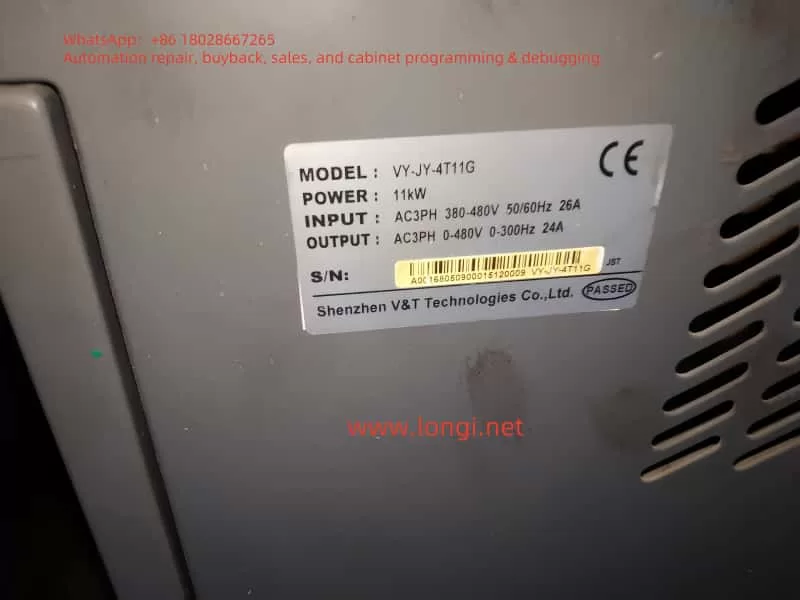
V&T VY-JY Injection Molding Machine Dedicated Asynchronous Servo Drive User Guide

I. Product Overview and Core Advantages

1. Product Positioning

The VY-JY series is a high-performance asynchronous servo drive specifically designed for the hydraulic systems of injection molding machines. It employs sensorless vector control technology to adjust the speed of the oil pump motor to match the flow/pressure requirements of the injection molding process, eliminating overflow energy consumption and achieving a 25%-70% energy savings rate.

2. Technical Highlights

Dual Vector Control Modes:

  • Vector Control 1: 180% starting torque at 0.50 Hz, speed regulation range of 1:100, and speed stability accuracy of ±0.5%.
  • Vector Control 2: 180% starting torque at 0.25 Hz, speed regulation range of 1:200, and speed stability accuracy of ±0.2% (comparable to DC motor control).

Core Energy-Saving Technologies for Injection Molding:

  • Real-time reception of injection molding machine pressure/flow signals to dynamically adjust oil pump speed, eliminating high-pressure overflow losses.
  • Support for 3 customizable flow-pressure curves (4-point, 5-segment correction) to adapt to different mold processes.

High Reliability Design:

  • Wide voltage range (DC 360-720V) and triple-protection technology (PCB coating, copper busbar plating, and sealed components).
  • Short-term overload capacity: 200% rated load for 0.5 seconds, 150% rated load for 1 minute.
V&T VY-JT

II. Installation and Wiring Specifications

1. Installation Environment Requirements

ParameterStandard ValueRemarks
Ambient Temperature-10°C to +40°CDerate rated current by 1% for every 1°C increase above 40°C
Humidity5% to 95%Condensation prohibited
Altitude≤2000 metersDerate by 1% for every 100 meters above 1000 meters
Vibration≤15 m/s² (200-500 Hz)Avoid metal dust/corrosive gases

2. Main Circuit Wiring Essentials

  • Power Terminals: Connect R/L1, S/L2, and T/L3 to a three-phase power supply (380-480V ±15%).
  • Motor Terminals: Connect U/T1, V/T2, and W/T3 to the motor. Reverse connection or short-circuiting is strictly prohibited.
  • Brake Resistor:
    • Models from 11-15 kW come with a built-in brake unit (terminals B1/B2) as standard.
    • Models above 18.5 kW require an optional brake resistor with a resistance value greater than the lower limit specified in the manual (e.g., ≥7Ω for a 55 kW model).
  • Grounding Requirements:
    • The PE terminal must be independently grounded (resistance <10Ω).
    • The grounding wire diameter should be selected based on power rating (e.g., 35 mm² for a 90 kW model).

3. Control Circuit Wiring

  • Analog Inputs:
    • AI1/AI2: 0-10V or 0-20mA (selectable via jumpers).
    • AI3: -10V to +10V (supports direction control).
  • Digital Inputs: X1-X7 support 24VDC switch/pulse signals (up to 50 kHz).
  • Communication Interface: Dual 485 ports (Modbus-RTU protocol), supporting master-slave control and parameter reading/writing.

⚠️ Safety Warning:

  • Separate or vertically cross the main and control circuit wiring to prevent interference.
  • When the motor cable exceeds 100 meters, an output reactor must be installed, and the carrier frequency must be reduced (≤5 kHz).

III. Operation Procedures and Parameter Settings

1. Initial Power-On Operation Procedure

mermaidgraph TD    A[Power On] --> B[Restore Factory Parameters P0.01=3]    B --> C[Set Motor Nameplate Parameters P9.00-P9.04]    C --> D{Can the Load Be Disconnected?}    D -->|Yes| E[Rotating Auto-Tuning P9.15=2]    D -->|No| F[Stationary Auto-Tuning P9.15=1]    E & F --> G[Press RUN Key to Execute Auto-Tuning]    G --> H[Set Operating Frequency P0.05]    H --> I[Select Control Mode P0.03]    I --> J[Start Operation]

2. Injection Molding-Specific Function Configuration

Energy-Saving Mode Activation (H0 Group Parameters):

Function CodeNameExample SettingFunction Description
H0.00Plastic Machine Frequency Setting Mode Selection1Enable User-Defined 1
H0.03Plastic Machine Frequency Setting User-Defined 10000Both Flow and Pressure Signals Are Valid
H0.09-H0.16Flow-Frequency Curve 1A0=0%, B0=0%
A3=100%, B3=100%
4-Point Linear Mapping

Soft PLC Logic Programming (H1 Group Parameters):
Perform logical operations (AND/OR/NOT) or mathematical operations (addition, subtraction, multiplication, division) on digital/analog quantities, and output the results to the Y terminal or control frequency.
Example: H1.00=111 enables 3-channel logical operations, and H1.01=123 sets X1/X2/X3 as input sources.

3. Key Operating Parameters

Parameter GroupFunction CodeNameRecommended ValueImpact
P0P0.08Acceleration Time 020.0sExtend for large inertia loads
P3P3.05Stopping Method2 (Deceleration + DC Braking)Prevent pump reversal
PAPA.00Carrier Frequency8.0kHzReduce for high-frequency noise-sensitive applications

IV. Fault Diagnosis and Maintenance

VY-JY-4T11G

1. Common Fault Handling

Fault CodeMeaningTroubleshooting Steps
E.OC1Acceleration Overcurrent1. Check for motor cable short-circuits.
2. Extend acceleration time.
E.OUDeceleration Overvoltage1. Check brake resistor value.
2. Enable energy dissipation braking.
E.PTCMotor Overheating1. Check PTC sensor wiring.
2. Reduce load rate.

2. Regular Maintenance Items

CycleItemOperation
MonthlyRadiator CleaningUse compressed air to remove dust (operate with power off).
Semi-AnnuallyElectrolytic Capacitor InspectionCheck for bulging/leakage; replace if capacity drops by ≥20%.
AnnuallyInsulation Resistance TestMotor winding-to-ground insulation resistance ≥5MΩ (500VDC).

🔧 Maintenance Note: Wait 10 minutes after power-off (until the CHARGE light goes out) before operating to ensure bus capacitor discharge is complete.

V. Energy-Saving Benefit Analysis

Energy Savings Rate Calculation Model:
Energy Savings Rate=(1−Servo System Energy ConsumptionPower Frequency System Energy Consumption​)×100%

Influencing Factors:

  • Mold Process Speed Value: Energy savings rate ≈70% at 30% speed and ≈25% at 90% speed.
  • Net Cooling Time: Energy savings rate decreases without cooling time.

✅ Case Study: Post-retrofit measurements for a 220T injection molding machine at a certain factory:

  • Power Frequency Monthly Energy Consumption: 18,600 kWh
  • Servo Monthly Energy Consumption: 7,440 kWh
  • Energy Savings Rate: 60%

VI. Appendix: Key Parameter Quick Reference Table

CategoryFunction CodeNameFactory Default
Motor ParametersP9.02Rated Speed1500 rpm
Communication SettingsPC.02Local Address1
Protection FunctionsPA.21Auto-Reset Count0 (Disabled)
Plastic Machine-SpecificH0.34AI1/AI2 Extended Input Enable0 (Disabled)

This guide covers the entire process of installation, parameter configuration, fault handling, and energy-saving optimization. It is compiled in conjunction with Chapter 9 (Injection Molding Energy-Saving Principles) and Chapter 10 (Technical Features) of the manual to ensure users quickly master the core applications of the VY-JY series. Before operation, be sure to read the manual’s “Safety Precautions” (Pages 14-16) in detail. Unauthorized operation is strictly prohibited.

Posted on

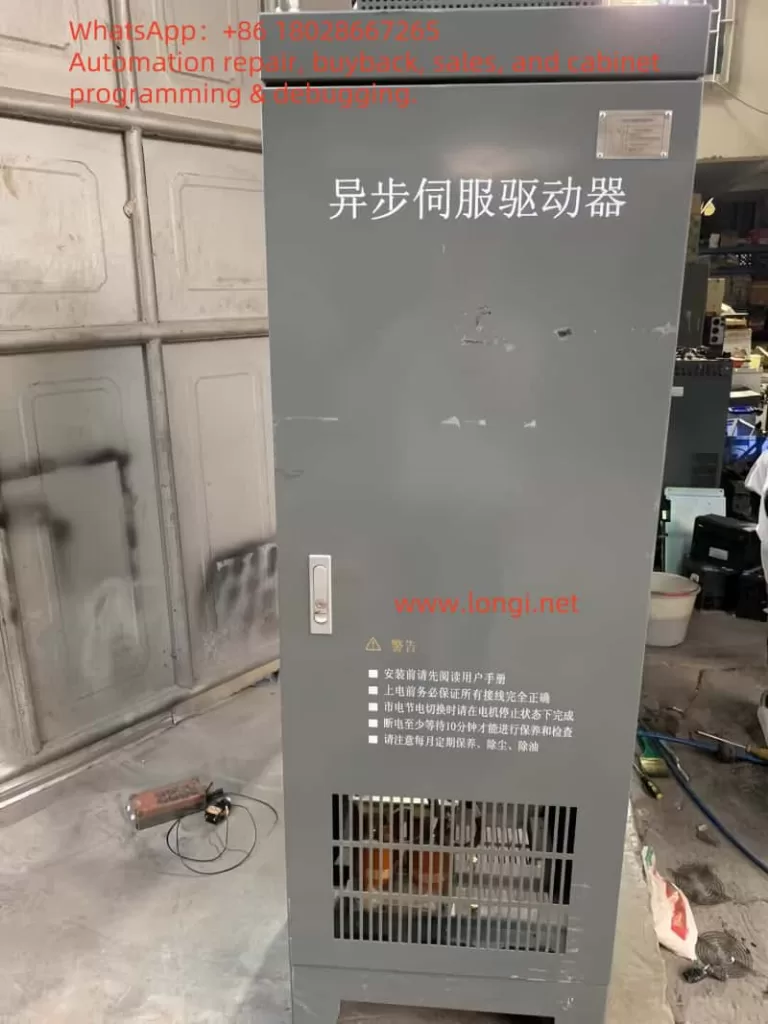
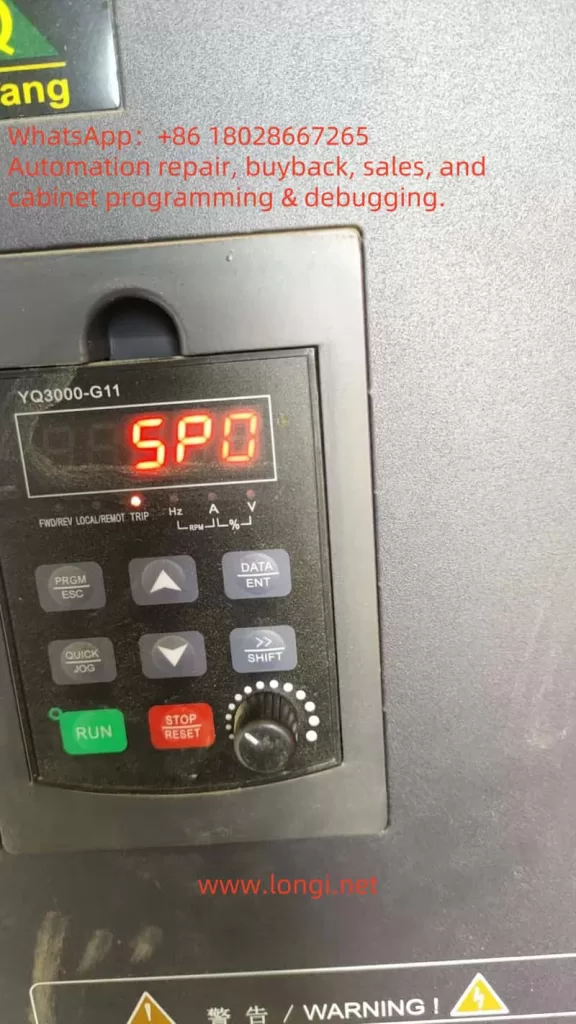
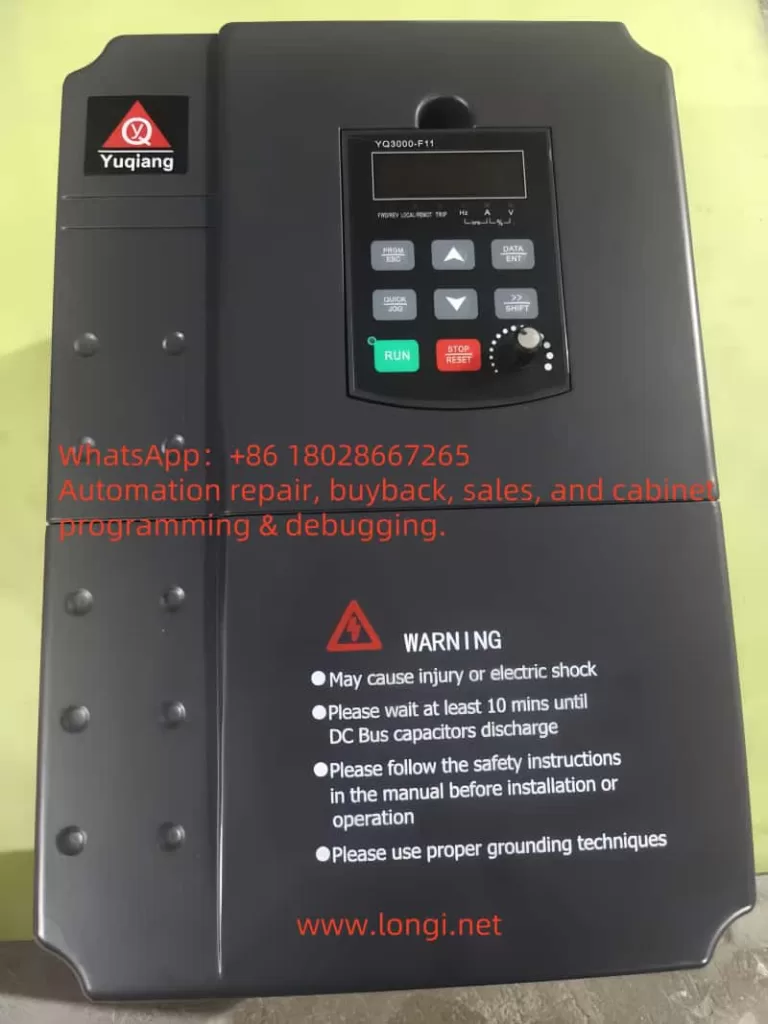
Fault Analysis and Solutions for SPO Fault in Yuqiang Frequency Converter YQ3000-G11

Introduction

In industrial automation and control systems, Variable Frequency Drives (VFDs) are indispensable core devices. They convert fixed-frequency AC power into variable-frequency AC power, enabling precise control over the speed and torque of AC motors. This functionality is crucial in various fields, including manufacturing, Heating, Ventilation, and Air Conditioning (HVAC), and water pump systems. The Yuqiang YQ3000-G11 frequency converter, manufactured by Foshan Yuqiang Electromechanical Co., Ltd., is widely popular in the market for its reliability and high performance. However, like any electronic device, it may encounter faults, with the SPO fault (Output Phase Loss) being one of the common issues faced by YQ3000-G11 users. This article delves into the nature, causes, solutions, and preventive measures of the SPO fault, providing comprehensive guidance to ensure efficient and stable system operation.

FAULT SPO

Definition and Manifestation of SPO Fault

The SPO fault is displayed as “SPO” or “5P0” on the control panel of the YQ3000-G11 frequency converter, accompanied by the illumination of the “TRIP” indicator light. This indicates that the frequency converter has detected the absence of at least one phase or severe imbalance in the three-phase (U, V, W) output load. According to the provided diagnostic table (attached “image.png”), the SPO fault is described as “U, V, W phase loss output (or severe three-phase load asymmetry),” advising users to “check output wiring; check motor and cables.” This fault prevents the motor from starting or operating normally, potentially leading to overheating, inefficiency, and even damage to the motor or frequency converter.

In a three-phase power system, the U, V, and W phases must remain balanced to ensure proper motor operation. A phase loss means the absence of voltage or current in one phase, causing an imbalance in the three-phase system. This situation may manifest as:

  • Unstable motor operation, with抖动 (vibration) or abnormal noise.
  • Inability of the motor to reach the expected speed or power output.
  • Automatic shutdown of the frequency converter to protect the system, displaying the SPO fault code.

Nature of SPO Fault

The essence of the SPO fault is the imbalance or absence of three-phase power on the output side of the frequency converter. This anomaly can be caused by several factors:

Wiring Issues:

  • Loose or disconnected output cables, preventing normal power transmission in one phase.
  • Damaged cables, such as wear, burnout, or breakage.
  • Wiring errors, such as incorrect connection of the U, V, W phase sequence or improper connection.

Motor Issues:

  • Open circuit in the motor windings, preventing a complete circuit in one phase.
  • Internal short circuit or insulation damage in the motor, affecting current balance.
  • Loose or damaged motor connection terminals.

Internal Frequency Converter Faults:

  • Damaged Insulated Gate Bipolar Transistor (IGBT) modules, affecting the output of one phase.
  • Control circuit or drive board faults, leading to abnormal output signals.
  • Internal overvoltage or overheating protection triggering, suspending output.

External Factors:

  • Overloading, exceeding the rated capacity of the frequency converter or motor.
  • Environmental factors, such as high temperature, high humidity, or dust accumulation, affecting device performance.
  • Grid voltage fluctuations or interference, potentially indirectly affecting output stability.

Parameter Setting Issues:

  • Improper setting of the phase loss protection threshold in the frequency converter, which may be overly sensitive or incorrectly configured.
  • Mismatch between other parameters (such as current limit or frequency setting) and the actual load.

These causes may occur individually or in combination, leading to the occurrence of the SPO fault. Understanding the nature of the fault helps users quickly locate the problem and take effective measures.

Solutions for SPO Fault

Resolving the SPO fault requires a systematic troubleshooting approach. The following is a detailed diagnostic and repair process:

Step 1: Check Output Wiring

  • Inspect Cable Condition: Carefully examine the U, V, and W phase cables from the frequency converter to the motor for signs of wear, burnout, or breakage.
  • Confirm Secure Connections: Ensure all wiring terminals are tightened and free from looseness or poor contact.
  • Verify Wiring Correctness: Refer to the YQ3000-G11 frequency converter manual (attached “YQ3000-G11 Yuqiang Frequency Converter Manual.pdf”) to confirm the correct connection of the U, V, and W phase sequence.

Step 2: Check Motor

  • Measure Winding Resistance: Use a multimeter to measure the resistance between U-V, V-W, and W-U on the motor. Normally, the resistance of each phase should be close and balanced. Significant differences may indicate an open circuit or damage to the windings.
  • Check for Short Circuits: Test for continuity between each phase and ground to ensure no short circuits exist.
  • Disconnect Motor Test: Disconnect the motor from the frequency converter, run the frequency converter, and measure the output voltage. If the fault disappears, the problem may lie with the motor or load.

Step 3: Verify Frequency Converter Output

  • No-Load Test: With the motor disconnected, start the frequency converter and use a multimeter to measure the output voltage between U-V, V-W, and W-U. Normally, the three-phase voltage should be balanced and conform to the frequency converter specifications.
  • Check for Internal Faults: If the output voltage is unbalanced or missing, it may indicate an IGBT module or control circuit fault. Further hardware inspection or contact with professional maintenance personnel is required at this point.

Step 4: Check Load and Environment

  • Confirm Load Matching: Ensure the connected load is within the rated capacity of the frequency converter and motor. Overloading may trigger protection mechanisms, leading to the SPO fault.
  • Check Environmental Conditions: Confirm that the operating environment temperature and humidity of the frequency converter are within the recommended ranges (refer to the manual). High temperatures or humidity may cause component performance degradation.

Step 5: Check Parameter Settings

  • Enter Parameter Settings: Access the parameter settings menu through the control panel (attached “spo.jpg”) and check parameters related to phase loss protection.
  • Adjust Thresholds: Ensure the phase loss protection threshold is suitable for the current application and adjust it if necessary.
  • Restore Factory Settings: If unsure about the parameter configuration, try restoring the factory settings and reconfiguring them.

Step 6: Seek Professional Help

  • If the above steps fail to resolve the issue, it is recommended to contact us for technical support.
  • For internal hardware faults (such as IGBT module damage), professional technicians using specialized tools are required for repair or replacement.
YQ3000-G11

Fault Troubleshooting Flowchart

StepInspection ContentToolsExpected Results
1Check output cablesVisual inspection, screwdriverCables undamaged, connections secure
2Measure motor winding resistanceMultimeterBalanced three-phase resistance, no short circuits
3Test frequency converter output voltageMultimeterBalanced three-phase voltage, conforming to specifications
4Check load and environmentAmmeter, thermometerLoad within rated range, suitable environment
5Check parameter settingsControl panelCorrect parameter configuration
6Contact professional supportPhone/emailObtain further guidance or repair

Preventive Measures

To reduce the occurrence of SPO faults and extend the service life of the YQ3000-G11 frequency converter, the following preventive measures can be taken:

Regular Maintenance:

  • Inspect and tighten all electrical connections quarterly.
  • Regularly clean the frequency converter and motor to prevent dust accumulation leading to overheating.

Proper Installation:

  • Install the frequency converter in a well-ventilated area away from high temperatures and humidity.
  • Use high-quality cables and connectors that meet specifications.

Load Management:

  • Ensure the motor load is within the rated range to avoid overloading.
  • Use soft start or progressive acceleration functions to reduce electrical shock during startup.

Monitoring System:

  • Install monitoring equipment to track frequency converter performance in real-time and detect anomalies promptly.
  • Regularly review fault logs to address potential issues.

Training and Documentation:

  • Train operators to ensure they are familiar with the correct use and basic troubleshooting of the frequency converter.
  • Keep the frequency converter manual (attached “YQ3000-G11 Yuqiang Frequency Converter Manual.pdf”) for easy reference.

Conclusion

The SPO fault is a common issue that may be encountered during the operation of the Yuqiang YQ3000-G11 frequency converter. Its essence is the absence or imbalance of three-phase power on the output side, which may be caused by wiring issues, motor faults, internal frequency converter problems, or external factors. Through systematic troubleshooting steps, such as checking wiring, motor, output voltage, and parameter settings, users can effectively diagnose and resolve the fault. Regular maintenance, proper installation, and load management are key measures to prevent SPO faults. For further assistance, it is recommended to refer to the manual or contact the technical support team of Yuqiang Electromechanical. By taking these measures, users can ensure the stable operation of the frequency converter system, maximizing equipment lifespan and production efficiency.

Posted on

LCGK LC880 Series Inverter E-11 Power Module Fault Analysis and Solutions

Introduction

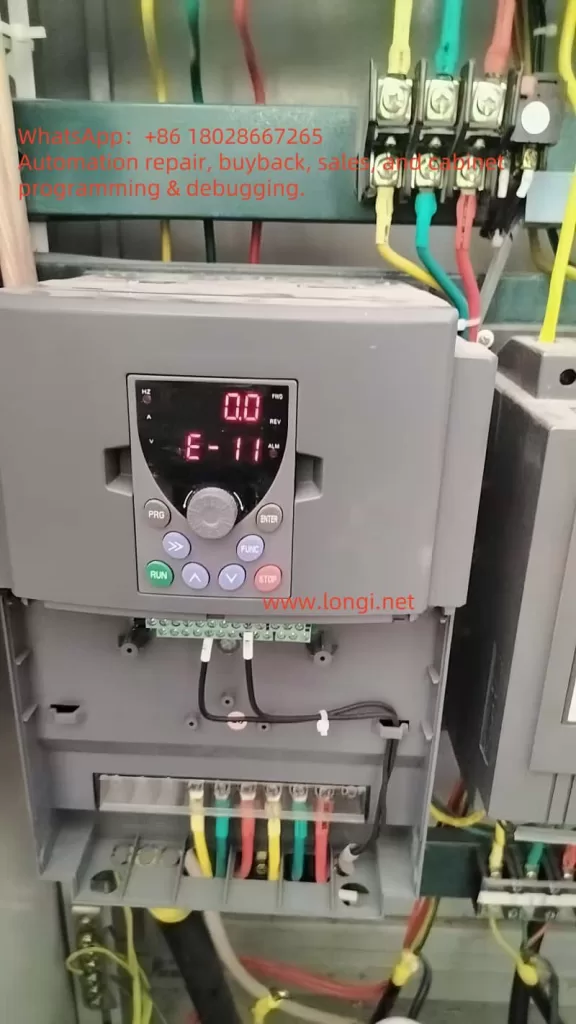
In the field of industrial automation and motor control, inverters are indispensable core devices used to convert direct current (DC) into alternating current (AC) for precise control of motor speed. The LCGK LC880 series inverter is widely applied in industrial scenarios such as manufacturing, mining, and energy systems due to its high performance and reliability. However, like any electronic device, faults can occur, with the E-11 error code being a common issue in the LC880 series, indicating a “power module fault.” This article delves into the meaning of the E-11 error, its potential causes, detailed troubleshooting steps, and preventive measures to help users effectively address this problem.

E-11

What is a Power Module in an Inverter?

The power module is the core component of an inverter, responsible for converting input DC into AC output. Typically, power modules consist of Insulated Gate Bipolar Transistors (IGBTs) or Intelligent Power Modules (IPMs), semiconductor devices capable of handling high voltage and current. Through high-frequency switching operations, the power module converts DC into the required AC waveform to drive motors or other loads. Given its critical role, any fault in the power module can cause the inverter to cease operation, affecting the entire system’s normal functioning.

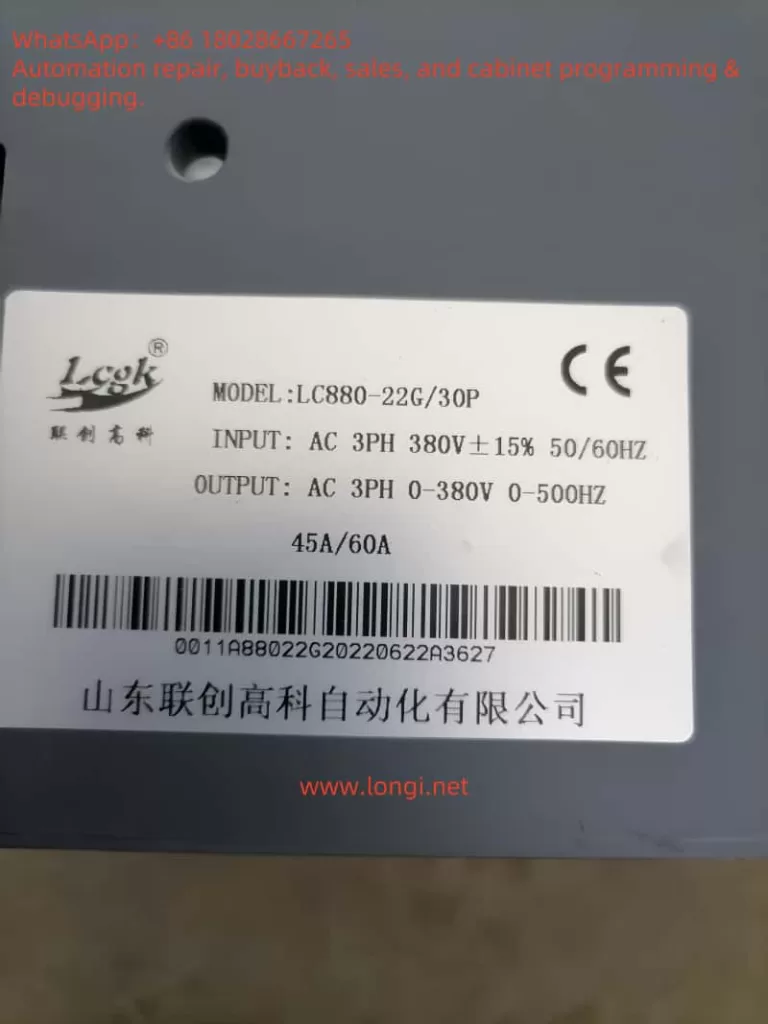
In the LC880 series inverter, the power module supports a three-phase 380V input, with an output range of 0-380V and a frequency range of 0-500Hz. The rated current is 45A/60A (depending on the specific model). Thus, the health status of the power module directly relates to the inverter’s performance and reliability.

Meaning of the E-11 Error Code

In the LC880 series inverter, the E-11 error code explicitly indicates a “power module fault.” When this error occurs, the inverter’s display will show “E-11”, often accompanied by an “ALM” (alarm) indicator, signifying that the inverter has entered a protective state and stopped running to prevent further damage. This error can be triggered by various factors, including internal short circuits, overvoltage, overcurrent, or damage to the module itself.

Common Causes of Power Module Faults

Power module faults may arise from the following reasons:

Overvoltage or Overcurrent

If the input voltage or current exceeds the inverter’s rated range (e.g., the LC880’s input voltage is 380V ±15%), it can damage the power module. This may result from grid fluctuations, sudden power changes, or improper parameter settings.

Short Circuit

A short circuit at the output or within the inverter can cause excessive current to flow through the power module, damaging its internal components. Short circuits may stem from wiring errors, load faults, or cable insulation damage.

Overheating

Inverters generate significant heat during operation. If the cooling system (e.g., fans) fails or the environment lacks proper ventilation, the power module may overheat and suffer damage. Prolonged high-temperature operation can also accelerate module aging.

Module Aging

As electronic components, power modules have a finite lifespan. Prolonged operation may lead to degraded insulation performance or semiconductor contact failures, triggering faults.

Manufacturing Defects

Although rare, defects during the manufacturing process can cause power modules to fail early in use.

LC880

Steps to Troubleshoot the E-11 Error

When the LC880 inverter displays the E-11 error, it is recommended to follow these systematic troubleshooting steps:

Check Power Input

Use a multimeter to measure the input voltage, ensuring it falls within the 380V ±15% range (approximately 323V to 437V). If the voltage is abnormal, check grid stability or use voltage stabilization equipment.

Inspect Wiring

Carefully examine all connections between the inverter, power supply, and motor to ensure they are secure, free from corrosion, looseness, or damage. Pay special attention to the input and output terminals of the power module.

Check Cooling System

Confirm that the inverter’s fans are operating correctly and check for dust or debris blocking the heat sink. Ensure the inverter is installed in a well-ventilated environment, away from high temperatures or humidity.

Verify Load Conditions

Ensure the connected load is within the inverter’s rated capacity (e.g., the LC880-22G/30P has a rated current of 45A/60A). Overloading or sudden load changes may trigger protective mechanisms.

Reset the Inverter

Disconnect the inverter from the power supply, wait at least 5 minutes, and then reconnect it to observe whether the E-11 error disappears. This can rule out faults caused by transient issues.

Use Diagnostic Tools

The LC880 series inverter may feature built-in diagnostic functions. Use the “PRG,” “ENTER,” and “FUNC” buttons on the control panel to view error logs or detailed status information for further insight into the fault cause.

Contact Professional Technical Support

If the above steps fail to resolve the issue, the power module itself may be damaged. Contact LCGK technical support or a professional technician, as replacing the power module requires specialized equipment and skills. Do not attempt this operation yourself.

Preventive Measures

To reduce the occurrence of E-11 errors and other faults, the following preventive measures can be taken:

Regular Maintenance

Develop a regular maintenance schedule, including cleaning the heat sink, inspecting wiring, and monitoring the inverter’s operating status. A comprehensive inspection every 6 months is recommended.

Proper Installation

Ensure the inverter is installed in a well-ventilated area, away from dust and humidity. Follow the LC880 series installation guidelines to avoid stacking devices or obstructing ventilation openings.

Real-Time Monitoring

Use the inverter’s monitoring system or external monitoring devices to track parameters such as voltage, current, and temperature. Early detection of anomalies can prevent severe faults.

Personnel Training

Train operators and maintenance personnel to ensure they are familiar with the correct usage and maintenance methods of the LC880 inverter, avoiding faults caused by misoperation.

Case Studies

Case 1: Loose Wiring

Suppose an LC880 inverter in a manufacturing plant displays the E-11 error. The operator first checks the input voltage, confirming it is stable at 380V. Subsequently, an inspection reveals a loose cable at the power module’s output terminal. After re-securing the cable and restarting the inverter, the error disappears, and the system resumes normal operation. This case illustrates that loose wiring is a common cause of faults that can often be resolved through simple checks.

Case 2: Power Module Damage

In another scenario, the operator completes all preliminary checks but still cannot resolve the issue. By consulting the manual, they confirm that the E-11 error may indicate power module damage. After contacting LCGK technical support, a technician arrives and replaces the faulty module, restoring the inverter to normal operation. This case emphasizes the importance of seeking professional help for complex faults.

Conclusion

The E-11 power module fault in the LC880 series inverter is a problem that requires prompt attention to avoid production interruptions or equipment damage. By understanding the fault causes and following systematic troubleshooting steps, users can resolve many common issues. For complex faults, it is advisable to refer to the LC880 user manual or contact us for professional support. Through regular maintenance, proper installation, and real-time monitoring, users can significantly reduce fault occurrences and ensure the long-term stable operation of the inverter.

Posted on

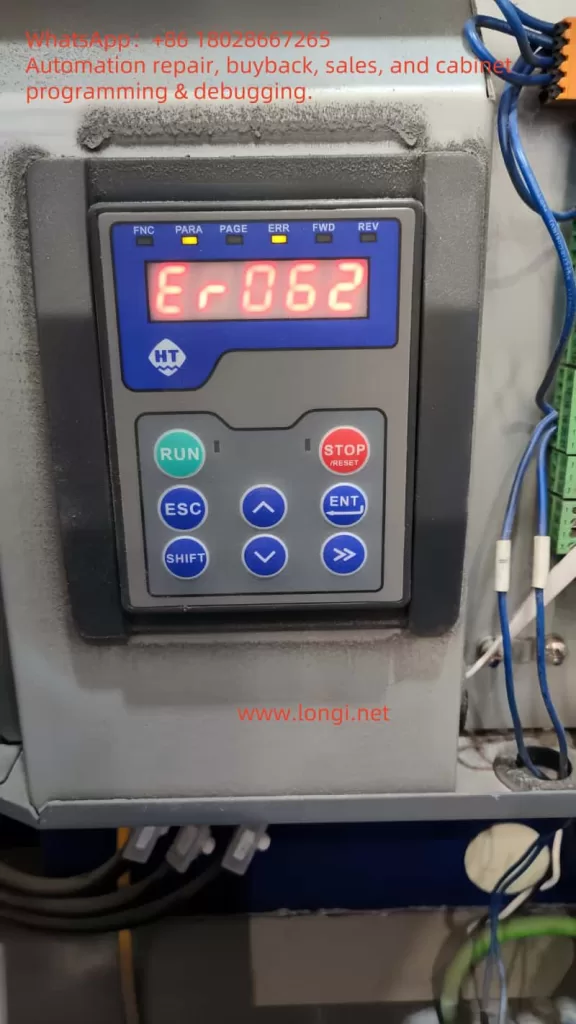
Troubleshooting ER062 Fault in Hilectro HI200 Series Servo Drives

Introduction

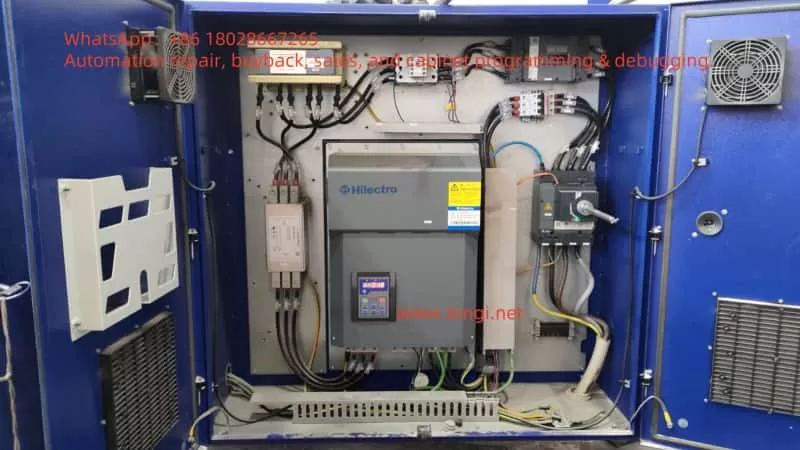
The Hilectro HI200 series servo drives are widely utilized in industrial automation for their high-performance capabilities, enabling precise control of servo motors to achieve efficient and accurate production processes. However, in practical applications, various faults may arise, with ER062 (phase current acquisition fault) being a common error code. This fault typically indicates an issue with the drive’s ability to acquire or measure phase current. If left unaddressed, it can lead to drive or motor damage and disrupt the stability of an entire production line.

This article leverages the user-provided screenshots and servo drive manual, combined with general servo drive troubleshooting expertise, to provide a detailed explanation of the potential causes, diagnostic steps, and solutions for the ER062 fault. The goal is to offer clear, logically sound, and practical guidance to help users resolve this issue effectively.

ER062

Section 1: Understanding the ER062 Fault (Phase Current Acquisition Fault)

1.1 What is Phase Current?

Phase current refers to the current flowing through each phase (A, B, C) in a three-phase AC system. In servo drives, measuring and controlling phase current is critical, as it directly impacts motor performance and protection mechanisms. Drives use current sensors (such as Hall effect sensors or shunt resistors) to acquire phase current, which is then processed by the control circuitry for vector control, overcurrent protection, and other functions.

1.2 Meaning of the ER062 Fault

The ER062 error code signifies a fault in the drive’s phase current acquisition process. Specifically, this could mean:

  • The drive fails to accurately read or process phase current signals.
  • There is an issue with the phase current acquisition circuit, such as a faulty sensor, broken wiring, or short circuit.
  • An abnormality exists within the drive’s internal control circuitry.

As ER062 is specific to the Hilectro HI200 series, referencing the provided manual (Attachment ID: 2) or user screenshots (Attachment ID: 0) is essential for precise details. The flowchart (Attachment ID: 0) groups ER062 with ER057 and ER061 under phase current acquisition faults, suggesting a potential hardware or connection issue.

1.3 Why Phase Current Acquisition Faults Matter

Phase current acquisition is a core function of the drive. A fault in this area can result in:

  • Inaccurate motor control, affecting position or speed precision.
  • Disabled overcurrent protection, increasing the risk of motor or drive damage.
  • Reduced overall system stability, impacting production efficiency.

Prompt diagnosis and resolution of the ER062 fault are therefore crucial.

Section 2: Common Causes of the ER062 Fault

Based on the characteristics of the Hilectro HI200 series and typical servo drive failure modes, the ER062 (phase current acquisition fault) may stem from the following causes:

2.1 Connection Issues

  • Loose or Disconnected Cables: If the connection cables between the drive and motor (especially current acquisition lines) are loose or broken, the drive may fail to acquire phase current.
  • Improperly Seated Plugs: The current acquisition module may rely on plugs, and poor contact due to incomplete insertion can trigger the fault.

2.2 Sensor Failures

  • Damaged Current Sensors: Faulty sensors (e.g., Hall effect sensors or shunt resistors) due to aging or overloading can disrupt current acquisition.
  • Calibration Issues: Uncalibrated sensors may prevent the drive from accurately reading phase current values.

2.3 Wiring Problems

  • Short Circuits or Open Circuits: A short or open in the phase current acquisition wiring (from motor to drive) can compromise signal integrity.
  • Interference or Noise: External electromagnetic interference or noise in the wiring may cause the drive to misinterpret current signals.

2.4 Internal Drive Issues

  • Control Board Failure: The control board, responsible for processing current signals, may malfunction due to chip damage or poor soldering.
  • Firmware or Software Bugs: Though rare, an outdated firmware version or software glitch could affect current acquisition functionality.

2.5 Motor Issues

  • Short or Open Windings: Internal motor winding faults can disrupt normal phase current flow, leading to acquisition errors.
  • Faulty Motor Cables: Damaged or poorly connected motor cables may also contribute to the problem.

2.6 Environmental Factors

  • High Temperature or Dust: Excessive heat or dust accumulation can destabilize internal components like sensors or connectors.
  • Vibration or Shock: Industrial vibrations or impacts may loosen connections or damage components.

The following table summarizes potential causes of the ER062 fault and their characteristics:

Cause CategorySpecific CauseSymptoms/Characteristics
Connection IssuesLoose or disconnected cables, unseated plugsER062 appears; may resolve temporarily after reseating
Sensor FailuresDamaged sensors, calibration errorsAbnormal or missing phase current signals
Wiring ProblemsShort circuits, open circuits, electromagnetic interferenceUnstable current signals, possible additional electrical faults
Internal Drive IssuesControl board failure, firmware bugsPersistent fault despite normal connections
Motor IssuesShort or open windings, faulty cablesMotor runs abnormally, possibly with overheating
Environmental FactorsHigh temperature, dust, vibrationIntermittent faults linked to environmental changes
HI200

Section 3: Diagnostic and Resolution Steps for ER062 Fault

Below are detailed diagnostic and resolution steps for the ER062 fault in the Hilectro HI200 series, based on the user’s flowchart (Attachment ID: 0) and general servo drive troubleshooting practices.

3.1 Verify Phase Current Status

  • Steps:
    • Use a multimeter or oscilloscope to check the phase current signals on the A, B, and C phases.
    • Ensure the current waveforms are sinusoidal and within expected values during normal operation.
  • Judgment:
    • If phase current is abnormal (e.g., no signal or erratic readings), the issue may lie in connections or wiring.
    • If phase current is normal but ER062 persists, an internal drive problem is likely.
  • Tools: Multimeter, oscilloscope.

3.2 Inspect Connections

  • Steps:
    • Ensure the cables between the drive and motor (especially current acquisition lines) are secure.
    • Check that plugs are fully inserted and contacts are good.
    • Reseat cables if necessary.
  • Precautions:
    • Disconnect power before inspecting to avoid electrical hazards or equipment damage.
    • This is the first step recommended by the flowchart (Attachment ID: 0).

3.3 Troubleshoot Wiring and Sensors

  • Steps:
    • Use a multimeter to test the phase current acquisition wiring for short circuits or open circuits.
    • If accessible, verify the output of the current sensors.
  • Precautions:
    • Replace damaged wiring if found.
    • Replace the sensor module if defective (refer to the manual, Attachment ID: 2).

3.4 Check Internal Drive Components

  • Steps:
    • If prior steps fail, the issue may be an internal control board or firmware problem.
    • Per the flowchart (Attachment ID: 0), if phase current is normal but the fault persists, return the drive to the factory for professional inspection.
  • Special Note:
    • For the Hi282 model, a boot alarm may require mainboard replacement.
  • Reference: Hilectro HI200 Series Manual (Attachment ID: 2).

3.5 Inspect the Motor

  • Steps:
    • Use a multimeter to check motor windings for shorts or opens.
    • Ensure motor cables are intact.
  • Precautions:
    • Replace or repair the motor if issues are detected.

3.6 Environmental Assessment

  • Steps:
    • Verify that the ambient temperature around the drive is below 40°C.
    • Remove dust from the drive’s surface and ventilation areas.
  • Precautions:
    • Keep the drive away from strong electromagnetic interference sources.

3.7 Restart and Parameter Check

  • Steps:
    • Restart the drive to see if the fault clears.
    • If possible, review drive parameter settings (e.g., current feedback gain) for accuracy.
  • Precautions:
    • Refer to the manual (Attachment ID: 2) for parameter details, ensuring settings match the application.

3.8 Contact Technical Support

  • Steps:
    • If all else fails, contact Hilectro technical support or arrange for factory service.
  • Precautions:
    • Provide the error code, model number, and a detailed fault description when seeking support.

The following table outlines the diagnostic steps and their priority:

StepPriorityTools RequiredExpected Outcome
Verify Phase Current StatusHighMultimeter, oscilloscopeConfirm normal current signals
Inspect ConnectionsHighNoneEnsure secure connections
Troubleshoot Wiring/SensorsMediumMultimeterRule out shorts or opens
Check Internal ComponentsMediumNone (professional tools)Determine need for factory service
Inspect MotorMediumMultimeterExclude motor winding/cable issues
Environmental AssessmentLowNoneEnsure suitable operating conditions
Restart and Parameter CheckLowNoneResolve temporary faults
Contact Technical SupportLast ResortNoneObtain professional assistance

Section 4: Preventive Measures

To prevent the recurrence of the ER062 (phase current acquisition fault), users can adopt the following preventive strategies:

4.1 Regular Maintenance

  • Periodically inspect drive-to-motor cable connections for tightness and plug integrity.
  • Clean the drive’s surface and vents to prevent dust buildup.

4.2 Environmental Control

  • Maintain operating temperatures below 40°C and humidity below 90%.
  • Avoid installing the drive in areas prone to vibration or impact.

4.3 Parameter Management

  • Regularly back up drive parameter settings for easy recovery during restarts or replacements.
  • Understand parameter meanings before adjustments, referencing the manual (Attachment ID: 2).

4.4 System Monitoring

  • Use monitoring systems to track drive performance, particularly phase current values.
  • Set alarm thresholds to detect anomalies early.

4.5 Firmware Updates

  • Check for and apply the latest firmware updates to address known issues.
HI200

Conclusion

The ER062 (phase current acquisition fault) in Hilectro HI200 series servo drives, though common, can typically be resolved through systematic diagnosis and repair steps. This article, informed by user-provided screenshots and the manual, along with general servo drive troubleshooting knowledge, offers a comprehensive approach to addressing the issue.

It’s important to note that since ER062 is specific to the Hilectro HI200 series, users should prioritize consulting the official manual or contacting technical support for the most accurate guidance. If the problem cannot be resolved independently, returning the drive to the factory for professional servicing is recommended.

By implementing regular maintenance, environmental controls, and proper operating practices, users can significantly reduce the likelihood of ER062 faults, ensuring the stability and efficiency of their production systems.

Posted on

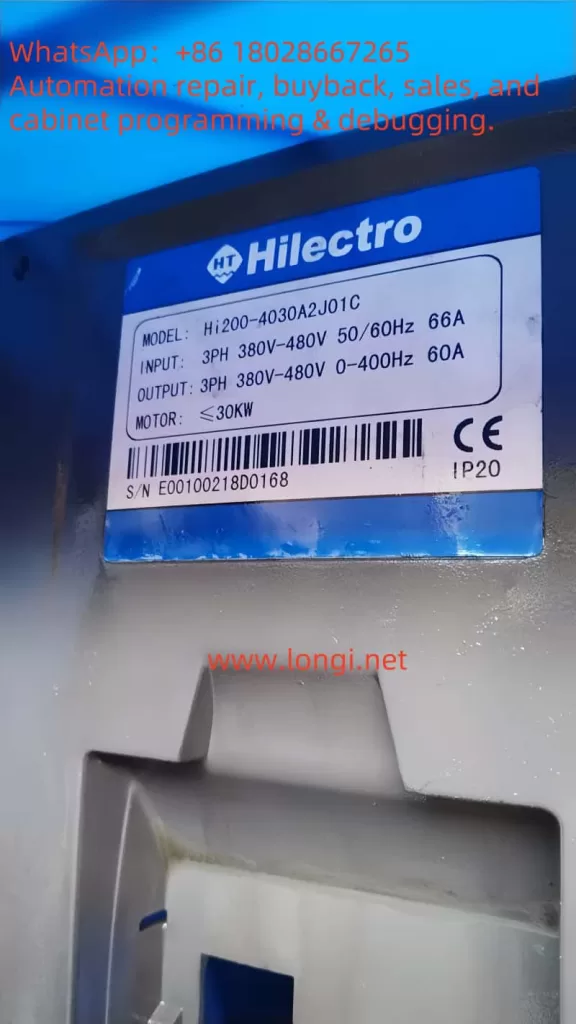
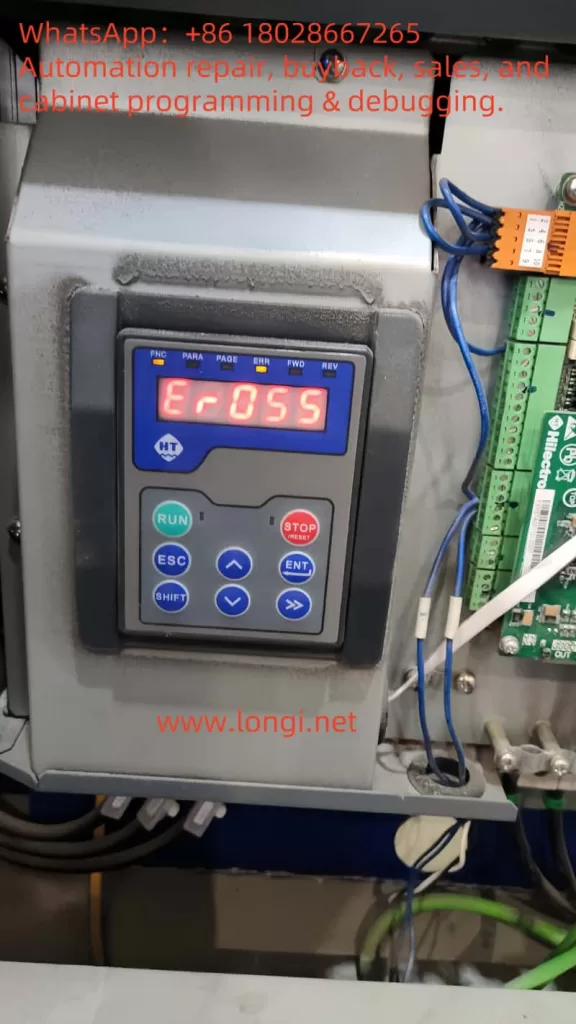
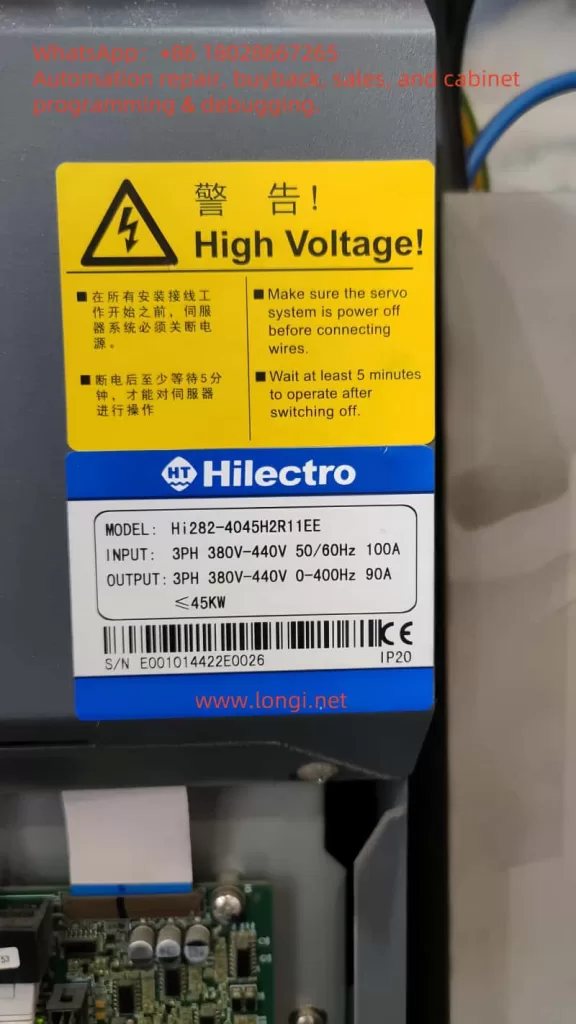
Understanding and Resolving ER055 Hardware Overvoltage Fault in Hilectro HI282 Servo Systems

Introduction

In the realm of industrial automation, servo systems are pivotal for achieving precise motion control, finding widespread use in CNC machines, robotics, packaging lines, and more. However, as complex electronic devices, servo systems can encounter faults that disrupt production. The ER055 hardware overvoltage fault (Hardware Overvoltage Fault) in the Hilectro HI282 series servo system is a common issue that can severely impact equipment operation. This article delves into the meaning of the ER055 fault, its potential causes, resolution methods, and preventive measures, empowering users to diagnose and address the problem efficiently while ensuring system stability.

ER055

Meaning of the ER055 Fault

The ER055 fault code in the Hilectro HI282 series servo system signifies a “hardware overvoltage” condition. This indicates that the internal voltage within the servo driver has exceeded its safe operating range, potentially triggering protective mechanisms that halt operation. According to the HI2xx series servo manual (Version 5.51), fault codes are typically displayed as “ErOSX,” where X denotes a specific fault number. For instance, “ErOS5” corresponds to fault number 53, indicating a system error. ER055 likely represents fault number 55, specifically a hardware overvoltage error, often linked to power supply, regenerative energy, or hardware issues requiring immediate attention.

Common Causes of ER055 Hardware Overvoltage Fault

Several factors may contribute to a hardware overvoltage fault, including:

  1. Excessive Power Supply Voltage
    If the voltage supplied to the servo driver exceeds its rated value, it can trigger overvoltage protection. For example, the HI282 series driver typically operates within a specified voltage range (details in the manual), and exceeding this range can lead to an ER055 fault.
  2. Excessive Regenerative Energy
    During rapid motor deceleration, the servo motor generates regenerative energy (converting kinetic energy into electrical energy fed back to the driver). If the driver’s regenerative resistor lacks sufficient capacity or is faulty, this energy can cause internal voltage spikes, triggering the fault.
  3. Internal Component Failure
    Faulty voltage detection circuits, power modules, or capacitors within the driver can lead to inaccurate voltage monitoring or actual voltage anomalies. For instance, aged capacitors or damaged transistors might be culprits.
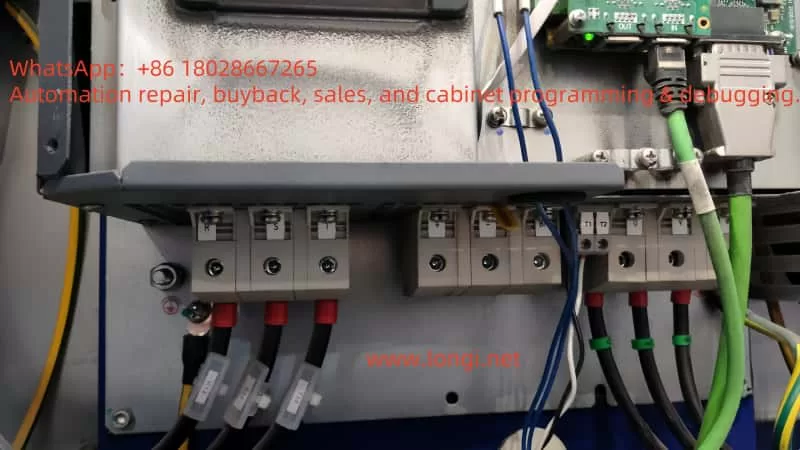
  4. Wiring and Grounding Issues
    Improper wiring, loose connections, or inadequate grounding can result in voltage fluctuations or interference, activating overvoltage protection. Examples include loose power lines or improper grounding setups.

The following table summarizes potential causes and their characteristics:

CauseCharacteristicsPotential Impact
Excessive Power VoltageInput voltage exceeds rated rangeDriver halts, displays ER055
Excessive Regenerative EnergyVoltage rise during rapid decelerationOvervoltage protection triggered
Internal Component FailureAbnormal voltage detection or hardware damageFrequent faults or unresolvable issues
Wiring/Grounding IssuesVoltage spikes or interferenceUnstable operation, intermittent faults
HI282

Steps to Resolve ER055 Hardware Overvoltage Fault

Resolving an ER055 fault requires a systematic troubleshooting approach. The following steps are recommended:

  1. Check Power Supply Voltage
    • Use a multimeter to measure the input voltage to the servo driver, ensuring it aligns with the rated range specified in the HI282 manual.
    • If the voltage is too high, inspect the power source (e.g., transformer or regulator) and adjust it accordingly.
    • Ensure power stability to avoid fluctuations or spikes.
  2. Inspect Regenerative Resistor
    • Confirm the presence and functionality of the regenerative resistor.
    • Check for signs of burnout, open circuits, or shorts.
    • Replace with a resistor of adequate capacity if it’s insufficient (refer to manual recommendations).
  3. Inspect Internal Components
    • Look for abnormal signs in the driver, such as overheating, unusual noises, or a burnt smell, which may indicate component failure.
    • Note: Non-professionals should not disassemble the driver; contact a Hilectro authorized service center for repairs.
  4. Examine Wiring and Grounding
    • Ensure all power, signal, and ground connections are secure and correctly configured, with no loose or broken wires.
    • Verify grounding meets manufacturer standards, as proper grounding reduces interference and voltage spikes.
    • Use an oscilloscope to check for voltage surges or electromagnetic interference.
  5. Reset the Driver
    • Attempt a power cycle by disconnecting the power, waiting a few minutes, then restarting to see if the fault clears.
    • If the driver has a “STOP” button, press it to attempt clearing the error state (ERR status), returning the driver to READY mode.
  6. Review Parameter Settings
    • Access the driver’s parameter settings to check configurations related to voltage or regenerative control.
    • If misconfigured, restore factory settings or adjust parameters per the manual.
  7. Consult the Manual or Contact Technical Support
    • Refer to the HI282 series user manual for the specific definition of ER055 and recommended troubleshooting steps.
    • If unavailable or unresolved, contact Hilectro technical support with details of the fault code and operating conditions.
  8. Consider Driver Replacement
    • If the above steps fail and the driver is out of warranty or repair costs are high, consider replacing it.
    • Ensure the new driver’s model and specifications are compatible with the system.

The following table outlines the resolution steps and precautions:

StepActionPrecautions
Check Power VoltageMeasure input voltageStay within rated range
Inspect Regenerative ResistorCheck status and capacityAvoid using damaged or mismatched resistors
Inspect Internal ComponentsObserve for anomaliesRequire professional handling
Check Wiring/GroundingEnsure secure connections, proper groundingCheck for voltage spikes or interference
Reset DriverPower cycle or press STOP buttonRecord fault status before/after
Review ParametersAdjust or reset settingsRefer to manual to avoid errors
Contact SupportProvide fault detailsPrepare model and logs
Replace DriverSelect compatible modelEnsure system compatibility

Preventive Measures for ER055 Faults

To prevent recurrence of ER055 faults, consider the following measures:

  1. Regular Maintenance
    • Periodically inspect the driver’s operating condition, including temperature, noise, and vibration.
    • Clean cooling fans and heat sinks to ensure effective heat dissipation.
    • Check the aging of capacitors, resistors, and other wear-prone components, replacing them as needed.
  2. Stable Power Supply
    • Use reliable power equipment to maintain input voltage within the driver’s rated range.
    • Install voltage regulators or UPS (uninterruptible power supply) to mitigate voltage fluctuations.
  3. Proper Acceleration/Deceleration Control
    • Set reasonable acceleration and deceleration times in the servo system’s control parameters to minimize regenerative energy.
    • Ensure the regenerative resistor’s capacity is sufficient for rapid deceleration scenarios.
  4. Correct Wiring and Grounding
    • Follow the manual’s guidelines for wiring and grounding to prevent faults caused by improper connections.
    • Use shielded cables to reduce electromagnetic interference.
  5. Train Operators
    • Ensure operators are familiar with the servo system’s operation and maintenance, enabling them to identify and report issues promptly.
    • Provide training on fault troubleshooting and prevention to enhance team capability.
hi282

Conclusion

The ER055 hardware overvoltage fault is a common issue in the Hilectro HI282 series servo systems, typically caused by excessive power voltage, regenerative energy overload, internal component failure, or wiring problems. Through systematic troubleshooting—such as checking the power supply, regenerative resistor, wiring, and parameter settings—users can effectively resolve this fault. Additionally, adopting preventive measures like regular maintenance, stable power, and proper control settings can significantly reduce fault occurrences, ensuring long-term system reliability. If the problem persists, contacting Hilectro technical support or a professional repair service is advised for detailed guidance or repairs.

Posted on

Solve the OCn Fault (Overcurrent During Constant Speed) of the Sanken SAMCO-VM05 Series Inverter

Introduction

In the field of industrial automation, Variable Frequency Drives (VFDs) are core devices for controlling the rotational speed of AC motors, widely used in scenarios such as water pumps, conveyor belts, elevators, and machine tools. The Sanken SAMCO-VM05 series inverter is renowned for its compact design, high performance, and low noise characteristics. However, during operation, inverters may encounter faults, with the OCN fault (overcurrent during constant speed) being one of the more common issues. This article will delve into the definition, possible causes, solutions, and preventive measures of the OCN fault, providing users with a clear and practical guide.

samco-vm05

What is an Inverter?

An inverter is an electronic device that converts a fixed-frequency power supply into a variable-frequency power supply for precise control of the rotational speed of AC motors. By adjusting the output frequency, inverters enable smooth motor starting, energy-efficient operation, and process optimization. In industrial applications, inverters not only improve equipment efficiency but also extend motor life and reduce maintenance costs.

The Sanken SAMCO-VM05 series inverter is a compact vector control inverter suitable for various industrial scenarios. Its main features include high performance, low noise, and ease of operation, making it particularly suitable for applications such as water pump systems, elevators, and machine tools. However, even high-quality inverters may experience faults due to various reasons, such as the OCN fault.

Definition of the OCN Fault

The OCN fault indicates that the Sanken SAMCO-VM05 inverter detects that the motor current exceeds its rated value during constant speed operation. This fault is typically displayed on the inverter’s control panel as “OCN” or a similar code (e.g., “αCη ※ 3”), prompting operators to take immediate action. Overcurrent can lead to damage to the inverter or motor, making timely diagnosis and resolution crucial.

Based on manuals for similar models (e.g., SAMCO-NS series) and fault code information provided by users, the OCN fault is typically associated with the following issues:

  • Output circuit short-circuit or ground fault.
  • Abnormal internal switching elements (e.g., IGBTs).
  • Excessive or sudden load changes.
  • Improper parameter settings.
  • Motor faults.

Possible Causes of the OCN Fault

To effectively resolve the OCN fault, it is essential to understand its potential causes. The following are common factors that may lead to overcurrent during constant speed:

1. Output Short-Circuit or Ground Fault

A short-circuit or ground fault in the output circuit can cause a sudden increase in current, triggering the OCN fault. This may be caused by:

  • Cable damage, such as broken or exposed insulation.
  • Loose or poor connections.
  • Insulation failure due to moisture or contamination.

2. Abnormal Internal Switching Elements

Power semiconductor elements (e.g., IGBTs) inside the inverter may fail due to:

  • Aging from long-term use.
  • Element damage caused by overheating.
  • Manufacturing defects.

3. Excessive or Fluctuating Load

If the motor load exceeds its rated capacity or experiences sudden changes, it may cause a current surge. For example:

  • Load exceeding the design range of the motor and inverter.
  • Mechanical system (e.g., conveyor belt) experiencing jamming or sudden increases in resistance.

4. Improper Parameter Settings

The parameter settings of the inverter directly affect its operational performance. The following setting errors may lead to overcurrent:

  • Excessively short acceleration/deceleration times, resulting in high current demand.
  • Excessively high current limit value (e.g., Cd043).
  • Improper torque compensation settings.
ocn

5. Motor Faults

Faults in the motor itself may also trigger the OCN fault, such as:

  • Winding damage or short-circuit.
  • Increased mechanical resistance due to bearing wear.
  • Ground fault caused by motor insulation aging.

Fault Code Table

The following table, compiled based on fault code information provided by users, lists codes related to the OCN fault and their descriptions:

Fault CodeDescriptionCheck Points
αCη ※ 3Overcurrent during constant speedIs there an output short-circuit or ground fault?
αCη ※ 3Overcurrent during accelerationIs the operation involving abrupt acceleration/deceleration?
αCη ※ 3Overcurrent during decelerationIs there an abnormality in the main switching element itself?
αCPηShort-term overload during constant speedIs the current limit value Cd043 too high?

Note: The OCN fault corresponds to “overcurrent during constant speed.”

Steps to Resolve the OCN Fault

The following are systematic steps to resolve the OCN fault, aimed at helping users quickly locate and resolve the issue:

1. Check the Output Circuit

Steps:

  • Inspect the cable from the inverter to the motor for signs of damage, burns, or exposure.
  • Ensure all terminal connections are secure and free from looseness.
  • Use a multimeter to check for short-circuits or ground faults in the circuit.

Note: Before inspection, be sure to disconnect the power supply to ensure safety.

2. Verify the Load

Steps:

  • Confirm that the motor load is within the rated range.
  • Check for sudden load changes, such as mechanical jamming.
  • If the load is excessive, consider reducing the load or replacing the motor and inverter with higher-power units.

Note: Load fluctuations may require adjustments to the process flow or the addition of buffer devices.

3. Check the Motor

Steps:

  • Visually inspect the motor for physical damage, such as a cracked casing or unusual noises.
  • Use an insulation tester to check the motor’s insulation resistance to ensure no ground faults exist.
  • If possible, test the motor with another inverter to confirm whether the fault is caused by the motor.

Note: Motor maintenance should be performed regularly to avoid potential issues.

4. Adjust Parameters

Steps:

  • Enter the inverter’s parameter setting menu to check the current limit value (e.g., Cd043), acceleration/deceleration times, and torque compensation settings.
  • Adjust the parameters according to the load characteristics to ensure they match the application requirements.
  • Refer to the recommended settings in the Sanken SAMCO-VM05 manual.

Note: Parameter adjustments should be made cautiously, and it is advisable to record the original settings for restoration if necessary.

5. Check the Cooling System

Steps:

  • Inspect the cooling systems of the inverter and motor to ensure that the fans and heat sinks are functioning properly.
  • Measure the ambient temperature to ensure it does not exceed the inverter’s rated operating temperature.
  • Clean dust and debris to improve ventilation.

Note: Overheating can cause element damage and requires special attention.

6. Reset the Inverter

Steps:

  • Turn off the inverter’s power supply and wait a few minutes before restarting it.
  • Observe whether the fault disappears. If it does, continue monitoring the system’s operation.

Note: If the fault recurs, further hardware inspection is required.

7. Contact Technical Support

Steps:

  • If the above steps fail to resolve the issue, contact Sanken technical support or a professional technician.
  • Provide the fault code, system configuration, and the steps you have already attempted to facilitate quick diagnosis.

Note: Internal element faults may require professional repair or replacement.

Preventive Measures

To reduce the occurrence of the OCN fault, the following preventive measures are recommended:

Regular Maintenance:

  • Regularly inspect the inverter, motor, and circuit, clean dust, and ensure proper ventilation.
  • Check for loose terminal connections and aging cables.

Proper Installation:

  • Install the inverter in a dry, clean, and well-ventilated environment.
  • Use cables that meet specifications and ensure secure connections.

Appropriate Selection:

  • Ensure that the power of the inverter and motor matches the application requirements to avoid overloading.

Parameter Configuration:

  • Correctly set parameters according to the Sanken manual and application requirements to avoid faults caused by incorrect settings.

Personnel Training:

  • Train operators and maintenance personnel to ensure they are familiar with the operation and fault handling procedures of the inverter.

Conclusion

The OCN fault (overcurrent during constant speed) of the Sanken SAMCO-VM05 series inverter may be caused by various factors, including output short-circuits, load issues, improper parameter settings, or hardware faults. Through systematic inspection and adjustment, users can effectively resolve this issue. Regular maintenance, proper installation, and appropriate parameter configuration are key to preventing faults. If the problem persists, it is advisable to contact Sanken technical support or a professional technician for in-depth diagnosis.

By following the guidelines provided in this article, users can better understand and handle the OCN fault, ensuring the stable operation and long-term reliability of the inverter system.

References

  • Sanken SAMCO-NS Series Manual (Reference for Similar Models)
  • Fault Code List Provided by Users (Attachment ID: 2)