
1. Introduction
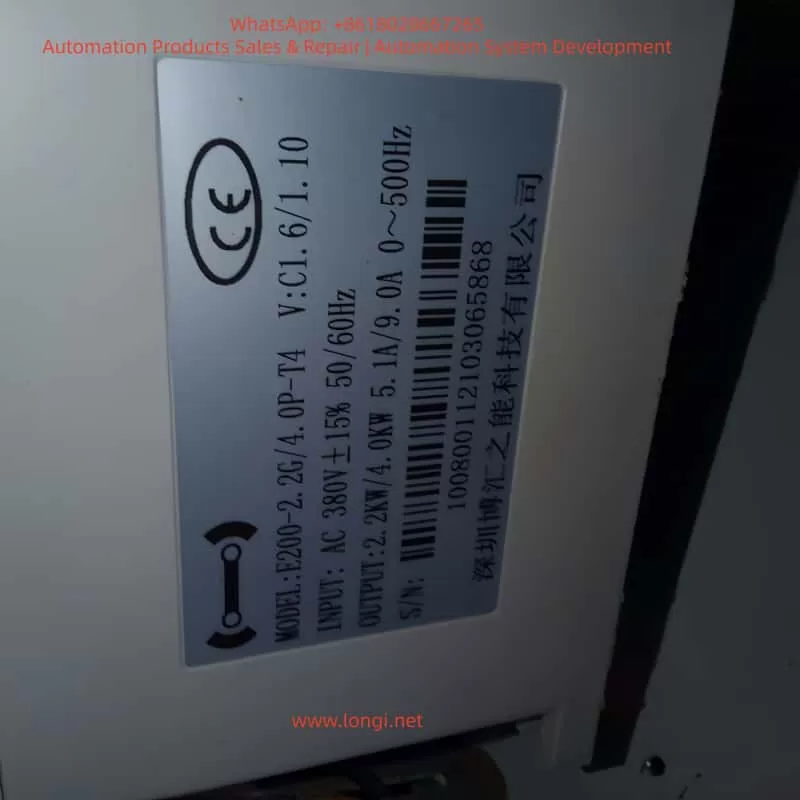
The Bohui E200 series Variable Frequency Drive (VFD) is a high-performance, reliable vector control inverter widely used in industrial automation, including fans, pumps, textile machinery, machine tools, packaging, and food processing. It supports VF control, open-loop vector control, and closed-loop vector control, and features PLC functionality, PID control, multi-speed operation, and high-speed pulse input.
This guide provides a detailed explanation of the E200 series operation panel, parameter settings, external control wiring, and fault troubleshooting to help users efficiently operate and maintain the device.
2. Operation Panel Overview
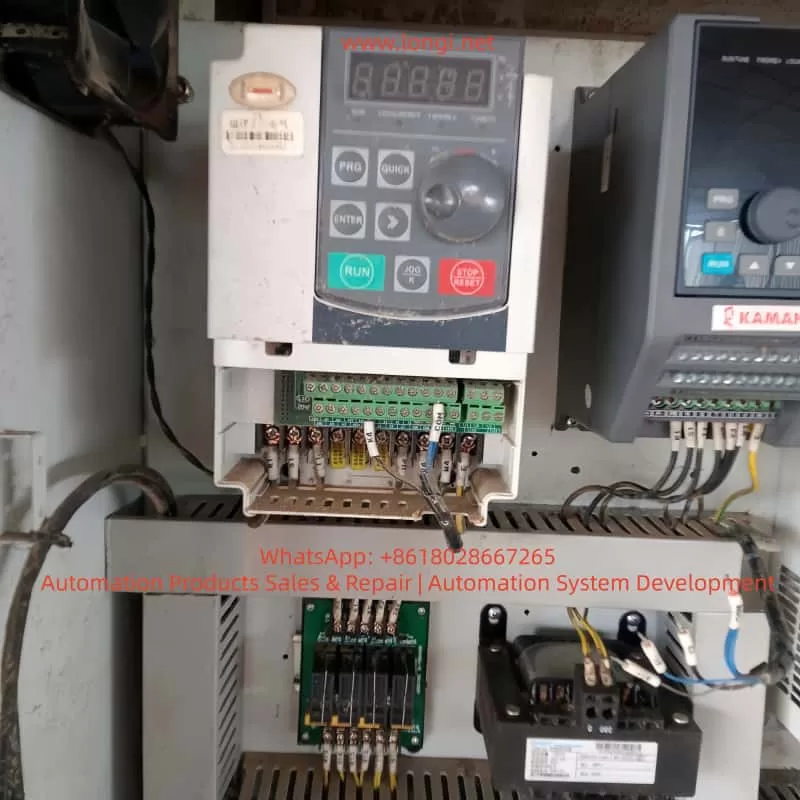
2.1 Panel Buttons and Functions
The E200 series VFD operation panel includes the following buttons:
| Button | Function |
|---|---|
| RUN | Starts the VFD. |
| STOP/RESET | Stops the VFD or resets faults. |
| MODE | Switches between parameter setting and monitoring modes. |
| UP/DOWN | Adjusts parameter values or navigates menus. |
| ENTER | Confirms parameter settings or enters submenus. |
| JOG | Used for jog operation or command source switching. |
2.2 Display Screen Functions
The display screen shows real-time data, including:
- Running frequency
- Set frequency
- Bus voltage
- Output current
- Fault codes
Users can customize the display content via F0-00 (Menu Mode Selection).
3. Parameter Settings and Management
3.1 Restoring Factory Default Settings
To reset all parameters to factory defaults:
- Press MODE to enter parameter setting mode.
- Navigate to F0-47 (Parameter Initialization).
- Set F0-47 = 1001 to restore factory settings (excluding motor parameters).
- Set F0-47 = 1002 to reset recorded information.
- Press ENTER to confirm. The VFD will restart automatically.
3.2 Setting and Removing Password Protection
To prevent unauthorized parameter changes, the E200 supports password protection:
Setting a Password
- Enter F0-46 (Password Setting).
- Set a non-zero value (e.g., 1234).
- Confirm with ENTER. The password will be required to access parameters.
Removing a Password
- Enter F0-46.
- Set the value to 0.
- Confirm with ENTER. Password protection will be disabled.
3.3 Parameter Access Restrictions
The E200 allows different access levels via F0-44 (Parameter Access Level):
| Level | Access Permission |
|---|---|
| 0 | No restrictions. |
| 1 | Basic parameter modifications only. |
| 2 | Most parameter modifications allowed. |
| 3 | Monitoring only (no modifications). |
| 4 | Fully locked. |
Steps to Set Access Level:
- Enter F0-44.
- Select the desired level (0~4).
- Confirm with ENTER.
4. External Terminal Control and Speed Adjustment
4.1 External Terminal Forward/Reverse Control
The E200 supports forward and reverse control via external terminals.
Wiring Terminals
- X1: Forward run (default function).
- X2: Reverse run (requires configuration).
- COM: Common terminal.
Parameter Settings
- Enter F5-00 (X1 Input Function Selection) and set to 1 (Forward Run).
- Enter F5-01 (X2 Input Function Selection) and set to 2 (Reverse Run).
- Ensure F0-02 (Run Command Channel Selection) is set to 1 (Terminal Control).
Wiring Example:
- Connect an external switch or PLC output to X1 and X2, with COM as the common terminal.
4.2 External Potentiometer Speed Control
The E200 supports speed adjustment via an external potentiometer (010V or 420mA).
Wiring Terminals
- AI1: Analog input terminal (default 0~10V).
- +10V: Reference voltage output.
- ACM: Analog common terminal.
Parameter Settings
- Enter F0-03 (Main Frequency Source Selection) and set to 2 (AI1).
- Configure F5-24~F5-27 to set the AI1 input range (e.g., 0
10V corresponds to 050Hz). - Ensure F0-02 (Run Command Channel Selection) is set to 1 (Terminal Control).
Wiring Example:
- Connect the potentiometer to AI1 and ACM, and use +10V as the reference voltage.
5. Fault Codes and Troubleshooting
The E200 displays fault codes on the screen or via U0-62 (Current Fault Code). Below are common faults and solutions:
| Fault Code | Fault Name | Possible Cause | Solution |
|---|---|---|---|
| OC1 | Acceleration Overcurrent | Short acceleration time, excessive load | Increase acceleration time (F0-10), check load |
| OC2 | Deceleration Overcurrent | Short deceleration time, high inertia | Increase deceleration time (F0-11), add braking resistor |
| OU1 | Acceleration Overvoltage | High supply voltage, insufficient braking | Check power supply, add braking unit |
| LU | Undervoltage Fault | Low supply voltage | Check power supply stability |
| OL2 | Motor Overload | Motor overheating, excessive load | Check motor cooling, reduce load |
| IPL | Input Phase Loss | Missing input phase | Check input power wiring |
| ETF | External Fault | External fault signal | Check external control wiring |
| CoF | Communication Fault | Communication line issue | Check communication interface and wiring |
Troubleshooting Steps:
- Check U0-62 for the fault code.
- Refer to the table above to identify the cause.
- Take corrective action.
- Press STOP/RESET to clear the fault after resolution.
6. Conclusion
The Bohui E200 series VFD is a powerful and flexible device suitable for various industrial applications. This guide covers operation panel functions, parameter settings, external control wiring, and fault troubleshooting to help users operate the VFD efficiently.