Posted on

Hitachi X-MET 8000 XRF Analyzer Error Analysis

Understanding “X-ray Tube Failure” — Engineering-Level Diagnosis and Repair Decision Guide

Introduction

The Hitachi X-MET 8000 handheld XRF analyzer is widely used in alloy identification, PMI inspection, scrap sorting, and on-site material analysis. In daily service practice, a common failure scenario is frequently reported:

  • The instrument powers on normally
  • The touchscreen interface works correctly
  • Measurement methods and settings are accessible
  • Measurement starts but immediately fails
  • The system displays error messages such as:
    • “System Error: code(s): 18”
    • “Measurement Error (ID:11)”

When reported to official service channels, users often receive a brief response:

“The X-ray tube is defective and must be replaced.”

While this conclusion may be acceptable from a manufacturer’s service policy perspective, it is technically incomplete.
This article explains what “X-ray tube failure” actually means, how these errors are triggered internally, and how engineers can determine whether the instrument is truly beyond repair.
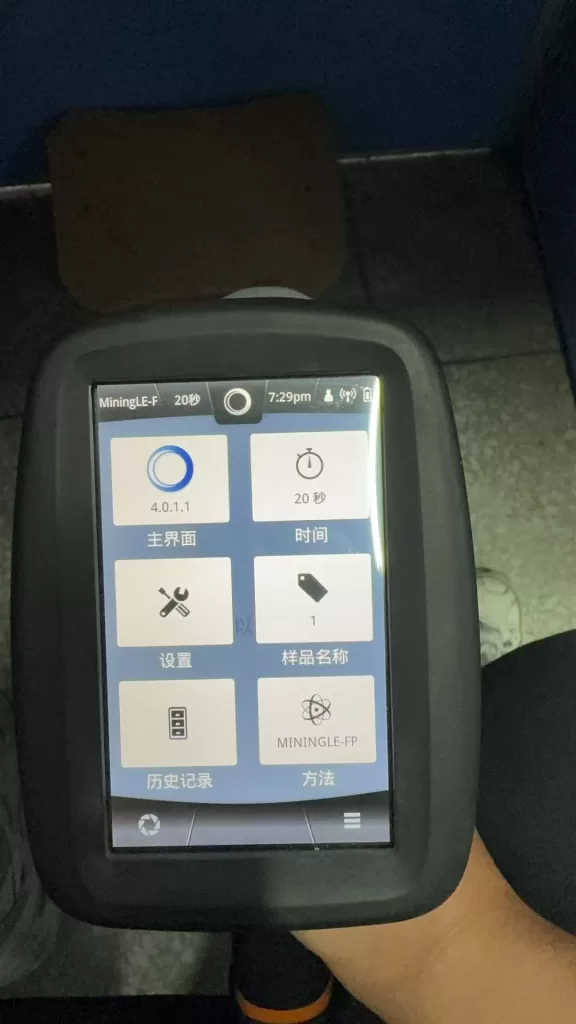

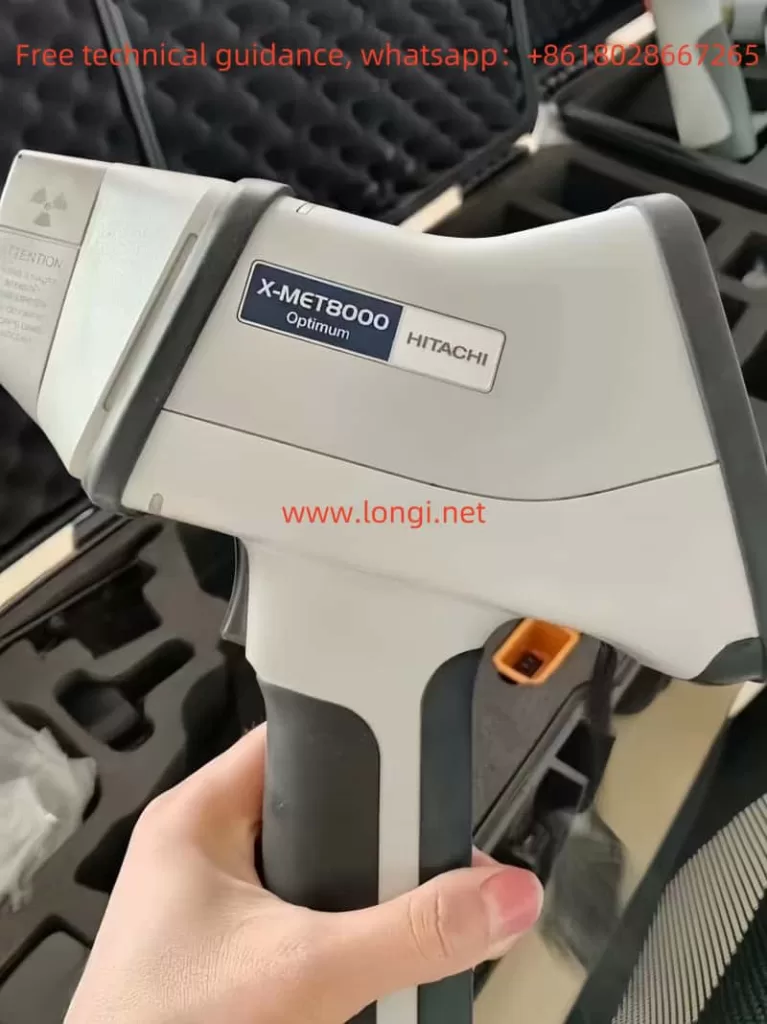
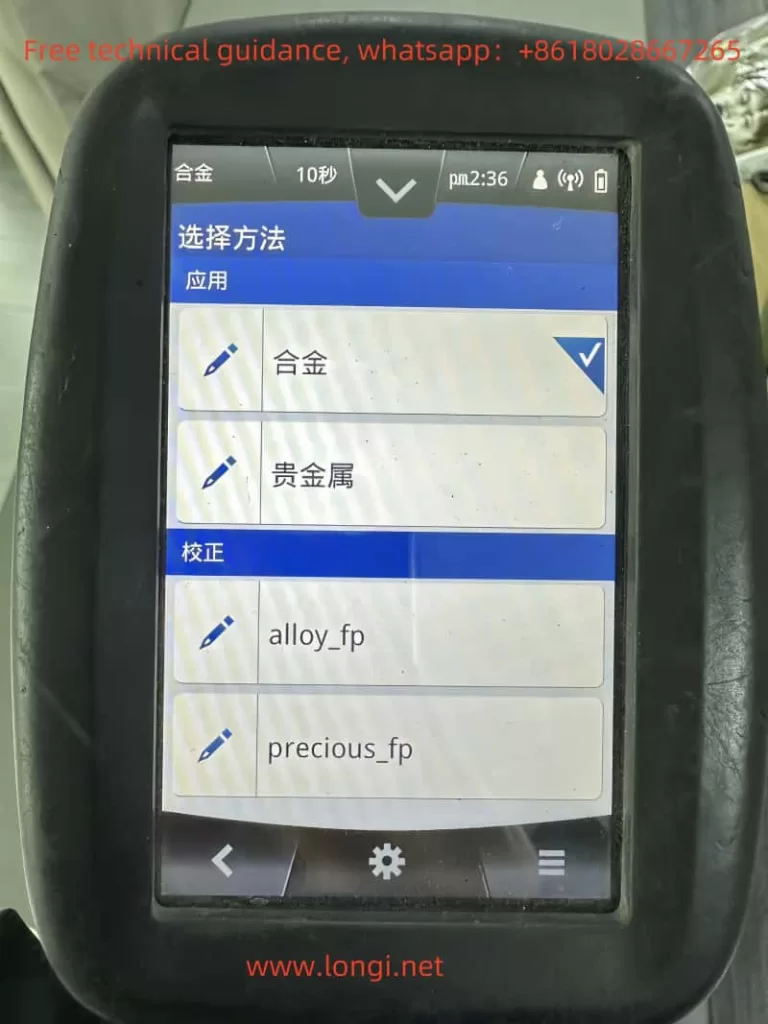
Hitachi X-MET 8000 handheld XRF analyzer main interface showing normal startup screen and measurement method selection

What Does “X-ray Tube” Mean in the X-MET 8000?

In XRF systems, the term “X-ray tube” does not refer to a lamp or light source. It is a high-voltage vacuum device responsible for generating primary X-rays.

In the Hitachi X-MET 8000, the X-ray tube:

  • Operates at tens of kilovolts (typically 40–50 kV)
  • Emits X-rays that excite atoms in the sample
  • Enables fluorescence detection by the SDD detector

Without a functioning X-ray tube system, elemental analysis is physically impossible, regardless of software or detector condition.


X-ray Generation System Architecture

From an engineering standpoint, the X-ray generation chain in the X-MET 8000 consists of multiple subsystems:

Main CPU / Operating System
        ↓
X-ray Control Logic
        ↓
High Voltage Generator (HV Module)
        ↓
X-ray Tube
        ↓
Collimator and Window

Failure at any point in this chain will present itself to the user as a measurement error.

This is a key reason why many different faults are generalized by manufacturers as “X-ray tube failure.”
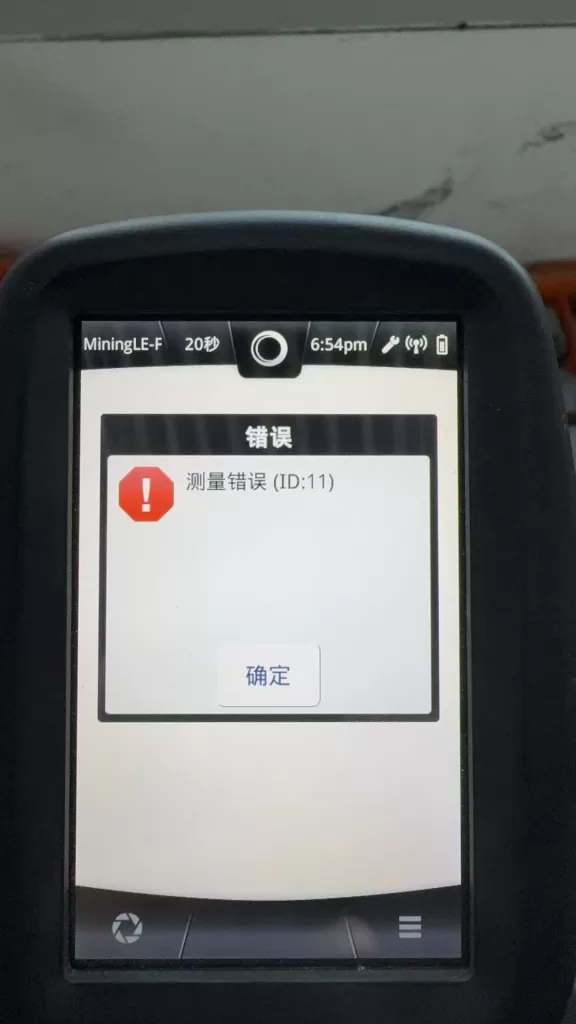

Hitachi X-MET 8000 XRF analyzer displaying measurement error ID 11 during analysis, indicating X-ray generation failure

Interpreting System Error Code(s): 18

The “System Error: code(s): 18” message is not a random software bug.
In Hitachi / Olympus / Evident XRF platforms, system errors are bitwise status evaluations of hardware readiness.

Error code 18 typically indicates:

  • X-ray generation system failed to reach operational state
  • High-voltage enable confirmation missing
  • Tube current feedback abnormal or absent
  • Safety interlock preventing X-ray emission

Importantly, this error does not specify which component failed—only that the X-ray system did not pass internal checks.


Understanding Measurement Error (ID:11)

Measurement Error (ID:11) is a result-level error, not a root-cause error.

It means:

During measurement, the system did not detect a valid X-ray fluorescence signal.

This condition may be caused by:

  • No X-ray emission
  • Insufficient tube current
  • High-voltage shutdown
  • Safety interlock interruption

It does not automatically prove that the X-ray tube itself is defective.
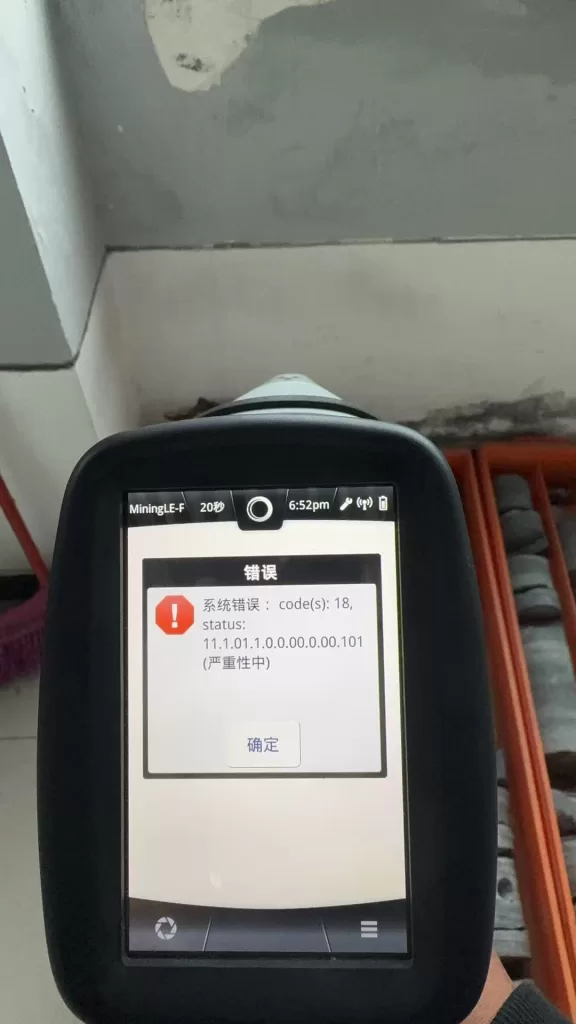

Hitachi X-MET 8000 system error code 18 shown on screen, related to X-ray tube or high voltage generation system fault

Why Official Service Diagnoses “X-ray Tube Failure”

Manufacturers use a module replacement service model:

  • No component-level troubleshooting
  • No HV board repair
  • No interlock diagnostics beyond basic checks

From this standpoint:

  • Any X-ray system malfunction → replace X-ray assembly
  • X-ray assembly includes tube + HV + shielding
  • Result: “X-ray tube failure”

This approach simplifies liability, radiation safety compliance, and service logistics—but sacrifices diagnostic precision.


Real-World Failure Probability Distribution

Based on field repair experience, actual root causes are distributed as follows:

Failure AreaLikelihoodNotes
X-ray tube agingHighConsumable component
HV generator failureHighMOSFETs, drivers, protection
Tube current sensing faultMediumFeedback circuit
Safety interlock openMediumProbe or housing switches
Cable or connector issueLowShock or liquid ingress

A significant portion of units diagnosed as “tube failure” are actually repairable HV or interlock issues.


Practical Engineering Diagnostics (Without Factory Tools)

Acoustic High-Voltage Test

When measurement starts, listen carefully:

  • Audible high-voltage “hiss” → HV likely enabled
  • No sound at all → HV not starting or blocked

This simple test immediately separates control-side failures from tube-side failures.


Low-Voltage Input Stability Check

Using a multimeter:

  • Verify stable DC input to the HV module
  • Observe voltage behavior during measurement start

If voltage collapses immediately, the problem is likely within the HV power stage—not the tube itself.


HV Enable Signal Verification

Most HV modules include an enable control line:

  • Idle state: 0 V
  • Measurement state: logic high (3.3 V or 5 V)

If no enable signal is present, investigate:

  • Safety interlocks
  • Control board logic
  • Firmware permission state

When Can the X-ray Tube Be Considered Truly Defective?

A tube should only be considered irreversibly defective when:

  1. High voltage is confirmed to start
  2. Tube current remains zero or unstable
  3. No X-ray output is detected
  4. Power, control, and safety systems are verified normal

Only under these conditions does replacing the tube make technical sense.


Repair vs Replacement Decision Logic

From a cost and engineering perspective:

  • Official tube replacement often equals the value of a used X-MET unit
  • Component-level repair can restore full functionality at a fraction of the cost
  • Partial repair enables resale as refurbishable equipment

A rational decision process includes:

  1. Confirm root cause
  2. Attempt HV or interlock repair first
  3. Evaluate tube replacement only if proven necessary
  4. Consider secondary market strategies if uneconomical

Conclusion

“X-ray tube failure” is not a precise technical diagnosis—it is a service-level classification.

True engineering evaluation requires separating:

  • Control logic failures
  • High-voltage generation issues
  • Safety interlock interruptions
  • Genuine tube end-of-life conditions

By understanding the internal architecture and error logic of the Hitachi X-MET 8000, technicians and equipment owners can avoid unnecessary replacement, reduce costs, and make informed repair or resale decisions.
Posted on

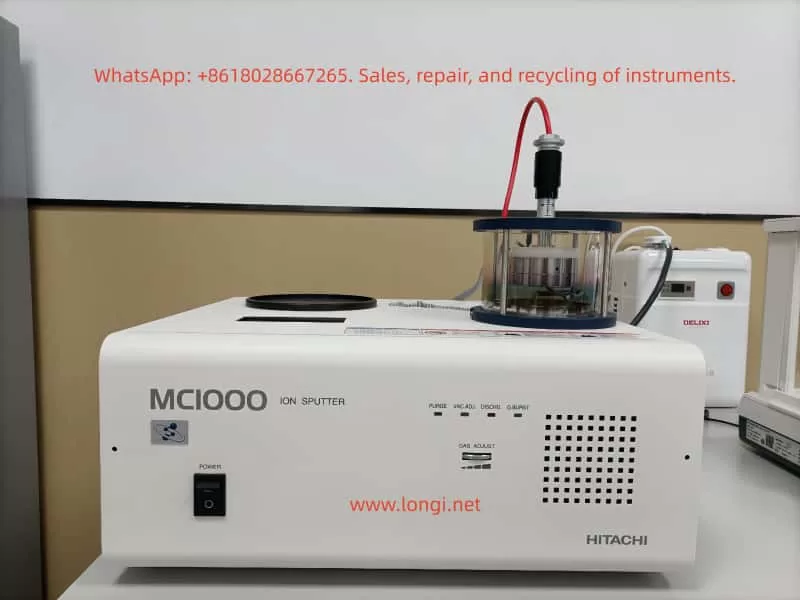
User Guide for Hitachi Ion Sputter Coater MC1000/MC100 Series

1. Introduction and Instrument Overview

The Hitachi MC1000 Ion Sputter Coater is a benchtop magnetron sputtering coating device specifically designed by Hitachi High-Tech Corporation for the preparation of scanning electron microscope (SEM) samples. It is used to deposit extremely thin (1 – 30 nm) conductive metal films on the surfaces of non-conductive samples, eliminating the charging effect during SEM observation and improving the quality of secondary electron imaging.

Core Advantages:

  • Utilizes magnetron sputtering technology to achieve low-temperature, low-damage, and high-particle-fineness coating.
  • Particularly friendly to heat-sensitive, biological, polymer, and other sensitive samples.
  • Features a 7-inch color LCD touch screen for operation and supports multiple languages.
  • The Recipe function allows for the storage of multiple sets of commonly used parameters for one-click recall.
  • Supports an optional film thickness monitoring unit for precise control of film thickness.
  • Highly modern and automated operation.
  • Applicable in fields such as materials science, biology, geology, semiconductors, nanotechnology, and failure analysis.
smart

2. Safety Precautions

Argon Gas Safety:

  • Ensure the operating environment is well-ventilated or install an oxygen concentration detector.

High-Voltage Electrical Risk:

  • Never open the cover or touch internal components during operation.

Vacuum Safety:

  • Always break the vacuum before opening the sample chamber.

Target Material Toxicity:

  • Wear gloves and a mask when replacing target materials.

Radiation:

  • A small amount of X-rays is generated during the sputtering process, but the equipment is shielded.

Prohibited Actions:

  • Never use oxygen or other active gases.
  • Do not place flammable, explosive, or strongly magnetic substances on the sample stage.
  • Do not leave the equipment unattended during operation.

Emergency Situations:

  • Immediately cut off the power supply, close the main argon gas valve, and evacuate personnel.

3. Technical Specifications

ItemSpecification Details
ModelMC1000
Sputtering MethodDC magnetron sputtering
Target Sizeφ50 mm × 0.5 mm
Sample StageStandard φ50 – 60 mm, rotatable; maximum sample height 20 mm
Target-Sample DistanceFixed at 30 mm
Ultimate Vacuum≤5×10⁻⁴ Pa
Working Vacuum5 – 10 Pa
Sputtering CurrentAdjustable from 0 – 40 mA
Sputtering VoltageAdjustable from 0 – 1.5 kV
Coating RateAu: ~35 nm/min; Au/Pd: ~25 nm/min; Pt: ~15 nm/min; Pt/Pd: ~20 nm/min
Film Thickness ControlTime control or optional film thickness meter
Vacuum PumpTurbo molecular pump + rotary mechanical pump
Operating GasHigh-purity argon (above 99.99%)
Gas Flow ControlAutomatic mass flow controller (MFC)
Display/Operation7-inch color LCD touch screen
Recipe StorageUp to 5 – 10 sets
Power SupplyAC 100 – 240 V, 50/60 Hz, single-phase, approximately 1.5 kVA
DimensionsApproximately 450 (W) × 391 (D) × 390 (H) mm
WeightMain unit approximately 25 kg, pump set approximately 28 kg
Operating EnvironmentTemperature 15 – 30℃, humidity ≤85% (no condensation)

4. Instrument Structure and Panel Description

Front View:

  • 7-inch touch screen
  • Sample chamber glass cylinder
  • Target height adjustment knob (present on some older models)
  • Main power switch

Rear Panel:

  • Argon gas inlet
  • Vacuum pump power and signal lines
  • Main power socket
  • Exhaust port

Internal Structure:

  • Magnetron target
  • Sample stage
  • Quartz crystal oscillator film thickness probe (optional)

5. Installation and First-Time Startup Preparation

  • Place the equipment on a stable laboratory bench, away from vibration sources.
  • Use a three-prong socket with a ground wire, with a grounding resistance ≤100 Ω.
  • Connect the argon gas cylinder and set the secondary pressure to 0.03 – 0.05 MPa.
  • Check the vacuum pump oil level.
  • Conduct an initial vacuum pumping test and observe whether it reaches the 10⁻³ Pa level.

6. Detailed Operation Steps

6.1 Startup and Preparation

  • Open the main valve of the argon gas cylinder and set the secondary pressure to 0.04 MPa.
  • Connect the main unit power.
  • The touch screen lights up, and the main interface is displayed.

6.2 Sample Placement

  • Ensure the chamber is vented to atmospheric pressure.
  • Lift the glass cylinder cover.
  • Secure the sample on the sample stage.
  • Adjust the target-sample distance.
  • Close the glass cylinder.

6.3 Parameter Setting

  • Click “Process” or “Recipe”.
  • Set parameters such as target material type, sputtering current, and sputtering time or film thickness.
  • Save as a Recipe.

6.4 Starting Coating

  • Click “START”.
  • The equipment automatically performs the coating process.

6.5 Sample Retrieval and Shutdown

  • After coating is complete, the equipment automatically breaks the vacuum.
  • Open the glass cylinder and remove the sample.
  • Close the glass cylinder, click “Vent” or long-press “STOP”.
  • Turn off the power switch and close the main valve of the argon gas cylinder.

7. Recommended Common Recipe Parameters

Application ScenarioTarget MaterialCurrent (mA)Time (s)Estimated Film Thickness (nm)Remarks
Conventional SEMAu20608 – 12Economical
High-resolution FE-SEMPt or Pt/Pd25905 – 10Finest particles
Biological SamplesAu/Pd15 – 2012010 – 15Low-temperature priority
EDS Energy-Dispersive Spectroscopy AnalysisCarbon evaporation (optional)10 – 20Avoid metal peak interference
Thick or Large SamplesAu3018020 – 30Requires optional large chamber

8. Target Replacement Steps

  • Completely break the vacuum and open the glass cylinder.
  • Wear gloves and use an Allen wrench to loosen the target pressure ring.
  • Remove the old target material.
  • Place the new target material.
  • Tighten the pressure ring.
  • Close the glass cylinder, pump down the vacuum, and check for leaks.
  • Run an empty coating process once.
  • Target Lifespan: An Au target can typically be used for approximately 500 – 800 coating sessions.

9. Daily Maintenance and Care

Maintenance ItemFrequencyMethod
Cleaning the Sample Chamber Glass CylinderAfter each useWipe with a lint-free cloth and isopropyl alcohol or acetone
Checking O-ringsWeeklyVisually inspect and lightly coat with silicone grease
Replacing Vacuum Pump OilEvery 300 – 500 hoursDrain the oil → Clean the oil tank → Add new oil
Molecular Pump MaintenanceEvery 1 – 2 yearsReturn to the factory or have a professional regenerate it
Cleaning the Target SurfaceWhen replacing the targetPolish the oxide layer with fine sandpaper
Overall Dust RemovalMonthlyClean with a vacuum cleaner and a soft brush
Checking the Argon Gas PipelineMonthlyCheck for leaks at the joints

10. Common Troubleshooting

Fault PhenomenonPossible CausesSolutions
Failure to IgniteInsufficient argon pressure / Target oxidation / Excessive vacuumCheck the argon pressure; perform an empty coating to remove oxidation; reduce the vacuum
Unstable or Low CurrentDepleted target material / Poor contactReplace the target material; check the tightness of the pressure ring
Inability to Achieve VacuumInsufficient pump oil / Leakage / Aging O-ringsAdd pump oil; check for leaks; replace O-rings
Discrepancy Between Coated Film Thickness and Set ValueDirty film thickness meter probe / Change in target material coating rateClean the quartz crystal oscillator; recalibrate the film thickness meter
Unresponsive Touch ScreenPower fluctuations / Software crashRestart the main unit; contact after-sales service
Sample Overheating or DamageExcessive current / Prolonged coating timeReduce the current; perform coating in multiple sessions

11. Optional Accessories Introduction

  • Film Thickness Monitoring Unit: Real-time measurement using a quartz crystal oscillator with an accuracy of ±0.1 nm.
  • Large Sample Chamber: Sample diameter up to 150 mm and height 30 – 50 mm.
  • Carbon Evaporation Attachment: Used for EDS analysis.
  • Various Target Materials: Pt, Au/Pd, Pt/Pd, etc.
  • Automatic Transformer: Supports a wide voltage range of 115 – 240 V.

12. Precautions and Best Practices

  • A new target material must undergo an empty coating process for 20 – 30 seconds during its first use.
  • For biological samples, it is recommended to use a Pt target with a low current.
  • When the equipment is not in use for an extended period, start it up and pump down the vacuum for 1 hour every week.
  • Record the coating parameters and SEM imaging results for each session.
  • For the complete official Chinese manual, please contact Hitachi High-Tech China or local agents.
Posted on

User Guide for the Hitachi X-MET8000 Spectrometer: Principles, Usage, and Troubleshooting

Introduction

The Hitachi X-MET8000 spectrometer is an advanced, portable X-ray fluorescence (XRF) analyzer widely used for material testing and elemental analysis across various industries. This user guide covers the following aspects to help users maximize the device’s efficiency:

  1. Principles and Features of the X-MET8000 spectrometer.
  2. Usage Methods and Best Practices to ensure safe and effective operation.
  3. Error Codes: Common issues, their meanings, and troubleshooting steps.
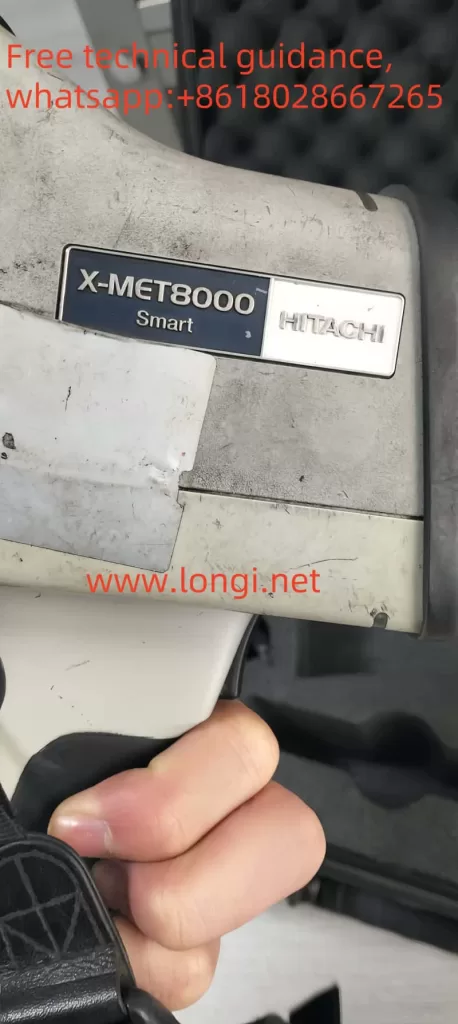
Physical image of X-MET8000

By following this structured guide, users can maintain optimal device performance and prevent unnecessary downtime.


1. Principles and Features of the X-MET8000 Spectrometer

1.1 Working Principle

The X-MET8000 spectrometer operates based on X-ray fluorescence (XRF). When X-rays strike a material, they dislodge inner-shell electrons, creating vacancies. Electrons from higher energy levels fill these vacancies, releasing energy in the form of characteristic X-rays. By detecting and analyzing these emitted X-rays, the device can determine the elemental composition of the material.

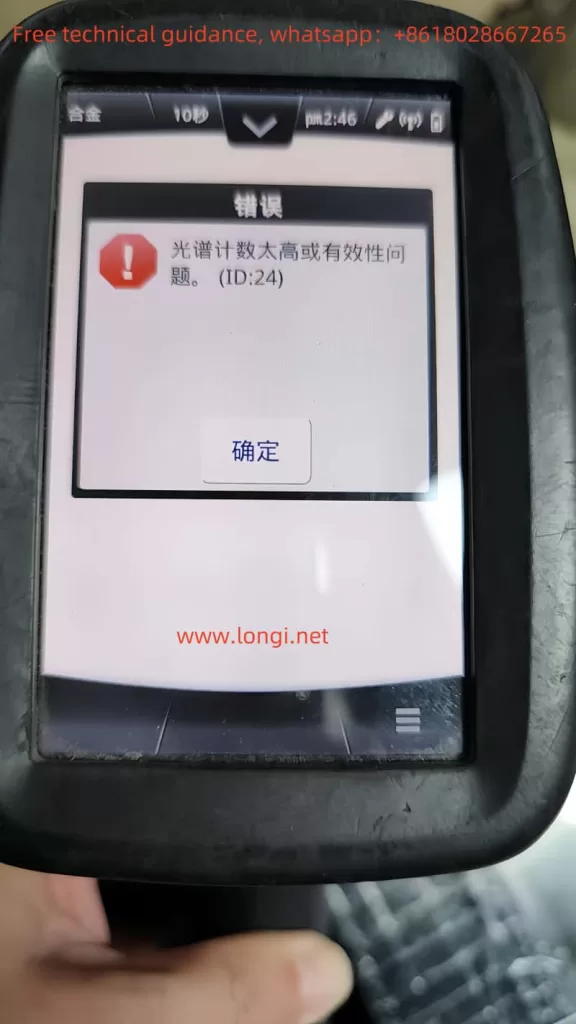
ID:24 alarm
1.2 Key Features
  • Wide Element Range: Analyzes elements from magnesium (Mg) to uranium (U).
  • Portability: Lightweight and rugged design for on-site measurements.
  • High Accuracy: Equipped with advanced calibration options, including empirical and fundamental parameter (FP) calibrations.
  • Touchscreen Interface: Intuitive controls and customizable menus.
  • Battery Powered: Operates with a rechargeable battery for field use.
  • Safety Features:
    • Proximity Sensor: Prevents accidental X-ray exposure.
    • X-Ray Shutter: Indicates when the X-ray source is active.

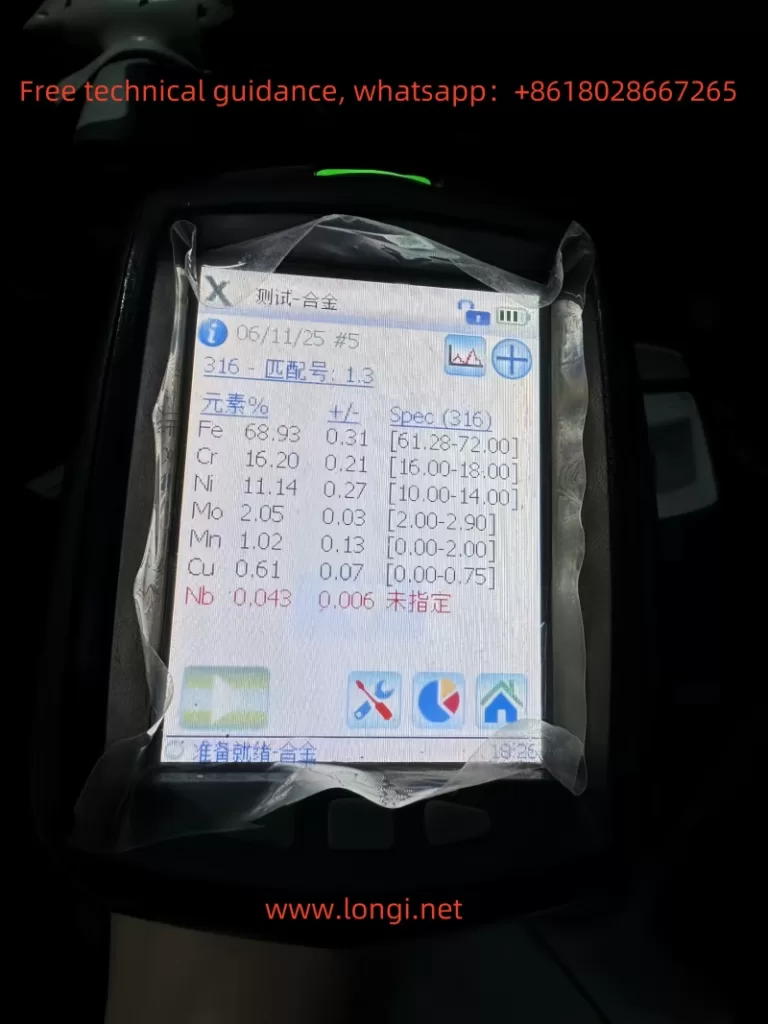
Testing alloy

2. Usage Methods and Best Practices

2.1 Startup Procedure
  1. Switching On:
    • Hold the power button for five seconds until the device powers on.
  2. Login:
    • Use the default passwords: Operator (1111) or Supervisor (0000). Change passwords for security.
  3. Calibration:
    • Use the factory calibration or perform a custom calibration depending on the sample type.
2.2 Measurement Procedure
  1. Prepare the Sample:
    • Ensure the sample surface is clean and smooth to avoid measurement errors.
  2. Position the Device:
    • Place the measurement window firmly against the sample. Ensure full coverage of the proximity sensor.
  3. Take Measurements:
    • Pull and hold the trigger to activate the X-ray source. The results screen refreshes every two seconds.
    • Release the trigger once the measurement is complete.
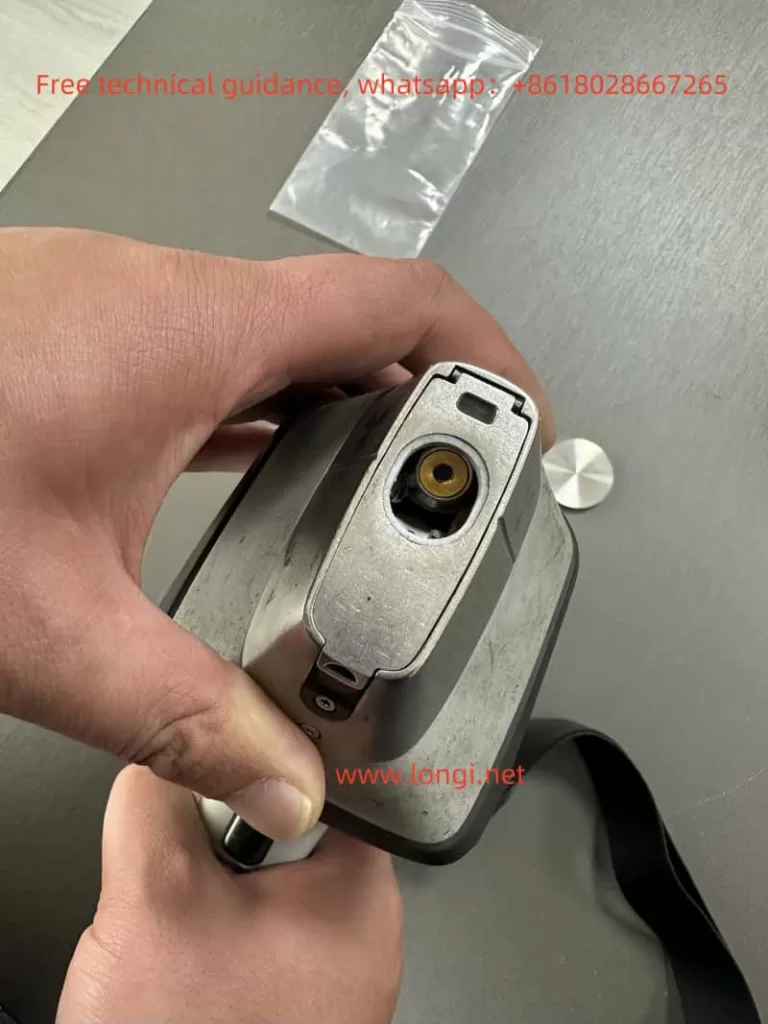
Scanning head
2.3 Data Management
  • Batch Mode: Average measurements from multiple samples for consistency.
  • Report Generation:
    • Export results via USB, network share, or directly to a printer.
2.4 Maintenance
  • Daily Cleaning: Wipe the measurement window with isopropyl alcohol.
  • Weekly Maintenance: Inspect connectors, batteries, and protective films for wear or damage.
  • Battery Care: Avoid overcharging to prolong battery life.

correction

3. Troubleshooting and Error Codes

The X-MET8000 includes a robust diagnostic system to alert users to errors. Below are some common error codes, their meanings, and potential solutions.

3.1 Common Error Codes
Error CodeMeaningPossible CausesSolutions
ID-14Proximity sensor not detecting a sampleSample not fully covering the window, sensor malfunctionClean the sensor, ensure proper sample placement, or replace the sensor.
ID-07Low batteryBattery voltage too lowRecharge or replace the battery.
ID-21Calibration errorIncorrect calibration settings or sample mismatchRecalibrate using the correct method or replace the reference sample.
ID-30Detector errorIssues with the X-ray detector, such as contamination or damageInspect and clean the detector; contact technical support if needed.
3.2 ID-14 Error: In-Depth Analysis

The ID-14 error occurs when the sample proximity sensor fails to detect the sample, causing the device to halt measurements. This can result from:

  • Improper Sample Placement: The sample does not fully cover the sensor or has an irregular surface.
  • Sensor Contamination: Dust, oil, or debris on the sensor blocks detection.
  • Hardware Failure: Issues with the infrared emitter or receiver in the sensor.

Solution:

  1. Inspect the sample for proper placement and cleanliness.
  2. Clean the proximity sensor with a lint-free cloth and isopropyl alcohol.
  3. Test the sensor using a multimeter or infrared camera. Replace if necessary.

4. Safety and Operational Tips

  1. Safety First:
    • Ensure the device is not pointed at people or animals during operation.
    • Use only in accordance with local X-ray safety regulations.
  2. Avoid Misuse:
    • Do not operate the spectrometer with a damaged proximity sensor or X-ray shutter.
  3. Store Properly:
    • Keep the device in a dry, dust-free environment when not in use.
  4. Use Genuine Accessories:
    • Only use approved batteries, chargers, and protective films to avoid device damage.

5. Conclusion

The Hitachi X-MET8000 is a versatile and reliable spectrometer for material analysis. By understanding its principles, following proper usage methods, and addressing common errors like ID-14 effectively, users can maximize its potential. Regular maintenance and adherence to safety practices will further enhance device longevity and performance. For unresolved issues, it is recommended to contact Hitachi’s technical support for professional assistance.

Posted on

Meaning and Troubleshooting of ID-14 Error in Hitachi X-MET8000 Spectrometer

Introduction

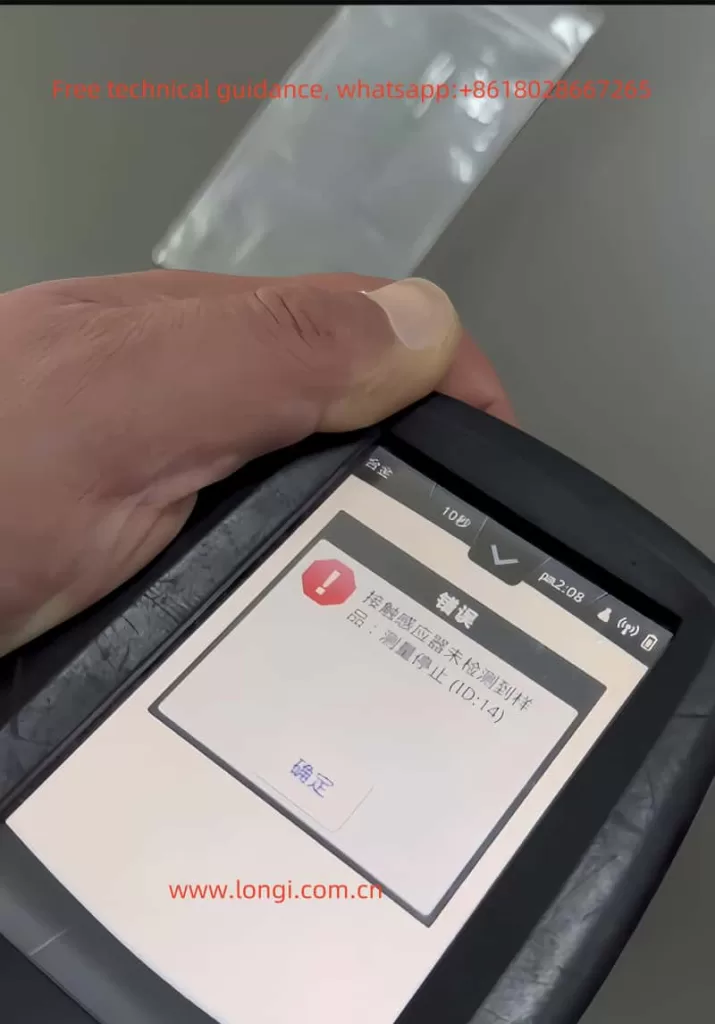
The X-MET8000 is a portable spectrometer developed by Hitachi, widely used in industrial fields such as metal composition analysis and material testing. Its core technology relies on the collaboration between the X-ray emission and reception system and the sample sensor to achieve precise analysis. However, users may encounter the ID-14 error, which indicates “Sample proximity sensor not detected, measurement stopped.” This issue not only affects work efficiency but may also cause damage to the device or inaccurate measurements. This article delves into the causes of the ID-14 error and provides detailed solutions based on practical repair experience.


ID:14 ERROR

1. The Meaning of ID-14 Error

The key to the ID-14 error lies in the message “Sample proximity sensor not detected.” Essentially, the detection system of the spectrometer cannot confirm whether the sample is properly placed. This is usually caused by the following three factors:

  1. Failure of the sample sensing system: The spectrometer uses an infrared sensor to detect whether the sample is in contact with the measurement window. A failure in this system may lead to detection errors.
  2. Issues with sample placement: If the sample does not completely cover the measurement window, has an uneven surface, or is unsuitable for measurement, this error will occur.
  3. Internal hardware or circuit issues: This includes failures in the infrared sensor, connecting circuits, or signal processing modules.

X-MET8000

2. Causes of the Error

Based on repair experience and the working principle of the device, the specific causes of the ID-14 error include:

1. Improper Sample Placement
  • The sample does not fully cover the measurement window.
  • The sample surface contains oil, oxide layers, or other obstructions, blocking the infrared signal.
  • The sample has an irregular shape (e.g., curved or uneven), making it difficult to contact the sensor tightly.
2. Infrared Sensor Issues

The infrared sensor is a key component related to the ID-14 error, with potential issues including:

  • Damage to the infrared emitter or receiver: The emitter cannot emit infrared signals, or the receiver cannot capture the reflected signals.
  • Cold solder joints: Prolonged use may lead to loose or broken solder joints between the sensing module and the FPC (flexible printed circuit).
  • Contamination or aging: Pollution on the sensor surface or aging components may weaken or disable the signal.
3. Circuit Connection Failures
  • FPC damage: The flexible circuit board connecting the sensing module to the mainboard may break due to bending, pulling, or prolonged use.
  • Connector issues: The FPC connector to the mainboard may not be tightly connected, or the contacts may be oxidized.
4. Control Circuit Issues
  • Infrared signal processing chip failure, preventing proper signal transmission.
  • Other related circuits on the mainboard (e.g., power supply modules) may malfunction, affecting the infrared module’s operation.

Scanning head

3. Solutions

Based on the above analysis, repair steps can be divided into the following aspects:

1. Checking the Sample

Before disassembling the device or performing more complex repairs, inspect the sample:

  • Clean the sample surface: Use isopropyl alcohol to clean the sample surface to remove oil, oxide layers, or dust.
  • Reposition the sample: Ensure the sample fully covers the measurement window and is in close contact with the sensor.
  • Replace the sample: If the sample surface is too rough or irregular, choose another sample for testing to rule out sample-related factors.
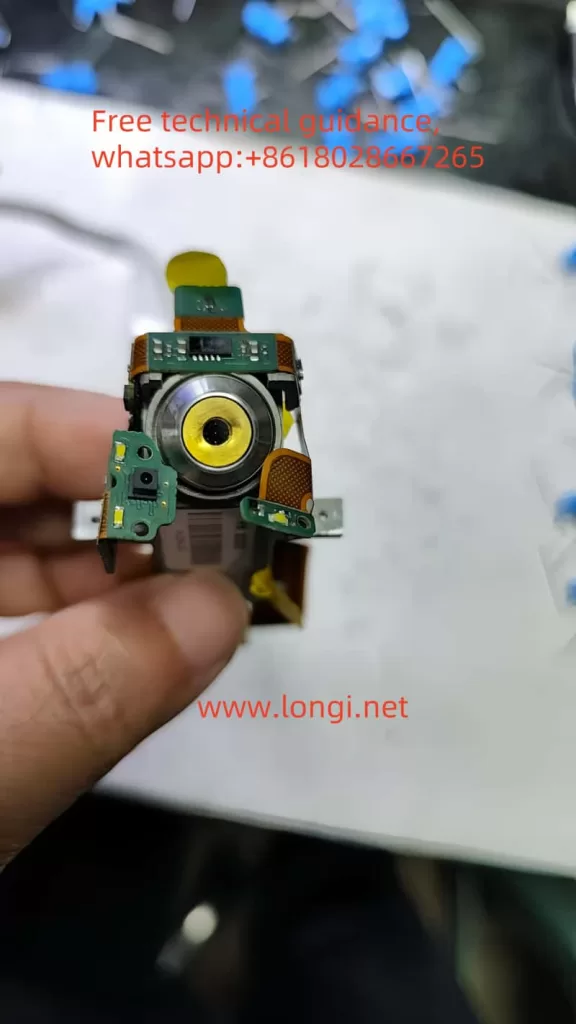
Infrared sensing sensor
2. Repairing the Sensor Module

If the sample is confirmed to be fine, focus on the sensor module:

  • Clean the infrared sensor: Use a lint-free cloth and isopropyl alcohol to clean the emitter and receiver surfaces, removing dust or stains.
  • Test the infrared emitter and receiver:
    • Use a multimeter to measure whether the emitter and receiver output signals.
    • Use an infrared camera or night vision device to check if the infrared emitter is emitting light (usually at 850nm or 950nm wavelengths).
  • Replace damaged sensor modules: If the sensor is confirmed to be faulty, replace it with a module of the same model.
3. Repairing Circuit Connections
  • Inspect the FPC:
    • Use a multimeter to measure whether all lines on the FPC are continuous.
    • If a break is found, repair it with fine wires or replace the entire FPC.
  • Repair solder joints:
    • Use a hot air rework station or a fine-tip soldering iron to re-solder the sensor module. Keep the soldering temperature between 280–320°C.
    • If the solder joints are aged or loose, remove the old solder and reapply fresh solder.
  • Check the connectors: Clean the connector contacts between the FPC and the mainboard. Replace the connector if necessary.
4. Checking the Mainboard and Control Circuits
  • Use an oscilloscope to check whether the signal processing chip on the mainboard is functioning correctly.
  • If the mainboard is faulty, contact the manufacturer for replacement or repair.

Infrared sensor head

4. Repair Precautions

  1. Safety First:
    • The X-MET8000 involves X-ray technology. Ensure the device is completely powered off before operation, and avoid contact with high-voltage parts.
    • Do not operate the X-ray system without proper safety measures.
  2. Tool Preparation:
    • Prepare tools such as a hot air rework station, multimeter, isopropyl alcohol, lint-free cloth, tweezers, etc.
    • Use a microscope if possible to assist with observation and soldering.
  3. Avoid Misoperation:
    • During repairs, avoid damaging surrounding components or circuits.
    • If you lack repair experience, consider handing the device over to professional technicians.

5. Conclusion

The ID-14 error is a common issue in Hitachi’s X-MET8000 spectrometer, usually caused by failures in the sample sensor or related circuits. Through systematic troubleshooting and repair methods, this issue can be effectively resolved, restoring the device to normal operation. This article combines practical repair cases to analyze the issue from four aspects: sample inspection, sensor module, circuit connection, and mainboard circuits, providing a clear troubleshooting framework for repair technicians.

In practice, repair personnel should flexibly adjust steps according to specific circumstances and ensure safety precautions are in place. If the issue persists, it is recommended to contact the manufacturer’s technical support for further assistance.