
Introduction
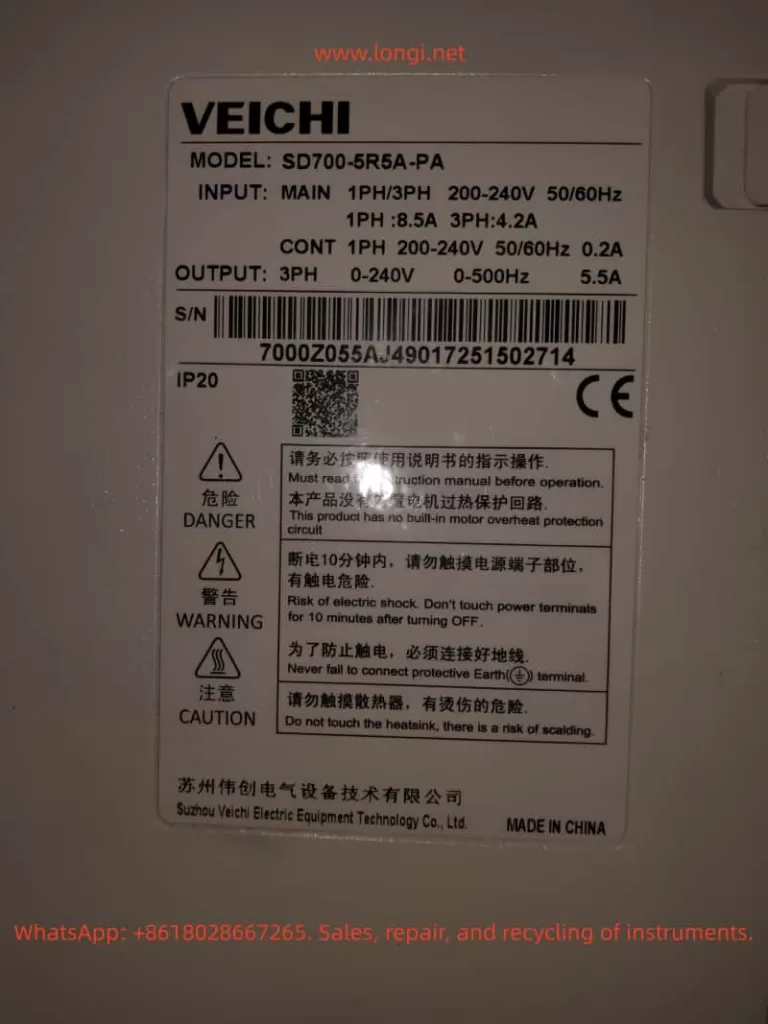
In the field of modern industrial automation, servo systems are the core components for high-precision motion control, and their stability and reliability directly impact the efficiency and product quality of production lines. The SD700 series servo drives launched by Weichuang Electric have gained market recognition due to their excellent performance and wide applications. However, in actual operation, the ER.022 fault code, as a common system abnormality alert, poses a challenge to technicians. This article will provide a systematic technical guide for technicians from the aspects of definition, causes, diagnosis, solutions, and prevention.
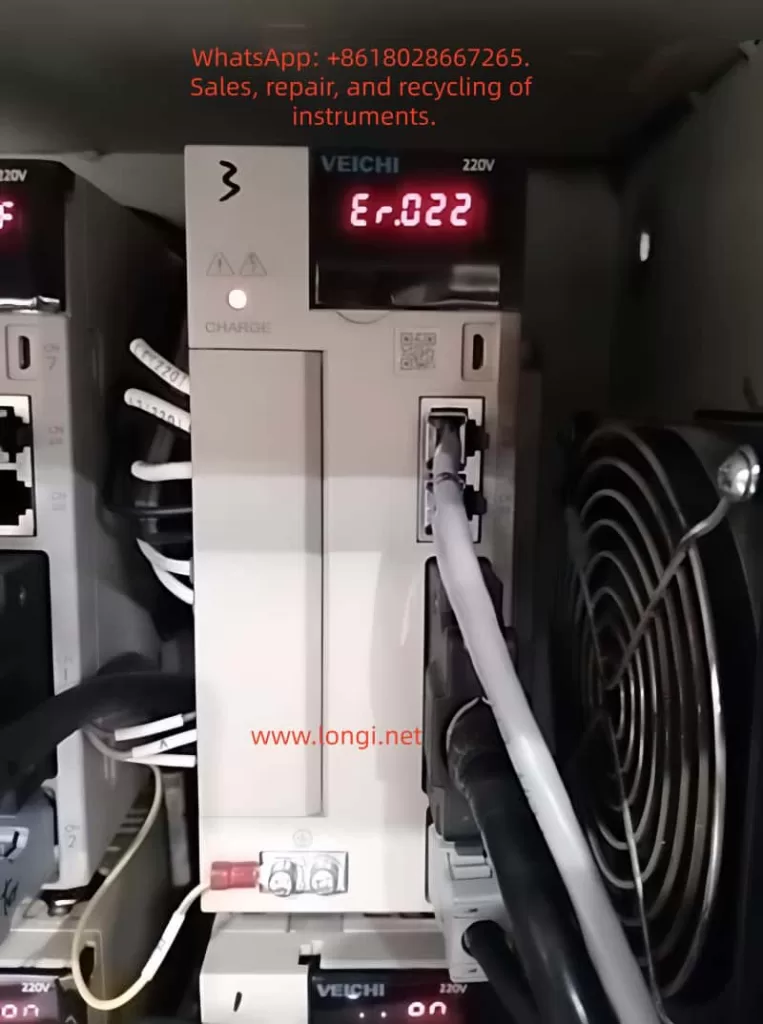
I. Overview of the ER.022 Fault Code
1.1 Definition of the Fault Code
The ER.022 fault code in the Weichuang Servo SD700 series represents a “system and checksum anomaly,” indicating that the servo drive has detected inconsistencies in system parameters, data, or checksums during self-check or operation, which may be caused by software errors, hardware failures, or external interference.
1.2 Fault Phenomena
When the SD700 series servo drive experiences an ER.022 fault, it is usually accompanied by the following phenomena:
- The fault indicator light on the drive panel illuminates, displaying the ER.022 error code.
- The servo motor stops running and fails to respond to control commands from the host computer.
- The drive may automatically enter a protective state.
II. Analysis of the Causes of the ER.022 Fault
2.1 Software Errors
- Loss or Damage of System Parameters: Parameters may be lost or damaged during storage or transmission due to sudden power outages or electromagnetic interference.
- Incompatibility of Firmware Versions: The firmware may be incompatible with the host computer software or other devices.
- Software Defects: The servo drive software may have undiscovered defects or vulnerabilities.
2.2 Hardware Failures
- Memory Failures: Non-volatile memories such as EEPROMs and Flash memories may age, be damaged, or have write errors.
- Processor Failures: The CPU or DSP may operate abnormally due to overheating, voltage instability, or manufacturing defects.
- Communication Interface Failures: Data transmission errors may occur due to poor contact, damage, or protocol mismatches in communication lines.
2.3 External Interference
- Electromagnetic Interference: Electromagnetic interference may be generated by frequency converters, high-voltage cables, etc., in the surrounding environment.
- Power Supply Fluctuations: Unstable power supplies may cause abnormal operation of internal circuits in the drive, such as voltage dips or surges.
III. Diagnostic Process for the ER.022 Fault
3.1 Preliminary Checks
- Confirm Fault Phenomena: Check the fault indicator light and error code on the drive panel.
- Check Power Supply: Use a multimeter to measure the input power supply voltage to ensure it is stable without fluctuations.
- Check Communication Lines: Check the connection status of communication lines to ensure there are no loose or damaged parts.
3.2 In-Depth Diagnosis
- View Fault Logs: View fault logs through the host computer software or drive panel.
- Parameter Backup and Restoration: Back up parameters and then perform initialization operations to restore factory settings. Reconfigure parameters and observe whether the fault disappears.
- Firmware Upgrade: Check and upgrade the firmware version.
- Hardware Detection: Use professional testing tools to detect key components such as memories, processors, and communication interfaces.
IV. Solutions for the ER.022 Fault
4.1 Software Solutions
- Parameter Initialization and Reconfiguration:
- Back up parameters to an external storage device.
- Perform initialization operations to restore factory settings.
- Reconfigure parameters according to requirements and observe whether the fault disappears.
- Firmware Upgrade:
- Download the latest firmware file from the official website.
- Burn the firmware using the host computer software or a dedicated programmer.
- Restart the drive and observe whether the fault disappears.
4.2 Hardware Solutions
- Replace Memory: If memory failure is suspected, try replacing the EEPROM or Flash memory and reconfigure parameters.
- Replace Processor: If processor failure is confirmed, replace the entire drive or processor module and reconfigure parameters and upgrade the firmware.
- Repair Communication Interface: Check the connection status of communication lines and replace the communication interface module or the entire drive.
4.3 Solutions for External Interference
- Electromagnetic Shielding: Perform electromagnetic shielding treatment on the drive and surrounding equipment and use shielded cables for connections.
- Stable Power Supply: Provide a stable and reliable power supply and use a UPS or voltage regulator to ensure power quality.
V. Preventive Measures and Routine Maintenance
5.1 Preventive Measures
- Regular Parameter Backup: Regularly back up parameters for quick restoration.
- Avoid Sudden Power Outages: Avoid sudden power outages during operation as much as possible.
- Use Genuine Software: Ensure that genuine software and firmware from the official source are used.
5.2 Routine Maintenance
- Cleaning and Dust Prevention: Regularly clean the drive and surrounding equipment to keep them clean and well-ventilated.
- Check Connection Lines: Regularly check whether connection lines are properly connected without looseness or damage.
- Monitor Operating Status: Monitor the operating status and parameter changes of the drive through the host computer software or drive panel to promptly detect and handle potential problems.
VI. Conclusion
The ER.022 fault, as a common system abnormality alert in the Weichuang Servo SD700 series, has causes involving software errors, hardware failures, and external interference. Through a systematic diagnostic process and solutions, technicians can effectively locate and solve the problem to ensure the stable operation of the servo system. Meanwhile, taking preventive measures and strengthening routine maintenance can reduce the probability of fault occurrence and improve the efficiency and product quality of production lines.